
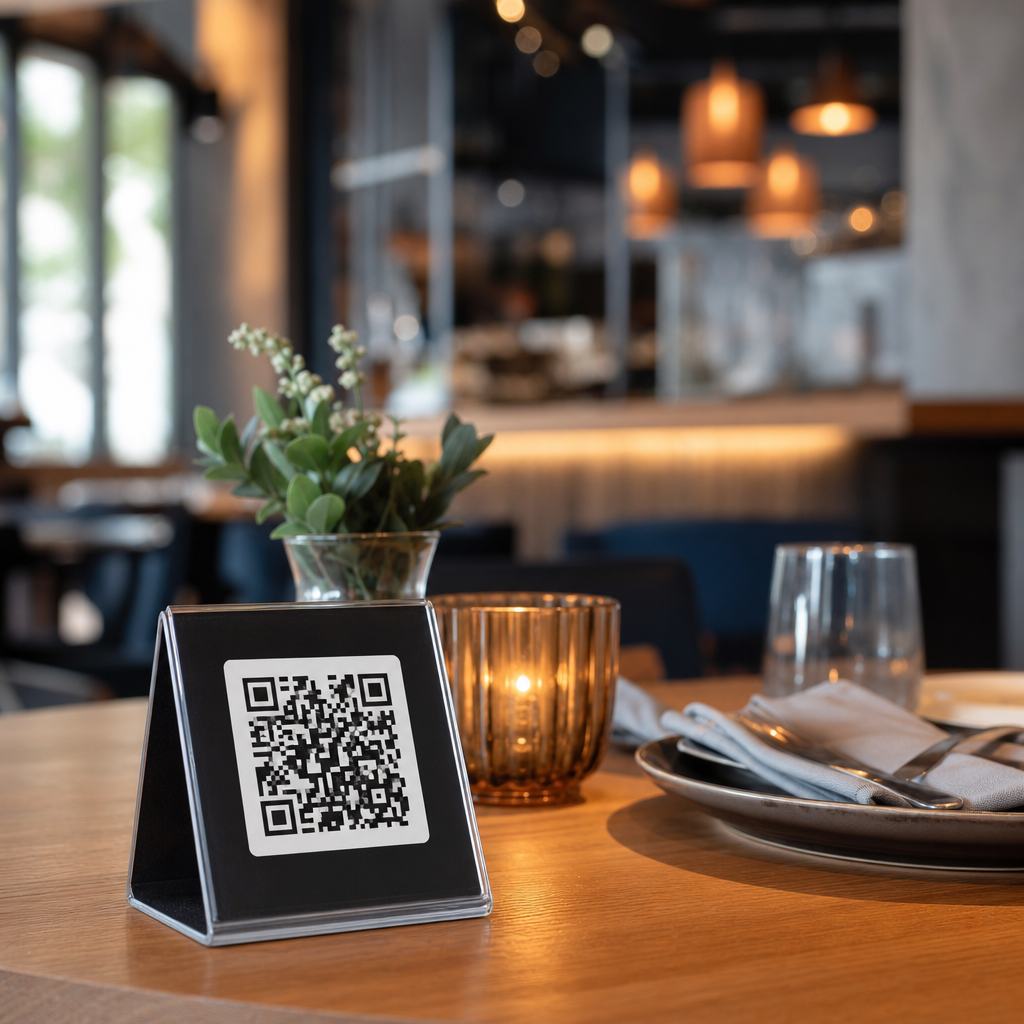
QR codes for table ordering systems have moved from a pandemic workaround to a core operating model for restaurants and hospitality businesses that want faster service, better data, and tighter control over labor. A QR code, or quick response code, is a scannable two-dimensional barcode that opens a digital menu, ordering page, payment screen, loyalty offer, or guest feedback form on a diner’s phone. In table ordering systems, the code is usually placed on a tent card, sticker, menu holder, or receipt presenter and tied to a table number, zone, or seat position inside the point-of-sale workflow.
I have helped operators roll out these systems in cafes, pubs, hotels, food halls, and full-service dining rooms, and the pattern is consistent: when the setup is done well, guests order sooner, staff spend less time on repetitive tasks, and management gains cleaner sales and menu data. When the setup is weak, the opposite happens. Poor code placement, slow menu pages, and a disconnected POS create friction that guests notice immediately. That is why this topic matters. QR ordering is not just a technology decision; it is a service design decision that affects guest satisfaction, check average, table turns, staffing, accessibility, and brand perception.
For restaurants and hospitality teams, this page serves as the hub for the entire subtopic. It covers how QR table ordering works, which business models benefit most, what hardware and software are required, how to measure results, and where the approach fits alongside traditional service. It also connects naturally to deeper topics such as digital menus, contactless payments, POS integration, kitchen display systems, hotel in-room dining, venue ordering, and guest experience design. If you need a practical foundation for restaurants and hospitality applications, start here.
How QR Codes for Table Ordering Systems Work in Real Operations
A table ordering journey has five technical steps. First, the guest scans a code with the camera app or a built-in browser scanner. Second, the code opens a branded ordering interface that identifies the table, room, or service area. Third, the guest browses categories, customizes items, and sends the order. Fourth, the order flows into the POS, kitchen display system, printer, or bar workflow. Fifth, payment happens either at checkout, on order, or through a tab model linked to the table. The best systems remove unnecessary taps and keep page speed under control, because mobile abandonment rises quickly when menus are heavy with uncompressed images or confusing modifiers.
In practice, there are two main QR code models. A static code points to a fixed URL, while a dynamic code can be edited without reprinting the placard. Dynamic codes are more useful for hospitality because operators often change menus, prices, service hours, language options, and promotional campaigns. The software layer usually includes menu management, table mapping, modifier rules, tax logic, service charges, payment processing, and reporting. Strong integrations connect to platforms such as Toast, Square, Lightspeed, Clover, Oracle MICROS, or hospitality-specific stacks used by hotels and multi-venue properties.
The operational details matter. A pub might allow guests to order and pay from any seat, with runners delivering food by table marker. A full-service restaurant may use QR ordering only for desserts, drinks, or repeat rounds while servers continue to handle hospitality and upselling. A hotel lobby bar can link a code to a room charge option after guest authentication. In each case, the code is only the entry point. The real value comes from accurate table identification, menu logic, and fulfillment coordination.
Where QR Table Ordering Fits Best Across Restaurants and Hospitality
Not every venue should use QR ordering in the same way. Quick-service and fast-casual restaurants benefit most when queues are common and menu complexity is manageable. Guests can sit first, order from the table, and avoid the line entirely. Casual dining operators often use a hybrid approach, keeping front-of-house staff focused on greeting, issue resolution, recommendations, and recovery instead of pure order taking. In bars and breweries, QR ordering reduces crowding at the counter and supports higher drink volume during peak periods. Food halls use it to combine multiple vendors into one guest-facing flow, though coordination across kitchens requires disciplined dispatch rules.
Hotels have distinct use cases. Poolside service, rooftop lounges, breakfast rooms, conference spaces, and in-room dining all benefit from scannable ordering because guests are distributed across large footprints. Resorts often add multilingual menus and room-charge capability, which makes the system more valuable than a generic PDF menu. In premium properties, however, service expectations are high. Guests may still want human interaction, pairing advice, or course pacing. The right design is usually additive rather than replacement-based.
Fine dining is the toughest fit. The more the concept relies on storytelling, wine guidance, allergy discussion, and curated hospitality, the less sense it makes to shift the entire order to a phone. Yet even in these settings, QR codes still work for waitlist join pages, tasting notes, digital wine lists, after-dinner purchases, or private dining pre-orders. The rule is simple: use QR ordering where it removes friction, not where it removes the experience.
| Venue type | Best QR ordering use case | Main operational benefit | Key limitation |
|---|---|---|---|
| Fast casual | Full table ordering and payment | Shorter queues and faster turns | Requires clean modifier logic |
| Casual dining | Hybrid ordering for repeat rounds | More staff time for hospitality | Guests need clear guidance |
| Bar or brewery | Drinks and tabs from seats | Higher peak throughput | Age verification workflow needed |
| Hotel | Pool, lobby, room service, events | Service coverage across large areas | Integration with room charge systems |
| Fine dining | Selective digital touchpoints | Convenience without replacing staff | Lower fit for full order capture |
Benefits, Metrics, and the Business Case
The strongest business case for QR codes for table ordering systems is operational efficiency combined with revenue visibility. By reducing the time between seating and first order, operators often improve table turns, especially at lunch and during pre-theater or event-driven service windows. I have seen venues cut order-entry lag by several minutes simply because guests no longer wait to flag down staff. That matters when a bar is managing three deep at the counter or a brunch dining room turns over every ninety minutes.
Labor efficiency is another major gain. Staff can spend less time walking, repeating menu details, and handling routine payment tasks, and more time on exception handling, hospitality, and high-margin suggestions. The value is not always fewer employees; often it is a better allocation of the same team. In a tight labor market, that distinction matters. Many operators also see cleaner modifier capture because guests build their own order on-screen, reducing handwriting errors and verbal miscommunication.
Performance should be measured with specific metrics: scan-to-order conversion rate, average time to first order, average order value, reorder frequency, payment completion rate, table turn time, void rate, and guest satisfaction by service mode. Compare QR orders against server-entered orders by daypart and section. If average order value drops, the issue may be weak prompts or limited visual merchandising. If conversion is low, code placement or landing-page speed is usually the culprit. Payment processor reports, POS exports, and event tracking tools such as Google Analytics 4 or product analytics within the ordering platform make these patterns visible.
Implementation Requirements, Integrations, and Guest Experience Standards
A successful launch depends on more than printing codes. The core stack includes a mobile ordering platform, payment gateway, POS integration, menu management rules, kitchen routing, and a reliable network. If Wi-Fi is weak, guests fall back to cellular data, which may be inconsistent in basements, patios, or large resort properties. Menu pages must load quickly, remain readable in bright outdoor light, and support accessibility basics such as adequate contrast, logical headings, alt-like labeling for key actions, and easy modifier selection. If a guest with limited dexterity cannot adjust quantity or remove an allergen clearly, the experience fails.
Integration quality is decisive. Orders should land in the POS with table identifiers, seat notes where relevant, and correct tax and service-charge treatment. KDS routing should send cocktails to the bar, mains to the hot line, and desserts to pastry without manual intervention. Inventory sync is equally important. Nothing damages trust faster than allowing a guest to order an unavailable item. Better systems use86 logic, prep-time throttling, and item-level availability windows.
Service design also needs attention. Guests must know whether to seat themselves, whether a server will still visit, how water or condiments are handled, and how to ask for help. A short line on the table card solves many issues: “Scan to order anytime, or speak with your server for recommendations.” Staff training should cover troubleshooting, refunds, age checks, allergy escalation, and recovery steps when a phone dies or a guest refuses digital ordering. Hospitality is preserved when the digital path is optional, intuitive, and supported by people who can step in immediately.
Common Challenges, Compliance Issues, and What to Do Next
The most common challenge is assuming QR ordering is self-explanatory. It is not. Guests vary widely in comfort, device quality, language needs, and service expectations. The second challenge is over-automation. If every interaction becomes a screen, the venue can feel transactional. A better approach is to identify the moments where speed matters and the moments where human service matters more. Security and compliance also deserve attention. Operators should use reputable payment processors that support PCI-compliant flows, HTTPS on all pages, role-based admin access, and audit trails for refunds and menu edits. Privacy disclosures should explain what guest data is collected, especially when loyalty, remarketing, or room-charge features are enabled.
The practical takeaway is clear. QR codes for table ordering systems work best when they are tightly integrated, carefully explained, and matched to the service style of the venue. Restaurants, bars, hotels, and event spaces can all benefit, but the implementation should reflect guest expectations, menu complexity, and staff workflow. Start with one service area, measure conversion and service times, gather guest feedback, then expand with confidence. If you are building out restaurants and hospitality technology across industry-specific applications, use this hub as your starting point and map the next step: digital menus, contactless payments, POS integration, or mobile guest engagement.
Frequently Asked Questions
What are QR codes for table ordering systems, and how do they work in a restaurant?
QR codes for table ordering systems are scannable codes placed at each table that connect guests directly to a restaurant’s digital ordering experience on their own smartphone. When a diner scans the code with a phone camera, it typically opens a mobile-optimized menu, ordering page, payment screen, loyalty signup, promotional offer, or feedback form. In most setups, the code is tied to a specific table number or service area, which helps the restaurant know exactly where the guest is seated and where the order should be delivered.
From an operational standpoint, the process is straightforward but powerful. A guest scans the code, browses the menu, customizes items, submits the order, and often pays without waiting for a staff member to take the order manually. The order is then routed into the restaurant’s ordering workflow, usually through a point-of-sale system, kitchen display system, or order management platform. That means the kitchen receives the same level of detail it would get from a cashier or server, including modifiers, add-ons, allergy notes, and table information.
What makes this model especially effective is that it reduces friction at multiple points in the dining journey. Guests can order when they are ready instead of waiting for a server to return, restaurants can present updated menu items in real time, and staff can focus more on hospitality, food running, upselling, and issue resolution rather than repetitive order entry. For many restaurants, QR codes are no longer just a convenience feature. They are a core service layer that improves speed, accuracy, and consistency across dine-in operations.
What are the main benefits of using QR code table ordering for restaurants and hospitality businesses?
The biggest benefit is speed. QR code table ordering shortens the time between seating and ordering because guests can begin immediately. Instead of waiting for menus, waiting for a server, and waiting again to place an order, diners move through the process at their own pace. This can increase table efficiency, improve guest satisfaction, and reduce bottlenecks during peak service periods.
Another major advantage is labor efficiency. Restaurants do not necessarily use QR systems to replace staff entirely; more often, they use them to help teams work smarter. Servers spend less time on routine order taking and payment collection and more time on guest experience, recommendations, table touches, and problem-solving. For operators dealing with labor shortages, fluctuating demand, or rising wage pressure, this can be a meaningful operational improvement.
QR code ordering also creates better data visibility. Digital systems can track what guests view, what they order, how often they reorder, what modifiers they select, what time they order, and how they respond to offers or loyalty prompts. That information can help restaurants optimize menu design, identify high-margin items, test promotions, improve staffing decisions, and personalize future marketing. Unlike printed menus, digital menus can be updated instantly to reflect stock changes, pricing adjustments, daypart specials, or limited-time offers.
There are also clear benefits for order accuracy and revenue growth. Because guests enter their own choices, there is often less miscommunication around modifiers, sides, or dietary preferences. At the same time, digital interfaces can be designed to encourage add-ons, bundles, premium upgrades, desserts, and beverages in a more structured way than a rushed verbal interaction. When implemented well, QR table ordering can support faster turns, higher average ticket values, and a more controlled, measurable service model.
Do QR code table ordering systems improve the guest experience, or do customers still prefer traditional service?
In practice, it is usually not an either-or decision. QR code table ordering improves the guest experience most when it adds convenience without removing hospitality. Many diners appreciate being able to browse at their own pace, split bills more easily, reorder another drink without flagging someone down, and pay as soon as they are ready to leave. For guests who value speed and control, that level of self-service is a genuine advantage.
That said, customer preferences vary by concept, demographic, occasion, and service style. A quick-service restaurant, casual pub, hotel lounge, food hall, or high-volume patio may see strong adoption because guests want efficiency. In a fine dining environment or special-occasion setting, guests may still expect more personal interaction, guided recommendations, and traditional tableside service. The best operators recognize this and use QR ordering as a flexible tool rather than a rigid replacement for hospitality.
The strongest guest experiences usually come from hybrid service models. In those models, diners can use the QR code if they want speed and independence, while staff remain present and available for menu questions, allergy concerns, wine pairings, troubleshooting, and personal attention. Clear signage, simple mobile design, fast page loads, and a frictionless checkout process are essential. If the experience is confusing, slow, or requires too many steps, guest satisfaction can drop quickly.
Accessibility and inclusivity also matter. Restaurants should always have a backup option for guests who do not want to use a smartphone, have difficulty scanning, or prefer human assistance. When QR table ordering is implemented thoughtfully, it tends to enhance convenience without sacrificing service. The goal is not to force every guest into a digital flow. The goal is to make ordering easier while preserving the welcoming, responsive experience people expect when dining out.
What features should restaurants look for in a QR code table ordering system?
Restaurants should start with the fundamentals: a mobile-friendly digital menu, table-specific QR codes, easy item customization, secure payment processing, and reliable order routing to the point-of-sale or kitchen workflow. If a system cannot handle modifiers accurately, identify the correct table, or process orders consistently during busy periods, it will create more operational problems than it solves. Stability, speed, and ease of use are more important than flashy extras.
Beyond the basics, strong integrations are critical. A good QR ordering platform should connect with the restaurant’s POS, kitchen display system, inventory tools, loyalty program, and reporting environment whenever possible. Integration reduces duplicate work, minimizes manual reconciliation, and keeps menu changes synchronized across channels. Real-time menu updates are especially valuable because they allow operators to 86 items, adjust prices, highlight specials, or change availability without reprinting anything.
Restaurants should also evaluate features that support revenue and guest engagement. These can include upselling prompts, suggested add-ons, combo logic, split payments, tipping options, multilingual menus, allergen labeling, loyalty enrollment, promotional banners, and post-meal feedback collection. Analytics dashboards are another high-value feature because they help managers understand ordering behavior, conversion rates, peak demand, and item performance at a granular level.
Finally, usability for both guests and staff should be a top priority. The ideal system should require very little explanation for diners and minimal training for employees. Staff need a clear way to monitor incoming orders, resolve issues, and assist guests when needed. Operators should also consider branding flexibility, customer support quality, hardware requirements, onboarding time, and pricing structure. The best QR code table ordering system is not just the one with the longest feature list. It is the one that fits the restaurant’s workflow, service model, and growth goals.
How can a restaurant successfully implement QR codes for table ordering without disrupting operations?
Successful implementation starts with operational planning, not just printing codes and placing them on tables. Restaurants should first define what they want the system to accomplish, whether that is faster ordering, reduced labor pressure, higher average checks, improved order accuracy, better guest data, or all of the above. Once goals are clear, the restaurant can design the ordering flow, decide how much service will remain staff-led, and make sure the digital experience aligns with the brand and dining format.
Menu preparation is one of the most important steps. Items should be clearly named, accurately priced, and logically organized for mobile browsing. Modifier groups, allergy notes, upsell opportunities, and product photos should be reviewed carefully. A confusing digital menu creates hesitation, abandoned orders, and more staff intervention. Restaurants should also test the full guest journey from scan to payment to confirm that pages load quickly, table assignments work correctly, and orders reach the kitchen exactly as intended.
Staff training is equally important. Even in a self-ordering model, employees need to understand how the system works, how to guide first-time users, how to monitor order flow, and how to handle exceptions such as failed payments, duplicate orders, or guest questions. The rollout should include visible table signage with simple instructions and a backup process for anyone who prefers to order traditionally. That flexibility helps reduce frustration and builds confidence during the transition.
It is also wise to launch in phases. A restaurant might begin with selected sections, slower dayparts, or a limited menu before expanding across the full dining room. During the first few weeks, managers should closely track scan rates, completion rates, average ticket size, guest feedback, and operational pain points. Small adjustments to wording, layout, menu sequencing, or staff scripts can make a major difference. When QR code table ordering is introduced with clear goals, strong testing, and active staff support, it can become a highly effective long-term operating model rather than a temporary tech add-on.





