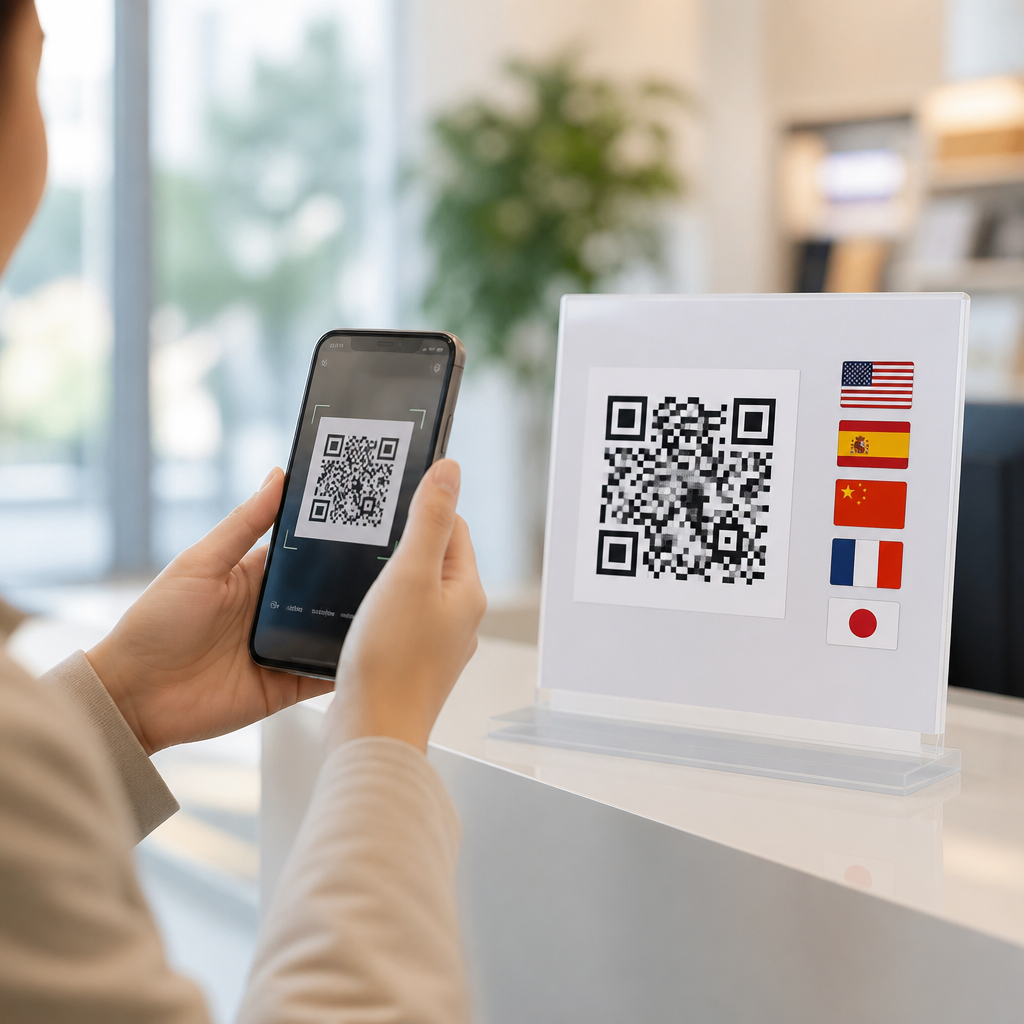
QR codes for multilingual accessibility turn a small printed square into a flexible gateway for language support, audio guidance, and inclusive mobile experiences. In practical terms, a QR code links a user from a sign, package, menu, ticket, or poster to digital content that can adapt to their language, reading level, and device settings. Multilingual accessibility means people can understand and use information regardless of the language they speak, whether they read fluently, rely on screen readers, or need audio, captions, or simplified text. In mobile QR code design and UX, this matters because the physical trigger is universal, but the destination often is not. I have seen otherwise elegant QR deployments fail because the code worked technically while the linked page assumed English literacy, perfect vision, and fast mobile data. Accessibility is not an add-on after launch. It shapes the landing page, language selection flow, metadata, media formats, and maintenance process. When handled well, QR codes reduce friction at the exact moment a user needs help: at a museum exhibit, on medicine packaging, in a transit station, or at a government office. They also support compliance with standards such as WCAG, improve trust, and expand reach across diverse audiences.
Why multilingual accessibility should guide QR code strategy
A QR code is only as accessible as the experience it opens. For multilingual audiences, the first requirement is straightforward: users must quickly reach content they can understand. That sounds simple, yet many projects still route everyone to a single page with a tiny language toggle buried in the footer. In field audits, I have found this design creates abandonment within seconds, especially in noisy public settings where users are standing, scanning one-handed, and under time pressure. A better pattern is language-aware routing using browser language detection, geolocation only as a secondary hint, and a prominent manual language selector at the top of the page. Automatic detection helps, but it should never trap users in the wrong version.
Accessibility also extends beyond translation. A translated page can still be inaccessible if contrast is weak, tap targets are small, reading order is broken for screen readers, or an instructional video lacks captions and transcripts. The strongest multilingual QR implementations treat the code as the first step in an inclusive service journey. For example, a hospital discharge packet can link to post-care instructions in Spanish, Mandarin, Arabic, and English, each with plain-language summaries, audio playback, and downloadable PDFs tagged for assistive technology. That single QR code reduces call-center burden while improving safety and comprehension.
Core design requirements for accessible multilingual destinations
The destination page should answer three questions immediately: what is this, which languages are available, and what can I do next. Place the page title in plain language, identify the content type, and keep the language switcher visible without requiring scrolling. Use correct language attributes, including lang on the page and on language-specific sections, so screen readers pronounce content accurately. For right-to-left languages such as Arabic and Hebrew, apply proper dir attributes and mirror layout where necessary instead of forcing a left-to-right template.
Readable typography is essential. Use sufficient contrast, scalable text, line spacing that supports mobile reading, and buttons large enough for users with motor impairments. Avoid embedding critical text inside images, because translated text often expands and becomes unreadable on small screens. If the QR destination includes forms, label every field explicitly, provide translated error messages, and preserve entered data when users switch languages. For audio and video, supply synchronized captions, transcripts, and where relevant sign-language versions. In transportation and civic settings, I also recommend icon-supported navigation because icons can reinforce understanding when literacy levels vary.
Choosing the right content model for translation and adaptation
Not every multilingual QR experience should be built the same way. The right model depends on update frequency, legal risk, audience diversity, and network conditions. Static translated PDFs may be acceptable for archived documents, but they are weak for time-sensitive guidance because users cannot easily resize text, search within content, or switch to audio. Responsive web pages are usually the most accessible choice because they support semantic markup, analytics, dynamic updates, and assistive technology more reliably than image-based documents.
Teams should separate translation from localization and from accessibility adaptation. Translation converts language. Localization adjusts units, examples, dates, cultural references, and regional terminology. Accessibility adaptation adds plain-language rewrites, captions, transcripts, image descriptions, and compatibility with screen readers or voice control. In practice, these layers interact. A food-service QR menu might need translated allergen labels, regionally familiar ingredient names, and an audio mode for blind users. If the source content is messy, every downstream version suffers. I advise creating a structured content model first, then generating language variants from that controlled source.
| Content format | Best use case | Accessibility strengths | Main limitation |
|---|---|---|---|
| Responsive web page | Frequently updated guidance | Works well with screen readers, resizing, analytics | Requires disciplined content governance |
| Tagged PDF | Official records and printable forms | Downloadable, preserves layout, can be accessible if tagged correctly | Harder to navigate on phones |
| Audio landing page | Low literacy or eyes-busy situations | Fast comprehension, supports multiple languages | Needs transcript and controls for noisy environments |
| Video with captions | Demonstrations and procedures | Shows steps clearly, supports caption translation | Higher bandwidth and production effort |
Language selection, routing, and mobile UX patterns that work
The best multilingual QR flows reduce decisions without removing user control. My preferred pattern is a short interstitial that lists the top languages in native script, supports search for additional languages, and remembers the choice with a lightweight cookie or local storage. Native script matters because users may not recognize the English name of their language quickly. For example, showing Deutsch, Español, Français, العربية, and 中文 is more effective than translating every label into one interface language. On shared devices, however, remembered preferences should be easy to change with a persistent switcher.
Routing logic should prioritize certainty. Browser Accept-Language headers are useful signals, but they are imperfect on borrowed phones and public tablets. Geolocation should never be the primary determinant because language does not map neatly to location. In tourism, transit, and emergency communication, a mistaken redirect can delay understanding at the worst possible moment. A concise choice screen often outperforms aggressive auto-routing. Once users enter a language path, keep URLs stable and descriptive, such as /es/medication-guide or /ar/station-map, because stable paths help sharing, maintenance, and discoverability. If the same QR code appears across locations, dynamic QR management lets teams update destinations centrally without reprinting signage.
Standards, testing, and measurement for accessible QR deployments
Reliable multilingual accessibility requires standards-based execution and repeated testing in realistic conditions. WCAG remains the baseline for digital accessibility, but teams should also check platform conventions on iOS and Android, plus plain-language guidance used in public health and government communication. For multilingual SEO and discoverability, implement hreflang correctly on web pages, give each language version its own canonical URL when appropriate, and avoid auto-translated content without human review for high-stakes topics. Metadata should match the page language so search tools and AI systems can interpret the resource accurately.
Testing has to go beyond desktop review. Scan the QR code at different sizes, distances, and lighting levels; then evaluate the landing page on older phones, slow connections, and zoomed interfaces. Use VoiceOver and TalkBack for screen-reader checks, keyboard navigation for users with external switches or keyboards, and automated tools such as WAVE, axe, or Lighthouse to catch obvious issues. Then run moderated sessions with actual speakers of each target language. In one museum project, lab testing looked perfect, but visitors still missed the audio guide because the play button label was translated literally instead of using the locally familiar term. Analytics should track scan-through rate, language selection, completion rate, media usage, and bounce by language, but never at the expense of privacy or legal compliance.
Common mistakes and how to avoid them
The most common mistake is assuming a translated page equals an accessible experience. It does not. Other frequent failures include tiny QR placement on reflective surfaces, low-contrast signs, PDF-only destinations, machine translation for medical or legal content, and videos uploaded without captions. I also see organizations ignore maintenance. A QR code on a permanent sign may live for years, while phone numbers, eligibility rules, and opening hours change constantly. If one language page is updated while others lag behind, users receive unequal service.
Prevention depends on governance. Assign content owners, translators, accessibility reviewers, and a release process. Maintain a terminology glossary so critical phrases remain consistent across languages. Build fallback rules for broken pages, expired campaigns, and offline conditions. Where connectivity is weak, lightweight pages and compressed media matter more than visual polish. Most importantly, test the complete journey from printed surface to task completion. That is where multilingual accessibility succeeds or fails.
QR codes for multilingual accessibility work best when physical design, mobile UX, translation workflow, and accessibility standards are planned together. The code itself should be easy to scan, but the larger win comes from destinations that present clear language choices, readable layouts, assistive technology support, and content formats matched to real user needs. Responsive pages usually offer the strongest foundation, while PDFs, audio, and video each serve specific roles when implemented carefully. Across healthcare, transit, education, retail, and public services, the pattern is consistent: one well-managed QR code can connect diverse audiences to accurate information in the format they can use right away.
For teams building a mobile QR code design and UX program, this page should function as the hub for every accessibility decision that follows. Use it to guide deeper work on scan placement, landing page accessibility, captioning, translation governance, and analytics by language. Start with one high-impact journey, audit it against real multilingual user needs, and improve the full experience end to end. When QR codes respect language, literacy, and disability access from the start, they become more than a convenience. They become dependable public-facing infrastructure.
Frequently Asked Questions
How do QR codes improve multilingual accessibility?
QR codes improve multilingual accessibility by connecting a single printed item to digital content that can change based on the user’s needs. Instead of trying to fit several languages, large-print text, and accessibility instructions onto a small sign, label, menu, or poster, an organization can place one QR code that opens a mobile-friendly page with language options, audio playback, simplified wording, and accessible formatting. This makes the experience more inclusive for people who speak different languages, people with limited literacy, and people who use assistive technology such as screen readers.
They also make updates much easier. If translations change, accessibility improvements are needed, or new languages must be added, the printed QR code can stay the same while the linked content is updated in the background. That flexibility is especially valuable in public spaces, healthcare settings, tourism, transportation, education, packaging, and events, where clear communication matters and printed materials may be costly to replace. In short, QR codes act as a practical bridge between physical objects and adaptive digital information that can serve a much broader audience.
What kinds of content can a multilingual accessibility QR code link to?
A multilingual accessibility QR code can link to far more than a basic translated webpage. It can open a landing page with language selection, text in multiple reading levels, audio narration, videos with subtitles, transcripts, sign language interpretation, visual instructions, and device-friendly layouts. For example, a restaurant menu QR code might offer translations, allergen explanations, and spoken descriptions of menu items. A museum placard could provide audio tours in several languages, image descriptions, and simple summaries for younger visitors. A product package might link to safety instructions, usage guides, and compliance information in multiple languages.
The best results usually come from designing the destination content for accessibility from the start. That means using clear headings, readable contrast, responsive mobile design, alt text for images, properly labeled buttons, and compatibility with screen readers. In many cases, it also helps to include plain-language versions of important content so users can choose not only their preferred language but also a format they can understand quickly and confidently. The QR code itself is just the entry point; the real accessibility value comes from what the user reaches after scanning.
Are QR codes a good solution for people who use screen readers or need audio support?
Yes, QR codes can be very effective for people who use screen readers or benefit from audio support, but only when the full experience is designed accessibly. Once scanned, a QR code can lead to content that works well with mobile screen readers, offers text-to-speech friendly structure, and provides dedicated audio guidance. This is especially useful in environments where printed text may be too small, too dense, or unavailable in the user’s language. Instead of relying solely on visual information, users can access spoken instructions, narrated descriptions, or step-by-step guidance directly on their phones.
That said, accessibility depends on implementation. The linked page should use semantic HTML, descriptive page titles, logical heading structure, clear link labels, and controls that can be navigated without confusion. Audio should be easy to start, pause, and replay. If important instructions are shared only in audio or only in visuals, some users may still be excluded, so it is best to provide information in multiple formats. QR codes should also be placed where people can reasonably find and scan them, and nearby text should explain what the code provides, such as “Scan for audio directions and translations.” When those details are handled well, QR codes can substantially improve access for users with a range of visual, reading, and language needs.
Where are QR codes for multilingual accessibility most useful?
QR codes for multilingual accessibility are especially useful anywhere physical space is limited but communication needs are broad. Common examples include public signage, transportation hubs, hospitals and clinics, government offices, schools, tourist attractions, retail stores, food packaging, apartment buildings, event venues, and workplaces. In these settings, it is often difficult to present every language, instruction, and accessibility feature in print. A QR code solves that problem by extending the experience into a digital format where content can be personalized and expanded without cluttering the physical design.
They are also valuable in high-stakes situations where misunderstanding can create safety risks or service barriers. Medication instructions, emergency notices, building access guidance, ticketing details, and onboarding materials are all stronger when users can access them in their preferred language and format. Even in less urgent contexts, such as exhibits, menus, or product information, QR codes help reduce friction and improve user confidence. For organizations serving diverse communities or international visitors, they provide a scalable way to communicate clearly, respectfully, and inclusively across many touchpoints.
What should organizations consider before using QR codes for multilingual accessibility?
Organizations should begin by thinking beyond the QR code itself and focusing on the user journey. The destination page should be fast, mobile-optimized, easy to navigate, and available in the languages the audience actually needs. Translations should be accurate and culturally appropriate, not just machine-generated without review. It is also important to support different accessibility needs by including readable text, plain-language options, audio versions, captions, transcripts, and compatibility with assistive technologies. If the experience requires too many taps or loads slowly, users may abandon it before getting the information they need.
Placement and instructions matter as well. The QR code should be easy to spot, printed at a scannable size, and positioned where people can safely use their phones. Nearby text should explain what users will get after scanning, such as language support, spoken instructions, or accessible content. Organizations should also consider privacy, analytics, and maintenance. If the code links to dynamic content, someone must keep that content updated, test links regularly, and ensure accessibility remains intact as pages change. When planned carefully, QR codes are not just a convenience feature; they become a durable accessibility tool that helps more people access information independently and with dignity.