
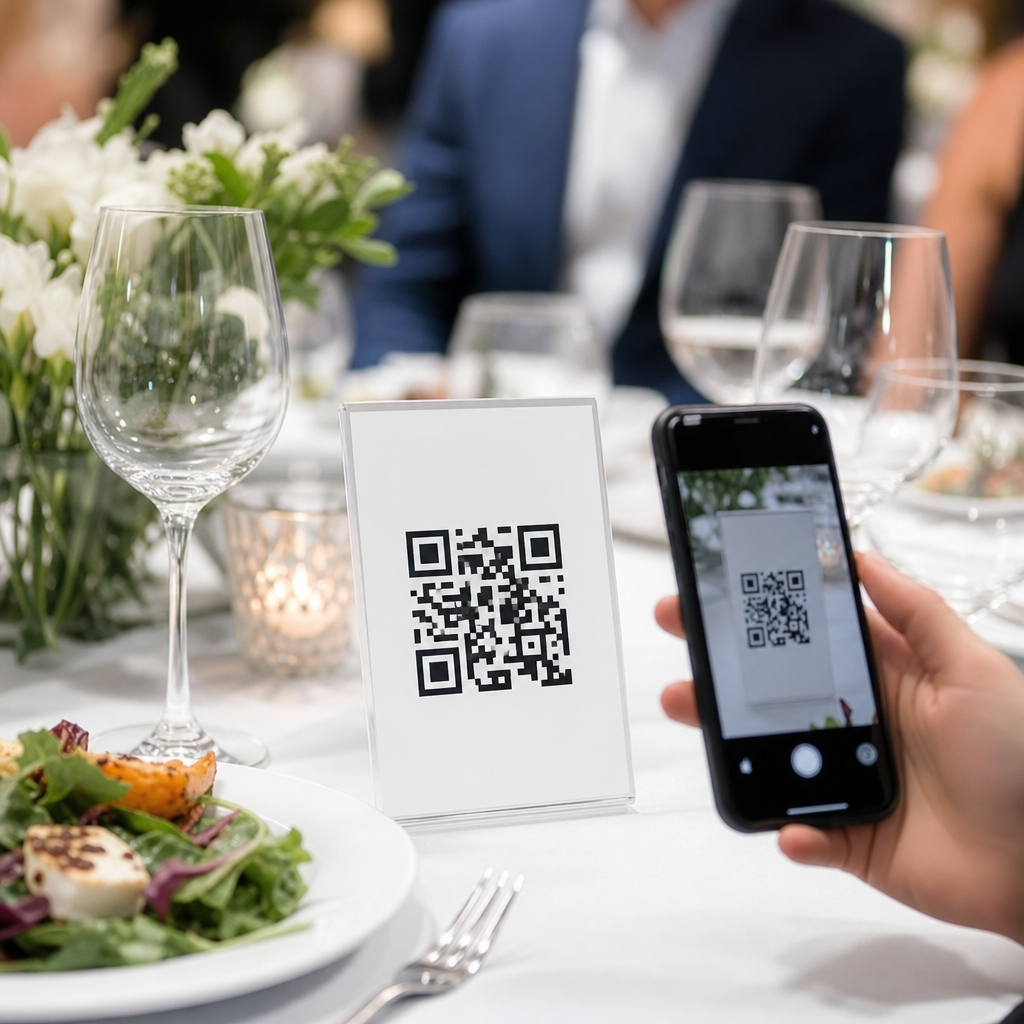
QR codes for event menus and catering have moved from a convenience feature to a core operating tool across restaurants and hospitality. In practical terms, a QR code is a scannable image that opens a digital destination, usually a menu, order form, registration page, or payment screen. For event service, that destination can also include buffet labels, allergen lists, beverage pairings, guest check-in details, and post-event feedback. I have implemented these systems for banquet teams, hotel F&B departments, and independent caterers, and the biggest lesson is simple: when the code connects guests to clear, mobile-friendly information, service becomes faster, safer, and easier to scale.
This matters because event dining is more complex than standard restaurant service. Menus change by headcount, venue rules, seasonality, staffing levels, and dietary requests. Printed cards become outdated the moment a chef substitutes an ingredient or a planner changes table assignments. QR codes solve that version-control problem while reducing reprint costs and giving operators measurable data. A hotel can track which stations draw the most scans. A caterer can update wine notes five minutes before doors open. A wedding venue can present late-night snack options in multiple languages without placing extra signage on every table.
As a hub for restaurants and hospitality, this topic extends beyond one use case. Event menus touch banquets, room service, conference catering, wedding packages, private dining, bars, pool decks, and pop-up activations. The same infrastructure also supports adjacent articles on contactless ordering, multilingual menus, allergen communication, loyalty programs, and payment workflows. If you are evaluating QR codes for event menus and catering, the key questions are straightforward: what should the code open, where should it appear, how should it be designed, and how can your team maintain it without adding friction? The sections below answer those questions directly.
How QR codes improve event menu operations
The most immediate benefit is live menu control. Static printed menus lock an operation into one version, while dynamic QR codes let managers change the destination without replacing the physical code. That distinction matters at events, where substitutions are common. If the seafood station switches from halibut to cod because of a supply issue, the chef or banquet captain can update ingredients and allergens instantly. In my work with conference venues, this alone prevented repeated guest-service problems, especially when attendees arrived in waves and asked for the same clarifications.
QR codes also reduce labor at high-volume touchpoints. Instead of explaining every canapé, side, and dessert option repeatedly, staff can direct guests to a mobile menu with short descriptions, dietary icons, and portion notes. This does not replace hospitality; it frees staff to handle exceptions and upsell intelligently. A bartender can spend more time recommending premium pours when guests already understand the standard bar package. A catering lead can focus on VIP dietary requests instead of distributing revised printed sheets to every station.
Data is another underused advantage. Most professional QR platforms, including Bitly, QR Code Generator Pro, Beaconstac, and Uniqode, provide scan counts, timestamps, device types, and location-level analytics. Those metrics help operators answer practical questions: Did guests engage with the vegan dessert station? Which ballroom had the strongest beverage menu usage? Were guests scanning before service, during the main course, or after dessert? That insight improves future package design, staffing, and signage placement.
Best use cases across restaurants and hospitality
In restaurants, event QR codes work well for private dining rooms, chef’s tables, tasting menus, and buyout events. Guests can scan a code to view courses, wine pairings, origin notes, and upgrade options without cluttering the table with multiple inserts. For hospitality groups, hotels benefit even more because banquet and catering operations involve many rotating spaces. A single property may host a pharmaceutical conference breakfast, an afternoon wedding reception, and an executive cocktail hour on the same day. Each event needs distinct content, but the operating team wants a repeatable system.
Caterers can deploy QR codes on buffet risers, grazing tables, beverage bars, and packed meal labels. Wedding planners often use them on welcome signs so guests can see the evening timeline, signature cocktails, seating map, and late-night food service. At corporate events, a code can connect to pre-order lunch selections, reducing queue times during short breaks. In resorts, poolside and cabana catering menus become easier to manage because weather, inventory, and outlet hours change frequently.
Large venues should think beyond menus. Event QR codes can connect to room diagrams, exhibitor hospitality packages, sponsorship offers, attendee surveys, and gratuity-enabled payment pages. The strongest programs link these experiences together. For example, a convention hotel can place one code on the breakfast buffet for ingredients and another on the table tent for espresso add-ons and private dinner reservations. That creates internal linking signals between hospitality services while keeping each guest action clear.
What to include in a high-performing event menu
A good digital event menu is concise, scannable, and built for phone screens. Start with the event name, service window, and menu categories. Then add dish descriptions that answer the questions guests ask most often: What is it? What are the main ingredients? Is it vegetarian, vegan, gluten-free, halal, kosher-style, nut-free, or dairy-free? If a dish contains common allergens, state that plainly. The U.S. Food and Drug Administration identifies nine major food allergens that businesses commonly track: milk, eggs, fish, crustacean shellfish, tree nuts, peanuts, wheat, soy, and sesame.
For catering, include operational details that reduce confusion: whether stations are attended, whether seconds are available, whether beverages are included, and when service ends. If alcohol is offered, list brands or tiers so guests understand package limits. If items are customizable, show the exact choices. I recommend using short menu copy with expandable sections for ingredient detail. Guests want answers fast, especially in a line.
| Menu element | Why it matters | Best practice |
|---|---|---|
| Dietary labels | Reduces repetitive guest questions and lowers risk | Use consistent icons plus plain-language text |
| Allergen details | Supports safer choices for sensitive guests | List major allergens and cross-contact disclaimer |
| Service times | Prevents missed stations and late complaints | Show start, end, and replenishment expectations |
| Upsell items | Increases revenue without extra signage clutter | Feature premium pairings or add-on courses |
| Contact link | Helps planners and guests resolve exceptions quickly | Provide host, server, or event desk contact option |
Design, placement, and accessibility standards
Placement determines scan rate. Codes should appear where guests naturally pause: entry signs, cocktail tables, buffet markers, bar menus, table tents, room drops, and printed place cards. Avoid glossy finishes under direct lighting because glare reduces readability. Maintain strong contrast, usually dark code on a light background, and preserve the quiet zone around the code so phone cameras can detect it quickly. For event signage viewed from a distance, increase size; a common field rule is at least one inch of code width for every ten inches of scanning distance.
Accessibility is not optional. Always include a short text URL below the code so guests have an alternative path. Menus should load fast, use legible font sizes, and work without requiring an app. WCAG-aligned practices help here: sufficient contrast, clear heading structure, descriptive link text, and compatibility with screen readers. Multilingual events should offer language toggles near the top of the page, not buried in a footer. For older guests or low-connectivity venues, keep a small number of printed menus available. The goal is broader access, not a forced digital-only experience.
Branding should support recognition without hurting performance. Custom frames that say “Scan for Menu” usually outperform unframed codes because they give guests a reason to act. However, excessive logo overlays or decorative patterns can reduce reliability, particularly when codes are printed small. Test every version on iPhone and Android devices before production. I have seen beautifully designed signs fail on-site because no one checked them under ballroom lighting or on guest Wi-Fi.
Implementation, tracking, and governance
Successful rollout depends on process, not just software. Start by mapping each event touchpoint: invitation, check-in, table, buffet, bar, and follow-up. Decide which content belongs at each step and who owns updates. In most hospitality teams, marketing should control brand templates, operations should own menu accuracy, and IT or a digital manager should oversee links, redirects, and analytics. Dynamic codes are worth the subscription cost because they preserve printed assets while allowing destination changes.
Set naming conventions for every code so reporting is usable. A label like “Grand Ballroom_Wedding_Bar Menu_June 2026” is better than “Event code 4.” Use UTM parameters in destination URLs if you want deeper attribution in Google Analytics 4. Track scans, menu views, conversion actions, and dwell time, then review results by event type. If buffet labels receive scans but the bar menu does not, your placement or call-to-action likely needs improvement.
Governance protects guest trust. Assign one final approver for allergen updates and one backup person for event-day changes. Archive expired menus, check links before every event, and maintain a fallback page if a destination fails. Restaurants and hospitality businesses that treat QR codes as a managed content system, not a one-time graphic, get the strongest results. Build the foundation once, then expand into room service, in-venue ordering, catering sales, and post-event remarketing.
QR codes for event menus and catering work best when they solve real service problems: outdated print materials, repetitive guest questions, unclear dietary information, and limited visibility into guest behavior. For restaurants and hospitality teams, they provide a scalable way to manage private dining, weddings, conferences, resort service, and banquet operations from one flexible framework. The essential formula is straightforward: use dynamic codes, connect them to fast mobile pages, include accurate menu and allergen details, place signage where guests naturally pause, and measure performance after every event.
The broader benefit is operational consistency. A well-run QR menu system improves the guest experience while giving managers tighter control over updates, branding, and analytics. It also creates a strong hub for related hospitality content, from contactless ordering to multilingual service and upsell strategy. If you manage restaurant events, hotel banquets, or catering programs, audit one upcoming event and identify three places where a QR code could replace friction with clarity. Then test, measure, and expand with confidence.
Frequently Asked Questions
1. How are QR codes used for event menus and catering?
QR codes give event teams a fast, flexible way to connect guests with digital information at every stage of service. When scanned with a phone camera, a QR code can open a menu, buffet guide, drink list, RSVP page, seating chart, order form, payment screen, or feedback survey. In catering environments, that same system can also support item descriptions, ingredient details, allergen disclosures, wine or cocktail pairings, event timelines, and branded welcome pages. Instead of relying only on printed tent cards, handouts, or staff explanations, guests can access current information instantly from their own devices.
For event operations, this matters because menus and service details often change. Final counts shift, substitutions happen, dietary requests increase, and event-specific branding may need to be added at the last minute. A QR-based menu system allows teams to update those details in real time without reprinting materials. At a banquet, for example, a code displayed at each table can show the plated dinner menu, dietary notes, and beverage options. At a cocktail reception, multiple codes can guide guests to passed appetizer descriptions, bar selections, and sponsor messaging. For a buffet, codes placed beside stations can explain dishes more clearly than a small physical label ever could.
Used well, QR codes do more than replace paper. They reduce confusion, help guests make faster decisions, support upselling, and give organizers a cleaner, more modern service flow. They also help staff answer fewer repetitive questions, which can improve speed during busy service windows. In practice, QR codes have become a core event tool because they support both hospitality and logistics at the same time.
2. What are the main benefits of using QR codes instead of printed event menus?
The biggest advantage is flexibility. Printed menus are static, which makes them expensive and inefficient when event details change close to service. QR codes point to digital content that can be revised in minutes, allowing catering managers and banquet teams to update menu items, pricing, wine selections, allergen statements, room details, or schedule information without starting over. That agility is especially valuable for weddings, conferences, hotel banquets, private dining events, and large corporate functions where changes are common.
Another major benefit is guest experience. Digital menus can include more than a list of dishes. They can show photos, ingredient notes, dietary icons, pairings, serving times, station maps, and multilingual text. That added clarity improves confidence for guests with allergies, preferences, or unfamiliar menu items. It can also reduce lines and bottlenecks at stations because people can review options quickly before ordering or serving themselves. For premium events, QR menus also create opportunities for stronger branding through custom landing pages, logos, event colors, sponsor recognition, and personalized welcome messages.
Operationally, QR codes can save time and reduce waste. There is less need to print revised menus, table inserts, or buffet signage every time something changes. Staff spend less time answering routine questions and more time focusing on service. Organizers also gain measurable insights when using trackable QR codes, including how many guests scanned, when traffic peaked, and which menu pages were viewed most. That data can help shape future event planning, staffing, menu design, and sales strategy. In short, QR codes are not just a digital substitute for paper; they are a more adaptable and informative service layer.
3. Can QR codes help with dietary restrictions, allergens, and buffet labeling?
Yes, and this is one of the most practical reasons to use them in event catering. Traditional buffet cards and printed menus often have limited space, which means they may only show a dish name and a short description. That is rarely enough for guests who need to know whether something contains nuts, dairy, gluten, shellfish, soy, eggs, sesame, or other common allergens. A QR code can open a more complete digital label with ingredient breakdowns, allergen warnings, dietary tags such as vegan or halal, and preparation notes that help guests make informed decisions.
This approach is especially helpful at complex events where menus are large or diverse. A buffet with multiple stations, for example, can use individual QR codes for each station or a single master code that links to the full menu. Guests can scan and compare options without crowding around small printed signs. Catering teams can also update the information immediately if a substitution occurs during setup or service. That is important because a last-minute ingredient change may affect a guest’s decision and should be communicated clearly.
That said, QR codes should support, not replace, sound food-safety communication. Critical allergen information should still be visible in key places, and staff should be trained to answer questions confidently. The most effective setup combines clear physical labeling with digital detail. In real event environments, this hybrid model gives guests fast access to deeper information while protecting service standards and reducing the chance of misunderstandings.
4. What should event planners and caterers include on a QR code menu page?
A strong QR menu page should be built around the guest’s real questions, not just the kitchen’s item list. At minimum, it should include the event name, menu categories, dish names, concise descriptions, and dietary or allergen indicators. If beverages are part of the experience, include wine, beer, cocktail, and nonalcoholic options along with pairing suggestions where relevant. For buffets and stations, it is useful to group items by location so guests can navigate the room more easily. If service timing matters, such as separate cocktail hour, dinner, and dessert phases, that structure should be obvious on the page.
Beyond the basics, event-specific details can add real value. For weddings, this may include a welcome note, schedule overview, or signature drink story. For conferences or hotel events, it might include sponsor logos, session breaks, room assignments, or meal eligibility by badge type. For premium catering, menus can feature chef notes, sourcing details, tasting descriptions, or curated pairings that elevate the experience. Some teams also include direct links to request assistance, place drink orders, submit dietary concerns, or complete a post-event survey.
Just as important is usability. The page should load quickly, display well on mobile devices, and avoid clutter. Text should be readable, sections should be easy to scan, and the design should feel consistent with the event brand. If the audience includes international guests, multilingual support can be a major advantage. The best QR menu pages are not overloaded with information; they are organized, relevant, and easy to navigate in real time during service.
5. What are the best practices for setting up QR codes at events so guests actually use them?
Placement and clarity make the biggest difference. Guests need to notice the QR code, understand what it does, and feel confident scanning it. That starts with visible signage and a short call to action such as “Scan to view the menu,” “Scan for allergens and beverage pairings,” or “Scan to order drinks.” Codes should be placed where the decision happens: at tables, buffet stations, bars, welcome desks, and check-in points. If the event is large, repeating the same code in multiple locations prevents crowding and reduces the chance that guests miss it.
Design also matters. The QR code should be large enough to scan easily, printed with strong contrast, and tested under actual venue lighting. Table tents, acrylic signs, buffet cards, bar displays, and wall signage can all work well depending on the format of the event. It is also smart to use dynamic QR codes whenever possible so the destination can be updated without replacing the printed sign. Before the event begins, test every code on multiple devices and confirm that the landing pages load quickly on venue Wi-Fi and mobile networks.
Finally, do not assume every guest will naturally use the system without guidance. Staff should know what each code links to and be ready to encourage scanning when appropriate. A brief verbal prompt from servers, bartenders, or hosts often increases adoption. It is also wise to maintain a backup option, such as a small number of printed menus or visible summary labels, for guests who prefer not to scan or have device limitations. The most successful event QR systems are simple, well-placed, clearly explained, and fully integrated into the service flow rather than treated as an afterthought.





