
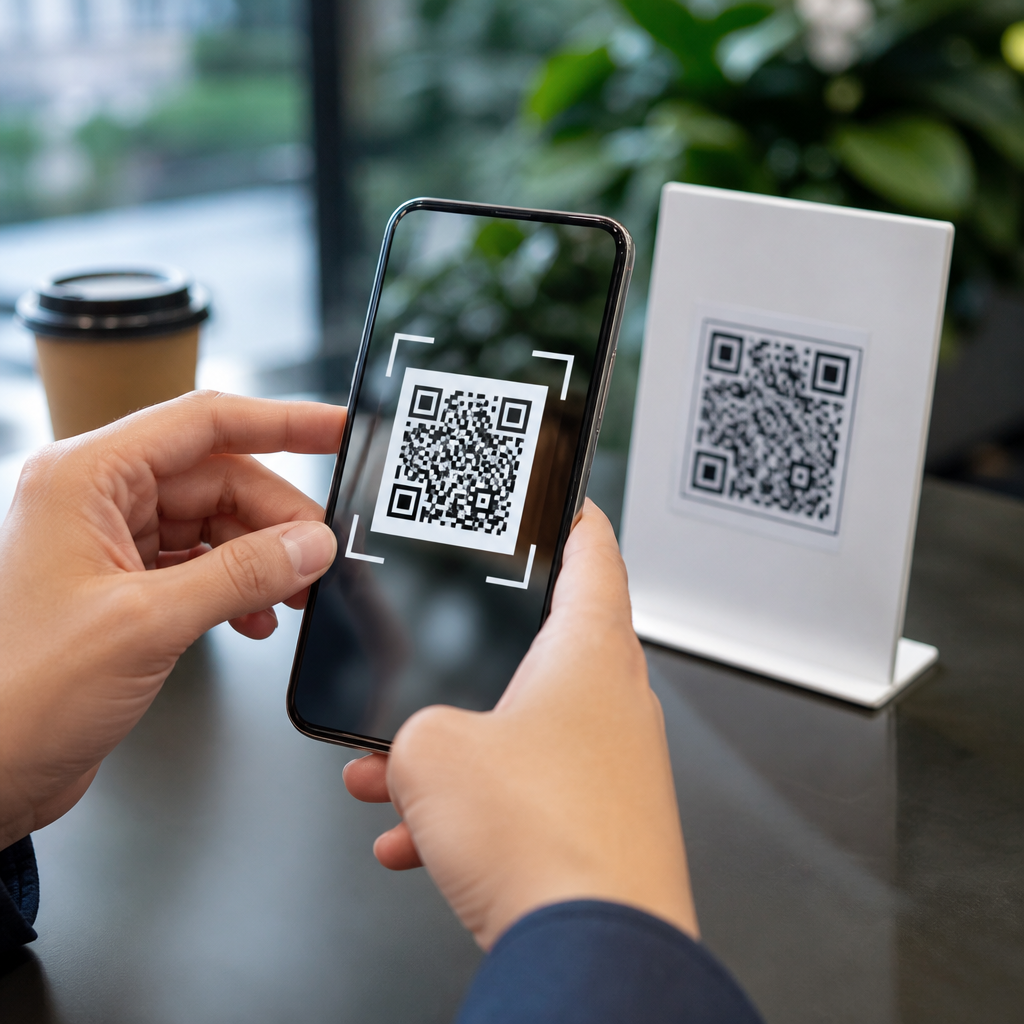
QR codes are convenient, cheap to deploy, and now embedded in daily life, but the question “are QR codes safe?” deserves a careful, practical answer. A QR code, or Quick Response code, is a machine-readable two-dimensional barcode that stores data such as a website address, payment request, Wi-Fi credential, app link, contact card, or tracking token. The code itself is not inherently dangerous; the risk comes from where it sends you, what action it triggers, and whether the context around it is trustworthy. I have helped organizations roll out QR menus, event check-ins, product labels, and mobile payment flows, and the pattern is consistent: the biggest failures happen when convenience outruns verification. That matters because scammers increasingly exploit public familiarity with QR codes to hide malicious links, impersonate trusted brands, collect payment, or harvest credentials. Understanding QR code safety is now part of basic digital hygiene for consumers, employees, and businesses.
When people ask whether QR codes are safe, they usually mean three related things: can scanning infect a device, can a code steal money or data, and can legitimate QR programs still create privacy or compliance problems. The direct answer is that scanning a code usually only opens data in an app, most often a browser or camera handler, so infection is not automatic. However, a QR code can send you to a phishing page, trigger an app download, prefill a text message, open a deep link, or start a payment flow that appears legitimate. In other words, the code is a delivery mechanism, not the payload. This distinction is important because it shifts your attention from the visual square itself to destination verification, mobile security controls, and business governance. For a hub page on QR code security, privacy, and compliance, the most useful approach is to separate consumer scanning risks from organizational deployment risks, then show how to reduce both with simple, repeatable safeguards.
Safe QR code use matters for three reasons. First, adoption has exploded across restaurants, parking systems, logistics, healthcare intake, retail packaging, and peer-to-peer payments, which gives attackers more opportunities. Second, mobile screens compress information, making it harder to inspect destinations before acting. Third, QR programs often involve personal data, analytics, or regulated transactions, so a weak implementation can create legal exposure as well as fraud risk. Standards and security controls already exist to reduce these risks: mobile operating systems show previews, browsers enforce certificate checks, payment systems use fraud monitoring, and organizations can add domain controls, tamper-resistant placement, and access policies. The challenge is disciplined use. Whether you are scanning a parking meter sticker or printing thousands of codes on product packaging, QR safety comes down to verification, least privilege, and monitoring. Those principles make QR codes highly useful without treating them as automatically trustworthy.
How QR Code Threats Actually Work
The most common QR code threat is redirection to a malicious website. Attackers place a fraudulent sticker over a real code on a parking kiosk, table tent, poster, or package, then route victims to a counterfeit payment or login page. This tactic, often called quishing, works because the user sees a familiar physical setting and assumes legitimacy. In practice, the harm usually comes from credential theft, card harvesting, or fraudulent payments, not from the act of scanning itself. I have seen incident reviews where the code led to a lookalike domain with a valid TLS certificate, proving that the padlock alone is not enough. Users must still check the full domain name and the brand context.
Other QR risks are less obvious but still important. A code can encode a telephone number, SMS draft, email action, calendar event, file download URL, or app deep link. Those actions may be benign, yet they can also be abused for premium-rate calling, smishing setup, or deceptive app installation prompts. Dynamic QR codes add another layer: the printed image points first to a redirect service that can change the final destination later. That makes campaigns easier to manage, but it also means a compromised account or weak access control can silently alter where users land. For businesses, that is a governance issue as much as a cybersecurity issue.
Consumer QR Code Safety Tips That Prevent Most Problems
If you want the shortest answer to “how do I scan a QR code safely,” it is this: preview the link, verify the source, and avoid entering sensitive information unless you independently trust the destination. Most modern phone cameras show a URL preview before opening it. Read the domain carefully, especially the part immediately before .com, .org, or a country-code extension. Attackers rely on tricks such as brand-support-example.com, shortened links, or misspellings like paypaI.com using a capital I in place of a lowercase l. If the preview is hidden, unexpected, or uses a random domain for a major brand, do not proceed.
Context matters as much as the link. A QR code on a utility bill, poster, or parking meter should match the official company name and should not look recently pasted over another code. If you are paying, compare the URL with the one listed on the provider’s website or app. For account logins, never scan a code from an unsolicited email or text demanding urgent action. Use your saved bookmark or manually type the address instead. Keep your phone updated, use a reputable mobile security app if your threat profile justifies it, and disable automatic app installs from untrusted sources. These controls will not make reckless scanning safe, but they significantly reduce exposure.
| Situation | What to Check | Safer Action |
|---|---|---|
| Restaurant menu | Brand domain, no sticker overlay, expected menu path | Ask staff if the code looks altered or unusual |
| Parking payment | Official city or operator domain, HTTPS, posted rate details | Use the official parking app or website directly |
| Email asks you to scan to log in | Urgent language, unknown sender, mismatched branding | Open the service from your own bookmark, not the code |
| App download promotion | Whether it lands on Apple App Store or Google Play | Search the store manually for the publisher name |
Business Risks: Security, Privacy, and Compliance
Organizations face a broader set of QR code risks because they control the destination, data collection, and user trust. A static QR code printed on packaging seems simple, but if it links to a page without HTTPS, weak form validation, or proper consent controls, the company owns the risk. Dynamic QR platforms are operationally flexible, yet they introduce dependencies on vendor security, account roles, redirect integrity, and logging. When I review QR programs, I start with an asset inventory: where every code appears, who can change the destination, what data is collected after the scan, and how long logs are retained. Many teams skip this and discover too late that marketing analytics, geolocation, and payment flows created unnecessary exposure.
Privacy and compliance obligations depend on sector and geography. In the United States, health-related QR intake forms may implicate HIPAA workflows if protected health information is involved. In Europe and other jurisdictions, landing pages that collect personal data can trigger consent and disclosure requirements under GDPR-style laws. Payment-related QR implementations must align with card and processor rules, even when the code simply initiates a hosted checkout page. Accessibility also matters: a QR-only experience can exclude users unless there is a readable fallback URL or alternative path. Safe deployment therefore means more than blocking malware. It means lawful data handling, secure redirects, clear notice, and inclusive design.
How to Deploy QR Codes Safely in Real Operations
Businesses should treat QR codes like any other customer-facing digital entry point. Use a dedicated, easy-to-recognize domain or subdomain for QR destinations so users can quickly validate authenticity. Enforce HTTPS with HSTS, limit redirect chains, and protect the content management or QR platform account with multifactor authentication and role-based access control. If codes are dynamic, log every destination change and review those logs. For high-risk uses such as payments, account access, or identity verification, add page-level fraud controls like bot detection, transaction monitoring, and confirmation screens that restate the merchant name and amount before completion.
Physical security matters too. On signs, kiosks, and packaging, use tamper-evident materials where practical and inspect public placements regularly. A simple field checklist for store staff or facilities teams can catch sticker overlays and damaged labels early. Pair the QR code with human-readable cues: the full brand domain, a short explanation of what the scan will do, and customer support information. This reduces confusion and gives users a way to verify legitimacy. If a campaign ends, retire the destination or redirect it responsibly; abandoned QR links are a common source of broken experiences and, in some cases, domain takeover risk if old domains lapse.
Training closes the loop. Employees who create posters, table cards, invoices, and package inserts should know basic QR security rules, especially around approved domains, payment links, and change control. Customer support teams should know how to answer reports of suspicious codes and how to escalate a potential quishing incident. Consumers benefit from a similar mindset: pause, preview, verify. QR codes are safe when the surrounding process is safe. They become risky when visual trust replaces technical verification. If you scan thoughtfully and deploy deliberately, QR codes can remain a fast, useful bridge between the physical world and secure digital experiences. Review your current QR habits and assets today, and fix the weak points before attackers find them first.
Frequently Asked Questions
Are QR codes safe to scan?
QR codes themselves are not automatically dangerous. A QR code is simply a way to store information in a format your phone can read quickly, such as a website URL, payment request, contact card, Wi-Fi login, app download link, or other digital action. The real safety issue is not the code pattern itself, but what happens after you scan it. If the code sends you to a legitimate website, opens a trusted app, or performs an expected task in a trustworthy setting, the risk is usually low. If it sends you to a fake login page, prompts you to install unknown software, starts a suspicious payment request, or asks for sensitive information, then it becomes a problem.
A practical way to think about QR code safety is to evaluate context before convenience. Where did the code come from? Is it printed on official material from a recognizable business, or stuck awkwardly over another code on a parking meter, menu, poster, or package? Does the action make sense for the situation? For example, scanning a restaurant menu QR code may be normal, but being asked to scan a random code to “verify your bank account” should immediately raise concern. Safe use comes down to treating QR codes the same way you should treat links in emails or text messages: useful and common, but worth checking before you tap through.
What are the biggest QR code scams and risks people should watch for?
The most common QR code threats revolve around deception. Criminals use malicious QR codes to redirect people to phishing websites that look real but are designed to steal passwords, banking details, payment card numbers, or multi-factor authentication codes. In other cases, a QR code may trigger a payment to a scammer, especially in parking lots, donation campaigns, ticketing situations, or peer-to-peer transfers. There are also codes that lead to fake app download pages, where users are tricked into installing malicious software or handing over device permissions they should never grant.
Physical tampering is another major risk. One of the easiest scams is simply placing a fraudulent QR code sticker over a legitimate one. This can happen on public signs, gas pumps, restaurant tables, utility bills, event posters, and payment terminals. Because most people scan quickly and assume the code is part of the original display, they may not notice that it has been altered. Another issue is tracking and privacy. Even when a code is not overtly malicious, it can include tracking parameters that monitor when, where, and how often it is scanned. That may not be dangerous on its own, but it is still useful to know that scanning a code can reveal data about your behavior, device, and location depending on the destination and the permissions you allow afterward.
The biggest takeaway is that QR scams usually rely on urgency, trust, and routine. If a code pressures you to act fast, enter credentials, send money, or install something immediately, slow down and verify first. Attackers count on speed and distraction. A few extra seconds of inspection can prevent account compromise, payment fraud, or identity theft.
How can I tell whether a QR code is legitimate before I scan it?
Before scanning, start with the physical and situational clues. Look closely at the code and the material around it. If it appears to be a sticker placed on top of another sticker, is misaligned, looks recently pasted over, or seems out of place compared with the rest of the sign or display, that is a warning sign. Ask yourself whether the code belongs there and whether the requested action matches the setting. A QR code at a museum exhibit, shipping box, or printed product manual may make sense. A surprise code demanding account verification, password reset, or immediate payment in a public space should raise suspicion.
After scanning, do not rush to open the destination. Many phones now show a preview of the link before you proceed. Read the domain name carefully. Scammers often rely on lookalike addresses that imitate trusted brands with slight misspellings, extra words, strange subdomains, or unusual endings. For example, a fake domain may include the brand name but not actually belong to the brand. If anything looks odd, close it and go directly to the company’s official website or app instead of using the QR path. This is one of the simplest and most effective safety habits.
It also helps to use your judgment about sensitivity. If the QR code is asking you to log in, submit financial details, connect a wallet, download an app, or grant permissions, pause and verify through another source. You can contact the business, inspect the printed materials, or use a known official channel. In short, legitimacy comes from the full picture: where the code appears, whether the action makes sense, and whether the link or request holds up under a quick but careful review.
What should I do immediately after scanning a suspicious QR code?
If you scan a QR code and realize something seems wrong, stop interacting with it right away. Do not enter usernames, passwords, card numbers, verification codes, or any other personal information. Do not approve a payment, install an app, or grant camera, microphone, location, contacts, or accessibility permissions unless you are completely certain the request is legitimate. If the destination page has already opened, close the browser tab or app and leave the page. If a file began downloading, delete it without opening it.
Next, check whether any action was completed. If you typed in a password on a questionable page, change that password immediately on the real website or app, not through the suspicious link. If you reused the same password elsewhere, change those accounts too. If you submitted payment information or approved a transfer, contact your bank, card issuer, payment provider, or fraud department as soon as possible. If you installed something suspicious, run a reputable mobile security scan if available, review installed apps, remove anything unfamiliar, and update your device software. Also review browser downloads, notification permissions, and default app settings in case something changed.
Finally, report the issue when appropriate. If the code was posted at a store, parking kiosk, restaurant, office, or public venue, alert staff so others do not get caught. If the scam impersonated a known company, report it to that company through official support channels. Acting quickly matters because early response can reduce the damage from stolen credentials, unauthorized payments, or malware installation. Even if nothing obvious happened, it is still wise to monitor your accounts and device behavior for a while afterward.
What are the best everyday QR code safety tips everyone should follow?
The best QR code safety habits are simple, repeatable, and highly effective. First, scan only when the source is trusted and the action makes sense for the situation. Second, preview the destination link before opening it whenever your phone allows that. Third, inspect the web address carefully rather than focusing only on the page design, because fake pages are often made to look convincing. Fourth, avoid entering sensitive information after scanning a code unless you independently confirm you are on the official website or inside the legitimate app. Fifth, be extra cautious with codes that involve money, account login, software installation, or urgent security claims, since those are common fraud targets.
Device hygiene is also part of QR code safety. Keep your phone’s operating system and apps updated so you have the latest security protections. Use official app stores instead of downloading apps from pages opened through random QR codes. Enable security features such as screen locks, multifactor authentication, and fraud alerts on financial accounts. Consider using a mobile browser or security tool that warns about known malicious websites. These steps will not eliminate every risk, but they create multiple layers of protection if you ever encounter a bad code.
Most importantly, do not let convenience override caution. QR codes are now part of daily life because they are cheap to deploy, fast to use, and flexible across payments, menus, sign-ins, support pages, Wi-Fi access, and product information. That convenience is real, but so is the need for basic verification. Treat a QR code like any other shortcut into your digital life. If you pause, inspect, and verify before you act, you can enjoy the benefits of QR codes while avoiding the most common scams and security mistakes.





