
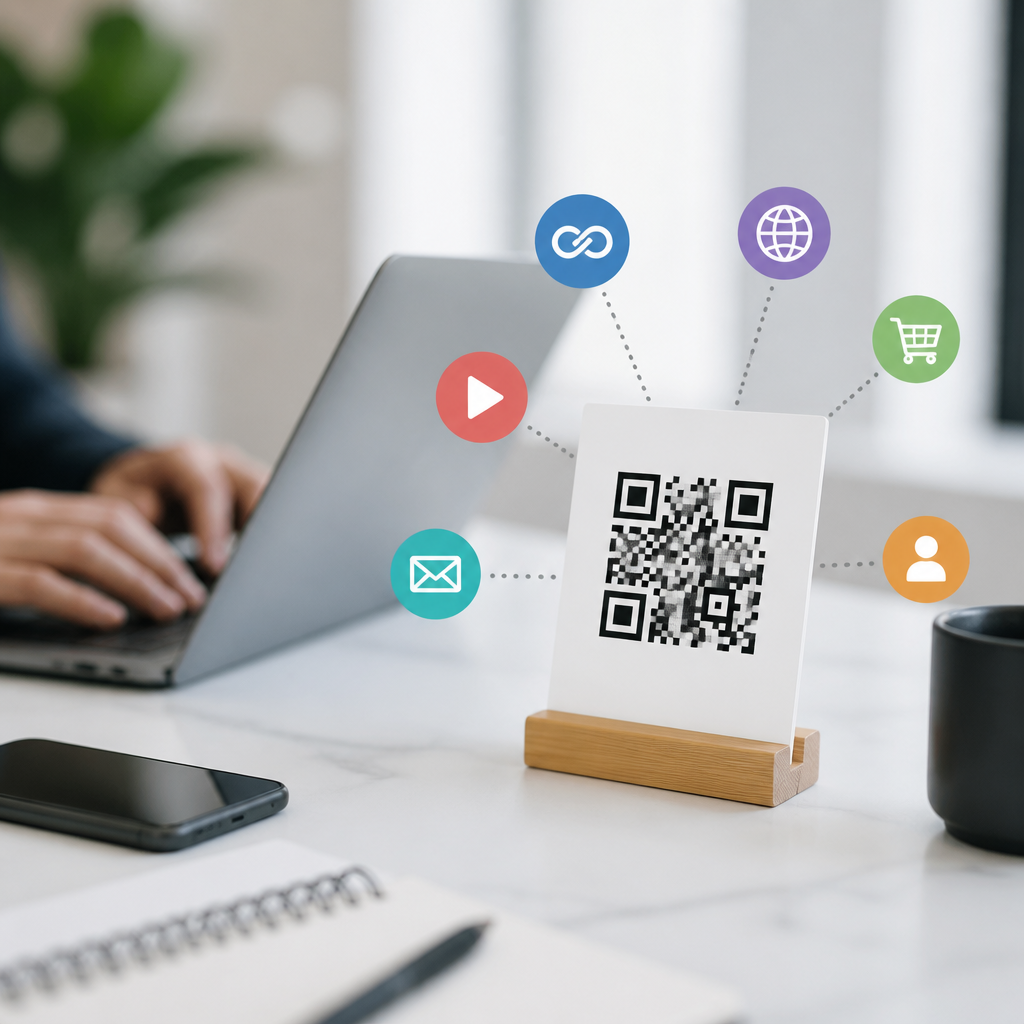
Multi-URL QR codes let one printed code send different users to different destinations based on rules such as device type, location, language, time, or scan count. In practical terms, they are advanced mobile QR codes built for routing, not just linking. Instead of encoding one fixed webpage, the code points to a redirect service that decides where each scanner should go. That makes them especially useful in campaigns where the same packaging, poster, menu, or label must serve multiple audiences without reprinting. As a hub topic within mobile QR code basics, multi-URL QR codes also help explain a broader category: the types of mobile QR codes businesses use to connect offline touchpoints to digital experiences.
I have implemented these codes for retail packaging, event signage, restaurant menus, and field service documentation, and the pattern is consistent: teams usually start with a simple URL QR code, then discover they need flexibility after launch. A restaurant wants iPhone users to open Apple Maps and Android users to open Google Maps. A global brand wants the same box to send French users to a French landing page and Canadian users to a bilingual page. A trade show organizer wants one badge insert to route attendees differently before, during, and after the event. Multi-URL QR codes solve that operational problem while preserving scan analytics, centralized editing, and campaign control.
Understanding this format matters because mobile scanning behavior is now routine. Smartphone cameras natively read QR codes on iOS and Android, and users expect a fast, relevant result. If the destination is wrong, slow, or poorly localized, conversion drops immediately. This article explains what multi-URL QR codes are, how they work, when to use them, how they compare with other mobile QR code types, and what implementation standards improve performance, tracking, and trust.
What a Multi-URL QR Code Is and How It Works
A multi-URL QR code is usually a dynamic QR code tied to a short redirect URL managed by a QR platform. When someone scans it, the platform reads request data such as device operating system, browser language, GPS permission status, IP-based region, time, or campaign parameters. It then applies rules and forwards the user to the best-matched destination. The visible QR symbol stays the same, but the landing result can change instantly from the dashboard.
This differs from a static QR code, where the destination is permanently encoded into the pattern itself. Static codes are reliable for fixed information, but they cannot support conditional routing. Multi-URL logic requires a networked redirect layer. That is why providers such as QR Code Generator Pro, Scanova, Beaconstac, and Bitly-based enterprise setups position this feature under dynamic QR management. In practice, the redirect happens quickly enough that users perceive it as one seamless scan, provided the destination pages are mobile optimized and the DNS, SSL, and hosting are properly configured.
The most common rule types are straightforward. Device-based routing sends iPhone users to the App Store and Android users to Google Play. Location-based routing sends users to country-specific pages. Language routing uses browser or device preferences to select localized content. Time-based routing changes destinations by schedule, which is useful for product launches or limited offers. Some systems also support random rotation for A/B tests, scan-limit triggers, or fallback destinations when a rule cannot be resolved.
Where Multi-URL QR Codes Fit Among Mobile QR Code Types
To understand types of mobile QR codes, it helps to group them by function. At the simplest level are direct-action codes: URL, phone call, SMS, email, and Wi-Fi. These trigger one destination or action and work well for straightforward needs. Next are content-embedded formats such as vCard, plain text, and calendar event codes, which store information directly or launch a prefilled action. Then come dynamic and campaign-oriented codes, including editable URL codes, app download codes, menu codes, form codes, and multi-URL codes. Multi-URL belongs in this advanced layer because it combines mobile access with conditional logic and analytics.
That placement matters for planning. If a local plumber only needs a brochure to open one booking page, a standard dynamic URL QR code is enough. If a software company wants one print ad to route desktop scanners to a product page, iPhone scanners to the App Store, and Android scanners to Google Play, a multi-URL setup is the right choice. If a museum needs visitors to open audio guides in their preferred language from one wall label, multi-URL is more scalable than printing separate labels for every language.
It is also important to distinguish multi-URL QR codes from “one code, many links” landing pages. A landing page code opens a mobile page containing several buttons, such as Instagram, website, menu, and booking links. That is useful for creators and small businesses. A true multi-URL code makes the routing decision automatically, reducing friction and improving task completion when the next action should be obvious.
Common Use Cases and Real-World Examples
Packaging is one of the strongest use cases. I have seen consumer goods brands print one QR code across multiple countries, then route scans to region-specific compliance information, instructions, warranty forms, or promotions. This avoids SKU fragmentation and reprint costs. For example, an electronics accessory brand can use one universal insert while sending German customers to DE support pages and U.S. customers to English onboarding videos and registration forms.
Restaurants and hospitality businesses use device and language routing effectively. A hotel lobby sign can send guests to Apple Maps or Google Maps for nearby attractions, while also directing Spanish-speaking guests to translated concierge recommendations. Event organizers use time-based routing to switch a code from registration information before the event, to live schedules during the event, to feedback forms afterward. Because the code on signage never changes, staff avoid replacing materials mid-campaign.
App promotion is another standard application. A single code on packaging or out-of-home advertising can detect the operating system and open the correct app store. If the app is not installed and there is a mobile web fallback, the code can send unsupported devices to a responsive product page. That setup is cleaner than printing separate platform icons with different codes.
| Use case | Routing rule | Typical destination | Main benefit |
|---|---|---|---|
| App downloads | Device OS | App Store or Google Play | Higher install completion |
| Global packaging | Country or language | Localized product page | One print run for many markets |
| Events | Time and date | Registration, agenda, survey | No reprinting across phases |
| Retail posters | Store region | Nearest inventory page | More relevant local traffic |
| Support labels | Device type | Platform-specific setup guide | Fewer support errors |
Benefits, Limits, and Implementation Best Practices
The main advantage of a multi-URL QR code is relevance at the moment of scan. Better relevance usually improves conversion because users do not need to choose among unnecessary options. The second advantage is operational efficiency. One printed code can support multiple markets, platforms, and campaign phases. The third is measurement. Because scans pass through a managed redirect, marketers can review volume, timestamps, device mix, approximate location, and destination performance, often integrating data with Google Analytics through UTM parameters.
There are limits. Conditional routing depends on data quality and privacy constraints. IP geolocation is approximate, not precise. Browser language does not always reflect a person’s true preference. GPS-based rules may require permission, which many users decline. Some messaging apps or in-app browsers alter referral data. A poor redirect setup can also introduce latency. For regulated sectors, routing users differently by geography may carry compliance implications, especially where disclosures, pricing, or medical claims vary.
Best practice starts with a clear fallback path. Always define a default mobile-friendly destination in case the rule cannot be determined. Use HTTPS, a branded short domain where possible, and test redirects on current iOS and Android devices, not just desktop emulators. Keep landing pages lightweight; Google’s Core Web Vitals still matter after the scan. Maintain quiet zone, contrast, and error correction standards so the printed code scans reliably under glare, low light, and camera shake. ISO/IEC 18004 remains the core technical standard for QR symbol structure, while practical print testing should include different sizes, substrates, and viewing distances.
How to Choose the Right Mobile QR Code Type
Choose a multi-URL QR code when the destination should change automatically for different users but the printed asset should stay constant. Choose a standard dynamic URL code when everyone should reach one page and you only need editability and analytics. Choose a landing page or link-in-bio style code when users genuinely need to pick from several actions. Choose embedded formats such as Wi-Fi, SMS, or vCard when the goal is a direct device action rather than a web visit.
For most teams, the decision comes down to complexity versus control. Multi-URL routing adds power, but it also requires rule design, governance, and testing. If the value of personalization is high, it is worth it. If not, simpler mobile QR code types are easier to maintain and explain across marketing, product, and operations teams. Start with the user’s likely context: where they scan, what device they use, what answer they need immediately, and what could go wrong in poor connectivity conditions. That user-first view consistently produces better QR programs than choosing features because a platform offers them.
As the hub page for types of mobile QR codes, this article should give you the framework to evaluate where multi-URL codes fit. They are not the default choice for every campaign, but they are the most efficient option when one code must serve many contexts intelligently. Audit your current printed touchpoints, identify places where users need different destinations, and test a multi-URL QR code with clear rules, fast pages, and measurable outcomes.
Frequently Asked Questions
What is a multi-URL QR code, and how is it different from a standard QR code?
A multi-URL QR code is a single printed QR code that can send different people to different web destinations based on predefined rules. Unlike a standard QR code, which contains one fixed link and always opens the same page for every scanner, a multi-URL QR code works through a redirect system. The code itself points to a routing service, and that service decides which final URL the user should see.
That distinction matters because it turns the QR code from a simple link into a smart delivery tool. For example, one person might scan the code on an iPhone and be sent to the App Store, while an Android user scanning the exact same code is sent to Google Play. A customer in Spain could be routed to a Spanish-language landing page, while a customer in Canada goes to an English or French version. The printed code never changes, but the destination can change based on rules such as device type, location, language, time of day, or even scan count.
In practical marketing and operational use, this makes multi-URL QR codes ideal when one physical code needs to serve multiple audiences. They are commonly used on product packaging, restaurant menus, event signage, labels, and retail displays where printing separate QR codes for every scenario would be inefficient, confusing, or too expensive.
How does a multi-URL QR code decide where to send each user?
A multi-URL QR code relies on a redirect platform that evaluates a set of routing conditions when someone scans it. The printed code sends the user to that platform first, and the platform checks available signals such as device type, operating system, browser language, approximate location, date and time, or how many times the code has been scanned. Based on the rules configured in advance, it then forwards the user to the most relevant destination.
For example, a business could create a routing setup where mobile users go to a mobile-optimized product page, desktop users go to a fuller informational page, and users in different countries are automatically directed to localized content. Another campaign could change destinations by schedule, sending weekday scans to a booking page and weekend scans to a promotional offer. Some organizations also use scan-count logic for limited promotions, where the first 500 scanners receive one offer and later scanners receive a fallback page.
The key advantage is that the user experience feels seamless. Most users simply scan and arrive at a page that appears intentionally chosen for them. Behind the scenes, the redirect engine is doing the work of personalization and conditional logic, which allows one printed QR code to handle many use cases without cluttering the design or requiring separate materials.
What are the main benefits of using multi-URL QR codes in marketing and business operations?
The biggest benefit is flexibility. A multi-URL QR code lets businesses use one printed code across multiple audiences, devices, regions, and campaign stages without having to redesign or reprint materials. That can save time, reduce printing costs, and simplify logistics, especially for brands managing packaging, posters, menus, shelf talkers, mailers, or product labels at scale.
They also improve relevance. Instead of sending every scanner to the same generic page, businesses can tailor the destination to fit context. A multilingual audience can be routed to the correct language automatically. Users in different countries can see market-specific pages, pricing, or compliance information. App download campaigns can direct Apple users and Android users to the right store without forcing people to choose manually.
Another major advantage is campaign control. Because the destination is managed through a redirect service, updates can often be made without changing the printed QR code itself. That means teams can swap landing pages, pause expired promotions, launch seasonal experiences, or test different destinations while keeping the same code in circulation. In many cases, these systems also provide analytics, helping marketers understand scan volume, geography, device mix, and engagement trends. Together, those benefits make multi-URL QR codes a practical tool for smarter routing, better user experience, and more efficient campaign management.
When should you use a multi-URL QR code instead of a single-link QR code?
You should use a multi-URL QR code when one physical code needs to support more than one destination or when the best destination depends on who is scanning and under what circumstances. If every user should always land on exactly the same page, a standard single-link QR code is usually sufficient. But if the experience should adapt by device, location, language, time, or campaign logic, a multi-URL QR code is the better choice.
Common examples include international packaging that needs to serve different countries, restaurant menus that must show local language versions, app campaigns that need to separate iOS and Android traffic, and event materials that should change destination before, during, and after the event. It is also useful for businesses running promotions across multiple stores or regions, where the same poster or label needs to direct people to market-specific offers or information.
In short, the decision comes down to complexity and relevance. A single-link QR code is simpler, but a multi-URL QR code is more powerful when there are multiple audience paths to manage. If maintaining several printed codes would create confusion or operational overhead, using one smart code with routing rules is often the most efficient and scalable option.
Are multi-URL QR codes easy to manage, and are there any limitations to consider?
They are generally easy to manage once set up, especially when using a reliable QR code platform with a clear dashboard for routing rules and destination updates. Most systems allow marketers or business users to define conditions, assign fallback URLs, and adjust campaign behavior without needing to replace the printed code. That makes ongoing maintenance much simpler than reprinting materials whenever a landing page changes.
However, there are a few important limitations to understand. First, multi-URL QR codes depend on a redirect service, so the quality and reliability of that service matter. If the platform is slow or unavailable, the user experience can suffer. Second, some routing decisions rely on data that is approximate rather than perfect, such as geolocation inferred from IP address. That usually works well for country-level targeting but may be less precise for smaller areas. Third, businesses should think carefully about privacy, compliance, and transparency when using location or behavioral routing in regulated markets.
It is also wise to plan for edge cases. For example, what happens if a user’s language cannot be detected, if a promotion has expired, or if a destination page is temporarily unavailable? A strong implementation includes default fallback links so every scan still leads somewhere useful. When managed thoughtfully, these limitations are very manageable, and the benefits of intelligent routing often far outweigh the extra setup involved.





