
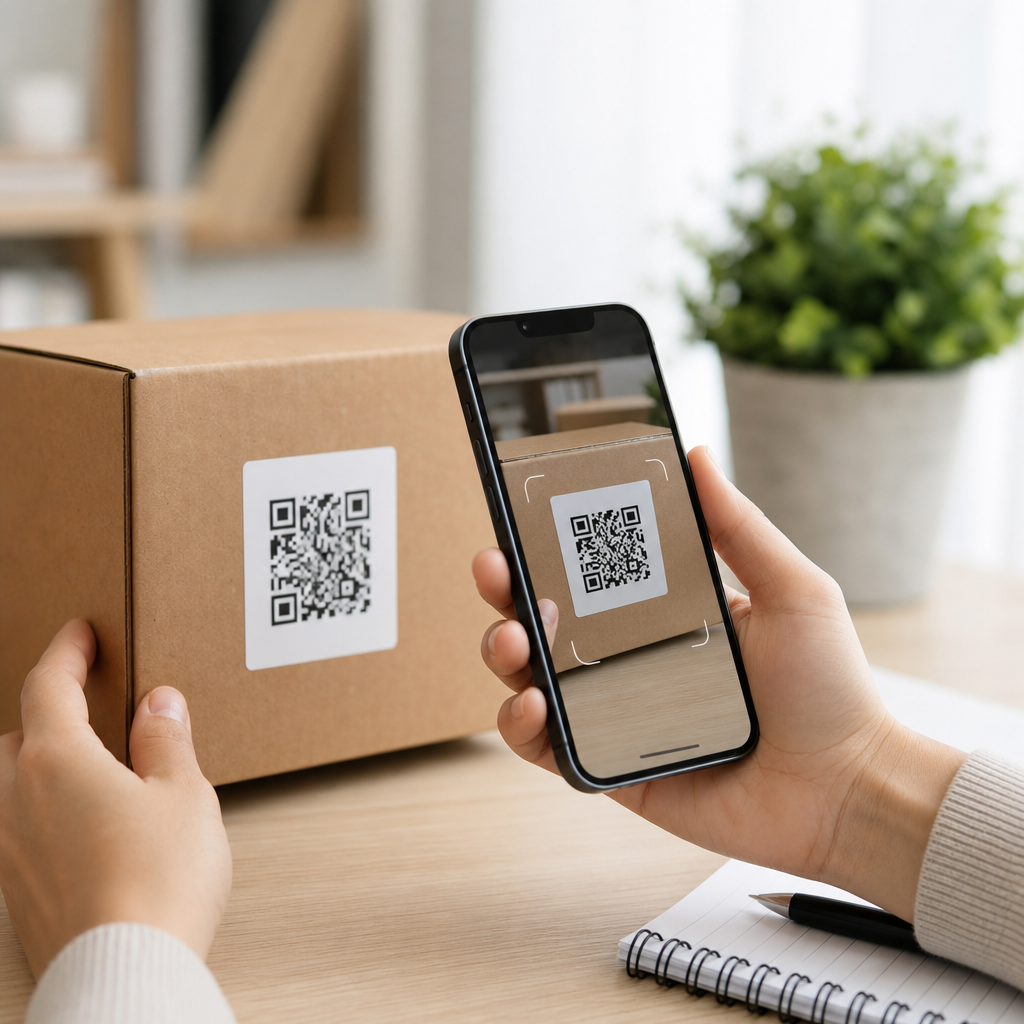
QR codes for product reviews give retail and e-commerce brands a direct bridge between the moment of purchase and the moment a customer is most willing to share feedback. In simple terms, a QR code is a scannable image that opens a digital destination, such as a review form, marketplace listing, or post-purchase survey. When used well, it reduces friction, increases review volume, and helps businesses collect higher-quality customer insight. I have implemented review QR programs for packaged goods, storefront displays, inserts, and shipping boxes, and the pattern is consistent: the easier you make the review path, the more customers complete it.
For retail and e-commerce teams, this matters because reviews influence both conversion and operations. On product pages, recent verified reviews improve trust and help shoppers answer practical questions about sizing, fit, durability, or ease of use. In stores, review prompts can connect physical products to digital proof that reassures hesitant buyers. Internally, review content surfaces recurring product defects, fulfillment issues, and messaging gaps that may not appear in return data alone. A strong review program therefore supports revenue, merchandising, customer experience, and product development at the same time.
This article serves as a hub for retail and e-commerce teams building an industry-specific QR review strategy. It explains where to place codes, which destinations work best, how to measure performance, and what compliance rules deserve attention. It also covers the practical tradeoffs between asking for reviews on your own site versus third-party marketplaces, because channel mix changes the right approach. If your goal is to turn packaging, receipts, shelves, and post-purchase touchpoints into reliable review generators, QR codes are one of the most efficient tools available.
What QR codes for product reviews actually do in retail and e-commerce
A review QR code shortens the customer journey from ownership to feedback. Instead of asking a buyer to search for a product page, log in later, and find the correct item, the code takes them straight to the review destination. That destination may be a product review module on Shopify, BigCommerce, or Adobe Commerce; a review request page powered by Yotpo, Bazaarvoice, PowerReviews, Judge.me, or Okendo; or a marketplace review page on Amazon, Walmart Marketplace, Etsy, or Target Plus, depending on channel rules. The goal is speed, relevance, and clarity.
In practice, brands use review QR codes in several places: package inserts, shipping labels, printed receipts, hangtags, countertop signs, shelf talkers, product manuals, and warranty cards. Each placement captures a different moment. A receipt code works best for low-consideration items bought and used quickly, such as cosmetics or snacks. A manual or setup guide works better for electronics, furniture, or appliances because customers need time before they can offer meaningful feedback. In e-commerce, the inside of the shipping box is especially effective because it reaches the verified buyer immediately after unboxing.
The strongest programs align the review ask with the product experience. A skincare brand might link to a review reminder page that asks customers to return after fourteen days, because instant feedback is less credible than use-based feedback. A footwear retailer may direct the code to a page that first confirms size purchased, then invites comments on fit and comfort. A home goods brand may use dynamic QR codes so the destination can change by SKU, campaign, retailer, or season without reprinting packaging.
Where to place QR codes and which destinations convert best
Placement determines scan rate, while destination determines completion rate. In-store retail benefits from codes near the product, at checkout, and on the receipt. Shelf signage works when shoppers are comparing options and want social proof before purchase. Receipt-based prompts work after purchase, especially when paired with a short line such as “Tell us how it worked for you.” In e-commerce, the highest-intent placements are package inserts, packing slips, reorder cards, and post-purchase email creative that visually repeats the same QR code for mobile convenience.
The destination should match the business objective. If you need more on-site reviews to strengthen conversion on your own product pages, send customers to a first-party review form on your domain. If a product depends heavily on marketplace visibility, direct the code to the marketplace review flow, provided platform policies allow that path. If your priority is broader voice-of-customer insight, send the scan to a short survey that branches: satisfied customers see the review request, while dissatisfied customers get support options first. That approach can improve customer recovery, but it must be handled carefully so you are not filtering reviews in a way that violates platform rules.
| Placement | Best for | Recommended destination | Main advantage |
|---|---|---|---|
| Package insert | E-commerce orders | First-party review form | High visibility during unboxing |
| Receipt | Store purchases | Short mobile review page | Captures immediate purchase context |
| Product manual | Durable goods | Delayed review or support page | Better timing after actual use |
| Shelf sign | Pre-purchase comparison | Review gallery or top FAQs | Supports buying decisions in aisle |
| Warranty card | Higher-ticket items | Registration plus review path | Combines service and feedback |
When I audit underperforming campaigns, the most common problem is not the code itself but the landing experience after the scan. Review completion drops sharply when customers hit a generic homepage, a login wall, or a page that is not mobile optimized. The best destinations load fast, identify the product automatically, limit fields, and reassure users that the process takes less than a minute. For many brands, a dedicated mobile page with product image, star selector, and optional text box is the simplest high-converting format.
Implementation, tracking, and compliance that protect review quality
A reliable QR review program starts with dynamic code generation and clean analytics. Static codes are acceptable for one permanent destination, but dynamic codes are better for retail and e-commerce because they allow destination updates, A/B testing, and channel attribution. Teams commonly build codes in Bitly, Beaconstac, QR Code Generator Pro, or enterprise print workflows, then append UTM parameters for source, medium, campaign, SKU, retailer, or insert version. In analytics platforms such as Google Analytics 4, Adobe Analytics, or a customer data platform, that structure shows which placements drive scans, review starts, and completed submissions.
Measure more than raw scan volume. The useful sequence is scan rate, landing-page engagement, review start rate, completion rate, review quality, and downstream business impact. Review quality means looking at text length, image uploads, verified-buyer match rate, sentiment distribution, and whether the review answers common buyer questions. Downstream impact includes product-page conversion, reduced return rate due to better expectation setting, and lower support contact volume because review content clarifies real-world use. For retail partners, review freshness and volume can also influence search ranking within category pages.
Compliance matters because review misuse damages trust quickly. In the United States, the Federal Trade Commission expects endorsements and reviews to be honest and not deceptive. That means you should not require only positive reviews, hide negative experiences behind support funnels while publicly soliciting praise, or offer incentives without proper disclosure where applicable. Marketplace platforms add their own rules; Amazon, for example, tightly restricts review manipulation and selective requests. If you use a survey before the review ask, keep the process focused on service recovery rather than suppressing criticism.
Data privacy deserves equal attention. If the QR destination collects personal information, disclose what is being gathered and why. For customers in jurisdictions covered by GDPR or similar privacy frameworks, make consent language and retention practices clear. Also think about print operations: codes should be tested under real lighting, on curved packaging, and at expected scan distance. I have seen campaigns fail because glossy varnish reduced readability, or because a code was printed too small beside dense legal copy. A technically correct code can still perform poorly if the physical execution is weak.
Best practices for retail and e-commerce teams building a hub strategy
As a hub topic within industry-specific applications, product review QR codes should connect to related workflows across retail and e-commerce. The most effective teams build an internal playbook that links reviews to packaging, post-purchase email, loyalty, customer support, store operations, and marketplace management. That hub approach avoids siloed execution. For example, a beauty brand can use one standards document covering packaging dimensions, CTA language, destination rules, retailer-specific constraints, and analytics naming conventions, then adapt it across product lines without starting from scratch each time.
Several tactical practices consistently improve results. First, use clear copy near the code: “Review your purchase” performs better than vague prompts because customers immediately understand the action. Second, set expectations on time and value, such as “Scan to leave a 30-second review and help other shoppers.” Third, time the ask to product reality; consumables and impulse items can request feedback quickly, while performance products need a delay. Fourth, route by channel when needed, so a store-bought item sees a retailer-relevant page and a direct-to-consumer order sees your site’s review module.
Fifth, support richer feedback. If your platform allows photo or video uploads, invite them because visual user-generated content often lifts conversion more than star ratings alone. Sixth, localize QR destinations for language and market. Seventh, monitor low-rating themes weekly and feed them back to merchandising and product teams. Finally, refresh creative and placement testing quarterly. A code on a plain insert may work, but a code paired with a product image and one benefit statement often scans more often. Start with one product category, validate performance, then scale with disciplined templates.
QR codes for product reviews work because they remove unnecessary steps at the exact moment customer motivation exists. For retail and e-commerce brands, that means more usable reviews, better product-page proof, and faster insight into what customers actually experience after purchase. Success depends on three basics: place the code where it fits the usage cycle, send the scan to a frictionless mobile destination, and measure outcomes beyond simple scan counts.
The broader benefit is operational, not just promotional. Reviews gathered through QR codes help improve assortment decisions, packaging instructions, support content, and marketplace performance. They also create a repeatable system that connects physical commerce and digital feedback without adding significant cost. If you manage retail stores, direct-to-consumer shipping, or both, this tactic scales across channels with minimal complexity once standards are in place.
Begin with one high-volume product, one clear placement, and one review destination you can track end to end. Test it, learn from real customer behavior, and expand your QR code review program across the rest of your retail and e-commerce portfolio.
Frequently Asked Questions
1. How do QR codes help businesses collect more product reviews?
QR codes make the review process much easier by removing the steps that often cause customers to abandon it. Instead of asking a buyer to search for a product online, log into a marketplace, or remember a review link later, a QR code takes them directly to the exact destination where you want feedback collected. That destination could be a product review page on your website, an Amazon or Walmart listing, a Google review page, or a short post-purchase survey. By reducing friction at the moment a customer is using or unboxing the product, businesses increase the likelihood that satisfied customers will actually follow through.
They are especially effective because they connect the physical product experience with a digital action. A code printed on packaging, an insert card, a shipping label, or an in-store display lets customers respond while the product is still top of mind. That timing matters. The closer the request is to the customer’s real experience, the more authentic and detailed the review tends to be. In practice, brands often see stronger response rates when QR codes are placed where customers naturally pause, such as on the inside flap of packaging, on setup instructions, or near warranty and support information.
Another major advantage is measurability. Dynamic QR codes can be tracked, which means businesses can see scan volume, time of scan, device type, and in some cases location-level performance. That data helps identify which packaging formats, retail placements, or post-purchase materials drive the most engagement. For retail and e-commerce brands, this turns a simple printed code into a performance tool that supports both review generation and customer insight.
2. Where should a QR code for product reviews link customers?
The best destination depends on your business model, where the sale happened, and what type of feedback you need. If your goal is public social proof, you may want the QR code to link directly to a marketplace review page, a Google Business Profile review form, or a product page on your own website with ratings enabled. If your goal is product improvement, it may be smarter to send customers first to a short survey or feedback form where they can share more detailed comments. Some brands use this approach to gather richer insight before encouraging highly satisfied customers to leave a public review.
For e-commerce brands selling across multiple channels, it is often useful to create a landing page that asks a simple question such as where the customer purchased the product. From there, they can be routed to the appropriate review destination. This avoids confusion when the same SKU is sold on Amazon, Target, Shopify, and in physical retail stores. It also creates a more controlled and branded experience, which can improve trust and completion rates.
Whatever destination you choose, keep it mobile-friendly, fast-loading, and as short as possible. A customer who scans a code should not have to navigate multiple pages to leave feedback. If the page requires a login, be aware that this can reduce completion rates. In those cases, it may be better to set expectations upfront or offer an alternate path such as a feedback form. The most effective review QR programs are built around convenience, clarity, and relevance to the customer’s purchase journey.
3. What are the best practices for placing QR codes on packaging, inserts, and retail materials?
Good placement starts with visibility and context. A QR code should appear where customers will notice it at a natural point in the product experience, not as an afterthought buried in fine print. On packaging, strong placements include the back panel, inside lid, instruction card, thank-you insert, or a section near care, setup, or support details. In retail environments, shelf talkers, countertop displays, product demo areas, and receipts can all work well. For shipped orders, brands often place review QR codes on packing slips or post-purchase inserts, where the customer is already engaged with the order.
Design and messaging matter just as much as location. Never assume a customer will scan a code without a clear reason. Add a direct call to action such as “Share your review,” “Tell us what you think,” or “Scan to rate your purchase.” It also helps to explain what will happen after scanning, especially if the customer will be taken to a form or marketplace listing. Keep the code large enough to scan easily, maintain strong contrast between foreground and background, and test it across multiple phone types and lighting conditions. If the packaging surface is curved, glossy, or textured, extra testing is essential.
It is also wise to think about timing. A review request on the outside of packaging may be seen before the customer has used the product, while a code placed near usage instructions or replenishment messaging may be encountered later, after the experience is more complete. For products that require setup or repeated use, this can significantly improve review quality. The most successful placements are the ones aligned with when the customer has formed a real opinion and can provide meaningful feedback.
4. How can businesses use QR codes for product reviews without violating platform rules or review policies?
This is a critical issue. Businesses should always follow the review policies of the platform where reviews are being collected, as well as general consumer protection guidelines. In most cases, the safest approach is to ask all customers for honest feedback without trying to influence the rating. That means avoiding language that asks only happy customers to leave a public review, offering incentives in exchange for positive reviews, or filtering negative experiences away from public platforms in a way that violates policy. A QR code program should be designed around fairness, transparency, and authenticity.
If you want to gather private feedback and public reviews, structure the experience carefully. For example, a brand may direct customers to a survey first to learn about their experience, then invite them to share a public review if appropriate. However, this must be handled in a way that complies with platform-specific rules, especially around review gating. Since policies differ across marketplaces and review sites, businesses should verify current requirements before launching a campaign. What is acceptable on a first-party website may not be acceptable on Amazon, Google, or another third-party platform.
Privacy and disclosure also matter. If you collect customer information through a survey linked from a QR code, make sure your privacy practices are clear and compliant with applicable regulations. Avoid making the process feel deceptive or overly promotional. Customers are more likely to trust and complete a review request when the language is straightforward and the brand’s intent is obvious. In short, the goal should be to make honest feedback easier to share, not to manipulate outcomes.
5. How should businesses measure the success of a QR code product review campaign?
Success should be measured beyond simple scan counts. While scans are a useful top-line indicator, the more important metrics are what happens after the scan. That includes review completion rate, total review volume, average rating, feedback quality, survey completion, and conversion by placement or product line. If you are using dynamic QR codes, you can compare results across packaging versions, retail partners, regions, or campaign periods. This helps identify which touchpoints are producing the best customer response and where improvements are needed.
It is also important to look at business outcomes. More reviews can improve marketplace visibility, strengthen social proof, and increase buyer confidence, but the highest-value programs also generate actionable insight. If your QR code sends customers to a feedback form, track recurring themes such as shipping issues, product confusion, packaging damage, or feature requests. Those signals can inform product development, customer support scripts, merchandising, and retention efforts. In many cases, the review QR strategy becomes part of a broader voice-of-customer system rather than a one-time tactic.
To get reliable data, use clear tagging and consistent testing. Create separate QR codes for different packaging runs, inserts, retail displays, or order types so performance can be attributed accurately. Run A/B tests on call-to-action wording, placement, and destination type. For example, one version may link directly to a review page while another links to a short branded landing page first. Over time, these comparisons reveal which approach generates the most completed reviews and the most useful customer insight. The strongest programs treat QR review collection as an ongoing optimization process, not a set-it-and-forget-it campaign.





