
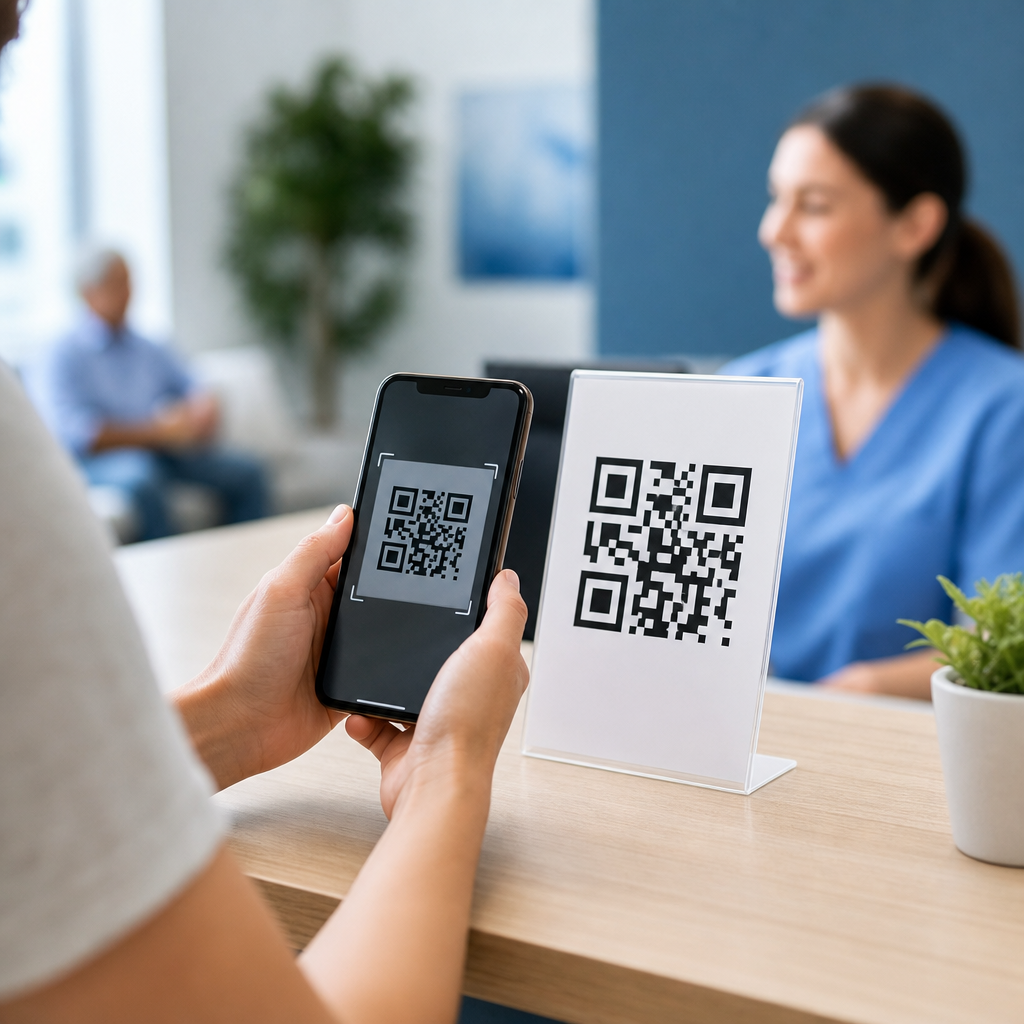
QR codes for medical forms give healthcare organizations a fast, low-friction way to collect patient information, distribute paperwork, and reduce front-desk bottlenecks without asking people to download an app. In healthcare, a QR code is a scannable matrix barcode that opens a digital destination such as an intake form, consent document, payment page, patient education sheet, or telehealth check-in link. Medical forms include registration packets, HIPAA acknowledgments, medical history questionnaires, insurance updates, post-visit surveys, and specialty-specific assessments. I have implemented QR-based intake flows in clinics and outpatient settings, and the practical value is clear: fewer clipboards, faster check-in, cleaner data, and fewer transcription mistakes. For providers facing staffing shortages, tighter privacy expectations, and patient demand for convenience, using QR codes for medical forms is no longer a novelty. It is a practical workflow decision that affects patient experience, compliance, revenue cycle performance, and operational efficiency across nearly every healthcare setting.
The reason this matters is simple: paper-based intake slows care. Patients forget glasses, struggle with handwriting, skip fields, or arrive late and delay the schedule. Staff then re-enter data into the EHR, chase signatures, and correct demographic errors that later trigger denied claims. QR codes solve part of that problem by moving form completion to the patient’s own device before or during the visit. They also create a reliable bridge between physical spaces and digital systems. A poster in urgent care can launch a registration form. A discharge sheet can link to follow-up instructions. A lab waiting room can direct people to symptom screening. For a healthcare sub-pillar hub, the key point is breadth: QR codes are useful in primary care, dental, behavioral health, physical therapy, imaging centers, hospitals, home health, and specialty practices because the core need is universal—capture accurate information quickly, securely, and with minimal staff intervention.
What QR codes do in healthcare workflows
The best way to use QR codes for medical forms is to treat them as workflow triggers, not just marketing tools. In practice, that means placing a code exactly where a patient needs the next digital action. Before an appointment, a text message or email can include a code that opens pre-registration and insurance verification forms. At the front desk, a countertop display can launch check-in, copay collection, and consent forms. In the exam room, a code can open condition-specific questionnaires such as PHQ-9 for depression, GAD-7 for anxiety, Oswestry Disability Index for back pain, or a dermatology history update. After discharge, a code on printed instructions can link to follow-up forms, medication acknowledgment, or satisfaction surveys.
Healthcare teams usually see four direct benefits. First, completion rates improve because patients can use their own phone, camera, and browser without creating an account. Second, data quality improves when required fields, date validation, dropdowns, and eligibility logic replace handwritten forms. Third, throughput improves because registration can happen before arrival or while the patient is waiting rather than at the desk. Fourth, integration becomes easier when digital forms pass structured data into an EHR, practice management system, CRM, or secure document repository. Real examples include a dental office using QR codes for health history updates every six months, a surgical center collecting pre-op questionnaires 48 hours before arrival, and a pediatric practice using waiting-room codes for vaccine consent and school note requests.
Which medical forms work best with QR codes
Not every document should be the same type of QR experience. The strongest candidates are forms that are repetitive, time-sensitive, or commonly incomplete on paper. Standard intake packets are the obvious starting point: demographics, emergency contacts, preferred pharmacy, referring physician, insurance subscriber details, and signature blocks. Consent forms are another strong use case, especially when they include clear version control, timestamping, and e-signature support. Specialty assessments also benefit because they often use scoring logic. Orthopedic clinics can send pain scales and functional limitation forms. Behavioral health providers can use QR-accessed screening instruments before each session. Ophthalmology can collect vision history and medication changes. Physical therapy clinics can use body-region questionnaires tied to the treatment plan.
Administrative forms also fit well. Release-of-information requests, financial responsibility acknowledgments, no-show policy signatures, telehealth consent, and patient portal enrollment are all easier through mobile-friendly pages. The most successful implementations keep each form tightly scoped. Instead of one massive packet, break content into stages: registration, clinical history, consent, and payment. That approach reduces abandonment and helps the practice route submissions to the right system. It also supports internal linking across the healthcare form ecosystem: a patient who completes registration can be redirected to insurance upload, then to appointment instructions, then to a patient education article relevant to the specialty.
| Healthcare setting | Best QR-linked forms | Main operational benefit |
|---|---|---|
| Primary care | New patient intake, annual history update, preventive screening | Shorter check-in and more complete records |
| Dental | Medical history, treatment consent, post-procedure instructions | Faster chair turnover and cleaner consent tracking |
| Behavioral health | PHQ-9, GAD-7, intake questionnaire, telehealth consent | Pre-visit screening and better session readiness |
| Urgent care | Registration, symptom screening, insurance capture | Reduced front-desk congestion during peak hours |
| Physical therapy | Functional assessments, pain scales, visit check-in | Structured outcome tracking over time |
How to create a compliant QR code medical form process
Compliance starts with the destination, not the code itself. A QR code is just a pointer; the real risk sits in the form platform, storage method, transmission path, and staff access controls. If protected health information is being collected, use a vendor willing to sign a business associate agreement and support encryption in transit and at rest. Common healthcare teams evaluate HIPAA-capable form and automation tools such as Jotform for Healthcare, Formstack for Healthcare, NexHealth, Solutionreach, Weave, or EHR-native intake modules. The form should use HTTPS, role-based permissions, audit trails, secure file upload where needed, and retention settings aligned with organizational policy. Avoid generic public forms that send responses to unsecured email inboxes.
Good implementation also requires identity and context controls. A public lobby QR code can open a general registration page, but patient-specific forms should usually be delivered through secure text, email, or portal messaging with unique session links. That reduces the chance of the wrong person filling out the wrong chart. If a public code is used for shared workflows, ask for two or more matching identifiers such as name and date of birth, then route the submission to staff review before chart import. Accessibility matters too. Use large print signage, plain language instructions, multilingual forms, and fallback options for patients without smartphones or with limited digital literacy. In every deployment I have seen succeed long term, clinics keep a tablet or paper backup available and train staff to explain the process in one sentence: “Scan here to complete your forms securely on your phone.”
How to integrate QR forms with EHR and practice operations
The biggest return comes when QR code medical forms connect directly to operations instead of living as isolated web forms. Integration can happen at several levels. The simplest is document capture: the patient submits a form, and a PDF lands in the chart for staff review. Better is discrete field mapping into registration, insurance, allergy, medication, and history fields. Best is workflow automation that triggers reminders, flags incomplete submissions, updates appointment status, and alerts staff when signatures are missing. Major EHR ecosystems such as Epic, athenahealth, eClinicalWorks, NextGen, DrChrono, and Dentrix all have different intake capabilities, so the right design depends on the stack already in place.
Operationally, define ownership before launch. Front-desk teams usually own registration and insurance verification. Clinical staff own screening questionnaires and consent completeness. Revenue cycle teams care about subscriber accuracy and authorizations. Compliance teams review retention and access. Marketing or patient experience teams may place QR codes on signage, appointment reminders, and printed materials, but they should not choose platforms without IT and privacy review. Track practical metrics: form completion rate before arrival, average check-in time, number of demographic corrections, claim denial rate tied to registration errors, and patient satisfaction comments about intake. In one common clinic scenario, moving just demographics and insurance updates to pre-visit QR forms can cut front-desk interaction by several minutes per patient, which compounds quickly over a full day.
Best practices for patient adoption, security, and long-term performance
Patient adoption depends on convenience and trust. Use dynamic QR codes so the destination can be updated without reprinting signage. Place a short URL under the code for people who prefer typing. Add a plain-language label such as “Scan to complete your medical forms securely.” Test the code on iPhone and Android devices, in bright waiting rooms and low-light hallways, and at a distance patients can realistically scan. Mobile design matters more than desktop design: large tap targets, progress indicators, autofill support, and minimal scrolling increase completion rates. Keep branding consistent with the practice website so patients know the form is legitimate, especially because QR phishing is a real concern across industries.
Security and performance require ongoing maintenance. Review link destinations routinely, archive outdated forms, and version consent documents so staff can prove which language a patient signed. Monitor abandonment points to identify forms that are too long or confusing. Where appropriate, use branching logic so only relevant questions appear. Be careful with image uploads; insurance cards and IDs are useful, but file requests should be secure and necessary. For this healthcare hub, the main lesson is that QR codes are not a standalone tactic. They are an access layer for digital intake, consent, education, payment, and follow-up across medical specialties. Start with one high-friction form, measure the operational impact, then expand methodically. If your practice still relies on clipboards for routine paperwork, now is the time to pilot QR codes for medical forms and build a faster, more accurate patient journey.
Frequently Asked Questions
What are the main benefits of using QR codes for medical forms in a healthcare setting?
QR codes help healthcare organizations simplify how patients receive and complete paperwork. Instead of handing out clipboards, printing large registration packets, or asking patients to arrive very early to fill out forms in the waiting room, staff can provide a scannable code that opens the correct digital form instantly on a patient’s phone or tablet. That lowers friction, shortens check-in times, and reduces front-desk congestion during busy periods. It also gives patients a more convenient experience because they can often complete intake forms, consent documents, HIPAA acknowledgments, medical history questionnaires, insurance updates, and payment forms before they arrive.
From an operational standpoint, QR codes can reduce manual data entry, cut printing costs, and improve form completion rates when they are used well. When responses flow directly into a secure digital system, staff spend less time deciphering handwriting, correcting incomplete fields, or rekeying information into an electronic health record or practice management platform. This can improve accuracy and make records easier to organize. QR codes are also flexible. A healthcare organization can place them on appointment reminders, signage, discharge paperwork, billing statements, exam room posters, or patient portals to direct patients to the exact form or resource they need without requiring an app download.
Another major advantage is speed and adaptability. If a form changes because of a policy update, revised intake question, or new consent requirement, the destination behind a QR code can often be updated without reprinting large batches of materials, especially when dynamic QR codes are used. That makes QR-based workflows especially useful for clinics, hospitals, urgent care centers, specialty practices, dental offices, and telehealth programs that want a fast, low-friction way to collect information while improving patient flow.
What types of medical forms can be shared through a QR code?
Healthcare organizations can use QR codes for a wide range of medical forms and patient-facing documents. Common examples include new patient registration forms, demographic updates, insurance information forms, medical history questionnaires, HIPAA acknowledgments, consent forms, referral intake forms, prescription refill requests, vaccination screening forms, pre-operative instructions, post-visit surveys, and balance payment pages. A QR code can also open non-form resources such as patient education sheets, telehealth check-in pages, lab preparation instructions, discharge guidance, or links to secure messaging portals.
This flexibility is what makes QR codes so useful in healthcare workflows. For example, a primary care practice might include a QR code in appointment confirmation emails so patients can complete registration and history forms before arriving. A specialist’s office may display a code at the front desk for returning patients to update medications or contact details. A hospital department might use codes on printed discharge materials to link patients to follow-up instructions, rehabilitation exercises, or symptom-monitoring questionnaires. In telehealth, a QR code can direct patients to a virtual waiting room, digital consent form, or remote monitoring survey with minimal effort.
The key is matching the QR code to a clear patient task. The more specific the destination, the better the experience. Instead of sending every patient to a generic homepage, organizations should use QR codes that open the exact document or workflow needed. That reduces confusion, improves completion rates, and helps patients feel confident that they are in the right place. In healthcare, clarity matters, especially when forms contain sensitive or time-sensitive information.
How can healthcare providers use QR codes for medical forms while protecting patient privacy and security?
Patient privacy and data security should be central to any QR code strategy in healthcare. A QR code itself does not store protected health information in most use cases; it typically acts as a bridge to a digital destination such as a secure online form, patient portal, or encrypted payment page. The real security focus should be on where the code sends the user, how the data is transmitted, how it is stored, and who can access it. Healthcare providers should use secure, HTTPS-enabled destinations, work with vendors that understand healthcare compliance requirements, and make sure form data is handled according to applicable privacy and security standards.
It is also important to avoid exposing patient-specific details in publicly visible QR codes. For example, a code displayed in a waiting room should link to a general intake workflow, not a page that reveals personal information. If individualized access is needed, organizations can send unique secure links by text or email through approved systems. Staff should verify that forms include appropriate authentication steps where necessary and that collected information flows into approved platforms rather than unsecured spreadsheets or consumer-grade tools. Access controls, audit trails, encryption, and retention policies all matter.
In addition, providers should think about the patient experience from a trust perspective. Patients are more likely to scan a code if the organization explains what it does and where it leads. Clear labeling such as “Scan to complete your pre-visit medical history form” is far better than posting an unlabeled code. Branded materials, short instructions, and reassurance that no app download is required can help. Healthcare organizations should also train staff to answer questions about legitimacy and privacy so patients understand that the code is an official, secure way to complete medical forms.
What are the best practices for creating and placing QR codes for medical forms?
Effective QR code use starts with a well-designed destination. The form should be mobile-friendly, easy to read, and quick to complete on a smartphone, since many patients will scan the code with their mobile device. Keep the workflow focused, use clear field labels, minimize unnecessary questions, and enable features such as autofill, dropdowns, progress indicators, and validation for required fields. If the form is long, consider splitting it into logical sections so it feels manageable. The QR code should lead directly to the intended form, not to a homepage that forces patients to search for the next step.
Placement matters just as much as design. QR codes for medical forms can be used on appointment reminder cards, text messages, emails, front-desk signage, kiosks, exam room posters, prescription bag inserts, billing statements, and discharge paperwork. The best locations are places where patients naturally pause and are ready to take action. For example, a code on an appointment confirmation email supports pre-visit completion, while a code at check-in can help with last-minute updates. Printed codes should be large enough to scan easily, surrounded by adequate white space, and tested under realistic lighting and distance conditions.
Organizations should also use clear call-to-action language. A patient should know exactly what will happen after scanning. Phrases such as “Scan to complete new patient registration,” “Scan to sign your consent form,” or “Scan to check in for your telehealth visit” are simple and effective. Whenever possible, include a short backup URL for patients who have trouble scanning. Finally, test everything thoroughly. Scan the code using different phone types, browsers, and accessibility settings to make sure the experience works for a broad range of users. A QR code is only useful if it leads to a fast, reliable, patient-friendly workflow.
Do patients need a special app to use QR codes for medical forms, and what if they are not comfortable with the technology?
In most cases, patients do not need to download a special app to use QR codes for medical forms. Most modern smartphones can scan QR codes directly through the device’s camera. Once scanned, the phone opens the linked form in a web browser, making the process fast and familiar. This is one of the biggest reasons QR codes are so effective in healthcare. They create a low-friction path to digital forms without adding extra steps such as creating an account immediately or installing new software first.
That said, healthcare providers should not assume every patient is equally comfortable with mobile technology. Some patients may have older devices, limited digital literacy, visual impairments, language barriers, or concerns about security. Others may simply prefer in-person assistance. Best practice is to offer QR codes as a convenience, not as the only option. Staff should be prepared to provide alternatives such as a tablet at check-in, a texted or emailed link, a desktop kiosk, or paper forms when needed. This keeps the process inclusive and prevents frustration for patients who need additional support.
Clear instructions make a big difference. A simple line like “Open your phone camera and point it at the code to begin your intake form” can remove uncertainty. Staff can also guide first-time users through the process in just a few seconds. For practices serving diverse populations, multilingual instructions and accessible digital form design are especially important. The goal is not just to digitize paperwork, but to make completing medical forms easier for as many patients as possible. When QR codes are implemented thoughtfully, they improve convenience without creating barriers.





