
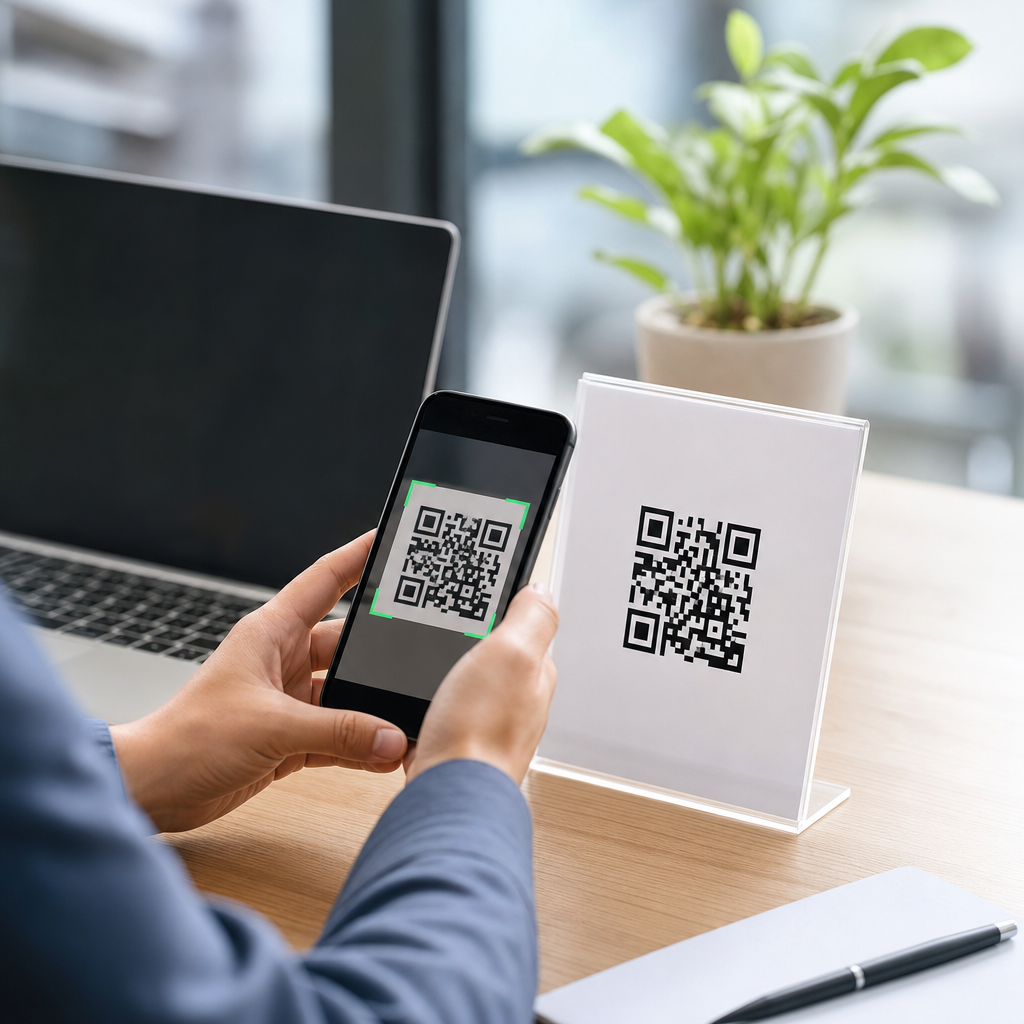
QR codes have moved from restaurant menus and payment terminals into nearly every part of business marketing, operations, and customer service. A QR code, short for Quick Response code, is a two-dimensional barcode that stores information such as a website URL, contact card, Wi-Fi credential, payment address, app link, PDF, or plain text. When scanned with a smartphone camera, it sends the user to a digital destination without requiring manual typing. For businesses, that simple action removes friction, shortens the path from interest to action, and turns offline touchpoints into measurable mobile interactions.
I have implemented QR campaigns for retail counters, trade show booths, direct mail, equipment labels, and in-store signage, and the results are consistent: when the mobile destination is relevant and the code is easy to scan, response improves. A business card with a mobile QR code can open a contact form instantly. A product package can launch setup instructions. A poster can send people to a mobile landing page with click-to-call, map directions, and payment options. This article explains how to create a QR code for your business, including how to create a mobile QR code that works reliably, looks professional, and supports tracking.
The key terms matter. A static QR code contains fixed data and cannot be edited after printing. A dynamic QR code points to a short redirect URL managed by a platform, which means you can change the final destination later and usually track scans by time, device, and location. Error correction refers to the code’s ability to remain readable if part of it is damaged or obscured. Quiet zone means the blank space around the code; without it, many phones fail to scan. Understanding these basics helps you avoid the most common mistakes before you design anything.
Define the business goal before you generate the code
The best QR code campaigns begin with a specific outcome, not with the graphic itself. Ask one practical question: what do you want a customer to do on mobile within ten seconds of scanning? Common goals include opening a mobile landing page, saving contact details, joining Wi-Fi, downloading an app, reviewing a business, paying an invoice, or claiming an offer. Each goal changes what type of QR code you should create. If your objective is lead generation, send users to a mobile form with only a few fields. If your objective is repeat visits, direct them to a loyalty signup page or wallet pass.
This planning step also shapes placement. A code on packaging serves a different purpose than a code on a storefront window. Packaging is better for support content, warranty registration, or reorder links because the customer already owns the product. A window decal works better for hours, directions, booking, or menu access, especially after closing time. I recommend writing the destination, audience, and action as one sentence before you build anything. Example: “Send first-time event visitors from a booth sign to a mobile demo page with a calendar booking button.” That sentence prevents generic, underperforming codes.
Choose the right QR code type for the mobile experience
To create a mobile QR code, match the code type to the action a phone user will take. A URL QR code is the most flexible because it can open a mobile-optimized page containing multiple next steps. A vCard QR code helps sales teams because scanning can save a contact directly into the phone. A Wi-Fi QR code is ideal for cafés, salons, clinics, and waiting rooms. Payment QR codes can simplify checkout using providers that support account-based transfers. PDF and file QR codes work for manuals, menus, brochures, and spec sheets, but large files can slow the experience, so a landing page is often better.
For most businesses, a dynamic URL QR code is the strongest default. It keeps your printed material usable even if your campaign URL changes, and it gives you scan analytics that static codes cannot. Platforms such as Bitly, QR Code Generator Pro, Beaconstac, Flowcode, and Uniqode support dynamic destination management and reporting. If your business already uses Google Analytics 4, append UTM parameters to the destination URL so scans appear alongside other marketing traffic. That creates cleaner attribution by campaign, source, medium, and content, especially when you use different codes on packaging, posters, and mailers.
| QR code type | Best business use | Main advantage | Main limitation |
|---|---|---|---|
| Static URL | Permanent website links | Free and simple | Cannot change destination |
| Dynamic URL | Campaigns, print, analytics | Editable and trackable | Usually requires a platform |
| vCard | Sales reps, networking | Saves contact info quickly | Limited storytelling |
| Wi-Fi | Hospitality and waiting areas | One-scan access | Password changes require updates |
| Payment | Invoices and point of sale | Fast mobile payment flow | Provider compatibility varies |
Build the mobile destination before designing the QR code
A QR code is only as effective as the page behind it. Before generating the image, create a mobile destination that loads fast, displays clearly on small screens, and asks for one primary action. Google’s PageSpeed Insights and Lighthouse are useful for checking performance. Compress images, avoid intrusive pop-ups, and put the key action above the fold. If you want people to call, the page should feature a tap-to-call button. If you want form submissions, reduce fields and enable autofill. If you want store visits, embed map directions and business hours where users can see them immediately.
The destination should also match the context of the scan. Someone scanning from a product label wants support, ingredients, registration, or reorder options, not a generic homepage. Someone scanning from a business card expects contact details, social links, and a calendar option. I have seen campaigns fail because the code sent every user to the home page, forcing them to search again on their phone. A dedicated landing page usually outperforms a broad page because it preserves intent. It also makes tracking cleaner, especially when one printed asset supports one mobile conversion action.
Generate the code and apply design rules that protect scannability
When the destination is ready, use a reputable QR code generator and keep the design functional. Black on white remains the most reliable format because camera software detects contrast quickly. You can brand the code with a logo or color accents, but do not sacrifice readability. Maintain a quiet zone of at least four modules around the code. Choose an error correction level appropriate to the design; medium to high correction can help when logos are added, but overly dense codes become harder to scan at small sizes. Export print files as SVG, EPS, or high-resolution PNG to avoid blurring.
Size matters more than many businesses expect. A common baseline for printed materials is at least 2 x 2 centimeters, though larger sizes are safer for distance scanning. For posters and storefront glass, increase size based on expected viewing distance; a simple field rule is roughly one inch of code for every ten inches of scanning distance. Always include a clear call to action near the code, such as “Scan to book,” “Scan for setup guide,” or “Scan to save our contact.” People scan more often when the value is explicit. Good design explains the reward before the phone comes out.
Test across devices, environments, and real customer scenarios
Before printing anything at scale, test the QR code with multiple phones, operating systems, camera apps, and lighting conditions. Use current iPhone and Android devices if possible, because autofocus, low-light performance, and built-in link previews differ. Test glossy paper, matte paper, curved packaging, screens, tinted windows, and outdoor signage. Also test at the actual placement height and distance. A code that scans perfectly from your laptop monitor may fail on a sunlit window or on corrugated packaging because glare, distortion, and texture reduce detection accuracy.
Include people who were not part of the project in your testing. They will reveal whether the call to action is understandable and whether the landing page answers the next question naturally. Check redirect speed, certificate validity on HTTPS pages, and what happens if the app deep link fails. If the page opens in a browser instead of an app, the fallback should still be useful. This is where dynamic QR codes are valuable: if a destination breaks after launch, you can update it without replacing printed materials. Testing is not optional; it is the difference between a clever asset and a dependable customer touchpoint.
Track performance, govern updates, and scale across the business
After launch, treat every business QR code as a managed digital asset. Measure scans, unique visitors, bounce rate, conversion rate, and downstream actions such as calls, bookings, purchases, or form submissions. Compare locations and placements. In one retail rollout I managed, the counter card generated fewer scans than shelf signage, but the counter scans converted better because the shopper was already near checkout. That kind of insight guides redesigns and budget decisions. Use naming conventions for campaigns, archive old destinations, and document ownership so codes do not break when staff or vendors change.
Governance matters as your QR library grows. Keep a spreadsheet or dashboard listing each code’s purpose, destination, placement, creation date, and status. Review destinations quarterly to catch expired offers, deleted files, and rebranded pages. If codes appear on long-life assets like packaging, manuals, or vehicle wraps, dynamic management is worth the subscription cost because it protects continuity. For regulated industries, review privacy and disclosure requirements before collecting data through mobile forms. A well-built QR program does more than create scans; it connects physical marketing to measurable mobile behavior and keeps that connection stable over time.
Creating a QR code for your business is straightforward when you follow the right sequence: define the goal, choose the correct code type, build the mobile destination, generate the code with scan-safe design, test it in real conditions, and measure results after launch. The strongest approach for most companies is a dynamic mobile QR code that points to a fast, purpose-built landing page with one clear action. That combination gives you flexibility, better user experience, and cleaner attribution across print, packaging, signage, and face-to-face sales materials.
The biggest lesson from real deployments is that the code itself is not the strategy. The value comes from reducing friction for a specific customer task on a phone. When businesses match the scan context to the mobile outcome, conversion improves. When they send people to a generic page, use low-contrast designs, or skip testing, performance drops quickly. Put customer intent first, and the technical choices become clearer. Start with one high-value use case, such as booking, support, review generation, or contact capture, then expand once you have baseline data.
If you are building a broader creating mobile QR codes program, use this page as your hub: your next step is to create one business-focused mobile landing page and one dynamic QR code, test it with real users, and track the first month of scans and conversions.
Frequently Asked Questions
1. How do I create a QR code for my business?
Creating a QR code for your business starts with deciding what you want customers, employees, or partners to do after they scan it. A QR code can send people to a website, product page, online menu, payment screen, review form, digital business card, Wi-Fi login, app download, PDF, or contact information. Once you know the destination, choose a reputable QR code generator and enter the exact information you want the code to store. Many tools let you create either a static QR code, which cannot be changed after it is generated, or a dynamic QR code, which lets you update the destination later without reprinting the code itself.
After generating the code, customize it carefully to match your branding without sacrificing readability. You can often add brand colors, a logo, or a frame with a call to action such as “Scan to View Our Services” or “Scan to Pay.” Before publishing it, test the QR code on multiple devices and from different distances to make sure it scans quickly and consistently. Finally, export it in a high-resolution format suitable for where it will appear, whether that is a business card, poster, product label, flyer, storefront sign, packaging insert, or digital ad. A successful business QR code is not just technically correct; it is connected to a clear purpose, easy to scan, and paired with a reason for the customer to use it.
2. What information can a business put in a QR code?
A business can place many types of information behind a QR code, which is one reason QR codes have become so useful across marketing, operations, and customer service. The most common use is linking to a website URL, but that is only the beginning. A QR code can direct customers to a landing page, reservation form, contact page, digital menu, service quote request form, product catalog, video demo, review platform, event registration page, coupon, social media profile, or support center. It can also store practical information such as a vCard for instant contact saving, Wi-Fi credentials for guest access, app store links, payment details, location map links, PDF brochures, user guides, or simple text instructions.
The best content depends on your business goal. If you want to drive sales, send users to a product or promotional page. If you want better customer service, link to FAQs, troubleshooting resources, or a live support form. If your goal is convenience, use QR codes for payments, contact sharing, booking, or check-ins. Businesses should avoid putting too much friction after the scan. In other words, the destination should be mobile-friendly, fast to load, and directly relevant to the moment in which someone scans. A QR code placed on packaging should probably lead to product support, reordering, or setup instructions, while a QR code on a window sign may be better used for store hours, directions, or online ordering.
3. Should I use a static or dynamic QR code for my business?
In most business situations, a dynamic QR code is the better choice because it gives you flexibility after the code has already been printed or published. A static QR code permanently contains the final destination data inside the code itself. That can work for simple, unchanging uses such as basic contact details or a permanent webpage, but it becomes a problem if you ever need to update the URL, replace a PDF, change a promotion, or redirect traffic to a different campaign. If the information changes, you usually need to create and distribute a completely new static code.
Dynamic QR codes solve that problem by pointing to a short redirect that can be updated in the background. That means you can keep the same printed QR code on signs, packaging, menus, business cards, or displays while changing where it sends users over time. Dynamic codes also often include analytics, which can help you measure scan volume, timing, location trends, and campaign performance. For businesses that care about tracking marketing effectiveness, reducing reprint costs, and keeping campaigns adaptable, dynamic codes provide a major advantage. Static codes still have value when permanence and simplicity matter, but for most real-world business use cases, especially in marketing and customer engagement, dynamic QR codes are more practical and scalable.
4. How can I make sure my business QR code actually gets scanned?
A QR code works best when the experience around it is intentional. First, give people a clear reason to scan. Many businesses print QR codes without explaining the benefit, and that lowers engagement. A short call to action such as “Scan to Book an Appointment,” “Scan for 10% Off,” “Scan to View Our Menu,” or “Scan for Setup Instructions” helps people understand exactly what they will get. Relevance matters as much as visibility. The offer, information, or action behind the QR code should match the context in which the customer encounters it.
Design and placement also affect scan performance. Make the code large enough to scan comfortably from the expected distance, and keep strong contrast between the code and its background. Avoid overly decorative styling that interferes with readability. Leave enough white space around the code, and do not place it where it will be bent, obscured, poorly lit, or difficult to access. If the QR code appears in print, use a high-resolution file. If it appears on a screen, make sure it displays crisply and is not too small on mobile devices or kiosks. Most importantly, test it in the real environment where it will be used. Scan it with different phones, under different lighting conditions, and from different angles. A business QR code should feel effortless. The faster and more reliably it scans, the more likely customers are to complete the action you want.
5. Are QR codes safe and professional for business use?
Yes, QR codes are both safe and professional for business use when they are created thoughtfully and connected to trustworthy destinations. Businesses of every size use them for payments, digital menus, lead generation, customer support, event check-in, packaging, product authentication, and contactless information sharing. The key is not the QR code itself, but where it sends the user. A legitimate business should always link to secure, branded, and mobile-friendly pages. If possible, use HTTPS URLs, recognizable domain names, and landing pages that match your company identity so customers feel confident they are engaging with an authentic source.
From a professionalism standpoint, QR codes can actually improve the customer experience by removing unnecessary friction. Instead of asking someone to type a long web address, search for your business online, or manually enter contact details, you let them take action instantly. That convenience feels modern and efficient. To maintain trust, avoid cluttering materials with random or unexplained codes, and make sure each code has a clear label that states what happens after scanning. If you are using QR codes in public spaces, monitor them regularly to ensure printed materials have not been damaged or tampered with. When managed properly, QR codes are a practical business tool that supports convenience, better engagement, and smoother digital interactions across sales, marketing, and service.





