
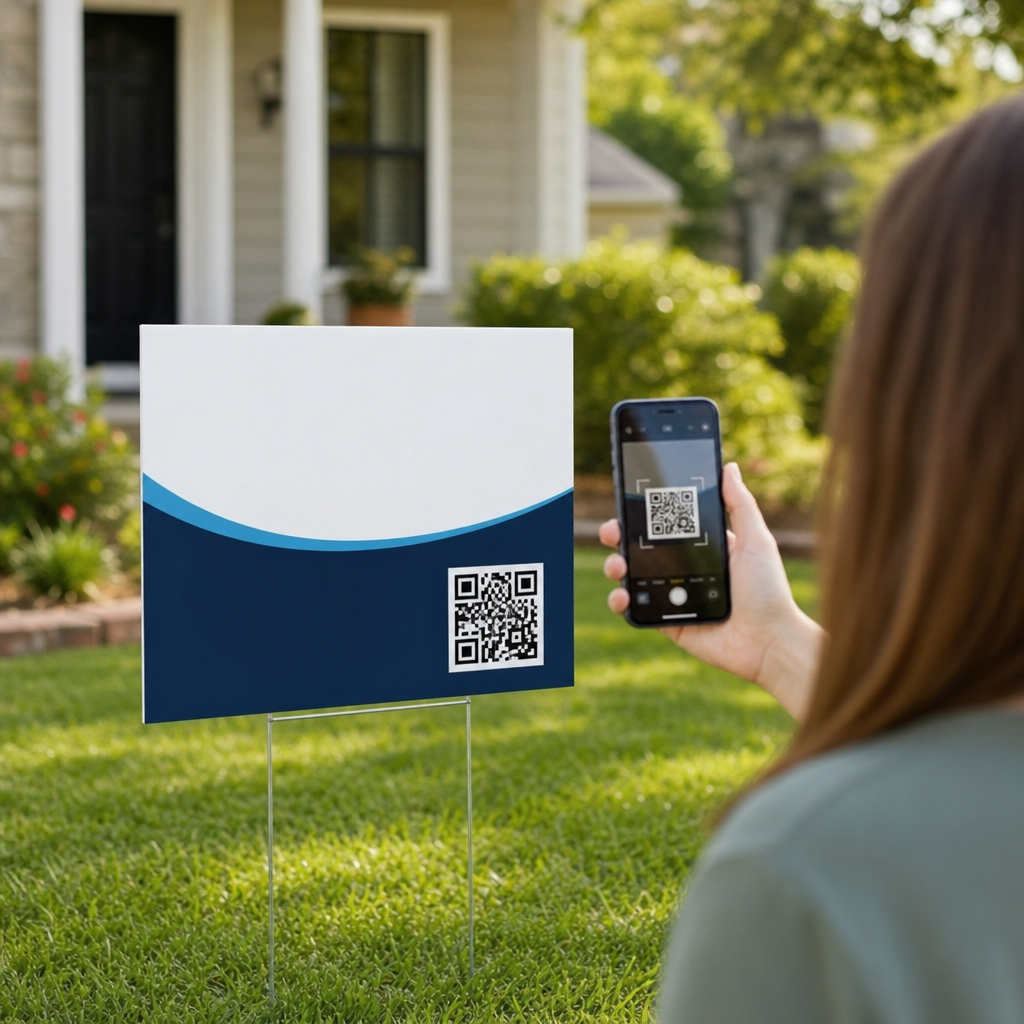
QR codes have become one of the most practical upgrades you can make to a real estate yard sign because they connect a passerby’s quick glance to a full digital property experience in seconds. In real estate, a QR code is a scannable matrix barcode that opens a landing page, listing, virtual tour, lead form, map, video, or contact card when someone points a smartphone camera at it. I have used them on open house signs, directional signs, rider panels, and commercial listings, and the pattern is consistent: signs get attention, but QR codes capture intent. That matters because most prospects first encounter a property while driving, walking, or comparing neighborhoods after hours, when no agent is present to answer questions.
For a real estate business, adding QR codes to yard signs improves three things at once: access, measurement, and follow-up. Access means buyers can instantly view photos, price, square footage, school information, or financing details without typing a long URL. Measurement means agents can track scans by property, sign location, campaign, and date using tools such as Google Analytics, Bitly, QR Code Generator Pro, or Beaconstac. Follow-up means the destination can collect leads through forms, SMS opt-ins, or showing requests. As a hub topic within industry-specific applications, this guide explains how to add QR codes to yard signs for real estate, what to link them to, how to design them for outdoor readability, and how to avoid the mistakes that quietly reduce scan rates.
Why QR Codes Work on Real Estate Yard Signs
Real estate yard signs sit at the intersection of physical and digital marketing. Their strength is location-based visibility: they reach people already interested in a street, school district, commute path, or property type. Their weakness is limited space. A QR code solves that constraint by turning a small square into an expandable information channel. Instead of forcing prospects to remember an address or call immediately, the sign lets them act in the moment. In my campaigns, the best-performing signs usually serve one clear next step, such as “Scan for price and photos” or “Scan for 3D tour,” rather than generic messaging.
Buyers use QR codes because the friction is low. Modern iPhones and Android phones scan directly from the camera app, so no separate app is usually required. When the code leads to a mobile-optimized page, the user can move from scan to property details in under five seconds. That speed matters. According to the National Association of Realtors, buyers commonly begin online and expect immediate access to listing information. Yard signs with QR codes meet that expectation in the field. They also support sellers, who increasingly ask agents how offline advertising will generate measurable interest instead of vague exposure.
Real estate professionals benefit beyond residential listings. Commercial brokers use QR codes on site signs to link to offering memoranda, drone videos, zoning summaries, and tenancy details. New-home builders connect signs to floor plans, lot maps, community amenities, and model home scheduling. Property managers use codes for leasing inquiries and vacancy lists. The common thread is intent capture: anyone willing to stop and scan is a warmer prospect than someone who merely notices the sign. That makes QR-enabled signage one of the simplest ways to move from awareness to action in local real estate marketing.
What to Link Your QR Code To
The destination matters more than the code itself. For most residential listings, the best target is a dedicated mobile landing page rather than a brokerage homepage. A property-specific page should include the listing address, current price, photo gallery, key specifications, neighborhood highlights, agent contact options, and a prominent call to action. If available, add a Matterport tour, financing calculator, and open house schedule. When I test destinations, standalone landing pages nearly always outperform general search-results pages because they remove unnecessary navigation and answer the buyer’s first questions immediately.
Different sign types should lead to different destinations. A for-sale yard sign works well with a property details page. An open house sign should link directly to event hours, parking instructions, and a sign-in form. A directional sign can link to navigation in Google Maps or Apple Maps. A commercial sign often performs best with a brochure download and broker contact form. If the goal is seller lead generation rather than buyer inquiry, a neighborhood sign can link to a home valuation page. The rule is simple: match the scan context to the user’s next need.
Use dynamic QR codes whenever possible. A dynamic code points to a short redirect URL that can be edited later without reprinting the sign. That is critical in real estate, where prices change, listings go pending, and campaigns shift. If a property sells, you can redirect scans to a “just sold” page, similar listings, or a seller consultation offer. Static codes lock the destination permanently and are only appropriate when the URL will never change. Dynamic codes also support analytics, UTM parameters, and scan reporting by device, time, and location, which makes them the professional standard for serious real estate marketing.
How to Design a QR Code That Actually Gets Scanned
Good QR code design balances branding with readability. The code must maintain high contrast, adequate quiet space, and a sufficient printed size. For yard signs, I recommend a minimum QR code size of 1.5 x 1.5 inches for close viewing and 2 x 2 inches or larger if the sign sits farther from the curb or sidewalk. Use a dark code on a light background; black on white remains the safest choice. Avoid glossy finishes that create glare, especially on aluminum or corrugated plastic signs exposed to direct sun. Before production, test scans outdoors at the expected viewing distance and angles.
The printed call to action is just as important as the code. People scan more often when the benefit is explicit. “Scan for photos, price, and 3D tour” performs better than “Scan me.” Include the destination promise in plain language and, if space allows, mention that no app is needed. Place the code where a person can approach it safely without stepping into landscaping or traffic. On riders and post signs, position it below the headline and above the phone number so the eye naturally lands there. Do not crowd the code with dense text or decorative borders.
| Element | Best practice for real estate yard signs | Why it matters |
|---|---|---|
| Code type | Dynamic QR code | Lets you change destinations after printing |
| Size | At least 1.5 to 2 inches square | Improves scan success from curbside positions |
| Color | Dark code on light matte background | Maintains contrast and reduces glare |
| CTA | “Scan for price, photos, and tour” | Explains the reward and lifts response rate |
| Destination | Mobile property landing page | Answers buyer questions without extra clicks |
| Tracking | UTM-tagged URL with analytics | Shows which signs and listings generate interest |
Brand customization is useful, but never at the expense of function. Some platforms allow logo insertion, rounded modules, and custom colors. Those can work if error correction is set appropriately and the code is tested on multiple devices. I have seen beautifully branded codes fail because the logo covered too much of the center or the navy-on-gray palette lacked contrast in shade. If you use custom styling, export a high-resolution vector or print-ready file, keep the quiet zone intact, and verify scans on current iPhone and Samsung devices before sending artwork to your sign printer.
How to Create, Print, and Track QR Codes for Yard Signs
The workflow is straightforward. First, build the destination page. Second, generate a dynamic QR code in a platform such as Beaconstac, QR Code Generator Pro, Bitly, Flowcode, or Canva if you need a basic option. Third, attach UTM parameters so scans appear clearly in Google Analytics 4. For example, use source=yard-sign, medium=offline, and campaign tied to the listing address or subdivision. Fourth, place the code into the sign layout at production resolution. Fifth, print a proof and test it with multiple phones before full production. Sixth, monitor scans and adjust destinations or messaging based on performance.
Printing standards matter because yard signs live outdoors. Common materials include corrugated plastic, aluminum composite, and PVC. Ask your printer for weather-resistant inks and matte lamination where possible. Resolution should be crisp enough that individual modules do not bleed together; vector artwork is ideal. If the sign uses two sides, consider placing the QR code on both faces. For large properties or corner lots, add the same code to directional signs leading to the listing. In open house campaigns, I often use one code for property information and a separate code on the sign-in board for registration, keeping each user action focused.
Tracking is where many agents leave value on the table. A QR code scan is not just a curiosity metric; it is evidence of local intent. Review scan volume by day of week, time, and destination completion. If scans are high but lead submissions are low, the landing page likely needs clearer pricing, stronger photos, faster loading, or a shorter form. If one sign location underperforms, visibility or traffic flow may be the issue. Integrate forms with your CRM, whether that is Follow Up Boss, HubSpot, kvCORE, or another platform, so every scan-driven inquiry gets a timed follow-up sequence rather than a manual response hours later.
Common Mistakes and the Real Estate Use Cases That Benefit Most
The most common mistake is linking to the wrong page. Sending a prospect from a yard sign to a brokerage homepage, desktop PDF, or generic portal search wastes intent. Other frequent problems include codes printed too small, poor contrast, no call to action, missing analytics, and dead links after a listing changes status. Another mistake is overloading one code with too many expectations. If the sign promises price, photos, school data, and scheduling, the landing page must deliver all of it above the fold on mobile. Every extra tap loses people, especially when they are standing outside in heat, rain, or a hurry.
Residential resale is the clearest use case, but not the only one. Luxury listings benefit from QR codes that open cinematic video tours and private showing requests. New construction communities use them to connect lot signage to interactive site maps and builder inventory. Rural land listings can link to parcel maps, zoning information, and drone footage that a yard sign cannot explain alone. Commercial real estate signs are especially strong candidates because buyers and tenants expect downloadable brochures, demographic data, traffic counts, and cap rate context. In each case, the QR code turns a static sign into a self-service information point available twenty-four hours a day.
The best next step is to treat every real estate yard sign as a lead capture asset, not just a branding piece. Create one mobile landing page per listing, generate a dynamic tracked QR code, print it large enough to scan easily, and pair it with a specific call to action. Test every sign in real conditions before installation, then review scan and conversion data weekly. Done correctly, QR codes make yard signs more useful to buyers, more measurable for sellers, and more profitable for agents. Start with your next listing, document the results, and build a repeatable signage system across your entire real estate portfolio.
Frequently Asked Questions
How do you add a QR code to a yard sign for real estate?
Adding a QR code to a yard sign starts with deciding what you want the code to do after someone scans it. In most real estate use cases, the best destination is a mobile-friendly landing page that includes listing photos, pricing, property details, a virtual tour, agent contact information, and a simple lead form. Once you choose the destination, generate the QR code using a reliable QR code platform or design tool, then test it on multiple smartphones before sending the sign to print. From there, place the code into your yard sign layout in a position that is visible, easy to reach, and not crowded by too much text or branding.
In practice, the process works best when you treat the QR code as part of the sign’s call to action rather than an afterthought. A clear prompt such as “Scan for Photos,” “Scan for Virtual Tour,” or “Scan for Price & Details” gives passersby a reason to engage. The code should be large enough to scan quickly, printed with strong contrast, and positioned where someone standing near the sign can comfortably use a phone camera. For real estate professionals, this can be applied across standard yard signs, open house signs, directional signs, rider panels, and commercial listing signage, making the physical sign far more interactive and measurable than a traditional static design.
What should a QR code on a yard sign link to?
The most effective QR code destination is usually a dedicated mobile landing page built specifically for sign traffic. Someone scanning from a yard sign is often in discovery mode, so the destination should load quickly and answer the most immediate questions first: what the property is, what it costs, what it looks like, where it is located, and how to get more information. A strong landing page typically includes professional photos, a short property summary, key specs, map directions, an inquiry form, and one-tap options to call, text, or schedule a showing. If available, virtual tours and video walkthroughs are especially valuable because they extend the on-site experience without requiring immediate agent interaction.
That said, the right destination depends on your goal. If you want more direct inquiries, send users to a lead capture page with a streamlined form. If you want to support convenience, a digital contact card or property brochure download may work well. If your listing is part of a larger campaign, the QR code can point to a branded listing hub, neighborhood guide, or even a commercial property package. The key is relevance and simplicity. Avoid sending users to a generic homepage that forces them to search for the property on their own. A yard sign scan should feel like a smooth continuation of the buyer’s moment of interest, not the beginning of extra work.
How big should a QR code be on a yard sign to make sure it scans easily?
As a general rule, a QR code on a yard sign should be large enough to scan comfortably from a close standing distance, which usually means making it noticeably prominent rather than tiny. For most residential yard signs, many agents and sign designers prefer a code that is at least around 2 x 2 inches, with larger sizes often improving scan reliability depending on the sign format and viewing conditions. If the sign is intended to be scanned from a sidewalk, curb, or vehicle pull-off area, increasing the size can make a major difference. The more important principle is usability: if a person has to step too close, tilt their phone repeatedly, or fight glare to get a scan, the code is too small or poorly positioned.
Spacing and print quality matter just as much as dimensions. The QR code needs a clear margin around it, strong contrast between dark and light areas, and a clean print without distortion. Do not place it over busy backgrounds, photos, gradients, or reflective finishes that interfere with readability. Testing is essential. Print a full-size proof and scan it in real-world conditions, including bright daylight, cloudy conditions, and different phone models. Also remember that yard signs are viewed outdoors, where glare, shadows, and motion affect performance. A slightly larger, simpler code is usually better than an overly stylized one that sacrifices function for design flair.
Can you track scans from a QR code on a real estate yard sign?
Yes, QR codes can be tracked, and this is one of their biggest advantages in real estate marketing. If you use a dynamic QR code platform or a properly tagged destination URL, you can measure how many times the code was scanned and, in many cases, gather useful campaign data such as time of day, device type, and general location trends. This allows you to evaluate whether your yard sign is generating engagement, compare performance across different properties or neighborhoods, and identify which calls to action are working best. For agents who want better insight into offline marketing, QR tracking helps turn a physical sign into a measurable lead source.
To make tracking meaningful, connect the QR code to a dedicated landing page and use analytics tools such as URL parameters, form tracking, and event reporting. That way, you can move beyond simple scan counts and understand what happens after the scan. Are visitors viewing the gallery, starting a virtual tour, calling the listing agent, or submitting a request for a showing? Those actions provide a clearer picture of sign effectiveness than traffic alone. It is also smart to create separate QR codes for different sign types, such as the main yard sign, open house signage, and directional signs, so you can identify which physical placements produce the most engagement and leads.
What are the most common mistakes to avoid when putting QR codes on yard signs?
The most common mistake is linking the QR code to the wrong kind of destination. If the code opens a desktop-only page, a generic brokerage homepage, a slow-loading site, or an expired listing, you lose the user almost immediately. A yard sign scan should create a fast and satisfying experience, which means the landing page must be mobile-friendly, relevant to the property, and easy to navigate. Another frequent mistake is making the QR code too small or placing it in a visually cluttered area of the sign. Even a perfectly generated code can fail in the field if it is hard to find, hard to scan, or surrounded by distracting graphics.
Other avoidable issues include using low-contrast colors, printing on highly reflective materials, over-customizing the QR code design, and failing to include a clear instruction next to it. People are more likely to scan when the benefit is obvious, so a short prompt matters. It is also a mistake not to test the final printed sign before full production. Always scan from multiple devices and under outdoor lighting conditions. Finally, do not forget maintenance. If the linked content changes, the page breaks, or the property status updates, the QR code experience must be kept current. In real estate, trust and speed matter, and a broken or outdated scan experience can make a listing look neglected even if the sign itself looks professional.





