
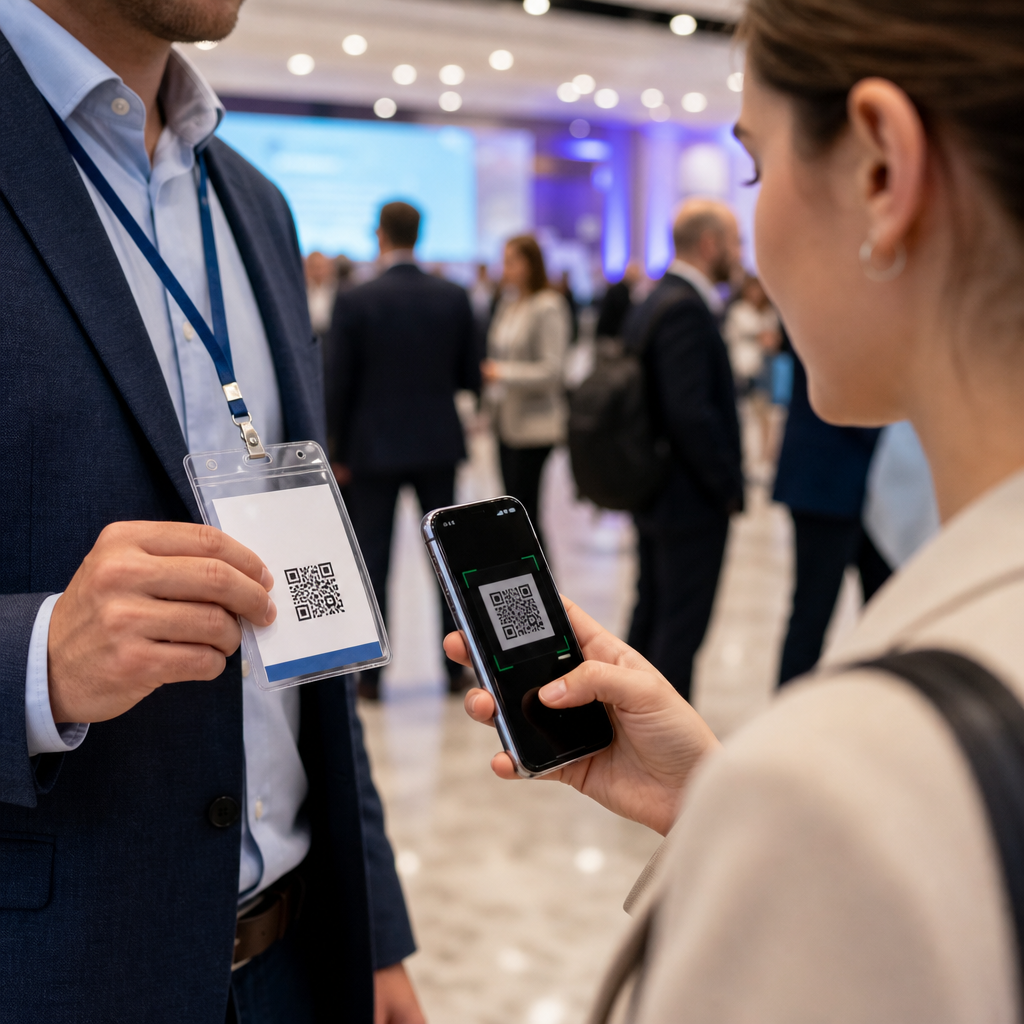
QR codes have become standard infrastructure at events and conferences because they bridge physical spaces and digital actions with almost no friction. A QR code, or Quick Response code, is a two-dimensional barcode that stores information such as a URL, contact card, ticket token, Wi-Fi credential, payment link, or document download. When attendees scan the code with a smartphone camera, they move instantly from a printed badge, sign, booth panel, or presentation slide to a useful online destination. In practical event operations, that speed matters because every extra tap, form field, or line at a check-in desk increases drop-off.
In my work with event teams, I have seen QR codes shift from a novelty on posters to a core part of registration, wayfinding, lead capture, session engagement, and post-event follow-up. Their value is not just convenience. QR codes reduce paper waste, simplify updates, create measurable engagement data, and let organizers connect each physical touchpoint to a specific digital outcome. A code printed on a lanyard can open a personalized agenda. A code at a sponsor booth can qualify a lead. A code on a stage screen can collect live audience questions in seconds.
For readers exploring mobile QR code basics, the most important point is this: event QR codes work best when each code maps to a single user intent. If an attendee is checking in, the destination should confirm entry immediately. If a visitor wants slides, the code should open the file or landing page directly. If a sponsor wants scans for pipeline reporting, the system should tie each interaction to a CRM field or event app profile. That directness is why QR codes now matter in conferences of every size, from association meetings and trade shows to corporate summits and community festivals.
Registration, ticketing, and fast check-in
The most common use case for QR codes at events is admission control. Organizers generate a unique QR code for each registrant and embed it in a confirmation email, wallet pass, or event app ticket. At the venue, staff scan the code using check-in software on a phone, tablet, or dedicated handheld device. The scan validates the attendee record, marks arrival time, and can trigger badge printing or access permissions. This replaces manual guest-list lookups and reduces queues, especially during peak arrival windows before keynote sessions.
Modern event platforms such as Cvent, Eventbrite, Bizzabo, and Stova all support QR-enabled check-in because the workflow is reliable and easy to audit. If an attendee loses a printed ticket, the same code can usually be retrieved from email. If a venue uses multiple entrances, duplicate scans can flag attempted re-entry or simply update movement data, depending on configuration. The main tradeoff is dependency on connectivity and scanner readiness, so experienced event managers prepare offline scan modes, battery backups, and a staffed exception lane for name searches. Those safeguards matter more than the code itself.
Badges, access control, and attendee identity
Once a guest is inside, QR codes often continue to function as a lightweight identity layer. A code printed on a badge can be scanned for session entry, VIP lounge access, meal redemption, workshop attendance, or certificate tracking. This is especially useful when organizers need to manage capacity by room or verify that only paid pass holders enter premium content. Compared with printed color bands or visual inspection alone, scanning creates a timestamped record that can support continuing education reporting, security reviews, and sponsor fulfillment.
Badge QR codes can also reduce repeated form filling. At exhibitor booths, an attendee may consent to share contact details by allowing a scan rather than typing information into a tablet. At networking stations, the code can open a digital business card, LinkedIn profile, or profile exchange within the event app. In practice, the best systems separate public-facing identity from sensitive data. The visible code should contain a token, not exposed personal information, and the event platform should resolve that token securely on the back end. This protects privacy while preserving speed.
Session engagement, presentations, and content delivery
QR codes are highly effective during educational sessions because they turn passive audiences into active participants. A speaker can place a code on the opening slide that links to the session page, live poll, downloadable workbook, or question submission form. Rather than asking attendees to type a long URL, the presenter gives a one-scan path to the exact asset being discussed. This increases response rates because mobile behavior favors immediacy. At technical conferences, I have seen workshop completion improve simply because lab instructions were delivered through a clearly labeled QR code on every table.
They also solve a persistent content-distribution problem. Instead of printing thick handout packets, organizers can place QR codes on signage outside rooms, on agendas, and on closing slides to deliver speaker bios, slide decks, white papers, and resource lists. If a presenter updates a file after the session, a dynamic QR code can point to the revised destination without changing the printed sign. That flexibility matters for multi-day conferences where schedules, room assignments, and supplemental materials often change. The attendee gets the latest version, and the organizer avoids expensive reprints.
Exhibitor lead capture and sponsor activation
For exhibitors and sponsors, QR codes are a practical lead-capture tool that connects booth traffic to measurable sales activity. A sponsor can display codes that open product demos, contest forms, meeting schedulers, coupon offers, or gated case studies. Booth staff can also scan attendee badge codes to collect consent-based lead data in a structured format. This is more accurate than dropping paper business cards into a bowl and more useful than counting foot traffic alone. Sales teams can segment interest by product line, session attended, or asset downloaded.
The strongest event sponsorship programs use QR codes as part of a full activation plan rather than as a generic landing-page shortcut. A cybersecurity vendor might place one code beside a threat-assessment quiz, another near a demo kiosk, and a third on a speaking-session slide. Each code captures a different intent signal. After the event, marketers can compare conversion rates by touchpoint and attribute pipeline influence with greater confidence. Clear labeling matters: “Scan for 5-minute demo” consistently outperforms unlabeled codes because attendees know exactly what they will get before they scan.
| Use case | Typical QR destination | Main benefit |
|---|---|---|
| Check-in | Unique ticket validation page | Faster entry and accurate attendance logs |
| Session engagement | Poll, Q&A, slides, or workbook | Higher participation and easier content access |
| Booth activation | Demo, form, scheduler, or offer | Better lead capture and attribution |
| Wayfinding | Interactive map or room finder | Less confusion and lower staff burden |
| Follow-up | Survey, certificate, or replay page | Stronger post-event retention and feedback |
Wayfinding, venue services, and operational support
Large venues create friction when attendees cannot quickly find breakout rooms, restrooms, transportation details, or food options. QR codes placed at entrances, elevators, corridor intersections, and information desks can open interactive maps, searchable schedules, accessibility guidance, and emergency instructions. This is not just a convenience feature. It reduces pressure on staff, shortens late arrivals to sessions, and improves the guest experience for first-time visitors. For international conferences, codes can point to multilingual pages so attendees receive directions in their preferred language without requiring duplicate signage everywhere.
Operational teams also use QR codes behind the scenes. Vendors can scan service-area codes to confirm setup tasks. Speakers can access backstage run-of-show documents. Catering teams can reference updated menus and dietary counts. In hybrid or campus-style events, transportation QR codes can link to shuttle timetables, rideshare pickup zones, or parking maps. The key principle is placement. A wayfinding QR code should appear exactly where a navigation decision happens, not buried in a printed program. Context drives scans, and context determines whether the code feels helpful or invisible.
Networking, payments, feedback, and post-event follow-up
Networking is another strong use case because QR codes remove friction from exchanging information. Attendees can scan a code on a badge, profile screen, or tabletop sign to save contact details, book a meeting slot, or join a topic-based chat. This is especially valuable at industry events where hundreds of quick introductions happen in a day. A digital exchange is easier to search later than a stack of collected business cards, and it can include richer metadata such as company, role, interests, and notes from the conversation.
Some events also use QR codes for on-site payments and self-service transactions. Food vendors, merchandise counters, donation stations, and paid workshop upgrades can all be connected to mobile payment pages through a scan. Where supported, the same approach can handle tipping, parking, or membership renewals. Organizers should still account for audience preferences, because not every attendee is comfortable with mobile payment flows, and some venues require traditional point-of-sale options. Accessibility, cellular coverage, and age demographics influence adoption more than enthusiasm for the technology.
After the event, QR codes continue to support the attendee journey. Organizers place them on exit signage, thank-you slides, email recaps, and printed takeaway cards to drive survey completion, certificate claims, replay access, and community signups. This stage is often overlooked, yet it determines whether the event produces lasting value. A well-placed code asking for immediate session feedback usually outperforms a survey sent days later because recall is fresher and motivation is higher. For teams building a durable event program, that feedback loop is essential.
QR codes are used in events and conferences because they solve specific operational and engagement problems with a tool nearly every attendee already carries in a pocket. They speed registration, support secure access control, deliver session materials, improve wayfinding, strengthen sponsor programs, enable networking, simplify payments, and extend follow-up after the venue closes. Their usefulness comes from matching one code to one clear action, placing it at the right moment, and connecting scans to systems that can respond immediately.
The biggest benefit is not the code itself; it is the removal of friction across the event experience. When attendees can check in faster, find rooms easily, access content instantly, and share information without typing, satisfaction rises and staff workload falls. When exhibitors and organizers can measure scans against attendance, engagement, and revenue outcomes, planning improves for the next event. If you are building a mobile-first event strategy, start by mapping your attendee journey and identifying the moments where a single scan can replace delay, confusion, or paperwork.
Frequently Asked Questions
How are QR codes typically used at events and conferences?
QR codes are used across nearly every stage of the event experience because they make it easy to connect physical materials with digital actions in seconds. Before the event, organizers often place QR codes on invitations, registration pages, promotional posters, and social media graphics so attendees can sign up quickly without typing long URLs. At check-in, QR codes can function as ticket tokens or digital badges, allowing staff to verify entry quickly and reduce congestion at registration desks. Inside the venue, they appear on signage, agendas, exhibitor booths, table tents, presentation slides, name badges, and printed programs.
That flexibility makes them useful for many practical tasks. A single scan can open a session schedule, download presentation materials, save speaker contact details, connect to guest Wi-Fi, launch a venue map, join a feedback survey, or complete a payment. Exhibitors also use QR codes to capture leads, distribute brochures, and direct visitors to product demos or booking forms. Because smartphone cameras now scan QR codes natively, attendees do not need special equipment or a complicated setup. This low-friction experience is exactly why QR codes have become standard event infrastructure rather than a novelty.
Why are QR codes so effective for improving the attendee experience?
QR codes improve the attendee experience because they remove unnecessary steps between interest and action. At a conference, attendees are constantly moving between sessions, meeting people, visiting booths, and looking for timely information. In that environment, convenience matters. A QR code lets someone point their phone at a badge, sign, or slide and immediately access the exact resource they need. That might be a schedule update, a digital handout, a networking profile, a sponsor offer, or a session feedback form. The process feels natural because it matches how people already use their phones throughout the day.
They also reduce information overload. Instead of asking attendees to keep track of printed handouts, remember web addresses, or manually enter contact details, organizers can centralize resources behind scans. This creates a cleaner event environment and lowers the chance that useful information gets lost. QR codes can also support accessibility and multilingual communication by linking to digital content in different formats, such as large-text pages, translated materials, captioned videos, or audio instructions. When implemented well, QR codes make events feel faster, smarter, and more responsive to attendee needs.
What are the main benefits of using QR codes for event organizers and exhibitors?
For organizers, QR codes help streamline operations while improving measurement and adaptability. They can reduce printed material costs by linking to digital schedules, maps, and updates instead of repeatedly printing revised versions. They also make it easier to push people toward the right action at the right time, whether that is checking in, finding a room, joining a session queue, downloading event documents, or submitting feedback. If organizers use dynamic QR codes, they can even update the destination after the code has been printed, which is especially valuable when room assignments, speaker details, or schedules change close to the event date.
For exhibitors and sponsors, QR codes are an efficient bridge between booth traffic and qualified digital engagement. Rather than relying only on business cards or paper brochures, exhibitors can direct visitors to landing pages, product videos, pricing sheets, case studies, demo sign-ups, or meeting request forms. This makes lead capture more structured and trackable. Instead of wondering whether someone was casually browsing or genuinely interested, teams can monitor scans, form submissions, and downstream conversions. In short, QR codes support both operational efficiency and marketing accountability, which is why they are so widely adopted in professional event environments.
Are QR codes secure and reliable enough to use for tickets, check-in, and attendee access?
Yes, QR codes can be secure and reliable for tickets, check-in, and controlled access when they are implemented correctly. The QR code itself is simply a carrier for information, so security depends on the system behind it. For example, many event platforms generate unique, time-valid ticket tokens linked to an attendee record. At the entrance, staff scan the code and the system verifies whether the pass is valid, already used, assigned to the correct person, or authorized for a specific access level. This makes QR-based check-in fast while still supporting strong event control.
That said, organizers should still follow best practices. Unique codes are better than generic ones for admission. Real-time validation is important for preventing duplicate use. Branded signage and trusted domains help attendees distinguish official codes from fraudulent ones. It is also wise to place QR codes where staff can supervise their use and to provide backup options for people with low battery, cracked screens, or limited connectivity. When event teams combine QR codes with good access management, device readiness, and clear attendee communication, the result is a highly dependable system that is faster than many traditional ticketing methods.
What are the best practices for using QR codes successfully at an event or conference?
The most important best practice is to make every QR code purposeful and easy to use. Each code should lead to a clear, relevant destination that matches the attendee’s immediate context. A code on a session slide should open speaker materials or a feedback form, not a generic homepage. A code at a booth should connect to a demo, offer, or contact form that reflects what visitors just saw. Organizers should also test every code on multiple devices before the event, use high-contrast designs for easy scanning, and place codes at a comfortable height and viewing distance. Strong mobile landing pages are essential, since most scans happen on phones in busy environments.
It is also smart to provide brief instructions or a call to action next to the code so attendees know exactly what they will get by scanning. Phrases like “Scan to download the agenda,” “Scan to save contact info,” or “Scan to join Wi-Fi” consistently improve engagement. Dynamic QR codes are especially useful because they allow edits without reprinting materials and often include analytics such as scan counts, time of engagement, and device type. Finally, organizers should not assume QR codes replace all other support. They work best when integrated into a broader event experience that includes good signage, staff assistance, reliable internet access, and fallback options. When those pieces are in place, QR codes become one of the simplest and most effective tools for moving attendees from physical touchpoints to meaningful digital interactions.





