
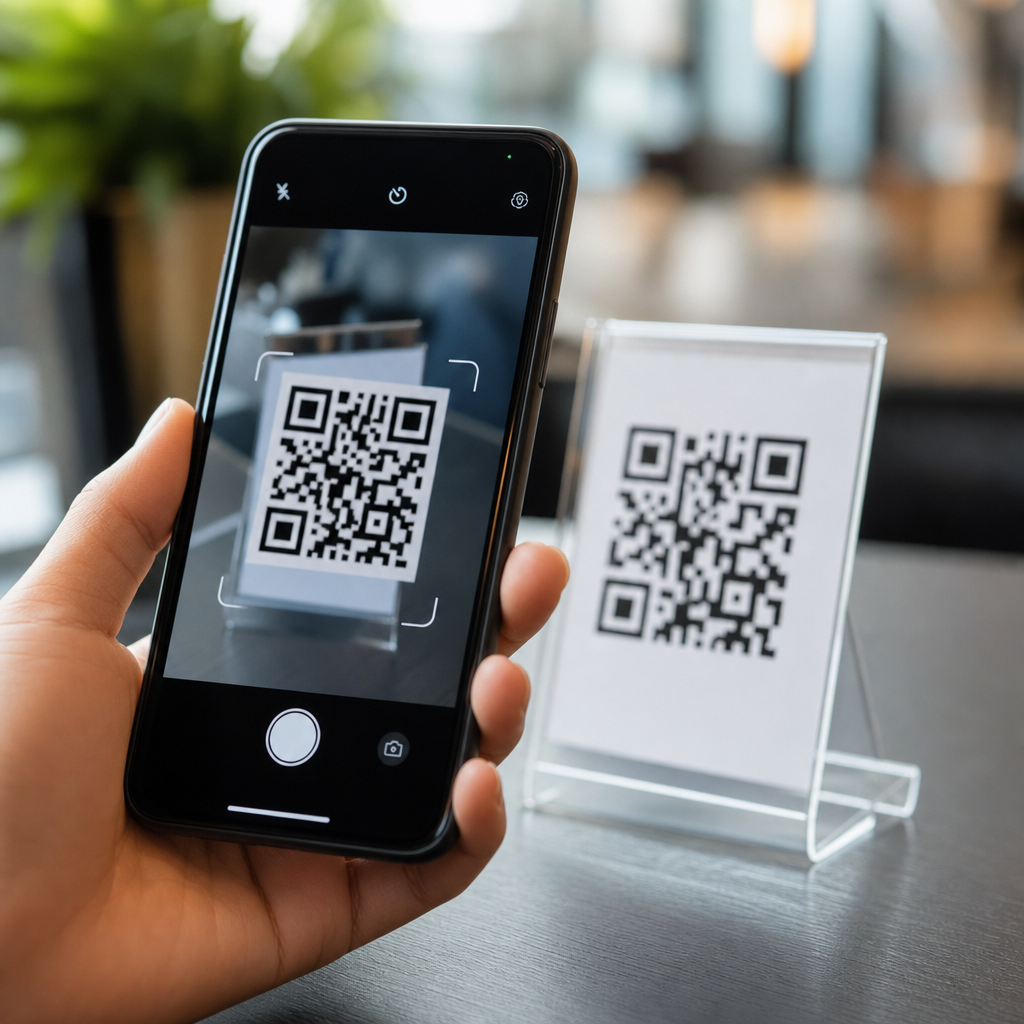
Mobile cameras detect and read QR codes by combining optics, image processing, geometric correction, and error-tolerant decoding into a workflow that happens in fractions of a second. A QR code, short for Quick Response code, is a two-dimensional matrix barcode made of black and white modules arranged on a square grid. Unlike a traditional one-dimensional barcode, which stores data across a single line, a QR code stores data in both horizontal and vertical directions, allowing it to hold more information and remain readable even when partially damaged. In practice, this means a phone can identify a small printed square on a poster, screen, package, or receipt, isolate it from a noisy background, interpret the encoded pattern, and convert that pattern into an action such as opening a URL or joining a Wi-Fi network.
Understanding how mobile QR codes work matters because scanning has become part of everyday commerce, payments, menus, tickets, authentication, and product packaging. I have worked on mobile camera and code-scanning implementations where the challenge was not decoding a perfect test image, but reliably reading codes under glare, motion blur, poor lighting, bent labels, and low-cost Android hardware. That real-world context is important: QR scanning succeeds not because phones have one magic feature, but because modern camera apps combine autofocus, auto-exposure, computer vision heuristics, and standardized decoding rules defined in ISO/IEC 18004. If you manage a website, build mobile products, print marketing materials, or simply want to understand why one code scans instantly while another fails, the mechanics behind detection and reading explain both the strengths and limits of the technology.
This hub article covers the full process behind how mobile cameras detect and read QR codes, from the moment light hits the sensor to the moment the phone decides the payload is valid. It also explains the main QR code components, the role of finder patterns and alignment patterns, how phones correct perspective distortion, why Reed-Solomon error correction is essential, and what affects scan speed on iPhone and Android devices. As a sub-pillar page within Mobile QR Code Basics, it gives you the complete foundation for related topics such as QR code size, scan distance, dynamic versus static codes, payment QR standards, and QR code security. If you want a plain-language answer to how mobile cameras read QR codes, the core idea is simple: the camera captures an image, software locates the code’s structure, normalizes the image into a clean square grid, decodes the bitstream, checks for errors, and returns the embedded data.
The QR code structure phones look for first
A mobile camera does not begin by reading data immediately. It first looks for visual signatures that distinguish a QR code from everything else in the frame. The most important are the three finder patterns, the large square markers placed in three corners of the symbol. Each finder pattern has a black-white-black-white-black ratio that image-processing software can detect across multiple scan lines. That ratio gives the phone a strong clue that it is seeing a QR code rather than random shapes in the environment. The software then checks whether three such patterns appear in the correct geometric relationship, forming an L-shaped orientation that reveals the code’s rotation and approximate size.
After finder patterns, the decoder examines timing patterns, which are alternating black and white modules running between the finder patterns. These help estimate the grid spacing so the software knows where each module boundary should fall. Larger QR versions also include alignment patterns, smaller targets that help compensate for distortion, especially when a code is printed on curved packaging. Format information near the finder patterns tells the phone what mask pattern and error correction level are in use. Version information appears on larger codes. Together, these structural elements let a phone separate “where the code is” from “what the code says,” which is why a QR code can still scan even before the payload has been interpreted.
How the camera captures a scannable image
Good decoding starts with a usable image. On modern phones, the camera preview stream supplies continuous frames, and the scanning library analyzes those frames in real time instead of waiting for a full-resolution photo. This is faster and usually sufficient because QR modules do not require the same detail as portrait photography. The camera system tries to maintain sharpness through autofocus, often using phase detection or contrast detection depending on the device. Auto-exposure adjusts brightness so black modules remain dark enough and white areas do not wash out. High dynamic range processing can help outdoors, though aggressive sharpening or noise reduction sometimes harms edge clarity on lower-end devices.
Distance matters because the code must occupy enough pixels for the module grid to be sampled accurately. A common field rule is that each module should cover at least a few pixels in the captured frame; otherwise adjacent modules blend together. Motion blur is another major failure point. If the user moves the phone while the shutter interval for the preview frame is too long, the crisp transitions between black and white smear into gray edges, making pattern detection less reliable. Screen-based QR codes introduce additional issues such as moiré, refresh flicker, and reduced contrast under bright ambient light. In testing, I have seen a clean printed code outperform a brighter digital code simply because matte paper produced less glare than a glossy phone screen.
How detection software isolates the QR code in the scene
Once the camera provides frames, the next task is localization: finding the QR code inside a busy image. Most mobile scanners begin with grayscale conversion because color is rarely needed for standard black-and-white symbols. They then apply thresholding to separate darker and lighter regions, edge detection to highlight strong boundaries, and contour analysis to identify square-like shapes. Libraries such as ZXing, ML Kit, Apple Vision, and OpenCV use variations of this approach, sometimes combined with machine learning models that improve robustness when backgrounds are cluttered.
The decoder scans rows and columns looking for the finder pattern ratio. When several candidate patterns appear, it groups those that fit expected distances and angles. From there, it estimates the corners of the code and calculates whether the symbol is planar, rotated, tilted, or partially warped. A phone can detect more than one code in a frame, but most camera apps prioritize the most central or largest candidate to reduce false activations. Importantly, detection and decoding are separate stages. A phone may draw a box around a likely QR code before it can actually read the payload, because it has recognized the structure but has not yet sampled the grid cleanly enough to decode the data.
How phones correct angle, distortion, and damage before decoding
Real-world QR codes are rarely square in the captured image. A code on a table appears trapezoidal when viewed from an angle, and a code on a bottle may curve across the label. To solve this, the scanning engine performs perspective correction, also called homography or geometric normalization. Using the detected finder patterns and alignment data, it maps the distorted quadrilateral back into a square reference grid. The software then samples each expected module position, deciding whether that cell is black or white based on surrounding pixel values.
Damage tolerance is where QR technology earns its reputation. Four standard error correction levels allow recovery of data even when part of the symbol is obscured: L, M, Q, and H. Higher levels reserve more space for redundancy, reducing total data capacity but improving resilience. The actual recovery uses Reed-Solomon error correction, a mathematical method widely used in storage and communications. This is why a QR code can still scan with a scratched corner, a logo overlay, or slight print defects, as long as the damaged area stays within the recoverable threshold and the critical structural patterns remain readable.
| Factor | What the phone does | Why it affects scanning |
|---|---|---|
| Low light | Raises exposure or ISO | More noise can obscure module edges |
| Glare | Attempts focus and metering adjustments | Reflections can erase contrast in bright regions |
| Skewed angle | Applies perspective correction | Grid must be restored before module sampling |
| Partial damage | Uses Reed-Solomon recovery | Missing codewords can still be reconstructed |
| Curved surface | Estimates alignment deviations | Warping makes module positions less regular |
How QR code data is decoded into usable information
After sampling the grid, the decoder reads the bitstream in the order defined by the QR specification. It first removes the mask pattern, because QR codes deliberately apply masks to avoid problematic visual patterns that could confuse scanners. Then it interprets mode indicators that specify whether the payload is numeric, alphanumeric, byte, Kanji, or another supported format. Character count indicators define how much data follows. If the code stores a URL, the final result is just text, but the phone may classify that text as a web link and offer to open it in a browser. If the payload represents a vCard, calendar event, payment string, or Wi-Fi configuration, the operating system may present a context-specific action.
Not every scanner handles every payload equally. Native camera apps on iPhone and Android are optimized for common actions such as opening links or joining networks, while specialized apps may parse industrial or payment formats more thoroughly. Decoding speed depends on processor efficiency, camera frame rate, software quality, and how quickly the app can confirm a valid symbol without false positives. In mature implementations, a successful scan usually completes in under a second when the code is well printed and occupies an adequate portion of the frame.
What makes some mobile QR codes scan faster than others
Scan performance depends on design choices as much as on camera quality. High contrast is nonnegotiable: dark modules on a light background scan best. Quiet zone, the blank margin around the code, is equally important because it tells the software where the symbol begins and ends. I routinely recommend at least four modules of clear margin, consistent with the standard. Tiny codes fail because modules become too small; dense codes fail because too much data is crammed into limited space. That is one reason short URLs or dynamic QR codes often scan better than long static URLs.
Print quality, surface material, and environment also matter. Matte labels outperform glossy ones under overhead lighting. A code placed behind wrinkled plastic often scans poorly because highlights interrupt the grid. On screens, maximum brightness can help, but excessive brightness may bloom edges on some OLED panels. For marketers and product teams, the practical lesson is straightforward: generate codes with tested tools, keep payloads efficient, preserve quiet zones, and validate scans across both older Android phones and current iPhones. A technically valid QR code is not always a reliably scannable QR code.
Mobile QR scanning works because phone cameras and decoding software jointly solve four problems: finding the symbol, cleaning the image, correcting distortion, and verifying the data. The phone recognizes structural markers such as finder patterns, uses timing and alignment information to rebuild the module grid, applies error correction to recover damaged data, and then converts the payload into a user action. That process is standardized, fast, and remarkably tolerant of imperfect real-world conditions, which is why QR codes have become a default bridge between physical objects and digital experiences.
For anyone building under the Mobile QR Code Basics umbrella, the main takeaway is that scan success is engineered, not accidental. Better results come from understanding the full chain: camera optics, pixel resolution, contrast, quiet zone, code version, payload length, and error correction level. If you create, print, deploy, or troubleshoot QR codes, use this hub as your foundation and review every code in the context where people will actually scan it. Test on multiple phones, in real lighting, at realistic distances, and you will dramatically improve performance, usability, and trust.
Frequently Asked Questions
How does a mobile camera actually detect a QR code in the first place?
A mobile camera detects a QR code by combining raw image capture with fast computer vision analysis. First, the camera lens focuses light from the scene onto the image sensor, which records a digital image made of pixels. The phone’s software then scans that image for visual patterns that match the structure of a QR code. One of the biggest clues is the presence of the three large square finder patterns located in three corners of the code. These high-contrast markers are designed specifically so software can locate the code quickly, even when it appears at different sizes or positions inside the camera frame.
Once those patterns are identified, the device determines whether they are arranged in a way that matches a real QR code rather than random black-and-white shapes. The software looks for timing patterns, alignment cues, and the characteristic square grid of modules. This process happens continuously across live camera frames, often many times per second, which is why a user can simply point the camera at a code and get almost instant recognition. The speed comes from optimized image processing algorithms and dedicated mobile hardware that can analyze contrast, edges, and geometry in fractions of a second.
How can a phone read a QR code even if it is tilted, far away, or viewed at an angle?
Phones can read QR codes under imperfect conditions because they do more than just take a picture and hope for the best. After detecting the finder patterns, the software estimates the code’s orientation, size, and perspective distortion. If the QR code is tilted, skewed, or seen at an angle, the square grid no longer looks perfectly square in the raw image. The phone compensates for this by applying geometric correction, effectively transforming the distorted shape back into a normalized, flat grid that can be interpreted correctly.
This correction step is essential because real-world scanning rarely happens under ideal conditions. A code might be on a poster, curved packaging, a phone screen, or a label viewed from the side. By calculating the boundaries of the code and mapping the observed image to the expected QR grid, the software can sample the black and white modules more accurately. Modern cameras also help by using autofocus, exposure adjustment, and image stabilization, which improve clarity before decoding even begins. Together, optics and software make the system robust enough to read codes that are not perfectly centered, level, or close to the camera.
What role do image processing and contrast play in reading QR codes?
Image processing is the bridge between a camera image and usable QR code data. A QR code works because it is built from dark and light modules arranged in a precise pattern, so the phone must reliably distinguish those modules from the background. To do that, the software often converts the image into a simpler representation, such as grayscale, and then applies thresholding or contrast analysis to separate darker regions from lighter ones. Edge detection and pattern recognition help identify the boundaries and internal structure of the code.
Contrast matters because the code must stand out clearly enough for the software to determine which modules are black and which are white. Poor lighting, glare, shadows, motion blur, low resolution, or decorative code styling can all make that harder. Mobile devices compensate in several ways: they may increase exposure, trigger HDR-style processing, sharpen details, reduce noise, or use machine learning-assisted detection to improve recognition in difficult scenes. If the code still cannot be segmented cleanly, decoding may fail. That is why a well-printed, high-contrast QR code with quiet space around it is much easier to scan than one placed on a busy background or captured in dim light.
How does a phone decode the information stored inside a QR code?
After the phone detects the code and corrects its geometry, it begins the decoding stage. At this point, the software samples the QR code’s grid module by module to determine the binary pattern represented by the dark and light squares. A QR code stores data in two dimensions, meaning information is encoded across rows and columns rather than along a single line like a traditional barcode. That structure allows it to hold more data in a compact area, including URLs, text, contact information, Wi-Fi credentials, and other machine-readable content.
The decoder also reads built-in format and version information, which tell it how the data is organized and what masking pattern was used. QR codes apply masking to improve scan reliability by avoiding problematic visual patterns, so the software must remove that mask before extracting the actual payload. From there, the binary data is interpreted according to the QR specification, which defines encoding modes such as numeric, alphanumeric, byte, and kanji. All of this is highly standardized, which is why one QR code can usually be read by many different phones and scanning apps. The process sounds complex, but on modern mobile hardware it is usually completed almost instantly.
Why can QR codes still work when part of the code is damaged or obscured?
One of the reasons QR codes are so practical is that they include error correction. This means the code does not rely on every single module being perfectly visible. Instead, extra redundant information is encoded alongside the main data using error-correction algorithms, most notably Reed-Solomon error correction. When the phone decodes the symbol, it can use that redundancy to recover missing or corrupted portions of the data, as long as the damage stays within the correction limits of the code.
This is why a QR code can often still scan even if it has a scratch, a smudge, a crease, or a small logo placed in the middle. Different QR codes can be generated with different error correction levels, trading storage capacity for resilience. Higher error correction makes the code more tolerant of damage but leaves less room for actual payload data. In practice, this built-in fault tolerance is a major reason QR codes perform so well in everyday environments, where print quality, lighting, and wear are not always ideal. It also explains why mobile scanning feels so reliable: the phone is not just reading a perfect image, it is intelligently reconstructing the intended data from an imperfect one.





