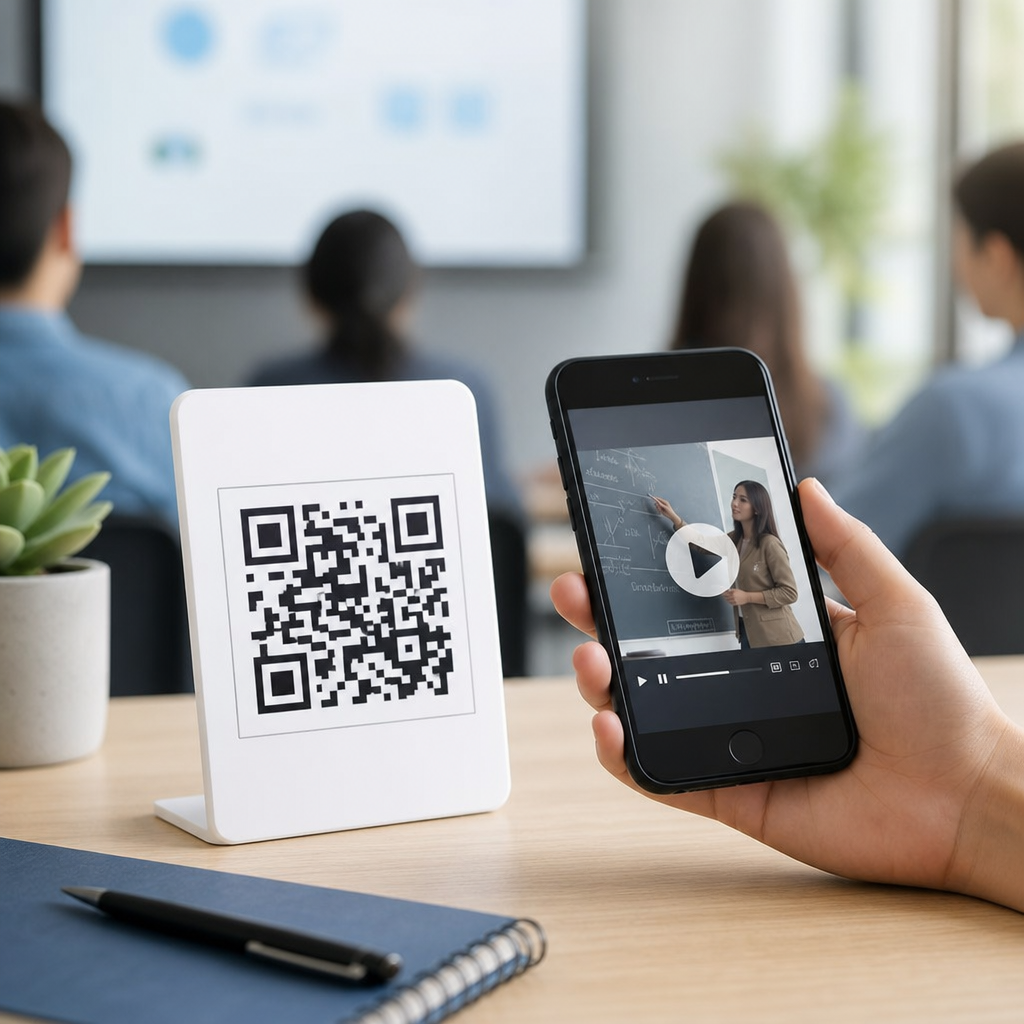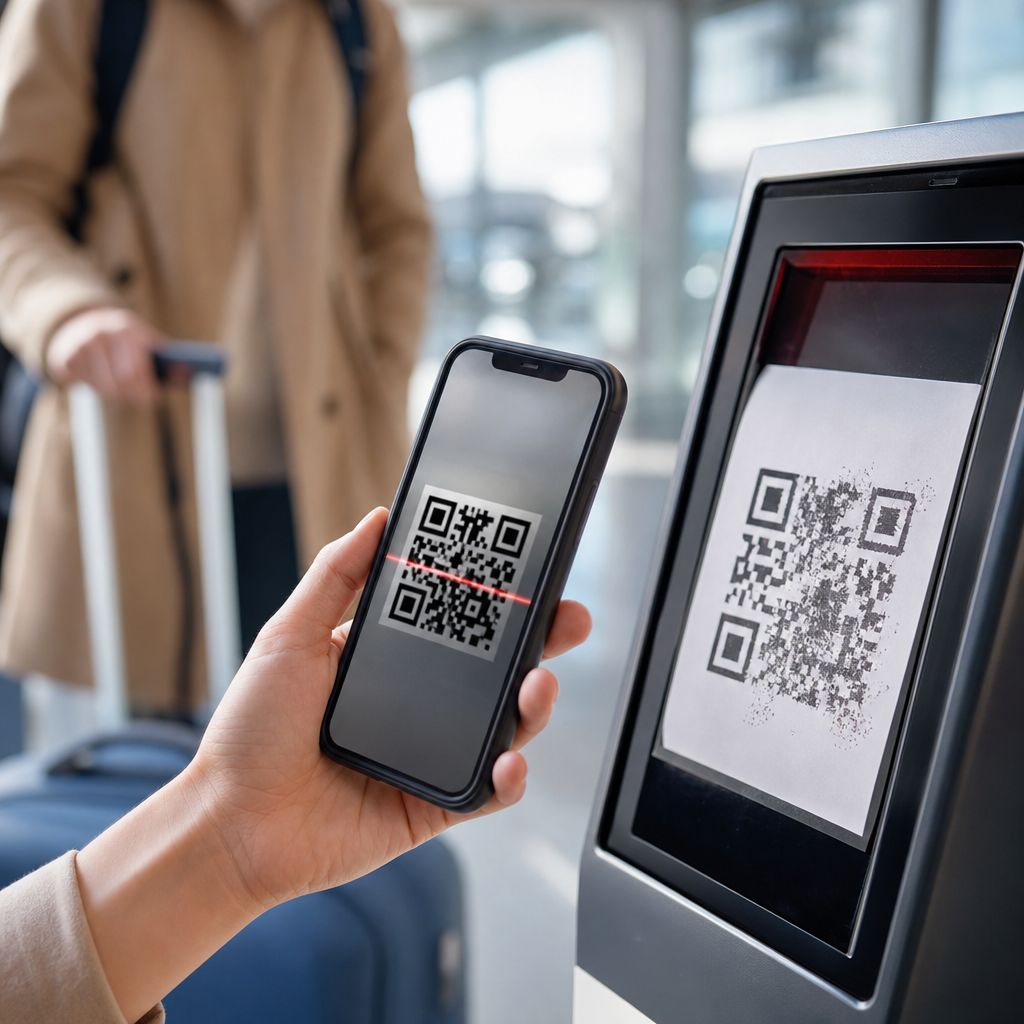
QR codes now sit at the center of modern travel, from airline boarding passes and rail tickets to hotel check-in, attraction entry, menus, maps, and multilingual visitor information. In travel and tourism, a QR code is a scannable matrix barcode that stores a link, text payload, or transaction data, usually accessed through a smartphone camera. The promise is simple: faster movement, less paper, lower staffing pressure, and easier updates across airports, stations, hotels, museums, tour buses, and cruise terminals. Yet in practice, common issues with QR codes in travel create friction at exactly the moments when travelers need reliability most.
I have seen these problems firsthand while auditing guest journeys for hotels and attractions: a family delayed at a gate because brightness was too low, a museum code placed behind reflective glass, a train passenger unable to load a dynamic ticket in an underground station, and overseas visitors blocked by a landing page that would not translate. These are not edge cases. Travel happens across changing light, weak connectivity, tired users, damaged screens, language barriers, and strict timing. A code that works in a conference room can fail in an airport queue.
This matters because travel is a high-stakes service environment. If a restaurant menu code fails, the guest is annoyed; if an airport security pass or visa confirmation code fails, the traveler may miss a flight. Operators also feel the impact. Poorly implemented QR systems increase support calls, slow throughput, create crowding, and damage trust in digital service. For a travel and tourism program to succeed, QR codes must be treated as part of an end-to-end operational system, not a graphic placed on signage at the last minute.
Why QR Codes Fail So Often in Travel Settings
The most common issues with QR codes in travel start with environmental mismatch. Travel spaces are visually complex, crowded, and mobile. Codes are often scanned while people are walking, carrying luggage, wearing sunglasses, or holding children. Lighting changes constantly between bright sunlight, dim aircraft cabins, underground platforms, and hotel lobbies with decorative spotlights. A code with insufficient contrast, excessive logo intrusion, or glossy print can become unreadable under these conditions even if it scans perfectly at a desk.
Device variability is another major factor. Travelers use older phones, cracked screens, budget Android devices, locked-down corporate phones, and roaming connections with aggressive battery-saving settings. Some code experiences depend on a live web page, cookie consent banner, app redirect, or authentication layer before the useful content appears. Every extra step increases abandonment. In travel, where users are often stressed and time-constrained, latency feels like failure. A boarding code that appears after six seconds can be functionally as bad as one that does not appear at all.
Operational design also causes failure. Teams sometimes confuse static and dynamic QR codes, use low image resolution, or print codes too small for the scanning distance. Frontline staff may not know how the code is supposed to behave, so they cannot troubleshoot quickly. I regularly find no fallback path for travelers without smartphones, without data service, or with accessibility needs. Good travel implementation starts by mapping the exact scan context: who scans, on what device, at what distance, in what light, with what urgency, and with what backup if the scan fails.
Connectivity, Device, and Access Problems
Connectivity is one of the biggest hidden causes of QR code failure in travel and tourism. Many travelers assume a visible code guarantees access, but the real dependency is often the destination behind it. A QR code linking to a check-in portal, digital room key enrollment, city guide, or e-ticket wallet page may break when users enter roaming dead zones, tunnel sections, aircraft boarding bridges, or remote destinations. Cruise ports and mountain attractions are especially prone to patchy mobile performance, and international visitors may disable data roaming entirely to avoid charges.
Access control choices can make this worse. Requiring app installation before showing a ticket is risky because airport, rail, and event environments reward immediacy. Browser-based delivery is usually safer for first-time use, but even then, heavy pages, geolocation prompts, and mandatory account creation can block completion. Accessibility is often overlooked. Travelers with low vision may struggle to enlarge a code on a dim screen, while screen-reader users may have trouble reaching the linked content if the page structure is poor. For tourism organizations, compliance with WCAG principles is not optional if QR experiences are customer-facing.
Battery life is another practical issue. By late afternoon, a traveler may have used maps, translation apps, camera, and messaging all day. If the phone is at 3 percent, opening a dynamic boarding pass or attraction ticket becomes uncertain. The fix is operational redundancy: downloadable passes, wallet support, printable alternatives, and staffed exception handling. Airports and hotels that provide charging points near check-in and queue areas reduce friction in a measurable way because they support the whole digital journey, not just the code image itself.
Design, Placement, and Scannability Errors
Scannability depends on fundamentals that are often ignored. ISO/IEC 18004 defines the QR Code specification, but many tourism teams never translate technical guidance into real placement rules. Quiet zone violations are common; if text, borders, or background graphics sit too close to the code, cameras struggle to detect the matrix. Contrast should be strong, ideally dark modules on a light matte background. In travel brochures, restaurant tent cards, bus stop posters, and exhibit labels, decorative branding too often undermines function.
Placement errors are equally damaging. A hotel lobby code placed at waist height may require guests to bend with luggage in hand. A platform code mounted behind glass can catch glare from overhead lights. A code on the side of a moving shuttle is nearly pointless. Distance matters: if a traveler must scan from two meters away, the printed dimensions need to match that use case. For digital displays, refresh rate, moiré effects, and brightness settings can affect scan success, especially on older smartphone cameras.
| Travel touchpoint | Common QR issue | Practical fix |
|---|---|---|
| Airport boarding area | Low screen brightness on passenger phones | Use high-contrast wallet passes and provide staffed manual lookup |
| Hotel reception | Lobby glare on printed check-in code | Use matte signage and angle placement away from direct light |
| Museum exhibit | Code too small for queue distance | Increase print size and repeat code at multiple heights |
| Train platform | Dead mobile signal for linked ticket page | Offer offline pass download before arrival |
| Tour bus pickup | Passengers scanning while walking | Place codes at stopping points with simple short URLs as backup |
Testing should mirror reality, not best-case conditions. I test travel QR codes with older phones, cracked screen protectors, low brightness, weak signal, and one-handed use. That process consistently reveals failures missed by office reviews. For tourism operators, the benchmark is not whether the code scans eventually; it is whether it scans fast enough, clearly enough, and reliably enough to keep people moving.
Security, Fraud, and Trust Risks
Security concerns around QR codes in travel are growing because travelers are conditioned to scan quickly. Attackers exploit that habit with code replacement stickers, malicious redirects, fake parking payment pages, and phishing sites that imitate airline, hotel, or attraction brands. In busy tourist areas, a fraudulent code can stay in place for hours before staff notice. The risk is higher where users expect payment, identity verification, or schedule changes, such as transit hubs, public parking, self-check-in kiosks, and excursion meeting points.
Trust breaks down when travelers cannot tell where a code leads. A plain QR image gives no visible destination, so operators should reduce ambiguity. Use branded landing pages, short recognizable domains, HTTPS, and clear nearby text explaining the purpose: for example, “Scan to open the official city museum audio guide.” Staff should inspect physical codes as part of routine rounds, especially on outdoor signage. Dynamic QR platforms should log scan anomalies by location and time so suspicious traffic spikes can be investigated quickly.
Privacy is part of the same trust equation. Some travel businesses over-collect data through QR forms, asking for unnecessary personal information before delivering a menu, brochure, or guide. That creates legal and reputational risk, especially where GDPR or other privacy rules apply. Ask only for information required to provide the service, disclose tracking clearly, and avoid forcing marketing consent as a condition of access. Travelers are far more likely to complete a scan when the experience feels legitimate, minimal, and predictable.
Building a Reliable Travel and Tourism QR Strategy
The strongest travel programs treat QR codes as service infrastructure. Start with journey mapping across airlines, airports, hotels, attractions, restaurants, tours, and destination management content. Define the job of each code: entry, payment, wayfinding, translation, information, or support. Then choose the right format. Static codes suit stable information like Wi-Fi details or emergency procedures. Dynamic codes are better for campaigns, rotating menus, multilingual guides, and updateable visitor information because the destination can change without reprinting assets.
Governance matters. Maintain a code inventory, destination URL ownership, expiry rules, naming conventions, and testing cadence. Use analytics carefully to identify broken flows, but pair data with frontline feedback because scan counts alone do not show confusion. The best teams create backup paths everywhere: visible short URLs, NFC where appropriate, printed ticket references, and staffed alternatives. They also localize content, compress landing pages for slow networks, and support Apple Wallet and Google Wallet when passes are time-sensitive. Those practices reduce failure rates dramatically.
For travel and tourism organizations, the lesson is clear: QR codes are useful only when they are dependable under real travel conditions. Reliability comes from better design, stronger security, accessible delivery, and operational fallback planning. Audit every scan point across the guest journey, fix the obvious friction first, and retest in the field. When QR systems are built around traveler reality rather than internal convenience, they save time, reduce queues, and improve trust. Review your current travel QR touchpoints now and prioritize the failures costing guests the most confidence.
Frequently Asked Questions
What are the most common reasons a travel QR code will not scan?
The most common causes are surprisingly practical: low screen brightness, a cracked or dirty phone screen, poor internet service, glare from sunlight, damaged printed codes, and low-quality screenshots. In travel settings, QR codes are often shown in rushed, crowded environments such as airport security lines, train platforms, hotel lobbies, and attraction entrances. If the code is displayed too small, cropped, blurred, or at an awkward angle, scanners may struggle to read it. Printed QR codes can also fail if they are creased, smudged, placed on reflective surfaces, or reproduced with low contrast.
There are also technical reasons. Some travel QR codes are static images that can be scanned offline, while others trigger dynamic links that require a live internet connection to validate a boarding pass, ticket, reservation, or timed entry. If a traveler has limited roaming data, is in a dead zone, or is relying on overloaded public Wi-Fi, the code may appear valid but fail during verification. Expired links, outdated app versions, and codes tied to a specific account session can create the impression that the QR code itself is broken when the real issue is in the underlying system. In many cases, the fastest fix is to raise screen brightness, reopen the original app instead of using a screenshot, clean the camera lens, and make sure the device has a stable connection.
Why do screenshots of boarding passes, train tickets, or attraction QR codes sometimes cause problems?
Screenshots are convenient, but they are not always reliable in travel. Many airlines, rail operators, hotels, and attractions now use dynamic QR codes that refresh automatically for security, fraud prevention, or real-time status updates. A screenshot captures only one moment in time. If the operator changes the code, updates the reservation, reassigns a seat, modifies the gate, or refreshes the validation token, the screenshot may no longer match the live record. This is especially common with mobile boarding passes and timed-entry tickets.
Another issue is image quality. Travelers often crop screenshots too tightly, lower the resolution when sharing them, or store them in albums cluttered with other images, making retrieval slower under pressure. Some apps also add motion, brightness optimization, or wallet integration that a static image cannot replicate. In practical terms, the safest approach is to keep the original QR code in the airline, rail, hotel, or ticketing app, and save an official offline version in a digital wallet if supported. Screenshots can still work as a backup, but they should not be the only plan when traveling through high-friction checkpoints.
How do internet connectivity and roaming issues affect QR codes during travel?
Connectivity problems are one of the biggest hidden weak points in QR-code-based travel. Travelers may assume that once a code appears on screen, it will work anywhere, but that is not always true. Many travel QR codes act as gateways to cloud-based records rather than self-contained credentials. The scanner may need to confirm identity, payment status, validity window, reservation changes, or fraud protections in real time. If the traveler has poor mobile service, roaming disabled, exhausted data, or no access to local Wi-Fi, the code may load slowly or fail outright.
This becomes more common in airports with congested networks, underground rail stations, cross-border routes, remote attractions, cruise terminals, and older buildings with poor signal penetration. Even hotel check-in systems, digital room key links, museum entries, and restaurant menus can break if the code points to a website that does not load quickly. A good preventive strategy is to download passes before leaving reliable Wi-Fi, enable wallet storage when available, keep confirmation emails accessible offline, and carry key reservation details such as booking numbers in plain text. For international travel, checking roaming settings before departure can prevent a simple access issue from becoming a missed flight, delayed check-in, or denied entry.
Are QR codes in travel secure, and what scams or risks should travelers watch for?
QR codes are useful, but they are not automatically safe. In travel environments, scammers can replace legitimate codes with fake stickers, redirect users to phishing pages, or use QR links to imitate airlines, hotels, parking systems, transit services, or attraction ticket portals. Because travelers are often tired, rushed, and unfamiliar with local signage, they are more likely to scan first and evaluate later. A malicious QR code might lead to a fake payment page, harvest login credentials, or prompt the installation of harmful software. This risk is especially relevant in public places such as stations, airports, street kiosks, tourist information boards, and restaurant tables.
Travelers should treat QR codes the same way they treat unfamiliar links. Before completing any payment or entering personal information, check that the web address matches the official company domain and that the page looks consistent with the provider’s normal branding. Avoid scanning random codes posted over existing signage or codes shared in unsolicited messages. Where possible, access services through the official airline, rail, hotel, or attraction app instead of relying on third-party scans. Businesses can reduce risk by placing codes in tamper-evident formats, inspecting physical signs regularly, and offering visible fallback options such as staffed assistance, short URLs, or manual entry methods.
What should travel businesses do to reduce QR code failures and improve the traveler experience?
Travel businesses should design QR code systems for real-world friction, not ideal conditions. That means using high-contrast codes, displaying them at a large enough size, avoiding reflective materials, and testing them across different phone models, brightness levels, and lighting conditions. Codes should load quickly, remain valid for a sensible time window, and work smoothly on both iPhone and Android devices. If a code depends on internet access, businesses should say so clearly and provide nearby connectivity or an offline fallback. Staff should also be trained to recognize common failure points instead of treating every issue as user error.
Just as important, businesses should never make QR codes the only path. In travel, there must be contingency options such as numeric booking references, barcodes stored in wallets, staffed check-in, printed alternatives on request, or kiosks that can retrieve reservations by name and ID. This matters for accessibility, battery failures, language barriers, older devices, and travelers who are uncomfortable with app-heavy workflows. The most resilient travel systems use QR codes as a convenience layer, not a single point of failure. When operators build in redundancy, clear instructions, and visible support, they preserve the speed benefits of QR technology without turning minor technical issues into major travel disruptions.