
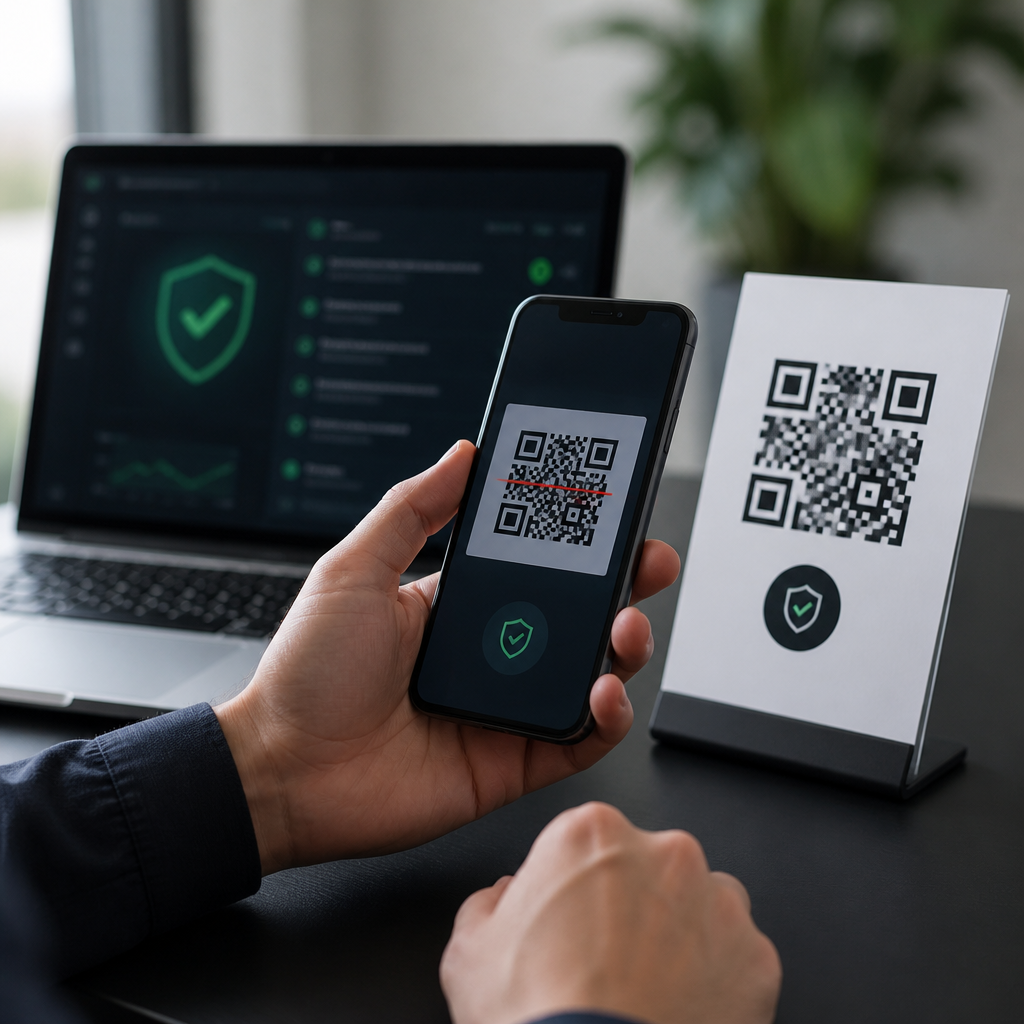
QR codes have become a routine bridge between physical spaces and digital actions, but that convenience has also made them a favored vehicle for fraud. A malicious QR code is a code designed to send a user to a phishing page, trigger a dangerous download, capture credentials, or route payment to a criminal destination instead of a legitimate one. In security work, this tactic is often called quishing, short for QR phishing, and it has grown because people cannot visually inspect a QR code the way they can hover over a link in email.
The best tools to detect malicious QR codes do more than decode the image. They inspect the destination URL, expand shortened links, check domain reputation, analyze redirect chains, identify brand impersonation, and enforce mobile safe browsing controls before a user lands on the final page. For security teams, facility managers, retail operators, and small businesses, that matters because QR code fraud is now showing up on parking meters, restaurant menus, invoices, package inserts, posters, and workplace login prompts. I have seen incidents where the printed sticker looked professional, the landing page copied the target brand accurately, and the only clue was a newly registered domain hidden behind multiple redirects.
This article serves as a practical hub for preventing QR code fraud. It explains which tools actually help, where each tool fits in a layered defense, and how to evaluate options for employees, customers, and public-facing environments. It also covers the limits of scanning apps alone, because no single scanner can solve every QR security problem. Effective prevention combines detection tools, mobile device protections, staff awareness, and operational controls around how QR codes are created, displayed, and monitored. If you manage QR campaigns or simply want safer scanning, the right toolkit can reduce risk dramatically.
What makes a QR code malicious and how detection tools work
A QR code itself is not malware. It is a machine-readable container that typically stores a URL, payment string, Wi-Fi configuration, app deep link, file path, or plain text. The risk comes from what happens after the scan. Attackers abuse this by encoding links to credential harvesting pages, fake payment portals, malicious APK downloads, support scams, or tracking infrastructure. In physical spaces, they also place fraudulent stickers over legitimate codes, a low-tech method that works because most users trust printed materials more than email links.
Detection tools work in layers. First, a QR decoder extracts the payload. Second, a URL inspection engine checks whether the destination is direct, shortened, obfuscated, or redirected through multiple services. Third, reputation services compare the domain and IP against threat intelligence feeds, browser safe browsing data, and blocklists. Fourth, advanced tools inspect the page for signs of impersonation, unusual certificates, typosquatting, or recently registered domains. On managed devices, mobile threat defense software can also block access in real time. The strongest approach is not just decoding the code but evaluating the full path from scan to destination.
Best tools to detect malicious QR codes in real-world use
For everyday users, the safest starting point is the built-in camera scanner on current iPhone and Android devices combined with browser safe browsing protections. Apple and Google both surface the destination before opening it in many cases, and modern browsers such as Chrome, Safari, and Edge use anti-phishing systems that can warn on known malicious pages. This is not perfect, but it is safer than older third-party scanner apps that request excessive permissions or route scans through ad-heavy intermediaries.
For deeper checks, URL analysis tools are essential. VirusTotal is one of the most practical options because you can submit the decoded URL and compare detections from multiple security engines at once. Google Transparency Report Safe Browsing offers a quick reputation check for suspicious domains. URLScan.io helps analysts inspect redirects, page behavior, and infrastructure details. Where shortened links are involved, expanding the URL first with a reputable unshortener or browser preview is critical, because many malicious QR codes hide behind bit.ly or similar shorteners.
Organizations need more than consumer tools. Mobile threat defense platforms such as Microsoft Defender for Endpoint, Lookout, Zimperium, and Check Point Harmony Mobile can inspect malicious links, block phishing destinations, and enforce protections on managed phones. Secure web gateways and DNS filtering tools including Cisco Umbrella, Cloudflare Gateway, and Netskope add another control point by preventing known bad domains from resolving or loading. In practice, I have found DNS-layer blocking especially effective for BYOD environments because it stops many attacks before the page renders, even if the user scans outside a corporate app.
| Tool type | What it checks | Best use case | Main limitation |
|---|---|---|---|
| Built-in phone scanner | Basic preview of destination link | Individual users scanning routine codes | Limited analysis of redirects and domain age |
| VirusTotal and Safe Browsing | URL reputation and known detections | Manual verification of suspicious QR links | New domains may not be flagged yet |
| URLScan.io | Redirect chains, page behavior, infrastructure | Analyst review and incident investigation | Requires interpretation and may be too technical for consumers |
| Mobile threat defense | Real-time phishing and malicious site blocking | Enterprises and managed mobile fleets | Licensing cost and deployment overhead |
| DNS filtering or secure web gateway | Domain resolution and web access control | Organization-wide prevention policies | Less visibility into non-web QR payloads |
How to choose the right QR code security stack
The right choice depends on who is scanning, where scanning happens, and what the QR code is intended to do. A restaurant displaying menu codes needs tamper detection and routine physical inspection more than advanced mobile device management. A hospital using QR codes for patient information needs controlled destinations, domain allowlisting, and audit trails. A company that puts QR codes in onboarding emails or posters should assume attackers may imitate those assets and should publish a short list of approved domains so users know what legitimate scans look like.
When evaluating tools, prioritize five capabilities. First, destination visibility: users should see the full URL before opening it. Second, reputation intelligence: the product should query current phishing and malware feeds. Third, redirect analysis: many dangerous codes rely on open redirects, ad trackers, or layered shorteners. Fourth, policy enforcement: admins should be able to block categories or unknown domains. Fifth, incident data: logs should show what was scanned, what was blocked, and why. Without logging, it is hard to prove whether a fraud attempt was isolated or part of a broader campaign.
There are tradeoffs. Reputation-based tools are fast and cheap, but they miss zero-day domains. Browser warnings help, but users still click through. Enterprise mobile security is powerful, but it requires procurement, deployment, privacy review, and support. That is why layered controls consistently outperform any single product. In assessments, the best results come from combining verified QR code generation practices, domain monitoring, mobile link protection, and frontline training on physical tampering signs such as stickers placed over existing codes, mismatched branding, or prompts for unnecessary login credentials.
Preventing QR code fraud beyond detection tools
Detection is only one part of preventing QR code fraud. You also need controls around creation, placement, and maintenance. Generate codes only from approved platforms, and whenever possible use your own branded domain rather than a generic shortener. Dynamic QR codes can be useful because they let you update destinations without replacing printed materials, but they also create central points of failure. Protect that management console with multifactor authentication, role-based access, and change logs. If an attacker compromises the account behind the code, every printed asset becomes a fraud channel instantly.
Physical security matters more than many teams expect. Inspect public QR signs on a schedule, especially in transit areas, parking locations, kiosks, hotel lobbies, and event venues. Use tamper-evident labels or design placements that make sticker overlays obvious. For high-risk use cases such as payments, add human-verifiable cues near the code: the official domain in plain text, customer support contact details, and a warning not to enter credentials unless the address matches exactly. In payment environments, encourage confirmation screens that display the merchant name before funds are sent.
User education should be specific, not generic. Teach people to pause if a QR code asks for passwords, payment card details, or software installation unexpectedly. Explain that legitimate menu, event, or parking codes rarely need corporate credentials. Show examples of lookalike domains, such as replacing an m with rn, or using a country-code domain that resembles a well-known brand. If your organization uses QR codes internally, publish a clear standard for approved destinations and scanning methods so employees have a baseline for comparison instead of relying on instinct.
Building a durable hub for QR code security, privacy, and compliance
As the hub page for preventing QR code fraud, this topic should connect operational security, user safety, and compliance requirements. Fraud prevention intersects with privacy because many QR campaigns collect analytics, device identifiers, or location-linked behavior. It also intersects with compliance because sectors such as healthcare, finance, and education may need documented controls for third-party landing pages, consent notices, and access management. Good governance starts with an inventory of every active QR code, its owner, its destination, its business purpose, and the systems that can change it.
The best tools to detect malicious QR codes support that broader governance model rather than acting as isolated utilities. Use scanners and reputation services for quick checks, mobile threat defense and DNS controls for active blocking, and disciplined operational practices to reduce exposure before a scan happens. Together, those measures turn QR codes from a blind spot into a manageable channel. Review your current QR code inventory, test the destinations your users rely on, and implement at least one verification control this week so convenience does not become an easy path for fraud.
Frequently Asked Questions
What are malicious QR codes, and why are they so difficult to detect with the naked eye?
Malicious QR codes are QR codes intentionally created to send people to harmful destinations or trigger unsafe actions. Instead of opening a legitimate website, menu, login portal, or payment page, a dangerous code may redirect a user to a phishing site, launch a malware download, open a fake app store page, submit a payment to a criminal wallet, or capture credentials through a spoofed form. This attack method is widely known as quishing, or QR phishing, and it has become more common because QR codes are designed for convenience, not human readability.
The main reason these threats are hard to detect visually is simple: a QR code does not reveal its destination in a way a person can inspect. A standard web link often lets users hover over a URL, examine the domain, or notice suspicious spelling before clicking. With a QR code, that opportunity is reduced or disappears entirely, especially in physical environments such as restaurant tables, parking meters, posters, package inserts, event signage, or printed invoices. Criminals take advantage of that blindness by replacing real QR codes with stickers, embedding harmful codes in emails and PDFs, or generating codes that look perfectly ordinary but point somewhere dangerous.
That is why the best tools to detect malicious QR codes focus on what happens after the code is scanned but before the user takes action. Strong detection tools preview the full destination URL, analyze redirects, compare domains against phishing and malware databases, check page reputation, and warn about suspicious behavior such as shortened links, lookalike domains, fake payment flows, or unsafe downloads. In practice, the challenge is not whether a QR code looks suspicious, but whether the destination behind it can be verified before trust is given.
What features should I look for in the best tools to detect malicious QR codes?
The most effective tools do more than simply decode a QR code into text. They should help you understand whether the destination is safe, authentic, and appropriate for the context in which the code appears. At a minimum, a good tool should display the full URL before opening it, rather than immediately launching the destination. That single feature gives users a chance to spot obvious warning signs such as strange domains, misspellings, unnecessary URL shorteners, unsecured pages, or unexpected paths that do not match the brand or service being advertised.
Beyond URL preview, look for threat intelligence and reputation analysis. The best QR security tools check destinations against known phishing, malware, scam, and spam databases. Many advanced tools also inspect redirect chains, because attackers often hide the true landing page behind one or more intermediate links. If a QR code first points to a harmless-looking short link and then bounces users to a fake login page or fraudulent payment site, a strong tool should surface that behavior clearly.
Browser isolation, safe browsing warnings, and sandbox analysis are also valuable. Some enterprise-grade tools open suspicious destinations in an isolated environment so the content can be examined without exposing the user’s device to the full risk. For organizations, centralized reporting and policy controls matter as well. Security teams may want dashboards that log scans, flag repeated malicious campaigns, and alert when employees encounter QR codes tied to credential harvesting or payment fraud. On mobile devices, where most QR scans happen, seamless integration is especially important. The best tools fit naturally into the camera app, browser, mobile security suite, or endpoint protection platform so users receive real-time warnings without needing advanced technical knowledge.
Finally, context awareness is a major differentiator. A useful detection tool should help users ask practical questions: Does this code belong here? Does the domain match the organization named on the poster, invoice, or kiosk? Is it normal for a parking meter or restaurant menu to request a login, software download, or cryptocurrency payment? The strongest tools combine technical analysis with clear, user-friendly warnings that support better decision-making in the moment.
Are smartphone QR scanners enough to protect against quishing, or do I need dedicated security tools?
Built-in smartphone QR scanners are convenient, but they are not always enough on their own. Many modern phones do a decent job of showing a link preview before the user opens it, and some operating systems or browsers may block a destination already known for phishing or malware. That is helpful, but it is still basic protection. It does not guarantee detection of newly created scam sites, carefully disguised lookalike domains, malicious redirect chains, or fraudulent payment pages that have not yet been widely reported.
Dedicated security tools add more layers of protection. These may include URL reputation checks, real-time phishing detection, domain age analysis, redirect inspection, content scanning, and integration with broader threat intelligence feeds. On managed devices, endpoint security or mobile threat defense tools can provide stronger controls than a standard camera app, especially for employees who regularly scan codes in public spaces, warehouses, hospitals, campuses, retail environments, or field operations. These tools can also generate alerts for suspicious behavior and help administrators identify trends across multiple users.
For everyday users, a built-in scanner is better than blindly opening links from emails or posters, but it should be paired with safe habits. Always pause to inspect the destination, avoid entering passwords or payment details on pages reached unexpectedly by QR code, and be skeptical of codes that create urgency or promise prizes, account fixes, package updates, or billing corrections. For businesses, dedicated tools are strongly recommended because quishing attacks are increasingly used in credential theft, invoice fraud, and social engineering campaigns. In short, native phone scanners are a useful first step, but dedicated security tools provide deeper analysis and a much stronger defense against malicious QR codes.
How do security teams and businesses evaluate tools for detecting malicious QR codes?
Security teams usually evaluate these tools based on visibility, accuracy, usability, and integration. The first question is whether the tool can reliably expose what a QR code actually does before the user interacts with the destination. That means decoding the content, expanding shortened links, tracing redirects, and checking the final landing page against phishing, malware, and fraud indicators. A strong product should reduce false negatives without overwhelming users or analysts with excessive false positives.
Usability is just as important as detection quality. If a tool is cumbersome, employees will ignore it or work around it. Businesses should look for solutions that fit naturally into mobile workflows, email security, secure browsers, managed devices, and endpoint protection platforms. If users have to copy and paste links manually or switch between too many apps, adoption drops quickly. By contrast, tools that present clear risk ratings, simple warnings, and safe previews tend to produce better real-world outcomes.
Integration with the broader security stack matters too. The best enterprise tools can feed logs into SIEM platforms, support incident response workflows, enforce browser or mobile policies, and connect with secure web gateways, DNS filtering, and identity protections. This matters because malicious QR codes are rarely an isolated problem. They often lead into credential theft, business email compromise, account takeover, or financial fraud. A tool that spots the code but cannot help the organization investigate the resulting activity is only solving part of the problem.
Security teams should also test how well a product handles current attack patterns. Can it detect branded phishing pages? Does it flag suspicious payment requests? Can it analyze codes embedded in PDFs, flyers, images, and emails? Does it help identify physical tampering, such as fraudulent QR stickers placed over legitimate ones? Real-world evaluation should include pilot testing in the environments where scans actually occur, along with training metrics, alert quality reviews, and response procedures. The right tool is not just one that identifies malicious QR codes in theory, but one that improves user safety and organizational resilience in practice.
What are the best practices for staying safe when scanning QR codes, even if I use detection tools?
Detection tools are valuable, but they work best when combined with disciplined user behavior. The first best practice is to treat every QR code like an untrusted link until proven otherwise. Before opening anything, review the destination carefully. Check whether the domain matches the brand, location, or service you expect. If you are scanning a code on a restaurant table, a parking meter, a utility bill, or an office notice, the URL should align with that context. A payment page hosted on an unrelated domain, a login page with a misspelled company name, or a shortened link with no branding should immediately raise concern.
Users should also be cautious about what the QR code asks them to do next. It is unusual for a simple informational code to demand account credentials, software installation, multi-factor approval, or urgent payment changes. Criminals often rely on pressure and convenience, hoping the user will complete a task quickly without verifying the source. If a QR code leads to a page requesting a password reset, invoice payment, banking action, gift card purchase, or wallet transfer, stop and verify through a trusted channel. Go directly to the company’s official website, call a known support number, or ask staff on-site rather than trusting the code itself.
Physical inspection matters too. In public places, look for signs of tampering such as stickers layered over another code, poorly aligned labels, newly placed signage, or printed materials that seem unofficial. In digital communications, be careful with QR codes inside unsolicited emails, attachments, and promotional messages, especially when they reference missed deliveries, payroll issues, tax updates, account verification, or limited-time offers. Attackers use QR codes in these scenarios because





