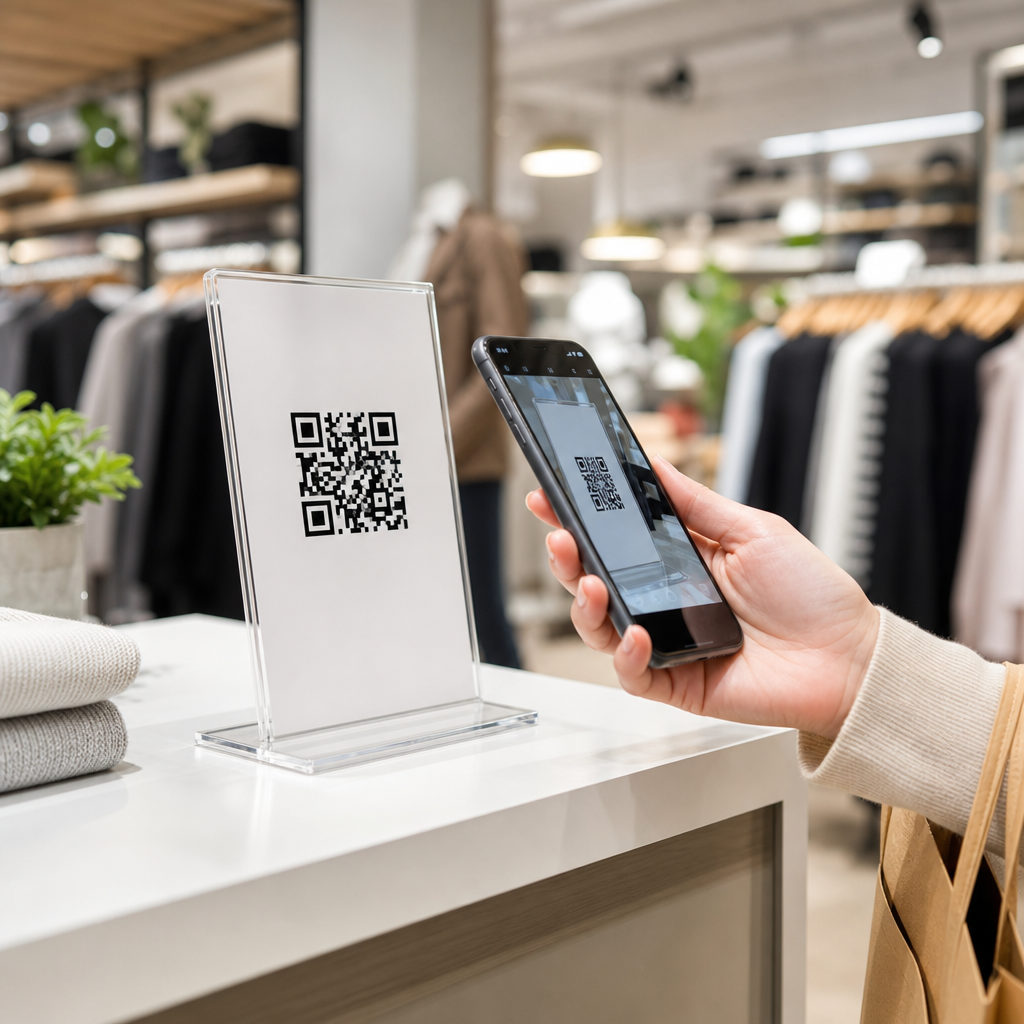
Best practices for QR codes in retail stores start with one principle: every scan should remove friction for the shopper and produce measurable value for the business. In retail and e-commerce, a QR code is a machine-readable matrix barcode that opens digital content, triggers an app action, launches a payment flow, or connects offline browsing with online conversion. I have implemented QR programs across store windows, shelf talkers, fitting rooms, packaging, and post-purchase inserts, and the pattern is consistent: codes succeed when they solve a clear customer problem faster than a search, a sales associate, or a printed sign can. They fail when they are added as decoration, linked to weak landing pages, or tracked poorly. For merchants, that distinction matters because store traffic, mobile usage, and omnichannel expectations have converged. Shoppers compare prices in the aisle, read reviews before buying, and expect instant access to stock status, product details, loyalty rewards, and support. A well-designed QR strategy makes stores easier to shop, strengthens attribution between physical and digital channels, and gives retail teams actionable data on engagement, conversion, and product interest.
Retail and e-commerce teams should also treat QR codes as a hub discipline, not a one-off campaign asset. The same governance choices affect merchandising, customer experience, operations, analytics, and compliance. Static codes send users to a fixed destination and work well for permanent information such as care instructions. Dynamic codes route through a short URL and can be updated without reprinting, making them better for promotions, seasonal catalogs, and A/B tests. Placement, error correction, contrast, mobile page speed, consent handling, and point-of-sale integration all influence performance. So does context: a code near a product display should answer a product question, while a code on packaging should support setup, reordering, registration, or review generation. When retailers understand those use cases and build them into broader retail and e-commerce workflows, QR codes become a practical bridge between store shelves and digital revenue instead of a novelty that few customers scan.
Choose retail QR code use cases that match shopper intent
The best retail QR code strategy begins with intent mapping. In my store audits, the highest-performing codes are tied to a specific moment in the shopping journey: discovery, evaluation, purchase, fulfillment, or retention. On the sales floor, customers most often scan to answer product questions. That makes QR codes ideal for ingredients, sizing guides, comparison charts, assembly videos, and user reviews. In a beauty aisle, for example, a code beside a skincare display can open a shade finder or routine builder. In home improvement, a code on a shelf edge can launch a two-minute installation video that reduces hesitation and returns. In grocery, a code can surface nutrition facts, sourcing details, or recipes linked to items in the basket.
Window displays and out-of-hours signage create another strong use case for retail and e-commerce integration. A passerby who scans a storefront code should land on a mobile page with featured products, local store hours, inventory, and a click-to-buy option. Apparel retailers use this pattern effectively during launches, letting customers browse lookbooks and reserve sizes even when the store is closed. Packaging and receipts also deserve attention. Post-purchase QR codes can route customers to setup guides, warranty registration, care instructions, referral offers, or replenishment pages. This is especially valuable in categories with repeat purchase cycles, such as cosmetics, pet supplies, and coffee. If the use case does not save time, reduce uncertainty, or unlock a benefit, it usually will not justify the scan.
Design QR codes for scanability, trust, and in-store conditions
Retail environments are unforgiving. Glare from lighting, distance from fixtures, curved packaging, and shopper movement all affect scanning reliability. A QR code should have high contrast, a clear quiet zone around the edges, and enough physical size for the expected scanning distance. A practical rule I use is at least 1 inch square for close-range packaging scans and larger for shelf signage or window posters. Use vector files for print, maintain sharp edges, and avoid placing codes on reflective laminates or heavily textured materials. Error correction helps when part of the symbol may be obscured, but excessive visual customization can reduce readability. Branded QR codes can work, yet logos, gradients, and decorative frames must never interfere with the finder patterns or module clarity.
Trust is just as important as scanability. Shoppers are more likely to scan when the code includes a plain-language cue such as “Scan for ingredients,” “Check your size,” or “See in-stock colors.” Add a visible destination indicator when possible, especially on premium packaging or high-consideration products. Secure landing domains, HTTPS, and brand consistency reduce perceived risk. In stores with weak cellular coverage, test performance on both Wi-Fi and mobile networks. The landing page should load in under three seconds on a midrange smartphone, because every second of delay cuts completion rates. For accessible retail experiences, place codes where wheelchair users can reach them, pair them with readable text, and avoid making essential product or safety information available only through a scan.
Build landing pages that convert mobile traffic into retail outcomes
A retail QR code is only as strong as the page behind it. I have seen beautifully printed codes underperform because they sent shoppers to generic homepages. The destination should match the context of the scan exactly. If a shopper scans beside a blender, the page should open to that blender’s specifications, reviews, availability, financing, accessories, and add-to-cart options. This is where retail and e-commerce teams need close coordination. Product detail pages should be mobile-first, lightweight, and designed for fast decision-making. Include concise copy above the fold, clear images, inventory by location, shipping or pickup options, and a prominent next step such as “Buy online,” “Find in aisle,” or “Save to wishlist.”
Dynamic QR codes are especially useful because they support campaign changes, localization, and testing without reprinting. A chain retailer can route scans by store location, daypart, or inventory status. If one branch is out of stock, the page can promote nearby locations or delivery instead. Retailers should also connect QR destinations to analytics platforms and customer data systems. UTM parameters, event tags in Google Analytics 4, and platform reporting from tools such as Bitly, QR Code Generator Pro, or Adobe Analytics make it possible to track scans, page engagement, and downstream revenue. The goal is not just measuring scans; it is linking scans to outcomes such as add-to-cart rate, appointment bookings, loyalty enrollments, or reduced return volume through better product education.
Measure performance with retail KPIs and disciplined testing
Successful QR programs are managed like merchandising experiments, not like print collateral. The right key performance indicators depend on the use case, but retailers should consistently review scan-through rate by placement, landing page bounce rate, dwell time, conversion rate, assisted revenue, and store-level differences. For post-purchase codes, monitor registration completion, reorder rate, review generation, and customer support deflection. If a code is intended to reduce associate load, compare service desk questions before and after deployment. When QR codes support buy online, pick up in store, evaluate whether scans influence reservation rates or local inventory turns.
| Retail QR placement | Primary shopper intent | Best KPI | Example outcome |
|---|---|---|---|
| Shelf tag | Product evaluation | Product page conversion rate | More informed purchases in complex categories |
| Store window | Browse after hours | Click-to-buy rate | Sales captured when doors are closed |
| Receipt | Loyalty or feedback | Enrollment or survey completion | Higher retention and better service insight |
| Packaging insert | Setup or replenishment | Repeat purchase rate | Faster onboarding and more reorders |
Testing should cover creative, placement, and destination experience. Compare “Scan for reviews” against “Scan to compare models.” Test code position on endcaps versus shelf strips. On the destination page, experiment with video placement, social proof, or pickup messaging. In one apparel rollout I managed, moving a QR code from the bottom corner of a sign to eye level beside the hero image nearly doubled scans because customers noticed it earlier. In another case, replacing a generic category page with a location-aware product page increased conversion materially because shoppers saw stock availability immediately. The lesson is simple: retail QR code performance improves through iteration, and the best evidence comes from controlled store pilots before chain-wide rollout.
Address privacy, security, and operational governance from the start
Because QR codes connect physical experiences to digital data, governance cannot be an afterthought. Retailers should publish codes only through approved workflows, maintain an inventory of live destinations, and document owners for each campaign. Dynamic redirect services need access control, expiration policies, and routine link checks to prevent stale pages or unauthorized changes. Security matters both online and in the store. Fraudulent sticker overlays can redirect customers to malicious pages, so store teams should inspect signage during routine visual merchandising checks. For payments or account actions, use trusted branded domains and strong authentication where appropriate. Never ask shoppers to provide sensitive information on a page that looks disconnected from the retailer’s identity.
Privacy and compliance depend on region, platform, and data use. If a QR landing page sets cookies, collects email addresses, or uses location signals, the retailer must handle consent and disclosures properly. Loyalty enrollment pages should state the value exchange clearly and avoid asking for more data than needed. Operationally, success requires cross-functional ownership. Merchandising decides where the code lives, e-commerce shapes the destination, analytics defines measurement, legal reviews disclosures, and store operations ensures materials stay visible and intact. That discipline is what turns QR codes from scattered tactics into a durable retail and e-commerce capability. Start with high-intent use cases, design for real store conditions, connect every scan to a fast mobile experience, and measure the business outcome, not just the novelty. Audit your current store signs, packaging, and receipts, identify the customer questions they could answer instantly, and build a QR roadmap that links physical traffic to digital growth.
Frequently Asked Questions
What are the most important best practices for using QR codes in retail stores?
The most important best practices start with customer intent and in-store context. A QR code should make the shopping journey easier, faster, or more informative, not add an extra step with unclear value. In practice, that means every code needs a specific job: helping shoppers view product details, check inventory, access reviews, unlock offers, join loyalty programs, start contactless checkout, or reorder later from home. When the purpose is vague, scan rates and conversions usually suffer because customers do not understand why they should engage.
Placement and visibility matter just as much as the destination. Codes should be easy to spot, easy to reach, and large enough to scan quickly from a natural standing distance. In retail stores, that often means placing them on shelf talkers, endcaps, window displays, fitting room signage, product packaging, and post-purchase materials where the shopper already has a question or buying intent. The accompanying call to action is critical. Instead of simply showing a code, tell people exactly what they will get by scanning it, such as “See sizes in stock,” “Watch a 30-second demo,” or “Get 10% off today.” Clear incentive and clear expectation improve performance dramatically.
Retailers should also prioritize the quality of the landing experience. The page or app action opened by the code must load quickly, display well on mobile, and connect directly to the promise made on the sign or package. Sending people to a generic homepage is one of the most common mistakes because it forces them to search again after they already took action. The best QR programs deep-link shoppers into a relevant product page, category page, store-specific inventory view, payment screen, or promotional experience that reduces friction immediately.
Finally, strong QR code strategy depends on measurement and iteration. Dynamic QR codes are typically better than static ones for retail campaigns because they allow destination changes and performance tracking without reprinting materials. Track scans, unique users, time of day, store location, conversion events, and downstream revenue wherever possible. Once data is available, retailers can test messaging, placement, incentives, and destination flows to improve results over time. The core principle is simple: every scan should create value for the shopper and produce measurable business impact.
Where should QR codes be placed inside a retail store for the best results?
The best placement depends on the shopper’s mindset at each point in the journey. High-performing QR code placements are usually tied to moments of decision, hesitation, or curiosity. At the front of the store or on window displays, QR codes can attract after-hours shoppers, highlight promotions, or let passersby browse featured products even when the store is closed. On shelves and endcaps, they work well for richer product information, ingredient or material details, comparison tools, customer reviews, and stock availability. In fitting rooms, they can connect customers to alternate sizes, styling suggestions, or help requests without requiring them to leave the space.
Packaging is another strong placement because it supports both immediate and post-purchase use cases. On-pack QR codes can explain setup steps, care instructions, warranty registration, refill ordering, cross-sell recommendations, or loyalty enrollment. For retailers with omnichannel strategies, packaging and receipt inserts are especially useful because they extend engagement beyond the store visit and can drive repeat purchases online. This is where QR codes often bridge offline discovery with digital retention and lifetime value.
However, good placement is not just about where a code appears, but how usable it is in the environment. Avoid glossy surfaces that cause glare, curved placements that distort the code, cramped corners that force awkward scanning, and spots with poor lighting or foot-traffic congestion. The code should sit at a comfortable scanning height, have enough white space around it, and remain visually separated from busy background graphics. If a shopper needs to step back, tilt the phone repeatedly, or wait in a crowded aisle, engagement drops.
Retailers should also think in terms of store missions. A grocery shopper may want recipes, coupons, or allergen information at the shelf. A beauty shopper may want tutorials or shade matching. An apparel shopper may want style inspiration, fit guidance, or aisle-free access to inventory. In other words, the highest-performing QR placements are not random. They are intentionally matched to shopper questions at the exact moment those questions arise.
How can retailers track the performance and ROI of QR codes?
Tracking performance begins with choosing the right technical setup. In most retail environments, dynamic QR codes are the preferred option because they allow marketers to update the destination URL and collect analytics without changing the printed code. Each code should be uniquely associated with a specific location, campaign, fixture, product line, or store so the resulting data is actionable. If the same code is used everywhere, it becomes much harder to understand what is driving results or where optimization is needed.
At a minimum, retailers should measure scans, unique scans, scan time, device type, location context, and landing page engagement. Beyond that, the most useful metrics depend on the business goal. If the QR code leads to product content, track time on page, product detail views, add-to-cart activity, and assisted conversion. If it supports store operations, measure outcomes like fitting room requests, loyalty signups, coupon redemptions, appointment bookings, or contactless payments initiated. If the objective is repeat purchase, monitor reorder rate, subscription enrollment, and customer retention signals over time.
To calculate ROI, connect scan activity to real business outcomes whenever possible. This may include e-commerce purchases, in-store offer redemptions, customer acquisition cost reductions, average order value increases, reduced associate workload, or better inventory visibility. For example, a shelf QR code that answers common product questions may not only increase conversion but also reduce friction for store staff. A packaging QR code that drives self-service setup content may lower support costs while also increasing product satisfaction. ROI should account for both direct revenue and operational efficiency.
Testing is essential for improving performance. Retailers should compare different calls to action, code sizes, placements, destination experiences, and incentives. A code labeled “View reviews” may perform differently from one labeled “See why customers buy this.” A code on a shelf blade may outperform one on packaging, or vice versa, depending on the category. By treating QR as a measurable retail media and conversion channel rather than a decorative tech feature, businesses can continually refine what works and scale the highest-performing implementations.
What should a QR code link to in order to create the best customer experience?
A QR code should link to the most relevant next step for the shopper, not to the most general destination for the brand. The strongest experiences are tightly aligned with immediate customer intent. If a shopper is standing in front of a product, a product-specific landing page with reviews, specifications, availability, and purchase options makes sense. If the code appears in a fitting room, the better destination may be a store-specific inventory lookup, alternate color options, style bundles, or a request-for-assistance flow. If it appears on packaging, the ideal destination may be setup instructions, care guidance, tutorials, warranty registration, or reorder functionality.
Mobile usability is non-negotiable. The destination should load fast, fit small screens, avoid unnecessary pop-ups, and minimize the number of taps required to complete the intended action. If a code is used to support checkout, payment, or offer redemption, the flow should be especially streamlined. Asking users to navigate a cluttered menu, create an account too early, or hunt for the promoted product undermines the convenience that made the QR code attractive in the first place. The best retail QR experiences feel like a shortcut, not a detour.
It is also smart to tailor destinations by context. A store window QR code used after hours may lead to local store hours, featured products, click-and-collect options, or a location-specific shopping page. A shelf QR code in a high-consideration category like electronics might link to comparison charts, FAQs, compatibility information, or demo videos. A code in beauty or home goods might work better when it opens how-to content, inspiration galleries, or user-generated content. Contextual relevance increases trust and conversion because shoppers immediately see that the scan was worth it.
Whenever possible, the linked experience should support measurable actions. Good destinations help businesses capture outcomes such as purchases, signups, app opens, loyalty enrollment, or content engagement. Great destinations do that while also respecting the shopper’s time. In retail, the best QR landing pages are specific, fast, useful, and action-oriented. They answer the question the shopper has right now and create a clear path to the next step.
What common mistakes should retailers avoid when implementing QR codes?
One of the most common mistakes is using QR codes without a clear value proposition. If the code is displayed with no explanation, many shoppers will ignore it because they do not know what they will get or whether it is worth the effort. A simple, benefit-focused call to action makes a major difference. Another frequent error is linking to a generic homepage instead of a highly relevant destination. That creates friction immediately and often leads to abandonment, especially on mobile devices where patience is limited.
Poor physical execution is another major issue. Codes that are too small, printed with low contrast, placed on reflective materials, or positioned in awkward or low-light areas can be difficult to scan. Retail