
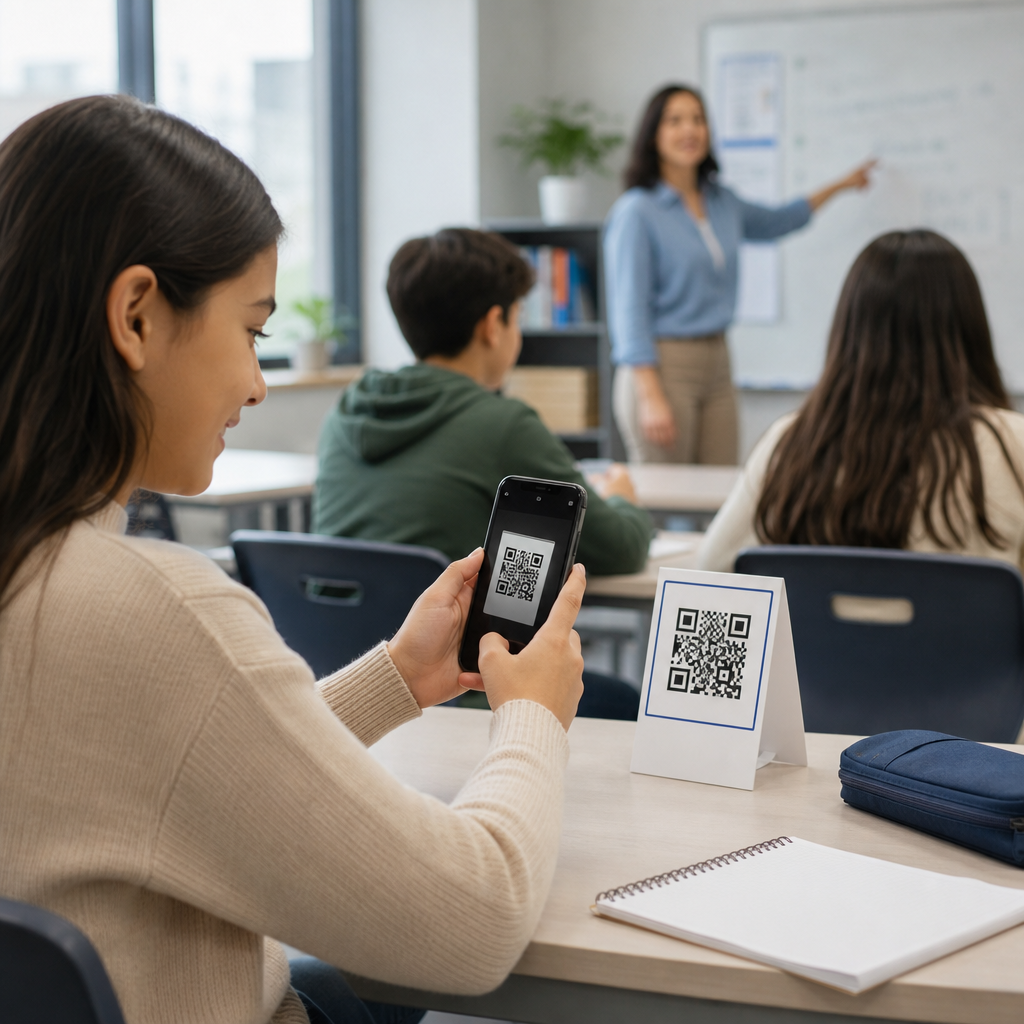
QR codes in education have moved from novelty to infrastructure, giving schools, colleges, and training programs a fast way to connect printed materials, classroom spaces, and student devices to digital content. A QR code, or Quick Response code, is a two-dimensional barcode that stores a URL, text string, file link, contact record, or app action and can be scanned with a phone, tablet, Chromebook camera, or dedicated reader. In education, that simple scan can open assignments, attendance forms, lab instructions, library resources, audio support, safety procedures, or parent communications in seconds. When I have implemented QR code programs for schools, the biggest lesson has been that the code itself is never the strategy; the learning objective, access conditions, and governance model determine whether the rollout saves time or creates confusion.
This matters because education environments are unusually complex. A single campus serves students with different ages, reading levels, devices, languages, accessibility needs, and privacy rights. Teachers need tools that reduce friction, not one more platform to explain. Administrators need measurable adoption, secure workflows, and consistent branding. Families need simple access without account barriers. Well-designed educational QR code systems can support blended learning, improve classroom management, streamline wayfinding, and extend learning beyond the room. Poorly designed systems can send students to broken links, expose personal data, frustrate parents, and create inequitable access for learners without reliable devices or internet. The best practices below help schools use QR codes as durable instructional and operational tools rather than temporary decorations.
At a practical level, best practices for QR codes in education come down to six questions: what should the code do, who will scan it, where will it appear, what device will open it, how will access be controlled, and how will results be maintained over time. Those questions shape every decision, from choosing static versus dynamic QR codes to setting print size, contrast, redirects, analytics, and governance. They also keep the focus on outcomes such as faster resource access, stronger participation, better communication, and fewer support requests. As a hub article for education, this guide covers classroom instruction, campus operations, accessibility, security, implementation, and measurement so schools can build a coherent program instead of isolated experiments.
Align QR codes with clear educational use cases
The strongest educational QR code deployments start with a narrow use case and a measurable goal. In classrooms, common goals include reducing transition time, increasing resource retrieval, supporting differentiated instruction, and providing just-in-time help. A science teacher might place a code on each lab station that opens safety rules, a materials checklist, and a short demonstration video. An elementary reading teacher might attach codes to book bins so students can hear audio models or vocabulary support. A university department may add codes to posters that route students to advising calendars or program maps. In each case, the code solves a specific access problem.
It is important to separate instructional uses from administrative uses because success criteria differ. Instructional codes are judged by engagement, completion, and comprehension. Administrative codes are judged by speed, accuracy, and reduced manual handling. Attendance check-ins, event registration, parent permission forms, digital hall passes, and textbook inventory are operational workflows, so they need reliability, identity controls, and audit trails. Curriculum-linked codes need pedagogical fit, age-appropriate destinations, and teacher control over updates. Treating every QR code as the same asset leads to weak governance and poor user experience.
Schools also benefit from mapping QR codes to learning environments. In classrooms, codes typically support station rotation, retrieval practice, flipped instruction, and formative assessment. In libraries, they can open catalog records, author interviews, citation guides, and shelf maps. In career and technical education spaces, they can launch equipment tutorials, maintenance logs, and safety certifications. On campus, they can power room directories, visitor information, emergency procedures, and self-guided tours. The point is not volume; it is relevance. A smaller number of persistent, high-value QR codes usually outperforms a campus crowded with low-utility codes.
Design for scan reliability, readability, and accessibility
A QR code that does not scan instantly is a failed instructional moment. Reliability begins with contrast: dark code on a light matte background remains the safest choice. Schools often want branded colors, but low contrast, glossy surfaces, and decorative overlays reduce success rates, especially under fluorescent light or from older device cameras. Maintain a clear quiet zone around the code, avoid placing it near busy visual elements, and size it based on distance. A practical rule is roughly one inch of code width for every ten inches of scanning distance, with larger sizes for hallways, gym signage, or outdoor posters.
Destination design matters as much as the code itself. The linked page should be mobile-responsive, lightweight, and readable on school-managed devices. Avoid sending students to cluttered homepages and forcing extra clicks. Deep-link directly to the assignment, form, PDF, or video segment they need. If a login is required, say so in nearby text. If the resource is time-limited, include an expiration note. I recommend every printed code include a short human-readable URL or keyword fallback for students using assistive technology or devices with camera restrictions. That fallback also protects access when printing quality is poor.
Accessibility is not optional. Under Web Content Accessibility Guidelines, the destination content should support screen readers, keyboard navigation, captions, transcript access, sufficient color contrast, and clear heading structure. For younger learners and multilingual communities, pair the code with plain-language instructions and, where appropriate, translated labels. Audio-linked codes can support emergent readers, but they should not be the only path to essential information. If a fire drill route, assignment instruction, or medical form is important, provide an equivalent non-scannable path. Inclusive QR code design reduces friction for everyone, not only for users with documented accommodations.
Choose the right QR code management model
Static QR codes embed the final destination directly, while dynamic QR codes point to a redirect that can be changed later. In education, dynamic codes are usually the better long-term choice because classrooms, staff assignments, calendars, and resource links change constantly. A printed poster for the counseling office may last three years, but the booking form behind it may change every semester. Dynamic codes preserve the printed asset while allowing administrators to update the destination, apply analytics, pause links, or redirect users during incidents. Static codes still make sense for simple, permanent destinations with no need for tracking or updates.
The management platform should support role-based permissions, folder structure, naming conventions, and exportable analytics. Schools commonly use tools such as QR Code Generator Pro, Bitly, Beaconstac, Canva integrations, Google Forms with short links, or Microsoft 365 workflows, but the right stack depends on procurement rules and data policies. What matters is governance. Establish naming standards by school, department, room, owner, and purpose. Maintain a source-of-truth spreadsheet or asset library with destination URL, print location, creation date, owner, and review date. Without inventory control, schools quickly accumulate orphaned codes that no one can update.
| Use case | Recommended code type | Why it fits education |
|---|---|---|
| Semester assignments poster | Dynamic | Teacher can change destinations without reprinting classroom materials |
| Permanent library catalog link | Static or dynamic | Static works if URL is stable; dynamic adds analytics and future flexibility |
| Event check-in form | Dynamic | Allows form updates, capacity controls, and redirect after event ends |
| Lab safety instructions | Dynamic | Supports version control when procedures or equipment change |
| Student artwork audio guide | Dynamic | Enables replacing media files while preserving displayed labels |
Version control is especially important in regulated and high-liability environments. Nursing labs, chemistry rooms, and technical workshops need confidence that the current procedure is what students open. Dynamic routing helps, but it should be paired with document dates, approval workflows, and periodic review. Think of educational QR code management like maintaining a website: ownership, lifecycle, and content hygiene matter.
Protect privacy, safety, and institutional trust
Privacy is where many educational QR code projects succeed or fail. A QR code is only a doorway, but the doorway can lead to sensitive systems. Never encode personally identifiable student information in the code itself. Avoid public QR codes that expose gradebooks, individual forms prefilled with student data, or unrestricted directories. If the destination collects attendance, behavior reports, or health information, route through approved platforms with authentication, logging, and policy controls. In the United States, schools need to consider FERPA obligations, state student privacy laws, district policy, and vendor data processing terms before launch.
Safety also includes destination integrity. Students are trained to scan quickly, which means schools must be rigorous about link ownership. Use institutional domains or trusted short-link domains, not ad-heavy third-party pages. Monitor for link rot and unauthorized stickers placed over legitimate campus codes, particularly in public spaces. For younger students, every code should open to age-appropriate content with no distracting sidebars or autoplay advertising. If codes appear in public-facing areas, assume visitors will scan them too and design landing pages accordingly. The best school implementations treat QR links like official published communications, not disposable shortcuts.
A simple risk review process goes a long way. Ask whether the code is public or internal, whether login is required, whether data is collected, who owns the destination, how often it will be reviewed, and what fallback exists if the link fails. Those checks are fast, and they prevent the most common trust problems.
Implement, train, and measure for long-term adoption
Successful QR code adoption in education depends less on generating codes and more on rollout discipline. Start with a pilot in one grade band, department, or operational workflow. Define baseline metrics such as average time to access materials, attendance completion rate, form error rate, or parent response rate. Then compare results after deployment. In one common scenario, replacing a typed URL on printed homework sheets with a QR code and short link can significantly reduce access friction for families, especially on mobile devices. In another, posting station-specific codes in a middle school classroom can shorten transitions because students no longer wait for the teacher to repeat directions.
Training should be role-specific. Teachers need examples tied to lesson design, not generic product demos. Front office staff need guidance on visitor-facing signage, updates, and troubleshooting. IT and communications teams need standards for branding, URL structure, retention, and security review. Students should be taught scanning etiquette, verification of trusted domains, and what to do when a code fails. Parent communications should explain the purpose of the code and whether an app, login, or school account is needed. Good implementation reduces uncertainty before the first scan.
Measurement should combine usage data with outcome data. Scan counts alone can mislead because a highly visible but low-value code may outperform a niche academic resource. Review metrics such as unique scans, time and location patterns, completion rates for linked forms, bounce rates, and downstream actions such as assignment submission or event attendance. Periodic audits should remove outdated codes, update signage, and identify high-performing patterns worth expanding. For schools building an education QR code hub, the long-term win is consistency: a student who understands one well-designed code can navigate many school experiences with confidence.
Best practices for QR codes in education are straightforward: start with a defined use case, design for instant scanning, make destinations accessible, manage codes centrally, protect privacy, and measure real outcomes. When schools follow those principles, QR codes become practical infrastructure that shortens access time, supports differentiated learning, and improves communication across classrooms, libraries, campuses, and homes. They work best when treated as part of an instructional and operational system, not as isolated graphics pasted onto walls.
For education leaders, the main benefit is durability. A well-governed QR code program scales across departments, survives staff changes, and keeps printed materials useful even when digital destinations evolve. For teachers, the benefit is smoother classroom flow and faster student independence. For families and students, it is simpler access to the right resource at the right moment. Review your current school materials, identify the highest-friction access points, and build a small pilot with clear ownership and review dates. That is the fastest path to QR codes that genuinely improve education.
Frequently Asked Questions
What are the most effective ways to use QR codes in education?
The most effective uses of QR codes in education are the ones that remove friction and make learning resources easier to access in the moment they are needed. Teachers and administrators commonly use QR codes to link printed handouts to digital assignments, connect bulletin boards to calendars or event details, open attendance forms, launch classroom slides, share videos, provide access to reading materials, and direct students to learning platforms without requiring long URLs. In libraries, labs, and common areas, QR codes can also link to equipment instructions, research guides, or help desk forms. The best practice is to match each QR code to a clear educational purpose rather than using it as a novelty. If a code saves time, improves access, supports independent learning, or connects physical spaces to useful digital content, it is usually a strong fit. Schools also get better results when codes are used consistently, labeled clearly, and placed where students naturally look for information.
How can schools make QR codes easy for students and staff to scan?
Ease of scanning depends on practical design and placement choices. A QR code should be large enough for the intended scanning distance, printed with strong contrast, and displayed on a clean, uncluttered background. If students are scanning from a wall poster across a hallway, the code needs to be significantly larger than one printed on a worksheet held in the hand. It also helps to avoid glossy surfaces, poor lighting, and locations where glare, folds, or damage may interfere with scanning. Just as important, every QR code should include a short label explaining what will happen after scanning, such as “Open homework page,” “Submit attendance,” or “Watch lab safety video.” This builds trust and reduces confusion. Schools should also test codes on a range of devices, including phones, tablets, and Chromebooks, to confirm that scanning works reliably across the tools students actually use. When possible, provide a short backup URL near the code so no one is blocked if a camera is unavailable or a scan fails.
What safety and privacy considerations matter most when using QR codes in schools?
Safety and privacy should be central to any QR code strategy in education. Because QR codes can instantly open links, schools should only connect them to trusted, school-approved destinations and should avoid linking directly to content that collects unnecessary personal data. If a code opens a form for attendance, feedback, or submissions, administrators should confirm that access permissions are configured correctly and that student information is handled in line with school policy and relevant privacy requirements. It is also wise to avoid placing sensitive links in public locations where anyone can scan them. For example, a code leading to internal staff documents should not be posted in a hallway accessible to visitors. Another important best practice is link management. If a destination changes, schools should update the linked content promptly so students are not sent to broken or outdated pages. Teaching students and staff basic QR code awareness is helpful as well. They should understand that school-issued codes should come from trusted sources and that they should be cautious about scanning unofficial codes placed over existing signage or shared in unverified channels.
Should educators use static or dynamic QR codes for classroom and campus materials?
In most educational settings, dynamic QR codes are the better long-term choice because they allow the destination to be updated without reprinting the code. That flexibility is valuable for classrooms, departments, libraries, and campus offices where links may change over time. A teacher can print one code for a classroom station and later redirect it from one unit’s resources to the next. An administrator can keep the same code on a poster but update the linked event page, help form, or orientation packet as needed. Dynamic codes can also support analytics, which helps schools understand whether students are actually scanning the resources being promoted. Static QR codes still have a place, especially for permanent information that is unlikely to change, such as a plain text message, a fixed webpage, or simple contact information. The key is to choose based on maintenance needs. If content may be revised, moved, or reused, dynamic codes usually offer better operational control and reduce wasted printing.
How can educators measure whether QR codes are improving learning and communication?
The best way to measure impact is to connect QR code use to specific goals rather than treating scans alone as proof of success. If the objective is better assignment access, look at whether fewer students report trouble finding materials. If the goal is faster attendance collection, compare completion rates and time saved before and after implementation. If a code links to study resources, review engagement data, quiz performance, or student feedback to see whether the resource is being used and whether it supports understanding. Dynamic QR code platforms may provide scan counts, device patterns, time-of-day activity, and location insights, which can help schools identify which materials are working and which are being ignored. However, those metrics are most useful when paired with classroom evidence such as completion rates, participation, reduced administrative workload, and learner confidence. Educators should also gather practical feedback from students and staff. If users say the codes are easy to find, easy to trust, and helpful at the point of need, that is often a strong sign the implementation is adding real value rather than just adding another layer of technology.





