
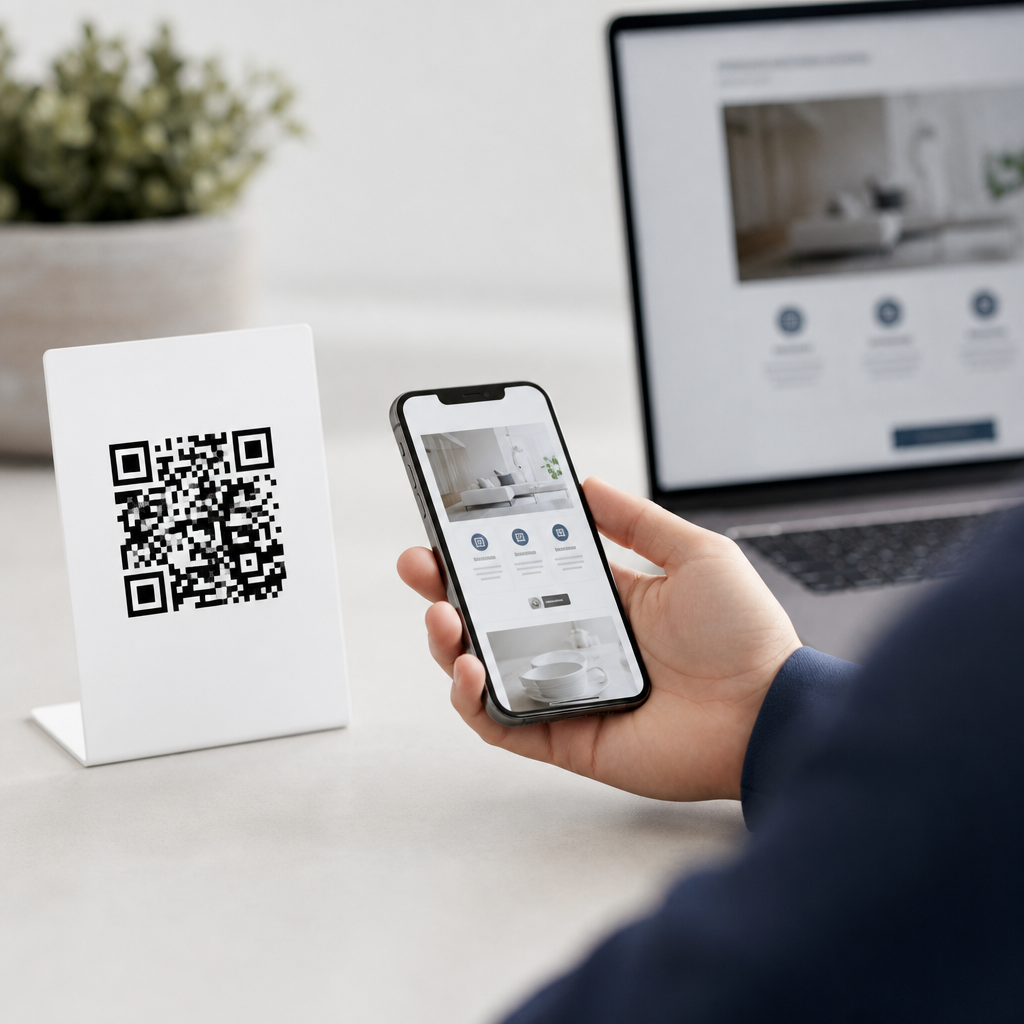
QR code redirection and landing pages are the engine behind most successful mobile QR campaigns, because the code itself rarely carries the full experience. A QR code is a machine-readable matrix barcode, usually scanned with a smartphone camera, that triggers an action such as opening a webpage, downloading a file, launching a map, or starting a payment flow. Redirection is the process that sends the user from the scanned code to a destination URL, while a landing page is the mobile-friendly page designed specifically for the visitor who arrives from that scan. Understanding how mobile QR codes work at this level matters because performance, analytics, editability, and user trust all depend on what happens after the scan.
In practice, I have seen teams focus too heavily on the printed square and not enough on the destination architecture. That mistake leads to broken campaigns, poor conversion rates, and no reliable attribution. Static QR codes point directly to one fixed destination and cannot be changed after printing. Dynamic QR codes point to a short redirect URL controlled by a QR platform, which then forwards the visitor to the current destination. That extra step enables scan tracking, device-based routing, A/B testing, expiration rules, and destination updates without reprinting materials. For any business using posters, packaging, menus, direct mail, retail displays, or event signage, the redirect layer is where flexibility and measurement live.
This hub article explains how mobile QR codes work from scan to destination, why redirection is central to campaign control, and what makes a QR landing page effective. It also clarifies common questions: what happens when a phone scans a code, how dynamic routing differs from a direct link, which metrics matter, and how to reduce friction on mobile. If you are building a QR program, these are the fundamentals that support every related topic, from design and testing to analytics and security.
How Mobile QR Codes Work From Camera to Content
When a user opens a smartphone camera and points it at a QR code, the device decodes the pattern into structured data. In most marketing uses, that data is a URL. iPhone and Android devices now handle QR recognition natively, which removed a major adoption barrier that existed when users needed a separate scanning app. Once the URL is recognized, the phone prompts the user to open the link in a browser or in the relevant app. If the URL belongs to a dynamic QR service, the browser first requests the redirect server, which then sends an HTTP status code, commonly 301 or 302, to forward the user to the final destination.
That redirect step may sound minor, but it determines the campaign’s adaptability. For example, a restaurant can print one QR code on ten thousand takeout menus and still update the linked menu page every week. A retailer can route iPhone users to the App Store and Android users to Google Play using the same printed code. An event organizer can switch from a registration form before the event to a feedback survey after it ends, with no change to the physical sign. These are standard uses of dynamic QR redirection, and they are the reason platforms such as Bitly, QR Code Generator Pro, Beaconstac, and Flowcode emphasize editable links and analytics.
Mobile network conditions also matter. A QR code scan is not complete when the camera reads the square; it is complete when the destination loads quickly and clearly. Slow redirects, heavy pages, intrusive cookie banners, or confusing app interstitials can ruin the experience. In repeated tests on campaigns for retail and field events, the highest scan-to-conversion rates came from pages that loaded in under three seconds on 4G, used a single primary action, and matched the promise on the printed call to action.
Static vs Dynamic QR Codes and Why Redirection Matters
Static QR codes store the final destination directly in the code pattern. They are useful when the content will never change, such as a permanent Wi-Fi credential, a vCard, or a stable canonical URL. Their advantage is simplicity: no third-party redirect layer, no platform dependency, and no recurring software cost. Their weakness is permanence. If the URL changes, the printed code fails, and every physical asset becomes outdated.
Dynamic QR codes solve that operational problem by separating the printed code from the final destination. The code contains a short URL owned by the QR management platform. After a scan, the platform records metadata such as time, device type, operating system, approximate location based on IP, and referrer context when available, then forwards the visitor to the assigned page. Because the destination sits in software rather than in ink, teams can edit it instantly. This is essential for packaging, out-of-home advertising, trade shows, restaurants, and multi-location operations where print replacement is expensive.
| Type | How it works | Best use | Main limitation |
|---|---|---|---|
| Static QR code | Encodes the final URL or data directly | Permanent destinations and low-maintenance uses | Cannot be edited after printing |
| Dynamic QR code | Encodes a redirect URL that forwards to the current destination | Marketing campaigns, analytics, routing, and updates | Depends on a platform and redirect availability |
Redirection also supports governance. Large organizations often need approval workflows, campaign naming conventions, UTM parameters, and archival controls. A good redirect platform allows structured naming, expiration dates, password protection, and role-based access. Those controls reduce the risk of abandoned links and make reporting cleaner in Google Analytics 4, Adobe Analytics, or CRM attribution systems. For a sub-pillar on how mobile QR codes work, this distinction is foundational: the scan is the start, but the redirect layer is what turns a barcode into a manageable digital channel.
What Makes a QR Landing Page Effective on Mobile
A QR landing page should feel like the natural continuation of the physical object that triggered the scan. If a poster promises a coupon, the landing page should display the coupon immediately, not bury it under navigation. If product packaging invites the user to “see setup instructions,” the page should open with the exact model and a short video or step list above the fold. Relevance is the first rule, and it is measurable through bounce rate, engagement time, and completion rate.
Mobile usability is nonnegotiable. Effective QR landing pages use responsive design, compressed images, readable font sizes, high contrast, and tap targets that meet accessibility expectations. Google’s Core Web Vitals are useful here: Largest Contentful Paint should be fast, Cumulative Layout Shift should be minimal, and Interaction to Next Paint should remain low enough that buttons feel responsive. In real deployments, removing unnecessary carousels, chat widgets, and autoplay media often improves conversion more than any visual redesign.
Message match matters just as much as speed. The text near the code sets an expectation, and the landing page must fulfill it in plain terms. A museum exhibit sign saying “Scan for audio guide” should land on a page with a clear play button, language choice, and headphone-friendly controls. A property flyer saying “View pricing and floor plans” should not drop the user on a generic homepage. The best QR landing pages reduce choice overload, present one main action, and provide supporting information only after the primary need is addressed.
Tracking, Attribution, and Optimization for QR Campaigns
One reason businesses adopt dynamic QR codes is measurement. At minimum, a QR program should track scans, unique scans, time of day, device breakdown, and destination clicks or conversions. Better setups also use UTM parameters so downstream activity appears clearly in analytics platforms. For example, a campaign might append source=qr, medium=print, and campaign=spring_menu to distinguish scans from paid search or email traffic. That structure makes it possible to compare poster placements, package variants, store locations, and creative messages.
Optimization starts with hypotheses, not guesswork. I usually test four variables first: the call to action beside the code, the physical placement height, the landing page headline, and the number of fields in any form. A simple change from “Scan me” to “Scan to get today’s menu” can materially raise scan intent because it states the benefit. Likewise, moving a code from the bottom of a poster to chest height often improves usability in public spaces. On the page itself, shortening a lead form from six fields to three can significantly increase completion rates, especially on mobile connections.
Real-world QR attribution is not perfect. A scan may open in an in-app browser that strips referrer data. Some privacy settings reduce location precision. Offline materials also create delayed conversions when users scan and return later. That is why reporting should combine platform analytics, web analytics, and business outcome metrics such as redeemed offers, booked appointments, completed checkouts, or app installs. The objective is not just more scans; it is measurable downstream action.
Security, Trust, and Common Implementation Mistakes
Because users cannot visually inspect a QR destination before scanning, trust is critical. Brands should use recognizable domains, HTTPS everywhere, and clear labeling that explains the outcome of the scan. Suspicious redirects, mismatched branding, or generic URL shorteners can reduce confidence. For sensitive actions such as payments, account access, or document downloads, use strong domain governance and monitor links for tampering. Phishing through malicious sticker overlays is a known risk in public places, so high-value installations should be checked regularly.
Common mistakes are predictable. Teams print codes too small, place them where glare or distance makes scanning difficult, or send users to desktop pages with cluttered navigation. They forget to test on older Android devices, weak cellular signals, and different browser environments. They launch dynamic codes without documenting ownership, so links break when a subscription lapses or an employee leaves. They also miss legal and privacy basics, especially when collecting data through forms. A reliable QR workflow includes destination QA, redirect testing, analytics validation, accessibility review, and a maintenance plan tied to whoever owns the campaign after launch.
QR code redirection and landing pages determine whether a scan becomes a useful customer interaction or a dead end. The core mechanics are straightforward: a phone reads the code, opens a URL, passes through a redirect when dynamic management is used, and lands on a mobile page built for a specific purpose. The business value comes from that middle and final stage, where teams can update destinations, route users intelligently, measure results, and shape the on-page experience. Understanding how mobile QR codes work means understanding that the printed symbol is only the entry point.
For most organizations, the practical choice is dynamic QR codes paired with fast, purpose-built mobile landing pages. That combination supports edits after print, stronger attribution, better user experience, and lower operational risk. Static codes still have a place when content is permanent and analytics are unnecessary, but they are the exception in active marketing programs. If you manage packaging, signage, events, menus, or direct mail, audit your current QR flow from scan prompt to page completion, then improve the redirect logic and landing page clarity before printing the next campaign.
Frequently Asked Questions
What is QR code redirection, and why is it important in a mobile QR campaign?
QR code redirection is the step that takes place immediately after someone scans a QR code and is sent to a destination, usually a URL. Instead of the QR code itself containing the entire user experience, the code acts as an entry point that triggers the next action. That action might be opening a website, displaying a downloadable file, launching directions in a maps app, starting a payment process, or sending the user to a mobile landing page designed specifically for the campaign.
Redirection matters because it gives marketers, businesses, and publishers flexibility. A static QR code points directly to one fixed destination and cannot easily be changed once printed. A redirected or dynamic QR code, by contrast, can route users through a managed link before sending them to the final page. This makes it possible to update destinations without reprinting the code, track scans by time or device, and optimize the experience over time. In practical terms, redirection is what turns a simple scan into a measurable, adaptable marketing tool rather than a one-time link embedded in a barcode.
What is a QR code landing page, and how is it different from a regular webpage?
A QR code landing page is the mobile-friendly page a user sees after scanning the code. Its purpose is to continue the experience started by the QR code and guide the user toward a clear next step. While a regular webpage may be broad, navigation-heavy, and built for many different audiences, a QR landing page is usually focused on one campaign, one audience, and one action. It is often shorter, more direct, and intentionally designed for fast loading and easy interaction on a smartphone screen.
The difference is not just layout but intent. A regular webpage may support browsing, education, and multiple conversion paths, while a QR landing page is optimized for immediacy. Someone scanning a code is usually in a specific moment: standing in a store, reading packaging, viewing a poster, or attending an event. That user needs an experience that feels seamless and context-aware. Effective QR landing pages use concise copy, prominent buttons, readable text, and minimal friction. They also match the promise or expectation created by the code’s placement, whether that is learning more about a product, claiming an offer, checking a menu, registering for an event, or completing a purchase.
Why are redirection and landing pages considered the core of successful QR code campaigns?
Redirection and landing pages are often the true engine of QR performance because the printed code itself is only the trigger, not the full experience. A QR code can get attention and create curiosity, but the scan only becomes valuable if the user arrives at the right destination and finds a page that quickly delivers relevance, trust, and a clear next step. If the redirect is broken, slow, or misleading, or if the landing page is cluttered and hard to use on mobile, the campaign loses effectiveness immediately.
These two components also allow campaign owners to improve results after launch. Redirection enables destination control, analytics, and in many cases dynamic updates, which means businesses can respond to changing offers, product availability, event timing, or regional targeting. The landing page then converts that traffic by aligning message, design, and action with user intent. Together, they support continuity from offline to online. For example, a QR code on packaging might redirect to a page with product details, tutorial videos, warranty registration, and support options. A restaurant table tent might send users to a menu page built for quick viewing and ordering. The stronger the redirect logic and landing page experience, the more likely the campaign is to achieve measurable outcomes such as leads, sales, downloads, or engagement.
What makes a good QR code landing page for mobile users?
A good QR code landing page is fast, simple, mobile-optimized, and tightly connected to the context of the scan. Mobile users expect immediate results, so the page should load quickly, display cleanly on smaller screens, and make its main action obvious without requiring excessive scrolling. Strong pages typically feature a clear headline, concise supporting copy, touch-friendly buttons, and a straightforward conversion path. Visual clutter should be minimized, and important content should appear near the top of the page.
Beyond usability, relevance is essential. The landing page should reflect exactly why the user scanned the code in the first place. If the code appeared on product packaging, the page should deliver product-specific information rather than a generic homepage. If it was used in an event flyer, the page should focus on registration, scheduling, or event details. Trust signals also matter, especially on mobile where users make quick judgments. Consistent branding, secure connections, recognizable calls to action, and transparent messaging all help reassure users that they are in the right place. In addition, effective pages are tested for different devices, browsers, and scanning environments to ensure the experience remains smooth for as many users as possible.
Can you track and optimize QR code redirection and landing page performance?
Yes, and this is one of the biggest advantages of using a managed QR workflow instead of a simple fixed link. With QR code redirection, campaign owners can often track useful metrics such as total scans, unique scans, location patterns, device types, operating systems, time of day, and campaign source. This data helps explain not just how many people scanned the code, but also when, where, and under what conditions engagement happened. Those insights are valuable for evaluating print placement, campaign timing, audience response, and overall return on investment.
Optimization happens when those scan insights are paired with landing page performance metrics such as bounce rate, click-through rate, form completions, purchases, downloads, or other conversions. If people are scanning but not converting, the issue may be message mismatch, weak page design, slow load speed, or an unclear call to action. Because redirected QR codes can often point to updated destinations, marketers can refine the experience without replacing the printed code. They can run A/B tests, swap in seasonal offers, localize content, improve page speed, or route different audiences to more relevant versions of the landing page. That flexibility is what makes QR campaigns scalable and sustainable over time, especially when they are used in packaging, retail, events, direct mail, or out-of-home advertising.





