
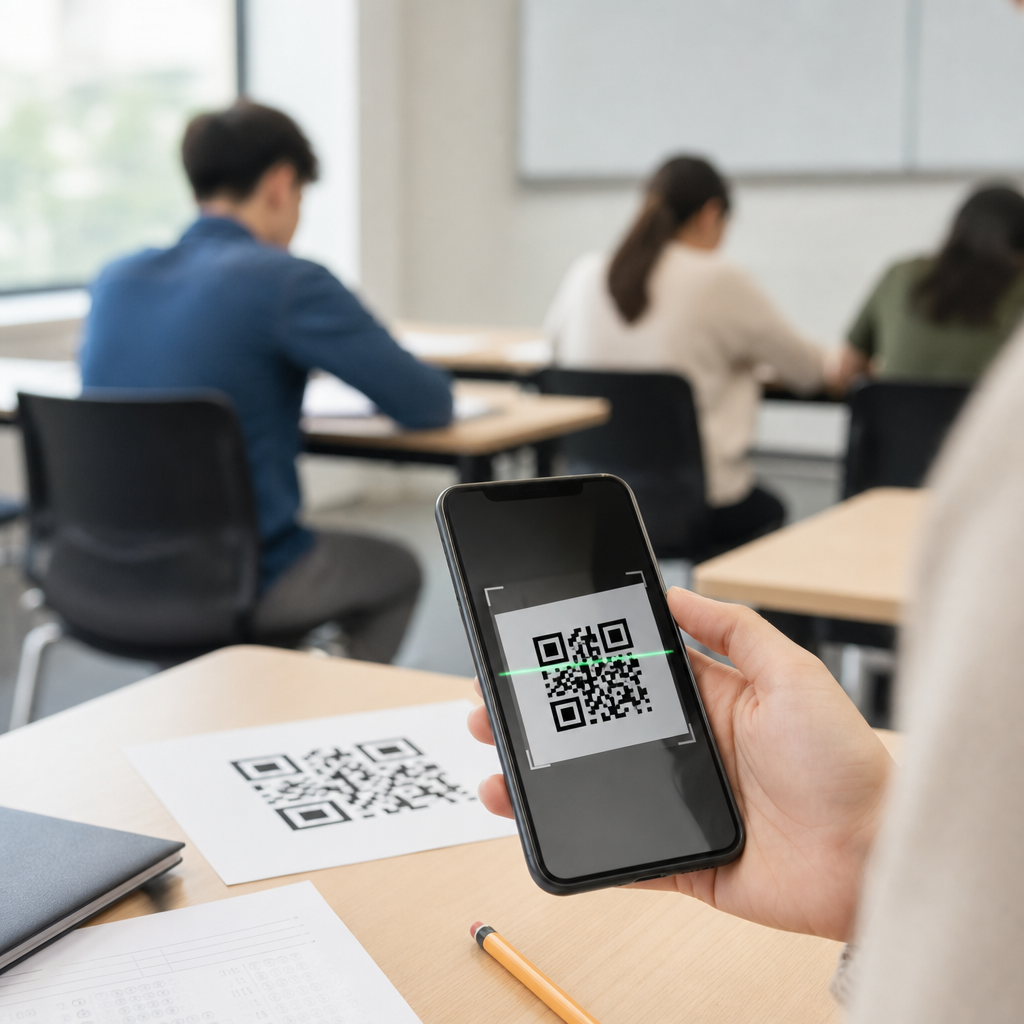
QR codes for exams and quizzes have moved from a novelty in classrooms to a practical assessment tool that helps teachers deliver faster, clearer, and more flexible learning experiences. In education, a QR code is a scannable image that sends a student to a digital destination such as a quiz, answer sheet, video explanation, attendance form, or revision resource. When used well, QR codes connect paper and digital assessment without forcing schools to abandon familiar workflows. They matter because teachers need efficient marking, students need immediate access to instructions and support, and schools need assessment methods that work across devices, classrooms, and learning levels.
I have seen the strongest results when QR codes are treated as infrastructure rather than decoration. A code printed on a worksheet can launch a Google Form quiz, open a Microsoft Forms exit ticket, reveal a worked solution after submission, or route students to a differentiated challenge based on readiness. This reduces friction at the exact moment students need guidance. It also supports common education goals: formative assessment, retrieval practice, blended learning, accessibility, and better data collection. For a hub page on education, the important point is that QR codes are not limited to one subject or age group. They work in primary reading checks, middle school science stations, secondary math tests, vocational skills verification, and higher education lab assessments.
The key terms are straightforward. Static QR codes point to fixed content and cannot be edited after printing. Dynamic QR codes use a short redirect link, which means the destination can be changed later and scan data can be measured. For exams and quizzes, dynamic codes are usually safer because teachers often need to correct a link, change access dates, or replace a form after spotting an error. Another important distinction is formative versus summative assessment. Formative uses include quick checks, homework feedback, and peer review. Summative uses include graded quizzes, unit tests, and practical exams. The right setup depends on stakes, security needs, student age, device access, and school policy.
How QR Codes Improve Classroom Assessment
QR codes improve classroom assessment by reducing setup time, lowering navigation errors, and giving every student the same clear starting point. Instead of writing a long URL on the board or asking students to search for a form, the teacher provides one scan that opens the exact assessment. In my own projects with schools, this single change cut the usual first five minutes of confusion from many lessons. Fewer students mistype links, fewer login problems appear, and teachers spend less time troubleshooting. That efficiency matters in a 45-minute period where every minute affects teaching, completion rates, and behavior.
They also support more responsive teaching. A QR code can direct one group to a basic recap quiz and another group to an extension challenge. In a history class, students can scan different codes at source-analysis stations, answer short questions, then rotate. In math, a teacher can place codes beside worked examples so students who need help can access hints without interrupting the whole class. In language learning, codes can open listening clips before a vocabulary quiz. These are simple uses, but they solve real classroom problems: pacing, differentiation, and immediate access to support.
Another benefit is stronger data capture. Digital forms tied to QR codes can feed responses directly into Google Sheets, Microsoft Excel, or a learning management system such as Canvas, Moodle, or Blackboard. That creates faster marking pipelines and cleaner records than manual collection. For low-stakes quizzes, auto-marking saves substantial teacher time. For high-stakes tests, response logs can show submission time, completion status, and item-level trends that help departments identify misunderstood standards. Used carefully, QR codes turn everyday assessment into a more measurable process without making it feel overly technical to students.
Best Uses Across Education Settings
Education is broad, so the best use of QR codes depends on context. In primary classrooms, teachers often use them for phonics checks, reading comprehension, picture-based prompts, and parent-supported homework. A printed take-home sheet with one code is easier for families than remembering a portal password. In secondary education, common uses include retrieval quizzes, lab safety checks, bell ringers, past-paper practice, and mock exam feedback. In colleges and training programs, QR codes work well for practical assessments, seminar polling, competency checklists, and exam-room seat verification.
Subject-specific applications are especially strong. Science teachers can link codes to virtual lab simulations before a quiz on variables and controls. English teachers can use them to deliver unseen texts, audio extracts, or rubric-guided self-assessment. Physical education departments can attach codes to skill stations so students record performance evidence and complete rules quizzes. Art and design instructors can use them in critique sessions, linking each student display to a reflection form or peer assessment checklist. In special education, QR codes can support multimodal instructions, including audio read-alouds and simplified response formats.
This hub article also sits naturally with related education topics such as classroom management, homework workflows, student engagement, and accessibility. Schools that start with quizzes often expand to attendance tracking, behavior reflection forms, library scavenger hunts, open evening displays, and parent communication. That is why QR codes for exams and quizzes are a useful hub subject: they touch assessment, content delivery, analytics, and classroom operations in one practical system.
Implementation Models, Tools, and Security
Most schools adopt one of three models: paper-to-digital, digital-only, or hybrid. Paper-to-digital is the fastest starting point. A worksheet or exam paper contains a code that opens the quiz, answer form, or supporting media. Digital-only works when every student has a managed device and stable Wi-Fi. Hybrid combines printed prompts with online submission, which is often the most resilient option because instruction remains visible even if a student temporarily loses connectivity. The right choice depends on bandwidth, device ratios, invigilation rules, and how comfortable staff are with platform management.
Common tools include Google Forms, Microsoft Forms, Quizizz, Kahoot, Socrative, Nearpod, Canvas Quizzes, and Moodle Quiz. For creating codes, many schools use built-in generators, browser extensions, or specialist platforms that allow dynamic links, scan analytics, expiration dates, and password protection. Dynamic management matters because exam materials change. I strongly recommend naming conventions that include course, teacher, term, and version number. A file title like “Year9_Biology_Cells_Quiz_T2_V3” prevents confusion when a department has dozens of similar forms in circulation.
| Use case | Recommended setup | Main advantage | Main caution |
|---|---|---|---|
| Low-stakes exit ticket | Printed dynamic QR to Google or Microsoft Form | Fast launch and auto-marking | Check duplicate submissions |
| Station rotation quiz | Separate code at each station linked to one LMS assignment | Clear sequencing and tracking | Need reliable room signage |
| Homework revision | Code on worksheet linking to mixed media review and quiz | Easy family access | Consider home device access |
| Summative test support | Code to locked assessment or authenticated portal | Controlled access and audit trail | Requires stricter security rules |
Security is the issue schools ask about first, and rightly so. QR codes do not make an exam secure by themselves; the security comes from the destination system and the assessment design. For graded assessments, use authenticated sign-in, restrict one response where appropriate, set open and close times, disable backtracking only when pedagogically justified, and keep answer keys separate from student-facing assets. If a code appears on a public wall or shared handout, assume it can spread beyond the room. For high-stakes testing, codes should route to controlled portals rather than directly exposing the test link. Schools should also align use with data protection expectations, including FERPA in the United States or GDPR in Europe, especially if student names, emails, or performance data are collected.
Design Principles, Accessibility, and Common Mistakes
Good QR assessment design starts with clarity. The code should sit beside a plain-language instruction such as “Scan to begin Quiz 3” or “Scan after completing Section A.” Never rely on the code alone. Use adequate print size, strong contrast, and enough white space around the image for reliable scanning. Test across the devices students actually use, including older phones and budget Chromebooks with weak cameras. If a quiz matters, provide a short fallback URL in case scanning fails. I have seen too many classrooms lose momentum because the teacher assumed every camera would read a tiny code printed from a low-ink copier.
Accessibility deserves equal attention. Students with visual impairments may need larger print, screen reader-compatible forms, or an alternative access route. Students with motor challenges may need direct links distributed through the learning platform instead of a physical scan. Audio instructions, closed captions, and simplified layouts can make a major difference for multilingual learners and students with processing difficulties. Universal Design for Learning is a useful lens here: offer multiple means of access, response, and support rather than one rigid path. A QR code should expand access, not become a gatekeeper.
The most common mistakes are predictable. Teachers print static codes, then discover the quiz link changed. They put one code on a projector and expect all students to scan at once, causing delays. They attach codes to graded assessments without checking login requirements, resulting in anonymous responses. They reuse the same code year after year without version control. They also underestimate the need for student instructions. A two-sentence explanation about where to submit, whether scores are recorded, and what to do if a device fails prevents most avoidable problems. Strong implementation is not complicated, but it is deliberate.
Measuring Impact and Building a Long-Term Strategy
Schools should judge QR codes for exams and quizzes by outcomes, not novelty. Useful metrics include quiz start time, completion rate, average score, item analysis, teacher marking time, and rates of access failure. Student voice matters too. Ask whether the process felt faster, clearer, and less stressful than previous methods. Department leaders can compare data across classes to see whether QR-supported retrieval practice improves retention or whether digital submission reduces missing work. The best pilots are narrow, measurable, and easy to repeat.
Over time, a school can build a consistent assessment workflow: standard templates, approved platforms, naming conventions, privacy guidance, and shared troubleshooting steps. That consistency helps staff confidence and student familiarity. QR codes for exams and quizzes work best when they are embedded in broader teaching practice, not added as a gimmick. Start with one recurring use case, refine it, then expand into homework, revision, practical checks, and differentiated assessment. Done well, QR codes make assessment easier to access, easier to manage, and easier to learn from. If your school wants a practical first step, choose one quiz next week, generate a dynamic code, test it on real devices, and review the results with your team.
Frequently Asked Questions
What are QR codes for exams and quizzes, and how are they used in education?
QR codes for exams and quizzes are scannable codes that take students directly to a digital resource connected to an assessment. In practice, that resource might be an online quiz, a digital answer sheet, a video explanation, a revision guide, an attendance form, or a page with instructions for the next task. In education, they are especially useful because they bridge printed materials and digital tools without requiring teachers to redesign their entire assessment process. A worksheet can stay on paper, for example, while a QR code added to the page can open the answer submission form, a listening task, or a self-marking extension activity.
Teachers use QR codes in many ways across exams and quizzes. A code can lead students to timed formative assessments, differentiated question sets, mark schemes, or follow-up feedback after a test. In classrooms with mixed learning needs, one code might open a standard quiz while another links to extra support or challenge tasks. This makes QR codes a flexible option for both everyday checks for understanding and more structured assessment activities. Rather than replacing traditional exam workflows, they enhance them by making access faster, reducing confusion, and helping students move smoothly between physical and digital learning environments.
What are the main benefits of using QR codes in exams and quizzes?
The biggest advantage of using QR codes in exams and quizzes is convenience. Students can scan once and arrive instantly at the right assessment page, which reduces the need to type long web addresses and lowers the chance of errors. This saves time at the start of a lesson or test and helps the class begin more efficiently. For teachers, that same convenience improves organization. Instead of handing out multiple links, logging students into several platforms, or writing URLs on the board, a single printed code can direct everyone to the correct task.
QR codes also improve clarity and flexibility. They can be placed directly on exam papers, revision sheets, classroom displays, or homework tasks so that instructions, support materials, and answer forms stay tied to the assessment itself. This reduces lost resources and makes it easier for students to know what to do next. They are also valuable for blended and hybrid learning because the same code can work in class, at home, or during catch-up sessions. In addition, QR codes support richer assessment design by allowing teachers to include audio prompts, video explanations, interactive quizzes, and instant feedback. That means quizzes can become more engaging and accessible while still fitting into familiar school routines.
How can teachers use QR codes to make assessments more effective without making them more complicated?
The most effective approach is to use QR codes to simplify access, not to add unnecessary layers. A teacher might place one QR code on a printed quiz that opens a digital answer sheet, or add a code to the end of a test that links students to immediate feedback and revision. That keeps the assessment structure clear while making follow-up faster and more useful. Another simple method is station-based assessment, where each station includes a code linked to a question, source material, or short task. This works well for retrieval practice, practical subjects, and collaborative learning.
Teachers can also use QR codes for differentiation without drawing attention to who needs support. One code can link to core questions, while another provides hints, scaffolds, or extension tasks. In larger classes, QR codes can help manage logistics by sending students to the correct year-group quiz, subject-specific form, or self-marking activity. The key is intentional use. Each code should have a clear purpose, be tested in advance, and be placed where students can scan it easily. When used this way, QR codes do not complicate assessment; they remove friction, cut down transition time, and make the whole process more streamlined for both students and staff.
Are QR codes secure and reliable enough for school quizzes and exam-related tasks?
QR codes are generally reliable for classroom quizzes and many exam-related uses, but their success depends on how they are implemented. A QR code itself is simply a fast way to open a destination, so the real issues are the quality of the link, the device being used, the school network, and the platform hosting the assessment. For low-stakes quizzes, homework checks, revision activities, and formative assessment, QR codes are often highly practical and dependable. For higher-stakes uses, schools should test the full process carefully, including scan speed, internet access, device compatibility, and whether students can still complete the task if one step fails.
From a security perspective, teachers and schools should use trusted platforms, avoid linking to public pages that can be edited by others, and make sure student data is collected through approved systems. It is also wise to use clear labels near each QR code so students know exactly what it should open. For important assessments, schools should prepare a backup option such as a short URL, paper version, or teacher-led access route. In short, QR codes are secure and reliable when they are part of a well-managed process. They should not be treated as a novelty or an untested shortcut, but as a practical access tool supported by normal school safeguards and assessment planning.
What should schools consider before introducing QR codes into exams, quizzes, and revision activities?
Before introducing QR codes into assessment, schools should think first about purpose, access, and consistency. The goal should be to improve the assessment experience, not just to add new technology. Schools need to decide whether QR codes will be used for formative quizzes, homework, revision, attendance, feedback, or internal testing, and then match the implementation to those use cases. Device access is another major factor. If students are expected to scan codes with school tablets, laptops, or personal phones, that expectation needs to be realistic, equitable, and aligned with school policy. Reliable Wi-Fi, clear instructions, and support for students who struggle with digital tools are also essential.
It is equally important to consider accessibility and workflow. Some students may need enlarged printed codes, alternative access methods, or direct links delivered through a learning platform. Staff training matters too, because QR codes are most effective when teachers know how to create, test, label, and update them properly. Schools should also think about what happens after the scan: where the data goes, how responses are stored, whether feedback is automated, and how the process fits with existing assessment systems. When these practical questions are addressed in advance, QR codes can become a dependable part of exams, quizzes, and revision routines. They help schools connect paper and digital assessment in a way that feels efficient, familiar, and genuinely useful.





