
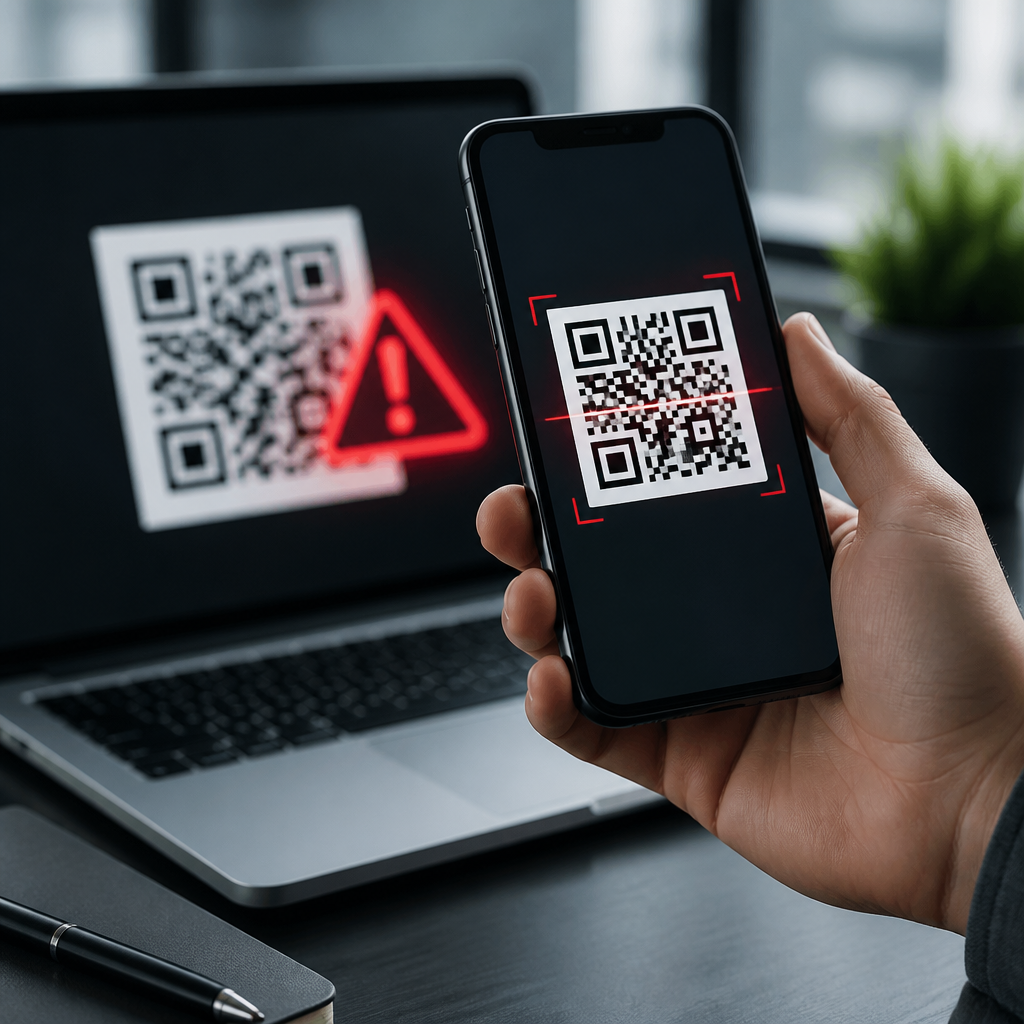
QR codes are everywhere in 2026: restaurant menus, parking meters, delivery lockers, payment screens, product packaging, patient forms, and conference badges. That ubiquity has turned a simple machine-readable square into a meaningful security, privacy, and compliance issue. When people ask, “Are QR codes safe?” the accurate answer is conditional. QR codes themselves are not malicious; they are optical containers for data such as URLs, payment strings, Wi-Fi credentials, contact cards, and authentication tokens. The risk comes from what the code encodes, where it appears, how it is delivered, and what happens after a device scans it.
In security work, I treat QR codes as a trust-transfer mechanism. A user sees a physical object or screen, assumes legitimacy, then lets a camera trigger an action that would otherwise require typing and inspection. That shortcut reduces friction, but it also reduces scrutiny. Attackers exploit exactly that gap through fake stickers, phishing pages, malicious redirects, rogue app downloads, and payment interception. Organizations face a second layer of exposure: privacy obligations, recordkeeping requirements, and platform-specific controls when QR codes collect personal data or initiate regulated transactions.
This article explains the main QR code threats in 2026, how those threats affect consumers and businesses, and what practical controls actually work. It also serves as the central guide for the broader QR Code Security, Privacy & Compliance topic by defining the core risks, safe scanning habits, technical safeguards, and governance expectations that support deeper policy, mobile security, and compliance discussions.
What makes QR codes risky in practice
A QR code can hold many payload types, but URL-based codes create most real-world risk because they bridge the offline and online worlds instantly. A printed placard on a table can send a user to a phishing site in less than a second. A code on a parcel label can redirect a courier to a credential-harvesting login page. A code in a text message can open a browser, trigger an app store listing, or prefill a payment request. Users often inspect a typed link, yet they rarely inspect a scanned destination with the same care.
The primary attack pattern is quishing, or QR-enabled phishing. Instead of persuading someone to click a suspicious hyperlink in email, the attacker presents a code that appears operationally necessary: “scan to pay,” “scan to confirm account,” or “scan to download your secure document.” Mobile devices amplify the danger because smaller screens hide full URLs, users are already accustomed to camera-driven workflows, and many business processes now rely on quick scans for access and approval.
Another practical risk is dynamic redirection. A static QR code contains a fixed destination, while a dynamic QR code points through a management service that can change the final landing page later. Dynamic codes are useful for analytics, campaign updates, and broken-link prevention, but they also create a new control point. If the account managing the redirect is compromised, a legitimate printed code can silently begin sending users to malicious destinations. I have seen teams secure the printed asset review process while overlooking the redirect platform, which is where the real exposure sat.
Common QR code attack scenarios in 2026
The most visible scenario is physical code replacement. Criminals place counterfeit stickers over legitimate parking, vending, transit, or donation codes. Victims scan, see a convincing payment page, and submit card details or authorize wallet payments to the wrong recipient. This remains effective because people expect QR-based payments in public settings and often act quickly under time pressure. Municipal parking systems and local merchants are common targets because signage is unattended and easy to alter.
Enterprise attacks have evolved as well. Employees receive QR codes in email attachments, presentation slides, mailed letters, or visitor lanyards that direct them to single sign-on pages imitating Microsoft 365, Google Workspace, or Okta flows. Security filters that are strong on clickable links may miss image-based lures unless image analysis, OCR, and sandboxing are enabled. Attackers also use QR codes to bypass user skepticism: an employee might distrust a blue underlined link in email but trust a code labeled “scan with your phone to complete secure login.”
Messaging and social commerce create another category. Fraudsters post QR codes in marketplace chats, community groups, or event pages claiming they simplify refunds, reservations, or peer-to-peer transfers. In reality, the code may encode a payment request, a crypto wallet address, or a fake customer support site. Because QR codes feel transactional rather than promotional, users may lower their guard. That psychological framing matters as much as the underlying technology.
| Threat | How it works | Typical target | Best immediate defense |
|---|---|---|---|
| Sticker swap | Fake code covers a real payment or info code | Consumers in public places | Check for tampering and verify merchant name before paying |
| QR phishing | Code leads to credential-harvesting page | Employees and students | Preview URL and use known login bookmarks instead |
| Redirect compromise | Dynamic code management account is hijacked | Brands and event operators | Protect QR platforms with MFA and change monitoring |
| Malicious app lure | Code sends user to fake app or sideload package | Android-heavy mobile users | Install only from official stores and verify publisher |
| Payment diversion | Code encodes attacker-controlled payee details | Shoppers and donors | Confirm payee identity before authorizing transfer |
Are QR codes safe for consumers?
For consumers, QR codes are reasonably safe when the source is trusted, the destination is previewed, and the transaction is independently verified. A code on sealed product packaging from a known brand is lower risk than a loose sticker on a parking kiosk. A code displayed inside a bank’s authenticated mobile app is safer than a code sent through unsolicited SMS. The point is not to avoid QR codes entirely; it is to judge the trustworthiness of the channel, the environment, and the requested action.
Mobile operating systems have improved. Modern iPhone and Android camera apps usually show a preview card before opening a link, and mobile browsers provide phishing protection through services such as Google Safe Browsing or platform reputation checks. But those layers are not perfect. A newly registered phishing domain may not be blocked immediately, and a page can look legitimate enough to capture credentials before reputation systems catch up. Consumers should slow down whenever a scan asks for payment, password entry, multifactor approval, or personal information.
The safest habit is simple: scan, preview, inspect, then decide. Look for misspellings, odd domains, pressure tactics, and unnecessary requests. If a utility bill, parking session, or event ticket can be handled another way, compare the destination with the official website or app. For payments, confirm the recipient name in the wallet or payment screen. For account logins, navigate manually to the service you already know rather than trusting a scanned route.
Business, privacy, and compliance implications
Businesses often view QR codes as a marketing or convenience layer, but in governance terms they are data collection and transaction initiation points. If a QR code leads to a form collecting names, emails, location data, health details, or payment information, standard privacy and security duties apply. That means lawful notice, data minimization, retention controls, vendor due diligence, and secure transmission. The square image on the poster is not the compliance issue; the workflow behind it is.
Several standards and regulatory frameworks matter depending on context. Payment flows may fall under PCI DSS if cardholder data is involved. Healthcare intake or patient engagement may trigger HIPAA obligations in the United States. Consumer privacy laws such as the GDPR, CCPA, and newer state privacy statutes can apply when QR campaigns track individuals or connect scans with profiles and analytics identifiers. Accessibility rules also matter: if the only way to access a service is by scanning, organizations may exclude users who cannot use that method.
Operationally, every QR deployment should have an owner, an inventory record, and a review cycle. Teams should document whether a code is static or dynamic, what system resolves it, what data is collected, what vendors are involved, and what monitoring exists. In incident response, this documentation shortens containment time dramatically. When a fraudulent redirect appears, the difference between a minor event and a public breach often comes down to whether someone can quickly identify the affected code set and shut it down.
Technical and operational controls that reduce risk
The best controls combine user experience, mobile security, and back-end governance. Start with destination integrity. Use HTTPS everywhere, enforce HSTS on landing domains, and prefer short branded domains only when they are recognizable and consistently used. Avoid generic shorteners that obscure trust signals. For dynamic QR services, require multifactor authentication, least-privilege roles, logging, and alerting on destination changes. Treat the redirect console like any other production system, because functionally that is what it is.
On managed devices, mobile threat defense tools and MDM platforms such as Microsoft Intune, VMware Workspace ONE, and Jamf can restrict sideloading, inspect risky domains, and steer users toward approved apps. Email gateways should perform OCR on embedded images and evaluate extracted URLs. Security awareness training should include QR phishing examples, especially for finance, HR, field operations, and executive support staff who are frequently targeted through mobile-first workflows.
Physical controls matter more than many digital teams expect. Inspect public-facing codes regularly, use tamper-evident labels where feasible, and place human-readable destination text near critical codes. For payments and donations, display the merchant or organization name next to the code so users can match it on the payment confirmation screen. If a code supports authentication or access control, pair it with additional verification rather than treating possession of the code as proof of legitimacy.
How organizations should build a safer QR code program
A mature QR code program starts with classification. Separate marketing codes, payment codes, operational codes, and authentication codes because the risk tolerance and controls differ for each. Then standardize creation through approved tools, central ownership, and naming conventions. Every code should map to a documented business purpose, destination, retention expectation, and retirement date. Retired campaigns must be deactivated, not abandoned, because stale codes are attractive targets.
Next, measure what matters: scan volume, destination changes, abuse reports, takedown time, and conversion anomalies. Sudden geography shifts or unexpected spikes can indicate fraud. Finally, publish simple rules for staff and customers: where official codes appear, how users can verify them, and what alternatives exist. QR codes are safe when supported by clear trust signals and disciplined controls. Review your current codes, remove unmanaged ones, and build policies that make every scan easier to trust.
Frequently Asked Questions
Are QR codes safe to scan in 2026?
QR codes can be safe, but only in the same conditional sense that links, attachments, and NFC taps can be safe. A QR code is not dangerous by itself; it is simply a machine-readable way to store information such as a website address, payment destination, Wi-Fi configuration, contact record, support ticket, or login token. The risk comes from what the code makes your device do next. In 2026, QR codes appear in nearly every daily workflow, from menus and meters to package verification, healthcare intake, and event access. That convenience has also made them attractive to attackers because a QR code hides its destination from human eyes until it is scanned.
The most common threats involve malicious links, fake payment requests, credential harvesting pages, and QR code replacement in public spaces. A sticker placed over a real parking payment code, for example, can send users to a fraudulent payment site that looks legitimate enough to collect card data or wallet credentials. In other cases, the QR code may trigger a device action such as joining a rogue Wi-Fi network, importing a malicious contact entry, or opening an app deep link that the user did not fully expect. None of this means people should avoid QR codes entirely. It means they should treat them the same way they would treat any unverified link: pause, preview the destination if possible, and confirm the source before interacting.
For organizations, the question is broader than simple safety. QR codes now create privacy, security, and compliance considerations because they often connect physical spaces to digital systems that collect personal data, payment data, or health-related information. If a code directs users to forms, account portals, or payment screens, the organization behind it should secure the destination, monitor tampering, and make the user journey trustworthy and transparent. So the best short answer is this: QR codes are safe when the source is trusted, the destination is verified, and the action requested makes sense in context.
What are the biggest QR code threats people and businesses should watch for?
The biggest QR code threat in 2026 is quishing, a form of phishing that uses QR codes instead of visible links. Attackers know that users cannot easily inspect a printed QR code with their eyes, so they use that gap to hide malicious destinations. A fake code can lead to a cloned login page for email, payroll, banking, or a cloud platform and trick the user into entering credentials or approving multifactor prompts. Because the experience starts in the physical world, users often lower their guard, especially if the code appears on a public sign, kiosk, flyer, package insert, or badge.
Payment redirection is another major threat. QR-based payments are common on parking meters, restaurant tables, peer-to-peer transfers, vending systems, and self-service retail. Criminals can replace legitimate payment QR codes with their own so funds are sent to a fraudulent wallet or merchant account. This is especially effective in places where users are in a hurry and expect to pay quickly. Related fraud can also occur in invoice scams, where a QR code embedded in an email or PDF directs payment to a different recipient while looking like a normal billing workflow.
Other important threats include malicious Wi-Fi provisioning, fake software downloads, device enrollment abuse, and privacy overcollection. A QR code can be used to push users toward installing a fake app, joining an untrusted network, or submitting more personal information than is necessary. In regulated sectors, that can become a compliance issue as well as a security issue. For businesses, there is also reputational risk: if customers associate a brand’s QR code experience with scams, poor data handling, or a lack of transparency, trust erodes quickly. The key takeaway is that QR code risk is not limited to malware. It spans fraud, identity theft, privacy exposure, brand abuse, and operational disruption.
How can you tell whether a QR code is legitimate before scanning it?
You often cannot confirm legitimacy with absolute certainty before scanning, but you can significantly reduce risk by checking context, source, and presentation. Start with the physical environment. Is the QR code located where you would reasonably expect it to be, such as on official product packaging, inside a restaurant menu holder, on a clearly branded payment terminal, or within a company’s authenticated app or website? Or does it appear as a random sticker, a paper overlay, or an out-of-place sign with urgency-driven language such as “scan immediately” or “account will be suspended”? Visual tampering is one of the oldest and still one of the most effective QR code attack methods.
Whenever possible, use a scanner or device setting that previews the destination before opening it. If the preview shows a domain you do not recognize, a misspelled brand name, a shortened link, or a suspicious string of random characters, stop there. A legitimate company usually uses a recognizable domain, a consistent URL structure, and branding that matches the physical environment. If a code is supposedly for parking, the linked page should not ask for unrelated credentials. If it is for a conference badge, it should not redirect to an app sideload page. The requested action should always make sense for the setting.
For higher-risk interactions such as payments, account logins, patient intake, and software downloads, verification should go beyond visual checks. Compare the destination with the official site, use a known app rather than scanning if an alternative exists, or navigate manually to the service from a trusted bookmark. Businesses can help users by publishing their official domains, using anti-tamper labels, placing human-readable URLs next to QR codes, and designing flows that make spoofing easier to spot. In short, trust should come from the surrounding context and the verified destination, not from the QR code itself.
What should you do if a QR code sends you to a suspicious website or asks for sensitive information?
If a QR code opens a page that seems suspicious, the safest move is to stop immediately and avoid entering any information. Do not log in, do not approve a passkey or multifactor prompt, do not submit payment details, and do not install anything the page offers. Close the page, disconnect if you joined a network through the scan, and return to the service through a trusted route such as the official app, a known bookmark, or a manually typed web address. A surprising login request, an urgent payment demand, poor spelling, branding inconsistencies, or a mismatched domain are all strong reasons to back out.
If you already interacted with the page, your next steps depend on what you did. If you entered a password, change it immediately on the real site and update any accounts that reuse the same credentials. If you approved a multifactor prompt or passkey flow, review your account activity, terminate suspicious sessions, and check for new device enrollments or forwarding rules. If you submitted payment information, contact your bank or card issuer, freeze or monitor the account as needed, and watch for unauthorized transactions. If you installed an app or configuration profile, remove it and run a security review on the device according to the platform’s guidance.
For workplaces, schools, healthcare providers, and event organizers, incidents should also be reported internally. Security teams can investigate the destination, block it across managed devices, and inspect whether others were exposed. Publicly visible malicious QR codes should be removed or covered, and affected users should be notified quickly. The faster the response, the lower the chance of widespread fraud or credential compromise. Think of a suspicious QR incident the same way you would treat a phishing email: contain it, verify what happened, secure any affected accounts or devices, and report it so others do not get caught next.
Why are QR codes becoming a privacy and compliance issue, not just a security issue?
QR codes are now woven into processes that collect, transmit, and connect personal data across physical and digital environments. A code on a patient form may lead to a health intake portal. A code on a conference badge may reveal profile details, attendance history, or networking preferences. A code on a product package may trigger warranty registration, behavioral analytics, or location-based marketing. In each case, the QR code acts as an entry point into a larger data workflow. That means the real question is not just whether the code is safe to scan, but what data is collected afterward, how that data is used, and whether the organization has communicated and protected that use properly.
Privacy risk appears when organizations gather more information than users reasonably expect, fail to disclose tracking practices, or share data across systems without clear notice and consent where required. A simple “scan for menu” interaction, for example, may silently collect device identifiers, approximate location, browsing metadata, or marketing attribution data. If the destination involves health, financial, educational, or employment-related information, the stakes rise further because data handling may be subject to sector-specific rules and contractual obligations. Even when a QR workflow is technically secure, it can still create compliance problems if data minimization, retention, consent, access control, or vendor oversight are weak.
For businesses, this means QR governance matters. Teams should inventory where QR codes are deployed, classify the data each journey collects, validate third-party destinations, and ensure that linked forms and apps meet the organization’s security and privacy standards. Users should see clear branding, understandable disclosures, and destinations that align with the stated purpose of the scan. The most mature organizations treat QR codes as part of their broader digital risk program rather





