
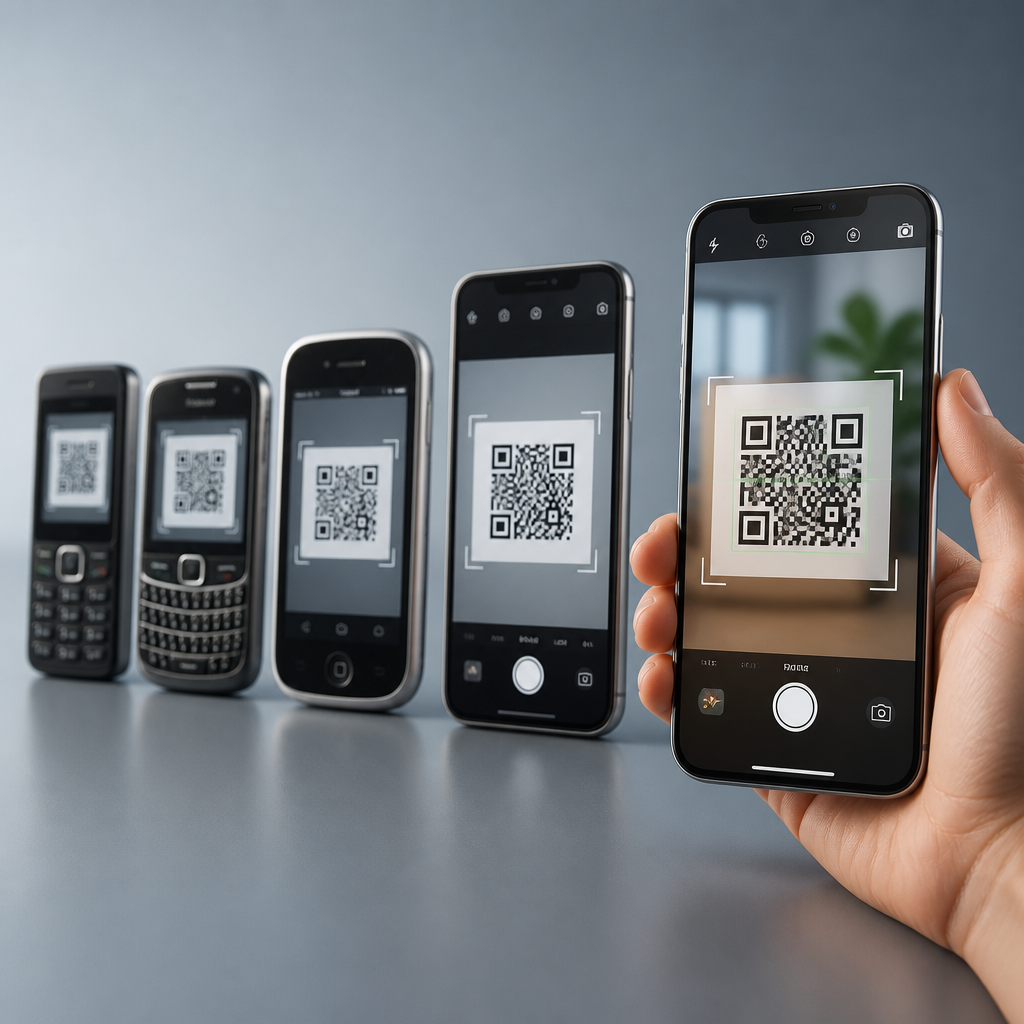
QR code scanning in smartphones has moved from a clumsy add-on feature to a core camera function built into daily life. A QR code, short for Quick Response code, is a two-dimensional matrix barcode that stores information such as URLs, payment credentials, Wi-Fi settings, tickets, or device-pairing data. Camera integration and operating system support determine how fast, accurately, and safely a phone can recognize that code, surface the right action, and protect the user from malicious content. I have worked on mobile rollout projects where a tiny change in camera permissions or notification behavior cut scan completion rates in half, so this topic matters far beyond convenience. It affects retail checkout, restaurant ordering, public transit, healthcare intake, enterprise device setup, and consumer trust. Understanding the evolution of QR code scanning in smartphones helps businesses design better experiences and helps users choose devices and settings that reduce friction while improving security, accessibility, and performance across Android and iPhone ecosystems.
From Dedicated Apps to Native Camera Scanning
Early smartphone QR experiences were fragmented. In the late 2000s and early 2010s, most phones required a dedicated QR reader app because stock camera software treated QR codes as ordinary images. Users had to discover an app, install it, grant camera access, open it separately, and align the code inside a scanning frame. Each extra step reduced adoption. Popular third-party readers used libraries such as ZXing, one of the most influential open-source barcode scanning projects, and they proved demand existed even before phone makers fully embraced the use case.
The shift began when smartphone vendors recognized that scanning was not a niche behavior. Apple added native QR recognition to the Camera app in iOS 11, released in 2017. Google expanded built-in support through Google Lens, camera app integrations, and machine vision services embedded across Android, though rollout varied by manufacturer. Samsung, Huawei, Xiaomi, OnePlus, and others then layered QR recognition into their own camera software, quick settings, or browser tools. The practical result was dramatic: opening the default camera and pointing it at a code became the expected interaction model.
Native integration solved three problems at once. First, it improved speed because users no longer switched apps. Second, it improved trust because the camera app came from the phone maker or platform provider rather than an unknown publisher. Third, it improved consistency because the operating system could standardize prompts, link handling, and accessibility behavior. In my testing across deployment campaigns, native camera scanning always outperformed app-dependent flows, particularly with first-time users and older audiences who were less likely to install a separate utility.
How Camera Hardware Changed the Scanning Experience
Camera integration is not only a software story. Smartphone camera hardware directly affects scan reliability. Modern QR recognition benefits from higher sensor resolution, faster autofocus systems, optical image stabilization, better low-light performance, and wider dynamic range. A low-resolution fixed-focus camera from the early smartphone era struggled with small codes, reflective packaging, and dim restaurant lighting. A current flagship device can usually lock focus on a code within a fraction of a second, even when the code is printed on curved material or displayed on another screen.
Autofocus made a particularly large difference. Phase-detection autofocus and laser-assisted focus improved close-range capture, which is essential because users often hold the phone too near the code. Computational photography also helped. Noise reduction, exposure balancing, and edge enhancement make the square finder patterns in QR codes easier for decoding algorithms to detect. Front-facing and ultrawide cameras are less commonly used for scanning, but macro support and better close-focus distance on rear cameras have improved performance for tiny packaging labels, medical device markings, and electronics setup codes.
Display technology matters too when scanning from screens rather than paper. Pulse-width modulation flicker, glare, cracked glass, or privacy screen protectors can interfere with capture. High refresh rate displays on both the source device and the scanning phone can create subtle moiré patterns, yet modern image signal processors usually compensate well. The key point is simple: better optics and image processing reduced the failure points that once made QR scanning feel unreliable.
Operating System Support and User Experience Design
Operating system support turns camera detection into a complete user action. Recognizing a QR code is only the first step; the OS decides how to present the result, whether to preview the destination, when to ask for confirmation, and which app should open next. On iPhone, the Camera app presents a top banner or contextual control for recognized codes, while Control Center can expose a dedicated code scanner with tighter focus on machine-readable targets. On Android, behavior differs by version and manufacturer, but common patterns include inline previews in the camera app, Google Lens suggestions, and browser handoff through Chrome or the default handler.
Permissions and privacy settings also shape the experience. Camera access is obvious, but network restrictions, enterprise mobile device management policies, and disabled notifications can all alter scan flows. Managed environments often limit URL launching or require links to open inside a secure container. Accessibility support is equally important. Screen readers, haptic feedback, voice prompts, and clear contrast in scan indicators help users with low vision or motor limitations. Good OS support means the scan result is surfaced quickly, read clearly, and opened safely without burying the user in extra taps.
Deep linking expanded the value of QR codes further. Instead of opening only websites, modern operating systems can route a scan into a payment sheet, app clip, digital ticket, Wi-Fi enrollment prompt, or device pairing workflow. That capability transformed the QR code from a static shortcut into an entry point for transaction, authentication, and onboarding journeys.
Platform Differences That Still Matter
Although QR scanning is now mainstream, platform differences still matter for businesses building campaigns and product teams planning support documentation. Android fragmentation remains the biggest variable. Two phones running similar Android versions may expose scanning in different places because manufacturers customize the camera app and quick settings. Some devices prioritize Google Lens, some use a proprietary scanner, and some require manual activation in camera settings. iPhone behavior is generally more consistent because Apple controls hardware, software, and default app routing across a narrower device matrix.
The table below summarizes the practical differences teams usually need to account for when publishing QR-enabled experiences.
| Area | iPhone | Android | Implication |
|---|---|---|---|
| Camera app support | Native since iOS 11 | Widely available but vendor dependent | Test multiple Android brands before launch |
| UI consistency | High | Moderate to low | Instructions must be broader on Android |
| Deep link behavior | Predictable app routing | Can vary by defaults and OEM overlays | Use fallback web paths |
| Security prompts | Centralized and consistent | Mixed by browser and scanner | Preview destination clearly in-page |
These differences explain why robust QR programs include cross-device QA, concise on-page instructions, and fallback options. If a code launches a payments page, ticket wallet, or app install prompt, the downstream journey must be verified on both ecosystems, not assumed.
Security, Reliability, and Standards in Modern Scanning
As QR use expanded, security risks became more visible. A camera can decode a URL instantly, but it cannot determine intent by sight alone. Phishing pages, malicious redirects, and code replacement attacks are real concerns in public spaces. Operating systems respond by previewing links, showing domains, and requiring user confirmation before opening some actions. Browsers and mobile security tools then apply Safe Browsing or similar reputation checks. In enterprise deployments, I always recommend short domains owned by the organization, HTTPS everywhere, and visible branding near the code so users can compare what they scan with what they expect.
Reliability depends on print quality and standards compliance as much as device capability. ISO/IEC 18004 defines the QR Code symbology, including structure, encoding, and error correction levels. Error correction allows damaged codes to remain scannable, but it is not magic. Tiny quiet zones, poor contrast, glossy finishes, and overdesigned branded codes still break scans. Best practice is straightforward: keep high contrast, preserve the quiet zone, test at intended distance, and avoid stuffing too much data into a small symbol when a short URL will do.
Analytics and redirect infrastructure also matter. Dynamic QR codes let organizations change destinations without reprinting materials and collect data such as scan time, device type, geography, and conversion path. That is useful, but it must be handled responsibly with transparent privacy policies and minimal personal data collection.
What Comes Next for Smartphone QR Scanning
The next phase of smartphone QR scanning is less about basic recognition and more about context, trust, and invisible integration. Computer vision models are getting better at understanding surrounding text, layout, and intent, which means cameras will increasingly distinguish between a restaurant menu code, a login code, a payment code, and a suspicious sticker layered on top of another sign. Wallet integration, passkeys, digital identity systems, and proximity-based onboarding will make QR scans trigger richer actions with fewer screens.
For businesses, the main lesson is clear: design for the default camera, support both major operating systems, and test the full journey after the scan. For users, keep camera software updated, verify link previews, and prefer codes from trusted sources. The evolution of QR code scanning in smartphones shows how hardware, software, and standards can converge into a seamless everyday tool. When camera integration and OS support are done well, QR codes stop feeling like a workaround and become one of the fastest bridges between the physical and digital world. Review your current scan experience, test it on real devices, and improve the weakest step first.
Frequently Asked Questions
1. How did QR code scanning evolve from a separate app feature to a built-in smartphone function?
QR code scanning in smartphones began as a fragmented experience. Early phone cameras usually lacked the software intelligence needed to recognize a two-dimensional matrix barcode on their own, so users had to download a dedicated QR reader app. That extra step created friction: the app had to open separately, focus could be slow, low-light performance was inconsistent, and many users simply did not bother unless they had a specific reason. In addition, early scanners varied widely in quality, with some struggling to decode damaged codes, reflective surfaces, or small print.
The major turning point came when smartphone makers started integrating computer vision directly into the native camera app. Instead of treating QR recognition as a niche utility, operating systems began recognizing that a QR code could trigger common everyday actions such as opening a website, connecting to Wi-Fi, storing contact details, pairing accessories, launching payments, or validating tickets. Once that logic moved into the core camera experience, scanning became dramatically faster and easier. A user could simply point the phone at the code and receive an immediate prompt without opening a separate application.
Over time, improvements in autofocus, image signal processing, machine learning, and camera sensor quality made scanning more reliable in real-world conditions. At the same time, operating systems added system-level support for interpreting the data safely and presenting contextual actions. That combination of hardware, camera software, and OS integration transformed QR scanning from a clumsy add-on into a default smartphone behavior. Today, for many users, scanning a QR code feels as natural as taking a photo because it has become part of the broader camera and mobile ecosystem rather than a standalone task.
2. Why do camera integration and operating system support matter so much for QR code scanning performance?
Camera integration and operating system support are the two foundations of a smooth QR scanning experience. The camera is responsible for capturing a clear image of the code, while the operating system determines how the phone interprets that code and what action it offers next. If either layer is weak, the overall experience suffers. A high-quality sensor, reliable autofocus, exposure control, stabilization, and strong low-light performance all improve the phone’s ability to detect the square alignment markers and decode the information stored inside the QR pattern.
Native camera integration matters because it reduces delay and simplifies the workflow. When scanning is embedded directly into the camera app, the phone can continuously analyze the live view in real time and alert the user as soon as a QR code is recognized. There is no need to switch apps, grant extra permissions to third-party tools, or manually capture an image first. This convenience is one of the main reasons QR usage expanded so rapidly across payments, menus, transit, authentication, and smart device setup.
Operating system support is equally important because decoding a QR code is only part of the task. The OS must classify the content correctly and map it to an appropriate action. For example, a QR code may contain a URL, Wi-Fi network credentials, event data, payment details, or a deep link into an app. A well-designed operating system presents a clear, secure prompt that helps the user understand what will happen next before any action is taken. That system-level handling improves usability, consistency, and security across the device.
In short, better cameras make scanning faster and more accurate, while better operating system support makes the result more useful and safer. The evolution of QR scanning is really the story of those two layers becoming tightly coordinated.
3. What types of information can a smartphone read from a QR code today?
Modern smartphones can read far more than simple website links from a QR code. While URLs remain one of the most common uses, QR codes are now used to store many kinds of structured data that a phone can interpret instantly. A QR code can contain payment credentials for mobile checkout, Wi-Fi settings that let a user join a network without typing the password, digital tickets for travel or events, contact information, SMS templates, email addresses, app links, and device-pairing data for accessories or smart home products.
This flexibility is part of what made QR codes so valuable in the smartphone era. Because a QR code is a two-dimensional matrix barcode, it can store more information than a traditional one-dimensional barcode and can do so in a compact, scannable format. That makes it practical for both consumer-facing uses and behind-the-scenes operational workflows. In everyday life, people might scan a restaurant menu, log into a service on another device, verify a boarding pass, initiate a digital payment, or connect earbuds, speakers, and appliances through pairing codes.
What makes the smartphone especially effective here is not just its ability to read the code, but its ability to understand context. The operating system can recognize the payload type and surface the right action automatically. Instead of showing raw encoded data, the phone can display “Join Wi-Fi network,” “Open webpage,” “Add contact,” “Pay merchant,” or “Pair device.” That contextual layer turns the QR code from a visual pattern into a shortcut for immediate action.
As mobile ecosystems continue to mature, the range of data associated with QR codes keeps expanding. Authentication flows, secure logins, digital identity systems, and cross-device interactions are all becoming more common, which means smartphones are increasingly acting as intelligent interpreters of QR-based instructions rather than simple code readers.
4. How have smartphones improved the speed and accuracy of QR code recognition over time?
Smartphones have improved QR code recognition through advances in both hardware and software. On the hardware side, camera sensors have become sharper, faster, and better in difficult conditions such as low light, glare, motion, and awkward viewing angles. Autofocus systems now lock onto a QR code much more quickly, and image stabilization helps reduce blur when a user is scanning while walking or holding the phone one-handed. These camera improvements alone significantly increase the odds of capturing a readable frame almost instantly.
On the software side, modern phones use more sophisticated image processing and pattern detection techniques. They can identify a QR code within the live camera preview, correct for perspective distortion, and decode data even when the code is slightly damaged, tilted, partially obscured, or printed on curved surfaces. Error correction built into the QR standard also helps, but current smartphones are much better at taking advantage of that resilience than older devices were. In practical terms, this means fewer rescans, less frustration, and more confidence in daily use.
Another major improvement is real-time recognition. Early QR scanning often involved opening a separate app and waiting for the code to be captured and processed. Today, many phones continuously analyze what the camera sees and display an actionable prompt almost immediately. That reduction in latency is important because it changes user behavior. When scanning feels instant, people are more willing to rely on it for payments, sign-ins, menu access, and transportation.
Machine learning has also played a role by helping devices distinguish meaningful codes from background clutter and prioritize readable targets in complex scenes. Combined with faster processors and tighter OS integration, these improvements have made QR scanning feel like an invisible layer of the camera experience. The technology now works quickly enough that many users no longer think about the decoding process at all.
5. Are built-in smartphone QR scanners safer than third-party apps, and what risks should users still watch for?
Built-in smartphone QR scanners are often safer than third-party apps because they benefit from operating system-level controls, consistent security prompts, and tighter privacy oversight. When QR recognition is integrated into the native camera app, users usually avoid granting unnecessary permissions to an external application that may collect data, display intrusive ads, or route scanned content through opaque systems. Native scanners also tend to present clearer action prompts, helping users see whether a QR code leads to a website, initiates a payment, joins a network, or triggers another device action.
That said, a built-in scanner does not eliminate all risk. A QR code can still direct a user to a malicious website, a phishing page, a fraudulent payment request, or a fake login screen. This is one of the central security challenges of QR codes: the destination is not always obvious from the visual pattern itself. Users are essentially trusting the phone to decode the content and trusting themselves to verify whether the resulting action is legitimate.
Smartphone platforms have improved safety by showing previews, warning about suspicious links, and sandboxing certain behaviors, but good user judgment remains essential. It is wise to inspect URLs before opening them, avoid scanning codes from tampered stickers or suspicious locations, and be cautious when a scan leads to credential entry, payment confirmation, or app installation. In enterprise and payment settings, additional protections such as domain verification, app whitelisting, and secure payment frameworks further reduce risk.
The broader evolution of smartphone QR scanning is not only about speed and convenience; it is also about trust. The best modern scanning experiences balance frictionless recognition with visible safeguards, giving users enough information to act confidently without making the process cumbersome. That balance is what has helped QR codes become a practical, mainstream part of mobile life.





