
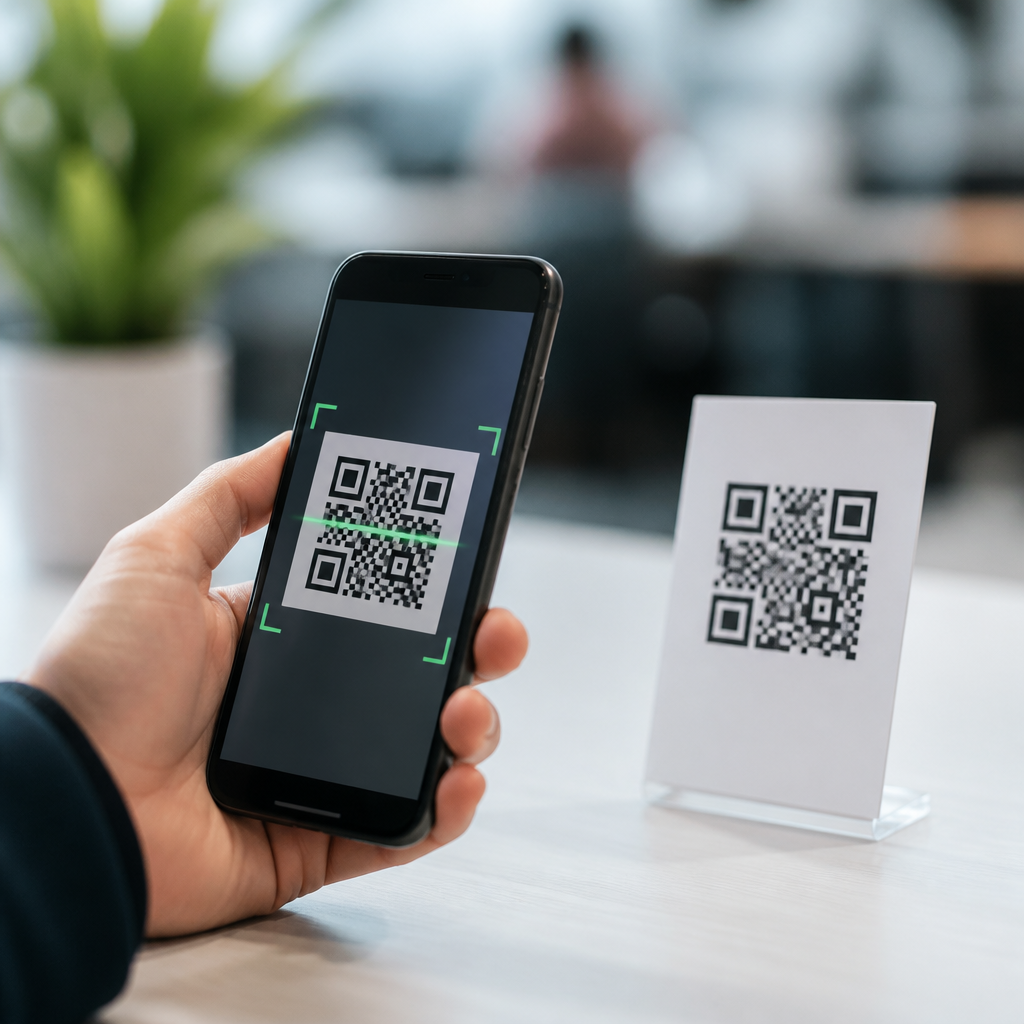
QR code scanner apps have become a standard utility on modern phones, but choosing the right one still matters because speed, privacy, accuracy, and extra tools vary widely. A QR code is a two-dimensional matrix barcode that stores data such as website URLs, Wi-Fi credentials, payment links, contact cards, app download links, and ticket details. A scanner app uses the phone camera plus image processing to detect the code, decode the embedded data, and prompt the next action. In day-to-day testing across retail counters, event check-in desks, warehouse labels, restaurant menus, and product packaging, the best apps consistently do three things well: they lock onto codes quickly, interpret different content types correctly, and avoid cluttering the experience with aggressive ads or risky permissions.
This topic matters because QR codes now sit at the center of mobile transactions and instant access. Consumers scan codes to pay, pair devices, join wireless networks, verify products, and open support resources. Businesses rely on them for inventory management, digital menus, logistics tracking, and omnichannel marketing attribution. When the scanner fails, the friction is immediate: delayed checkout, abandoned forms, misread links, or exposure to malicious redirects. A fast QR code scanner app is not just convenient; it reduces operational delay and helps users inspect links before opening them. For anyone building a reliable mobile workflow, understanding QR code scanner apps is the foundation for better security, smoother customer experience, and more dependable scanning in real-world conditions.
As a hub page for QR code scanner apps, this guide explains what separates basic camera scanning from dedicated tools, which app categories fit different users, what features actually improve results, and how to evaluate tradeoffs. It also points naturally toward related topics such as QR code security, dynamic versus static QR codes, barcode compatibility, and enterprise scanning workflows. If you need the best QR code scanner app for fast scanning, start by understanding that the winner depends on context: casual home use, heavy business throughput, privacy-sensitive environments, or multi-format retail scanning all demand slightly different strengths.
What Makes a QR Code Scanner App Fast and Reliable
Fast scanning starts with camera acquisition and decoding efficiency. The app must identify the finder patterns in a QR code, correct perspective distortion, handle glare, and decode data even when the print is small or partially damaged. Dedicated scanner apps often outperform generic camera apps because they optimize autofocus behavior, frame processing frequency, and low-light contrast enhancement. In testing, the most reliable apps decode within a fraction of a second when the code is centered and well lit, but they also recover better when the code is on curved packaging, behind reflective plastic, or displayed on a dim screen.
Reliability also depends on content handling. A good app recognizes URLs, plain text, phone numbers, SMS prompts, email fields, calendar events, geolocation coordinates, and Wi-Fi payloads formatted under common standards. Better apps preview the destination before opening it, which is essential for security. On Android and iPhone alike, some built-in camera scanners are excellent for simple URL scans, yet dedicated apps can add scan history, batch scanning, export options, flashlight controls, image import, and support for other symbologies such as Code 128, EAN-13, UPC-A, Data Matrix, and PDF417. Those capabilities matter if your scanning environment goes beyond a restaurant menu or package label.
Top QR Code Scanner Apps by Use Case
The best QR code scanner apps are easier to compare by use case than by a single universal ranking. For many iPhone users, the built-in Camera app is the fastest option because it is deeply integrated, launches instantly, and handles standard QR codes well. Control Center’s Code Scanner can be even smoother because it isolates scanning behavior without accidental photo capture. For Android users, Google Lens and many native camera apps from Samsung, Google Pixel, and other major brands deliver similarly fast results with no extra installation. If you want minimal setup and broad reliability, the built-in route is usually the first recommendation.
Dedicated apps become more attractive when users need extra controls. QR & Barcode Scanner apps from established publishers often add continuous scanning, scan history, CSV export, browser sandboxing, and broad barcode support. Retail workers and inventory teams usually benefit from this category because one tool can scan QR codes and product barcodes in the same shift. Shoppers may prefer apps with price lookup or product information overlays. Privacy-focused users should favor scanners with offline decoding, minimal permissions, and a clear privacy policy that does not monetize scan data through ad-tech networks. In practice, the top choice is the one that matches your scanning volume, code types, and tolerance for ads, permissions, and account requirements.
| Use case | Best app type | Why it fits |
|---|---|---|
| Quick personal scans | Built-in camera scanner | Fast launch, no install, simple URL handling |
| Retail and inventory | Dedicated QR and barcode app | Supports multiple formats, history, continuous scanning |
| Privacy-sensitive use | Offline-focused scanner | Limited permissions, local decoding, fewer trackers |
| Marketing and analytics workflows | Scanner tied to campaign tools | Link previews, routing logic, attribution support |
Built-In Camera Scanners Versus Dedicated Apps
A common question is whether users need a separate QR code scanner app at all. In many cases, no. Apple added native QR support years ago, and Google Lens has made Android scanning far more capable. For a standard website link on a clean printed code, built-in scanners are often the fastest path because they are already on the lock screen or camera interface. They also tend to feel safer to mainstream users because they come from the phone platform provider rather than a little-known app publisher.
However, dedicated apps still earn their place. They can maintain a searchable history for compliance or operations, scan from saved images and screenshots, and decode a wider set of 1D and 2D codes. I have seen built-in camera scanners struggle in warehouse environments where labels are scratched, light levels are inconsistent, and teams need nonstop reads across many packaging types. A dedicated scanner with continuous mode and vibration feedback cuts hesitation and improves throughput. The tradeoff is app quality variation. Some third-party scanners are overloaded with interstitial ads or broad permissions, which can slow scanning and weaken trust. That makes publisher reputation and recent update history important evaluation criteria.
Features That Matter Most in a QR Code Scanner App
If your goal is fast scanning, prioritize six features. First, instant detection: the app should read without forcing a shutter press. Second, accurate autofocus and low-light performance: warehouse aisles, event halls, and transit stations are rarely ideal. Third, link preview: users should be able to inspect a URL before opening it. Fourth, image import: codes often arrive in screenshots, emails, or PDFs. Fifth, multi-format support: QR may be only part of the workload. Sixth, clean permission design: camera access is necessary, but contacts, location, or microphone usually are not.
Other features can be useful depending on context. Scan history helps with returns, attendance logs, and revisiting setup links. Batch or continuous scanning supports inventory counts and ticket processing. Export functions allow teams to move scan records into Excel, Google Sheets, or warehouse systems. Some enterprise-focused tools integrate with mobile device management and custom intents, which matters in large deployments. A flashlight toggle, haptic confirmation, and audible feedback sound minor, but they noticeably improve speed when users are scanning repeatedly. The strongest apps treat these details as workflow tools, not cosmetic extras.
Privacy, Security, and App Quality Checks
Not every QR code scanner app is safe. QR codes can hide phishing links, fake login pages, malicious app downloads, or tracking-heavy redirects. A trustworthy scanner reduces that risk by showing the full destination, flagging suspicious patterns, and avoiding automatic opening. Users should also examine the app itself. Check the publisher name, recent update cadence, review quality, data safety disclosures, and whether the app relies heavily on ads. An app that asks for unnecessary permissions or floods the screen with pop-ups can turn a simple scan into a security problem.
For business use, align scanner choice with company policy. If staff scan shipping labels, access badges, or customer payment codes, the app should fit device management controls and avoid sending scan data to third parties. Where regulated data is involved, offline decoding and local history storage are preferable. Teams should also train users to verify domains before tapping, especially for shortened URLs. In practical terms, the best fast QR code scanner app is one that protects the user while staying unobtrusive. Speed without trust is a poor trade.
How to Choose the Best QR Code Scanner App for Your Needs
Choose your app by starting with environment, volume, and risk. For occasional household scanning, use the phone’s native scanner unless you need scan history or image import. For retail, field service, warehousing, and events, install a dedicated QR and barcode scanner that supports continuous mode, broad symbologies, and export. For privacy-first users, shortlist apps with local processing, no account requirement, and restrained permissions. For marketers and product teams, think beyond scanning speed alone and consider how the destination links, redirects, and analytics are managed.
The main takeaway is simple: the top QR code scanner apps for fast scanning are the ones that combine immediate detection, dependable decoding, clear link previews, and sensible privacy practices. Built-in camera scanners are excellent for most consumers, while dedicated apps are better for heavier workflows and multi-format needs. Evaluate each option on launch speed, low-light performance, history, image import, barcode support, and publisher trust. Then test it with your actual codes, not ideal samples. If you want a smoother mobile experience under the broader Mobile QR Code Scanning & Technology topic, start by selecting a scanner app that fits your real scanning conditions and security requirements.
Frequently Asked Questions
What should I look for when choosing the best QR code scanner app?
The best QR code scanner app should do more than simply read a code. Speed is usually the first thing people notice, so look for an app that recognizes QR codes almost instantly without requiring repeated taps or perfect lighting. Accuracy matters just as much, especially when scanning small, damaged, angled, or low-contrast codes. A strong app should handle those everyday conditions consistently rather than only performing well in ideal situations.
Privacy is another major factor. Some scanner apps request unnecessary permissions, collect usage data, or route scans through external servers when local processing would be enough. A better option is an app that clearly explains what data it accesses, why it needs camera permissions, and whether scans are processed on-device. If you scan Wi-Fi credentials, payment links, login prompts, or business contact cards, this level of transparency becomes especially important.
You should also evaluate the extra tools included in the app. Many top QR code scanner apps can open website links safely, preview URLs before launching them, scan barcodes in addition to QR codes, save scan history, create QR codes, and detect suspicious or malformed links. Some also integrate with shopping, ticketing, and contact-saving workflows. In practice, the right app is the one that combines fast detection, reliable decoding, sensible permissions, and useful features without cluttering the experience.
Are built-in phone camera scanners good enough, or do I need a dedicated QR code scanner app?
For many users, the built-in scanner in a modern phone camera is perfectly adequate for basic tasks. Native camera apps on current Android and iPhone devices often recognize QR codes automatically and can open websites, join Wi-Fi networks, or display basic actions without needing a separate download. This built-in approach is convenient, fast to access, and often preferable for users who only scan occasionally.
That said, a dedicated QR code scanner app can still be the better choice if you scan frequently or need more control. Standalone apps often decode faster in difficult conditions, support more barcode formats, keep a searchable scan history, and provide added safety features such as link previews or malicious URL warnings. Some also offer batch scanning, flashlight optimization, image-based scanning from screenshots or photo galleries, and QR code generation for sharing links, contacts, or network details.
The decision really comes down to how you use QR codes. If your needs are simple and occasional, the camera app on your phone may be enough. If you regularly scan tickets, payment codes, product labels, restaurant menus, event passes, or business cards, a dedicated scanner app can offer a noticeably better experience with more speed, flexibility, and security checks built in.
How do QR code scanner apps work, and why do some scan faster than others?
QR code scanner apps use the phone’s camera to capture an image of the code, then apply image processing and decoding algorithms to identify the square pattern, locate alignment markers, correct distortion, and extract the encoded information. Once the data is decoded, the app determines what kind of content is stored inside, such as a URL, Wi-Fi login, payment link, contact card, app download link, or event ticket. It then presents the next step, like opening a browser, saving a contact, or connecting to a network.
Differences in scanning speed usually come from a combination of software quality and hardware support. Better apps are optimized to detect the code quickly even before the image is perfectly framed. They handle blur, glare, motion, distance, and off-angle positioning more effectively, which reduces the delay between pointing the camera and getting a result. Some apps also use better autofocus timing, smarter exposure adjustments, and more efficient recognition models to improve responsiveness.
Phone hardware also plays a role. A device with a better camera sensor, faster processor, and improved low-light performance will generally scan more quickly than an older phone. However, app quality still matters a great deal. In everyday use, the fastest scanner apps are usually the ones that combine efficient decoding, stable camera handling, and minimal interface friction, so the code is recognized almost immediately without repeated attempts.
Are QR code scanner apps safe to use, and what privacy risks should I be aware of?
QR code scanner apps are generally safe when downloaded from reputable app stores and developed by trustworthy publishers, but they are not all equal in terms of privacy and security. The main safety issue is not the QR code format itself, but the destination behind the code. A QR code can send you to a website, trigger a payment request, open an app store page, add calendar details, or connect you to a Wi-Fi network. If the destination is malicious or deceptive, the scan can lead to phishing pages, malware downloads, or fraudulent payment prompts.
That is why the safest QR code scanner apps include protective features such as URL previews, warnings for suspicious links, and confirmation prompts before opening actions automatically. Instead of launching a website the moment a code is recognized, a strong app should let you inspect the destination first. This is especially useful when scanning QR codes from posters, emails, printed flyers, public counters, or unfamiliar packaging where codes may have been replaced or tampered with.
On the privacy side, pay attention to permissions, data collection policies, and whether scan information is stored locally or transmitted externally. A scanner app generally needs camera access, but it should not require unrelated permissions unless there is a clear reason. If an app asks for contacts, location, microphone, or background access without a strong use case, that deserves closer scrutiny. Choosing a well-reviewed app with a transparent privacy policy and minimal permission requests is one of the best ways to keep QR scanning both secure and private.
What extra features make a QR code scanner app more useful for everyday use?
The most useful QR code scanner apps go beyond simple code recognition and help streamline real-world tasks. One of the best features is scan history, which makes it easy to revisit a website, payment request, ticket, or contact card you scanned earlier. Link previews are another standout tool because they let you verify where a code leads before opening it. This small step can save time and reduce the risk of tapping into a suspicious destination.
Support for multiple code types is also valuable. Many users think only of QR codes, but a capable app may also scan standard retail barcodes, Data Matrix codes, and other label formats. That broader compatibility can be helpful for shopping, inventory checks, package tracking, and product lookup. Some apps also allow scanning from saved images or screenshots, which is useful when a QR code appears in an email, social media post, or digital ticket rather than in front of the camera.
Additional convenience features can include QR code creation, flashlight support for low-light environments, copy-and-share options, automatic Wi-Fi connection prompts, and contact-saving tools for digital business cards. For business users, event attendees, travelers, and frequent mobile shoppers, these extras can make a scanner app feel far more polished and practical. The best apps strike a balance: they add meaningful tools that improve speed and usability without becoming bloated or confusing.





