
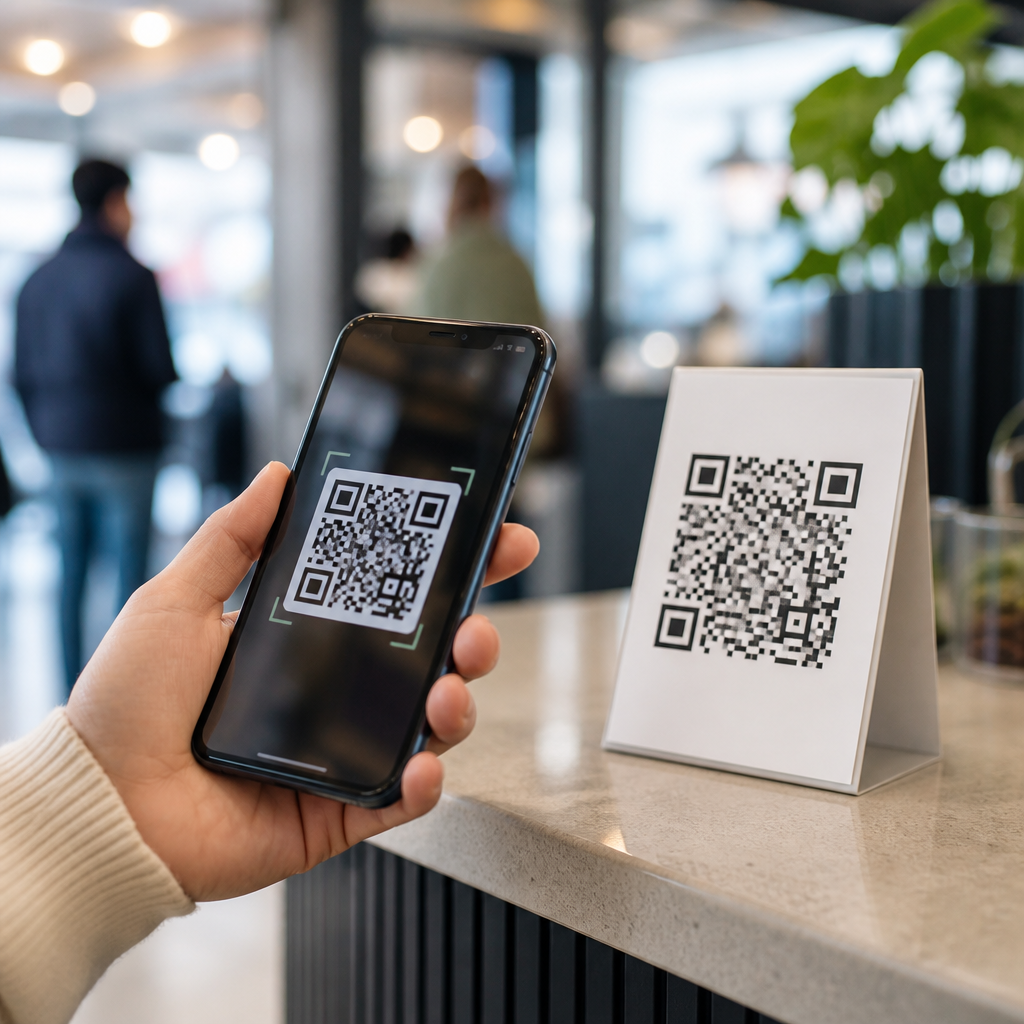
QR codes became popular again after 2020 because smartphones, public health needs, and better mobile design finally aligned to make them useful at scale. A QR code, short for Quick Response code, is a two-dimensional barcode that stores data such as a website URL, payment request, app download, Wi-Fi login, digital menu, ticket, or contact card. Unlike the linear barcodes used on retail packaging, QR codes can hold much more information and can still be scanned even when part of the symbol is damaged, thanks to built-in error correction. In mobile contexts, that matters: a user points a phone camera at the code, the device recognizes it, and a single tap opens the intended action.
Before 2020, I regularly saw brands place QR codes on posters, packaging, and business cards, but scan rates were inconsistent. Many users did not know what the square pattern was for, and on older phones the process often required a separate app. That friction killed adoption. After 2020, the behavior changed quickly. Apple had already integrated native code detection into the Camera app, Android vendors followed, and consumers became accustomed to touchless interactions in restaurants, stores, clinics, schools, and transit systems. The result was not a fad but a practical shift in mobile behavior.
Understanding what mobile QR codes are and why they resurged matters for any business building customer journeys on phones. These codes now connect physical spaces to digital destinations with almost no typing, which improves convenience, measurement, and speed. They also support a wide range of use cases: menus, payments, check-ins, product details, loyalty programs, authentication, and support. As the central guide within Mobile QR Code Basics, this article explains the technology, the reasons adoption accelerated after 2020, the main use cases, the limits you should respect, and the design practices that make scans reliable.
What Are Mobile QR Codes and How Do They Work?
Mobile QR codes are QR codes created specifically for smartphone scanning and mobile-first actions. The destination is usually optimized for a phone screen, such as a responsive webpage, a digital wallet pass, an app deep link, or a payment flow. Technically, the code is a matrix of black and white modules arranged around finder patterns that help the camera locate orientation. Once scanned, software decodes the embedded data. That data may be static, meaning the content is fixed inside the symbol, or dynamic, meaning the code points to a short URL that can later be edited, tracked, or redirected without changing the printed graphic.
In practice, dynamic mobile QR codes became far more valuable after 2020 because businesses needed flexibility. A restaurant could print one table tent and update menu items later. An event organizer could redirect attendees from a registration page to a live agenda. A retailer could keep packaging unchanged while rotating campaigns by region. I have used dynamic codes for packaging and in-store signage because they allow UTM tagging, scan analytics, and destination control. Static codes still work well for simple needs, such as sharing Wi-Fi credentials or a vCard, but they are harder to manage at scale.
Why 2020 Changed Consumer Behavior
The renewed popularity of QR codes after 2020 was driven by necessity first, then convenience. During the pandemic, businesses needed touchless ways to share menus, forms, payments, schedules, health information, and check-in instructions. A printed code solved several problems at once: it was cheap, easy to deploy, and familiar enough to teach quickly. Once people learned the behavior, they kept using it because it reduced friction. Consumers no longer had to type long URLs, search for an app, or wait in lines for paper processes.
Platform support was the second major factor. Native camera scanning on iPhone and Android removed the biggest old barrier. When a user simply opens the camera and sees a prompt, the interaction feels normal. That matters more than many marketers realize. Technologies often fail not because they are weak, but because their activation cost is too high. QR codes crossed the threshold where scanning became easier than not scanning. At that point, adoption spread across age groups and industries, from small cafes to airlines and hospitals.
Trust also improved, although not perfectly. Users became more aware that scanning a code could open a website, start a payment, or add contact information. Operating systems added preview prompts that show the destination before launch. Businesses also learned to label codes clearly with a benefit-driven call to action, such as “View ingredients” or “Pay securely,” which reduced hesitation. The growth was therefore not caused by novelty. It came from a better fit between user intent, smartphone capability, and real-world business needs.
Core Mobile QR Code Use Cases
The strongest reason QR codes remain relevant is that they solve many different mobile tasks with one familiar interaction. In hospitality, digital menus and ordering links are now standard. In retail, product packaging can open setup guides, warranty registration, or authenticated product information. In payments, codes can launch Apple Pay, Google Pay, UPI flows, or merchant wallet systems. In transportation, they appear on boarding passes, parking sessions, and bike-share unlock screens. Healthcare providers use them for patient intake, prescription information, and appointment check-ins. Education teams use them for attendance, resource access, and campus navigation.
These examples work because the code sits at the moment of need. A shopper standing in an aisle is not likely to type a 40-character link, but will scan for reviews or instructions. A diner wants a menu instantly. A conference attendee wants the agenda now, not after a search. Good mobile QR code strategy therefore starts with context. The code should appear where the user’s question naturally occurs, and the destination should answer that question within seconds on a mobile screen.
| Use case | What the code opens | Why mobile works well |
|---|---|---|
| Restaurant menu | Responsive menu, ordering, allergy info | Fast access at the table without shared paper |
| Product packaging | Setup guide, video, authenticity check | Helps customers at the exact moment of unboxing |
| Payments | Wallet, bank app, or checkout page | Reduces checkout friction and supports contactless payment |
| Events | Ticket, map, schedule, lead form | Keeps attendees moving and enables live updates |
| Support | FAQ, chat, returns portal | Connects physical products to digital self-service |
What Made Modern QR Campaigns Better Than Early Ones
Earlier QR campaigns often failed because they linked to desktop pages, generic homepages, or app store listings with no explanation. Modern campaigns perform better because they are designed for intent and measurement. The destination is usually mobile optimized, the copy around the code explains the reward, and analytics show scans by device, time, and location. Tools such as Bitly, Beaconstac, QR Code Generator Pro, Adobe Express, and enterprise campaign platforms make it easy to manage redirects and track performance. When combined with Google Analytics parameters, teams can connect a physical scan to a digital conversion path.
Another improvement is standards-based implementation. Good codes maintain adequate quiet zone spacing, strong contrast, and print size appropriate to distance. A common field guideline is at least one inch square for close-range scans, increasing with viewing distance. Error correction levels matter too: higher correction helps codes survive scratches or curved packaging, but also makes patterns denser. I usually test codes across older Android devices, newer iPhones, matte and glossy print finishes, and both bright and dim lighting. Scan reliability depends on all of those factors, not on the symbol alone.
Limits, Risks, and Best Practices
QR codes are useful, but they are not automatically the right choice. If mobile service is weak, a printed short URL can still be important. If the landing page is slow, the convenience of scanning disappears. Security is another concern because malicious actors can place fake stickers over legitimate codes or redirect users to phishing sites. For that reason, businesses should use branded domains, HTTPS, clear labeling, and visible context so users know what they are opening. In regulated settings, codes should not be the only path to critical information.
Accessibility deserves equal attention. Some users cannot easily hold a camera steady or may rely on screen readers after the scan. The destination page must therefore follow mobile accessibility practices, including readable type, strong color contrast, keyboard support where relevant, and descriptive headings. Placement matters as well. A code mounted too high, too low, behind glass glare, or on a moving surface will underperform. The best rule is simple: remove friction before, during, and after the scan.
For teams building a hub around Mobile QR Code Basics, the main lesson is that QR codes succeeded after 2020 because the environment finally supported their promise. Smartphones made scanning native, consumers learned the behavior in everyday settings, and businesses connected codes to genuine mobile tasks instead of gimmicks. Mobile QR codes are now a practical bridge between physical touchpoints and digital experiences, especially when you use dynamic destinations, clear calls to action, and mobile-first landing pages. If you are planning signage, packaging, menus, payments, or support flows, audit every step from camera open to page load, then test it in the real world before you scale.
Frequently Asked Questions
Why did QR codes suddenly become popular again after 2020?
QR codes did not reappear because the technology was new. They became popular again because the conditions around them finally changed. By 2020, most people were carrying smartphones with fast cameras, reliable internet connections, and built-in QR scanning in the default camera app. That removed one of the biggest barriers that had limited QR code adoption for years: users no longer needed to download a separate scanner just to interact with one.
At the same time, public health concerns accelerated demand for touch-free experiences. Restaurants needed digital menus, businesses wanted contactless check-in options, retailers adopted scan-to-pay systems, and event organizers moved toward digital tickets. QR codes provided a simple, low-cost bridge between physical spaces and digital actions. A printed square on a table, poster, package, or screen could instantly send someone to the right webpage, form, payment flow, or download link.
Design and usability improvements also played a major role. Businesses became better at pairing QR codes with clear instructions, better landing pages, and mobile-friendly content. Instead of sending users to clunky desktop sites, companies increasingly linked QR codes to streamlined mobile experiences. In short, QR codes became useful at scale after 2020 because hardware, user habits, health-related demand, and mobile design all aligned at the same time.
What exactly is a QR code, and how is it different from a standard barcode?
A QR code, or Quick Response code, is a two-dimensional barcode designed to store more information than the traditional one-dimensional barcodes commonly found on retail packaging. A standard barcode usually stores data in a series of vertical lines and spaces that are read in one direction. By contrast, a QR code stores data both horizontally and vertically, which allows it to hold significantly more information in a compact square format.
That additional capacity makes QR codes much more flexible. A QR code can link to a website URL, payment request, app download page, digital menu, event ticket, Wi-Fi login, contact card, product details page, or customer support form. This versatility is one reason they became so valuable across industries after 2020. Instead of requiring printed instructions, long web addresses, or manual data entry, a QR code gives users a fast way to access information or complete an action with a simple scan.
Another important advantage is resilience. QR codes include error correction, which means they can often still be scanned even when part of the symbol is damaged, obscured, or slightly distorted. That makes them practical for real-world use on posters, packaging, receipts, signs, and screens where wear, glare, or imperfect printing can occur. In everyday terms, a QR code is a smarter and more adaptable data carrier than a standard barcode, especially for mobile-first interactions.
How did smartphones help make QR codes mainstream?
Smartphones were the single most important factor in making QR codes mainstream. Earlier versions of the technology often failed to gain traction because the user experience was awkward. People had to know what a QR code was, install a dedicated scanning app, grant permissions, and hope the app worked properly. That was too much friction for something intended to be quick and convenient.
Once smartphone makers and operating systems integrated QR recognition directly into the native camera, the experience became almost effortless. Users could simply open the camera, point it at the code, and tap the prompt that appeared. That one change turned QR codes from a niche tool into an accessible habit. When a technology becomes built into a device people already use constantly, adoption rises quickly.
Smartphones also made the destination experience better. A scan no longer led to a frustrating desktop page on a tiny screen. Mobile websites, progressive web apps, digital wallets, and in-app payment systems became far more refined. As a result, QR codes started fitting naturally into everyday tasks such as ordering food, joining Wi-Fi, downloading boarding passes, paying a bill, or saving contact details. In other words, smartphones did not just make scanning easier; they made the entire scan-to-action journey practical and seamless.
Why were QR codes especially useful for businesses and consumers after 2020?
After 2020, QR codes became especially useful because they solved real operational and customer experience problems at very low cost. For businesses, they offered a fast way to digitize physical touchpoints without building complex hardware systems. A restaurant could replace printed menus with a QR code on each table. A store could link shelf signage to product information. A venue could use QR-based tickets for entry. A clinic could offer patient forms through a quick scan. In each case, the business gained flexibility because the digital destination could be updated without reprinting large amounts of material.
Consumers benefited from speed, convenience, and reduced friction. Instead of typing long URLs, downloading paper forms, or waiting in lines for printed materials, people could scan and proceed immediately. QR codes also supported contactless interactions at a time when minimizing shared surfaces mattered to many users. Even beyond health concerns, that convenience proved valuable enough to stick. People quickly got used to scanning for menus, payments, coupons, transit details, product instructions, and event access.
There is also an economic reason for their popularity. QR codes are inexpensive to create, easy to distribute, and simple to place almost anywhere, including packaging, receipts, flyers, storefront windows, product labels, and digital displays. That combination of low implementation cost and high practical value made them appealing to organizations of all sizes, from local businesses to global brands.
Are QR codes likely to stay popular, or was this just a temporary post-2020 trend?
QR codes are very likely to remain popular because they are no longer tied to a temporary moment alone. While public health needs accelerated their adoption, the underlying reasons for continued use are broader and more durable. QR codes are fast, familiar, inexpensive, and effective at connecting offline environments with online experiences. Once users learned the behavior and businesses built it into their workflows, the habit became part of everyday digital life.
What makes QR codes sustainable is their flexibility. They work across many use cases, including payments, authentication, loyalty programs, product education, digital menus, smart packaging, logistics, ticketing, and contact sharing. They also fit well with ongoing mobile-first behavior. As long as consumers continue using smartphones as their primary interface for information and transactions, QR codes remain a practical shortcut between the physical world and digital content.
That said, their long-term success depends on good implementation. Businesses need to link QR codes to useful, secure, mobile-friendly destinations and clearly explain what users will get by scanning. Poorly placed, misleading, or low-value QR codes can still frustrate people. But when used well, QR codes are more than a temporary comeback story. They have become a standard tool for fast, scalable digital access in everyday settings.





