
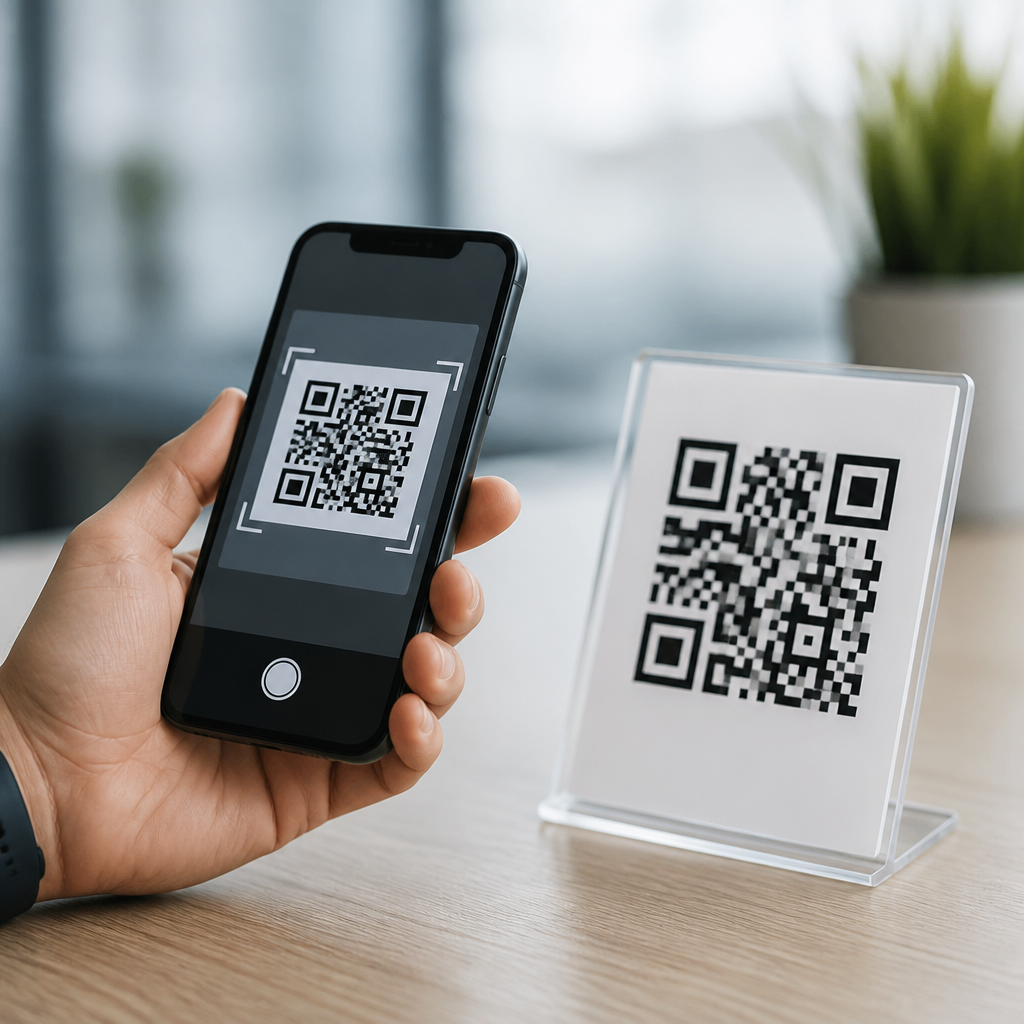
Mobile QR codes and regular QR codes are the same core technology, but the way people use, design, and manage them on phones creates important practical differences. A QR code, short for Quick Response code, is a two-dimensional barcode that stores information in a grid of black and white modules readable by a camera and decoding software. In my work helping businesses deploy QR campaigns on packaging, menus, retail displays, and app onboarding screens, the confusion usually starts with language. Teams say “mobile QR code” when they mean a QR code intended to be scanned with a smartphone, often optimized for mobile experiences such as landing pages, app deep links, digital wallets, SMS actions, or click-to-call prompts. “Regular QR code” usually refers to any standard QR symbol, whether printed on paper, shown on a desktop screen, or used in industrial labeling.
That distinction matters because implementation choices affect scan rate, usability, analytics, and trust. A code that technically functions can still fail if the destination is not mobile friendly, the error correction level is mismatched to the design, or the call to action is vague. Understanding what mobile QR codes are helps marketers, product teams, retailers, educators, and service providers build experiences that work in the real world. This article explains the relationship between mobile QR codes and regular QR codes, how they function, where they differ in practice, and what standards, design rules, and measurement methods matter most when building a mobile QR strategy.
What are mobile QR codes?
Mobile QR codes are standard QR codes used primarily in smartphone-driven journeys. The code format itself follows the same ISO/IEC 18004 QR Code specification used everywhere else. There is no separate barcode symbology called a “mobile QR code.” Instead, the phrase describes context and destination. If a restaurant prints a code that opens a responsive menu on a phone, that is a mobile QR code use case. If a software company shows a code on a desktop login page so a user can authenticate through a phone app, that is also a mobile QR code use case. The underlying symbol remains a QR code with finder patterns, alignment patterns, format information, version data in larger symbols, and encoded payload.
In practical terms, a mobile QR code is built around the assumption that the scanner is using a phone camera and expects a phone-native action. Common payloads include HTTPS URLs, app links, vCard contact files, Wi-Fi credentials, calendar events, payment requests, and location links. The strongest implementations reduce friction after the scan. For example, a printed code on product packaging should open a fast-loading page with readable text, compressed images, and a clear next step. A code that points to a desktop-only PDF may still scan, but it is not truly optimized for mobile behavior. That difference is why the “mobile” label has become useful even though the code standard is identical.
Are mobile QR codes different from regular QR codes?
The short answer is no in structure, yes in execution. Structurally, mobile QR codes and regular QR codes are the same type of matrix barcode. They use the same encoding rules, the same four error correction levels, and the same camera-scanning principles. A phone does not require a special QR code variant. Whether the code appears on a poster, receipt, shipping box, kiosk, television screen, or business card, a modern smartphone camera can decode it if the symbol has sufficient contrast, size, and quiet zone.
Execution is where differences emerge. A “regular” QR code might link to any digital asset without considering the scanning device. A mobile QR code is intentionally designed around smartphone conditions: handheld scanning angles, variable lighting, intermittent connectivity, and smaller screens. I have seen the same URL embedded in two nearly identical codes produce very different results because one was placed low on glossy packaging with poor contrast while the other used matte stock, stronger spacing, and a concise CTA such as “Scan for setup video.” The symbol worked both times; the mobile experience did not. That is why practitioners treat mobile QR codes as a separate planning category even though they are not a separate technical standard.
How mobile QR codes work on smartphones
When a user points a smartphone camera at a QR code, the device identifies the finder patterns in three corners, corrects perspective distortion, samples the module grid, and decodes the payload. Most current iPhone and Android devices perform this natively through the camera app, while some older devices rely on Google Lens or third-party readers. Once decoded, the operating system recognizes the content type and offers the relevant action, such as opening a URL in the browser, joining a Wi-Fi network, saving a contact, or launching a payment flow.
The payload can be static or dynamic. Static QR codes contain the final destination directly in the symbol and cannot be edited after printing. Dynamic QR codes point to a short redirect URL controlled by a QR platform, allowing destination changes, campaign tracking, and segmentation without replacing the printed code. In mobile programs, dynamic codes are often better because they support analytics like unique scans, device type, time of scan, and approximate location. Platforms such as Bitly, QR Code Generator Pro, Beaconstac, Scanova, and Flowcode provide this management layer. The tradeoff is dependency on the redirect service and careful governance of link longevity, privacy disclosures, and branded domains.
Common use cases for mobile QR codes
Mobile QR codes are now part of everyday consumer behavior because the smartphone is the scanning device and the action device. Retailers use them on shelf tags for product details, ingredient transparency, warranty registration, and loyalty enrollment. Restaurants use them for menus, table ordering, and guest feedback. Healthcare providers use them for appointment check-in, patient education, and secure portal access. Event organizers place them on tickets, signage, and badges for registration and wayfinding. Employers use them in onboarding packets so staff can download apps, view training videos, and access policy documents from a phone.
Real-world success usually comes from matching the code to a clear mobile benefit. During app promotion, for example, a QR code that opens the correct App Store or Google Play listing saves typing and reduces drop-off. On packaging, a code can launch a mobile-optimized how-to video that lowers support calls. In field service, a code on equipment can bring a technician to a troubleshooting checklist with part numbers and maintenance logs. These are not different symbols from regular QR codes. They are standard QR codes tied to mobile-first destinations and workflows that respect speed, context, and screen size.
Design and technical rules that matter most
Most QR failures are not decoding failures; they are design and experience failures. Start with contrast: dark modules on a light background remain the safest choice. Maintain a quiet zone of at least four modules around the symbol. Size should reflect scanning distance; a common rule is about one inch of code width for every ten inches of scanning distance, though testing is essential. Error correction levels L, M, Q, and H allow increasing recovery from damage or styling, but higher correction increases symbol density. Dense symbols are harder to scan at small sizes, so avoid overstuffing long URLs. Use short links or dynamic redirects instead.
| Element | Best practice for mobile QR codes | Why it matters |
|---|---|---|
| Destination | Use responsive pages, app deep links, or mobile-native actions | Reduces bounce and improves completion rate |
| Code size | Match size to scan distance and viewing angle | Improves reliability in real environments |
| Contrast | Prefer black on white or similarly high contrast combinations | Helps cameras detect modules quickly |
| Quiet zone | Leave clear margin around the code | Prevents misreads from nearby graphics |
| CTA | State the benefit, such as “Scan for video setup” | Raises scan intent and user confidence |
| Analytics | Use dynamic codes with tagged destinations | Enables measurement and optimization |
Testing should cover more than one phone model, camera app, and network condition. Verify performance on iOS and Android, indoors and outdoors, in low light, and on common browsers like Safari and Chrome. If the QR code appears on a screen, test moiré effects, glare, and refresh-related distortion. If it appears in print, test after production because coatings, color shifts, and trimming can reduce readability. For payments or identity workflows, use recognized schemes and secure transports. EMVCo payment QR specifications, Apple App Clips, Android App Links, and GS1 Digital Link frameworks are important reference points depending on the use case.
Measurement, security, and long-term strategy
To judge whether a mobile QR code is successful, track what happens after the scan. Scan count alone is not enough. Measure landing-page load time, bounce rate, form completion, add-to-cart rate, app installs, or support deflection depending on the business goal. In campaign work, I usually separate symbol performance from destination performance. If impressions are high but scans are low, placement or CTA may be weak. If scans are high but conversion is low, the mobile page or offer likely needs work. UTM parameters, first-party analytics, and server logs help attribute these outcomes more accurately than raw platform dashboards alone.
Security and trust deserve equal attention because consumers know QR codes can hide malicious links. Use HTTPS, keep redirects minimal, and prefer branded short domains so users recognize the source. Place the brand name and purpose near the code. Avoid placing codes where stickers can be tampered with unnoticed, especially in public payment contexts. Accessibility also matters. Provide a short fallback URL or NFC alternative when possible, and never make a QR code the only route to essential information. As mobile journeys expand through digital product passports, contactless service, and omnichannel commerce, organizations that treat QR codes as part of the full customer experience—not just as a graphic—consistently get better results.
Mobile QR codes are not a separate kind of QR code; they are standard QR codes designed for smartphone-centered experiences. That single distinction clears up most confusion. The symbol itself follows the same technical standard as any other QR code, but the destination, design choices, testing process, and measurement plan should all reflect mobile behavior. When teams optimize for phone cameras, small screens, loading speed, and clear next steps, QR performance improves in measurable ways.
The biggest benefit of understanding mobile QR codes is better execution. You can choose the right payload, use dynamic management where it adds value, protect user trust, and build destinations that actually help people complete a task. Whether you are creating packaging links, app onboarding flows, event check-ins, or service instructions, treat the QR code and the mobile destination as one connected experience. Start by auditing every QR code in your business: where it appears, what it opens, how fast it loads, and whether the next action is obvious.
Frequently Asked Questions
Are mobile QR codes different from regular QR codes?
No. A mobile QR code and a regular QR code are the same underlying technology. Both are Quick Response codes made of black-and-white modules arranged in a square pattern that can be read by a camera and decoding software. The term “mobile QR code” usually refers to how the code is intended to be used rather than to a different technical format. In practice, people say “mobile QR code” when they mean a QR code designed for smartphone scanning, mobile landing pages, app downloads, digital wallets, text messages, or other phone-based experiences.
The confusion often comes from context. A QR code printed on packaging, a restaurant menu, a retail display, or an app onboarding screen may all be technically identical in structure, but the design choices behind them can be very different depending on whether most scans will happen on a phone. Things like scan distance, code size, surrounding call-to-action text, destination page speed, and mobile usability matter a great deal. So while there is no separate “mobile-only” QR code standard in common business use, there absolutely is a difference in how a QR code should be planned and optimized when the expected scanner is a smartphone user.
If the technology is the same, why do people call some QR codes “mobile QR codes”?
They usually use that phrase as shorthand for a QR code that supports a mobile-first customer journey. In other words, the code itself is still a standard QR code, but it has been created for a phone-centered experience. That might mean the code opens a mobile-friendly website, starts an app download, launches a payment flow, saves contact details, triggers a text message, opens a map location, or connects a user to a product page built for smaller screens. The label is more about the destination and use case than the symbol itself.
In business settings, this distinction matters because a QR campaign can succeed or fail based on what happens after the scan. I often see companies focus heavily on generating the code and not enough on the mobile experience behind it. If a shopper scans from a shelf talker, a diner scans from a table tent, or a customer scans packaging during unboxing, they expect a fast and frictionless phone experience. That is why marketers, designers, and operations teams talk about “mobile QR codes” as if they are separate. They are trying to distinguish static print thinking from mobile engagement thinking. The terminology is imperfect, but the practical difference is real.
Do mobile QR codes need to be designed differently for smartphones?
Yes, in practical terms they often should be. Although smartphones can scan standard QR codes without any special format, codes meant primarily for phone users need stronger attention to real-world usability. A code placed on product packaging, a poster, a menu, or a checkout sign should be large enough to scan comfortably from the expected distance. It needs strong contrast, a quiet zone around the edges, and placement that avoids glare, folds, curvature, or visual clutter. If the design is too stylized, too small, or printed on a reflective surface, scan rates can drop even if the code is technically valid.
Smartphone behavior also affects design decisions. Users may scan one-handed, in low light, while walking, or from awkward angles. That means the call to action around the code becomes important. Clear language such as “Scan to view menu,” “Scan to register your product,” or “Scan to download the app” gives users confidence and sets expectations. On top of that, the destination should be mobile-optimized, load quickly on cellular networks, and ask for as little effort as possible. If the landing page is slow, not responsive, or cluttered with forms, the best QR code design in the world will not save the experience. For smartphone campaigns, the scan is only the first step; the entire journey needs to be designed around mobile realities.
Are dynamic QR codes more common in mobile use cases than static QR codes?
Very often, yes. Static QR codes encode fixed information directly into the symbol, which means the destination cannot be changed after printing or publishing. That can work well for simple, permanent uses such as linking to a stable homepage, a Wi-Fi login, or plain contact details. Dynamic QR codes, by contrast, point to a short redirect URL that can be updated behind the scenes. This makes them especially useful for mobile campaigns because businesses often need flexibility after the code is already on packaging, signage, menus, inserts, displays, or ads.
For mobile-focused deployments, dynamic codes are popular because they support analytics, destination changes, A/B testing, time-based routing, location-aware campaigns, and app deep-linking strategies. For example, a brand might print one code on product packaging and later update the scan destination from a promotional page to onboarding content, warranty registration, support resources, or a loyalty program without changing the printed artwork. That is a major operational advantage. So while dynamic QR codes are not “mobile QR codes” in a technical sense, they are frequently associated with mobile marketing and customer engagement because they make phone-based experiences easier to manage, optimize, and measure over time.
How can businesses make sure a QR code works well for mobile users?
The best approach is to treat the QR code as one part of a complete mobile interaction, not as a standalone graphic. Start by defining the exact action you want the user to take after scanning. Then design the code placement, size, and surrounding message to support that action. Test the code on multiple phone models, operating systems, camera apps, and lighting conditions. Make sure it scans quickly from realistic distances and angles. If it will appear on curved packaging, glossy labels, drive-thru boards, tabletop signs, or retail displays, test it in those exact environments rather than relying only on on-screen previews.
Just as important, optimize everything after the scan. The landing page should be fast, responsive, and aligned with the promise made next to the code. Avoid sending users to a generic homepage when a dedicated mobile destination would be clearer. Reduce unnecessary pop-ups, long forms, and extra navigation steps. If the goal is app onboarding, use smart routing so users go to the correct app store or into the installed app when possible. If the goal is menu access, payment, product information, or customer support, get users there immediately. Finally, track performance so you can improve results over time. Businesses that treat QR codes as measurable mobile touchpoints rather than decorative add-ons usually see better scan rates, stronger conversions, and fewer customer frustrations.





