
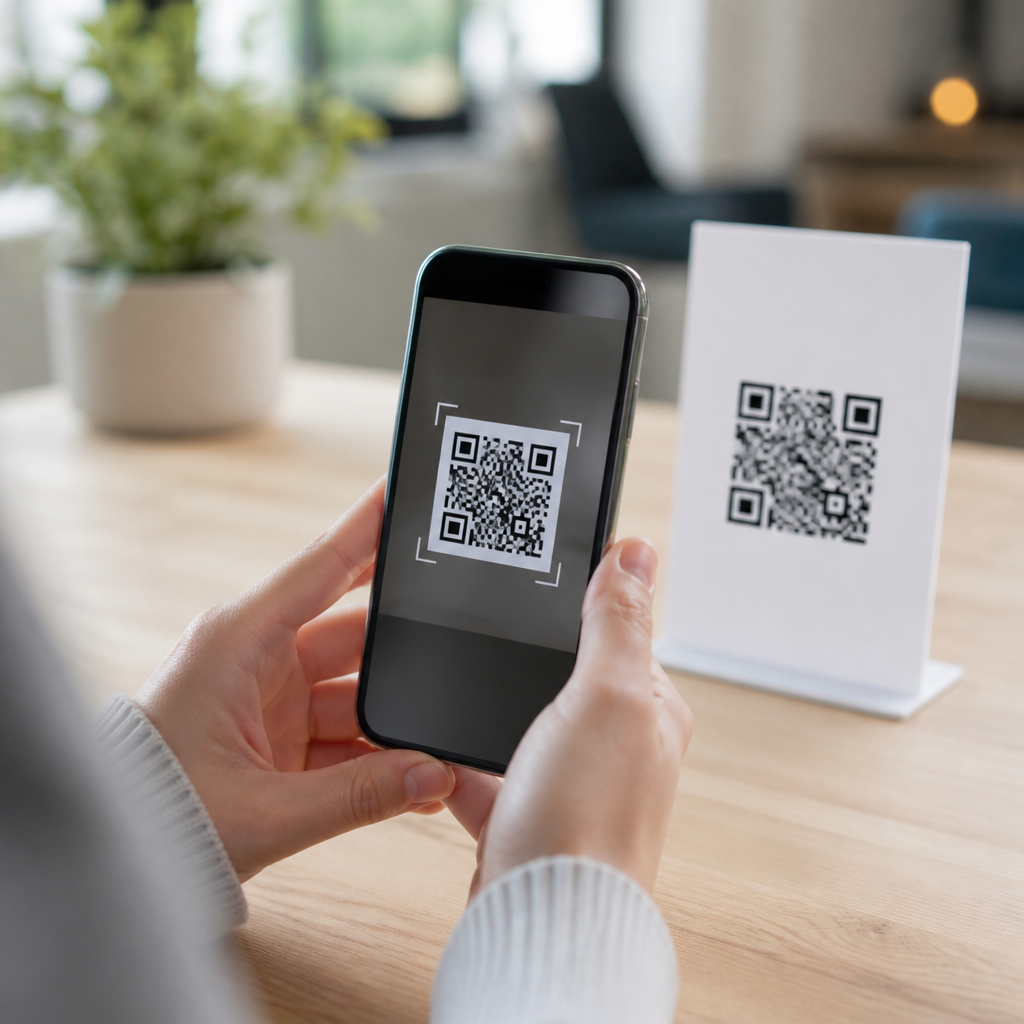
Mobile QR codes are the bridge between physical objects and digital actions, letting a phone camera turn a printed square into a website visit, payment, app download, contact card, or support page within seconds. QR stands for Quick Response, a two-dimensional barcode first developed by Denso Wave in 1994 for tracking automotive parts, but its modern importance comes from smartphones. When people ask what mobile QR codes are, they usually mean QR codes designed to be scanned by phone cameras and mobile apps. That mobile context matters because the code itself is only half the system; the landing page, app behavior, scan speed, screen size, and user intent all shape whether a QR experience works. In practice, I have seen the difference firsthand: the same printed code can drive strong conversions when it opens a fast, mobile-friendly page, and fail completely when it sends users to a desktop-heavy form. For businesses, educators, healthcare teams, restaurants, and event organizers, understanding mobile QR codes is now basic digital literacy. They reduce friction, connect offline audiences to online content, and give organizations a measurable way to move users from posters, packaging, menus, receipts, and signs into mobile experiences.
A mobile QR code stores machine-readable data in a square grid of black and white modules. A smartphone camera or scanning app interprets that pattern and triggers an action. The action might be opening a URL, composing an email, joining Wi-Fi, saving a vCard, launching a map location, or initiating a payment workflow. Static QR codes contain fixed data that cannot be changed after printing. Dynamic QR codes point to a short redirect URL managed by a platform, which means the destination can be updated later and scans can be tracked. That distinction is fundamental for beginners because it affects flexibility, analytics, and cost. A café printing table tents for seasonal specials usually benefits from dynamic codes; a museum labeling a permanent exhibit may be fine with static codes. Mobile QR codes matter because they shorten the path between curiosity and action. Instead of typing a long web address on a small screen, a user scans once and lands exactly where they need to go.
How Mobile QR Codes Work
At a technical level, a QR code encodes data both horizontally and vertically, which is why it can hold far more information than a traditional one-dimensional barcode. Standard QR codes include finder patterns in three corners so cameras can detect orientation quickly, alignment patterns that improve reading accuracy, timing patterns that help the scanner map the grid, and error correction data based on Reed-Solomon algorithms. Error correction is one reason QR codes remain readable even when partially smudged or covered. In field use, this is critical on shipping labels, storefront windows, and outdoor signs. Most phones now support native scanning through the default camera app on iPhone and Android devices, though some older models still rely on dedicated scanner apps or manufacturer-specific camera features. Once the camera identifies the code, the operating system presents a prompt so the user can open the encoded link or action.
For mobile use, the scanning moment must be fast and obvious. A code printed too small, placed under glare, or surrounded by visual clutter often fails before the user even reaches the destination page. I generally recommend testing from common distances rather than relying only on generator previews. For example, a code on product packaging should be readable at arm’s length in mixed lighting, while a code on a conference banner must work from several feet away. The destination also needs to match the mobile context. If someone scans from a subway ad, they expect a concise landing page, not a heavy desktop homepage. Good mobile QR code design is therefore a combination of technical encoding, physical placement, and mobile experience planning.
Types of Mobile QR Codes and Their Uses
Beginners often assume every QR code simply opens a webpage, but mobile QR codes support several common formats. URL QR codes are the most widely used because they send users to websites, forms, product pages, videos, and app store listings. vCard QR codes save contact details directly to a phone, which is useful for sales teams, real estate agents, and recruiters. Wi-Fi QR codes let users join a network without typing a password, a common setup in cafés, hotels, clinics, and offices. SMS and email QR codes prefill a message, reducing typing on small screens. Location QR codes open map coordinates, which helps with venues, parking instructions, and branch locations. Payment QR codes, increasingly common through regional wallets and banking apps, initiate a transaction using standards such as EMVCo specifications in some markets.
The choice depends on the user’s next step. A restaurant menu QR code should open instantly to a lightweight menu page, ideally cached and image-optimized. A utility company placing a QR code on a paper bill may send customers directly to a payment screen with account context already attached. An event organizer might place one code on posters for registration and another on badges for networking profiles. In each case, the code is not the goal; it is the trigger for a mobile task. This is why hub pages about mobile QR code basics should clarify use cases early. Once beginners understand that different QR code types support different actions, they can choose a format based on user intent rather than novelty.
Static vs Dynamic Mobile QR Codes
The most important comparison for beginners is static versus dynamic mobile QR codes because this decision affects maintenance, measurement, and campaign longevity.
| Feature | Static QR Code | Dynamic QR Code |
|---|---|---|
| Destination | Fixed after creation | Can be changed without reprinting |
| Analytics | Usually limited or none | Scan tracking by time, device, and location |
| Best for | Permanent content, low complexity | Campaigns, menus, packaging, promotions |
| Risk | Broken link requires replacement | Depends on platform reliability and subscription |
Static QR codes are simple and often free. If you are linking to a permanent PDF, public homepage, or durable informational page, they can be enough. Dynamic QR codes are better when destinations may change, when you need analytics, or when multiple print runs are expensive. I have used dynamic codes for retail packaging where product documentation changed after launch; updating the redirect preserved every package in circulation. The tradeoff is vendor dependency. If a dynamic QR service shuts down or a subscription lapses, scans can fail. For that reason, organizations should review redirect ownership, export options, uptime guarantees, and privacy policies before adopting a platform such as Bitly, QR Code Generator, Beaconstac, Uniqode, or Scanova.
Best Practices for Creating Mobile QR Codes
A good mobile QR code follows a few nonnegotiable rules. First, keep the encoded action simple and relevant. Users should know what happens after scanning, so pair the code with a clear call to action such as “View menu,” “Pay bill,” or “Download boarding pass.” Second, size the code appropriately. A common rule is a scanning distance ratio of roughly 10:1, meaning a code meant to be scanned from ten feet away should be about one foot wide, though real-world testing is still essential. Third, preserve contrast. Dark modules on a light background scan best. Brand styling is possible, but low contrast, excessive logo intrusion, or decorative shapes can reduce readability. Fourth, leave quiet space around the code so camera software can isolate it. Fifth, test on multiple phones, under different lighting conditions, and on both iOS and Android.
Destination design matters just as much as code design. The linked page should load quickly, use responsive layouts, present the core action above the fold, and avoid forcing unnecessary logins. Google’s PageSpeed Insights and Lighthouse are practical tools for checking mobile performance. If the scan occurs in a low-attention environment, such as transit, retail aisles, or event check-in, every extra second hurts completion rates. Security is another best practice. Because users cannot read a QR code visually, trust signals matter. Use recognizable domains, HTTPS, and copy that explains the purpose. Organizations should also monitor for QR code tampering in public spaces; criminals sometimes place sticker overlays that redirect users to phishing pages. Regular inspection and short, branded URLs reduce that risk.
Where Mobile QR Codes Deliver the Most Value
Mobile QR codes work best when they remove effort at a specific point of need. In restaurants, they reduced menu printing costs and enabled quick updates during pandemic-era restrictions, but their ongoing value is speed and flexibility, not novelty. In retail, codes on packaging can open setup guides, warranty registration, refill ordering, or product authenticity checks. In healthcare, patient intake forms, prescription education, and wayfinding can all be streamlined with properly secured mobile destinations. In education, campuses use them for attendance, lab instructions, library access, and event registration. Real estate agents place codes on signs to open property listings, video tours, and contact forms instantly. Manufacturers use them on equipment labels to connect technicians to manuals and maintenance logs on the factory floor.
For measurement, mobile QR codes create a valuable offline-to-online signal. Marketers can track scans by location, time, and campaign creative when using dynamic platforms with analytics and UTM parameters in Google Analytics 4. That does not make QR codes magical; scans are only meaningful if they lead to completed actions. A code on a poster that generates many scans but few sign-ups may indicate curiosity without relevance, or a weak landing page. The strongest programs treat QR codes as part of a full mobile journey: placement, promise, scan, page load, action, and follow-up. If you are building out mobile QR code basics, start by auditing those stages for one use case, then expand to others with the same disciplined approach.
Mobile QR codes are simple in concept but powerful in execution: a scannable square that turns printed surfaces into direct mobile actions. Beginners should remember four essentials. First, a QR code is only effective when the mobile destination is fast, relevant, and easy to use. Second, different code types serve different jobs, from websites and contacts to Wi-Fi access and payments. Third, static codes are best for fixed information, while dynamic codes add flexibility and analytics at the cost of platform dependence. Fourth, placement, sizing, contrast, testing, and security determine whether people can scan with confidence. When these basics are handled well, mobile QR codes reduce friction for users and create measurable results for organizations.
As a hub within mobile QR code basics, this topic gives you the foundation needed to explore setup, design, analytics, security, and industry-specific use cases in more detail. If you are implementing QR codes for the first time, choose one high-intent mobile task, build a clean landing page, test the code in real conditions, and measure what happens after the scan. That practical starting point will teach you more than any template. Use the fundamentals here to create QR experiences that are useful, trustworthy, and easy to scan.
Frequently Asked Questions
What are mobile QR codes, and how do they work on a smartphone?
Mobile QR codes are scannable two-dimensional barcodes designed to be read quickly by a phone camera. The term QR stands for Quick Response, and that name reflects their main purpose: helping users move from a physical surface to a digital action in seconds. A mobile QR code can contain a website URL, payment link, app download page, digital menu, contact card, Wi-Fi credentials, customer support page, event ticket, or many other types of data. When someone points their smartphone camera at the code, the device recognizes the square pattern, decodes the information inside it, and presents a prompt to open the linked content or complete an action.
What makes mobile QR codes especially useful is their convenience. Instead of typing a long web address, searching for a page manually, or entering contact details by hand, the user simply scans and taps. Modern smartphones have built-in QR recognition in the native camera app, so in most cases no special software is needed. This is one of the main reasons QR codes have become so widely used in retail, restaurants, payments, marketing, logistics, and customer service. They create a fast connection between printed materials and mobile-friendly digital experiences, which is why they are often described as a bridge between the physical and digital worlds.
What can a mobile QR code be used for?
Mobile QR codes are extremely versatile because they can trigger many different actions depending on the information encoded inside them. One of the most common uses is sending users to a website, landing page, product page, or support article. Businesses also use QR codes for mobile payments, letting customers scan a code and complete a transaction without swiping a card or handling cash. Another popular use is app downloads, where the code sends users directly to an app store listing. This is especially helpful in advertising, packaging, and in-store displays where a brand wants to reduce friction and increase conversions.
Beyond marketing and payments, QR codes are also practical tools for everyday operations. They can store digital contact information so users can instantly save a phone number or email address. They can connect a phone to a Wi-Fi network without requiring someone to type the password manually. Restaurants use them for menus, events use them for tickets and check-in, and service teams use them to direct customers to troubleshooting pages or setup guides. In short, if a business or organization wants to make a mobile action faster, easier, and more accurate, a QR code is often a smart solution.
Do users need a special app to scan mobile QR codes?
In most cases, no special app is required. Most modern smartphones include QR code scanning directly in the built-in camera application. On many iPhones and Android devices, a user simply opens the camera, points it at the QR code, and waits for a notification or link prompt to appear. Tapping that prompt opens the website, payment page, contact card, or other content connected to the code. Some phones also include QR scanning in quick settings, browser tools, or voice assistant features, making the process even easier.
That said, there are still situations where a separate app may be useful. Older devices may not support automatic QR scanning through the default camera, and some businesses use specialized scanner apps for inventory, analytics, or workflow automation. Even so, for the average consumer, scanning a mobile QR code is now a built-in smartphone function. This broad compatibility is a major reason mobile QR codes have become so effective. When people can scan without downloading anything extra, engagement tends to be higher and the experience feels more seamless.
Are mobile QR codes safe to use?
Mobile QR codes are generally safe, but users should approach them with the same level of caution they would use when clicking a link in an email or text message. A QR code itself is simply a container for information, and it does not automatically make a destination trustworthy. If the code leads to a legitimate business website, secure payment page, or verified support resource, it can be very safe and convenient. However, malicious actors can also create QR codes that point to phishing sites, fake login pages, or harmful downloads. That is why it is important for users to preview links when possible and only scan codes from trusted sources.
For businesses, safety comes down to transparency and best practices. Place QR codes in clear, official locations, use branded landing pages when possible, and make sure the destination is optimized for mobile and protected with HTTPS. It also helps to explain what the code does before someone scans it, such as “Scan to pay,” “Scan to view the menu,” or “Scan for setup instructions.” This reduces confusion and builds trust. In short, mobile QR codes are safe when used responsibly, but both users and organizations should treat them as entry points to digital content and apply the same security awareness they would use anywhere else online.
What makes a mobile QR code effective for businesses and marketing?
An effective mobile QR code does more than simply exist on a printed surface; it supports a clear user goal and leads to a smooth mobile experience. The best QR codes reduce friction. They let someone move from a package, poster, table tent, receipt, sign, or product label directly to a useful next step without typing or searching. That next step might be making a purchase, downloading an app, joining a loyalty program, reading product details, registering a warranty, or getting customer support. Because smartphones are always within reach, QR codes can capture interest in the moment and turn offline attention into measurable online action.
Design and placement also matter. A QR code should be easy to scan, large enough to read, and printed with strong contrast so phone cameras can recognize it quickly. It should appear in a logical place where users have time and motivation to scan. Just as important, the destination should be mobile-friendly, fast-loading, and directly relevant to the promise made next to the code. Businesses often get the best results when they pair the code with a short call to action and a clear benefit, such as “Scan to get 10% off” or “Scan to watch setup instructions.” When executed well, mobile QR codes can improve convenience, increase engagement, and create a direct path from physical marketing to digital conversion.





