
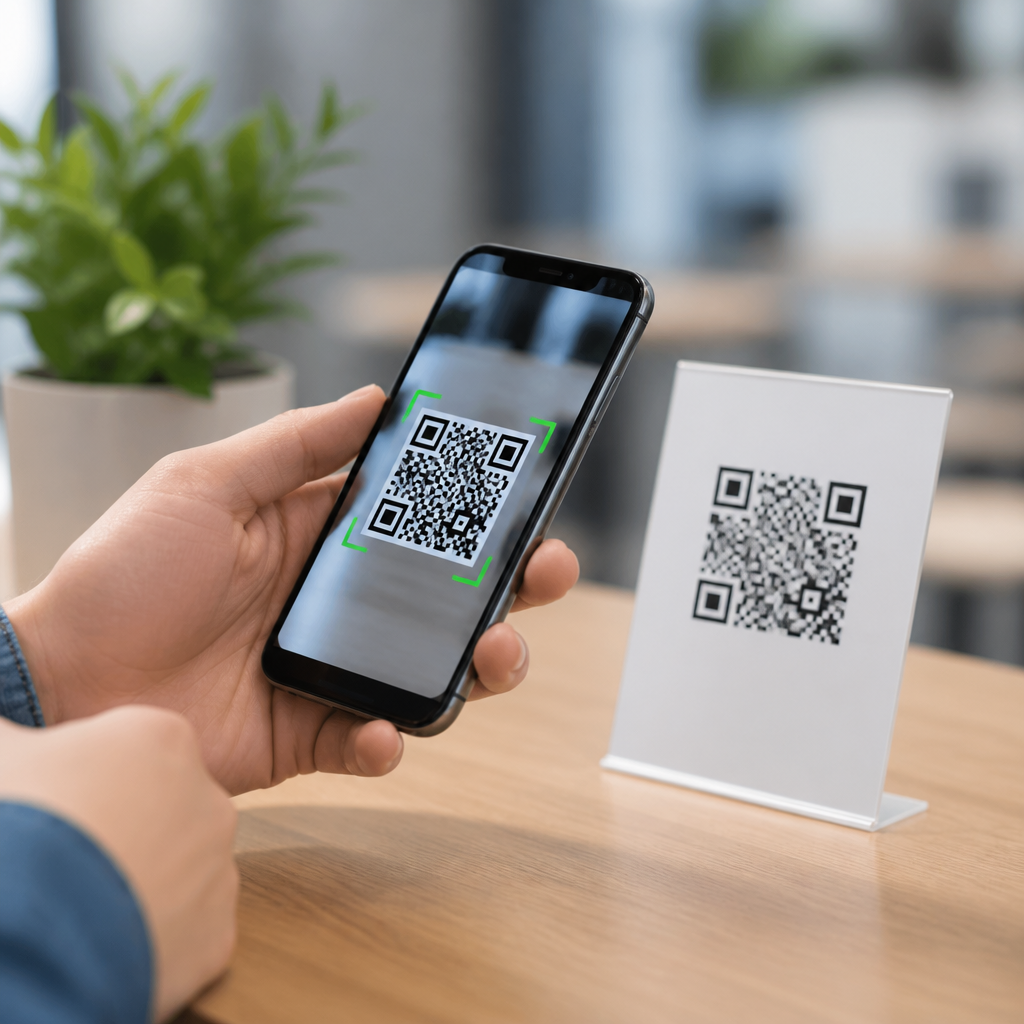
Mobile QR codes are scannable square barcodes designed to be read quickly by smartphone cameras, linking people from a physical object or screen to digital content in seconds. A QR code, short for Quick Response code, stores data in a two-dimensional matrix of black and white modules, unlike traditional one-dimensional barcodes that store information only across a single horizontal line. In mobile use, the code usually contains a website URL, app deep link, payment request, contact card, Wi-Fi credential, coupon, or tracking identifier that opens directly on a phone. I have deployed QR campaigns for retail stores, event check-ins, restaurant menus, and product packaging, and the same pattern always holds: the code works best when the destination is fast, mobile friendly, and clearly explained before the user scans.
Understanding mobile QR codes matters because they sit at the intersection of offline behavior and digital action. A poster can drive app downloads, a package insert can trigger setup instructions, and a countertop display can start a payment flow without requiring users to type a long address. That reduction in friction is the core value. For businesses, mobile QR codes create measurable engagement, because each scan can be tied to a source, time, device type, and campaign. For users, they simplify access. For site owners building a content hub around mobile QR code basics, this topic is foundational because every advanced subject, from dynamic redirects to scan analytics, depends on knowing what the code contains and how phones interpret it.
At a technical level, mobile QR codes combine encoded data, smartphone imaging, and software interpretation. The phone camera captures the symbol, the operating system or scanning app identifies the three position markers in the corners, corrects perspective distortion, reads the module pattern, and decodes the stored string. If that string is a URL, the phone prompts the user to open the destination in a browser or in the relevant app. Error correction, based on Reed-Solomon coding, allows the symbol to remain readable even when part of it is smudged or obscured. That is why branded QR codes can include a centered logo without immediately becoming unusable, although too much modification still breaks scannability.
What mobile QR codes are used for
Mobile QR codes are used anywhere a fast transition from physical context to phone action is useful. Common examples include restaurant menus, product information pages, mobile payments, event ticket validation, digital business cards, loyalty sign-ups, customer support flows, map directions, and app downloads. In practice, the strongest use cases remove a tedious step. A user standing in front of a product display should not need to type a product URL. A diner should not need to install a special app to view a menu. A conference attendee should not need to exchange business cards manually when a vCard QR code can save contact details instantly.
Different data types support different actions. A URL QR code sends users to a web page. A vCard code stores contact information. An SMS QR code opens a prefilled message. A mailto code opens email with the address already entered. A Wi-Fi QR code lets a phone join a network by reading the SSID, encryption type, and password. Payment QR codes can encode merchant details and transaction requests, often using standards such as EMVCo for interoperability. These formats are not theoretical categories. They determine what the phone does after scanning, which is why choosing the right type is more important than simply generating any code and placing it on a sign.
How mobile QR codes work on smartphones
Most modern smartphones can scan QR codes natively through the camera app. On iPhone, Apple added built-in QR recognition years ago, so the camera detects supported codes and shows a notification banner. On Android, behavior varies by manufacturer, but current versions commonly support QR scanning in the default camera or through Google Lens. When the camera identifies the code, software locates the finder patterns, aligns the symbol, applies error correction, and decodes the content. The user then sees a prompt to open the link or perform the encoded action. This process usually takes less than a second under good lighting.
The code itself does not contain magic behavior. It stores characters in a standardized structure. Smartphones interpret those characters according to the data format. For example, a plain text string just displays as text, while a properly formatted HTTPS URL triggers an open-link prompt. Because of this, mobile QR code performance depends on more than the image. Camera quality, focus speed, screen glare, print contrast, internet availability, and landing page speed all affect the experience. I have seen teams blame the code when the real problem was a slow destination page or a dark acrylic sign that reflected overhead lights and prevented accurate scanning.
Static vs dynamic mobile QR codes
One of the most important distinctions in mobile QR code basics is static versus dynamic codes. A static QR code contains the final destination directly, such as a fixed URL or contact record. Once printed, it cannot be changed. A dynamic QR code contains a short redirect URL managed through a QR platform. The printed code stays the same, but the destination behind it can be updated later. That makes dynamic codes useful for campaigns, packaging, menus, real estate signs, and any long-lived asset where links may change over time.
| Type | How it stores data | Main advantage | Main limitation | Best use case |
|---|---|---|---|---|
| Static QR code | Final content is encoded directly in the symbol | No redirect dependency | Cannot edit destination after printing | Permanent information like Wi-Fi access or fixed URLs |
| Dynamic QR code | Short URL points to managed redirect | Editable destination with scan tracking | Depends on platform uptime and redirect configuration | Marketing campaigns, packaging, posters, and analytics |
In my experience, dynamic mobile QR codes are the default choice for business use because they support analytics, A/B destination testing, geotargeting, and updates without reprinting materials. Platforms such as Bitly, QR Code Generator Pro, Beaconstac, Flowcode, and Uniqode commonly offer these features. However, static codes still have a place, especially for private network access or archival materials where permanence matters more than reporting. The tradeoff is simple: dynamic codes provide control and measurement, while static codes provide independence and simplicity.
Design, placement, and scanability best practices
A mobile QR code works only if people can notice it, trust it, and scan it easily. Size matters. A practical rule used in print production is a scanning distance ratio of roughly 10:1, meaning a code intended to be scanned from 10 inches away should be about 1 inch wide. Contrast matters too. Black on white remains the safest option because many decorative color combinations reduce detection accuracy. Quiet zone matters as well. The blank margin around the code should remain unobstructed, typically four modules wide, so scanners can distinguish the symbol from surrounding graphics.
Placement should match user intent. A checkout counter code should sit where the phone naturally points during payment. A poster code should not be placed so high that users must stretch awkwardly. On product packaging, avoid folds, seams, curved corners, and glossy areas that create glare. Include a call to action that tells users what happens after scanning, such as “Scan to view setup guide” or “Scan for mobile coupon.” That line increases trust and scan rate because people do not like unexplained links. Test codes on multiple devices, under different lighting conditions, and over both cellular and Wi-Fi connections before publishing at scale.
Security, privacy, and measurement
Mobile QR codes are convenient, but they also create security and privacy considerations. Because users cannot inspect a destination visually before scanning in the same way they can hover over a desktop link, malicious actors sometimes use QR phishing, often called quishing, to hide harmful URLs on stickers, parking meters, or emails. The safest practice is to use recognizable domains, HTTPS links, and clear brand cues near the code. For organizations, mobile device management policies, secure browsing filters, and user training reduce risk. For publishers, transparent labeling and consistent branded redirect domains build confidence and lower abandonment.
Measurement is one reason mobile QR codes have become central to omnichannel marketing. Dynamic platforms can report total scans, unique scans, approximate location by IP, operating system, time of day, and conversion events on the landing page when integrated with analytics tools. UTM parameters let teams attribute traffic in Google Analytics 4. Short redirect links can also support campaign segmentation by store, package version, or print run. Metrics must be interpreted carefully, though. A scan is interest, not necessarily success. Real performance comes from linking scan data to downstream outcomes such as purchases, bookings, sign-ups, or support deflection.
Why this topic anchors mobile QR code basics
What are mobile QR codes and how do they work is the hub question because it connects every other subject in this category. If readers understand code types, phone behavior, scanability, and security, they are prepared for deeper topics such as how to create a QR code, how dynamic redirects work, how to track scan analytics, how to design QR landing pages, and how to troubleshoot failed scans. In content architecture terms, this page supports those related articles by establishing common language and answering the broad intent behind mobile QR code basics.
Mobile QR codes are simple for users but strategically powerful for businesses because they remove friction between interest and action. The best results come from using the right data type, choosing static or dynamic structure intentionally, designing for reliable scans, and sending people to fast mobile destinations they immediately understand. Start by auditing one customer touchpoint where typing a link is still required, replace that step with a well-tested QR code, and measure what changes.
Frequently Asked Questions
What is a mobile QR code?
A mobile QR code is a square, scannable barcode created to be read quickly by a smartphone camera. QR stands for “Quick Response,” and the name reflects its main purpose: giving people instant access to digital content with very little effort. Instead of typing a long website address, downloading a file manually, or searching for information, a user can simply point their phone at the code and open the linked content in seconds.
Unlike traditional one-dimensional barcodes, which store data across a single horizontal line, a QR code stores information in a two-dimensional grid made up of black and white squares called modules. This design allows it to hold far more information than a standard barcode. In mobile settings, that information often includes a website URL, app deep link, payment request, digital business card, Wi-Fi login details, event information, or a prompt to send a text message or email.
What makes a QR code “mobile” is not a different code format, but how it is commonly used. Mobile QR codes are typically placed on packaging, posters, menus, receipts, product labels, signs, business cards, or digital screens so smartphone users can scan them on the spot. The result is a fast bridge between the physical world and digital experiences, making QR codes a practical tool for marketing, payments, customer support, check-ins, and information sharing.
How do mobile QR codes work on a smartphone?
Mobile QR codes work by encoding data into a visual pattern that a smartphone camera can recognize and decode. When someone opens their phone’s camera app or a QR scanning app and points it at the code, the phone detects the square shape, reads the arrangement of black and white modules, and translates that pattern back into usable data. If the encoded data is a website link, the phone typically displays a prompt allowing the user to tap and open the page in their browser.
The process happens very quickly because modern smartphones use built-in image recognition and software decoding tools. The camera captures the image, the operating system identifies that it is a QR code, and the software extracts the embedded information. Depending on what the code contains, the next step might be opening a webpage, launching an app, saving contact information, connecting to Wi-Fi, starting a payment flow, or showing a map location.
QR codes are also designed with error correction, which means they can often still be scanned even if part of the code is dirty, scratched, or slightly damaged. This makes them reliable for real-world mobile use on printed materials and public displays. For best performance, the code should be clear, high contrast, and large enough for the phone camera to focus on easily. Good lighting and a stable hand also improve scan speed.
What kind of information can a mobile QR code store?
Mobile QR codes can store a wide range of information, which is one reason they are so useful across industries. The most common use is storing a URL that sends users to a website, landing page, video, product listing, restaurant menu, or online form. This is especially valuable in mobile marketing because it removes friction and lets people move from offline interest to online action immediately.
Beyond website links, a QR code can also contain app deep links that open a specific screen inside a mobile app, digital contact details in vCard format, email addresses, phone numbers, SMS prompts, calendar event data, geographic coordinates, or Wi-Fi network credentials. In commercial and service environments, QR codes may also be used for digital payments, authentication, ticketing, loyalty programs, product registration, and customer support flows.
The amount and type of data that can be stored depends on the code’s format and how dense the pattern becomes. In many cases, especially for mobile experiences, the best practice is to keep the encoded data simple and action-oriented. For example, instead of storing a large block of text, businesses often use a short URL that leads to a mobile-optimized page. This improves scan reliability and creates a better user experience, especially on smaller screens and in fast-moving environments.
Are mobile QR codes safe to use?
Mobile QR codes are generally safe, but users should treat them with the same caution they would use when clicking any unknown link. A QR code itself is simply a method of storing data, and most are harmless and legitimate. Businesses, schools, restaurants, and service providers use them every day for helpful tasks such as sharing menus, opening websites, processing payments, or connecting customers to support resources.
The main risk comes from where the code leads. A malicious QR code can direct someone to a fake website, phishing page, fraudulent payment screen, or harmful download. Because users cannot always see the destination before scanning, it is important to pay attention to the preview prompt that many smartphones display before opening the link. If the URL looks suspicious, misspelled, unrelated to the brand, or uses an unfamiliar domain, it is best not to proceed.
To stay safe, users should scan codes only from trusted sources, inspect printed codes for tampering or stickers placed over the original, and avoid entering sensitive information unless they are sure the destination is legitimate. Businesses can improve trust by placing QR codes in secure, branded contexts and using clear calls to action that explain exactly where the code leads. When used responsibly, mobile QR codes are a convenient and secure way to connect users to digital content quickly.
Why are mobile QR codes so popular for businesses and marketing?
Mobile QR codes have become popular because they make customer interactions faster, easier, and more measurable. From a business perspective, they reduce friction by letting people move directly from a physical product, print ad, storefront sign, package, or event display to a digital action on their phones. Instead of asking someone to type a URL, search for a brand online, or download materials later, a QR code creates an immediate path to engagement.
That convenience supports a wide range of business goals. Marketers use QR codes to drive traffic to campaign landing pages, collect leads, distribute coupons, promote app downloads, share videos, and connect print materials with trackable digital experiences. Retailers use them on packaging for product details, reviews, instructions, and reordering. Restaurants use them for menus and ordering. Service providers use them for appointment booking, payments, and customer support. The same basic technology works across many industries because it is simple for users and flexible for organizations.
Another major advantage is data and performance tracking. When businesses use properly configured QR campaigns, they can measure scans, locations, devices, and conversions, helping them understand what content performs best and where customers are engaging. Combined with mobile-friendly landing pages and clear calls to action, QR codes can significantly improve response rates. Their popularity comes down to one core benefit: they connect offline attention to online action in a way that is fast, familiar, and efficient.





