
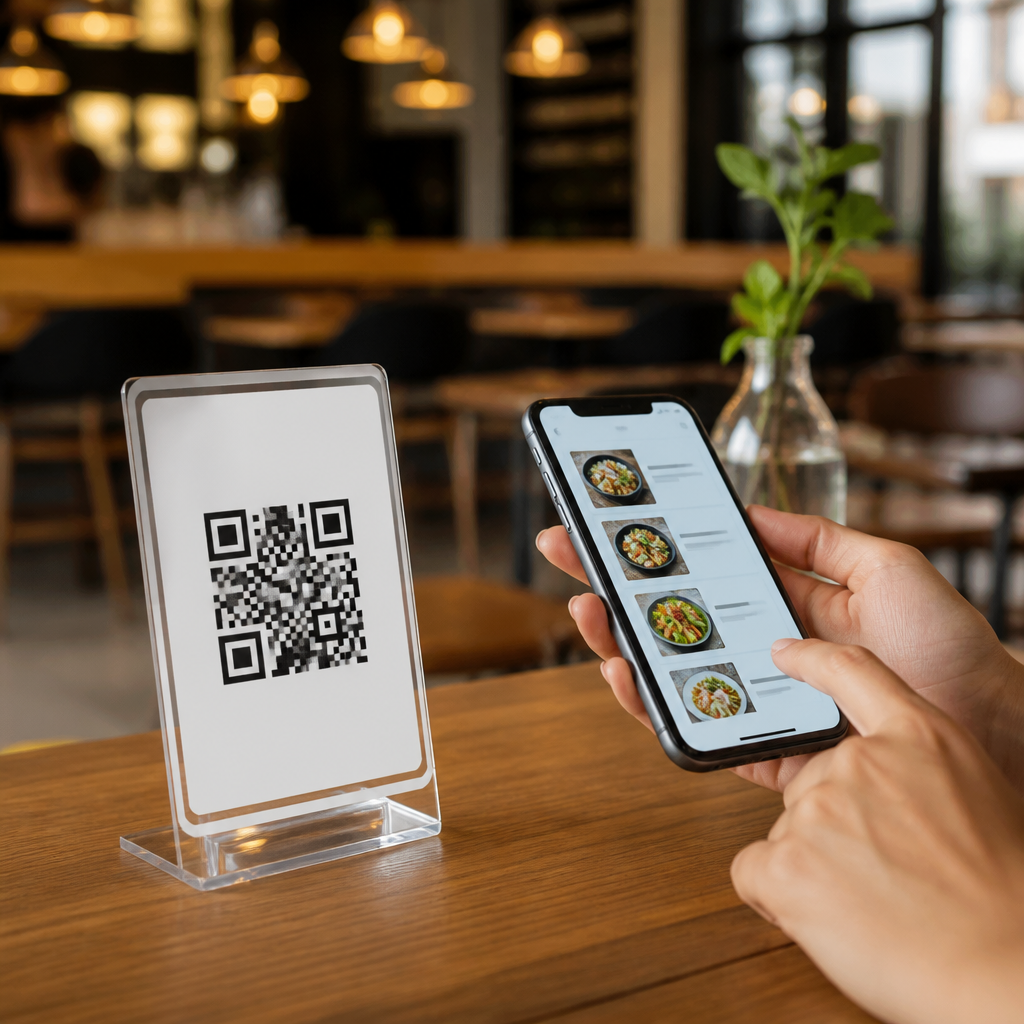
Menu QR codes for restaurants and cafes have moved from a pandemic-era workaround to a permanent part of modern hospitality, because they solve three operational problems at once: they reduce printing costs, speed up menu updates, and create a direct mobile touchpoint with guests. A menu QR code is a scannable code that opens a digital menu on a smartphone, usually through a web page, PDF, app clip, or ordering interface. Under the broader topic of mobile QR code basics, this subject matters because restaurants do not use just one kind of code. They rely on several types of mobile QR codes, each with different strengths for dine-in service, takeaway, loyalty, reviews, payments, and promotions. I have helped hospitality teams deploy these systems across single cafés and multi-location restaurant groups, and the same lesson appears every time: the code itself is simple, but the strategy behind choosing the right type determines whether guests actually scan, order, and return.
For a hub article, the most useful approach is to define the main categories clearly. Static QR codes point to fixed content and cannot be edited after printing. Dynamic QR codes use a short redirect URL, so the destination can be changed later, scans can be tracked, and campaigns can be segmented by table, location, or placement. From there, restaurants choose destination formats such as website menus, PDF menus, contactless ordering pages, payment links, app download pages, Wi-Fi access, coupon landing pages, map links, or digital business cards. Understanding these types of mobile QR codes helps operators avoid expensive reprints, broken customer journeys, and poor analytics. It also helps them build a menu system that supports service, marketing, and guest convenience at the same time.
What menu QR codes are and how they work in real service
A menu QR code is most effective when it removes friction within three seconds of scanning. The guest opens a phone camera, taps the link, and lands on a mobile-friendly page that loads quickly, shows the current menu, and makes the next action obvious. That action may be browsing dishes, filtering allergens, switching language, placing an order, joining a loyalty list, or paying the bill. In practice, success depends less on the graphic pattern and more on what sits behind it: responsive design, lightweight assets, clear navigation, and a stable network path.
In restaurants and cafes, I usually see four deployment points. First, table tents or stickers for dine-in browsing. Second, storefront signage for passersby to view the menu before entering. Third, takeaway packaging that leads to reorders, reviews, or loyalty enrollment. Fourth, receipts that direct guests to payment, feedback, or future offers. The code type should match the context. A code on a laminated tabletop often needs dynamic editing because prices, seasonal items, and operating hours change. A code on disposable coffee cups may support a campaign, making scan tracking and expiration especially valuable.
Types of mobile QR codes restaurants and cafes use
The phrase types of mobile QR codes can describe either how the code is managed or what the code opens. Restaurant teams need both views. From a management standpoint, static and dynamic are the primary types. Static codes are acceptable for permanent content such as a public Instagram profile or a fixed Wi-Fi password, but they are risky for menus because any URL change breaks the experience. Dynamic codes are the standard choice for serious hospitality use because they allow destination edits without reprinting and can capture scan data such as time, device, and location trends.
From a destination standpoint, the major menu-related types include website QR codes, PDF QR codes, digital ordering QR codes, payment QR codes, coupon QR codes, app store QR codes, map QR codes, review QR codes, Wi-Fi QR codes, and vCard or contact QR codes for events and catering. Website menu codes are usually best because they adapt to screen size and can support structured navigation, search visibility, and analytics. PDF menu codes are quick to launch but often perform poorly on mobile if the file is large or designed like a print menu. Ordering QR codes connect to platforms such as Toast, Square, Clover, SpotOn, or custom web ordering systems. Payment QR codes can lead to Stripe, PayPal, Venmo, or bank-supported payment pages, depending on region and customer expectations.
| QR code type | Best restaurant use | Main advantage | Main limitation |
|---|---|---|---|
| Dynamic website menu | Dine-in and takeaway menus | Editable, trackable, mobile-friendly | Requires a maintained landing page |
| PDF menu | Fast launch for simple menus | Easy to publish from existing files | Slow loading and weak mobile usability |
| Ordering page | Table service, pickup, delivery | Direct revenue action after scan | Platform fees or integration complexity |
| Payment QR | Quick bill settlement | Faster checkout and turnover | Guest trust depends on clear branding |
| Review or loyalty QR | Receipts and packaging | Supports retention and reputation | Too early an ask can reduce response |
Choosing between static and dynamic menu QR codes
If a restaurant asks me which type to start with, the answer is almost always dynamic. Menus change constantly: ingredients run out, brunch hours shift, taxes or service charges are clarified, and promotions rotate. Dynamic codes absorb those changes without forcing new print runs. They also support governance. A multi-unit operator can map one code per table, one per zone, or one per store and compare scan rates. That matters when testing whether a patio sign outperforms a counter card or whether breakfast traffic engages with mobile ordering more than lunch traffic.
Static codes still have a place. A small café with a very stable single-page menu and no need for analytics can print a static website URL into a QR code and keep setup simple. The tradeoff is rigidity. If the site structure changes, every printed code becomes obsolete. Static codes also expose the final URL directly, which is fine for transparency but offers no redirect control. Dynamic systems typically rely on a QR platform such as QR Code Generator, Bitly, Beaconstac, Flowcode, Uniqode, or a restaurant platform’s built-in code manager. The best choice depends on scan volume, branding options, data retention, and compliance requirements.
Best destination formats for digital menus
The strongest destination for a menu QR code is a fast mobile web page built specifically for restaurant browsing. It should load over ordinary cellular data in a few seconds, present categories clearly, and keep text readable without pinch-zooming. I recommend HTML menu pages over PDFs whenever possible because they are easier to update, easier for search engines to understand, and better for accessibility tools such as screen readers. They also make item-level linking possible, which helps when promoting a seasonal drink, prix fixe menu, or allergen-safe category.
PDF menus are common because operators already have them, but they often create avoidable friction. Files exported from design tools can exceed several megabytes, slowing load times on weak connections. Text embedded in graphics cannot reflow for smaller screens. Prices and ingredients may be difficult to update quickly. If a PDF must be used, compress it, label it clearly, and offer a link to an HTML alternative. Ordering destinations need even tighter execution. Guests should be able to add items, modify choices, and check out without unnecessary account creation. Platforms like Toast and Square generally handle this well, but configuration still matters. Modifier groups, tax display, sold-out item sync, and pickup timing must be accurate or the convenience of scanning disappears.
Design, placement, and performance factors that increase scans
Restaurants often assume that if a QR code is printed, guests will use it. In reality, scan rate depends on placement, size, contrast, and surrounding copy. A code should be large enough to scan comfortably from the expected distance; around 1.2 inches is a workable minimum for close table use, but larger is better for windows and counter signs. High contrast, quiet zones, and matte surfaces improve reliability. So does concise instruction such as “Scan to view menu” or “Scan to order and pay.” Vague prompts lower engagement.
Brand trust matters too. Guests hesitate when a code looks generic or leads to an unfamiliar domain. Use a branded short URL or a recognizable restaurant domain, and keep the landing page visually consistent with the venue. Test on both iPhone and Android with native camera apps, older devices, and low-signal conditions. According to industry studies from mobile UX and commerce providers, even small delays can reduce conversion sharply, so image compression, caching, and clean scripts matter. Accessibility is equally important. Offer a printed menu on request, ensure sufficient color contrast, and avoid tiny tap targets. A menu QR code should expand access, not create a barrier for older guests or anyone with limited connectivity.
Using menu QR codes beyond menus: loyalty, reviews, payments, and events
The most valuable menu QR code programs do more than display dishes. They create a connected mobile journey across the guest lifecycle. After the meal, the same table code or receipt code can direct to a payment flow, a feedback form, or a review request. On takeaway bags, a reorder QR code can land on a shortened version of the ordering menu with favorite items preselected by context. Cafes often add loyalty sign-up codes near pickup shelves, while restaurants with private dining programs use event menu QR codes that open banquet packages, wine pairings, or contact details for catering managers.
This is where the broader hub topic of types of mobile QR codes becomes especially useful. A single restaurant may use one dynamic website menu code for each table, a payment QR code for split-bill checkout, a map QR code on hotel concierge cards, a coupon QR code for neighborhood mailers, and a review QR code on receipts. Each serves a different intent, and combining them thoughtfully produces better operational results than forcing one code to do everything. Track scan-to-action rates, retire underperforming placements, and document ownership so staff know who updates destinations when menus change.
Menu QR codes for restaurants and cafes work best when operators treat them as part of service design, not just as a printed asset. Choose the right mobile QR code type for the job, favor dynamic management for anything that may change, and send guests to fast, mobile-first destinations instead of heavy PDFs whenever possible. Place codes where intent is highest, write clear prompts, and test the full journey from scan to order, payment, or review. The benefit is practical and measurable: fewer reprints, faster updates, better guest convenience, and more visibility into what customers actually do on their phones. If you are building out your mobile QR code basics strategy, start by auditing every guest touchpoint, matching each one to the correct QR code type, and upgrading your menu experience first.
Frequently Asked Questions
What is a menu QR code, and how does it work in a restaurant or cafe?
A menu QR code is a scannable code that sends guests directly to a digital menu on their smartphone. In restaurants and cafes, the code is usually placed on tables, counter displays, receipts, windows, packaging, or promotional materials. When a customer opens their phone camera and scans the code, it launches a web page, PDF, mobile menu, app clip, or online ordering interface, depending on how the business has set it up.
In practical terms, menu QR codes simplify the guest journey. Instead of waiting for a printed menu or handling a worn paper version, diners can access current menu items, descriptions, prices, modifiers, specials, and even allergen information instantly. For operators, this creates a more flexible system because menu changes can often be made in one place without reprinting materials. That means if a cafe runs out of a pastry, changes seasonal drinks, or updates lunch pricing, the digital menu can be adjusted far faster than traditional print.
Menu QR codes have also become a long-term hospitality tool because they solve several operational challenges at once. They help reduce recurring printing costs, make menu updates much faster, and create a direct mobile touchpoint with guests. That mobile connection can support more than menu viewing alone. It can also lead into online ordering, loyalty sign-ups, email capture, promotions, customer feedback, and repeat visits, which is why menu QR codes are now viewed as part of a broader digital guest experience rather than just a temporary convenience.
Why are menu QR codes considered a permanent solution rather than a temporary trend?
Menu QR codes first became widespread during a period when contactless service mattered most, but their staying power comes from operational value, not novelty. Restaurants and cafes discovered that QR-based menus are useful because they improve speed, flexibility, and cost control. Once operators saw that they could update a menu in minutes instead of waiting for a reprint, many realized the system solved an everyday business problem that existed long before any temporary health concerns.
One major reason they remain relevant is cost efficiency. Printing and reprinting menus adds up, especially for businesses with multiple locations, frequent price changes, limited-time offers, wine lists, or seasonal items. A digital menu connected to a QR code allows businesses to make those changes centrally and publish them immediately. That reduces waste, keeps information accurate, and helps prevent guest frustration caused by outdated pricing or unavailable items.
Another reason is customer behavior. Guests are already comfortable using smartphones for browsing, payments, navigation, reservations, and ordering. A menu QR code fits naturally into that behavior. It gives diners quick access to information on a device they already have in hand. For many restaurants and cafes, the QR menu has also become a bridge to more advanced functions such as order-ahead service, table ordering, multilingual menus, accessibility features, loyalty programs, and targeted promotions. Those added benefits make menu QR codes a practical part of modern hospitality operations, not just a short-term trend.
What are the main benefits of using menu QR codes for restaurants and cafes?
The biggest benefits usually fall into three categories: lower operating costs, faster menu management, and stronger digital engagement with guests. First, menu QR codes reduce the need to print new menus every time prices, ingredients, or offerings change. That matters for restaurants with rotating specials and for cafes that adjust availability throughout the day. Over time, reducing print runs can save meaningful money and minimize waste.
Second, QR codes make menu updates much more efficient. A manager can often update one digital menu and have changes reflected immediately across every table, counter card, and location using that same destination. This is especially useful for limited inventory items, happy hour changes, sold-out products, seasonal promotions, and regulatory disclosures such as allergen or nutrition details. Accuracy improves because staff are no longer relying on old printed materials that may still be in circulation.
Third, menu QR codes create a direct mobile touchpoint with customers. That is an important strategic advantage. Once a guest lands on a mobile menu, the restaurant or cafe can guide them toward online ordering, upsell suggestions, newsletter signups, loyalty rewards, gift cards, social channels, or review requests. In other words, the QR code is not just a link to a menu; it can become an entry point into the entire customer relationship. When implemented well, it supports both immediate convenience and long-term retention.
Are menu QR codes better than printed menus, or should restaurants use both?
For most restaurants and cafes, the best approach is not choosing one or the other exclusively, but using both strategically. Menu QR codes offer clear advantages in flexibility, speed, and digital functionality, while printed menus still serve important accessibility, comfort, and brand experience roles. A hybrid model often gives operators the greatest benefit because it supports different customer preferences without compromising efficiency.
QR menus are especially strong when frequent updates are needed. They work well for dynamic pricing, daily specials, sold-out items, multilingual access, and direct links to ordering systems. They can also provide more information than a printed menu comfortably allows, such as ingredient details, allergen notes, photos, pairings, or add-on recommendations. This makes them useful for improving clarity and increasing average order value.
At the same time, printed menus should not be dismissed. Some guests prefer a physical menu for ease of reading, screen-free browsing, or simple familiarity. Others may have limited phone battery, weak connectivity, difficulty scanning, or accessibility needs that make a printed option more practical. Offering both can improve hospitality because it gives guests choice. In many cases, the strongest setup is a concise printed menu paired with a QR code that opens a fuller digital menu, ordering options, or live updates. That combination balances guest comfort with operational efficiency.
What are the best practices for creating effective menu QR codes for restaurants and cafes?
An effective menu QR code should be easy to scan, easy to understand, and connected to a mobile-friendly experience. The first priority is destination quality. If the QR code opens a cluttered PDF that is slow to load or difficult to read on a phone, the guest experience suffers immediately. A responsive mobile web menu is usually the best option because it loads quickly, adapts to different screen sizes, and can present categories, pricing, images, and modifiers more clearly than a static document.
Placement and design also matter. The code should appear where guests naturally look for menu access, such as table tents, countertop signs, check presenters, takeout packaging, or front-door signage. It should be printed at a size that scans easily, with enough contrast and surrounding white space to improve readability. Just as important, include a short call to action like “Scan to view menu” or “Scan to order” so customers know exactly what to expect. Clear instructions increase scan rates, especially among guests who may not use QR codes often.
From an operational standpoint, businesses should use dynamic QR codes when possible, because they allow the destination link to be changed without replacing the printed code itself. That gives restaurants and cafes much more flexibility over time. It is also wise to test codes across multiple phone types, browsers, and lighting conditions before deploying them widely. Finally, think beyond the menu alone. A strong QR experience can include accessibility options, translations, promotions, loyalty enrollment, and analytics that show engagement patterns. When the code connects to a fast, useful, guest-friendly mobile experience, it becomes far more than a technical feature; it becomes a practical service tool and a measurable marketing asset.





