
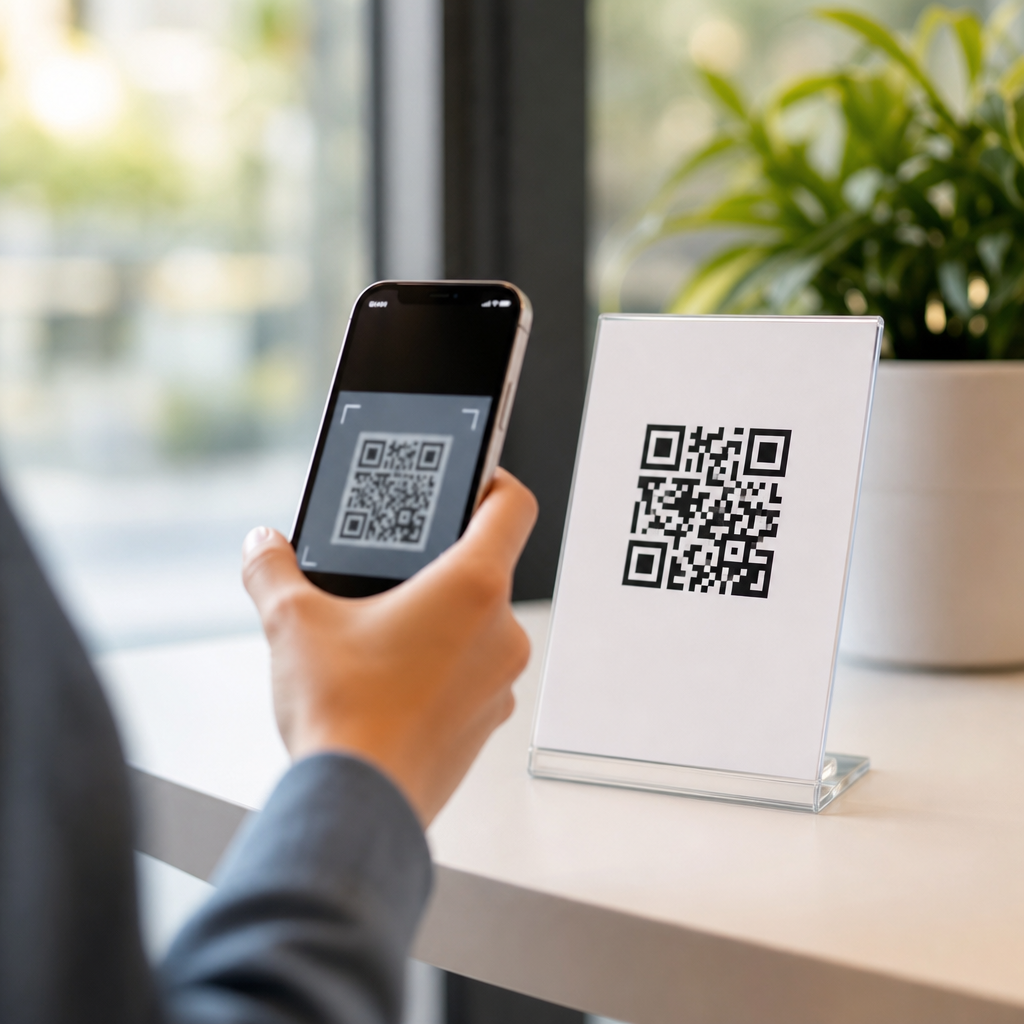
App download QR codes bridge the gap between offline attention and mobile installation by sending a smartphone user directly to an app store page with a single scan. In practice, they are one of the most effective types of mobile QR codes because they remove manual search, reduce spelling errors, and shorten the path from interest to install. I have used them in retail packaging, event signage, direct mail, and app launch campaigns, and the same pattern appears every time: fewer steps produce more conversions. For brands building mobile adoption, that efficiency matters.
An app download QR code is a scannable code that routes a user to the correct destination for downloading an application, usually the Apple App Store or Google Play. More advanced versions detect device type and redirect automatically, while simpler versions point to one store listing or a landing page with store buttons. This category sits within broader mobile QR code usage, which also includes SMS QR codes, phone call QR codes, mobile website QR codes, mobile payment QR codes, and deep link QR codes. Understanding the differences is essential because each code type supports a different user intent.
This subtopic matters because mobile campaigns often fail at the handoff point. A poster can generate interest, a product box can create curiosity, and a TV ad can drive awareness, but if the next step is “search our app,” response rates drop. QR codes solve that friction only when the code type matches the task. App download QR codes are designed for acquisition, not support, payments, or content browsing. Used correctly, they improve attribution, preserve campaign momentum, and create a measurable path from physical media to mobile action.
What app download QR codes do and how they work
App download QR codes encode a URL that opens an app store destination or a routing service. When scanned, the smartphone camera or QR reader reads the encoded data and launches the browser or store app. The best implementations use device detection, so an iPhone user reaches the App Store while an Android user lands on Google Play. In campaigns I have managed, this routing layer consistently outperformed generic landing pages because it removed one more decision from the process.
There are two main technical approaches. A static app download QR code contains one fixed destination, such as a direct Apple App Store link. A dynamic app download QR code points to a short redirect URL controlled in a dashboard, allowing marketers to change the destination later, measure scans by time and geography, and add campaign parameters. Dynamic codes are generally better for ongoing distribution because app listings, attribution links, and regional routing rules change. Static codes are acceptable when the destination will never change and analytics are unnecessary.
Store routing can also be layered with deferred deep linking. If the app is already installed, a user can be sent into a specific screen instead of the store. If the app is not installed, the user goes to the store first and then, in some setups, returns to a targeted onboarding flow after installation. Tools such as Branch, AppsFlyer, Adjust, and Firebase Dynamic Links have historically supported versions of this logic, though capabilities and product availability change. The core principle remains stable: reduce friction, preserve context, and measure outcomes accurately.
Where app download QR codes fit among types of mobile QR codes
App download QR codes are the acquisition-focused branch of mobile QR codes. They differ from other types because the primary goal is installation. A mobile website QR code opens a browser page. An SMS QR code drafts a text message. A phone QR code initiates a call. An email QR code opens a mail composer. A payment QR code launches a transaction experience. A deep link QR code opens a specific in-app destination for existing users. These categories can look identical visually, but they produce very different actions after the scan.
Choosing the wrong type is a common operational mistake. A business that wants app installs but uses a homepage QR code forces users to locate the app manually. A brand that wants repeat purchasers to reorder inside the app but uses an app store QR code misses a valuable shortcut for installed users. The correct decision starts with intent. Ask one direct question: what should happen immediately after the scan? If the answer is “download the app,” the app download QR code is the right hub category to start with.
| Mobile QR code type | Primary action after scan | Best use case | Main limitation |
|---|---|---|---|
| App download QR code | Open app store or smart app banner destination | User acquisition from offline media | Less useful for users who already installed the app |
| Deep link QR code | Open a specific in-app screen | Retention, reorders, loyalty actions | Requires app installation for best experience |
| Mobile website QR code | Open a mobile web page | Broad access without requiring an app | Extra steps if the final goal is install |
| SMS or phone QR code | Draft text or start call | Lead capture and support | Not designed for app attribution |
| Payment QR code | Launch payment flow | Checkout, donations, peer payments | Not appropriate for app promotion unless payment app adoption is the goal |
Static versus dynamic app download QR codes
Static versus dynamic is the most important distinction within this hub topic because it affects flexibility, analytics, and lifecycle management. A static QR code is permanently tied to one URL after creation. It is inexpensive, fast to deploy, and suitable for one-off uses such as a temporary flyer promoting a single app listing. However, if the URL changes, the printed code fails unless every asset is reprinted. That risk becomes expensive when codes appear on packaging, billboards, trade show booths, or retail displays.
Dynamic QR codes solve that problem by separating the visible code from the final destination. You can update the destination, split traffic, add UTM parameters, set platform redirects, or pause a campaign without changing the printed symbol. In my experience, this is the default choice for any campaign with scale or longevity. Dynamic codes also support governance: teams can review scan volume, detect underperforming locations, and compare install intent across channels. The tradeoff is dependency on a QR platform provider and, often, an ongoing subscription.
Security and trust deserve attention here. Dynamic QR codes introduce an intermediary redirect, so the provider’s uptime, domain reputation, and privacy controls matter. Reputable platforms offer HTTPS links, custom domains, access controls, and scan analytics that avoid collecting unnecessary personal data. For regulated industries, review retention settings and vendor documentation before deployment. Static codes have fewer moving parts, but they still depend on the destination URL remaining valid. Reliability is not only a technical feature; it directly affects conversion rate and brand trust.
Platform-specific, multi-store, and smart app QR code formats
Not every app download QR code is built the same way. The simplest format is platform-specific: one code for iPhone users and another for Android users. This approach can work in controlled settings, such as an onboarding card inside a device-specific package, but it creates avoidable confusion in mixed audiences. Most public campaigns perform better with a multi-store QR code that detects the operating system and sends each user to the correct store listing automatically.
A more advanced format is the smart app QR code. Instead of routing only by operating system, it can consider geography, language, installed app status, and campaign source. For example, a travel brand can send U.S. iPhone users to the U.S. App Store, German Android users to Google Play Germany, and desktop users to a page where they can email the install link to themselves. This matters because app listings often vary by country, and many campaigns attract scans from nonmobile devices through shared photos or desktop cameras.
There is also a strategic difference between app store links and mobile landing pages. Direct store links minimize friction and usually maximize installs when brand awareness is already established. A landing page can outperform direct links when the app needs explanation, social proof, screenshots, or compliance messaging before installation. I typically recommend direct store routing for known brands and transactional contexts, such as in-store signage, while newer products often benefit from a lightweight landing page that explains the app’s value in under ten seconds.
Best practices for design, placement, measurement, and user experience
The highest-performing app download QR codes are easy to scan, easy to trust, and placed where motivation is strongest. Use strong contrast, keep the quiet zone intact, and avoid overly stylized designs that compromise error correction. As a field rule, a code should be large enough for the expected scanning distance; many printers use the 10-to-1 guideline, meaning a code viewed from ten feet should be roughly one foot tall. Test across iPhone and Android devices before production, especially on glossy materials and curved packaging.
Placement matters as much as code quality. Put the code near a clear call to action, such as “Download the app for faster checkout” or “Scan to install and claim your reward.” Context lifts conversion. In grocery, I have seen shelf talkers work better when paired with a concrete benefit like digital coupons. In events, badges and booth panels convert more scans when the app unlocks schedules, maps, or lead retrieval. In direct mail, response improves when the code appears above the fold with one obvious next step.
Measurement should connect scans to downstream results, not stop at scan counts. Use campaign-tagged links, mobile measurement partners, and store analytics to compare install rates by location, creative, and audience. Apple’s App Analytics, Google Play Console, Branch, AppsFlyer, and Adjust can help, depending on attribution requirements. Watch for false positives, such as accidental scans or repeated scans from the same user. The useful metric is cost per qualified install or post-install action, not raw scan volume. Build experiments, compare placements, and keep iterating. Audit your current mobile QR code mix and choose the code type that matches user intent.
Frequently Asked Questions
What is an app download QR code, and how does it work?
An app download QR code is a scannable code that sends a smartphone user directly to a destination where they can install an app, usually the Apple App Store or Google Play Store. Instead of asking someone to manually type an app name, search for it, and choose the correct listing, the code compresses that process into a single action: scan and tap. That convenience is exactly why app download QR codes are so effective in real-world marketing. They connect offline attention, such as a product package, poster, receipt, flyer, or event banner, to a mobile install page with almost no friction.
Technically, the QR code usually contains either a direct app store URL or a smart landing link. A direct link sends users to one specific store page. A smart link is more flexible because it can detect the visitor’s device and route iPhone users to the App Store, Android users to Google Play, and desktop users to a fallback page with instructions or download options. That cross-platform behavior is especially useful when a campaign reaches a mixed audience and you do not want to create separate QR codes for different devices.
The main advantage is speed and accuracy. People often abandon the install process if they have to search manually, especially if the app name is common, difficult to spell, or similar to competing apps. A QR code removes those points of failure. It shortens the path from interest to installation, reduces confusion, and makes it easier to capture impulse engagement in the exact moment someone is ready to act.
Why are app download QR codes considered so effective for marketing and app promotion?
App download QR codes perform well because they eliminate unnecessary steps between curiosity and conversion. In marketing, every extra step creates an opportunity for drop-off. If someone has to remember the app name, unlock their phone, open the app store, type in a search, scroll through results, and confirm they found the correct listing, many will not complete the process. A QR code removes most of that effort and turns a multi-step journey into a near-instant mobile action.
That matters even more in offline environments where attention is brief. On retail packaging, in-store displays, event signage, direct mail, transit ads, table tents, and conference materials, you often have only a few seconds to motivate action. A clear call to action next to an app download QR code can convert that fleeting interest immediately. Instead of hoping the person remembers to download the app later, you create a direct bridge from physical exposure to digital installation while intent is still high.
They also improve tracking and campaign optimization. When marketers use dynamic QR codes or trackable redirect links, they can measure scans, time of day, geography, device type, and in some cases the performance of specific placements. That makes it easier to compare whether packaging outperforms direct mail, whether one poster design gets more installs than another, or whether a launch event generated stronger response than a print campaign. In other words, app download QR codes are not just convenient for users; they are also practical tools for measuring and improving acquisition performance.
Should an app download QR code go directly to an app store page or to a landing page first?
The best destination depends on the campaign goal, audience, and user context. If your primary objective is to maximize installs with the fewest possible clicks, sending users directly to the correct app store page is usually the strongest option. Direct routing is simple, fast, and effective, especially when the audience is already convinced and just needs an easy way to install the app. This is often ideal for packaging, checkout counters, event booths, or signage where speed matters most.
A landing page can be a better choice when users may need more context before downloading. For example, if the app is new, specialized, or part of a broader product experience, a landing page can explain benefits, show screenshots, highlight reviews, answer objections, and then present store buttons for iOS and Android. A landing page is also useful for desktop visitors who cannot scan the code but may still arrive through the same campaign URL. In those cases, it serves as a universal destination that supports multiple devices and traffic sources.
Many brands use a hybrid approach through a smart app link or app download page that automatically routes mobile users to the correct store while still providing a fallback experience for unsupported devices. This combines convenience with flexibility. The key principle is to preserve momentum. If your users already have strong intent, avoid adding unnecessary friction. If they need reassurance or education, a well-designed landing page can improve conversion quality without sacrificing too much speed.
What are the best practices for creating an app download QR code that actually gets scanned?
Effective app download QR codes depend on both technical setup and presentation. First, make sure the code leads to the right destination and works across devices. Test it on iPhones and Android phones, and confirm that it opens the correct store listing or smart route. Broken links, incorrect redirects, or app pages that do not load quickly can ruin performance regardless of how good the design looks. Reliability comes first.
Second, focus on visibility and context. A QR code should be large enough to scan comfortably from the expected distance. It should have strong contrast, adequate white space around it, and a clean placement that is not crowded by other visual elements. Just as important, include a clear call to action. People are more likely to scan when you tell them exactly what happens next, such as “Scan to download the app,” “Scan to install and get started,” or “Scan for exclusive in-app rewards.” The value proposition should be obvious, immediate, and relevant to the setting.
Third, think about placement and motivation together. On packaging, the code should appear where customers naturally pause, such as near setup instructions, loyalty messaging, or product support information. At events, it should be placed where attendees have time to scan, not only where foot traffic moves too quickly. In direct mail, the code should be paired with a concise benefit statement and, if possible, a reason to act now. Finally, use dynamic QR codes when possible so you can update the destination later, track performance, and refine campaigns without reprinting materials. The best-performing app download QR codes are not just functional; they are thoughtfully integrated into the user journey.
How can you measure the success of an app download QR code campaign?
Success starts with defining the right metrics. At a basic level, you can track scans, unique scans, scan location, device type, and time-based activity if you use a dynamic QR code platform or analytics-enabled redirect link. These metrics tell you whether people noticed the code and engaged with it. However, scans alone do not tell the full story. For app promotion, the more important question is how many of those scans resulted in actual installs and meaningful user actions afterward.
To get a clearer picture, connect QR code traffic to app analytics and attribution tools whenever possible. This can help you estimate install volume, first opens, registrations, purchases, or other downstream events tied to the campaign. If your setup supports deferred deep linking or mobile measurement platforms, you can often understand not only that the user scanned, but also what they did after installing. That level of visibility is especially useful for comparing acquisition quality across channels, creatives, and physical placements.
It is also smart to evaluate the campaign in context. Compare different calls to action, code sizes, design treatments, and placements. A QR code on product packaging may generate fewer scans than one on event signage but produce more qualified users because the audience already has product intent. Likewise, a direct-to-store QR code may create more installs, while a landing-page version may create fewer installs but better-informed users. The strongest measurement approach combines engagement data, install data, and post-install behavior so you can judge not just volume, but overall effectiveness and return on effort.





