
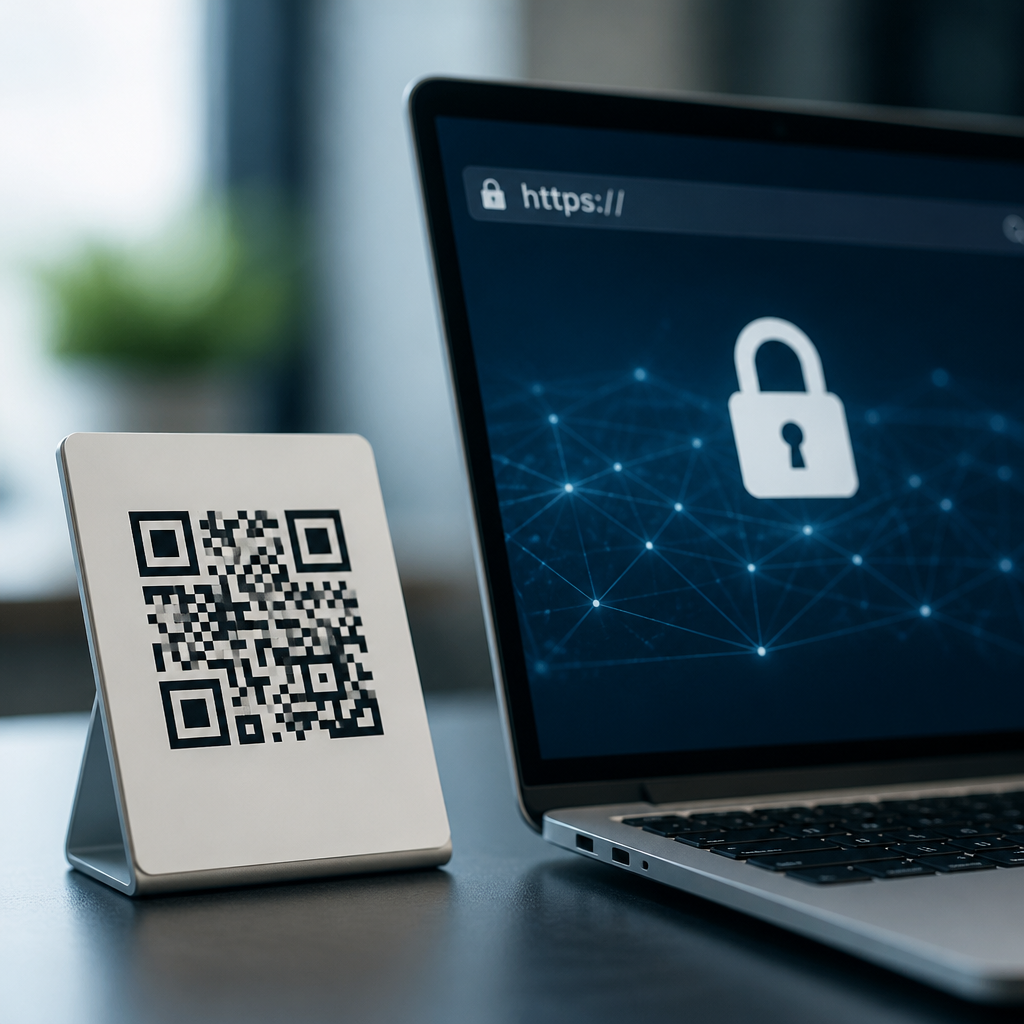
QR codes connect printed objects to digital destinations in seconds, which makes them powerful for payments, menus, login flows, product support, event access, and marketing campaigns. That convenience also creates risk. A user cannot inspect a QR destination before scanning, and many organizations still send scanners to unsecured or poorly configured pages. Secure QR code implementation means designing the full journey so that the printed code, the redirect path, the web server, and the landing page all resist tampering, interception, and abuse. HTTPS security best practices are central because Transport Layer Security protects the connection between the user’s device and the site behind the code. Without it, attackers can intercept traffic, alter content, steal credentials, or downgrade trust at the exact moment a user is deciding whether to proceed.
In practice, I have seen teams focus only on generating the image while ignoring certificate management, redirect hygiene, and mobile browser behavior. That approach fails because QR security is not an image problem; it is a systems problem. The code is simply a pointer. The real control points are URL structure, domain governance, DNS, TLS certificates, server headers, analytics tagging, and page design. For organizations building a secure QR code program, the goal is straightforward: every scan should resolve to an expected domain over HTTPS, display a valid certificate, minimize redirects, collect only necessary data, and give users enough context to trust the interaction. This hub explains the standards, decisions, and operational checks that make that outcome reliable at scale.
Why HTTPS is the foundation of secure QR code implementation
HTTPS is HTTP carried over TLS, the cryptographic protocol that provides confidentiality, integrity, and server authentication. For QR workflows, those three properties matter immediately. Confidentiality prevents a person on the same Wi-Fi network from reading session data or submitted forms. Integrity prevents silent modification of content in transit, including script injection or changed payment instructions. Authentication allows the browser to confirm it is really talking to the domain named in the URL and not an impostor. A QR code that leads to plain HTTP breaks all three protections and trains users to ignore browser warnings, which is exactly the behavior phishing campaigns exploit.
Modern browsers reinforce this expectation. Chrome, Safari, Firefox, and Edge visibly label nonsecure pages, and some mobile features limit access to sensors, geolocation, service workers, or autofill on insecure origins. That means HTTP does not just weaken safety; it also degrades functionality. In payment, healthcare, education, and government use cases, HTTPS is nonnegotiable because users may submit personal data, account credentials, or transaction details. PCI DSS, OWASP guidance, and common mobile application security baselines all assume encrypted transport for sensitive interactions. If a QR code initiates sign-in, coupon redemption, device onboarding, or account support, the landing experience should begin and remain on HTTPS from the first request.
Build trustworthy QR destinations with controlled domains and clean redirects
The safest QR campaigns use domains the organization fully controls, ideally short, readable subdomains dedicated to QR traffic such as scan.example.com or pay.example.com. I recommend avoiding free URL shorteners and generic redirect services because they hide the destination, create dependency on a third party, and complicate incident response. A branded short domain can still be concise enough for dense codes while preserving recognizability. It also supports certificate management, DNS monitoring, and log analysis under one governance model.
Redirects should be deliberate and limited. One redirect from a short QR URL to a final landing page is acceptable when campaign measurement or localization requires it. Long chains are not. Each extra hop adds latency, creates another failure point, and can break trust if the domain changes multiple times before the page appears. Use permanent 301 or 308 redirects for stable moves, preserve HTTPS across every hop, and test that query parameters do not expose secrets. If you need dynamic routing, implement allowlists on the redirect service so only approved hostnames can be targets. Open redirects are a common abuse path because attackers can reuse a trusted domain in phishing messages and then bounce victims to malicious sites.
| Implementation area | Best practice | Why it matters |
|---|---|---|
| Domain choice | Use a branded domain or subdomain you control | Improves recognition and simplifies DNS, logging, and certificate management |
| Protocol | Force HTTPS with HSTS | Prevents downgrade attacks and ensures encrypted connections |
| Redirects | Keep to one approved redirect hop | Reduces latency, trust loss, and abuse through open redirects |
| Certificates | Automate issuance and renewal with ACME | Avoids outages caused by expired certificates |
| Content | Block mixed content and load only secure assets | Prevents warnings and tampering through insecure scripts or images |
TLS configuration, certificates, and mobile browser behavior
A secure QR destination needs more than any certificate; it needs a correctly configured TLS stack. Use certificates from a trusted public certificate authority, automate issuance and renewal with ACME clients such as Certbot or platform-managed services, and monitor expiration continuously. Expired certificates are one of the most common QR-related failures because printed codes often outlive normal release cycles. If a poster remains on a wall for twelve months, the certificate and redirect path must remain valid for at least that period. Wildcard certificates can simplify management for many subdomains, but they increase blast radius if private keys are mishandled. Separate certificates for high-risk functions like payments or authentication can be a better operational choice.
Protocol and cipher settings also matter. Disable obsolete protocols such as TLS 1.0 and 1.1. Prefer TLS 1.2 and TLS 1.3, enable forward secrecy with modern cipher suites, and use secure key exchange settings that align with current Mozilla SSL Configuration Generator recommendations. Turn on HSTS so compliant browsers always use HTTPS after the first secure visit. For highly sensitive environments, preloading HSTS can further reduce downgrade risk, but only after confirming that every subdomain supports HTTPS, because preload mistakes are difficult to reverse. On mobile browsers, test certificate chains carefully. Missing intermediate certificates, hostname mismatches, or clock issues often show up first on older Android devices or embedded QR scanner views inside social apps.
Protect the landing page: content security, forms, and privacy controls
Once the browser reaches the page, application security takes over. A valid certificate does not protect users from malicious scripts loaded by the site itself. Enforce a Content Security Policy to restrict script, frame, and image sources. Set Secure and HttpOnly flags on cookies, and use SameSite attributes appropriate to the flow. If the QR page includes forms, use CSRF protections, server-side validation, rate limiting, and bot detection where abuse is likely. For sign-in or payments, avoid collecting credentials on heavily branded marketing pages that feel unfamiliar; route users to the standard account or checkout experience they already know. Familiarity is a legitimate security control because it helps people spot anomalies.
Privacy should be minimized by design. Many QR campaigns collect more data than they need, especially location, device fingerprints, and persistent identifiers. Use concise notices, avoid embedding personal data directly in the QR code, and tokenize any identifiers that must travel in the URL. Query strings are copied into logs, analytics tools, and referrer headers, so they are the wrong place for email addresses, account numbers, or one-time secrets. Where attribution is necessary, use short-lived tokens mapped server-side. If scanning launches an app, apply the same principle to universal links and app deep links: validate the association files, handle fallback securely, and never trust client-provided parameters without server checks.
Operational governance: testing, monitoring, and incident response for QR programs
Secure QR code implementation is an operational discipline, not a one-time setup. Before launch, test the full scan path on iPhone and Android, native camera apps, common third-party scanners, and in-app browsers from platforms such as Instagram, WeChat, and WhatsApp, because behavior differs. Verify certificate validity, redirect count, final URL, mobile rendering, mixed-content status, form submission, analytics events, and accessibility. I also recommend scanning in poor network conditions because captive portals and flaky Wi-Fi often expose weak redirect logic or timeout handling.
After launch, monitor uptime, certificate expiration, DNS changes, and unusual redirect patterns. Tools such as Qualys SSL Labs, SecurityHeaders, Google Search Console, certificate transparency logs, and synthetic monitoring services provide fast visibility into drift. Keep an inventory of every live QR code, where it is printed, who owns it, what URL it resolves to, and when it should be retired. That inventory is critical during incidents. If a destination is compromised, you need to know whether the code is on packaging, receipts, storefront windows, or conference badges, because remediation differs. Dynamic QR codes help because you can reroute traffic to a safe notice page while investigating. Static QR codes are less flexible, so they require stronger change control before distribution.
Governance should include approval rules for domain creation, redirect targets, campaign parameters, and content updates. Security reviews do not need to be slow, but they do need a checklist. At minimum, confirm HTTPS-only transport, certificate automation, HSTS, no open redirects, no sensitive data in URLs, CSP in place, and an assigned owner for monitoring. Train marketing, print, retail, and support teams to recognize tampering in the physical world as well. Sticker overlays on public posters remain a simple but effective attack technique. Routine inspections and tamper-evident design reduce that risk.
Choosing the right QR security model for your use case
Different use cases need different controls. A restaurant menu QR code may only need HTTPS, a branded domain, and lightweight monitoring. A payment QR code should add stricter domain segregation, stronger anti-phishing cues, transaction confirmation screens, and enhanced fraud logging. Device onboarding codes for enterprise hardware often require one-time tokens, expiration windows, and enrollment tied to inventory records. Healthcare and education deployments may need privacy reviews, data minimization, and records retention controls based on local law. The correct model is the one that matches the impact of compromise, not the one with the most features.
The core principle is consistent across all cases: treat the QR code as the visible entry point to a security boundary. Users scan first and ask questions later, so the system behind the code must answer those questions for them through clear domains, valid HTTPS, predictable page design, and safe data handling. Audit your current QR estate, move every destination to well-managed HTTPS, eliminate unnecessary redirects, and standardize a checklist for future launches. That work reduces phishing risk, prevents avoidable certificate failures, and protects trust at the exact moment your audience engages with your brand. Start with one scan flow this week, document the gaps, and fix the path end to end.
Frequently Asked Questions
Why is HTTPS essential for QR code destinations?
HTTPS is essential for QR code destinations because a person scanning a code is moving from a physical object into a digital session with very little visibility into what happens next. Unlike a typed URL, a QR code does not let most users easily inspect the destination before their browser opens it. HTTPS helps protect that handoff by encrypting the connection between the user’s device and the website, which reduces the risk of interception, tampering, and session hijacking on public or untrusted networks.
From a security standpoint, HTTPS also provides authentication. A valid TLS certificate helps confirm that the site the user reached is actually controlled by the organization named in the address, rather than a spoofed or altered destination. That matters especially for QR codes used in payments, account logins, event check-ins, support portals, and medical or financial workflows, where sensitive data may be entered immediately after the scan.
There is also a trust and usability dimension. Modern browsers warn users when a page is not secure, and those warnings can significantly reduce conversions and confidence. If a QR code on product packaging, a restaurant table, or a poster sends people to an HTTP page, the organization is effectively introducing friction and doubt into the experience. In many cases, browsers may also restrict certain features on non-HTTPS pages, including secure form handling, service workers, geolocation, and other capabilities commonly used in mobile-first landing pages.
In practical terms, HTTPS should not be treated as a nice-to-have for QR campaigns. It should be the minimum baseline. Every URL encoded in the QR code, every redirect in the chain, and the final landing page should use HTTPS consistently, with strong TLS configuration and no mixed content. That full-path approach is what turns HTTPS from a checkbox into a meaningful security control.
Is securing the landing page enough, or do the QR code and redirect path also need protection?
Securing only the final landing page is not enough. QR code security should be evaluated as a complete journey, starting with the printed or displayed code, continuing through any short links or redirects, and ending at the final HTTPS destination. If any part of that chain is weak, attackers may be able to exploit the overall experience even if the landing page itself is well protected.
For example, many organizations use dynamic QR codes that point to a short URL or redirect service. That can be useful for analytics, campaign updates, and device-based routing, but it also introduces another layer that must be secured. The redirect domain should use HTTPS, have a valid certificate, enforce HSTS where appropriate, and be tightly controlled to prevent unauthorized edits. If an attacker gains access to the redirect system, they may be able to silently send scans to a malicious page without changing the printed QR code itself.
The physical and visual context matters too. A QR code printed on a poster, payment terminal, or shipping insert can be replaced with a fraudulent sticker or overlaid with a malicious code. For that reason, organizations should think about tamper resistance, placement, regular inspection, and visual branding. Branded layouts, nearby readable URLs, and instructions telling users what domain they should expect can make substitution attacks easier to spot.
Best practice is to secure each layer: generate codes from trusted systems, encode only approved HTTPS URLs, use controlled redirect infrastructure, monitor DNS and certificate health, and validate the final landing page configuration. In other words, the QR image is only the entry point. Real security comes from protecting the entire path the scan follows.
What are the most important HTTPS best practices for QR code campaigns?
The most important HTTPS best practices for QR code campaigns begin with using HTTPS everywhere and eliminating downgrade opportunities. The QR code should point directly to an HTTPS URL whenever possible, and every intermediate redirect should also remain on HTTPS. HTTP versions of the same pages should automatically 301 redirect to HTTPS, and organizations should avoid redirect chains that create unnecessary complexity, latency, or opportunities for misconfiguration.
Certificate management is another core requirement. Use certificates from a trusted certificate authority, renew them before expiration, and automate renewal wherever possible. Make sure all hostnames involved in the QR flow are covered, including campaign subdomains, redirect domains, and regional variations. A broken certificate on any step in the path can create user-facing warnings that damage trust and interrupt the scan experience.
Strong server configuration is equally important. Support modern TLS versions, disable obsolete protocols and weak ciphers, and use HSTS to encourage secure reconnection behavior after the first successful visit. Also review mixed-content issues carefully. A landing page may load over HTTPS while still pulling scripts, images, forms, or tracking assets from insecure sources. That weakens the page and can trigger browser warnings or blocked resources.
Because QR interactions are often mobile and time-sensitive, performance matters alongside security. Use fast hosting, optimized redirects, CDN support where appropriate, and responsive mobile pages. A secure but slow experience still harms outcomes, especially for in-store payments or event access. Finally, test the full scan journey on real devices and networks. Security settings that appear correct in a desktop browser may behave differently in mobile scanners, embedded app browsers, or older operating systems. A successful QR HTTPS strategy combines transport security, operational discipline, and real-world testing.
How can organizations reduce phishing and fraud risks associated with QR codes?
Reducing phishing and fraud risk starts with acknowledging that QR codes naturally hide destination details from the user at the moment of engagement. That makes them attractive to attackers, particularly in environments where people are expected to act quickly, such as parking payments, invoice approvals, restaurant ordering, authentication prompts, or package tracking. The best defense is to combine secure infrastructure with clear user trust signals and internal governance.
On the infrastructure side, organizations should use recognizable branded domains rather than obscure or rapidly changing short links whenever possible. If redirects are necessary, the redirect domain should still be owned by the organization and easy for users to recognize. Pages should load over HTTPS with valid certificates, and the page design should consistently match the brand so users can quickly identify whether they are in the right place. Suspicious pop-ups, unexpected download prompts, or credential requests outside the expected workflow should be treated as red flags and eliminated from legitimate experiences.
Operational controls also matter. Limit who can create or modify QR destinations, maintain change logs, and review campaign links before publication. For high-risk use cases such as payments or account login, consider adding secondary verification steps, transaction summaries, or domain confirmation screens. Monitoring can help as well: watch for unusual redirect changes, spikes in traffic to unknown destinations, cloned pages, certificate anomalies, and reports from users or staff.
User education remains valuable, especially in public-facing deployments. People should know to look for HTTPS, verify the domain, and be cautious if a QR code appears to have been pasted over, altered, or placed in an unusual location. In physical spaces, adding a printed plain-text URL near the QR code gives users another way to verify where the scan should lead. The goal is not to make QR use inconvenient, but to provide enough transparency and control that phishing attempts become easier to detect and less likely to succeed.
How should businesses audit and maintain secure QR code destinations over time?
Businesses should treat QR security as an ongoing lifecycle rather than a one-time setup task. A proper audit begins with a complete inventory of all QR codes in use, including where they appear, what domains they reference, whether they are static or dynamic, and which teams own them. Many organizations discover that older printed assets, third-party microsites, or campaign redirects remain active long after launch, creating unmanaged risk.
Once the inventory exists, review every destination and redirect for HTTPS compliance, certificate validity, TLS configuration, redirect behavior, and mobile usability. Confirm that no scan path relies on outdated HTTP links, expired certificates, weak subdomains, or unnecessary third-party hops. Check for mixed content, inconsistent canonicalization between www and non-www hosts, broken analytics wrappers, and landing pages that have drifted from their original purpose. For QR codes tied to critical functions such as payments, support, or account access, audits should also include application security testing and access control review.
Maintenance should be scheduled and proactive. Certificates should renew automatically, domains should be monitored for expiration, and redirects should be reviewed whenever campaigns change. If dynamic QR platforms are used, restrict administrative access, enforce multi-factor authentication, and keep detailed logs of edits. It is also wise to periodically test scans from multiple devices, networks, and geographic regions to catch browser warnings, location-specific errors, or degraded mobile experiences before users do.
Finally, organizations should have a response plan for problems. If a destination is compromised, misconfigured, or no longer valid, teams should know how to disable or reroute the QR quickly, update physical signage if needed, and notify affected users when appropriate. Long-term QR security depends on visibility, ownership, routine testing, and disciplined HTTPS operations. When those practices are in place, QR codes can remain both convenient and trustworthy at scale.





