
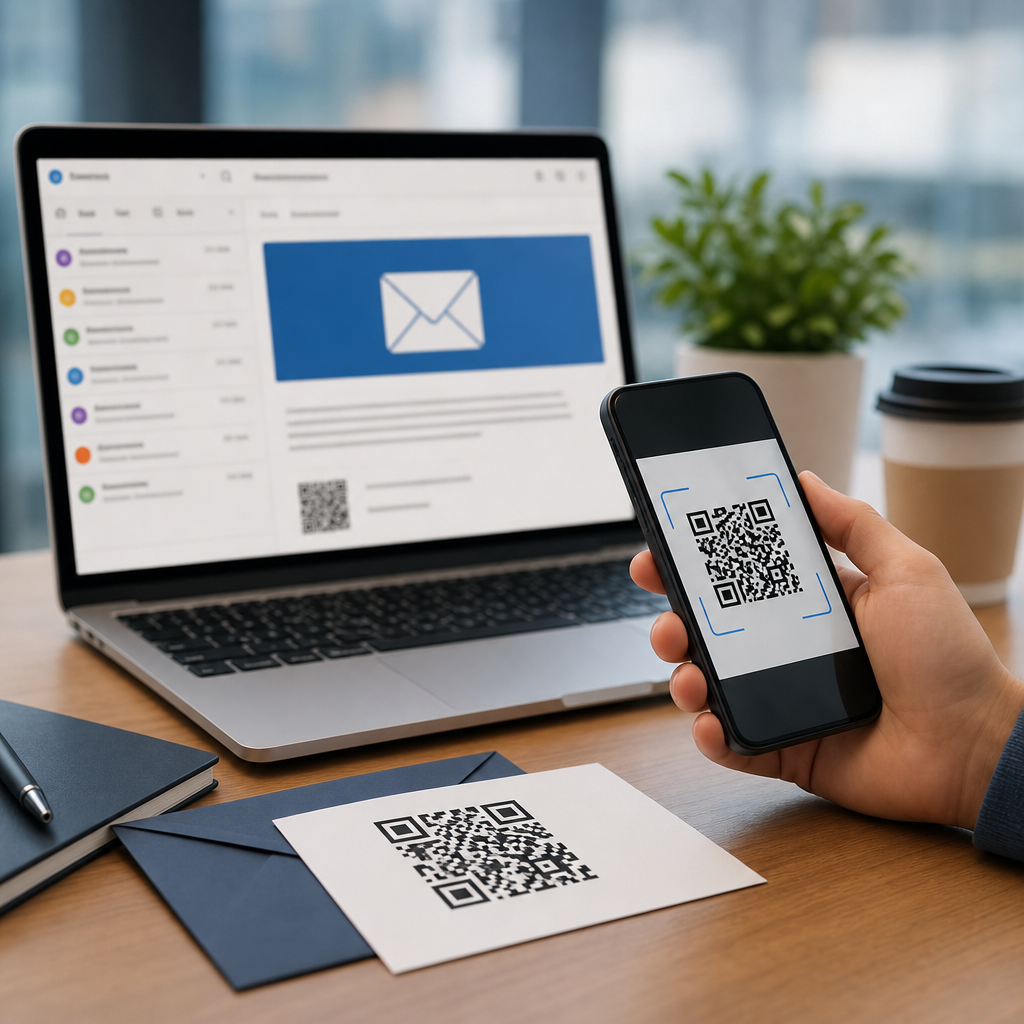
Personalized QR codes for email campaign integration turn a generic scan into a measurable, relevant customer journey that begins in the inbox and continues on a phone screen. In practice, personalization means changing the destination, design, message, or tracking rules of a QR code based on who receives the email, what segment they belong to, and what action you want them to take next. I have used this approach in lifecycle programs, event promotions, and abandoned-cart recoveries, and the pattern is consistent: when the code reflects the recipient’s context, scan intent rises and attribution becomes cleaner. This matters because email remains one of the highest-return digital channels, while QR codes bridge online and offline behavior with almost no friction. Together, they create a compact response mechanism for mobile users who do not want to type a long URL, search a product page, or remember a promo code later.
QR code personalization sits at the intersection of email marketing, first-party data, and conversion optimization. A static QR code always points to one destination and cannot be changed after deployment. A dynamic QR code, by contrast, resolves through a short redirect URL, which allows marketers to update the landing page, append campaign parameters, and record scans by audience, time, and device. That difference is foundational for modern campaign integration. If your email list includes VIP customers, recent purchasers, lapsed subscribers, and webinar registrants, each group can receive a visually consistent email with a distinct code experience matched to their stage in the funnel. The result is not just better engagement. It is better data quality, more relevant post-click experiences, and more resilient campaign operations when offers, inventory, or deadlines change after the send.
The strategic value goes further. Personalized QR codes can support account-based marketing, localized offers, loyalty enrollment, customer support, and direct mail follow-up triggered from email. They also improve continuity across devices. A subscriber can open an email on a laptop, scan the code with a phone, and land on a mobile page that already knows the campaign source, preferred language, or subscriber ID token. That continuity reduces drop-off, especially for app downloads, event check-ins, coupon redemption, and in-store journeys. For teams building an advanced QR code strategy, this subtopic is the hub because every later tactic depends on these fundamentals: selecting dynamic infrastructure, designing for scan reliability, connecting the code to segmentation logic, enforcing privacy controls, and measuring business outcomes rather than vanity metrics.
What personalized QR code integration actually includes
Personalized QR code integration for email campaigns includes four core layers: destination logic, visual customization, tracking architecture, and automation. Destination logic determines where each recipient goes after scanning. That can be as simple as adding UTM parameters for source, medium, and campaign, or as advanced as sending different customer segments to unique landing pages, in-app deep links, store locators, or account portals. In one retail program I managed, high-intent subscribers received a code leading to a reserved-cart page, while new subscribers saw a category guide with a first-order incentive. Both codes appeared in the same email template, but the resulting experiences served distinct conversion goals.
Visual customization matters because the code itself is part of the message. Branded colors, a centered logo, custom frames, and a clear call to action can increase scan confidence when used carefully. The key constraint is error correction and contrast. A QR code must remain machine-readable under variable lighting and camera quality. ISO/IEC 18004 defines the technical standard for QR symbols, and most reputable generators provide error correction levels from L to H. In campaigns where a logo is embedded or modules are stylized, I generally test at level Q or H, then validate scans on both iOS and Android across native camera apps and common third-party scanners. Design should support trust, not compromise function.
Tracking architecture is where most teams either gain clarity or create reporting chaos. Every personalized QR code used in email should map to a campaign taxonomy that matches the organization’s analytics standards. That usually means appending UTM parameters, preserving user identifiers in a privacy-safe way, and aligning events inside Google Analytics 4, Adobe Analytics, HubSpot, Salesforce Marketing Cloud, Klaviyo, or Braze. Dynamic QR platforms such as Bitly, QR Code Generator PRO, Beaconstac, Uniqode, and Flowcode can log scan events, but those logs are only part of the picture. The landing environment must capture downstream actions like purchases, registrations, coupon redemptions, and support resolutions.
Automation connects everything. Personalized QR codes become scalable when generated or assigned through segmentation rules, CRM fields, and campaign workflows. A marketing team can use merge variables to insert a unique image URL, or render a segment-level dynamic code based on behavior. The implementation method depends on scale and compliance requirements.
How to personalize by audience, funnel stage, and use case
The strongest personalization starts with audience intent, not design. For acquisition emails, QR codes often work best when they reduce friction for app installs, local discovery, or immediate offer redemption. A restaurant chain, for example, can segment by nearest location and place a personalized QR code in the email that opens a city-specific menu and coupon page. A B2B software company can segment by industry and route scans to a landing page with the relevant case study and demo flow. In both cases, the code answers the subscriber’s next question quickly: where do I go, and why is this relevant to me?
For mid-funnel and retention programs, the code should remove steps from an already known journey. Existing customers can scan into an account dashboard, reorder page, loyalty wallet, service scheduler, or how-to content matched to the product they purchased. I have seen this work especially well in post-purchase emails for consumer electronics, where a QR code links to device setup videos and registration in one path. Support tickets decrease because the user is not hunting through a website menu. The email becomes actionable, and the QR code acts like a mobile shortcut.
Personalization can be organized in a practical decision framework:
| Personalization basis | QR destination example | Primary metric |
|---|---|---|
| Lifecycle stage | Welcome page, cart recovery, loyalty renewal | Conversion rate |
| Location | Nearest store, local event page, regional offer | Redeem rate |
| Product interest | Category page, comparison guide, accessory bundle | Revenue per recipient |
| Customer status | VIP early access, subscriber-only support, member portal | Retention rate |
| Device or app use | App deep link, mobile wallet pass, install prompt | Activation rate |
Use case selection should also consider the email environment. If the message is opened on mobile, scanning the code with the same device is impossible unless the email client supports forwarding or the code is meant for a second device scenario. That is why personalized QR codes in email often perform best when the email is viewed on desktop, printed, or shown in a physical context such as at checkout, in packaging inserts, or during webinars. To handle this limitation, smart campaigns pair the code with a fallback text link and a concise value statement. The code is the convenience layer, not the only path.
Design, data, and delivery standards that protect performance
Successful QR code personalization depends on disciplined execution. First, keep the destination URL short through a dynamic redirect domain you control. Branded short domains improve trust and can support governance if a vendor changes. Second, preserve sufficient quiet zone around the code, usually at least four modules wide, and maintain strong contrast between foreground and background. Avoid overly dense codes created by long direct URLs; dynamic redirects solve this. Third, label the code with a clear instruction such as “Scan to claim your store-specific offer” or “Scan to reopen your saved cart.” Explicit benefit statements consistently outperform unlabeled codes.
Data handling requires equal rigor. Personalized does not mean exposing personal information in the QR image or the visible URL. Do not encode email addresses, raw customer IDs, or sensitive tokens directly in the symbol. Use server-side mapping or short-lived identifiers instead. Consent, preference management, and regional compliance rules still apply when scan data is connected to a subscriber profile. Teams operating under GDPR, CCPA, or sector-specific obligations should document what is collected at scan and landing stages, how long it is retained, and how users can opt out. Trust is easier to lose than regain.
Testing should cover rendering, deliverability, and analytics. In production, I test QR images in Outlook, Apple Mail, Gmail, and major mobile clients because image scaling can blur modules or shrink the quiet zone. I also test dark mode, where some email clients invert surrounding colors and reduce contrast. On the analytics side, validate that scans reconcile reasonably with landing sessions, recognizing that privacy features, prefetching behavior, and app handoff can create discrepancies. Benchmark performance against a text link control. If the QR code does not improve mobile completion or offline-to-online attribution, redesign the use case rather than forcing the format.
Measurement, optimization, and hub-level planning
Personalized QR codes should be judged by business outcomes, not just scans. A high scan rate with poor landing engagement usually signals a weak offer, slow page, or mismatch between email promise and destination. The most useful metrics are scan-through rate, landing conversion rate, revenue per email, assisted conversions, and completion time on mobile. For events, add check-in speed and attendance quality. For retail, track redemption, average order value, and repeat purchase. For support journeys, monitor self-service completion and ticket deflection. These metrics reveal whether personalization is improving the experience or merely adding a novelty element.
Optimization works best when you isolate one variable at a time. Test CTA framing, code placement, destination type, and visual treatment separately. Compare a generic product page against a personalized bundle page. Compare a plain black code against a branded version with a frame. Compare a segment-level dynamic code against a one-to-one code when privacy and scale allow. Over time, build a reusable operating model for your advanced QR code strategy: naming conventions, approved vendors, redirect governance, analytics templates, QA checklists, and segment logic. That system turns one successful campaign into a repeatable channel capability.
As the hub page for QR code personalization, the central lesson is straightforward. Personalized QR codes for email campaign integration work when the code reflects recipient context, routes to a mobile-ready experience, and feeds reliable data back into your marketing stack. They are most effective with dynamic infrastructure, clear value messaging, careful design, and privacy-safe identifiers. Start with one high-intent use case such as cart recovery, event registration, or loyalty activation. Measure the full journey, not the scan alone, then expand into location, lifecycle, and account-based personalization. Build the process well once, and every future email campaign gains a faster, smarter path from message to action.
Frequently Asked Questions
What are personalized QR codes in email campaigns, and how are they different from standard QR codes?
Personalized QR codes in email campaigns are QR codes that are tailored to the individual recipient, audience segment, or campaign goal rather than sending every scanner to the same generic destination. A standard QR code usually points to one fixed URL and delivers the same experience to everyone who scans it. A personalized QR code, by contrast, can direct different subscribers to different landing pages, prefilled forms, event registration flows, product recommendations, loyalty offers, or app experiences based on data already known about them from your email platform or CRM.
That personalization can happen in several ways. The destination URL may change based on subscriber status, purchase history, geographic region, or lifecycle stage. The QR code design itself can reflect the campaign branding so the transition from email to mobile feels seamless and trustworthy. The message behind the scan can also be adapted, such as offering a first-time buyer discount to one segment while showing VIP early access to another. In more advanced setups, the tracking logic is customized so marketers can measure not just scans, but which segment scanned, when they scanned, and what they did afterward.
The real advantage is that personalized QR codes turn the scan into a continuation of the email journey instead of a disconnected action. Instead of asking every reader to visit the same page and figure out the next step on their own, you can guide each person into a more relevant path. That improves usability for the customer and gives marketers cleaner attribution, stronger engagement signals, and better opportunities to optimize future campaigns.
How do personalized QR codes improve email campaign performance and customer engagement?
Personalized QR codes improve performance because they reduce friction between interest and action. When someone opens an email on one device and wants to continue on their phone, a QR code creates an immediate bridge. If that QR code is personalized, the mobile experience feels more relevant from the first second. Instead of landing on a generic homepage, the subscriber can be taken directly to the exact product they viewed, a personalized discount page, a reserved event check-in pass, or a cart recovery experience tied to their previous activity.
This relevance matters because it aligns the call to action with the intent of the recipient. In lifecycle marketing, that might mean a welcome email QR code leading new subscribers to a curated onboarding page. In event promotion, it could mean a QR code that opens a personalized registration page or mobile ticket. In abandoned-cart campaigns, it can send the customer straight back to their saved cart on mobile, making it easier to complete the purchase. The more directly the scan connects to the next logical action, the more likely the user is to follow through.
There is also a measurable impact on engagement and reporting. Personalized QR codes can capture segment-level insights, reveal how mobile continuation contributes to conversions, and help marketers understand whether a specific audience responds better to scanning than clicking. They are especially useful when the email is viewed on desktop but the intended action is better completed on a phone, such as downloading an app, redeeming an in-store offer, saving a digital pass, or navigating to a physical location. In these situations, a personalized QR code is not just a design element; it becomes a conversion tool that supports a smoother, more intelligent customer journey.
What data can be used to personalize QR codes for email campaign integration?
A wide range of customer and campaign data can be used to personalize QR codes, provided it is collected responsibly and used in compliance with privacy regulations and your own consent policies. The most common inputs include subscriber ID, email segment, lifecycle stage, location, language preference, device behavior, previous purchases, browsing activity, loyalty status, and engagement history. These data points help determine what the QR code should do, where it should send the user, and what message should appear after the scan.
For example, a retailer might generate one QR destination for first-time customers and a different one for repeat buyers. A B2B brand might send prospects to case studies relevant to their industry while directing existing customers to training resources or account tools. Event marketers can personalize QR codes using registration status, ticket tier, or venue information. In abandoned-cart campaigns, the code can encode a secure path back to the exact cart contents. In loyalty programs, the QR code might open a page displaying current rewards, personalized coupons, or member-only offers.
It is important, however, to balance personalization with security and user trust. Sensitive data should not be directly exposed in visible QR code parameters. Instead, it is better to use tokenized links, secure redirects, or platform-managed identifiers that resolve safely on the back end. Good personalization is not about putting every piece of customer data into the code itself; it is about using trusted systems to deliver a better experience after the scan. When implemented properly, this approach preserves privacy while still giving marketers the relevance and attribution benefits they want.
How can you track and measure the success of personalized QR codes in email campaigns?
Success should be measured across the full journey, not just by counting scans. At a minimum, marketers should track scan rate, unique scans, repeat scans, device type, time of scan, destination page visits, conversion rate, revenue or lead value generated, and downstream actions such as registrations, purchases, downloads, or store visits. The most useful reporting setup connects QR scan data with email campaign metrics so you can compare opens, clicks, scans, and conversions as part of one integrated performance picture.
To do this well, each QR code should be associated with campaign identifiers, audience segments, and offer variants. Dynamic QR code platforms, analytics tools, CRM integrations, and marketing automation systems can work together to show which subscribers scanned, which landing experiences performed best, and whether scanning contributed incremental value beyond regular email clicks. If you are running A/B tests, you can compare personalized QR codes against generic ones, or test different calls to action, placement, landing page formats, and incentive structures to determine what drives the strongest response.
It is also important to define success based on campaign intent. In an event email, success may mean registrations completed or check-ins activated. In a lifecycle email, it may be profile completion, app adoption, or repeat purchase. In cart recovery, it may be recovered revenue. Looking at scans in isolation can be misleading, because a high scan count does not necessarily mean strong business results. The best measurement approach ties the personalized QR code to a meaningful post-scan outcome and uses that data to refine segmentation, creative choices, and mobile landing experiences over time.
What are the best practices for creating effective personalized QR codes for email campaign integration?
The most effective personalized QR codes start with a clear purpose. Before generating anything, define what action you want the recipient to take after scanning and why scanning is better than clicking in that specific context. If the email is often opened on desktop and the next step makes more sense on mobile, such as app install, coupon redemption, digital wallet save, event entry, or in-store navigation, a QR code is a strong fit. If scanning does not clearly improve the experience, it can become visual clutter rather than a useful conversion path.
From a design standpoint, the QR code should be easy to scan, visually trustworthy, and consistent with the email’s branding. Maintain enough contrast, preserve the quiet zone around the code, and avoid over-stylizing it to the point that readability suffers. Add a short, specific call to action near the code so subscribers know exactly what will happen when they scan. “Scan to complete your order on mobile” or “Scan to claim your event pass” performs far better than simply placing an unexplained code in the layout. The destination page should also load quickly and continue the same message, offer, and branding introduced in the email.
On the technical side, use dynamic QR codes whenever possible so destinations can be updated without changing the creative. Build secure, tokenized links for personalized experiences, and ensure analytics are configured before launch. Test across multiple devices, inbox environments, and lighting conditions to confirm scan reliability. Finally, segment thoughtfully. Personalization should make the experience more relevant, not more complicated. The strongest campaigns are usually the ones where the QR code feels like a natural extension of the email, guiding each recipient into a mobile experience that is timely, measurable, and genuinely helpful.





