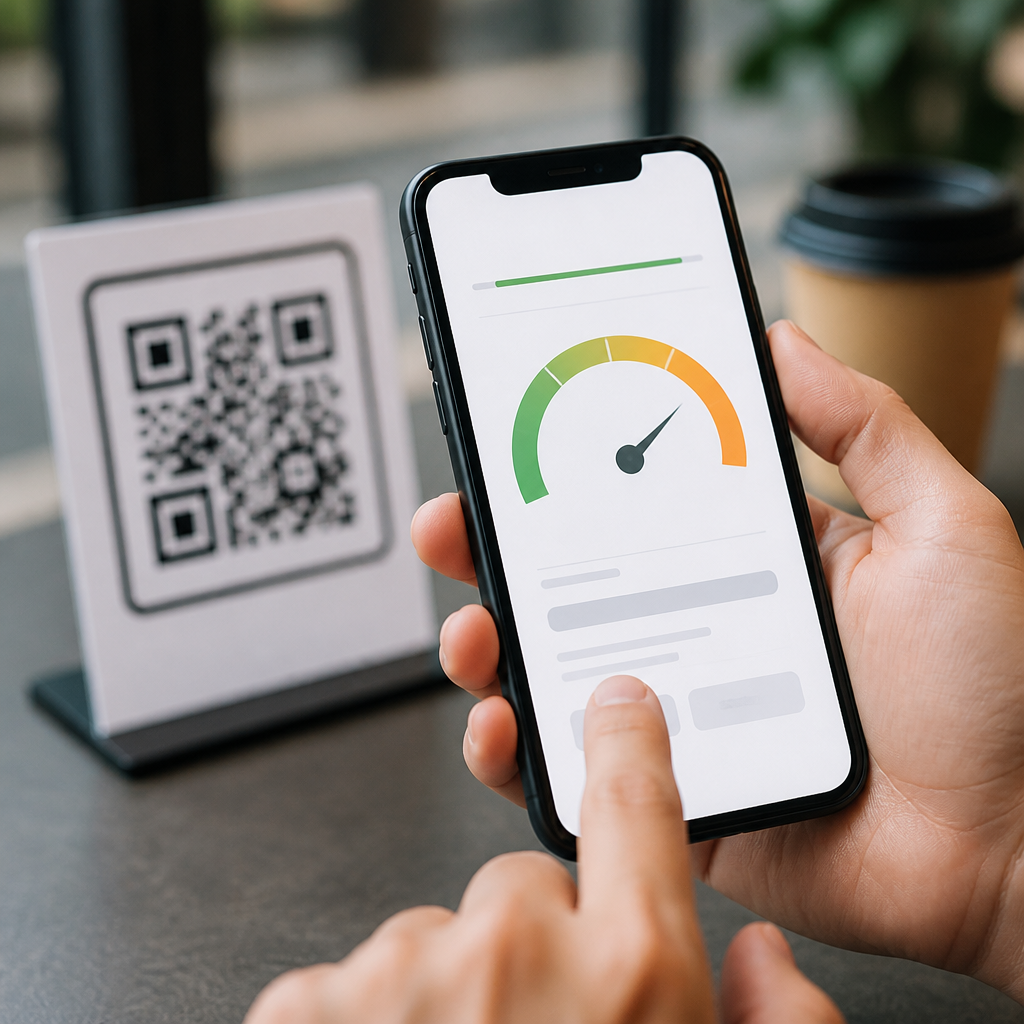
Mobile page speed optimization for QR code campaigns determines whether a scan becomes a conversion or a bounce. In mobile QR code design and UX work, I have repeatedly seen the same pattern: a well-placed code earns attention, but the landing page loses the user within seconds because it loads too slowly, shifts visibly, or asks the phone to download far more than the moment requires. Mobile page speed means the perceived and measured performance of a page on smartphones, including loading, rendering, responsiveness, and visual stability. For QR code campaigns, that definition matters because the user journey begins in a high-intent, low-patience context: on packaging, signage, direct mail, menus, event booths, and outdoor ads.
A QR code campaign is only as strong as the mobile experience behind the scan. Unlike a traditional web visit, scanning is usually impulsive and situational. The user may be standing in a store aisle with weak signal, walking through a station, or glancing at a poster during a short wait. If the page takes more than a few seconds to become usable, attention disappears. Google’s Core Web Vitals provide the clearest framework for evaluating this experience: Largest Contentful Paint measures loading, Interaction to Next Paint measures responsiveness, and Cumulative Layout Shift measures visual stability. These metrics matter because they connect technical choices directly to user behavior, campaign ROI, and the effectiveness of the broader mobile UX strategy.
This hub explains best practices for mobile UX through the lens of page speed, because speed influences every downstream outcome: engagement, form completion, coupon redemption, app downloads, and sales. It also supports the rest of a mobile QR code design and UX program, including destination matching, form simplification, scan context, and analytics. If your team treats the QR code as the campaign and the landing page as an afterthought, performance problems will erase media spend quickly. The practical goal is simple: after the scan, show the right content immediately, keep the layout stable, and let the user act with minimal friction.
Why Speed Matters More for QR Code Traffic
QR visitors are different from general mobile visitors because intent is concentrated but fragile. Someone who scans from product packaging expects product details, ingredients, setup steps, warranty registration, or a discount. Someone who scans from a restaurant table expects a menu right away. Someone at an event expects schedule, check-in, or lead capture. In each case, the user has already completed a physical action and expects an instant digital reward. That expectation makes mobile page speed optimization for QR code campaigns more important than on many other traffic sources.
Campaign context amplifies technical weaknesses. Cellular networks vary sharply by venue, and many scans happen under constrained conditions such as older devices, crowded public Wi-Fi, battery saver modes, and browser privacy restrictions. Heavy hero videos, uncompressed product images, blocking tag managers, and client-side rendering all create delays that feel larger on a small screen. In practice, a fast page does not just improve usability; it protects attribution. When landing pages load quickly, analytics tags, campaign parameters, and event tracking are more likely to fire before abandonment, giving marketers cleaner data on scans, sessions, and conversions.
The business impact is measurable. Google has long documented that performance affects engagement and revenue, and industry testing by platforms such as Shopify and Cloudflare continues to show that even sub-second improvements can lift conversion rates. In my own campaign reviews, the strongest results consistently come from landing pages built specifically for scan traffic rather than generic site pages. They have fewer assets, clearer content hierarchy, and one primary action. Speed is not a cosmetic improvement. It is the operational foundation of best practices for mobile UX.
Core Metrics and Diagnostic Tools
The first question most teams ask is straightforward: what should we measure? For QR landing pages, start with Core Web Vitals and basic funnel metrics. Target an LCP of 2.5 seconds or less, an INP under 200 milliseconds, and a CLS under 0.1. Then pair those with campaign metrics: scan-to-load rate, bounce rate, engaged sessions, conversion rate, and time to first meaningful action. Looking at only pageviews misses the point. A page can “load” eventually and still fail to support the moment after the scan.
Use recognized tools with distinct roles. PageSpeed Insights combines lab and field data and is useful for prioritization. Lighthouse helps diagnose render-blocking resources, excessive JavaScript, and image inefficiencies in a reproducible test environment. Chrome DevTools reveals network waterfalls, CPU main-thread work, and layout shifts. WebPageTest is particularly helpful for testing on throttled mobile connections, comparing repeat views, and capturing filmstrips. Search Console surfaces real-user performance trends at scale. For tag governance, tools such as Google Tag Manager preview mode, Adobe Experience Platform Debugger, and request-level inspection in DevTools help isolate scripts that slow scans.
| Metric | Good Target | Why It Matters for QR Campaigns |
|---|---|---|
| Largest Contentful Paint | 2.5s or less | Shows whether the primary message appears fast enough after scan |
| Interaction to Next Paint | Under 200ms | Measures how responsive buttons, forms, and menus feel on mobile |
| Cumulative Layout Shift | 0.1 or less | Prevents accidental taps when content jumps during load |
| Time to First Byte | Under 0.8s | Indicates hosting, CDN, and backend readiness for campaign traffic spikes |
| Bounce Rate | As low as context allows | Signals whether speed and message match user intent after scan |
Measure by destination type, not just by domain. Product-detail scans behave differently from coupon scans or menu scans, so each template should have its own benchmark. Also test by network conditions and device classes. A page that performs well on a recent iPhone over Wi-Fi may underperform badly on a midrange Android phone over 4G. QR code campaigns reach the whole real world, so your testing plan has to do the same.
Building Fast QR Landing Pages
The fastest QR pages are intentionally small. In production, I recommend creating dedicated mobile-first templates rather than sending scan traffic to a bloated homepage or standard CMS page. Keep the first viewport focused on one job: explain the offer, confirm relevance, and present the primary action. Every unnecessary carousel, web font weight, third-party chat widget, and autoplay asset adds latency without helping the user complete that job.
Start with the server path. Use a CDN such as Cloudflare, Fastly, or Akamai to reduce geographic latency and absorb spikes during print or event launches. Enable Brotli compression, HTTP/2 or HTTP/3, and strong caching policies for static assets. Optimize images aggressively with modern formats such as WebP or AVIF, responsive srcset delivery, and explicit width and height attributes to prevent layout shifts. If the campaign needs a hero image, keep it tightly cropped and compressed; if it does not materially improve comprehension, remove it. Inline only the critical CSS needed for above-the-fold rendering and defer noncritical styles and scripts.
JavaScript discipline is usually the biggest win. Many QR pages inherit analytics suites, consent managers, A/B testing tools, personalization scripts, social embeds, and heatmaps that were never justified for a one-purpose landing page. Audit all third-party scripts and cut anything not directly tied to measurement, compliance, or conversion. Where possible, reduce client-side rendering and serve meaningful content from the initial response. Native browser features often outperform script-heavy alternatives: use CSS for simple animations, semantic HTML for structure, and lightweight forms. Prefetching can help when users move from the landing page to product details or checkout, but preload only truly critical resources.
Best Practices for Mobile UX After the Scan
Speed alone is not enough if the page still creates friction. Best practices for mobile UX begin with message match. The landing page should immediately confirm what the code promised: “View menu,” “Claim 15% off,” “Watch setup video,” or “Register warranty.” If users have to interpret branding before they see the promised asset, the scan experience breaks. Keep headings plain, prominent, and benefit-led. Avoid modal interruptions, newsletter pop-ups, and interstitials that obscure content on arrival.
Design for one-handed use. Primary buttons should be visually dominant, thumb-friendly, and separated from secondary actions. Forms should request only the minimum information needed at that stage. Use input types that trigger the correct mobile keyboards, support autofill, and minimize validation errors. For location-aware experiences such as store inventory or event maps, ask for permissions only after explaining the value. If a QR campaign leads to PDFs, replace them with responsive pages whenever possible; PDFs are slow, hard to navigate on phones, and poor at preserving campaign analytics.
Accessibility is also performance strategy. Semantic markup, descriptive links, sufficient contrast, and predictable focus order improve usability while reducing the need for complex interface workarounds. Stable layouts matter especially on small screens because even a minor shift can cause a mistap on “Buy,” “Call,” or “Add to wallet.” For multilingual campaigns, route users intelligently using browser language hints or clear language selectors, but avoid unnecessary redirects. A fast, accessible, context-matched page is what converts scan intent into completed action.
Testing, Analytics, and Continuous Improvement
Optimization does not end at launch. QR campaigns often appear in multiple physical environments, which means performance should be validated where scans actually happen. Test codes from shelves, mailers, posters, menus, and badges using different devices and carriers. Check whether the destination URL resolves quickly, whether UTM parameters survive redirects, and whether the first action can be completed with one hand in under a minute. Real-user monitoring from tools such as SpeedCurve, New Relic, Datadog, or Chrome UX data can reveal problems that lab tests miss.
Analytics should be tied to the user journey, not just the page load. Track scans, landing views, CTA taps, form starts, form completions, wallet saves, map opens, calls, and purchases. Dynamic QR platforms can help segment performance by code placement, geography, time, and creative version. That makes it easier to answer practical questions: did the in-store shelf tag underperform because of weak offer copy, poor signal, or a slow page? Did the event booth convert better after removing a background video? These answers come from disciplined testing, not assumptions.
The most effective teams treat this page type as a repeatable template library within the larger Mobile QR Code Design & UX program. They maintain lightweight landing page patterns for menus, product info, app downloads, coupons, lead capture, and support flows. They document image budgets, script policies, CTA hierarchy, and measurement requirements before a campaign goes live. Mobile page speed optimization for QR code campaigns is therefore not a one-time technical cleanup. It is a durable operating standard that protects user attention, improves conversion efficiency, and makes every scan more valuable. Audit your current QR destinations, benchmark them on real phones, and prioritize the fixes that remove delay first.
Frequently Asked Questions
Why is mobile page speed so important for QR code campaigns?
Mobile page speed is critical for QR code campaigns because the scan creates a highly immediate, high-intent moment that can disappear just as quickly as it begins. When someone scans a QR code, they are usually standing in a store aisle, walking past signage, sitting at a restaurant table, riding transit, or responding to packaging, print, or event materials in real time. In that context, the user expects the page to open almost instantly and present the next step without friction. If the landing page is slow, visually unstable, or overloaded with unnecessary assets, the user often abandons the experience before the message, offer, or call to action has a chance to work.
Speed affects both perception and measurable performance. A page can technically finish loading eventually, but if the first screen appears late, the content shifts around, or buttons remain unresponsive, the experience feels broken. That damages campaign results in several ways: it increases bounce rate, reduces trust, lowers form completion, weakens engagement, and cuts conversion rates. It can also distort attribution, because marketers may assume the QR code creative or placement underperformed when the real problem was the mobile landing experience after the scan.
For QR campaigns specifically, speed has an outsized impact because the journey is compressed. There is no long research phase to compensate for friction. The page must deliver quickly on the promise implied by the code, whether that promise is a coupon, menu, product details, registration page, app deep link, video, or contact form. Fast pages preserve momentum from scan to action. Slow pages waste the strongest moment of user attention.
What are the most common mobile page speed problems that hurt QR code landing pages?
The most common problems usually come from pages being built like full desktop marketing destinations instead of focused mobile landing pages. Heavy images are one of the biggest issues. Large hero banners, uncompressed product photos, background videos, and oversized graphics force phones to download more data than necessary, especially on cellular connections. For a QR code campaign, this is often unnecessary because the page only needs to support one immediate action, not tell the entire brand story at once.
Render-blocking scripts and stylesheets are another frequent cause of delay. Many campaign pages load analytics tags, chat widgets, A/B testing tools, social embeds, retargeting scripts, font libraries, and animation packages before the main content can become visible. Each one may seem small in isolation, but together they slow the critical path and delay the first meaningful interaction. This is especially damaging when users are on mid-range devices or inconsistent mobile networks.
Layout instability is also a major issue. If text jumps, buttons move, banners appear late, or pop-ups push content downward, users can lose confidence immediately. This is often caused by missing image dimensions, late-loading ads or widgets, or dynamic elements inserted above visible content. For QR traffic, that kind of visual shift is costly because users are already evaluating whether the page is worth their time within the first few seconds.
Other common problems include unoptimized web fonts, too many redirects, poor caching, slow server response times, bloated page builders, autoplay media, and forms that ask for too much too soon. Even something as simple as loading a full navigation system, multiple tracking containers, and large testimonials can be excessive if the page’s real goal is to get the user to redeem an offer or tap a single CTA. The most effective QR landing pages remove everything that does not help the user complete the next action quickly.
How can I optimize a landing page specifically for users arriving from a QR code scan?
The best approach is to design for the scan context first, not retrofit a general landing page afterward. Start by identifying the one primary action you want the visitor to take after scanning. That might be viewing a menu, claiming a discount, booking an appointment, downloading a file, making a purchase, or opening a map. Once that goal is clear, build the page so the key value proposition and call to action appear immediately in the first mobile viewport, with minimal distractions.
From a performance standpoint, reduce the page to its essentials. Compress and properly size images, use modern image formats where appropriate, eliminate unnecessary carousels and autoplay video, and defer non-critical JavaScript. Inline or prioritize above-the-fold styles so the initial screen renders quickly. Limit third-party scripts to only those needed for measurement or essential functionality. If a script does not help the user complete the immediate purpose of the page, it should be delayed or removed.
Make the interface mobile-native and low-effort. Use large tap targets, short headlines, concise supporting copy, and simple forms. If the campaign relies on urgency or trust, communicate that clearly without requiring scrolling through heavy content blocks. If location, inventory, or personalized messaging matters, keep the implementation lightweight and avoid slowing down the initial render just to add complexity that may not improve conversion.
It also helps to match the page experience tightly to the QR code’s source. A code on packaging may need product details and a buy button, while a code on a poster may need event registration or quick contact info. Contextual relevance improves conversion, and relevance often supports speed because focused pages naturally require less content. In practice, the highest-performing QR landing pages are usually the ones that feel immediate, stable, and purpose-built for the exact moment of the scan.
Which performance metrics matter most when evaluating mobile page speed for QR campaigns?
For QR code campaigns, the most useful metrics are the ones that reflect how quickly users can see, understand, and act on the page. Core Web Vitals are an important foundation. Largest Contentful Paint helps you measure how quickly the main visible content loads. Interaction to Next Paint indicates how responsive the page feels when the user taps or tries to engage. Cumulative Layout Shift measures visual stability, which is especially important when QR visitors are ready to take action quickly and can be frustrated by shifting buttons or moving text.
Beyond Core Web Vitals, time to first byte, initial server response, and overall request weight are highly relevant because many QR scans happen on mobile networks with variable quality. A page may perform adequately on office Wi-Fi during development but struggle badly in real-world scan environments. That is why field data matters. Real user monitoring, mobile device testing, and throttled network simulations give a more accurate picture than desktop testing alone.
It is also essential to connect speed metrics to business metrics. For QR campaigns, you should monitor bounce rate, CTA click-through rate, scroll depth, form completion, coupon redemption, purchase rate, and session abandonment. The goal is not merely to improve a technical score; it is to protect conversion momentum. A small improvement in speed can produce a noticeable lift in results when the campaign depends on fast action after a scan.
Finally, evaluate performance by landing page variant, traffic source, device type, and geographic region. Different QR placements may create different expectations and network conditions. A restaurant table tent, retail endcap, direct mail piece, and outdoor ad all produce different user contexts. The most meaningful analysis looks at both performance health and post-scan behavior together.
What is a practical checklist for improving mobile page speed before launching a QR code campaign?
A practical pre-launch checklist starts with simplification. Confirm that the landing page has one clear purpose and that everything on the page supports that purpose. Remove unnecessary sections, scripts, plugins, and visual effects. Audit all media assets, especially images, and compress them aggressively without sacrificing essential quality. Resize images to actual mobile display dimensions rather than relying on the browser to shrink oversized files. If video is necessary, use a lightweight poster image first and avoid autoplay unless there is a strong reason.
Next, review the technical delivery of the page. Minify and defer non-critical JavaScript, reduce CSS bloat, preload only truly important assets, and enable strong caching. Check server response times and use a content delivery network if appropriate. Avoid redirect chains from the QR code destination, since every extra hop adds delay. If you use dynamic QR codes or tracking layers, make sure they are implemented efficiently and do not create avoidable latency before the landing page begins to load.
Then test the experience on real smartphones, not just emulators. Open the page using the actual QR code, over cellular data, on both newer and older devices. Watch for visible issues: slow first paint, janky scrolling, jumping layouts, delayed tap response, oversized forms, intrusive pop-ups, cookie banners that block content, and consent flows that create friction. Pay attention to what appears in the first few seconds, because that is when the user is deciding whether to continue.
Finally, validate analytics and conversion tracking without bloating the page. You need reliable measurement, but you do not want measurement scripts to become the reason the page is slow. After launch, continue monitoring both performance and campaign outcomes so you can refine the page based on actual post-scan behavior. The strongest QR campaigns are rarely just about code placement or creative design; they succeed because the mobile landing experience is fast, stable, and intentionally optimized for immediate action.