
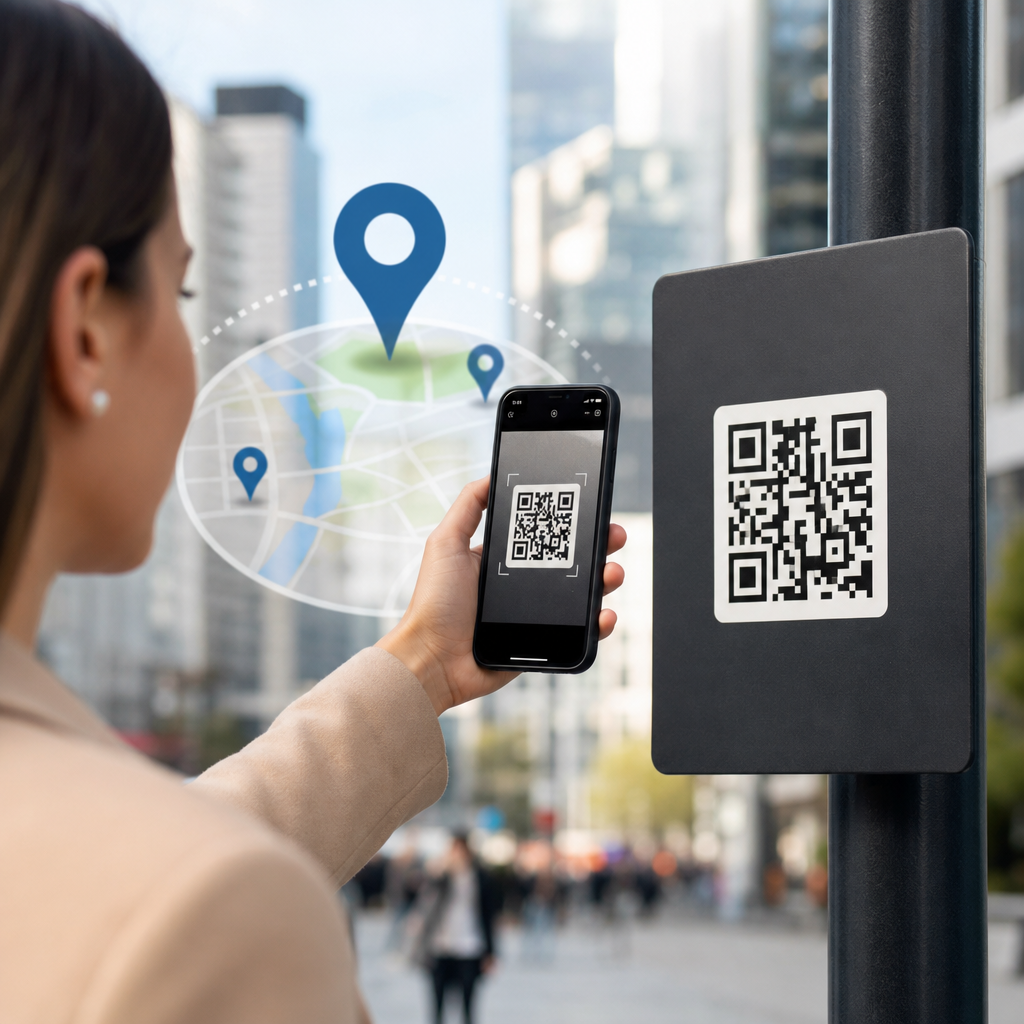
Dynamic QR codes let you change a scan destination after printing, which makes them one of the most practical tools for geo-targeting. In marketing terms, geo-targeting means showing different content, offers, or experiences based on a user’s location. Instead of printing separate codes for every city, store, distributor, or region, you print one dynamic QR code and route scanners to location-specific destinations through rules set in your QR management platform. I use this approach when campaigns span multiple markets, because it reduces print waste, shortens deployment time, and gives teams measurable control over local performance.
This matters because modern campaigns rarely run in one place only. A restaurant chain may need lunch offers by neighborhood, a manufacturer may need distributor pages by country, and an event organizer may need venue instructions by entrance gate. Static QR codes cannot adapt once printed. Dynamic QR code strategies can. They typically work through a short redirect URL embedded in the code. When a person scans, the platform records scan metadata such as timestamp, device type, and approximate location from IP, then sends the user to the best-matched landing page. That combination of flexibility and analytics makes dynamic QR codes especially valuable for regional promotions, retail operations, tourism, packaging, and out-of-home advertising.
To use dynamic QR codes for geo-targeting well, you need more than a redirect. You need clean location logic, fast landing pages, local content, privacy awareness, and a testing plan. You also need to understand the difference between geographic segmentation and personalization. Geo-targeting is usually based on country, state, city, radius, or venue. Personalization may also factor in language, inventory, loyalty status, or campaign source. The best dynamic QR code strategies connect these layers without making the experience feel confusing. For an advanced QR code strategy, the goal is simple: one scan should lead each person to the most useful next step for where they are.
How dynamic QR code geo-targeting works in practice
A dynamic QR code does not store the final content URL directly. It stores a trackable short link controlled by a QR platform such as Bitly, QR Code Generator PRO, Uniqode, Flowcode, Beaconstac, or a custom redirect service. When the scan occurs, the redirect service evaluates rules. Those rules may include country, region, city, language inferred from browser settings, time of day, and device type. The platform then returns the destination page chosen for that context. Because the printed symbol never changes, marketers can update destinations without reprinting flyers, labels, signage, product inserts, or menus.
In deployment, I recommend starting with a location hierarchy before creating any code. Define the broadest level first, usually country, then decide whether certain markets need state, city, or venue routing. For example, a retailer operating in the United States, Canada, and Mexico might send each country to a separate language and compliance page. Within the United States, it might route scans from Chicago to a local store finder, while scans from other cities land on a national promotions page. This approach prevents overengineering. Many teams create overly granular rules, then discover they lack enough traffic to learn from performance data.
Geo-targeting can happen server-side or client-side. Server-side routing uses scan metadata from the redirect request and is faster for simple country and city logic. Client-side routing can ask for browser geolocation permission on the landing page, which is more precise but introduces friction. If your use case requires exact coordinates, such as directing attendees across a large festival site, client-side location may be justified. For most marketing applications, IP-based approximate location is enough. It is not perfect, especially on mobile networks or VPNs, but it is usually accurate enough at the country level and often useful at the city level.
Best use cases for location-based QR campaigns
The strongest geo-targeted QR campaigns solve an operational problem, not just a creative one. Retail is the clearest example. A national poster can send each scanner to the nearest store page with local hours, in-stock items, and map directions. Restaurant groups can route by city to menus, pricing, and delivery providers that differ by market. Consumer packaged goods brands use dynamic QR code strategies on packaging to send customers to country-specific ingredients, recycling instructions, warranty terms, or promotional microsites. These are not cosmetic differences; they often reflect legal, logistical, and commercial realities.
Travel and hospitality teams benefit heavily from dynamic routing. Hotels can place one QR code in-room and direct guests to a language-specific concierge page based on region and browser settings. Tourism boards can place codes on signage and route visitors to nearby attractions, public transit guidance, or emergency contact pages based on city. Event operators can use the same printed code across multiple venues, then redirect by scan location to parking maps, line management instructions, or merchandise pickup information. I have seen this reduce support desk load because users self-serve when the content matches the place they are standing.
Industrial and B2B use cases are equally compelling. Manufacturers can print one QR code on manuals distributed globally, then route distributors and end users to local documentation, safety bulletins, or authorized service centers. Healthcare networks can route patients to the nearest clinic booking page. Real estate firms can use one sign template across regions while sending scans to city-specific property listings. The common principle is consistency in print and specificity in delivery. Dynamic QR code geo-targeting helps brands scale without fragmenting creative production.
Building the routing logic, content, and measurement framework
Successful geo-targeting depends on the structure behind the code. First, map destinations by region and define a fallback URL for unmatched or uncertain locations. Second, create landing pages that actually deserve regional routing. A local page should include city or store name, address, opening hours, inventory or offer details, and a clear action such as call, book, buy, or navigate. Third, connect analytics. At minimum, capture scans, unique scans, location, device category, and conversion events in Google Analytics 4, Adobe Analytics, or your CRM. If you cannot measure outcomes beyond scans, you cannot prove the value of advanced QR code strategies.
UTM parameters still matter. Even when a QR platform provides scan analytics, destination analytics reveal on-page behavior and downstream conversions. I usually structure parameters by campaign, placement, asset, and region so performance can be compared across posters, packaging, direct mail, and point-of-sale materials. A store window code in Boston and a shelf-talker code in Austin should not collapse into one data bucket. The more consistent your naming convention, the easier it becomes to identify whether low conversions come from weak creative, poor local offers, slow landing pages, or incorrect routing rules.
| Element | Best practice | Example |
|---|---|---|
| Routing rule | Start broad, then add granularity only where traffic supports it | Country first, then city for top ten markets |
| Fallback page | Always include a default destination | National store locator when city match fails |
| Landing page | Reflect local context clearly above the fold | “Chicago pickup available today” with map and hours |
| Analytics | Track scans and conversions together | GA4 events plus CRM lead source field |
| Testing | Validate routing with VPNs and on-site scans | Check New York, Toronto, and London outcomes before launch |
Testing should happen in layers. First verify the QR code scans reliably at different print sizes and contrast ratios. ISO/IEC 18004 provides the formal QR Code standard, but in practice the basics are simple: maintain quiet zone, sufficient contrast, and realistic scan distance. Next test routing using VPN endpoints and physical scans in target locations. Then test page speed with Lighthouse or PageSpeed Insights, because geolocation is pointless if the local page loads slowly on mobile data. Finally, validate reporting by completing sample conversions from multiple regions and checking attribution in both the QR platform and your analytics stack.
Privacy, compliance, and common mistakes to avoid
Geo-targeting with QR codes relies largely on approximate location data, so privacy and compliance should be built into the campaign from the start. If you use only IP-derived location for routing, the risk profile is lower than collecting exact browser geolocation, but disclosure still matters. Your privacy notice should explain what data is processed, why it is used, and which vendors handle it. In regulated contexts, especially healthcare, finance, and child-directed services, involve legal review before launch. GDPR, CCPA, and other privacy laws do not ban location-aware experiences, but they do require transparent, proportionate data practices.
The most common mistake is routing users too narrowly and creating dead ends. A city-specific page with no stock, expired offers, or outdated hours will underperform a good national page. Another common failure is ignoring fallback behavior. VPNs, corporate networks, and border regions can misclassify location. If routing confidence is low, send users to a page where they can choose their region manually. I also see teams overlook localization basics such as language, currency, tax display, and legal disclaimers. Geo-targeting is not just a map problem; it is a content governance problem.
Another pitfall is choosing a QR platform solely on design features. For dynamic QR code strategies, the platform must support bulk management, rule-based redirects, exportable analytics, custom domains, uptime reliability, and access controls. Enterprise teams should ask whether data can be passed to GA4, BigQuery, Salesforce, HubSpot, or Microsoft Dynamics. They should also confirm redirect latency, SSL support, and role permissions. A pretty code frame is useful, but operational resilience matters more when thousands of printed assets depend on one routing layer.
How to scale a dynamic QR code strategy across regions
Scaling starts with governance. Create naming conventions, routing templates, landing page modules, and approval workflows so local teams can launch quickly without breaking measurement standards. Use one custom short domain where possible to strengthen brand trust and simplify link governance. Build reusable page components for offers, maps, hours, and compliance text. Then document who owns what: central marketing may own code generation and analytics, while regional teams own page content and local promotions. This operating model prevents the usual drift where every market invents its own QR process.
As a sub-pillar within advanced QR code strategies, dynamic QR code strategies work best when connected to adjacent tactics. Pair geo-targeting with time-based redirects for breakfast versus dinner offers, with device-based routing for app deep links, and with first-party forms that capture local demand signals. Use internal links from this hub to deeper guides on QR code analytics, QR code security, landing page optimization, print placement, and multilingual QR campaigns. The benefit is cumulative: one well-managed dynamic QR system can support local relevance, campaign agility, and measurable business outcomes across every physical touchpoint.
Dynamic QR codes give marketers a practical way to turn one printed asset into many location-aware experiences. They reduce reprint costs, improve local relevance, and create a measurement layer that static codes cannot provide. The essentials are straightforward: define routing rules, build strong local landing pages, maintain a fallback path, test thoroughly, and treat privacy seriously. When those pieces are in place, geo-targeting becomes an operational advantage rather than a technical novelty.
If you manage campaigns across stores, cities, or countries, make dynamic QR code strategies part of your core toolkit. Start with one high-impact use case such as store locator routing or regional promotions, measure scan-to-conversion performance, and expand from there. The fastest wins usually come from replacing generic destinations with local pages that answer the user’s immediate question. Audit your current QR inventory, identify where geography changes the right destination, and build your first routing framework now.
Frequently Asked Questions
What is a dynamic QR code, and why is it better than a static QR code for geo-targeting?
A dynamic QR code is a QR code that points to a short, editable redirect URL rather than a fixed final destination. That means you can print the code once and later change where scanners are sent without reprinting your packaging, posters, direct mail pieces, signage, or in-store materials. For geo-targeting, that flexibility is a major advantage because you can route people to different landing pages, store locators, local offers, distributor pages, or regional campaigns based on where they scan from.
With a static QR code, the destination is locked in permanently. If you want separate experiences for New York, Chicago, Dallas, and Los Angeles, you would usually need separate codes tied to separate URLs. That creates design complexity, production overhead, and a much higher chance of using the wrong code in the wrong market. A dynamic QR code solves that by acting like a smart routing layer. The same printed code can detect or infer location through rules in your QR platform and send each person to the most relevant destination for their area.
This also makes campaign management more practical. If a local promotion expires, a store closes, inventory shifts to another distributor, or you want to test a new regional landing page, you can update the routing logic behind the code instead of replacing the printed asset. In real-world marketing, that saves time, reduces waste, and lets you scale geo-targeted campaigns much more cleanly across multiple regions.
How do dynamic QR codes actually deliver location-based experiences?
Dynamic QR codes deliver geo-targeted experiences through redirect rules set inside a QR code management platform. When someone scans the code, they are first sent through a controllable redirect. At that point, the platform can evaluate conditions such as country, state, city, GPS permission, language, device type, or campaign parameters and then forward the user to the most appropriate destination. In a basic setup, a user scanning in one state might go to a local store page, while a user in another region might go to a different distributor or promotion.
There are a few common ways this works in practice. One is IP-based geo-routing, where the platform estimates the user’s location from their internet connection. This is fast and easy to deploy, and for many campaigns it is accurate enough at the country, state, or metro level. Another method uses device location permissions on the landing page to get more precise user location data, which is especially useful for store finder experiences, local inventory lookups, or nearest-location offers. Some marketers also combine geo-rules with URL parameters, language detection, or campaign dates to make the experience even more relevant.
The key is that the QR code itself does not need to change. The intelligence lives in the redirect and destination logic. That means one code on a national product package can support a wide range of regional outcomes. For example, the same code could send users in one market to a local rebate form, users in another market to a participating dealer list, and users in unsupported areas to a generic brand page or store locator. This structure gives you much more control over the customer journey after the code has already been printed and distributed.
What are the best use cases for dynamic QR codes in geo-targeted marketing campaigns?
Dynamic QR codes are especially effective when a campaign needs to serve different geographic markets without creating separate print runs for every location. One of the strongest use cases is retail and franchise marketing. A single code on window signage, product packaging, shelf talkers, or direct mail can send scanners to the nearest store page, local hours, region-specific coupons, or a list of authorized dealers. That keeps the creative consistent while making the post-scan experience feel local and useful.
They also work well for distributor and channel-based campaigns. If a brand sells through multiple wholesalers, resellers, or regional service partners, one printed QR code can route customers to the correct local representative based on where they scan. This is valuable in industries like manufacturing, beverage distribution, healthcare networks, automotive services, and home improvement, where coverage often varies by territory. Instead of confusing users with a national page that may not reflect local availability, the brand can immediately direct them to the right market-specific destination.
Another strong use case is event and outdoor advertising. Billboards, transit ads, stadium signage, and conference materials often reach people across different neighborhoods or cities. A dynamic QR code can tailor the experience to the scanning location, such as showing the nearest venue, a city-specific RSVP page, local inventory, or a market-specific lead form. It is also useful for time-sensitive promotions, because you can adjust regional offers as conditions change. In all of these scenarios, the real value is operational efficiency: one code, many localized outcomes, and the ability to refine performance after launch.
What should you consider when setting up a geo-targeted dynamic QR code campaign?
Start with the customer journey, not the technology. Before creating routing rules, define what the user should see in each location and why that experience matters. Ask whether the goal is to drive store visits, connect users with a local distributor, show regional pricing, support local compliance requirements, or improve conversion by making the content feel more relevant. If the destination pages are not clearly mapped by geography and purpose, the QR code routing will only add complexity instead of improving results.
Next, make sure your location logic matches the level of precision your campaign actually needs. Country-level routing is straightforward and usually reliable. State or metro-level routing is often workable with IP detection, but city-level accuracy can vary. If exact proximity matters, such as finding the nearest store, service center, or event, consider sending users to a mobile-friendly landing page that requests location permission and then uses GPS for a more precise result. It is also important to create a fallback experience for users whose location cannot be identified or who deny permission. A good fallback might be a store locator, a region selector, or a national landing page with clear navigation options.
You should also pay close attention to analytics, testing, and page performance. Test scans from multiple regions before launch, verify redirects on both iPhone and Android devices, and confirm that each destination loads quickly. Review scan data by location, device, time, and conversion path so you can spot weak markets or routing issues. Finally, make sure the campaign respects privacy expectations and local regulations. Be transparent about any location collection on the landing page, only request precise location if it genuinely improves the experience, and keep the process as simple as possible for the user.
How can you measure the success of a geo-targeted dynamic QR code strategy?
The most effective way to measure success is to look beyond total scans and focus on whether the geo-targeted experience improves business outcomes. Start with core QR metrics such as scan volume, unique users, location distribution, device type, scan time, and scan-to-landing-page completion. These numbers help confirm whether people are engaging with the code and whether your routing rules are working as expected across markets. If one region has strong scan volume but weak engagement after the redirect, that usually points to a mismatch between the audience and the landing page experience.
From there, track conversion metrics tied to the specific campaign objective. That might include store locator usage, coupon downloads, appointment requests, form submissions, calls, purchases, dealer selections, or foot traffic lift. Ideally, each regional landing page should have its own analytics setup so you can compare performance by city, territory, or store group. This allows you to answer practical questions such as which markets respond best to local offers, whether distributor pages outperform generic pages, and which regions need different messaging or stronger calls to action.
It is also smart to use dynamic QR codes as an optimization tool, not just a tracking tool. Because the destination can be changed after launch, you can test different local pages, offers, headlines, or routing rules over time. For example, if scans in one area are not converting, you can swap in a simpler landing page, a more relevant local promotion, or a better store finder without touching the printed code. That ability to iterate is one of the biggest strategic benefits of dynamic QR codes for geo-targeting. The goal is not just to know where people scanned, but to use that insight to continuously improve the relevance and performance of the campaign in each market.





