
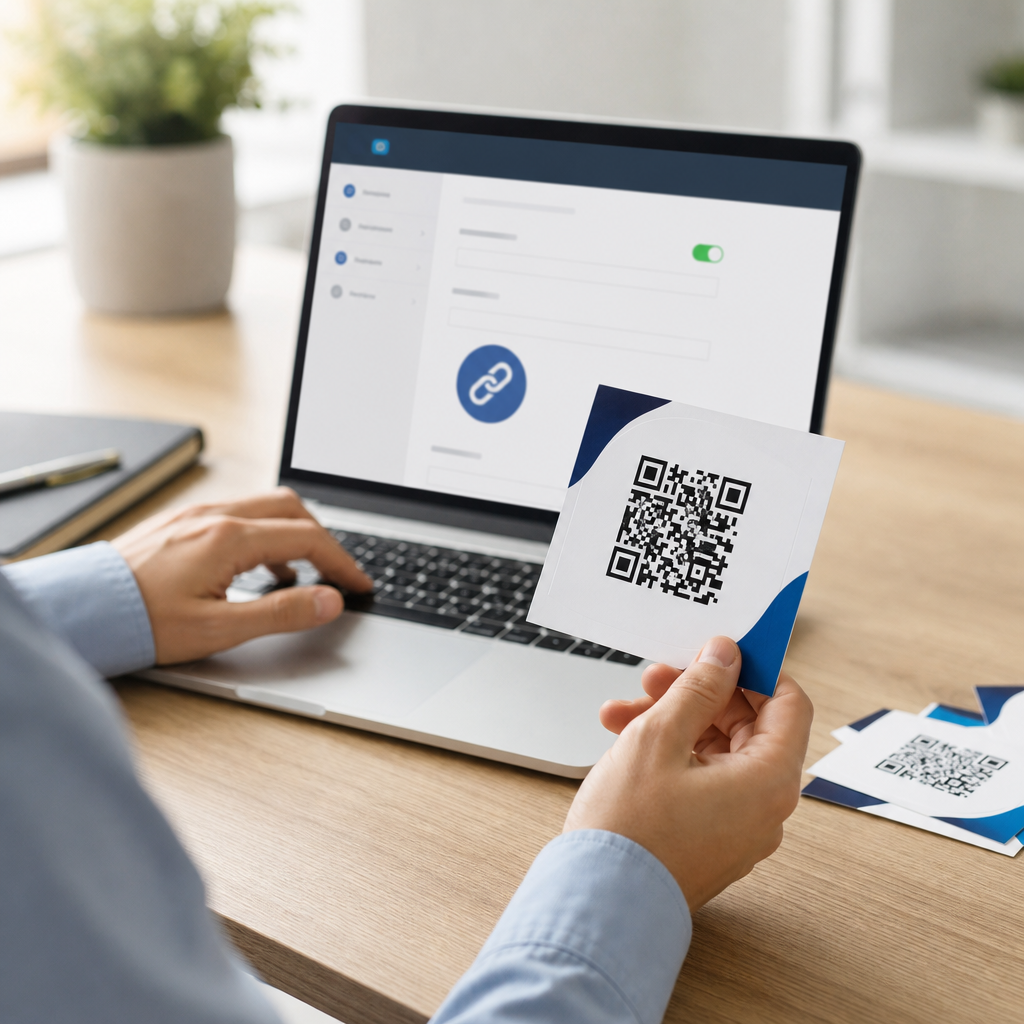
Editing a QR code link after printing is possible only when the code is dynamic, meaning the printed pattern points to a short redirect URL that you can update later without changing the artwork. That distinction matters because businesses regularly print QR codes on packaging, menus, direct mail, event signage, manuals, labels, and storefront displays, then discover they need to swap destinations, fix broken pages, add tracking, or localize content by campaign. I have managed QR rollouts for retail packaging and trade show assets, and the most expensive mistake is assuming every QR code is editable. Static QR codes encode the final destination directly, so once they are printed, the destination is locked. Dynamic QR codes separate the visible code from the destination through a redirect layer, usually controlled in a dashboard. That architecture turns a printed QR code into a reusable traffic asset. For teams building an advanced QR strategy, understanding how to edit QR code links after printing is the foundation for governance, analytics, testing, and long-term campaign control.
What Makes a QR Code Editable After Printing
A printed QR code can be edited after printing only if it was created as a dynamic QR code. In practice, the QR image sends the scanner to a short URL on a QR platform or custom domain, and that short URL performs a server-side redirect to the current landing page. When you log in and change the destination, the printed code remains the same, but the redirect target changes immediately or within cache limits. This is why dynamic QR code strategies are central to advanced use cases. They allow marketers to update expired promotions, restaurants to rotate menus, manufacturers to revise documentation, and operations teams to swap links during outages. A static code cannot do this because the encoded string is the destination itself, with no redirect layer in between.
The practical test is simple. If your QR provider shows an edit destination button, scan analytics, redirect history, and campaign settings, the code is dynamic. If the platform generated only an image containing the final URL and no management layer, it is static. Many companies learn this too late after printing thousands of flyers. I recommend documenting the code type, owner, linked campaign, and fallback page before approving any print run. Editable QR code links are not just a convenience; they are a risk-control measure that prevents waste and preserves continuity when web pages, product lines, or campaigns change.
How to Change a Dynamic QR Code Link Safely
To edit a QR code link after printing, open the QR management platform, locate the code record, replace the destination URL, save, then test the redirect on multiple devices and networks. That is the simple answer, but safe execution requires more discipline. First, confirm ownership and user permissions. Large organizations often have multiple teams generating codes in different tools, and losing access to a platform can make a technically dynamic code functionally uneditable. Second, copy the old destination before replacing it. Redirect history helps during incident response if you need to revert quickly. Third, preserve campaign parameters if analytics continuity matters. If your original URL used UTM tags in Google Analytics 4, update them intentionally rather than stripping them by accident.
After saving the new destination, test with both the native camera app on iPhone and Android and at least one dedicated scanner app. Check behavior on Wi-Fi and mobile data, because captive portals and cached redirects can mask problems. If the new page uses geolocation, app deep linking, or consent banners, verify that the landing experience is still fast and understandable. A QR code should resolve to a mobile-friendly page in seconds. Slow redirects, interstitials, and broken SSL certificates are common causes of scan abandonment. If you are using a custom domain, confirm the DNS, HTTPS certificate, and redirect status codes remain healthy after the change.
Dynamic QR Code Strategies for Campaign Control
The real advantage of editable QR codes is not merely fixing mistakes. It is creating a controlled system for running campaigns over time. A single printed code on product packaging can send first-time buyers to onboarding content in month one, warranty registration in quarter two, and updated support videos after a product refresh. Event signage can point to a live agenda before the conference, a floor map during the event, and session recordings afterward. In restaurants, table tents can rotate from breakfast menus to lunch promotions without reprinting. These are standard dynamic QR code strategies because the physical surface stays constant while the digital destination evolves.
For hub planning under advanced QR code strategies, organize dynamic codes by lifecycle. Evergreen assets include packaging, manuals, storefront decals, and equipment labels. Time-bound assets include seasonal displays, direct mail, and conference materials. Emergency assets include outage notices, recall communications, and service alerts. Each category needs different rules for expiration, approvals, and destination changes. I have found that teams perform better when every editable QR code has a designated owner, purpose statement, and review date. Without governance, codes become orphaned, dashboards become cluttered, and old redirects quietly continue sending traffic to irrelevant pages.
Analytics, Testing, and Optimization
Dynamic QR code platforms usually provide scans by date, device type, operating system, rough location, and sometimes unique versus total scans. Those metrics are useful, but they should be paired with web analytics to understand what happened after the scan. A scan count alone does not reveal whether visitors converted, bounced, or encountered a broken form. The strongest setups combine the QR platform with Google Analytics 4, Tag Manager, and a convention for UTM tagging. For example, a retail brand might label packaging scans as source=qr, medium=packaging, and campaign=summer-launch. That makes it possible to compare QR traffic against email, paid social, and organic search inside the same reporting framework.
Testing should also be systematic. Before and after any link edit, verify redirect speed, page rendering, event firing, and final conversion paths. A/B testing works well with dynamic QR codes when the platform supports split routing, but even without native rotation, you can redirect to a landing page that runs the test. Keep in mind that the printed context influences performance. Codes on moving vehicles, glossy posters, curved bottles, and small labels often scan worse than codes on flat matte surfaces. Editability does not solve poor print execution, so advanced teams treat design, placement, and destination management as one system.
Platform Selection and Governance Best Practices
Choosing the right platform determines whether editing QR code links after printing remains easy a year from now. Look for role-based access, custom domains, bulk management, redirect history, exportable analytics, password protection where needed, and clear SLA or uptime information. Enterprise teams often prefer custom domains because branded links improve trust and reduce dependence on a vendor domain that could change ownership or policy. Security matters too. If a former employee retains dashboard access, they may be able to redirect a live printed code to an unintended destination. Use single sign-on where possible and review permissions quarterly.
| Requirement | Why it matters | Example |
|---|---|---|
| Custom domain | Improves trust and protects brand continuity | scan.brand.com/menu |
| Redirect history | Enables rollback and auditability | Restore yesterday’s product page after an error |
| Bulk editing | Supports large packaging or franchise networks | Update 500 store-level codes during a promotion |
| Analytics export | Allows deeper reporting in BI tools | Combine scan data with sales in Looker Studio |
| Role permissions | Reduces unauthorized changes | Regional teams can view; central team can edit |
Governance should include naming conventions, archival rules, and destination standards. I advise clients to standardize records with asset location, print date, owner, campaign, and fallback URL. Set alerts for sudden scan spikes, which can indicate a successful campaign, media pickup, or misuse. Most importantly, keep a neutral evergreen fallback page ready. If a destination fails or a campaign expires, you can quickly redirect the printed QR code to a helpful page rather than a 404 error.
Common Mistakes and When Editing Is Not Enough
The most common mistake is discovering after printing that the code was static. The second is editing the destination without checking mobile usability, which creates a technically correct redirect but a poor experience. Other frequent problems include expired subscriptions on QR platforms, broken custom domains, deleted landing pages, and missing legal review when a code is used on regulated materials such as medical devices or financial communications. In those environments, changing a destination may trigger compliance obligations, version control requirements, or record-retention rules. Editable does not mean informal.
There are also situations where changing the link is not enough. If the printed call to action says “Scan for 20 percent off through June 30,” redirecting to a generic page in August solves the technical issue but not the message mismatch. Likewise, if the code was printed too small, placed on reflective material, or surrounded by poor contrast, no dashboard update will improve scan reliability. Sometimes the right decision is to supplement the printed code with a sticker, insert, or reprint. Dynamic QR code strategies reduce waste, but they do not eliminate the need for sound copy, design, compliance review, and operational ownership.
The core lesson is straightforward: if you want to edit a QR code link after printing, you must start with a dynamic QR code and manage it like a long-term digital asset. Dynamic codes give you control over redirects, analytics, testing, and campaign changes without replacing the printed piece. They support advanced QR code strategies because they let one physical code serve multiple stages of a customer journey, from promotion to onboarding to support. To get the full benefit, choose a platform with strong governance features, use custom domains where practical, test every change on real devices, and connect scan data to broader analytics.
For teams building this subtopic into a larger QR program, treat this page as the hub: link your dynamic QR code work to packaging workflows, event operations, franchise management, analytics standards, and compliance processes. That approach prevents the common failure modes of orphaned codes, lost access, and broken destinations. If you are reviewing existing printed QR assets today, begin with an audit. Identify which codes are dynamic, confirm who owns them, test where they lead, and replace any dead ends with useful fallback pages. That single step will improve customer experience immediately and set the groundwork for a smarter, more resilient QR strategy.
Frequently Asked Questions
Can you really edit a QR code link after it has already been printed?
Yes, but only if the printed QR code is a dynamic QR code. That is the key distinction. A dynamic QR code does not store the final destination URL directly in the black-and-white pattern. Instead, it points to a short redirect link managed through a QR platform or redirect service. Because that redirect destination can be changed in the dashboard later, the printed code continues to work even when you update where it sends people.
By contrast, a static QR code is fixed at the moment it is created. If the encoded content is the full website address, phone number, PDF link, or other data, that information is permanently embedded in the printed pattern. Once it is on packaging, menus, flyers, signage, manuals, labels, or displays, you cannot change the destination without replacing the printed code itself.
In practical terms, businesses often discover the need to edit links after launch. A campaign page may change, a landing page may break, a product may be discontinued, a regional audience may need different content, or tracking may need to be added. If the QR code is dynamic, all of those adjustments can typically be made without reprinting the artwork. If it is static, your options are usually limited to creating a new code and physically swapping or reprinting the material.
How can I tell whether my printed QR code is dynamic or static?
The fastest way to tell is to scan the QR code and inspect the URL it opens. If it goes first to a short branded or shortened redirect domain, that usually indicates a dynamic QR code. For example, if the scan opens a short link managed by a QR service before forwarding to the final page, the destination is probably editable from the platform that controls that redirect.
Another reliable method is to check how the code was originally created. If it came from a QR code management platform with features like destination editing, scan analytics, campaign controls, expiration rules, A/B testing, or geo-based redirects, it was almost certainly generated as a dynamic code. If it was made using a simple free generator that directly encoded the final URL, it is likely static.
You can also ask whoever handled the original rollout for the login credentials, vendor details, or campaign documentation. In many organizations, QR codes are created by marketing teams, agencies, print vendors, packaging teams, or franchise support groups, and the redirect account details are not always passed along. If you can access the management dashboard and see the code listed there, you should be able to confirm whether edits are possible.
If none of that information is available, a technical review can still help. A QR specialist can scan the code, trace the redirect path, and identify whether the code points to a managed short URL or directly to the destination. That audit is often worth doing before assuming a costly reprint is necessary.
What kinds of changes can you make to a dynamic QR code after printing?
A dynamic QR code can usually be updated in several useful ways without changing the printed design. The most common change is swapping the destination URL. That means you can redirect scans from an old landing page to a new one, move traffic from a temporary campaign page to a permanent site section, fix broken links, or change from one product page to another after inventory or messaging changes.
Many businesses also use dynamic QR codes to improve measurement. After printing, they may decide to add UTM parameters for analytics, send visitors through a tracked campaign URL, or separate performance by channel, geography, or promotion. This is especially helpful for QR codes placed on direct mail, retail packaging, tabletop menus, trade show signage, manuals, window decals, and point-of-sale materials where post-launch learning is important.
Depending on the platform, you may also be able to localize destination content by region, language, device type, or time period. For example, one printed QR code on global packaging could route U.S. visitors to an English support page, Canadian visitors to localized product information, and European visitors to compliance documentation. Some systems also support scheduling, password protection, app deep linking, form updates, and scan-based rules.
What does not change is the physical QR pattern already printed on the item. The flexibility comes from the redirect layer behind it. As long as that redirect remains active and under your control, you can continue updating the destination strategy without touching the artwork.
What happens if the QR code is static and I need to change the link anyway?
If the QR code is static, the printed pattern itself contains the final destination, so there is no true way to edit it after printing. In that case, the cleanest solution is usually to create a new QR code and replace the old one wherever possible. For some uses, that is manageable with stickers, overlays, tent cards, inserts, or updated labels. For others, such as product packaging, etched materials, permanent signage, or large print runs, replacement may be more expensive and logistically difficult.
Before reprinting everything, it is worth checking whether the original destination URL can be repurposed. If you still control the domain or page that the static QR code points to, you may be able to place a redirect there to send visitors to the new content. For example, if the QR code links to yourwebsite.com/spring-offer and you still control that page, you may be able to redirect that URL to a current campaign page. In that scenario, the QR code itself is still static, but the web destination can be adjusted on the site side.
If you do not control the old URL, the options narrow quickly. Broken third-party links, expired campaign domains, deleted cloud files, and retired vendor pages are common problems. That is one reason dynamic QR codes are strongly preferred for materials with a long shelf life or broad distribution. They give you a safety net when business conditions change after printing.
Going forward, the best practice is simple: use dynamic QR codes for anything expensive to reprint, distributed at scale, or likely to need future updates. That includes packaging, menus, storefront displays, event graphics, manuals, labels, and evergreen promotional materials.
What are the best practices for editing QR code links after printing without causing problems?
Start by confirming ownership and access. Before making any changes, make sure your team controls the QR code management account, the redirect domain, and the final destination page. One of the most common operational failures is not the edit itself, but losing access to the platform or relying on a vendor-owned account that later expires. Stable ownership matters just as much as the QR code type.
Next, test the new destination thoroughly before publishing the update. Open it on both iPhone and Android devices, verify that the page loads quickly over mobile data, and check that the experience matches the context where the code appears. Someone scanning from packaging in a store, from a menu at a table, or from a sign on a sidewalk needs a frictionless mobile page, not a desktop-heavy destination or a generic homepage.
It is also smart to preserve analytics continuity. If you are changing the link to improve tracking, use consistent naming conventions, campaign parameters, and reporting structures so performance remains comparable over time. Document when the change was made, why it was made, and which printed placements are affected. This helps interpret scan data correctly, especially when one QR code remains in circulation across multiple campaigns or locations.
Finally, think strategically about user experience. Do not send returning scanners to irrelevant content just because the destination is editable. Match the new page to the promise implied by the printed material. A QR code on a user manual should still lead to support-oriented content. A code on product packaging should still feel product-specific. The ability to edit after printing is powerful, but the best results come from using that flexibility carefully, with testing, clear governance, and a long-term plan for redirects, analytics, and content maintenance.





