
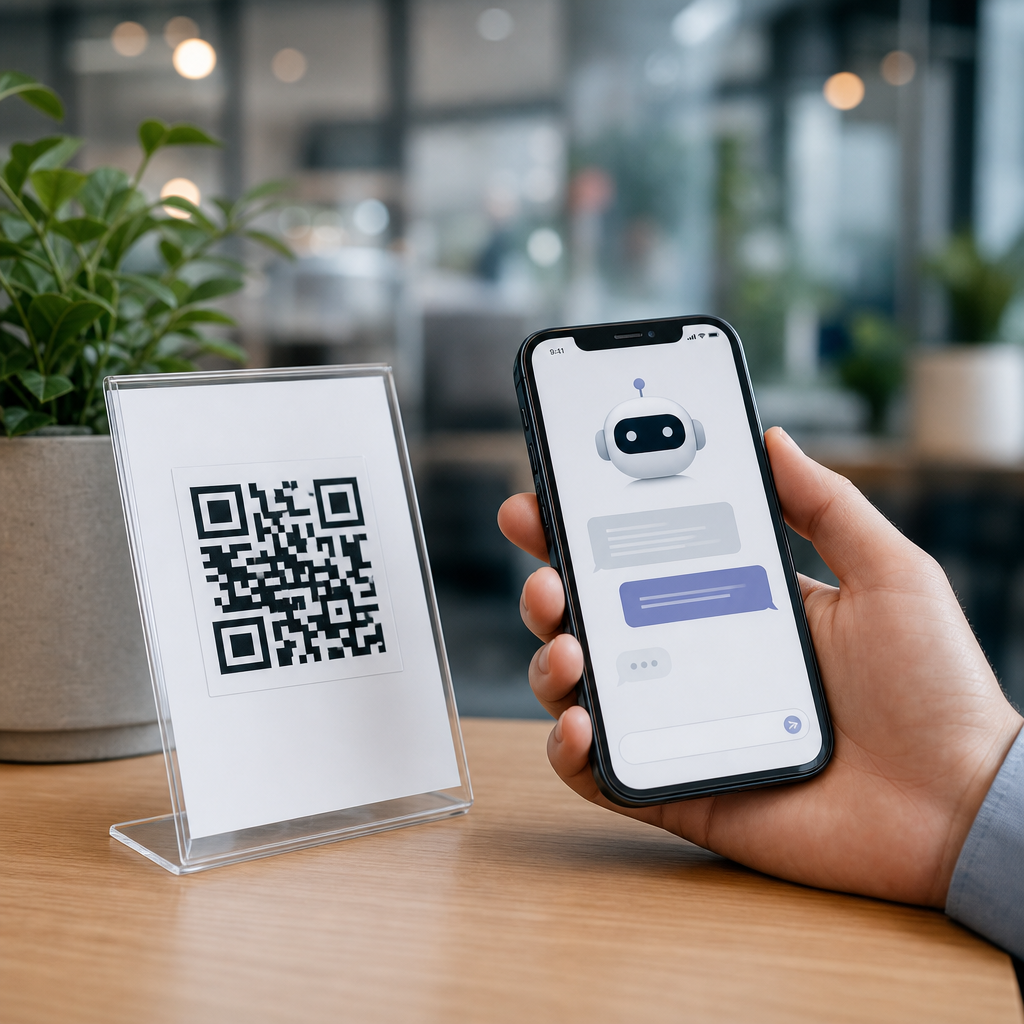
Combining QR codes with chatbots turns a static scan into a guided, measurable conversation. A QR code is a scannable matrix barcode that opens a digital destination, while a chatbot is a rules-based or AI-driven interface that answers questions, collects information, and moves a user toward a task. When these tools work together, the scan no longer ends at a generic landing page. It begins a personalized flow that can qualify leads, answer support questions, register event attendees, recommend products, or automate follow-up. I have implemented this pairing in retail, field service, healthcare intake, and B2B events, and the pattern is consistent: response rates rise when the next step feels immediate and interactive.
This matters because mobile attention is short and user intent is fragile. Every extra tap, form field, or navigation choice reduces completion. QR codes reduce friction at the moment of interest, and chatbots reduce friction after the click by offering guided choices instead of a blank webpage. The combination also improves attribution. Dynamic QR platforms can identify where the scan happened, while chatbot analytics reveal what the person asked, where they dropped off, and whether they converted. Together, they connect offline touchpoints with digital outcomes in a way posters, packaging, business cards, menus, direct mail, and in-store displays rarely could a few years ago.
For teams building advanced QR code strategies, this topic sits at the center of AI and automation. It touches customer service, conversational commerce, lead capture, CRM syncing, payment links, multilingual support, and workflow automation across tools such as WhatsApp Business, Intercom, Drift, HubSpot, Twilio, Manychat, Dialogflow, and Zapier. The practical question is not whether QR codes and chatbots can work together. They can. The real question is how to structure the experience so that the scan context, bot logic, channel choice, and data routing all align with a business goal. That is where strong results come from, and that is what this hub article covers.
How QR codes and chatbots work together
The core model is simple: a person scans a QR code and lands in a chat environment that already knows the context of the scan. That context may include campaign source, store location, product SKU, event booth, language preference, device type, or service category. In the best implementations, the QR code points to a dynamic URL with embedded parameters. Those parameters are passed into the chatbot session so the opening message is specific. Instead of “How can I help?” the bot says, “You scanned the setup guide for Model X. Do you want installation steps, warranty help, or spare parts?” That single improvement often changes engagement dramatically because it confirms relevance immediately.
There are several deployment patterns. The first sends users to a web chat widget hosted on a mobile landing page. This works well when brands want full design control and analytics ownership. The second opens a messaging app such as WhatsApp, Facebook Messenger, Telegram, or WeChat with a prefilled message. This is effective when the audience already uses that app daily. The third launches an SMS flow for users who prefer text and may have limited data connectivity. The fourth opens an in-app support bot inside a customer portal after login. Each path has tradeoffs involving reach, identity resolution, compliance, and continuity of conversation across devices.
In practice, channel selection should follow user behavior, not internal preference. For a restaurant, a table QR code that opens a web chatbot can handle menu questions, allergen information, and bill requests without forcing guests into a third-party app. For an event booth, a QR code that opens WhatsApp may outperform web chat because attendees can continue the conversation after leaving the venue. For field equipment, a QR code on the machine often works best with a mobile web bot because technicians need instant troubleshooting without authentication friction. The best choice is the one that fits the moment, minimizes abandonment, and preserves enough data for downstream action.
Best use cases across AI and automation
Lead generation is one of the strongest use cases. A QR code on signage, packaging, or print ads can open a bot that asks two or three qualifying questions, recommends the right resource, and pushes contact details into a CRM. Compared with a standard form, guided chat usually feels lighter because the user answers one step at a time. I have seen trade show teams capture better lead quality by routing visitors through a chatbot that asks budget, timeline, and product interest before creating a HubSpot contact and assigning an owner. Sales reps then receive a scored lead instead of a pile of scanned badges with no context.
Customer support is another high-value application. QR codes on devices, invoices, receipts, and product packaging can launch a support bot tied to the exact item or account type. That enables self-service flows for setup, troubleshooting, returns, appointment scheduling, and warranty checks. AI improves this by classifying intent and surfacing the right knowledge base article or escalation path. A home appliance brand, for example, can place a QR code inside the manual. After scan, the bot asks for the issue, interprets free-text symptoms, shows a model-specific video, and escalates to live support if the confidence score is low. This reduces handle time and deflects repetitive tickets.
Commerce, onboarding, and internal operations also benefit. Retail shelf tags can trigger a chatbot that compares products, checks stock, and sends a payment link. SaaS companies can embed QR codes in webinars or printed leave-behinds that open onboarding bots with setup checklists. HR teams can place QR codes in facilities that open bots for IT requests, maintenance reporting, and policy lookup. Healthcare providers use QR codes for intake, directions, pre-visit instructions, and post-discharge guidance, though regulated environments require stricter consent, authentication, and data handling. The unifying principle is that the scan should start a task-specific conversation, not a generic homepage visit.
| Use case | Best QR placement | Chatbot goal | Automation outcome |
|---|---|---|---|
| Trade show lead capture | Booth graphics, badges, handouts | Qualify visitor intent | Send scored lead to CRM |
| Product support | Packaging, manuals, device labels | Troubleshoot by model | Create ticket or deflect case |
| Restaurant service | Tables, menus, receipts | Answer menu and service questions | Reduce waitstaff interruptions |
| Retail assisted selling | Shelf talkers, window displays | Recommend products | Drive checkout or appointment |
How to design a high-converting QR-to-chat journey
Start with intent mapping. Every QR code should answer one primary question: what is the user trying to do at this exact moment? If the answer is unclear, the experience will underperform. The most effective journeys have one clear promise on the physical asset, one immediate confirmation after the scan, and one short path to resolution. Good copy matters. “Scan for help installing your router” is stronger than “Scan me.” The bot’s first message should mirror that promise and present constrained choices. In conversational design, fewer branches usually outperform broad menus because they reduce cognitive load and speed completion on mobile screens.
Personalization should be driven by real context, not gimmicks. Dynamic QR codes let teams change destinations without reprinting and append UTM parameters, location IDs, or product references. A chatbot can use those variables to tailor responses, trigger different intents, and route to specialized workflows. For example, a national retailer can use one bot framework across hundreds of stores while changing store-level messaging, hours, and inventory prompts based on the scanned code. Likewise, a manufacturer can map each product QR code to the correct troubleshooting tree. This is operationally efficient and dramatically better for the user than making them identify basics the business already knows.
Conversation design also needs a fallback strategy. Even capable AI assistants fail when the prompt is vague, the knowledge base is outdated, or the request requires human judgment. The best implementations define confidence thresholds, escalation rules, and handoff data. If the bot cannot resolve a question, it should summarize the issue and transfer the transcript to an agent, ticket system, or callback queue. That preserves effort and trust. Teams should also decide whether the bot is transactional, informational, or hybrid. A transactional bot completes tasks such as booking and payment. An informational bot explains options. A hybrid bot needs tighter guardrails to avoid getting lost between roles.
Technology stack, data flow, and measurement
A reliable setup usually has five layers: a dynamic QR code platform, a destination resolver, a chatbot engine, integration middleware, and reporting. Dynamic QR tools such as Bitly, Flowcode, QR Code Generator Pro, Beaconstac, and Scanova can manage redirects, update URLs, and track scans by time, location, and device. The destination may be a web chat page, deep link, or messaging URL. The chatbot engine may be Intercom Fin, Zendesk bots, Drift, Dialogflow CX, Microsoft Copilot Studio, Manychat, Tidio, or a custom large-language-model stack. Middleware such as Zapier, Make, Workato, or native webhooks moves data into CRMs, help desks, CDPs, or spreadsheets.
Measurement should go beyond scan volume. The useful metrics are scan-to-chat start rate, conversation completion rate, qualified lead rate, self-service resolution rate, escalation rate, average time to resolution, assisted revenue, and downstream conversion by QR placement. If multiple codes feed one bot, track each source separately. I recommend storing campaign, asset, and context parameters as hidden attributes in the chat session and then passing them to analytics and CRM records. That makes offline attribution much cleaner. It also reveals which signs, packages, counters, or print placements drive meaningful outcomes rather than superficial engagement.
Privacy, accessibility, and governance are not optional. If personal data is collected, organizations need a lawful basis, a visible notice, retention rules, and secure transfer practices. Messaging apps introduce platform-specific policies, while sectors such as healthcare and finance may require additional controls. Accessibility means the QR code should be accompanied by a short URL or text alternative, strong color contrast, and enough quiet zone for reliable scanning. Governance means ownership of the bot knowledge base, redirect logic, and naming conventions. Without that discipline, teams end up with broken QR destinations, conflicting intents, and reporting that no one trusts.
Common mistakes and how to avoid them
The most common mistake is sending every scan to the same generic chatbot. Users scan in context, so the bot should respond in context. Another frequent problem is over-automation. Not every interaction should stay inside AI. If someone needs a refund, prescription clarification, or urgent technical support, the handoff to a person should be fast and obvious. Teams also underestimate physical design. Tiny codes, poor contrast, reflective surfaces, or placement where phones cannot focus will crush performance before the chatbot has a chance to help. Testing in real lighting and at real distance is essential.
As this sub-pillar hub for Advanced QR Code Strategies, this page should connect your deeper content on dynamic QR codes, QR code analytics, WhatsApp QR campaigns, chatbot scripting, CRM integration, and AI customer support workflows. The key takeaway is simple: QR codes capture intent at the moment it appears, and chatbots turn that intent into guided action. When you combine context-aware redirects, clear conversational design, strong integrations, and disciplined measurement, the result is faster service, better attribution, and more conversions from the same physical media. Audit one existing QR experience, replace the landing page with a task-specific chatbot flow, and measure the lift.
Frequently Asked Questions
What does it mean to combine QR codes with chatbots?
Combining QR codes with chatbots means using the QR code as the entry point to an interactive conversation instead of sending people to a static page with limited options. A QR code is simply the bridge: someone scans it with a phone camera, and that scan opens a chatbot experience in a web chat, messaging app, customer portal, or embedded conversational interface. Once the conversation begins, the chatbot can greet the user, identify intent, answer common questions, collect contact details, guide product discovery, support event registration, book appointments, or direct the user to the next best action.
This approach is powerful because it turns passive interest into active engagement. A printed flyer, product package, in-store sign, trade show display, restaurant table tent, invoice, or email can all contain QR codes that launch highly targeted chatbot flows. Instead of making users search through a website on their own, the chatbot can immediately ask what they need and route them accordingly. That reduces friction, improves user experience, and creates measurable interactions tied to scan activity, conversation paths, and conversion events.
In practical terms, the QR code and chatbot work as one connected journey. The QR code attracts and captures attention in the physical or visual environment, while the chatbot handles the digital interaction that follows. This combination is especially useful when speed, personalization, and tracking matter, because every scan can lead to a guided conversation tailored to the campaign, location, product, or audience segment.
Why are QR codes and chatbots more effective together than using a QR code alone?
A standalone QR code often leads to a generic landing page, PDF, menu, or form. That can work, but it usually puts the burden on the user to figure out where to click next, what information matters, and how to complete the intended action. When a chatbot is introduced after the scan, the experience becomes guided instead of self-directed. The chatbot can ask simple questions, clarify user needs, and present only the most relevant options. That makes the interaction feel faster, easier, and more personal.
The combined approach also improves conversion potential. For example, if someone scans a QR code on product packaging, the chatbot can ask whether they want setup instructions, troubleshooting help, warranty registration, or related product recommendations. If the scan happens at an event booth, the chatbot can qualify the lead, collect company details, and schedule a demo. If the QR code appears in a retail environment, the chatbot can recommend products based on preferences, explain promotions, and guide the shopper toward purchase. In each case, the user is not left to navigate a broad website with too many choices.
Another major advantage is measurability. QR-only campaigns can show scan volume, but adding a chatbot introduces richer data about what happened after the scan. You can track conversation starts, drop-off points, frequently asked questions, lead quality, appointment requests, registrations, and completed conversions. That gives marketers, support teams, and business owners much better visibility into performance. Instead of asking whether people scanned, you can ask whether they engaged, what they wanted, and whether the experience moved them toward a business goal.
What are the best use cases for pairing QR codes with chatbots?
QR codes and chatbots are highly versatile, which is one reason they work across industries. One of the most common use cases is lead generation. A QR code on signage, direct mail, packaging, business cards, or event materials can launch a chatbot that asks qualifying questions, captures contact details, and routes prospects to sales. This is useful because it shortens the path from interest to action and collects valuable context before a human follow-up happens.
Customer support is another strong application. A QR code on a product box, user manual, receipt, kiosk, or appliance can open a chatbot that provides setup help, troubleshooting steps, FAQs, return policies, or escalation options. That reduces support friction and allows customers to get help instantly without searching through a website or waiting in a queue. In many cases, the chatbot can resolve routine issues on its own and hand off more complex cases to a live agent only when needed.
Events and registrations also benefit significantly. Organizers can place QR codes on invitations, posters, badges, presentations, or venue signage to launch a chatbot that confirms attendance, answers agenda questions, shares venue details, books sessions, or gathers post-event feedback. Retail and hospitality brands can use them for product recommendations, ordering, table service, loyalty enrollment, or promotional campaigns. Healthcare providers, educational institutions, real estate teams, and service businesses can also use QR-triggered chatbot flows for appointment booking, information requests, screening questions, and guided inquiries. The best use case is any situation where a scan can be turned into a clear, helpful, next-step conversation.
How do you set up a QR code that launches the right chatbot experience?
The setup process starts with defining the goal of the interaction. Before generating a QR code, it is important to decide what should happen after the scan. Are you trying to qualify a sales lead, answer support questions, register attendees, recommend products, or collect feedback? Once the goal is clear, you can design the chatbot flow around that objective. A good flow includes a welcome message, a small number of clear options, conditional logic based on user responses, and a direct path to completion, whether that means collecting data, solving a problem, or handing off to a human.
Next, the chatbot needs a destination URL or app-based entry point that the QR code can open. In web-based experiences, this is often a chatbot landing URL with campaign parameters attached. Those parameters can identify where the scan came from, such as a specific poster, product package, store location, event booth, or print ad. This is an important step because it allows the chatbot to personalize the opening message and enables accurate tracking. For example, someone scanning from an event banner could see a message tailored to event attendees, while someone scanning from packaging could enter a support or warranty flow immediately.
After that, generate a QR code tied to the chosen chatbot entry point, test it across devices, and confirm that the conversation opens quickly and behaves as expected. Dynamic QR codes are often the better option because they let you update the destination later without reprinting the code. Finally, place the code in a context where users understand why they should scan it. A strong call to action matters. Instead of simply showing a QR code, tell users exactly what they will get, such as “Scan to get product help,” “Scan to register in 30 seconds,” or “Scan for a personalized recommendation.” Clear intent, smooth mobile design, and reliable tracking are what turn the technical setup into a high-performing user experience.
What best practices help improve results when using QR codes with chatbots?
The most important best practice is relevance. The chatbot should match the context of the scan. If someone scans from packaging, they should not land in a vague general-purpose chat. They should enter a product-specific flow. If they scan from a trade show booth, the first message should acknowledge that setting and offer options appropriate for event visitors. Relevance increases trust, lowers abandonment, and helps users feel that the experience was designed for them rather than for a broad anonymous audience.
Simplicity is equally important. The first few chatbot messages should be concise, clear, and action-oriented. Give users a small set of strong options instead of overwhelming them with too many branches at once. Mobile usability matters here because most QR scans happen on phones. The conversation should load quickly, buttons should be easy to tap, forms should be short, and any requested information should feel necessary and worthwhile. If you ask for too much too soon, many users will drop off before completing the intended action.
Tracking and optimization should also be built in from the beginning. Use campaign parameters, unique QR codes for different placements, and analytics inside the chatbot to measure what happens after the scan. Monitor scan rates, conversation starts, completion rates, common questions, abandonment points, and conversion outcomes. This data helps you refine both the QR placement and the chatbot flow. In addition, include fallback options such as a live agent handoff, email capture, or link to a knowledge base for users whose needs go beyond the automated path. Finally, be transparent about privacy and data collection. If the chatbot is collecting personal information, clearly explain why, how it will be used, and what the user can expect next. The best-performing QR and chatbot experiences are not just clever; they are helpful, fast, measurable, and trustworthy.





