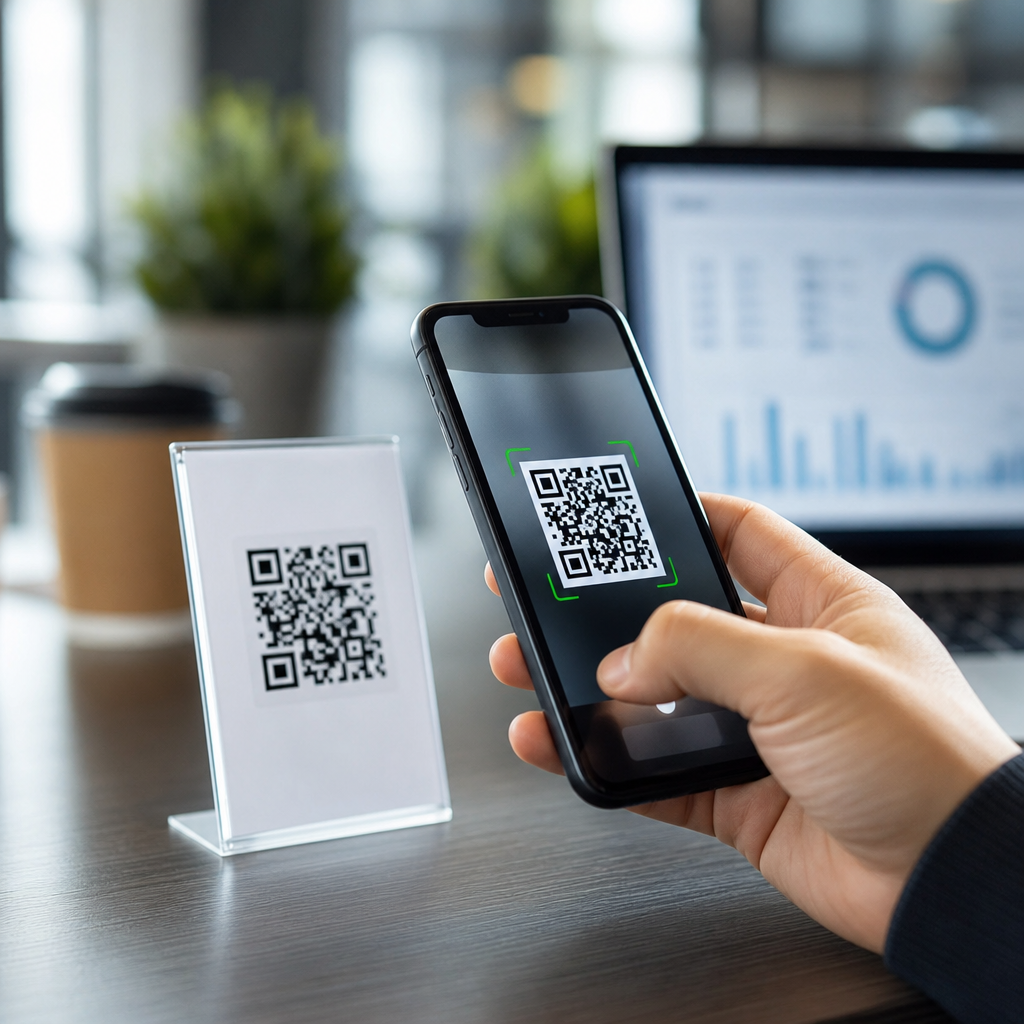
QR codes can be tracked, but the answer depends on the type of code you create, the destination it opens, and the analytics setup behind it. A QR code is simply a machine-readable pattern that stores information, usually a URL, text string, contact card, Wi-Fi credential, or payment instruction. Tracking means measuring what happens when someone scans that code: how many scans occurred, when they happened, where they likely came from, what device was used, and whether the scan led to a meaningful action such as a form submission, purchase, or app install.
I have worked with QR deployments for product packaging, event signage, restaurant menus, direct mail, and field service manuals, and the same misunderstanding appears every time: people assume the black-and-white square itself collects data. It does not. The code is only a pointer. Measurement happens through the destination link, redirect service, campaign parameters, web analytics platform, or app deep-linking tool connected to it. That distinction matters because it determines what you can learn, what privacy obligations apply, and whether a printed code can be updated after distribution.
This topic matters because QR codes now sit at the intersection of offline and digital marketing, customer support, payments, and operations. A flyer, package insert, checkout display, or equipment label can drive traffic instantly, but only if the business understands what is measurable and what is not. For a hub article covering general QR code FAQs, the most useful starting point is this: static QR codes usually offer little or no native measurement, while dynamic QR codes can support robust tracking because they route scans through a managed short URL or redirect before sending users to the final destination.
How QR code tracking works in practice
When a person scans a QR code, their phone decodes the embedded content. If that content is a direct URL, the browser opens that page immediately. In that setup, the QR code itself does not record the scan. Any measurement comes from the website analytics tool on the landing page, such as Google Analytics 4, Adobe Analytics, Matomo, or a server log analyzer. If the URL includes campaign tags like UTM parameters, you can attribute sessions to a specific campaign, placement, or asset. For example, a postcard might use a tagged URL ending in utm_source=directmail and utm_campaign=springoffer.
Dynamic QR codes add a redirect layer. The printed code points to a short managed URL controlled by a QR platform. When someone scans it, that service records the event, then forwards the user to the final destination. Because the redirect is counted before the visitor lands on the page, you can collect scan totals, timestamps, rough geolocation based on IP address, device type, operating system, and sometimes unique versus repeat scans. Platforms such as Bitly, QR Code Generator Pro, Scanova, Beaconstac, and Flowcode commonly offer this model. In my experience, this is the setup most businesses actually want when they ask whether QR codes can be tracked.
Tracking depth still depends on implementation. A dynamic platform can report scans, but conversion tracking requires the destination site or app to measure what happens next. If you want to know whether the scan produced a lead, a sale, a support case deflection, or a document download, you need event tracking on the destination. A code on a machine label might generate 500 scans, but without goals or ecommerce events configured, you cannot prove business impact.
What data you can track, and what you cannot
The most common QR code analytics are scan count, time of scan, approximate location, device category, operating system, browser, and referral or campaign identifiers. Approximate location usually comes from IP geolocation, which is useful at city or regional level but not precise enough to identify a user’s exact physical position. Some enterprise tools also show scan trends by day, compare placements, and flag spikes that suggest a campaign is performing unusually well.
What you usually cannot track from the code alone is a person’s identity. A standard QR scan does not reveal the individual’s name, email address, or phone number unless they submit that information on the destination page, authenticate in an app, or arrive through a system that already knows who they are. You also cannot assume every scan equals a unique person. One user may scan the same code multiple times, and privacy settings, VPNs, cookie restrictions, and browser protections can distort user-level attribution.
There are also technical limits. If the camera app previews the URL but the user never taps through, some systems may not count a full visit. If a code opens an app using a deep link, measurement may split between the QR platform, mobile measurement partner, and in-app analytics tool. On printed assets in low-connectivity environments, some scans fail before loading the destination, which can reduce reported sessions compared with attempted scans.
Static vs dynamic QR codes: which is better for analytics?
The biggest difference between static and dynamic QR codes is editability and measurement. A static QR code encodes the final content directly. Once printed, it cannot be changed. If the target URL breaks or the campaign changes, the code becomes outdated. A dynamic QR code stores a short redirect URL instead, allowing you to change the final destination later without reprinting the code. That flexibility is especially valuable for packaging, signage, manuals, and labels that remain in circulation for months or years.
| Feature | Static QR Code | Dynamic QR Code |
|---|---|---|
| Editable after printing | No | Yes |
| Native scan analytics | Limited or none | Usually yes |
| Best for | Permanent simple links | Campaigns, packaging, support, testing |
| Risk if destination changes | High | Low |
| Typical cost | Often free | Usually subscription-based |
For analytics, dynamic is better nearly every time. I recommend static codes only when the destination is truly permanent, no advanced reporting is needed, and long-term maintenance is not a concern. A museum exhibit linking to a stable information page might use static. A retail shelf talker, event badge, support sticker, or direct mail offer should usually use dynamic because campaigns evolve, links break, and reporting matters. If you are building a general QR code FAQ resource, this is the core decision to explain clearly.
How businesses use tracked QR codes
Tracked QR codes solve practical problems across industries. In retail, brands place codes on packaging to connect buyers to setup guides, warranty registration, refill ordering, or loyalty programs. With dynamic links and campaign tagging, the brand can compare scans by product line, retailer, or region. In restaurants, menu QR codes show scan volume by location and time of day, helping operators understand demand patterns. During the pandemic, this use case accelerated because contactless menus became standard.
At events, organizers use QR codes on signage, badges, booths, and handouts to drive attendees to schedules, speaker bios, lead forms, or sponsor pages. When every placement uses a distinct dynamic code, the organizer can see whether the entrance banner, session slide, or exhibitor booth generated the strongest response. In B2B field service, QR labels on equipment can route technicians directly to maintenance manuals, parts catalogs, or service videos. Scan logs then reveal which assets are used most often and which equipment generates repeated support needs.
Marketing teams also use tracked QR codes to bridge offline campaigns with digital attribution. A billboard alone is hard to measure, but a dedicated QR destination with UTMs and a custom landing page gives the campaign a measurable response path. Direct mail is another strong example. By assigning separate codes to postcard versions, geographies, or audience segments, teams can compare response rates and optimize creative. This is more reliable than asking customers how they heard about the offer.
Privacy, compliance, and common misconceptions
Tracked QR codes are useful, but they are not exempt from privacy rules. If scan data can be linked to an identifiable person, or if the landing page sets cookies and collects personal information, the organization may need consent mechanisms and disclosures depending on jurisdiction. Rules such as the GDPR in Europe and the CCPA and CPRA in California affect how businesses collect, store, and use analytics and personal data. Even when a QR platform shows only aggregate scans, the destination site may still trigger legal obligations.
A common misconception is that QR code tracking is invasive by default. In reality, most setups gather the same categories of data as ordinary web visits unless extra personal information is requested. Another misconception is that tracked means perfectly accurate. It does not. Bot filtering, ad blockers, private browsing, app handoffs, and cross-device behavior all create gaps. Good practitioners treat scan counts as directional unless they are paired with well-configured conversion measurement and data governance.
Security is another overlooked issue. Because QR codes hide the destination behind an image, users can be tricked into visiting malicious links. Businesses should use recognizable branded domains, HTTPS, and transparent landing pages. In operational settings, I advise clients to document who controls the dynamic QR account, redirect rules, and DNS records. If a subscription lapses or a vendor account is lost, thousands of printed codes can fail at once.
Best practices for accurate QR code analytics
Use a dynamic QR platform, point it to a landing page you control, and add campaign parameters consistently. In GA4, define key events such as form submissions, purchases, downloads, click-to-call actions, or account creation. Create a naming convention that captures campaign, channel, asset, version, and location. For example, a code on a trade show booth wall might use a destination tagged for event, hall, booth, and message variant. That level of structure turns raw scans into actionable reporting.
Test every code before printing and after deployment. Check scan speed, contrast, size, and quiet zone. A code that is too small on packaging or too reflective on a storefront window will underperform regardless of analytics quality. ISO/IEC 18004 defines the QR Code symbology standard, and practical production rules still matter: maintain sufficient error correction, avoid distorting the pattern with oversized logos, and confirm the code works on both iPhone and Android camera apps.
Finally, compare scans with downstream outcomes, not vanity metrics alone. A code with fewer scans may deliver better leads if the placement targets high-intent users. Build dashboards that show scans, sessions, engaged sessions, conversion rate, and revenue or cost savings. If this hub article helps readers remember one thing, it should be this: QR codes can absolutely be tracked, but useful tracking comes from thoughtful system design, not from the square itself. Choose dynamic codes when measurement matters, connect them to strong analytics, respect privacy requirements, and review performance regularly. Then your QR program becomes measurable, improvable, and worth scaling.
Frequently Asked Questions
Can QR codes actually be tracked?
Yes, QR codes can be tracked, but not every QR code works the same way. A QR code by itself is simply a visual way to store data, most commonly a URL. Whether it is trackable depends on what information is encoded and what systems are connected to it after someone scans. If the code points directly to a fixed destination, known as a static QR code, tracking is usually limited unless the destination page has its own analytics in place. If the code uses a redirect URL managed through a QR code platform, known as a dynamic QR code, it becomes much easier to measure activity such as total scans, time of scan, approximate location, device type, and browser details.
In practical terms, tracking happens through the destination and the analytics tools behind it, not through the black-and-white pattern itself. When a user scans a dynamic code, the scan typically passes through a tracking server before sending the user to the final page. That server can log useful metrics and generate reports. If the landing page also includes analytics tools like Google Analytics or marketing automation software, you can go beyond scan counts and see what happened after the scan, such as page views, form submissions, purchases, or other conversions. So the short answer is yes, QR codes can absolutely be tracked, but the level of insight depends on how the code is built and what measurement tools are connected to it.
What is the difference between tracking a static QR code and a dynamic QR code?
The key difference is flexibility and visibility. A static QR code contains the final destination directly inside the code. For example, if it sends people to a specific webpage, that exact URL is permanently embedded. Because of that, the QR code itself does not create a separate tracking layer. You may still be able to measure visits to the page using website analytics, UTM parameters, or campaign-specific landing pages, but the code does not provide its own scan dashboard. Once created, a static code also cannot usually be edited if you want to change the destination later.
A dynamic QR code, on the other hand, contains a short redirect URL instead of the final destination. That redirect acts as an intermediary, and this is what enables tracking. Every time someone scans the code, the platform can record the event before forwarding the user to the intended page. This setup allows you to update the destination without replacing the printed code, which is especially useful for packaging, posters, menus, mailers, and other materials that are expensive or inconvenient to reprint. Dynamic codes are generally the best choice when scan analytics matter because they can provide reporting on scan volume, timing, approximate geography based on IP address, device or operating system, and sometimes campaign-level segmentation. In short, static QR codes are simpler but limited, while dynamic QR codes are much better for performance measurement and ongoing optimization.
What kind of information can you see when a QR code is tracked?
The most common data point is the total number of scans, but modern QR tracking can go much deeper than that. Depending on the platform and analytics setup, you may be able to see when the code was scanned, how scan activity changed over time, and the approximate location of the user based on their internet connection. You can often identify device-related information too, such as whether the person scanned using an iPhone, Android phone, tablet, or desktop device, along with browser and operating system details. These insights can help businesses understand where engagement is strongest and which audiences are responding best.
More advanced setups can also show what happened after the scan. For example, if the QR code sends users to a landing page with analytics installed, you can measure sessions, bounce rate, pages viewed, purchases, sign-ups, downloads, calls, or form submissions. Adding campaign tags such as UTM parameters makes it easier to attribute traffic inside analytics platforms and compare QR performance against email, paid ads, social media, or direct mail. It is important to note, however, that most QR tracking does not identify a specific person unless the user voluntarily provides information through a form, logs in, or interacts in a way that ties the session to a known profile. In most cases, the data is about scan behavior and campaign performance rather than personal identity.
Can you track who specifically scanned a QR code?
Usually, not by default. Standard QR code tracking tells you that a scan happened, along with contextual details like time, approximate location, and device type, but it does not automatically reveal the identity of the individual user. This is an important distinction. Many people assume QR tracking means personal surveillance, but in most cases it is simply aggregated analytics. The scan can be measured without knowing the name, email address, or exact identity of the person holding the phone.
That said, it is possible to connect scans to specific individuals in certain scenarios. For example, if each recipient receives a unique QR code tied to a customer record, or if the scan leads to a login page, registration form, gated offer, or personalized URL, then the action can be linked to a known user. This is common in ticketing, event check-in, direct mail personalization, loyalty programs, and account-based marketing. Even then, businesses need to handle that data responsibly and comply with privacy laws, consent requirements, and internal data governance practices. So while you can sometimes identify who scanned a QR code, that only happens when the campaign is intentionally designed to do so. On its own, a typical QR code scan is usually anonymous or only partially attributable.
How can businesses track QR codes more accurately and measure real results?
The most effective approach is to use dynamic QR codes together with a dedicated landing page and strong analytics tagging. A dynamic code gives you scan-level reporting, while a campaign-specific landing page helps isolate traffic and actions from that QR initiative. Adding UTM parameters to the destination URL lets platforms like Google Analytics classify visits correctly, making it easier to report on source, medium, and campaign. From there, you can set up conversion tracking for outcomes that matter to the business, such as purchases, leads, bookings, app installs, coupon redemptions, or phone calls. This moves the conversation beyond “how many scans did we get?” to “what business value did those scans create?”
Accuracy also improves when campaigns are structured thoughtfully. Use separate QR codes for different channels, placements, or creative versions so you can compare performance between packaging, store signage, flyers, business cards, print ads, and product inserts. Send users to mobile-friendly pages that load quickly and match the promise of the QR call to action. If offline attribution matters, integrate scans with CRM systems, marketing automation tools, or point-of-sale reporting where possible. Finally, review privacy practices and make sure any user-level tracking is transparent and compliant with applicable regulations. When all of these pieces work together, QR code tracking becomes a practical measurement system for understanding engagement, optimizing campaigns, and proving return on investment.