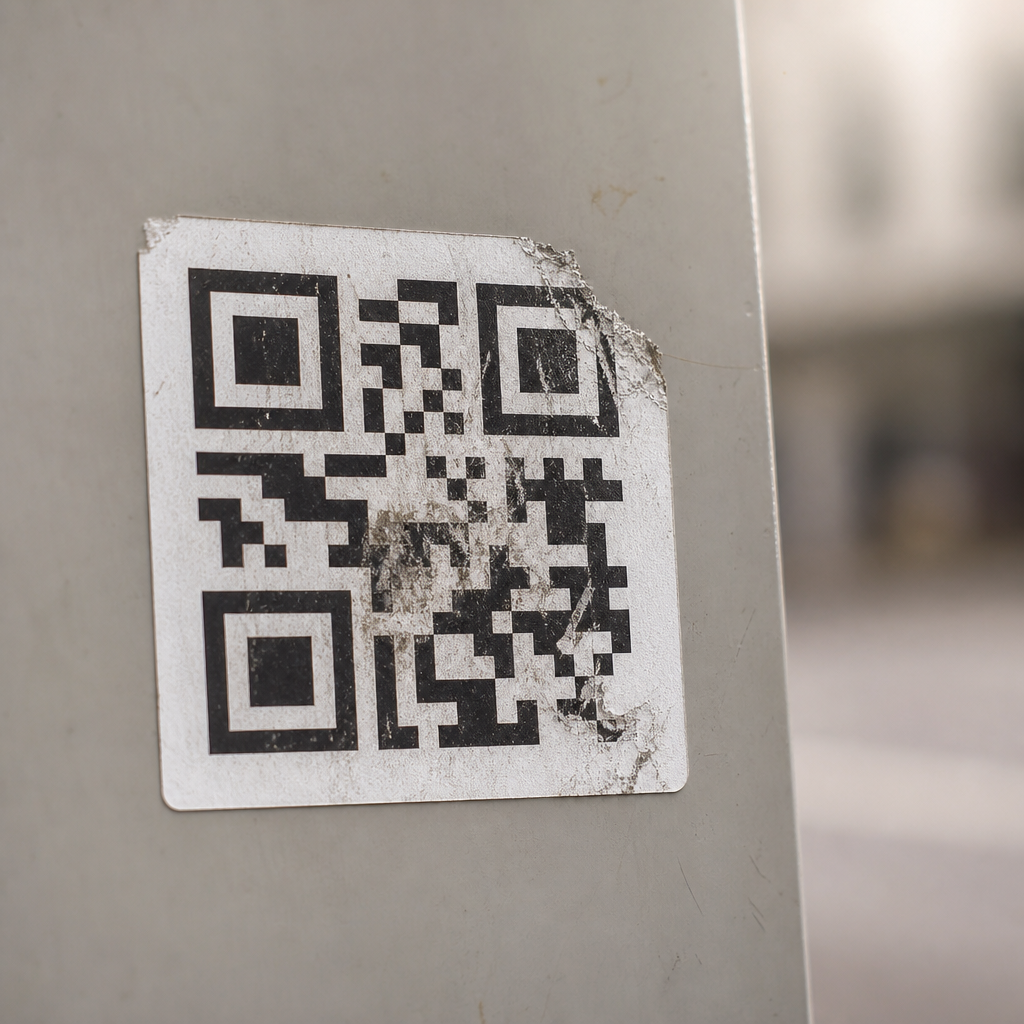
Can a QR code be damaged? Yes. A QR code can become unreadable when its pattern is obscured, distorted, poorly printed, physically scratched, or displayed under conditions that prevent a scanner from separating dark and light modules. In practice, though, many damaged QR codes still work because the format includes built-in error correction. I have tested codes on labels, posters, packaging, restaurant menus, and warehouse bins, and the same rule applies every time: scanning reliability depends on damage type, print quality, size, contrast, and the amount of data encoded. For a technical FAQs and troubleshooting hub, this topic matters because teams often assume any failed scan means the code is “broken,” when the real cause may be glare, low resolution, bad placement, or an unsuitable error correction level. Understanding what actually damages a QR code helps you diagnose failures faster, reduce reprints, and create codes that remain functional in real-world use.
A QR code, or Quick Response code, is a two-dimensional matrix barcode made of square modules arranged on a grid. Scanners rely on three position detection patterns, timing patterns, quiet zones, and encoded data blocks to identify and decode it. Damage can affect any of those elements. Common technical questions include: How much damage can a QR code tolerate? Does a cracked phone screen affect scanning? Can logos make a code unreadable? What happens if part of the code is covered? This hub article answers those core questions directly and sets up the troubleshooting logic that supports deeper articles on print settings, sizing, placement, testing, and dynamic code management. If you manage marketing assets, product packaging, equipment labels, event signage, or operational workflows, knowing the failure points of QR codes is essential because scan friction immediately lowers engagement and increases support issues.
What kinds of damage make a QR code fail?
A QR code fails when a scanner cannot reliably detect structure or recover enough data to decode the message. The most common failure modes are physical obstruction, surface wear, low contrast, warping, and resolution loss. Physical obstruction includes stickers, tape seams, handwriting, dirt, grease, water droplets, or packaging folds covering critical modules. Surface wear includes scratches, abrasion, fading from UV exposure, and chemical damage on industrial labels. Low contrast is a major issue: dark gray on black, glossy silver on white, or transparent overlays often look acceptable to people but not to cameras. Warping happens on curved bottles, wrinkled pouches, and bent cards, where the square grid no longer appears regular. Resolution loss occurs when a code is printed too small, exported at low quality, or compressed inside a screenshot or PDF workflow.
Not all damage is equal. If the quiet zone, the blank margin around the code, is interrupted, scanners often fail before they even attempt decoding. If a finder pattern in one corner is heavily obscured, detection becomes unreliable. By contrast, a small scratch across interior data modules may still scan. I have seen shipping labels with light scuffs continue to work, while beautifully printed menu cards failed because a designer placed decorative borders too close to the edge. The practical takeaway is simple: structural interference usually causes more problems than cosmetic wear. When troubleshooting, inspect the border first, then the corners, then the overall contrast and sharpness.
How much damage can a QR code tolerate?
QR codes tolerate damage because they use Reed-Solomon error correction. Standard levels are L, M, Q, and H, which recover approximately 7%, 15%, 25%, and 30% of damaged codewords respectively. Those percentages are useful, but they are often misunderstood. They do not mean you can cover exactly 30% of any code and expect it to work. Recovery depends on where damage occurs, how data is distributed, and whether key patterns remain detectable. A code with a large centered logo may scan at level H if the design preserves enough structure, while a smaller obstruction over a finder pattern may fail immediately.
Error correction also creates tradeoffs. Higher correction levels improve resilience but require more modules for the same amount of data, making the code denser. Denser codes are harder to scan at small sizes or from long distances. This is why robust QR code design starts with limiting payload length. A short URL is easier to protect than a block of text because it needs fewer modules. Dynamic QR platforms often help here by storing only a short redirect URL in the symbol while letting you update the destination later. In field testing, compact payloads paired with level Q or H usually outperform oversized static codes trying to hold too much information. If you need a code on small packaging or asset tags, reducing data volume is usually more effective than simply increasing error correction.
Common technical causes behind scan problems
Many scan failures blamed on damage are really production or environment issues. The camera may be out of focus, the user may be too close, ambient light may create glare, or the printing process may have filled in small white gaps. Thermal printers, ink spread on porous materials, laminate reflections, and low-end desktop printers can all degrade module edges. Smartphone scanning also varies by device, camera quality, software, and autofocus speed. Older devices struggle more with dense codes, low light, and glossy surfaces. In warehousing, I have seen labels printed sharply at installation become unreadable months later because dust accumulation lowered contrast more than expected.
| Issue | What it looks like | Most likely cause | Best fix |
|---|---|---|---|
| Code will not detect | Camera never recognizes a QR frame | Quiet zone blocked, finder pattern damaged, poor contrast | Restore border, increase contrast, reprint |
| Intermittent scans | Works only at one angle or distance | Glare, curvature, low size-to-distance ratio | Use matte finish, enlarge code, flatten surface |
| Works on some phones only | New devices scan, older devices fail | Dense payload, low sharpness, weak lighting | Shorten data, improve print quality, test broadly |
| Stopped working over time | Previously reliable code now fails | Fading, abrasion, dirt, adhesive wear | Clean surface, replace label, use durable substrate |
Another frequent problem is over-customization. Adding gradients, reversed colors, transparent backgrounds, or oversized logos can push a code beyond safe tolerance. Brand styling is possible, but it should be done conservatively and tested on multiple devices. ISO/IEC 18004 defines the QR Code symbology and is the technical reference point for structure and decoding expectations. In production settings, verification tools from barcode quality vendors can measure print contrast, axial non-uniformity, and grid damage, but even simple smartphone testing across iPhone and Android models catches many practical issues before launch.
How to test whether a damaged QR code is still usable
The fastest way to test a damaged QR code is to check it under realistic conditions rather than perfect desk lighting. Use at least three phones, scan from expected user distance, and test both direct and angled views. If the code is on packaging, test before and after applying the package to its final curved surface. If it is on a poster behind glass, test with overhead lighting on. Start by cleaning the surface, because residue often mimics permanent damage. Then compare the suspect code with the original source artwork or digital file to determine whether the problem came from damage, printing, or design.
For systematic troubleshooting, inspect five elements in order: quiet zone, finder patterns, contrast, sharpness, and payload density. If the quiet zone is crowded by graphics or trim lines, fix that first. If a corner marker is torn or covered, reprint is usually required. If contrast is weak, switch to true black on white or another high-contrast combination. If edges are soft, export vector artwork such as SVG or EPS for print and avoid raster resizing. If the code is too dense, shorten the encoded content or move to a dynamic URL. Teams that document these checks build much faster approval workflows because they stop debating whether “the scanner is bad” and instead isolate the exact failure mode.
How to prevent damage and improve long-term reliability
Preventing QR code damage starts with choosing the right size, material, and placement. A practical baseline is at least 2 x 2 centimeters for short-distance consumer use, with larger sizes for scanning from farther away. Maintain a quiet zone of four modules on all sides. Use high contrast, preferably dark foreground on a light background. For outdoor or industrial use, choose UV-resistant inks, abrasion-resistant laminates, polyester or anodized aluminum labels, and adhesives matched to the surface. Avoid putting codes across folds, seams, rivets, corners, or highly curved areas. Matte finishes generally outperform glossy finishes because glare is one of the most common hidden scan blockers.
Content strategy matters too. Encode the shortest possible destination, usually a short URL controlled through a dynamic QR code platform. This reduces symbol complexity and allows destination changes without replacing printed materials. Set an error correction level appropriate to the use case: M is common for standard prints, while Q or H is better for harsh environments or light customization. Most importantly, test every production batch, not just the design proof. I have seen excellent source files fail because a print vendor changed stock, scaling, or finishing. If your organization publishes many support resources, connect this technical FAQ hub to related guides on QR code size, why QR codes stop working, logo safety, print resolution, and troubleshooting smartphone scanning. That internal structure helps users find answers quickly and helps teams maintain consistent standards. When QR codes are designed with enough margin, contrast, and testing discipline, damage becomes manageable rather than mysterious.
The key lesson is straightforward: yes, a QR code can be damaged, but damage does not automatically mean total failure. QR codes are intentionally resilient, and many scanning problems come from preventable design, printing, and placement mistakes rather than catastrophic physical harm. If you understand how finder patterns, quiet zones, contrast, payload size, and error correction work together, you can predict which codes will survive real-world use and which ones are likely to fail under pressure.
For technical troubleshooting, start with the simplest checks first: clean the surface, inspect the border, review contrast, and compare the printed code with the original file. Then evaluate whether the code is too dense, too small, too reflective, or too customized. Use multiple phones for testing, and remember that a code that only works in ideal conditions is not production-ready. Reliable QR performance is the result of disciplined design and field validation.
If you are building or updating a FAQs and troubleshooting hub, make this page your starting point for technical questions about damaged QR codes, scan failures, print quality, and environmental durability. From there, link to deeper guides for sizing, materials, logo usage, dynamic codes, and device-specific scanning issues. Audit your current codes, test the weakest examples, and replace any asset that depends on luck instead of sound technical standards.
Frequently Asked Questions
Can a QR code actually be damaged and still scan?
Yes. A QR code can absolutely be damaged, and in many cases it can still scan. That is because QR codes were designed with built-in error correction, which allows a scanner to recover missing or corrupted parts of the symbol. In real-world use, this matters a lot. Small scratches on a product label, a light smudge on a restaurant menu, minor wear on warehouse bin labels, or a crease in a poster often do not make a code fail immediately. What determines the outcome is not just whether the code has damage, but how much of the pattern is affected, where the damage appears, and whether the remaining modules are still distinct enough for a scanner to interpret.
There is a practical limit, though. If too much of the pattern is covered, blurred, torn, stretched, or printed with weak contrast, the scanner may no longer be able to identify the code structure or reconstruct the missing data. Damage near key recognition areas can be especially problematic. So the short answer is yes, a QR code can be damaged and still work, but scanning reliability always depends on how well the camera can still separate the dark and light modules and how much usable data remains.
What kinds of damage make a QR code unreadable?
Several types of damage can make a QR code unreadable. Physical damage is the most obvious example: scratches, tears, scuffs, folds, stains, or peeled surfaces can remove part of the pattern. Printing problems are also common. If the code is too small, blurred, low-resolution, over-inked, faded, or printed on a surface that causes bleeding, the individual modules may lose their crisp edges. Environmental conditions can create the same effect. Glare from glossy packaging, shadows on a poster, curved bottles, wrinkled labels, condensation, dirt, and poor lighting can all interfere with the scanner’s ability to distinguish the code’s black and white areas.
Distortion is another major issue. A QR code should remain square and proportionally accurate. If it is stretched horizontally, compressed vertically, wrapped too tightly around a curved object, or placed across a seam or fold, the geometry can become difficult for scanning software to interpret. Obstructions are equally important. A logo that is too large, a sticker placed over the center, handwriting across the modules, or a design element cutting into the quiet zone around the code can all cause failure. In short, a QR code becomes unreadable when its structure, contrast, or shape is compromised enough that a scanner cannot reliably detect and decode it.
How much damage can a QR code handle before it stops working?
There is no single percentage that applies to every QR code, because survivability depends on the code’s error correction level, data density, print quality, and scanning conditions. QR codes can be generated with different error correction settings, commonly allowing recovery from roughly 7%, 15%, 25%, or 30% data loss under ideal conditions. That sounds generous, but in practice the result is more nuanced. A code with high error correction and a clean, high-contrast print may survive surprisingly visible wear. A dense code with tiny modules printed poorly on textured packaging may fail with only minor damage.
Placement of the damage matters as much as the amount. Damage concentrated in a critical area can be worse than a larger but more scattered imperfection. Also, the real scanning environment changes everything. A smartphone camera in bright, even light may read a moderately damaged code that a fixed industrial scanner misses, while glare or motion can make even a lightly damaged code fail. From a practical standpoint, it is best not to rely on the theoretical maximum recovery level. If a code is important for customer access, inventory workflows, menus, or logistics, it should be printed with generous sizing, strong contrast, and enough error correction to tolerate normal wear without depending on edge-case recovery.
What are the most common reasons a damaged QR code fails to scan on labels, posters, and packaging?
The most common failure point is loss of clear contrast between dark and light modules. On labels and packaging, this often happens because of glossy finishes, transparent films, wrinkling, fading, or ink spread. On posters, outdoor exposure, sun fading, moisture, and surface abrasion are frequent causes. On menus, repeated handling, food stains, cleaning chemicals, and lamination glare are typical problems. In warehouses, dust, scuffs, forklift contact, and worn adhesive labels are major contributors. Across all of these surfaces, the same principle applies: the scanner must be able to distinguish the pattern cleanly and recognize the code’s geometry.
Another common reason is poor original production rather than later damage. Many QR code problems start at the design stage: the code is printed too small, placed on a busy background, stretched to fit a layout, or surrounded by too little empty space. Then minor wear pushes it over the edge. That is why some codes seem fragile while others remain readable even after obvious abuse. The durable ones usually have a better combination of print quality, module size, contrast, quiet zone, and error correction. In other words, scanning reliability depends not only on what happened to the code afterward, but on how well it was made in the first place.
How can you prevent a QR code from becoming unreadable?
The best prevention starts before the code is ever printed or displayed. Use a high-resolution QR code with adequate size for the expected scanning distance, maintain strong contrast with a light background and dark foreground, and preserve a proper quiet zone around the edges. Do not stretch, skew, or decorate the code so heavily that the modules lose definition. If the code will appear on packaging, menus, posters, or warehouse labels, choose an error correction level that fits the environment. For applications likely to experience wear, moisture, handling, or partial obstruction, higher error correction is often worth the tradeoff of a slightly denser symbol.
Material and placement matter just as much as design. Avoid putting QR codes on highly reflective surfaces, sharp folds, seams, or extreme curves. Use durable printing methods and protective finishes when the code will face abrasion, cleaning, sunlight, or weather. On labels and bins, place the code where it is less likely to be scraped or covered. On posters and menus, make sure lighting and viewing angle will not create constant glare. Most importantly, test the code in the actual use environment with multiple phones or scanners before full deployment. A QR code is not truly reliable because it looks fine on screen; it is reliable when it continues to scan consistently under real conditions after normal wear.