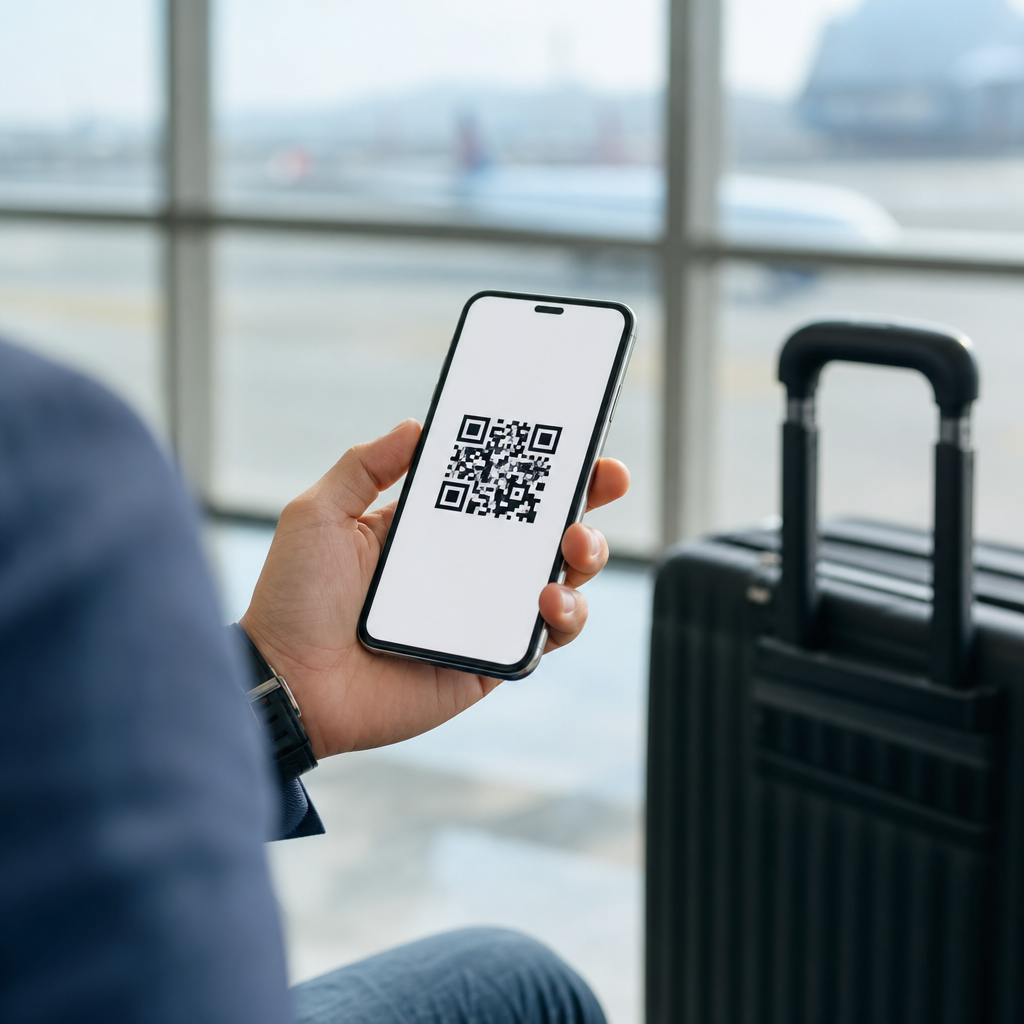
QR codes for travel itineraries turn a static booking confirmation into a portable, scannable trip hub. In travel and tourism, a QR code is simply a machine-readable image that opens information instantly on a phone, usually without forcing the traveler to search email, download attachments, or type long reservation numbers. An itinerary, in practical terms, is the complete sequence of trip details: flights, trains, hotel check-ins, transfers, attraction tickets, emergency contacts, maps, and policy notes. When those details are connected to a QR code, the traveler gets one fast entry point to the entire journey.
I have implemented QR-based itinerary systems for tour operators, event travel teams, and boutique hotels, and the operational benefit is immediate. Front-desk staff answer fewer repetitive questions. Group leaders stop forwarding the same confirmation links repeatedly. Travelers miss fewer pickup times because directions and updates are one scan away. This matters because travel is high-friction by nature: people move across time zones, networks fail, inboxes get buried, and stress rises when information is fragmented. A well-built QR itinerary reduces that friction by consolidating access.
For this travel and tourism hub, the topic goes beyond placing a square code on a PDF. The useful questions are practical: what should the QR code open, when should it be static or dynamic, how should hotels, airlines, cruise operators, tour companies, destination marketers, and corporate travel planners use it, and what risks need to be managed? The strongest implementations treat the QR code as a service layer, not decoration. It becomes the bridge between booking data, traveler communication, on-trip support, and post-trip engagement. That is why QR codes now sit at the center of itinerary design across modern travel operations.
How QR Codes Improve Travel Itinerary Access
The main advantage of QR codes for travel itineraries is speed. A traveler scans once and reaches the relevant page immediately, which is critical in moments that matter: arriving at an airport, standing outside a hotel after midnight, locating a transfer driver, or pulling up museum entry credentials in a queue. In my projects, the best performing destination pages are mobile-first itinerary pages with large tap targets, offline-friendly summaries, and clear sections for “next step,” “reservation details,” and “need help now.” If the traveler has to pinch, zoom, or hunt, the system fails.
QR-enabled itineraries also cut down information sprawl. Instead of separate emails for airport transfer details, hotel vouchers, dining reservations, and local contacts, a single code can point to a master itinerary that updates in real time. Dynamic QR codes are especially valuable here. Unlike static codes, which permanently store one destination, dynamic codes redirect to a managed URL. That means the operator can update a pickup point, replace a canceled excursion, or add a weather advisory without reprinting brochures, room cards, luggage tags, or welcome packets. For travel, where conditions change constantly, dynamic routing is the standard choice.
Another major benefit is context. A QR code can open different content based on trip stage. Before departure, it can display packing guidance, visa reminders, and check-in links. During the journey, it can prioritize boarding info, navigation, and emergency assistance. After arrival, it can surface property services, local recommendations, and upsell offers such as spa bookings or late checkout. This staged communication lowers cognitive load because the traveler sees what is relevant now rather than every possible detail at once.
Best Use Cases Across Travel and Tourism
Hotels use QR itinerary systems in pre-arrival emails, lobby signage, key card sleeves, and in-room compendiums. A guest scans and sees check-in instructions, Wi-Fi credentials, breakfast hours, airport transfer booking, city maps, and messaging links for concierge service. This reduces print costs and keeps information current. Tour operators use them inside vouchers, coach manifests, and welcome documents so travelers can access day-by-day schedules, meeting points, waiver forms, and multilingual support. Airlines and rail operators often connect QR workflows to boarding passes, baggage guidance, disruption notices, and transit maps, though security controls are tighter in those environments.
Destination marketing organizations can use itinerary QR codes to turn inspiration into movement. A code on a visitor map, convention badge, or attraction brochure can open themed itineraries such as family weekends, food trails, heritage walks, or accessible routes. Cruise operators use them for shore excursion timing, embarkation instructions, and onboard activity schedules. Corporate travel teams apply QR itinerary hubs to conferences and executive travel because they centralize policy notes, driver contacts, venue directions, and change alerts. The common thread is not the sector; it is the need for immediate, reliable access to changing trip information.
| Travel segment | Typical QR itinerary content | Operational benefit |
|---|---|---|
| Hotels | Check-in details, amenities, local guide, service chat | Fewer front-desk queries and updated guest information |
| Tour operators | Daily schedule, meeting points, tickets, waiver links | Better coordination and fewer missed departures |
| Air and rail | Boarding links, platform updates, baggage rules | Faster traveler self-service during disruptions |
| Cruise lines | Embarkation timing, deck maps, shore excursion plans | Reduced confusion across complex multi-stop journeys |
| DMOs | Curated routes, attraction bundles, local safety info | Longer visitor engagement and better attraction distribution |
What a High-Performing QR Itinerary Should Include
A good QR itinerary should answer the traveler’s next question in under ten seconds. At minimum, include confirmation numbers, dates and times in local time zone, exact addresses, map links, contact methods, cancellation terms, and a clear “what to do now” prompt. I recommend structuring the page in the same order a traveler experiences the trip: pre-departure, arrival, stay, activities, departure. For group travel, add named coordinators, coach numbers, dress codes where relevant, and emergency fallback instructions if the traveler loses data service.
Design standards matter. Use high contrast, plain language, and short sections. If the code opens a PDF, expect lower engagement; mobile web pages consistently perform better because they load faster, resize correctly, and support analytics. Include wallet-friendly elements when possible, such as “add to calendar,” “tap to call,” “open in maps,” and localized language options. Accessibility is not optional. Itinerary pages should support screen readers, avoid image-only text, and maintain readable typography. Many tourism brands forget this, yet accessible design benefits every traveler, especially when tired, rushed, or navigating unfamiliar environments.
There is also a governance layer. The itinerary should be connected to a content management process so ownership is clear. Who updates the pickup time? Who approves emergency messaging? Who archives expired links? In mature setups, the QR code points to a central itinerary platform integrated with the booking engine, CRM, and messaging tools. Common stacks include hospitality systems, customer data platforms, Google Maps links, WhatsApp business messaging, and analytics dashboards such as Google Analytics 4. Without operational ownership, even a visually polished QR experience becomes unreliable quickly.
Implementation, Tracking, and Security Considerations
Successful deployment starts with choosing the correct QR architecture. Static QR codes work for permanent destinations like a generic city guide or museum campus map. Dynamic QR codes are better for nearly all itinerary use because they support edits, campaign tracking, expiration controls, and scan analytics. Those analytics should measure scans by location, device, and time, then connect to downstream actions such as check-in completions, excursion bookings, or support requests. This lets travel teams identify where friction exists. If many guests scan the airport transfer section after arrival, for example, the pickup process likely needs clearer signage or earlier communication.
Security deserves equal attention. Travelers trust itinerary links with sensitive timing and location data, so the landing page should use HTTPS, minimal personal data exposure, and role-based access where necessary. Avoid putting passport details, full payment information, or broad account access behind a simple open code. For higher-risk journeys, use tokenized links that expire or require light authentication. Brand consistency also matters because QR phishing is real. Codes should appear in recognizable branded materials, and the landing page should match the operator’s domain and visual identity so users can confirm authenticity quickly.
Printing and placement influence performance more than many teams expect. Codes should be tested at likely scan distances, with adequate quiet zone, matte finishes where glare is possible, and contrast that survives low light in hotel corridors, vehicle dashboards, or airport pickup areas. The ideal placement is where the traveler naturally pauses: booking emails, confirmation pages, luggage tags, room welcome cards, transfer signs, and attraction entry points. I have seen scan rates improve simply by adding a short instruction line such as “Scan for live itinerary, maps, and support” under the code. People scan when the value proposition is explicit.
Building a Travel and Tourism Content Hub Around QR Itineraries
As a hub topic within industry-specific applications, QR codes for travel itineraries should connect to deeper pages on hotel guest journeys, tour operations, event travel logistics, cruise communication, attraction ticketing, and destination visitor services. The hub page’s role is to define the category, explain the shared mechanics, and guide readers to implementation details by segment. That structure mirrors how buyers research. A hotel revenue manager needs different specifics than a museum operations lead, but both need a clear foundation on dynamic codes, mobile landing pages, analytics, accessibility, and trust.
The strongest travel brands treat the itinerary QR code as an always-on customer service channel. It reduces confusion, supports self-service, and creates measurable operational insight. Start with one journey, such as pre-arrival hotel communications or a multi-day tour schedule, map the traveler questions at each stage, then build a mobile page that answers them directly. Test the code in real conditions, track scans and outcomes, and refine the content weekly. Done well, QR codes for travel itineraries make trips smoother for travelers and easier to manage for every team involved. Scan your current guest journey, find the information gaps, and build from there.
Frequently Asked Questions
What is a QR code for a travel itinerary, and how does it work?
A QR code for a travel itinerary is a scannable image that opens trip information instantly on a smartphone or tablet. Instead of digging through inboxes for confirmation emails, opening multiple apps, downloading PDFs, or typing reservation numbers manually, the traveler scans one code and lands on a single digital destination containing the trip details. That destination might be a mobile itinerary page, a shared document, a booking portal, a boarding pass collection, or a custom travel hub created by an agency, hotel, tour operator, or event organizer.
In practical use, the QR code acts like a shortcut to the full journey plan. It can connect travelers to flight schedules, rail tickets, hotel check-in information, airport transfer instructions, attraction passes, maps, dining reservations, emergency contacts, and policy documents. This makes it especially useful in travel, where timing matters and people often need access to information while moving through airports, stations, hotels, and unfamiliar destinations. A well-built itinerary QR code turns scattered confirmations into one portable, scannable experience that is faster to access and easier to use on the go.
What information can be included in a QR code travel itinerary?
A travel itinerary QR code can lead to nearly any trip-related information that a traveler may need before departure, in transit, or during the stay. Common inclusions are flight numbers, departure and arrival times, airline booking references, hotel names and addresses, check-in and check-out dates, room details, train or bus schedules, transfer pickup instructions, attraction tickets, and contact information for support teams or local guides. It can also include practical items such as interactive maps, weather links, passport or visa reminders, packing notes, and destination-specific instructions.
For more comprehensive travel planning, the linked itinerary page can organize the entire trip day by day. For example, a traveler might scan the code and see a clear sequence of airport arrival guidance, ground transportation steps, hotel check-in details, restaurant bookings, excursion meeting points, and return-trip timing. This is particularly valuable for group travel, corporate travel, family vacations, and guided tours, where travelers need one reliable place to access logistics without confusion. The key advantage is flexibility: the QR code itself does not need to store every detail visually; it simply provides instant access to a structured trip hub that can present all essential information in a mobile-friendly format.
Why are QR codes useful for travelers compared with traditional booking confirmations?
Traditional booking confirmations are often fragmented. A traveler may receive one email for the flight, another for the hotel, separate PDFs for tours, a text message for transport, and yet another message with meeting instructions. That approach works until the traveler is under time pressure, has limited connectivity, or cannot remember which confirmation contains which detail. QR codes simplify this experience by reducing the search process. One scan can replace the need to sort through messages, copy booking references, or repeatedly log in to different services.
They are also useful because they support speed, convenience, and clarity. In travel environments, seconds matter. A traveler approaching a hotel desk, train gate, museum entry point, or airport transfer pickup area benefits from immediate access to the right information. QR codes also improve usability for people sharing a trip, such as families, business teams, tour groups, or wedding guests, because everyone can access the same up-to-date itinerary from the same code. When implemented well, they reduce friction, lower the chance of missed details, and create a smoother travel experience from departure to return.
Can a QR code travel itinerary be updated after it has been created?
Yes, in many cases it can, especially when the QR code points to a dynamic web-based itinerary rather than a fixed file. A dynamic QR code sends the traveler to a destination URL that can be edited behind the scenes. This means travel providers or planners can update gate changes, revised transfer times, hotel modifications, excursion notes, weather advisories, or emergency contact details without issuing a brand-new QR code. The traveler keeps scanning the same image, but the content they see can reflect the latest version of the itinerary.
This is one of the most important advantages of using QR codes in travel and tourism. Travel plans change frequently due to delays, cancellations, rebookings, local conditions, and last-minute itinerary adjustments. If the QR code opens a live itinerary page, the traveler always has a better chance of seeing current information rather than relying on outdated attachments or old screenshots. For best results, the linked page should be clearly structured, mobile-optimized, and easy to refresh quickly. That way, the QR code becomes not just a convenience feature, but a practical tool for real-time trip communication.
Are QR code travel itineraries safe and reliable for travelers to use?
They can be very safe and reliable when created and managed properly. From a reliability standpoint, the best itinerary QR codes lead to secure, mobile-friendly pages that load quickly and present essential information clearly. Travelers should be able to access critical trip details such as bookings, directions, contacts, and tickets without unnecessary steps. It is also wise to make the experience resilient by using stable links, tested landing pages, and readable QR code designs that scan well in different lighting conditions and on printed or digital surfaces.
From a security perspective, sensitive information should be handled carefully. A travel itinerary may contain names, reservation references, hotel details, transport timing, and contact information, so the linked content should ideally use secure web protocols and appropriate access controls where needed. Travel businesses should avoid exposing more personal data than necessary and should think carefully about whether the itinerary is fully public, lightly protected, or restricted to intended travelers only. Travelers, for their part, should scan codes from trusted sources such as airlines, hotels, travel agencies, event organizers, or official tour providers. When those basic precautions are followed, QR code itineraries offer a dependable and user-friendly way to keep important travel information accessible throughout the trip.