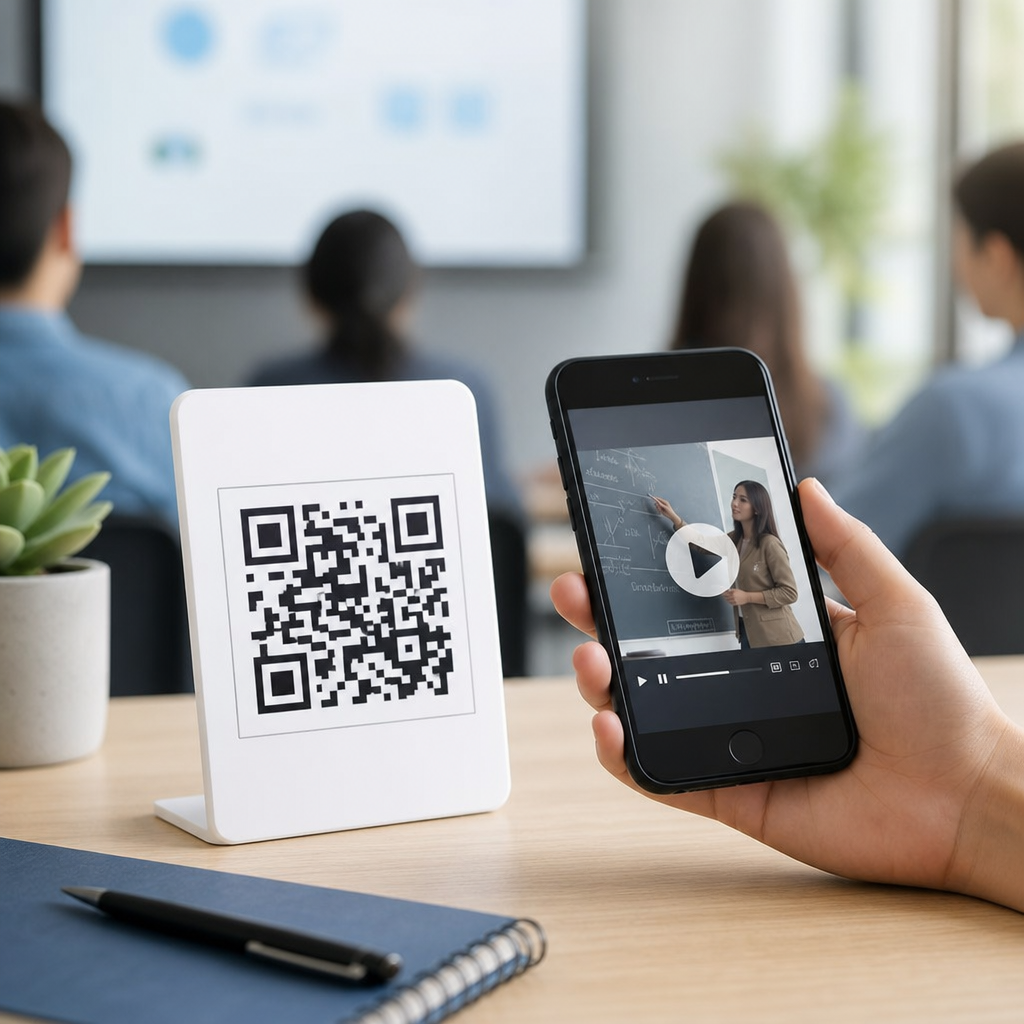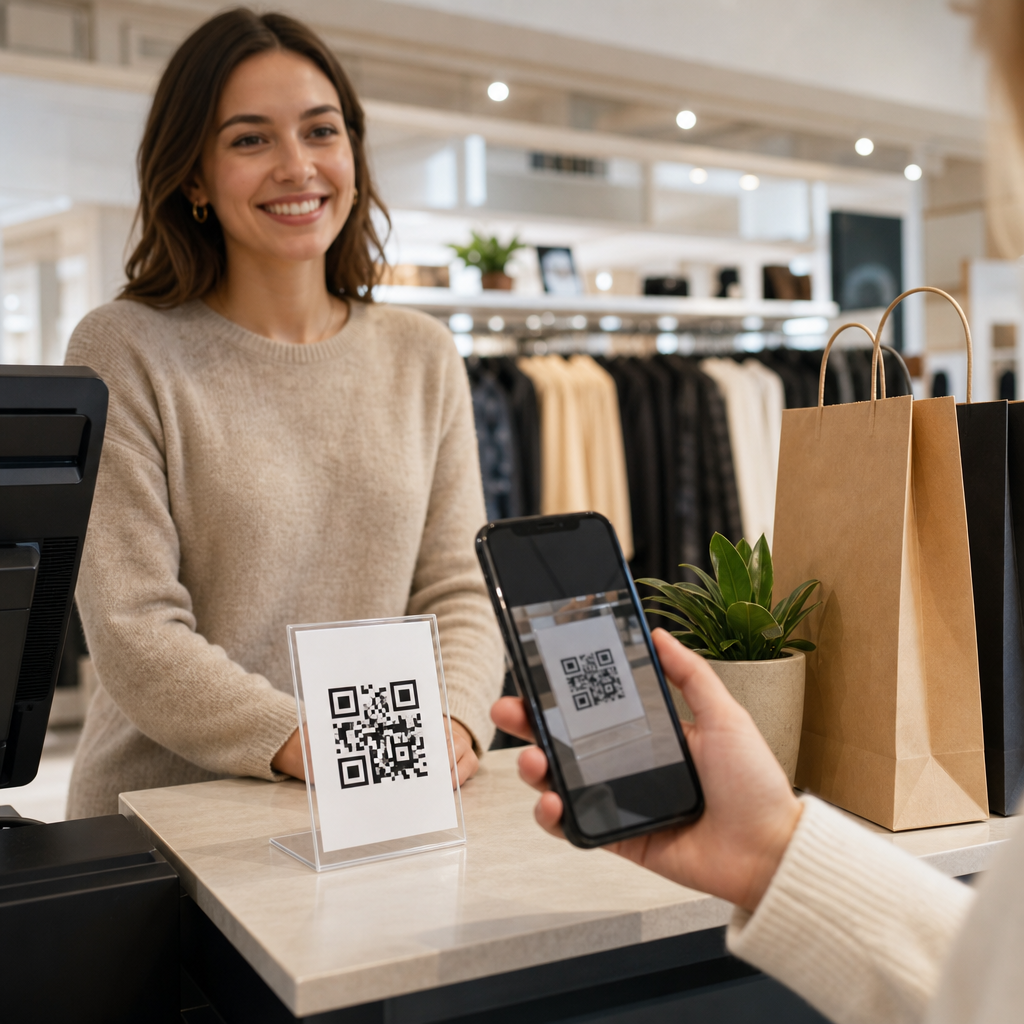
QR codes for customer feedback in retail give stores a fast, low-friction way to capture shopper sentiment at the moment of purchase, service, delivery, or product use. In practical terms, a QR code is a scannable image that opens a digital destination, usually a survey, review page, support form, loyalty landing page, or product-specific feedback prompt. Customer feedback in retail includes structured inputs such as Net Promoter Score, Customer Satisfaction Score, post-purchase ratings, return-reason forms, and open-text comments that reveal what shoppers liked, where friction occurred, and what should change next. I have implemented these systems across stores, pop-up counters, and e-commerce packaging inserts, and the same lesson keeps repeating: feedback quality improves when the path is immediate, mobile-friendly, and tied to a precise moment in the customer journey.
This matters because retail operates on thin margins, high volume, and fast-moving customer expectations. A store may lose sales because fitting rooms are messy, shelves are hard to navigate, checkout lines feel slow, or online orders arrive with unclear setup instructions. Traditional feedback channels, such as generic email surveys sent days later, often miss the emotional context that drives honest responses. QR codes close that gap by collecting in-store and post-delivery insights while the experience is fresh. For retail and e-commerce teams, this article serves as a hub for understanding where QR-based feedback fits, how to deploy it, what metrics to watch, and how to connect results to operations, merchandising, service recovery, and lifetime value rather than treating surveys as a standalone marketing exercise.
How QR code feedback works across the retail journey
The basic model is simple: place a QR code at a decision point, scan it with a phone camera, send the shopper to a mobile-optimized destination, and capture the response with enough context to make it actionable. In physical retail, common placements include receipts, shelf talkers, fitting rooms, checkout counters, self-checkout screens, exits, product packaging, shopping bags, and service desks. In e-commerce, QR codes can appear on packing slips, box inserts, thank-you cards, return labels, instruction leaflets, and even on product tags that remain with the item after delivery. The destination may be a short survey in Typeform, SurveyMonkey, Google Forms, Qualtrics, Medallia, or a custom form connected to a CRM and analytics stack.
The strongest retail implementations do not send every shopper to one generic survey. They use dynamic QR codes, unique campaign parameters, and landing logic to identify source location, product category, staff interaction point, and order type. A code in a fitting room should ask different questions than a code inside a shipped electronics box. For example, an apparel retailer can ask whether sizes were available, whether mirrors and lighting supported purchase decisions, and whether staff assistance felt timely. An online home-goods retailer can ask whether the item matched the product page, whether packaging protected fragile parts, and whether assembly instructions were clear. These distinctions turn feedback from a vanity metric into operational evidence.
Best use cases in stores and e-commerce fulfillment
Retailers should match QR code feedback prompts to moments where customer intent is clear and response burden is low. After checkout, the goal is usually service evaluation: wait time, staff helpfulness, store cleanliness, and stock availability. At product display level, the goal may be merchandising feedback, such as whether signage answered key questions or whether shoppers found the assortment confusing. In fitting rooms, feedback often reveals conversion blockers, including unavailable sizes, poor lighting, lack of call buttons, or damaged fixtures. At service counters, QR codes can measure issue resolution after exchanges, repairs, or buy-online-pickup-in-store handoffs. Each placement should answer a distinct business question.
For e-commerce, the highest-performing placements are usually inside the package and on post-delivery inserts because the customer has physical possession of the product and is already interacting with brand materials. A beauty retailer might ask about shade accuracy, seal integrity, and repeat-purchase intent. A consumer electronics seller might ask whether setup took under ten minutes, whether the quick-start guide was enough, and whether accessories were clearly labeled. QR codes also help with return prevention. I have seen retailers add a “Need help before returning?” code inside the box that directs buyers to troubleshooting, assembly videos, or fit guidance first, then asks what problem they were trying to solve. That creates feedback while also reducing unnecessary returns.
| Retail touchpoint | Primary feedback goal | Recommended metric | Example action |
|---|---|---|---|
| Receipt or checkout counter | Measure service and speed | CSAT | Adjust staffing by daypart |
| Fitting room | Identify conversion barriers | Open-text plus stock availability | Replenish popular sizes faster |
| Package insert | Validate product and delivery experience | Star rating and defect rate | Improve packaging materials |
| Return label or portal | Capture return reasons | Return reason taxonomy | Fix product page accuracy |
| BOPIS pickup area | Assess handoff convenience | NPS or effort score | Redesign pickup flow signage |
Designing surveys shoppers will actually complete
The most effective QR code feedback surveys in retail are short, context-aware, and easy to finish one-handed on a phone. Keep the first screen focused on one clear question and avoid long introductions. If you need detailed input, use branching logic so only relevant respondents see follow-up questions. A customer who rates checkout speed poorly should be asked whether the issue was queue length, payment terminal errors, understaffing, or price checks. Someone who reports a damaged delivery should be prompted for product photos and packaging condition. This keeps the survey concise for satisfied customers while collecting diagnostic detail when friction appears.
Question design matters as much as placement. Use plain language, not internal jargon. “Did you find what you needed today?” is better than “Evaluate assortment relevance.” Ask about observable experiences: cleanliness, product availability, setup difficulty, delivery condition, staff knowledge, and accuracy of online descriptions. If you collect ratings, anchor them clearly. If you ask for open text, specify the topic, such as “What nearly stopped you from buying today?” or “What should we improve about packaging?” Retailers should also respect accessibility by using high-contrast QR artwork, concise copy, multilingual options where appropriate, and landing pages that load quickly on average mobile connections.
Turning responses into retail decisions
Feedback only creates value when it changes operations. The right workflow starts with routing. Store-level complaints should reach district managers and location leaders quickly, while product defects should go to merchandising, quality, or vendor management. Delivery and unboxing issues belong with fulfillment and packaging teams. Review trends by store, region, category, SKU, and fulfillment method rather than relying on an overall average that hides local problems. In one chain I worked with, a decent companywide satisfaction score concealed a severe issue in urban stores where queue times after 5 p.m. were consistently flagged. Once staffing schedules were changed, complaint volume fell and conversion improved during peak hours.
Retail teams should define a closed-loop process for critical responses. If a customer reports rude service, an expired product, a damaged shipment, or a failed pickup, there should be a service recovery path with ownership and response timing. Connect the QR platform to a CRM, help desk, or ticketing tool such as Zendesk, Freshdesk, Salesforce Service Cloud, or HubSpot so urgent cases do not sit in a spreadsheet. For strategic insights, combine survey data with point-of-sale records, basket composition, return rates, and product reviews. If a specific shoe SKU gets repeated comments about sizing inconsistency and also has an elevated return rate, the problem is not anecdotal; it is commercially measurable and fixable.
Measurement, governance, and common mistakes
Retailers should track response rate, completion rate, sentiment by touchpoint, resolution time for critical issues, and downstream business outcomes such as conversion, returns, repeat purchase, and review volume. The strongest programs benchmark by context because a fitting-room survey, a BOPIS pickup survey, and an in-box product survey will naturally perform differently. A good response rate is useful, but quality matters more than raw volume. Fifty detailed, source-labeled responses about an unboxing defect can outperform five hundred generic satisfaction clicks. Governance is equally important. Dynamic QR codes should be managed centrally, with naming conventions, expiration controls, and destination testing so stores do not display broken links or outdated campaigns.
Common mistakes are predictable. The first is asking too much, too soon, with a long survey that feels like work. The second is using one code for every retail scenario, which destroys context. The third is failing to explain why the customer should respond. A small incentive, loyalty points, sweepstakes entry, or a clear promise like “Help us improve this store” can lift participation, though incentives should not bias review integrity. Another mistake is ignoring compliance basics: disclose data use, avoid collecting unnecessary personal data, and follow applicable privacy rules. Finally, never deploy QR codes without testing scan distance, print quality, mobile rendering, and staff awareness, because operational details determine adoption.
Building a scalable hub strategy for Retail & E-Commerce
As a hub topic within Industry-Specific Applications, QR codes for customer feedback in retail should connect to deeper workflows across stores and online channels. Teams often start with one survey at checkout, then expand into shelf-level feedback, BOPIS pickup evaluation, post-delivery product feedback, return-reason capture, loyalty enrollment, and support deflection. That expansion works best when every use case shares a consistent measurement framework and taxonomy. Define standard categories for service, availability, product quality, packaging, delivery, ease of setup, and staff interaction. Then map each QR placement to one primary business owner and one operational decision it is expected to influence.
The central benefit is precision. Instead of guessing why sales dipped or returns spiked, retailers can gather time-stamped, location-aware customer evidence directly from the moments that shape revenue and loyalty. QR codes do not replace broader voice-of-customer programs, but they make those programs more immediate, more contextual, and easier to scale across physical retail and e-commerce fulfillment. Start with three high-impact touchpoints, design short surveys, connect responses to action owners, and review trends monthly. When implemented well, QR code feedback becomes a practical operating system for continuous retail improvement. Audit your current journey, identify the moments where shoppers hesitate, and deploy feedback codes where decisions are actually made.
Frequently Asked Questions
How do QR codes improve customer feedback collection in retail?
QR codes make feedback collection easier because they remove friction at the exact moment a customer is most likely to respond. Instead of asking shoppers to remember a website, download an app, or fill out a paper form later, a store can place a scannable code on receipts, shelf tags, packaging, fitting room signage, checkout counters, delivery inserts, or point-of-sale displays. When scanned, the code can open a mobile-friendly survey, product rating form, support page, or review prompt in seconds. That speed matters in retail, where customer impressions are often strongest immediately after checkout, after receiving help from staff, or after using a product for the first time.
They also improve response quality. Because the interaction happens in context, customers can comment on a specific store visit, product, service interaction, curbside pickup, or delivery experience while details are still fresh. Retailers can collect structured metrics such as Net Promoter Score (NPS), Customer Satisfaction Score (CSAT), star ratings, return reasons, and staff-service feedback alongside open-ended comments. Over time, this creates a more complete picture of the shopper journey and helps store teams spot recurring issues, compare locations, and make practical improvements faster.
Where should retailers place QR codes to get the best feedback response rates?
The best placement depends on when the retailer wants feedback and what kind of insight they need. For overall shopping experience feedback, checkout areas and printed receipts are strong options because they capture customers right after purchase. For product-specific feedback, QR codes on packaging, shelf labels, product inserts, or assembly instructions work well because they connect the response to actual product use. For service-focused feedback, codes near fitting rooms, service desks, kiosks, pickup counters, or delivery confirmation materials can help isolate comments about staff support, speed, and convenience.
Retailers should also think about visibility and motivation. A QR code should be easy to notice, clearly labeled, and paired with a short call to action such as “Tell us about your visit,” “Rate this product,” or “How was pickup today?” Customers are much more likely to scan when they know exactly what will happen next and how long it will take. It is also smart to align the landing page with the context of the scan. A code on a receipt should not lead to a generic homepage; it should open a short, relevant feedback flow tied to that purchase or location whenever possible. Strategic placement combined with a clear value proposition consistently outperforms random QR use.
What types of customer feedback can retailers collect with QR codes?
QR codes are flexible enough to support both quantitative and qualitative retail feedback. On the structured side, retailers commonly collect NPS, CSAT, post-purchase ratings, product reviews, employee service scores, issue categories, return reasons, and delivery satisfaction. These standardized inputs are useful because they can be measured over time, segmented by store, product line, region, campaign, or customer type, and turned into operational dashboards. For example, a retailer can compare satisfaction between in-store purchases and curbside pickup, or identify whether a specific product category generates more complaints than others.
On the unstructured side, QR codes can capture written comments, voice-of-customer insights, photos, and support requests that reveal why a score was high or low. This is often where the most actionable intelligence appears. A low satisfaction score may be tied to long checkout lines, confusing signage, poor product instructions, stock availability, damaged packaging, or inconsistent staff knowledge. By combining ratings with open-text feedback, retailers get both the metric and the reason behind it. QR codes can also direct customers to specialized feedback experiences, such as warranty registration, loyalty enrollment, return assistance, or “how was your delivery” forms, making them useful across the entire retail lifecycle rather than only at the point of sale.
How can retailers increase survey completion rates without annoying customers?
The most effective approach is to keep the experience short, relevant, and respectful. Customers are more willing to participate when the survey takes one to three minutes, works well on mobile, and asks only questions related to the specific interaction they just had. A shopper who scans a QR code after a delivery should see a delivery feedback form, not a long general brand survey. Relevance reduces drop-off and makes the request feel purposeful rather than intrusive. It also helps to limit required fields, use simple rating scales, and save open-ended questions for the end.
Retailers should also be transparent about what the feedback is for and, when appropriate, what the customer gets in return. A simple message such as “Your feedback helps us improve this store” can be effective, and a modest incentive like loyalty points, sweepstakes entry, or a future discount may increase participation when used carefully. The key is balance. Overusing prompts, asking too often, or forcing feedback before customers complete their main task can damage the experience. Good retail feedback programs are designed to feel lightweight and optional while still signaling that the brand genuinely listens and acts on responses.
What should retailers measure after launching QR code feedback campaigns?
Retailers should track both engagement metrics and business-impact metrics. On the engagement side, important indicators include scan rate, survey start rate, completion rate, abandonment rate, device performance, time to complete, and response volume by location, product, or channel. These numbers show whether the QR code placement, messaging, and landing page experience are working. If many customers scan but few finish, the issue may be survey length, poor mobile design, weak relevance, or a slow-loading page. Monitoring these early metrics helps optimize the program quickly.
On the business side, retailers should look at trends in NPS, CSAT, product ratings, service satisfaction, repeat purchase behavior, return patterns, complaint categories, and issue-resolution speed. It is especially valuable to compare feedback data against operational variables such as staffing levels, store traffic, fulfillment method, and product SKU performance. This moves the program beyond simple collection and into decision-making. A strong QR feedback strategy does not end with more responses; it leads to better merchandising, improved service training, smarter store operations, and a clearer understanding of what shoppers actually experience at each retail touchpoint.