
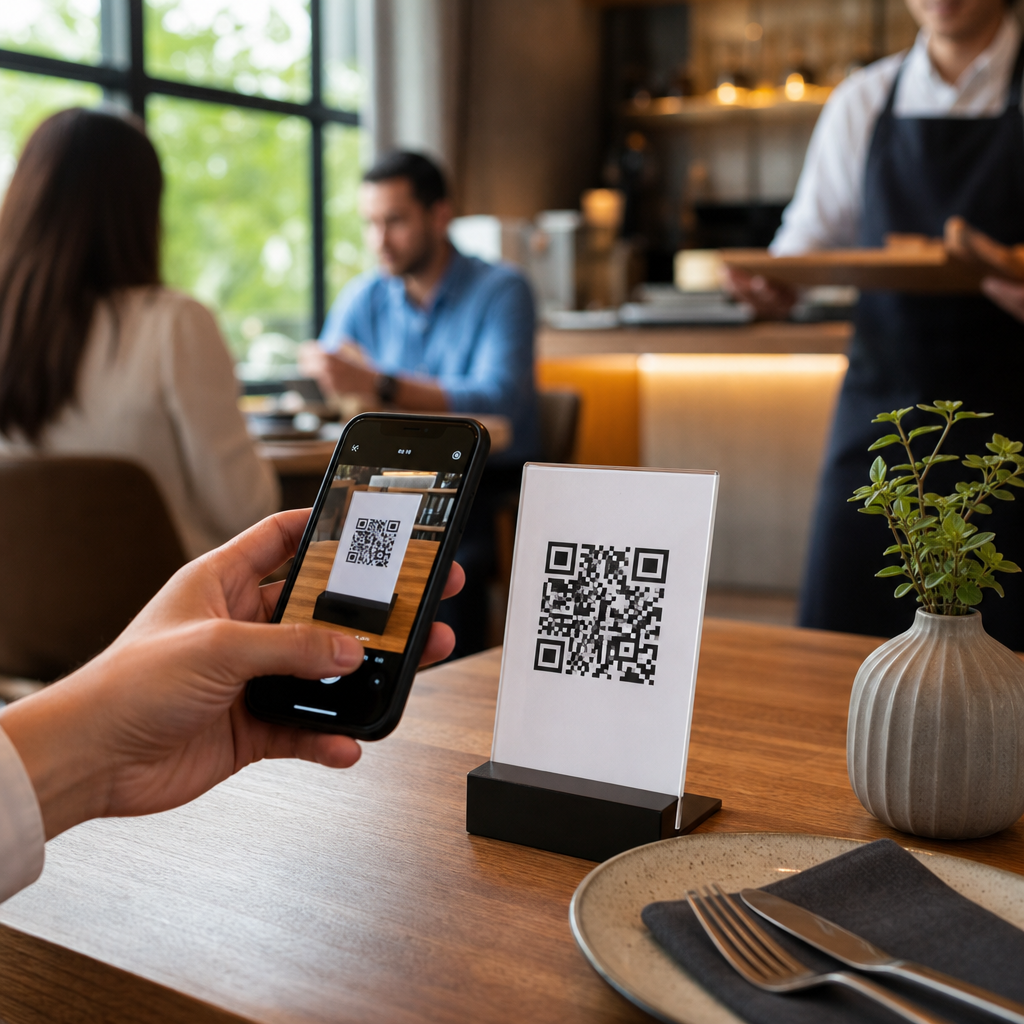
QR codes for contactless ordering in restaurants have moved from emergency workaround to core operating system for modern hospitality. A QR code is a scannable matrix barcode that opens a digital destination, usually a menu, ordering page, payment screen, loyalty form, or guest feedback survey. Contactless ordering means guests browse, customize, and submit orders from their own phones without handling printed menus or waiting for a server to take every item manually. For restaurants and hospitality businesses, this matters because ordering speed, labor efficiency, table turnover, menu flexibility, and guest data collection all influence margin. I have helped operators roll out QR-based ordering across quick-service counters, hotel lounges, breweries, and full-service dining rooms, and the same lesson appears every time: the technology works when it solves friction for both guests and staff. Done well, it reduces bottlenecks, improves order accuracy, and creates a cleaner path from discovery to payment. Done poorly, it creates confusion, abandoned orders, and support headaches. This hub explains how restaurants use QR codes across service models, what technology stack is required, where the operational gains come from, and which implementation choices separate a useful guest experience from a gimmick.
How QR code ordering works in restaurants
At a practical level, the flow is simple. A guest scans a code placed on the table, counter, receipt, room key sleeve, or outdoor sign. The code opens a mobile web page or app clip connected to the restaurant’s menu management system. The guest selects items, chooses modifiers such as spice level or side dishes, adds notes for allergies, and submits the order. That order then routes to the point-of-sale system, kitchen display system, printer, or staff tablet, depending on the setup. Payment can happen before preparation, after the meal, or through a saved tab tied to the table number.
The best systems use dynamic QR codes, not static ones. A dynamic code points to a short URL managed in a dashboard, so the destination can change without reprinting signage. That matters when menus change by daypart, when tables are renumbered, or when a hotel restaurant wants room service, bar service, and poolside menus under different experiences. Platforms such as Toast, Square, SpotOn, Clover, and Deliverect commonly integrate QR ordering with POS and menu sync. In enterprise environments, operators may pair QR entry points with middleware, loyalty platforms, and customer data systems.
Restaurants adopt QR ordering for different reasons. Quick-service brands use it to reduce lines. Casual dining restaurants use it to let guests reorder drinks and desserts without flagging staff. Hotels use it for poolside and in-room ordering where roaming service is inefficient. Stadium suites, food halls, and breweries use it because guests stay seated or spread out. In each case, the technology replaces waiting time with self-directed action.
Where QR codes fit across restaurant and hospitality service models
QR codes are not a one-size-fits-all tool. In quick-service restaurants, they often support order-ahead, kiosk overflow, and table delivery. A customer scans from a tent card, orders on their phone, and receives a pickup number or location prompt. In fast casual, QR ordering can reduce the midday queue while preserving customization. In full-service dining, the most effective use is usually selective rather than total replacement: digital menus for browsing, self-service drink reorder, split-bill payment, or dessert upsell after the main course.
Hospitality venues use them even more broadly. Hotels place QR codes in guestrooms for breakfast ordering, minibar replacement purchases, spa booking, and late-night dining. Resorts use weatherproof codes at pool chairs and cabanas. Bars and taprooms use them to open tabs and identify tables without requiring every guest to visit the counter. Cafes use them on pastry cases so guests can order while deciding. Ghost kitchens rely on QR codes in offline marketing, lobby signage, and packaging to drive direct reorders instead of sending customers back to marketplace apps with higher commission fees.
The service model determines the ordering rules. A bar may prioritize age-gated items, tab management, and rapid repeat ordering. A family restaurant may need seat-based ordering and kitchen pacing. A hotel needs room verification, service charges, and menu availability by property zone. The technology should match these workflows instead of forcing operators into rigid templates.
Operational benefits and tradeoffs operators should expect
The main operational benefit is labor leverage. When guests enter their own orders, staff spend less time on repetitive menu explanation and manual order entry. That does not eliminate labor; it reallocates it toward hospitality, food running, problem resolution, and upselling moments that matter. In several rollouts I have seen, accuracy improves because guests select modifiers directly rather than relying on rushed verbal communication in a loud dining room. Ticket times can also tighten when orders go straight from guest to kitchen display.
Another major benefit is menu control. Digital menus can change instantly for sold-out items, daypart pricing, limited-time offers, and alcohol restrictions. Operators avoid the hidden cost of reprinting menus and reduce the guest frustration that comes from ordering unavailable items. QR ordering also creates first-party data: dwell time on menu pages, item popularity, repeat visits, conversion rates, and average order value by location or daypart.
There are real tradeoffs. Some guests dislike scanning codes, especially in premium dining where personal service is part of the value proposition. Older guests may prefer staff assistance. Poor cellular coverage, weak guest Wi-Fi, or clumsy mobile checkout can kill adoption. Fees from ordering platforms can also add up, particularly if operators rely on third-party payment layers or custom development. The right question is not whether QR ordering is universally better. The right question is where it removes friction without undermining the brand experience.
Core technology stack and implementation requirements
Successful QR ordering depends on systems integration more than on the code itself. The minimum stack includes a mobile ordering front end, a POS integration, payment processing, menu management, and order routing to kitchen or service staff. If any of those pieces break, the guest experiences delay immediately. Restaurants should confirm whether the platform supports modifier logic, tax rules, service charges, tipping, split payments, refunds, and item-level inventory syncing. A polished ordering page means little if the burger can be ordered medium rare in a jurisdiction that requires well done poultry prompts, or if unavailable sides still appear live.
Placement and labeling matter just as much as software. Every code should explain what happens after scanning: “View menu,” “Order and pay,” or “Reorder drinks here.” Table identifiers must be foolproof. I recommend large-format table numbers tied in the platform to avoid misfires from worn stickers or handwritten labels. Codes should be tested on both iPhone and Android cameras, under dim light, through cracked phone screens, and from seated angles. Error correction levels, print contrast, and matte finishes matter in busy dining rooms with glare.
| Implementation area | Best practice | Operational reason |
|---|---|---|
| Code type | Use dynamic QR codes | Change destinations without reprinting materials |
| Menu sync | Connect directly to POS inventory | Prevents sold-out items from being ordered |
| Table mapping | Assign unique table IDs | Reduces delivery errors and staff confusion |
| Payments | Enable Apple Pay and Google Pay | Shortens checkout and increases completion rate |
| Connectivity | Provide reliable guest Wi-Fi | Improves scan-to-order success indoors and outdoors |
| Fallback | Keep printed menus and staff-assisted ordering | Protects service when guests resist or systems fail |
Guest experience design, accessibility, and conversion
The best contactless ordering flows feel invisible. The menu loads fast, categories are obvious, photos are used sparingly, and modifiers appear only when needed. Fewer taps usually mean higher conversion. I advise operators to keep the path from scan to checkout short: landing page, menu, cart, payment, confirmation. Lengthy account creation is a common mistake. Guest checkout with optional loyalty enrollment after purchase performs better in most environments.
Accessibility is not optional. Menus should use readable font sizes, high color contrast, and clear allergen labels. Screen-reader compatibility matters for guests with visual impairments. Multi-language support is increasingly important in tourism-heavy markets. If gratuity, resort fees, or service charges apply, they must be disclosed clearly before payment to avoid chargebacks and bad reviews. Restaurants should also provide a human path at every stage. A QR system should never trap a guest who has a dead phone, limited data, or accessibility need.
Upselling should be useful, not aggressive. Suggesting fries with a burger, a wine pairing with a steak, or a late checkout breakfast bundle in a hotel can lift average order value. But interruptive pop-ups and irrelevant prompts suppress trust. The strongest mobile ordering experiences use contextual recommendations based on menu logic and time of day.
Measurement, compliance, and long-term strategy
Restaurants should evaluate QR ordering with the same discipline used for delivery, reservations, or labor scheduling. Key metrics include scan rate, menu-to-cart conversion, checkout completion, average order value, reorder frequency, payment time, and staff touches per table. Compare those metrics by daypart and seating zone. Patio performance often differs from dining room performance because connectivity, sunlight glare, and service expectations differ. A/B testing menu layout, button labels, and suggested add-ons can produce measurable gains without changing the food itself.
Security and compliance deserve equal attention. Payment collection should run through PCI-compliant providers. If the platform captures guest email, phone number, or room details, privacy disclosures and consent controls must follow applicable laws such as GDPR or CCPA where relevant. Operators should also monitor fraudulent sticker replacement, where scammers place fake QR labels over legitimate ones to redirect payments. Tamper-evident materials and routine floor checks help prevent this simple but costly issue.
Over time, QR codes become more valuable when connected to loyalty, CRM, and direct marketing. A scanned menu can lead to a first-party guest profile, then to targeted offers, win-back campaigns, and personalized recommendations. That strategic value is why the strongest operators treat QR ordering not as a temporary sign on a table, but as a durable digital channel they own.
QR codes for contactless ordering in restaurants are most effective when they improve speed, accuracy, and convenience without stripping away hospitality. They work across quick-service, casual dining, hotels, bars, breweries, and resort settings, but each environment needs its own workflow, menu logic, and service rules. The essentials are clear: use dynamic codes, integrate tightly with POS and payments, design for mobile simplicity, support accessibility, and keep a staff-assisted fallback. Measure adoption and conversion like any revenue channel, and protect guests with strong payment security and transparent data practices. When operators get those basics right, QR ordering becomes more than a menu replacement. It becomes a scalable way to increase efficiency, capture first-party data, and give guests more control over their experience. If you manage a restaurant or hospitality venue, audit one service area this week—patio, bar, lobby, or poolside—and map where a well-implemented QR ordering flow could remove the most friction first.
Frequently Asked Questions
What are QR codes for contactless ordering in restaurants, and how do they work?
QR codes for contactless ordering are scannable barcodes placed on tables, counters, receipts, windows, or packaging that send guests directly to a digital experience on their phones. In a restaurant setting, that experience is usually a mobile menu, ordering page, payment screen, loyalty sign-up form, or feedback survey. Instead of handing out printed menus or relying on staff to manually enter every order, the guest scans the code with a smartphone camera, reviews the menu, selects items, adds customizations, submits the order, and often pays immediately from the same interface.
On the operational side, the system connects the guest-facing ordering page to the restaurant’s point-of-sale system, kitchen display system, or order management platform. That means orders can be routed directly to the kitchen or bar with fewer manual steps, which helps reduce transcription mistakes and speeds up service. Many platforms also allow restaurants to update menu items, mark products as sold out, change pricing, highlight upsells, and collect guest data in real time. What started as a low-contact convenience has become a practical digital layer that supports faster service, better menu control, and a more flexible guest experience.
What are the main benefits of contactless ordering for restaurants and guests?
For guests, the biggest advantages are speed, convenience, and control. They can browse the menu at their own pace, view photos or item descriptions, customize dishes more accurately, and place orders the moment they are ready without waiting for a staff member to stop by. In many systems, guests can also reorder drinks, split checks, pay from the table, and receive confirmation that the order has been sent successfully. This often creates a smoother dining experience, especially during busy periods when traditional table service can slow down.
For restaurants, the benefits are broader and often more strategic. QR code ordering can improve table turn times, reduce labor pressure, decrease order-entry errors, and free up staff to focus on hospitality instead of repetitive transactional tasks. Digital menus are also easier to manage than printed ones because restaurants can instantly update prices, availability, modifiers, and promotions across every table or location. Many operators also see stronger average order values because digital ordering interfaces can present add-ons, combos, premium upgrades, and dessert suggestions consistently. Beyond the immediate service gains, contactless ordering can generate useful business data, including order patterns, peak demand times, popular modifiers, guest preferences, and campaign performance, all of which help restaurants make smarter operational and marketing decisions.
Does QR code ordering replace restaurant staff, or does it support them?
In most successful implementations, QR code ordering supports staff rather than replacing them. Restaurants still need hosts, servers, runners, bartenders, managers, and kitchen teams to deliver a quality hospitality experience. What changes is how staff spend their time. Instead of repeatedly explaining basic menu details, writing down orders, and processing payments table by table, employees can focus more on greeting guests, answering nuanced questions, handling exceptions, checking food quality, resolving issues quickly, and creating a warmer, more attentive experience.
This distinction matters because hospitality is not just a transaction. Guests still value personal interaction, recommendations, and reassurance, especially in full-service settings. QR ordering works best when it removes friction without removing support. For example, a server can welcome the table, explain that guests may order anytime by scanning the code, and remain available for wine guidance, allergy concerns, or menu suggestions. That hybrid model often gives restaurants the best of both worlds: the efficiency of digital ordering and the human touch that drives loyalty, reviews, and repeat visits. In other words, the technology becomes part of the service system, not a substitute for hospitality.
What should restaurants consider before implementing a QR code contactless ordering system?
Restaurants should start by evaluating fit, not just features. The right setup depends on service style, guest demographics, menu complexity, and existing technology. A quick-service or fast-casual concept may want a simple scan-order-pay flow, while a full-service restaurant may prefer a hybrid system that allows guests to browse digitally but still interact with staff. Operators should also consider how the platform integrates with the POS, kitchen workflow, inventory management, loyalty tools, and payment processing. Poor integration creates duplicate work, while strong integration makes the system feel seamless.
Usability is equally important. The ordering experience should be fast, mobile-friendly, intuitive, and easy to complete without downloading an app. Menus should be readable, modifiers should be clear, and allergy or dietary information should be easy to find. Restaurants should also think about practical details such as reliable Wi-Fi or cellular access, durable and visible QR code placement, staff training, customer communication, and backup procedures for guests who prefer traditional service. Security and data privacy also matter, particularly when handling payments or collecting guest information. Finally, restaurants should measure success with real metrics such as order completion rate, average check size, labor efficiency, error reduction, guest satisfaction, and repeat usage. A QR code system is most valuable when it improves both the guest journey and daily operations, not when it simply adds another tool to manage.
Are there any challenges with contactless ordering, and how can restaurants solve them?
Yes, and the strongest operators plan for those challenges upfront. One common issue is guest adoption. Not every diner wants to scan a code, navigate a mobile menu, or enter payment details on a small screen. Some guests may have accessibility needs, older devices, limited battery life, or a general preference for personal service. The best solution is flexibility: offer QR ordering as a convenient option rather than forcing it as the only path. Staff should be ready to assist, answer questions, or take orders traditionally when needed.
Another challenge is execution quality. If the digital menu loads slowly, contains broken links, has confusing modifiers, or fails to reflect sold-out items accurately, the system creates frustration instead of convenience. Restaurants can reduce these issues by choosing a reliable platform, testing the user journey regularly, keeping menu data current, and ensuring clear order confirmation. There is also the risk of making the dining experience feel impersonal if technology is introduced without thoughtful service design. That is why the most effective contactless ordering programs pair automation with visible hospitality, clear signage, and proactive staff support. When restaurants treat QR codes as part of a broader guest experience strategy rather than just a cost-saving tool, the result is usually better adoption, smoother operations, and stronger long-term value.





