
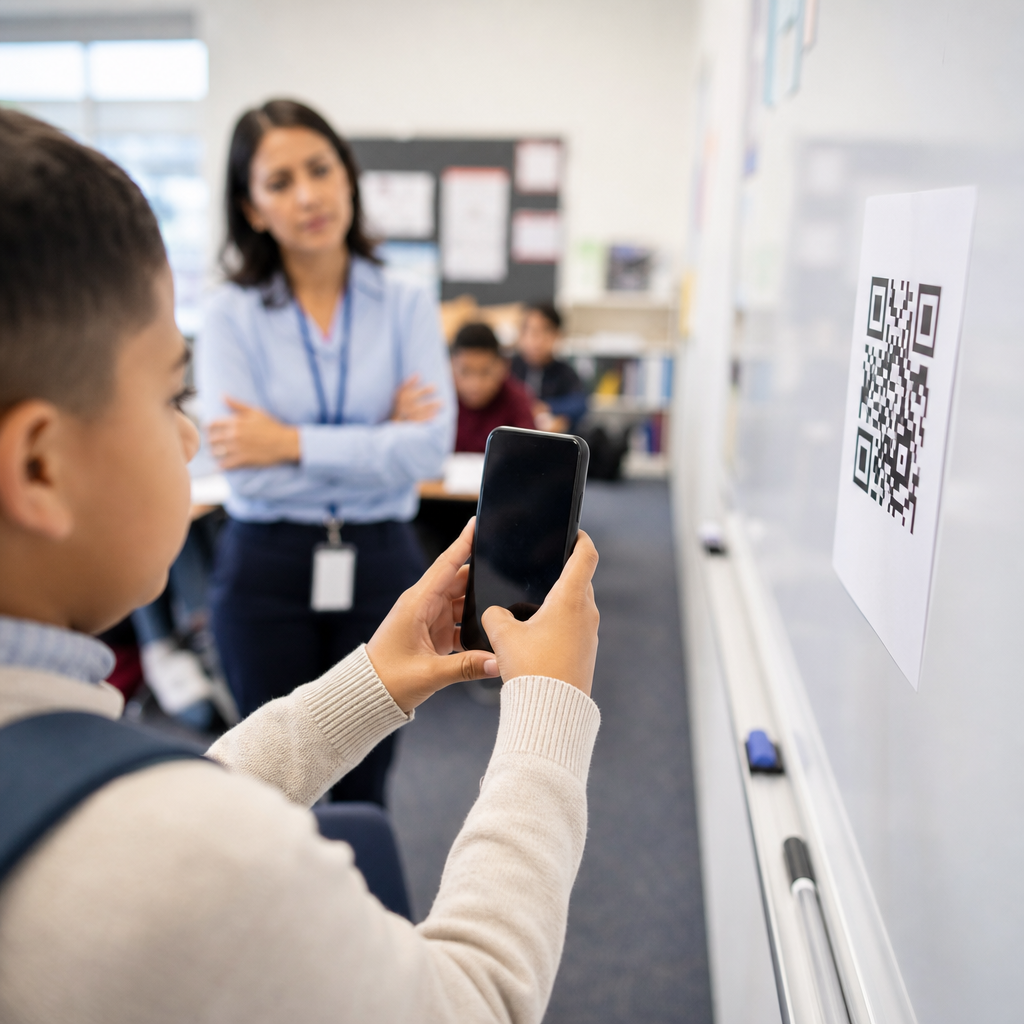
QR codes have become a routine tool in education, but many schools still use them in ways that create friction instead of convenience. In classrooms, libraries, campuses, and training programs, a QR code is simply a scannable matrix barcode that opens digital content, triggers downloads, launches forms, or connects users to audio, video, maps, and learning platforms. Used well, QR codes shorten the path between printed materials and online resources. Used poorly, they waste instructional time, confuse students, and weaken trust in digital learning materials.
I have implemented QR code systems for course packets, event check-ins, campus wayfinding, assignment submission, and device onboarding, and the same problems appear repeatedly across K–12 schools, universities, tutoring businesses, and continuing education programs. Educators often focus on generating the code and overlook the full user journey: who is scanning, on what device, with what connectivity, for what outcome, and under which privacy constraints. That gap matters because education settings involve diverse ages, mixed device ownership, accessibility obligations, family communication, and frequent changes to schedules and content.
This hub article explains the most common mistakes with QR codes in education, why they happen, and how to avoid them. It covers classroom instruction, administrative workflows, parent communication, student support, and campus operations so it can anchor related pages within an education QR code content cluster. The goal is practical: help schools create QR code experiences that are easy to scan, safe to use, inclusive for all learners, and measurable enough to improve over time.
Using QR Codes Without a Clear Educational Purpose
The most common mistake is adding QR codes because they seem modern rather than because they solve a specific instructional or operational problem. A QR code should remove steps, not add novelty. If a worksheet includes a code that leads to the same PDF students already have in the learning management system, the code offers little value. If a science lab handout links directly to a two-minute safety demonstration students must watch before starting, the code has a clear purpose. That distinction is crucial.
In practice, the best education use cases fall into predictable categories: instant access to differentiated materials, simplified attendance or check-in, fast links to assignment rubrics, multilingual family communication, library self-service, and room-based resources such as equipment guides or emergency procedures. Before publishing a code, ask five questions: what task does it support, who will scan it, what happens after the scan, how will success be measured, and what is the fallback if scanning fails? When teams cannot answer those questions, the QR code usually belongs nowhere near student-facing materials.
Poor Placement, Size, and Print Quality
Many QR code failures are physical design failures. Schools place codes too high on walls, too low on posters, across folds in printed packets, or in glare-heavy surfaces such as laminated signs near windows. Students then tilt devices, step into traffic flow, or simply give up. A code must be easy to notice, approach, and scan within normal classroom movement. For handouts, I recommend keeping the code at least 0.8 by 0.8 inches for short-distance scanning, and larger for posters, hallway signage, and gymnasium displays viewed from farther away.
Contrast is equally important. Dark code on a light background remains the safest choice. Reversing colors, embedding logos too aggressively, or using school brand colors with weak contrast often reduces scan reliability. Low-resolution screenshots pasted into documents also cause problems, especially after photocopying. Generate vector files such as SVG for print whenever possible, and test printed copies on older phones, not just current flagship devices. One district I worked with solved repeated parent sign-up failures simply by replacing glossy flyers with matte prints and enlarging the code by thirty percent.
Linking to Mobile-Unfriendly or Restricted Content
A QR code does not create a good experience if the destination page is hard to use on a phone. This is one of the most expensive mistakes because educators may print hundreds of posters or packets before noticing that the linked content requires desktop navigation, district credentials, or a file type that loads slowly on mobile data. In education, many scans happen in hallways, buses, pickup lines, sporting events, and homes where bandwidth is limited. The linked resource must load quickly and display well on small screens.
Common issues include PDFs with tiny text, slides that require pinch-zooming, videos hosted behind district firewalls, forms that expire, and LMS pages that require students to sign in repeatedly. If the code is meant for parents or visitors, avoid destinations that require institutional logins. If the code is meant for younger students, use landing pages with one obvious action, large buttons, and minimal reading burden. For multilingual communities, direct users to a landing page with language options instead of forcing machine translation on a dense English-only document.
| Mistake | What Happens | Better Approach |
|---|---|---|
| Links to desktop-only PDF | Users zoom, scroll, and abandon | Use a mobile landing page with concise text and clear buttons |
| Requires district login for public audience | Parents and visitors hit access errors | Publish a public page or share a secure alternative path |
| Static code to changing event details | Printed materials become outdated | Use an editable destination with redirects and version control |
| No analytics | School cannot measure engagement | Track scans, devices, and conversion events responsibly |
Ignoring Accessibility and Inclusion
Schools have a legal and ethical responsibility to make digital access inclusive, yet QR codes are often deployed without accessibility planning. A printed code alone is not accessible to students with low vision, and a destination page without alt text, captions, keyboard support, or readable structure creates additional barriers. In the United States, districts should align digital materials with WCAG principles and broader accessibility policies, especially when QR codes are used for required instruction rather than optional enrichment.
Good practice starts before the scan. Every QR code should include a short plain-language label describing its destination, such as “Scan to hear chapter 3 audio” or “Scan for the bus route form.” On posters and worksheets, also print a short URL so users can type the address if scanning is difficult. For audio and video destinations, provide captions and transcripts. For multilingual families, offer translated pages reviewed by humans when accuracy matters. In one literacy program, adding labels, short URLs, and Spanish versions increased completion rates because families finally knew what each code was for.
Overlooking Privacy, Safety, and Age-Appropriate Use
Another major mistake is treating QR codes as harmless shortcuts instead of entry points into data collection and online behavior. In schools, that assumption is risky. A code can open a public form that exposes student names, lead to a third-party app with unclear data practices, or send minors to a platform with ads and tracking. Education organizations must review destinations for compliance with local privacy rules and vendor approval processes. For younger students, teachers should assume codes will be scanned on shared family devices and design accordingly.
Safer implementation means limiting personally identifiable information, avoiding unnecessary app installs, and using approved tools such as district-managed forms, secure cloud storage, and vetted communication platforms. If a code is used for attendance, counseling intake, or nurse visits, the linked form should use appropriate authentication and least-privilege access controls. Printed QR codes in public places can also be tampered with through sticker replacement. Facilities teams and front office staff should include code inspection in routine signage checks, particularly for event registration and payment links.
Failing to Maintain, Measure, and Govern QR Code Programs
QR codes often decay because no one owns them after launch. Teachers change rooms, web pages move, clubs graduate, semesters end, and temporary campaigns become permanent fixtures. Static QR codes linked directly to fragile URLs are especially vulnerable. When a registrar’s office changes a form, every printed code on bulletin boards can break at once. That is why education organizations benefit from simple governance: a naming convention, a redirect strategy, an owner for each code, a review calendar, and scan analytics that reveal what is actually used.
Dynamic QR codes are usually the better operational choice because they let schools update destinations without reprinting materials. They also support measurement, including scan counts, device types, time patterns, and location trends when configured appropriately. Analytics should inform decisions, not create surveillance. If a tutoring center sees heavy scans for algebra support but almost none for writing lab hours, the problem may be placement, timing, or messaging. Review codes at least each term, retire outdated ones promptly, and document where every high-visibility code is posted across campus and online materials.
Building an Effective Education QR Code Hub Strategy
Because this page serves as a hub for education applications, it helps to think beyond isolated codes and toward a coordinated system. Classroom articles may branch into QR codes for assignments, formative assessment, lab stations, and differentiated reading support. Administrative articles may cover enrollment, attendance, transport, lunch menus, and visitor management. Campus operations can include library shelves, room signage, device help desks, and event ticketing. Parent communication can extend into newsletters, conferences, volunteer sign-ups, and multilingual family resource pages.
The strongest education programs standardize templates, approve destination types, and train staff on testing procedures. A simple checklist works: confirm purpose, test on multiple devices, verify mobile usability, add a text label and short URL, review accessibility, confirm privacy compliance, assign an owner, and schedule review. That discipline prevents most failures described above. QR codes are not difficult technology, but they are high-friction when treated casually. If your school wants better engagement, faster access to resources, and fewer support headaches, audit your existing QR codes and rebuild the weak ones with student and family experience in mind.
Frequently Asked Questions
1. What is the most common mistake schools make when using QR codes in education?
The most common mistake is treating the QR code itself as the solution instead of focusing on the user experience behind it. A QR code is only a shortcut. If it sends students, teachers, parents, or staff to a slow-loading page, a confusing login screen, a broken file, or content that is not mobile-friendly, then the code has failed its purpose. In education settings, this often happens when a code is added to worksheets, posters, library displays, campus signage, or training materials without testing the full journey from scan to completion.
Another frequent issue is using QR codes where a direct printed instruction would be faster. If students must scan a code just to read a short sentence, see a room number, or access information that could have been displayed clearly on the page, the technology creates friction rather than convenience. The best educational use cases are those where a scan meaningfully reduces effort, such as opening a submission form, launching a pronunciation audio clip, accessing an assignment video, viewing a campus map, or downloading a resource pack.
Schools also commonly underestimate the variability of real-world conditions. Not every classroom has strong Wi-Fi, not every student has a personal device ready to scan, and not every user is comfortable troubleshooting mobile prompts. A QR code strategy works best when schools plan for accessibility, device diversity, and time pressure. In practical terms, that means testing codes on multiple phones, keeping destination pages simple, offering a backup short link, and making sure the value of scanning is immediately obvious.
2. Why do QR codes sometimes create friction in classrooms instead of saving time?
QR codes create friction when they add extra steps, uncertainty, or technical barriers during instruction. In theory, scanning a code should shorten the path to content. In practice, delays happen when students need to unlock phones, open camera apps, wait for scan recognition, choose the correct browser prompt, sign into a platform, and then navigate a cluttered page. When this sequence is repeated across a class, even small delays multiply into lost instructional minutes.
A major cause of classroom friction is poor alignment between the code and the task. For example, placing one QR code on a worksheet without explaining what it does can lead to confusion. Some students will assume it links to an answer key, others may think it is required for submission, and some may ignore it completely. Clear labels matter. A short note such as “Scan to hear the reading passage” or “Scan to open today’s quiz” helps students understand the purpose immediately and reduces hesitation.
Another issue is cognitive overload. If a classroom handout contains several QR codes for videos, extension tasks, rubrics, and discussion boards, students may spend more time deciding what to scan than engaging with the lesson. Effective use is selective, not excessive. Teachers should prioritize the few scan points that most directly support the learning objective. It also helps to consider classroom management realities. If phone use is normally restricted, introducing QR codes without a clear procedure can lead to distraction, off-task behavior, or inconsistent participation.
To reduce friction, educators should test every code in the same conditions students will experience, keep destinations optimized for mobile screens, give verbal and written instructions, and always provide a fallback method. That backup might be a shortened URL, a printed summary, or teacher-led access through a shared screen. The goal is not simply to use QR codes, but to use them in a way that preserves momentum in the lesson.
3. How can educators make sure QR codes are accessible and easy for all students to use?
Accessibility starts with the recognition that not all students interact with QR codes in the same way. Some may have limited access to smartphones, some may use school-managed devices with camera restrictions, some may have visual impairments, and others may struggle with fine motor control or unfamiliar digital workflows. If a QR code is the only path to essential content, the school risks excluding part of its audience. That is why inclusive design is essential from the beginning.
One best practice is to never rely on the QR code alone. Important materials should also include a readable short URL or another access method. This ensures that students who cannot scan the code can still reach the same resource. Labels should be clear and descriptive, not vague. Instead of saying “Scan here,” say “Scan to open the chapter vocabulary audio” or “Scan to submit your reflection form.” That context helps all users and is especially useful for support staff, parents, and substitute teachers.
Physical design matters as well. QR codes should be large enough to scan easily, printed with strong contrast, and placed where lighting and viewing angles support successful scanning. Codes that are too small, stretched, low-resolution, or printed over decorative backgrounds often fail. In schools, placement should also account for height, crowding, and traffic flow. A code on a hallway poster may work differently than one on a desk handout or library shelf tag.
Digital accessibility is equally important. The page or file opened by the QR code should be mobile-responsive, readable on small screens, and compatible with assistive technologies where possible. Videos should include captions, audio resources should be clearly labeled, and forms should not be unnecessarily complicated. Educators should also think about language access for families and multilingual communities. If the code appears on parent communications, the destination page should be understandable to the intended audience.
In short, accessible QR code use in education means offering alternatives, writing clear labels, ensuring reliable scanability, and designing the destination content for real users in real school environments. Convenience should never come at the expense of inclusion.
4. What technical mistakes cause QR codes in schools to stop working or perform poorly?
Several technical mistakes repeatedly undermine QR code performance in schools. One of the biggest is linking to unstable or temporary destinations. Teachers or departments may create codes that point to files in personal cloud folders, draft pages, expired forms, or learning platform links that later change. Once the underlying URL breaks, the printed QR code becomes useless, even if it appears perfectly fine on the page. This is especially risky for materials that remain in circulation for months, such as library signage, classroom posters, lab instructions, and campus wayfinding materials.
Another common problem is poor print quality. QR codes need clean edges, sufficient contrast, and adequate size to scan reliably. If a code is compressed, blurred, photocopied repeatedly, printed in faint ink, or placed on a glossy surface with glare, scan success drops quickly. Design choices can also interfere. Adding logos, decorative elements, or brand colors without preserving scan integrity may make the code visually appealing but less functional. In educational settings, function should come before style.
Schools also run into trouble when they fail to test across devices and operating systems. A code may work on one teacher’s phone but behave differently on student devices, older tablets, or school-managed hardware. Some destinations may trigger app downloads, authentication barriers, or browser warnings that interrupt the experience. Testing should include both the scan itself and the full path after the scan, including permissions, page load speed, and readability.
Security and trust are important technical factors too. If users are sent to long, suspicious-looking URLs, unsecured pages, or sites full of pop-ups, they may hesitate to proceed. In school communities, trust matters. Families and staff need confidence that a posted code leads somewhere legitimate and safe. Schools should use clear destination branding, secure links, and consistent ownership practices. When possible, dynamic QR code management can help institutions update destinations without reprinting codes, but even then, governance matters. Someone should be responsible for monitoring, maintaining, and periodically auditing active codes.
The most reliable approach is simple: link to stable pages, print codes correctly, test widely, and review them regularly. A QR code should never be considered finished the moment it is generated. In an educational environment, it is part of an ongoing access system that requires maintenance.
5. What are the best practices for using QR codes effectively in classrooms, libraries, campuses, and training programs?
The most effective QR code programs begin with a clear purpose. Before placing a code anywhere, schools should ask a practical question: what problem does this scan solve? In classrooms, a QR code might open an exit ticket, launch a demonstration video, or provide differentiated support materials. In libraries, it may connect readers to book trailers, author interviews, catalog records, or digital borrowing options. On campuses, it can simplify navigation, event check-ins, visitor information, or department directories. In staff training, it may link to onboarding modules, policy acknowledgments, or quick-reference guides. The strongest use cases are those where speed, clarity, and convenience truly improve the experience.
Consistency is another best practice. Schools should establish shared standards for labeling, design, placement, and maintenance. Users should know what to expect when they see a code. For example, every code might include a brief description, an alternative short link, and school branding that signals legitimacy. Standardization helps reduce confusion, especially across large campuses or districts where many departments produce materials independently.
It is also wise to keep the destination focused. A QR code should lead users directly to the resource they need, not to a homepage where they must search again. If the goal is to submit a form, open the form. If the goal is to hear





