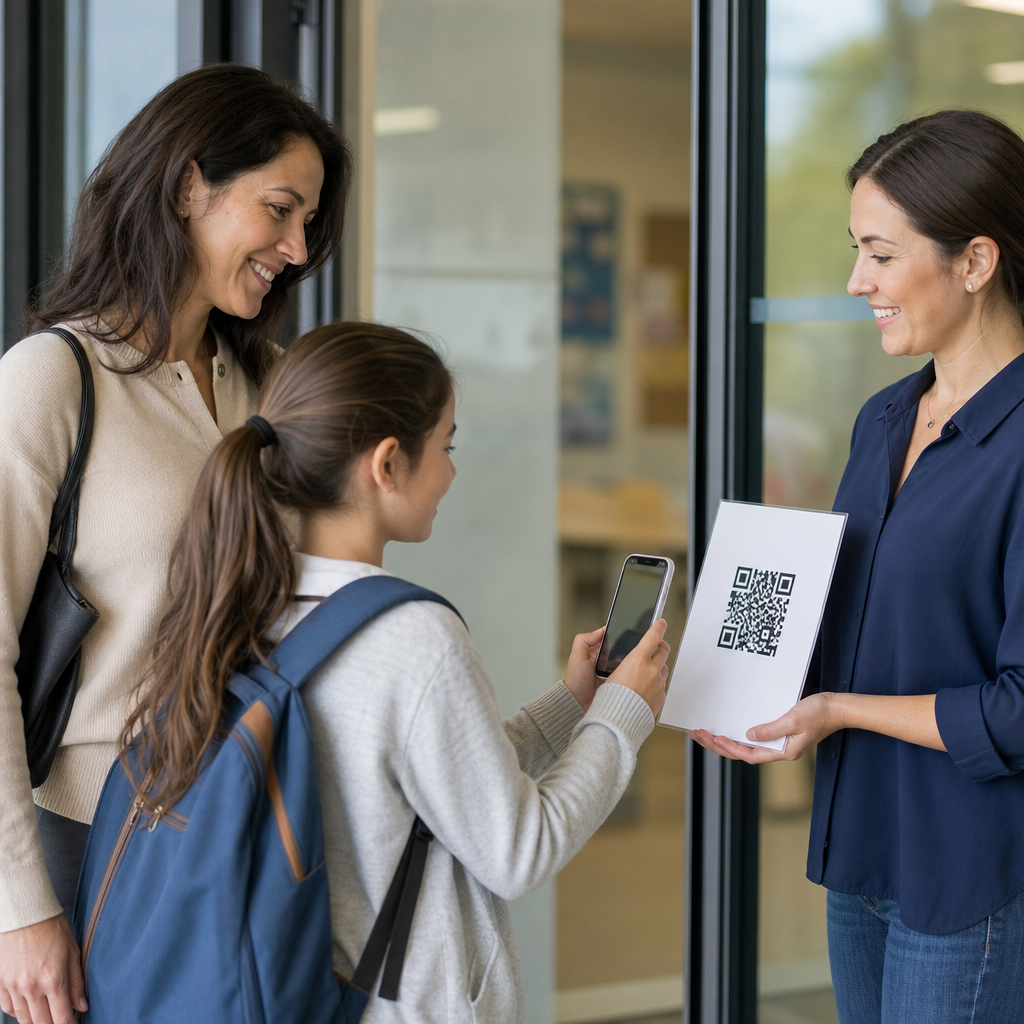
QR codes for student attendance tracking give schools a fast, low-cost way to record presence, reduce manual errors, and create auditable data across classrooms, labs, events, and remote activities. In education, attendance tracking means capturing whether a student was present, late, excused, or absent, then storing that record inside a student information system, learning management platform, or standalone attendance app. A QR code is simply a machine-readable image that links a scan to a specific class session, location, or student identity. I have implemented QR attendance workflows for training programs and academic cohorts, and the biggest lesson is straightforward: success depends less on the code itself and more on the rules around identity verification, timing windows, device access, and data privacy.
This matters because attendance is tied to funding, safeguarding, academic support, compliance, and student success. Universities use attendance data to detect disengagement early. K-12 schools use it to meet reporting obligations and trigger family outreach. Vocational programs, tutoring centers, and exam providers use attendance records as proof of participation. Compared with paper sign-in sheets, QR codes can shorten check-in from several minutes to seconds, reduce transcription mistakes, and provide timestamps automatically. They also fit multiple educational environments: lecture halls, seminars, libraries, field trips, advising sessions, and extracurricular programs. For an education hub page, the key question is not whether QR codes work, but how to deploy them responsibly for different age groups, class formats, and institutional policies.
How QR attendance tracking works in education
A QR attendance system usually combines four parts: a generated code, a scanning device, a verification rule, and a record destination. In a simple classroom model, the teacher displays a session-specific QR code on a projector. Students scan it with a phone, authenticate through a school email account, and submit attendance into Google Forms, Microsoft Forms, or a purpose-built platform such as Anthology, PowerSchool, or Infinite Campus through integration middleware. In a stricter model, the instructor scans a QR code on each student ID card using a tablet at the door. Both methods use the same core technology but create very different control levels.
Static QR codes always resolve to the same destination, while dynamic QR codes can redirect to a changing URL and log metadata such as scan time, device type, and approximate location. For attendance, dynamic codes are usually better because they let staff rotate destinations by period, close a session after the grace window, and deactivate a code immediately if it is shared. In higher education, I have seen the most reliable deployments use a code that expires after five to ten minutes, requires single sign-on, and maps the attendance event directly to a course roster. That design cuts down on screenshots, roommate scanning, and after-the-fact submissions.
Institutions should distinguish between check-in and verified attendance. A scan only proves that a device interacted with a code; it does not automatically prove that a student remained for the full class or personally completed the scan. Because of that, better programs layer controls. Common controls include geofencing, instructor confirmation, rotating seat checks, and matching scans against campus Wi-Fi or SSO records. Schools should also define exception workflows for dead phone batteries, accessibility accommodations, and students without smartphones. If those alternatives are missing, even a technically elegant system will fail in practice.
Where QR codes fit across K-12, higher education, and training
Education is not one use case. In K-12 settings, attendance often involves legal reporting, parent communication, and stricter supervision. Younger students may not have personal devices, so staff-scanned ID badges or classroom posters paired with teacher tablets work better than self-scan models. Elementary schools often use QR check-ins for visitors, after-school pickup, library circulation, and enrichment clubs rather than for every homeroom attendance event. Middle and high schools can use student ID cards with printed QR codes for cafeteria access, counseling appointments, bus boarding, and intervention periods, creating a more complete record of student movement.
Higher education has broader flexibility. Large lectures benefit from self-service session codes, especially when integrated with LMS gradebook or engagement analytics. Seminar classes may use door scanning on university ID cards because participation and punctuality matter more than sheer throughput. Clinical placements, teacher education practicums, and lab environments often need richer attendance evidence, such as supervisor approval plus QR check-in tied to location. Continuing education providers, certification boot camps, and corporate learning teams frequently use QR codes to prove seat time for regulated training. In those programs, timestamp precision and audit trails are essential because attendance can affect certification eligibility or reimbursement.
Remote and hybrid learning also fit this model. A virtual class can display a QR code on screen that opens a signed attendance page. However, remote attendance needs stronger verification because screenshots can be circulated instantly. Better methods combine a one-time QR prompt with authenticated access inside Zoom, Teams, Moodle, Canvas, or Blackboard. Some institutions even use multiple attendance moments during a long session: entry, post-break return, and final confirmation. That approach is useful for workshops and exam review sessions where drop-off is common.
Implementation models, tools, and policy choices
Choosing the right implementation model depends on class size, device availability, fraud risk, and existing software. The table below summarizes the most common options used in education programs.
| Model | Best fit | Main advantage | Main limitation |
|---|---|---|---|
| Student self-scan session code | University lectures, adult training | Fast for large groups | Higher risk of shared screenshots |
| Staff scans student ID QR | K-12 entry, labs, tutoring centers | Stronger identity control | Creates bottlenecks at busy doors |
| Kiosk or wall-mounted scanner | Libraries, study halls, events | Consistent hardware and logs | Needs supervision and maintenance |
| Hybrid scan plus SSO confirmation | Hybrid courses, compliance training | Balances speed and verification | More setup and integration work |
For many schools, the fastest starting point is a dynamic QR code generator linked to a form that captures student name, ID, course section, and timestamp. That is acceptable for pilots, but it does not scale cleanly. A production system should connect to roster data, support role-based permissions, and export records into the SIS. Tools commonly used in pilots include Google Workspace, Microsoft 365, Airtable, Zapier, and QR platforms such as QR Code Generator Pro or Beaconstac. At enterprise level, schools often work through SIS APIs, LMS plugins, or campus app vendors. The technical requirement is not complexity for its own sake; it is data integrity.
Policy choices matter as much as software. Schools need written rules for late arrivals, excused absences, duplicate scans, scan windows, substitute teachers, and classes held in temporary rooms. They also need a retention policy. In the United States, attendance data can intersect with FERPA, and if location or device identifiers are captured, privacy review becomes even more important. In the United Kingdom and Europe, institutions must consider UK GDPR or GDPR principles such as data minimization and purpose limitation. The safe standard is clear notice, minimal collection, restricted access, and documented deletion schedules.
Benefits, limitations, and common failure points
The strongest benefits of QR codes for student attendance tracking are efficiency, accuracy, and visibility. Teachers stop passing around paper sheets. Administrative teams avoid retyping handwritten names. Timestamps are created automatically, which makes tardiness rules easier to enforce consistently. Data can feed dashboards that identify chronic absenteeism, compare attendance by section, or flag students who miss key milestones. I have seen schools cut check-in times dramatically during tutoring and enrichment programs simply by moving from paper sheets to QR badge scans. That freed staff to handle student support instead of clerical cleanup.
Still, QR attendance is not foolproof. The most common failure point is weak identity assurance. If a student can text a screenshot to a friend, attendance becomes vulnerable. The second failure point is poor connectivity; basements, gymnasiums, and temporary buildings often have unreliable Wi-Fi. Third is inequitable device access. Not every student has a charged smartphone with a working camera and current browser. Fourth is classroom management. If instructors spend five minutes troubleshooting scans at the start of class, the process erodes trust quickly. The fix is always operational design: short scan windows, offline fallback, alternate check-in methods, and teacher training.
Another limitation is overcollection. Some vendors promise rich analytics by combining scans with location, device, or behavioral data. Schools should be cautious. More data is not automatically better data, especially when minors are involved. Attendance systems should answer a defined educational need, not become a surveillance layer. The best programs use only the information required to confirm presence and support interventions. They also provide transparent correction workflows so students can challenge an error without friction.
Best practices for building a reliable education attendance hub
An effective education attendance hub connects classroom workflows, policy standards, and reporting systems into one coherent process. Start by defining the attendance event precisely: who is being marked, for which activity, at what time, under whose authority, and with what evidence. Then choose the least burdensome verification that still matches the risk. A graduate lecture may need only rotating session codes and SSO. A high school intervention block may need staff-scanned IDs. A nursing lab may need QR check-in plus instructor validation because accreditation evidence is stronger when two controls are present.
Next, map internal links and process ownership across related education use cases. This hub should connect conceptually to deeper pages on K-12 attendance, university lecture capture, student ID systems, event check-in, safeguarding logs, library usage, tutoring centers, and hybrid learning verification. That structure helps staff find the exact model relevant to their setting while preserving one governance standard. Operationally, assign clear owners in IT, student services, academic departments, and data protection. Pilot with one department, measure scan completion rate, exception rate, and teacher effort, then expand only after refining the workflow.
QR codes for student attendance tracking work best when schools treat them as part of attendance governance, not as a standalone gadget. The technology is simple, but dependable results come from short-lived codes, authenticated submissions, clear privacy rules, equitable alternatives, and direct SIS or LMS integration. Education leaders who implement those basics gain faster check-ins, cleaner records, and earlier visibility into disengagement without adding unnecessary friction. If you are building an education attendance program, audit your current process, choose one high-value pilot, and design the verification rules before you generate the first code.
Frequently Asked Questions
How do QR codes work for student attendance tracking?
QR codes for student attendance tracking work by connecting a quick scan to a specific attendance action, such as marking a student present, late, excused, or absent. In practice, a school creates a QR code tied to a class period, lab session, advisory block, club meeting, field trip, or remote activity. Students then scan that code with a phone, tablet, laptop camera, kiosk device, or classroom scanner. The scan opens a secure form, attendance app, learning management platform, or student information system endpoint, where the system records the check-in along with useful data such as time, date, course, section, and sometimes device or location details.
The main advantage is speed and consistency. Instead of a teacher calling roll and manually entering attendance afterward, the scan can log the record immediately and reduce missed entries or spelling mistakes. Schools can also configure rules to classify scans automatically. For example, a scan before the bell may count as present, a scan during a grace period may count as tardy, and no scan by the end of a window may flag the student as absent pending teacher review. That creates a cleaner, more auditable workflow and makes it easier to sync attendance records across different systems.
Implementation can be simple or highly structured depending on the school’s needs. Some schools use static QR codes for recurring rooms or teachers, while others generate dynamic, time-limited QR codes for each session to improve security and reduce unauthorized sharing. The best setups also include confirmation screens, duplicate-scan controls, and exception handling for students without personal devices. In short, the QR code itself is just the trigger; the real value comes from the attendance software and policies behind it.
What are the biggest benefits of using QR codes instead of manual attendance?
The biggest benefits are efficiency, accuracy, cost-effectiveness, and better reporting. Manual attendance takes instructional time, especially in large classes, assemblies, labs, and campus events. QR-based attendance can reduce that process to a few seconds, allowing instructors to focus more on teaching and student engagement. For schools managing many sections each day, even small time savings per class can add up significantly over a semester.
Accuracy is another major benefit. Paper rosters and rushed manual entry are prone to errors, including duplicate entries, missed students, and delayed updates. A QR-based workflow records attendance directly in a digital system, which helps standardize timestamps and reduce transcription mistakes. Because scans generate digital records automatically, administrators can review patterns more easily, compare attendance across classes, and respond faster to chronic absenteeism, lateness, or compliance issues.
Cost is often lower than schools expect. QR codes are inexpensive to create and can often be deployed using devices and systems schools already have, such as teacher laptops, student phones, classroom tablets, LMS platforms, or SIS integrations. That makes QR attendance attractive for schools that want practical modernization without investing in more expensive hardware-heavy systems. In addition, the resulting records are auditable, searchable, and easier to analyze for funding, accountability, student support, and parent communication. When implemented well, QR codes provide a strong balance of simplicity and operational value.
How can schools prevent cheating or proxy check-ins with QR code attendance?
Preventing proxy attendance is one of the most important design considerations in a QR-based system. If a school simply posts a permanent QR code on a wall, students may share it with friends who are not physically present. To reduce that risk, schools commonly use dynamic QR codes that refresh by class period, date, or minute. A short scan window makes the code much harder to reuse later. Many systems also require students to authenticate through a school account before the attendance mark is accepted, which ties the scan to a known identity instead of just recording an anonymous device interaction.
Additional safeguards can strengthen integrity further. Schools may capture timestamps, section data, network information, and location constraints when appropriate and legally permissible. For example, a scan can be accepted only when submitted from the campus Wi-Fi network, from a classroom-managed device, or within a defined geofenced area. Teachers can also review real-time attendance dashboards to spot unusual patterns, such as multiple scans from the same device, repeated late submissions, or attendance activity occurring outside the expected class window.
Operational controls matter just as much as technical ones. Schools should establish clear policies for late arrivals, device problems, and student accountability. A practical approach is to let the QR scan create a preliminary attendance record while preserving teacher override authority. That way, instructors can confirm suspicious entries, correct mistakes, and handle edge cases without losing the speed benefits of automation. The goal is not to make fraud impossible in every scenario, but to make abuse difficult, traceable, and easy to address.
Can QR code attendance integrate with a student information system or learning management platform?
Yes, and integration is where QR-based attendance becomes far more valuable than a standalone check-in list. A well-designed system can send attendance results directly into a student information system, learning management platform, or dedicated attendance application. That means a single scan can update the official record for a course section, trigger absence workflows, support intervention reporting, and keep teachers, office staff, and administrators aligned without duplicate data entry.
Common integration methods include APIs, webhooks, CSV imports, middleware connectors, and built-in integrations from attendance software vendors. Depending on the school’s technology stack, a scanned QR code might open a secure web form that writes directly to the SIS, or it may first store the event in an attendance platform and then sync records on a schedule. Schools should map exactly which statuses need to be supported, including present, tardy, excused, absent, and early dismissal, and define how corrections or teacher overrides are handled after the initial scan.
Integration planning should also cover data governance. Schools need to decide what information is captured, how long it is retained, who can edit records, and how discrepancies are resolved. Testing is essential before full rollout, especially if attendance affects funding, compliance, or parent notifications. When integrated properly, QR attendance does more than speed up check-in; it becomes part of a connected administrative workflow that improves visibility, consistency, and follow-through across the institution.
What should schools consider before implementing QR codes for attendance?
Before implementation, schools should evaluate policy, accessibility, security, and classroom practicality. The first question is not just whether QR scanning is possible, but whether it fits the school’s attendance rules and instructional environment. Schools should define where QR attendance will be used, such as daily classes, labs, assemblies, tutoring sessions, extracurricular events, internships, or remote learning. They should also decide whether scans mark attendance automatically or whether teachers review and confirm submissions before the record becomes final.
Accessibility and equity are critical. Not every student has a personal smartphone, and some students may have limited connectivity, camera issues, or accommodation needs. A good rollout includes alternatives such as teacher-operated devices, kiosk check-ins, badge-based options, manual override procedures, and support for assistive technology. Staff training is equally important. Teachers and administrators need clear guidance on how to launch the scan session, manage late arrivals, handle exceptions, and correct records quickly when needed.
Security, privacy, and reliability should be addressed from the start. Schools should use authenticated workflows, appropriate data minimization, and role-based access controls, while ensuring compliance with applicable student privacy laws and institutional policies. They should also consider whether to use static or dynamic QR codes, how to prevent code sharing, what audit data to retain, and how the system will function during internet outages or device failures. A pilot program is often the smartest path: test the process with a small group, gather feedback from teachers and students, verify system integrations, and refine the workflow before expanding campus-wide. That approach leads to stronger adoption and fewer operational surprises.