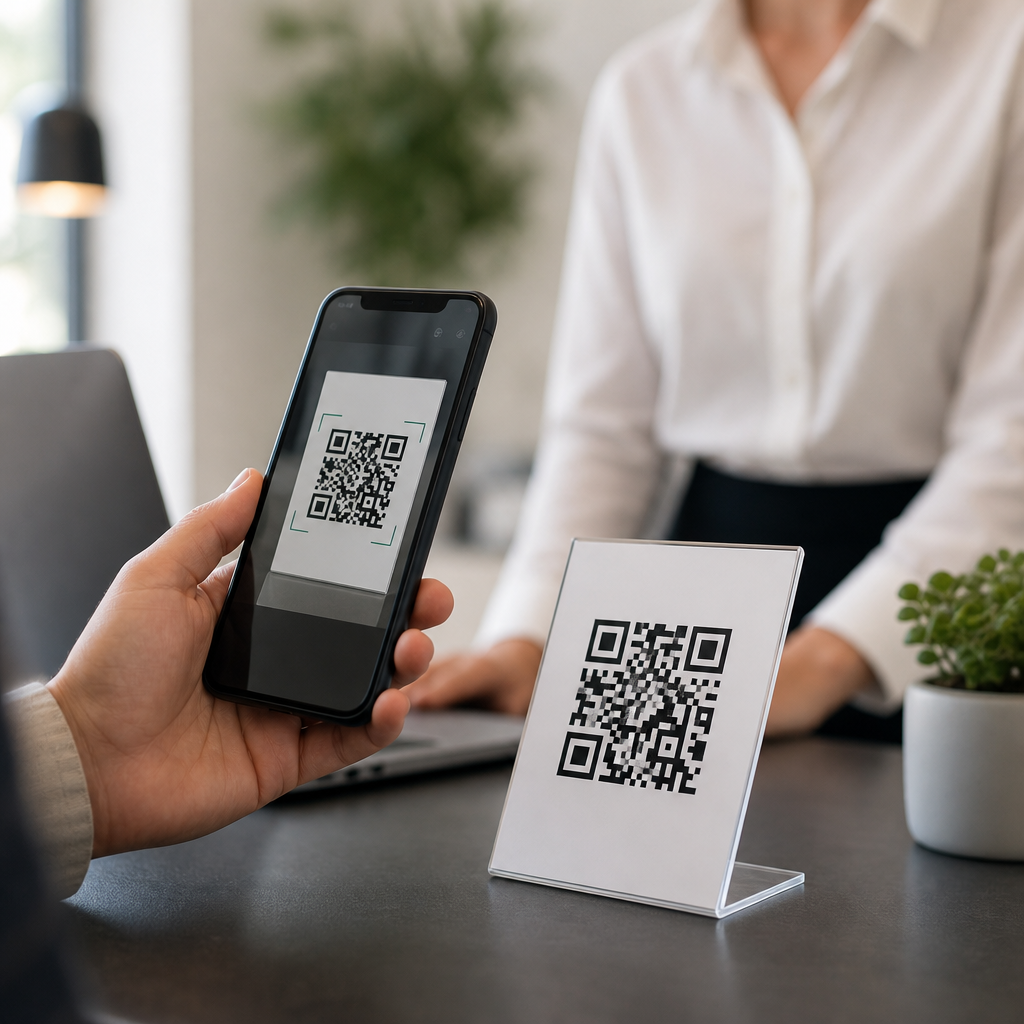
Scanning a QR code should feel instant and predictable, so when it opens the wrong page, users assume the code is broken, the phone is infected, or the campaign was set up badly. In practice, the problem is usually more specific: a mobile browser may be reusing an old redirect, a dynamic QR destination may have been edited incorrectly, the code may point to a shortened URL that resolves differently on iPhone and Android, or the scanner app may be adding its own preview layer. Understanding why a QR code opens the wrong page matters because QR traffic often sits at the bottom of the funnel. It appears on packaging, menus, posters, invoices, event badges, and product labels where a bad destination directly harms conversions, support volume, and trust.
A QR code itself is just a machine-readable pattern containing data, most often a URL. A static QR code stores the final destination directly in the image, while a dynamic QR code stores a short redirect URL managed by a QR platform. That distinction drives most troubleshooting. If the wrong page loads from a static code, the encoded URL is usually wrong or malformed. If the wrong page loads from a dynamic code, the image may be fine but the redirect settings, device routing, campaign rules, or cached redirects may be wrong. In mobile troubleshooting, details matter: whether the issue happens only on cellular, only inside Instagram’s in-app browser, only on one operating system, or only after a recent link update can tell you exactly where to look.
I have debugged QR campaigns for retail packaging, trade show signage, restaurant ordering, and app-download flows, and the same pattern repeats: teams test once on a desktop-generated preview, publish too quickly, then discover that real phones behave differently. Mobile operating systems apply app association rules, browsers cache redirects aggressively, and link management platforms often allow conditional routing by geography, language, time, or device type. This article is the hub for mobile-specific QR troubleshooting. It explains the most common causes, how to verify each one, and when to move to deeper guides on scanner behavior, browser caching, app links, and redirect configuration.
Start With the Destination Encoded in the QR Code
The first question is simple: what URL is actually inside the QR code? Do not assume the visible text printed near the code matches the encoded destination. Use at least two independent readers, such as your phone camera and a dedicated scanner like Google Lens, to reveal the raw link without opening it immediately. If the code contains the wrong URL, missing parameters, an outdated path, or a typo in the domain, the issue is in code generation, not in the phone. Static codes cannot be edited after printing, so a mistaken destination usually requires reprinting or placing a corrective sticker over the original.
Malformed links also create “wrong page” symptoms. I regularly see missing HTTPS prefixes, uppercase path mismatches on case-sensitive servers, broken UTM parameters, and invisible whitespace copied into link fields. A code pointing to example.com/Product may work on one stack and fail on another if the live page is actually example.com/product. Likewise, a missing trailing slash can trigger a server rewrite to a generic landing page instead of the intended resource. Before testing anything else, confirm the exact encoded URL and compare it with the live canonical page in your CMS or routing rules.
Dynamic QR Codes Often Fail at the Redirect Layer
If the QR code is dynamic, the image usually points to a short URL controlled by a provider such as Bitly, QR Code Generator, Beaconstac, Scanova, Flowcode, or a custom branded short domain. The short link then redirects to the final page. This setup is useful because destinations can be changed without replacing the printed code, but it also introduces more failure points. An editor may update the destination incorrectly, duplicate a campaign and forget to replace the target, or apply device-based routing that sends Android users to one page and iPhone users to another. In enterprise setups, access controls and stale workspaces can make teams edit the wrong code entirely.
When I audit dynamic campaigns, I check the redirect chain with tools like Redirect Path, cURL, Chrome DevTools, and HTTP Status. A QR code that appears to open the wrong page may actually be following two or three redirects before landing. If any hop was changed recently, a phone may still cache the old 301 response. Permanent redirects are especially sticky on mobile browsers. If you expect to revise destinations, use 302 or 307 responses during testing, validate behavior on real devices, then switch to a stable permanent redirect only when the path is final.
Mobile Browsers, In-App Browsers, and Caching Change Results
Many “wrong page” reports come from browser context rather than from the QR code itself. Safari, Chrome, Samsung Internet, and Firefox handle cached redirects differently, and in-app browsers inside Instagram, Facebook, TikTok, WeChat, and LinkedIn add another layer. A QR code scanned in the native camera may open Safari or Chrome, while the same code scanned from within a social app may open an embedded browser with stripped cookies, blocked pop-ups, or altered user-agent strings. That can trigger a different personalization rule or send the visitor to a generic fallback page.
Ask three diagnostic questions. Does the issue happen on every phone or only one device? Does it happen only inside a specific app? Does clearing browser data fix it? If a link changed recently and one phone still opens the old destination, cached redirects are likely. Test the same QR code in private browsing, on another network, and with a cache-cleared browser. On iPhone, turning off “Open Links” behaviors in certain apps can reveal whether an app-level browser is hijacking the flow. On Android, default app associations may force specific domains into installed apps rather than the mobile website.
App Links, Universal Links, and Deep Linking Can Override the Web Page
A common mobile-specific surprise is that the QR code is correct, but the phone opens an app screen instead of the website page you expected. That happens because modern operating systems support app links on Android and universal links on iOS. If your destination domain is associated with an installed app, the OS may hand the URL to that app automatically. Depending on app configuration, the user may land on a homepage, a login screen, or an outdated in-app route that feels like the “wrong page,” even though the original URL was valid.
This is especially common for restaurant ordering, event apps, marketplace listings, and customer portals. I have seen QR codes for help-center articles open the merchant’s app dashboard because the app claimed the root domain but did not map that specific path. The fix is usually in your app-link configuration files: apple-app-site-association for iOS and assetlinks.json for Android. You may need to exclude certain paths from deep linking, create reliable fallback rules, or send QR traffic to a subdomain that is not app-associated. If your campaign’s goal is web content, app routing should be intentional, not accidental.
Server Rules, Localization, and Personalization Can Send Visitors Elsewhere
Not every wrong destination is caused by the QR platform. The web server, CDN, consent manager, or localization engine may redirect users based on geography, language, device type, or previous sessions. Cloudflare rules, Akamai edge logic, Shopify market settings, WordPress redirection plugins, and JavaScript personalization tools can all alter the final landing page. A visitor in Canada might be sent to a country selector, while a user in Germany sees a translated homepage instead of the campaign page. On mobile networks, carrier IP geolocation can make this inconsistent.
The table below shows the mobile-specific checks that solve most cases fastest.
| Symptom | Likely cause | What to test | Typical fix |
|---|---|---|---|
| Only one phone opens old page | Cached 301 redirect | Private mode, clear cache, another browser | Use temporary redirects while testing |
| iPhone and Android open different pages | Device routing or app links | Scan on both OS versions | Review deep-link and device rules |
| Works in camera, fails in Instagram | In-app browser behavior | Open externally in default browser | Add fallback page and simpler redirects |
| Users land on homepage by country | Geo or language redirects | VPN and mobile network comparison | Whitelist campaign path from localization |
| Only after link edit it goes wrong | Dynamic destination changed incorrectly | Inspect redirect chain and audit log | Correct target and document change control |
For these cases, inspect response headers, cookies, and edge rules. If your site uses hreflang, market selectors, or consent walls, make sure campaign URLs bypass unnecessary logic. A dedicated landing page with minimal personalization often outperforms a heavily automated page because it is easier to test and less likely to shift by device context.
Scanner Quality, Print Conditions, and URL Rewrites Also Matter
Sometimes users report the wrong page when the real issue is inconsistent scanning under poor print conditions. Low contrast, glossy packaging, tiny codes, curved bottles, and damaged labels can cause some scanner apps to misread a character in a nonstandard payload or to interpret a nearby code instead. This is rare with clean URL payloads and modern error correction, but I have seen mixed-signage environments where a payments code and a support code sat too close together and staff scanned the wrong one. Always test printed samples at production size, not just the digital artwork.
Another overlooked cause is automatic URL rewriting by email service providers, affiliate tools, or analytics systems. If the original destination was copied from a tracked link that later expired, or if a CMS inserts mobile interstitials, the QR code may inherit behavior meant for another channel. Use a clean canonical URL for QR campaigns, then add analytics parameters directly. Avoid chaining a QR platform short link to another shortener unless there is a strict governance reason; every extra hop adds latency, breakage risk, and another place for mobile behavior to diverge.
How to Troubleshoot and Prevent Future QR Destination Errors
The fastest process is disciplined and repeatable. First, decode the QR and verify the raw URL. Second, map the full redirect chain and note each status code. Third, test on iPhone and Android, in default browsers and at least one in-app browser. Fourth, compare Wi-Fi versus cellular to catch geolocation or CDN edge differences. Fifth, review app-link associations, server rules, and dynamic QR audit logs. Document each result with screenshots and timestamps so you can identify whether the problem lives in the code image, the redirect layer, the browser, the app, or the site itself.
Prevention is better than recovery. Create QR-specific landing pages, use branded short domains you control, keep redirect chains to one hop where possible, and require final mobile QA before printing. If your organization publishes many codes, maintain a central inventory with owner, destination, campaign dates, and test status. This FAQs and troubleshooting hub should also connect readers to deeper articles on scanner apps, cached redirects, app-link conflicts, geolocation routing, and dynamic QR editing. When a QR code opens the wrong page, the fix is usually traceable and fast once you test methodically. Audit your live codes today, confirm their mobile destinations, and clean up any redirect logic before users find the problem for you.
Frequently Asked Questions
Why does my QR code open the wrong page even though the code itself was created correctly?
A QR code is usually not the part that is malfunctioning. In most cases, the code is simply encoding a link exactly as intended, but something happens after the scan. The most common causes include cached browser redirects, an outdated destination in a dynamic QR code platform, a URL shortener sending users to different places depending on device type, or a scanner app inserting its own preview or tracking layer before handing the link to the browser. Because of that, the QR code may appear broken when the real issue is further down the chain.
It helps to think of a QR code as the first step in a routing process. The phone camera or scanner reads the code, opens a URL, the URL may redirect through a short link or dynamic QR service, and only then does the user reach the final page. If any layer in that process is outdated or misconfigured, the wrong page can appear. That is why troubleshooting should focus on the full scan path rather than only the image of the QR code itself. Testing on multiple phones, browsers, and scanner apps is often the fastest way to isolate where the incorrect destination is being introduced.
Can browser cache or saved redirects cause a QR code to open an old or incorrect page?
Yes, absolutely. Mobile browsers can cache redirects, landing pages, and even DNS or shortened URL behavior longer than many people expect. If a QR code once pointed to one destination and was later updated through a dynamic QR service or redirect rule, some devices may continue opening the earlier version for a period of time. This is especially common when the same phone has scanned the code before, visited the destination recently, or stored aggressive redirect behavior in the browser session.
To check whether caching is involved, test the QR code in a private browsing window, on a different device, or after clearing the mobile browser cache. You should also try scanning with both the native camera app and a separate QR scanner, since each may hand off the link differently. If the problem disappears in private mode or on a fresh device, that strongly suggests a cache-related issue rather than a damaged QR code. In practical terms, the fix may involve clearing browser data, adjusting cache headers on the destination page, or reviewing how redirects are being managed so returning visitors are not sent to an outdated page.
What is a dynamic QR code, and how can editing it incorrectly send people to the wrong destination?
A dynamic QR code does not store the final destination directly. Instead, it points to a management URL that can later redirect users to different landing pages. This is useful for campaigns because you can change the destination without reprinting the code. However, that flexibility also creates room for mistakes. If someone edits the redirect target incorrectly, applies a device-based rule to the wrong segment, publishes a draft URL, or accidentally overwrites a campaign setting, the QR code can start opening a page that was never intended for the audience.
When a dynamic QR code opens the wrong page, the first place to inspect is the QR management dashboard. Confirm the current target URL, any scheduled redirect rules, geo-targeting settings, device targeting, A/B testing logic, and expiration behavior. Also verify that no one on the team changed the destination recently without documenting it. In many cases, the QR code image is still perfectly valid, but the back-end redirect was updated incorrectly. A good prevention strategy is to use change logs, approval workflows, and routine testing after edits so destination changes are caught before users notice them.
Why might the same QR code open different pages on iPhone and Android?
This can happen when the encoded link passes through a shortener, redirect service, app deep-linking system, or device-detection script that behaves differently by operating system. For example, a shortened URL may send iPhone users to one page and Android users to another based on user-agent detection. A landing page may attempt to open an app on one platform but fall back to a website on another. In some cases, the behavior is intentional; in others, it is the result of poor redirect logic, outdated app links, or a platform-specific configuration error.
To diagnose this, copy the exact URL that appears immediately after the scan and test it manually on both platforms. Then follow each redirect step to see where the behavior diverges. URL inspection tools, redirect checkers, and browser developer tools can help reveal whether the device is being routed differently. If the final destination should be the same for everyone, simplify the redirect chain and avoid unnecessary device detection. The fewer conditional rules involved, the less likely it is that one phone type will land on the wrong page while another works normally.
Could the QR scanner app itself be causing the wrong page to open?
Yes, and this is more common than many users realize. Not every QR scan happens through the phone’s built-in camera. Some third-party scanner apps add their own preview screens, in-app browsers, ad layers, security checks, or affiliate tracking parameters before opening the destination. In some cases, these apps may misread what should happen next, reopen a previously visited page, or alter the user’s path enough to make it look like the QR code is sending people somewhere incorrect. The result can be confusing because the same code may behave perfectly in one scanner and strangely in another.
The best way to rule this out is to compare scan results using the native camera app, a trusted scanner app, and direct manual entry of the URL if possible. If the issue only appears in one scanner, the QR code is likely fine and the app is introducing the problem. For businesses, this is a reminder to test codes in realistic environments, not just on one internal device. If your audience is reporting inconsistent behavior, ask which phone model, browser, and scanner they used. That detail often reveals whether the problem is in the code’s destination setup or in the scanning software layer between the user and the webpage.