
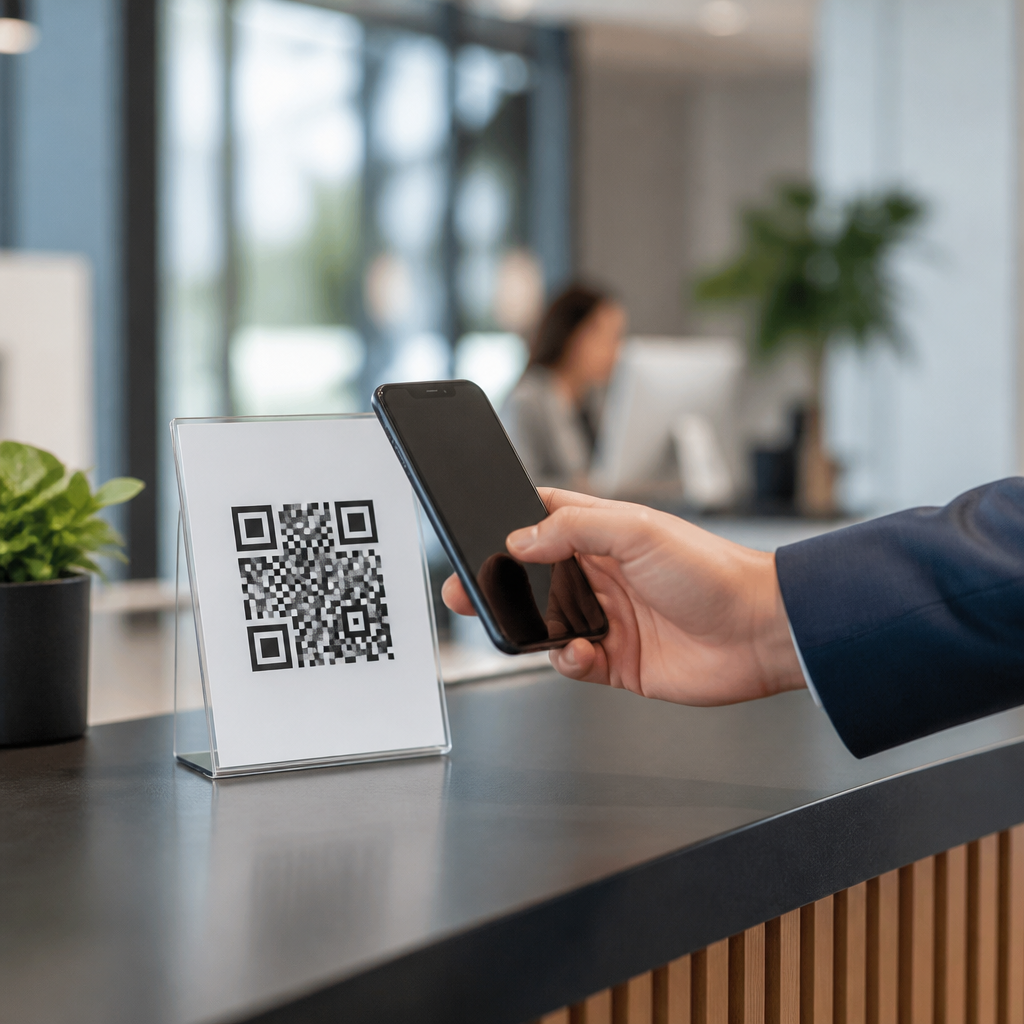
Secure QR code implementation for businesses means designing, generating, distributing, and monitoring QR codes in ways that reduce fraud, protect user data, and support reliable customer experiences. A QR code is simply a machine-readable matrix barcode, but in business use it often becomes a gateway to payments, authentication flows, product information, app downloads, support forms, and physical-to-digital campaigns. Because that gateway is easy to scan and hard for most users to visually verify, it creates a distinct security challenge. I have seen strong campaigns fail because teams treated the code itself as harmless artwork instead of as a delivery mechanism for trust-sensitive actions.
For businesses, secure QR code implementation matters for three reasons. First, QR phishing and sticker replacement attacks are cheap and effective. Second, many scans lead into systems that process personal data, credentials, or payments, making privacy and compliance obligations unavoidable. Third, QR deployments usually span marketing, IT, security, operations, and customer support, so weak governance creates gaps attackers exploit. A secure program covers the full lifecycle: use-case selection, domain control, code generation, landing page hardening, analytics governance, incident response, and employee training. When done correctly, QR codes remain convenient while exposing far less risk to customers, staff, and the business.
Define the use case and risk profile before generating any code
The first step in secure QR code implementation is deciding exactly what the scan should do. A restaurant menu, a warehouse asset tag, a payment request, and a login enrollment flow do not deserve the same controls. In practice, I classify QR deployments by consequence if tampered with. Low-risk examples include public event information pages. Medium-risk examples include lead forms or app download prompts. High-risk examples include payments, password resets, identity verification, Wi-Fi onboarding, and software distribution. That classification determines whether you need signed URLs, short expiration windows, device binding, or additional user verification after the scan.
Teams should document threat scenarios early. Common ones include malicious over-labeling of printed codes, typo-squatted destination domains, unauthorized redirects, malware payload links, and excessive collection of scan analytics. A simple risk assessment should answer: what data is accessed, what action is triggered, what systems are downstream, and what harm follows if the code is replaced? Standards-based thinking helps here. Using a lightweight threat modeling approach such as STRIDE clarifies spoofing, tampering, information disclosure, and denial-of-service concerns. If the destination involves card payments or personal data, involve compliance and legal teams before launch rather than retrofitting controls after a campaign goes live.
Control the destination: domains, redirects, and content integrity
The safest QR code points to a domain your business owns and manages. That sounds obvious, yet many campaigns still use free QR generators, consumer link shorteners, or third-party microsites outside enterprise governance. Those choices weaken brand assurance and make takedown or incident response slower. Use HTTPS everywhere, enforce HSTS, and keep destination URLs under a clear, branded domain structure. If you need redirects for analytics or campaign management, host them yourself or through an approved enterprise platform with role-based access control, audit logs, and MFA for administrators.
Content integrity matters just as much as URL ownership. If a QR code sends users to a page that later gets compromised, the code becomes a durable attack vector. Treat landing pages like production applications: patch CMS components, limit plugins, use a web application firewall, monitor file integrity, and review third-party scripts. For high-risk workflows, avoid open redirects entirely. Where redirects are necessary, allow only vetted destinations and reject arbitrary parameters. I also recommend showing a clear domain confirmation on landing pages so users can verify they reached the intended property before entering credentials or payment details.
Choose static or dynamic QR codes based on operational and security needs
Businesses often ask whether static or dynamic QR codes are more secure. The direct answer is that dynamic codes usually offer better operational security because you can change the destination without reprinting the code, disable compromised links quickly, and instrument monitoring centrally. Static codes encode the final destination directly, which reduces dependence on redirect infrastructure but makes updates expensive and incident containment difficult. In my experience, static codes work best for very low-risk, long-lived informational content. Dynamic codes are better for campaigns, inventory labels, packaging, support journeys, and any scenario where links may need rotation or shutdown.
That said, dynamic QR codes are only safer when governed properly. The redirect service becomes critical infrastructure. Protect it with MFA, administrative separation of duties, least-privilege permissions, logging to a SIEM, and change approval for destination edits. Consider signed redirect mappings or immutable release records so investigators can trace who changed what and when. If a vendor provides the platform, review data processing terms, retention defaults, breach notification commitments, and API security. Convenience alone is not a security control; the security benefit comes from managed change, visibility, and rapid revocation.
Implement technical controls that reduce abuse and improve trust
Strong QR security depends on layered controls, not a single product. On the code side, use high error correction carefully; it improves scan reliability but can also make tampered labels still function. For printed materials, tamper-evident placement, destructive labels, holographic overlays, or integration into packaging artwork raise the cost of sticker replacement. For digital displays, control the publishing pipeline and lock down kiosk or signage systems. On the web side, use TLS, DNSSEC where supported, CSP headers, bot filtering, rate limiting, and server-side validation of parameters. For sensitive actions, require confirmation after scanning instead of executing immediately.
| Business use case | Primary risk | Recommended control |
|---|---|---|
| Restaurant menu | Sticker replacement to phishing page | Branded domain, daily staff inspection, tamper-evident print |
| Retail payment | Payment diversion | Short-lived dynamic code, transaction confirmation, device-side amount display |
| Product packaging | Counterfeit support site | Owned domain, serialization, monitored redirect rules |
| Employee login enrollment | Credential theft | Code expiration, MFA, identity verification after scan |
| Warehouse asset tag | Unauthorized data access | Authenticated app flow, role-based access, audit logs |
User trust signals are equally important. Mobile operating systems increasingly preview URLs before opening them, but businesses should not rely on that alone. Display human-readable destination text near the code in print. Use consistent subdomains, such as pay.company.com or support.company.com, instead of obscure campaign links. For app downloads, prefer official app store links and mobile deep linking through verified domains. For payments, display the merchant name, amount, and reference before confirmation. These details reduce ambiguity and give users a chance to stop if something looks wrong.
Address privacy, data governance, and compliance from the start
Many QR deployments quietly collect more data than teams realize. Scan time, approximate location, device characteristics, referral data, and subsequent form submissions can become personal data depending on jurisdiction and context. Businesses should apply data minimization from day one. Ask what analytics are truly necessary to measure campaign performance or operational usage, then disable everything else. Publish a clear privacy notice at the destination, especially when the QR code appears in public spaces where individuals cannot reasonably receive layered disclosures before scanning. If consent is required for cookies or location-based profiling, obtain it properly on the landing page.
Compliance obligations vary, but several patterns are consistent. If a QR code links to payment processing, align with PCI DSS responsibilities and keep card entry within validated payment environments. If health data or employee information is involved, map the flow to the applicable regulatory framework and retention schedule. Maintain records of processing, vendor contracts, and access reviews. I advise businesses to separate analytics from sensitive transactional systems whenever possible. That architecture limits overcollection and simplifies audits. Secure implementation is not just about blocking attackers; it is also about proving that data handling is proportionate, disclosed, and governed.
Build operational resilience with monitoring, training, and incident response
Even well-designed QR programs need operational controls. Monitoring should cover scan anomalies, redirect changes, destination uptime, certificate issues, and abuse reports from customers or staff. Baseline normal activity by location or campaign so sudden geographic spikes or unusual user-agent patterns trigger investigation. Feed redirect logs and web logs into your SIEM, and create alerts for destination changes outside change windows. Physical inspections matter too. In retail, hospitality, and transportation settings, frontline staff should know how authentic signage looks and how to report suspicious labels immediately.
Training must be role-specific. Marketing teams need approved generation and branding workflows. Store staff need tamper-check routines. Security teams need playbooks for disabling redirects, updating signage, notifying customers, and preserving evidence. Customer support needs scripts for suspected scan fraud incidents. The best incident response plans are practical: who can deactivate a code at 9 p.m., who approves replacement messaging, and how quickly can a compromised poster or countertop display be removed? Run tabletop exercises for high-risk use cases such as payments or login enrollment. In every mature program I have worked on, speed of containment mattered more than perfect prevention.
Secure QR code implementation succeeds when businesses treat each code as part of a governed digital service, not a standalone graphic. The essentials are clear: classify the use case, keep destinations on owned domains, choose dynamic management where change and revocation matter, harden landing pages, minimize data collection, and monitor both physical and digital touchpoints. These measures reduce phishing, payment diversion, unauthorized access, and compliance gaps without sacrificing the convenience that makes QR codes valuable in the first place.
As a hub topic, this area connects naturally to deeper work on QR phishing prevention, secure payment QR workflows, privacy disclosures, tamper-resistant print design, vendor due diligence, and incident response planning. Start by inventorying every QR code your business currently uses and mapping each one to an owner, destination, data flow, and risk level. That simple audit usually reveals the fastest improvements. Then standardize generation, approval, and monitoring so new QR codes launch securely by default.
Frequently Asked Questions
What does secure QR code implementation mean for a business?
Secure QR code implementation means treating every QR code as a controlled digital access point rather than as a simple printed graphic. In business settings, a QR code may send a customer to a payment page, a login workflow, a product registration form, a support portal, an app download, or a promotional campaign. Because most users cannot visually verify where a code leads before scanning it, businesses need to manage the full lifecycle of that code carefully. That includes deciding what the code should do, generating it using trusted tools, linking it only to approved destinations, testing it across devices, and monitoring it after release.
In practice, secure implementation also includes reducing opportunities for tampering and misuse. A business should use HTTPS destinations, keep landing pages branded and easy to recognize, avoid unnecessarily collecting sensitive data, and put controls around who can create or edit QR code destinations. If dynamic QR codes are used, the redirect rules should be managed under proper access controls and audit logging. If printed QR codes are placed in public spaces, the business should also think about physical risks such as sticker replacement, defacement, or fraudulent overlays. The goal is not only to prevent attacks, but also to create a consistent, trustworthy customer experience that supports security, privacy, and operational reliability.
What are the biggest security risks associated with business QR codes?
The most common risk is QR code replacement or redirection to a malicious destination. Attackers may place a fake sticker over a legitimate code in a restaurant, retail store, event venue, product package, or payment terminal. When a customer scans it, they may be sent to a phishing page, a fake payment screen, a malware download, or a form designed to collect login credentials or personal information. This threat is especially serious when customers expect to complete a fast action, such as making a payment or downloading an app, because speed often reduces scrutiny.
Another major risk is weak governance around dynamic QR codes. Dynamic codes are useful because the destination can be updated without changing the printed image, but that flexibility also creates risk if administrative access is poorly protected. If an attacker compromises the QR management account, they can silently redirect high-traffic codes to fraudulent pages. Misconfigurations can also cause harm, such as routing users to expired promotions, insecure pages, or forms that expose customer data. In addition, businesses sometimes underestimate privacy risks. A QR code campaign may collect device information, location data, or behavior analytics without proper disclosure or data minimization. For regulated industries, this can create compliance exposure along with reputational damage.
There are also operational risks that affect trust even when no attacker is involved. Broken links, slow landing pages, unsupported mobile experiences, and confusing redirects can make users suspicious or cause them to abandon the interaction. A secure QR strategy therefore includes both defensive security measures and strong experience design. If a customer scans a code and lands on a page that looks inconsistent with the brand, loads poorly, or requests unnecessary permissions, they may assume the code is unsafe. Reliability and security are closely connected in real-world QR deployments.
How can a company create and distribute QR codes securely?
A secure rollout starts with governance. Businesses should define who is allowed to request, generate, approve, publish, and modify QR codes. Those permissions should be limited to authorized staff, ideally through role-based access controls and multi-factor authentication for the platforms used to manage dynamic links or campaigns. Every QR code should have a documented purpose, a known destination, an owner, and a review process before it goes live. This is especially important when codes are used for payments, account access, customer support, warranty registration, or any workflow involving personal or financial data.
From a technical standpoint, generate QR codes only from trusted internal systems or reputable enterprise tools. Link to secure HTTPS destinations and use clearly branded URLs wherever possible. Avoid URL shorteners that obscure the destination unless the short domain is owned and recognized by the business. If redirects are necessary, keep the redirect chain minimal and under company control. Landing pages should be mobile-friendly, load quickly, and match the branding and language customers expect from the physical context in which the code appears. For app downloads, direct users to official app store listings rather than side-loaded installation files. For payments, make sure the payment interface uses trusted processors and familiar branding signals.
Distribution also matters. Printed QR codes should be placed on materials that are difficult to alter without notice, especially in high-risk public environments. Businesses can add anti-tamper design elements, unique labeling, or nearby text that tells users what they should expect after scanning. For example, signage can state the official domain, the intended action, and a customer support contact if something appears suspicious. If codes are displayed digitally, the systems presenting them should be protected against unauthorized content changes. Finally, every code should be tested in realistic conditions before launch, including different phones, camera apps, browsers, and network scenarios. Secure distribution is not just about creating a code; it is about ensuring the customer’s path from scan to completion is controlled, understandable, and resilient.
What best practices help customers trust and safely use a business QR code?
Trust starts with context. Customers are more likely to safely engage with a QR code when they know who provided it, why it is there, and what should happen next. Businesses should place clear instructions near the code, such as “Scan to view our official menu at example.com” or “Scan to pay your invoice through our secure payment page.” That simple guidance reduces confusion and helps users notice unexpected behavior. Strong visual branding also matters. QR codes should appear on professionally designed materials that match the company’s established look and messaging. If the page that opens after scanning feels unrelated to the business, customers may rightly hesitate.
Another best practice is to reduce unnecessary friction while preserving security signals. The landing page should use HTTPS, display the business name clearly, and avoid asking for sensitive information unless it is essential to the task. If authentication is required, users should be directed into a familiar, official login experience rather than a generic form. For high-risk actions such as payments, account updates, or identity verification, businesses can add confirmation steps and transparent messaging so users understand exactly what they are approving. It is also wise to educate customers not to scan damaged, covered, or suspicious-looking codes and to verify the domain if their device preview displays it before opening the link.
Businesses should also make it easy for customers to report suspicious QR codes or unexpected destinations. A visible support channel, such as a help number or support email, improves response time when something is wrong and reinforces legitimacy when everything is working correctly. In many cases, customer trust comes from consistency: the same domain structure, the same visual style, the same tone, and the same secure interaction patterns across all campaigns and locations. When customers know what “normal” looks like for a brand, they are better equipped to identify anomalies and avoid fraud.
How should businesses monitor and maintain QR codes after they are deployed?
Post-deployment monitoring is essential because a QR code is not a set-it-and-forget-it asset. Businesses should maintain an inventory of all active QR codes, including where each code appears, what it links to, who owns it, and when it was last reviewed. For dynamic QR codes, destination changes should be logged and auditable. Monitoring should include uptime checks for landing pages, certificate validity, redirect verification, and alerts for unexpected changes in traffic patterns. A sudden spike in scans, unusual geographic activity, or a drop in conversion can indicate tampering, technical failure, or abuse.
Physical inspection is also important for codes displayed in stores, on packaging, at kiosks, or in public venues. Staff should regularly check whether printed codes have been covered, altered, or replaced. This process should be built into routine operational checklists, especially for payment-related or high-traffic placements. If a problem is found, the business should have an incident response plan that covers immediate removal or deactivation, destination review, customer communication, and internal investigation. For digital displays, change management and content security controls should protect the systems that publish QR codes so unauthorized updates can be detected and reversed quickly.
Maintenance should also address privacy, compliance, and performance over time. Review whether linked pages still collect only the necessary data, whether disclosures remain accurate, and whether retention practices align with policy and regulation. Retire outdated campaigns promptly so old codes do not lead users to stale or confusing experiences. Refresh branding and content where needed, but do so in a controlled way that preserves trust and continuity. The most effective QR code programs combine security monitoring, operational discipline, and user experience oversight. That combination helps businesses keep QR interactions safe, reliable, and credible long after the initial launch.





