
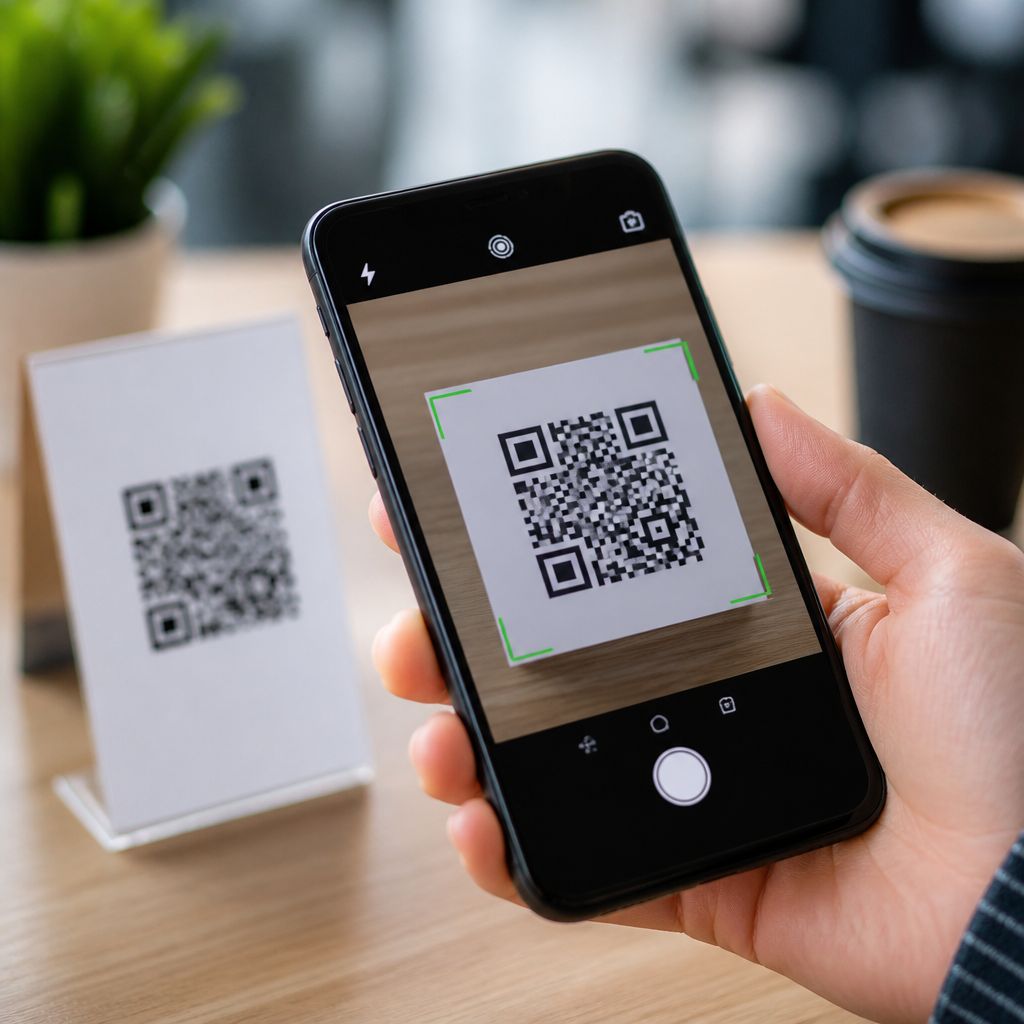
QR codes are now embedded in payments, product packaging, event tickets, restaurant menus, parking meters, and customer support flows, which makes verifying QR code authenticity a basic security skill rather than a niche concern. A QR code, short for Quick Response code, is a two-dimensional barcode that stores data such as a website URL, payment destination, app deep link, file download, or text string. Authenticity means the code truly comes from the organization or person it claims to represent and has not been swapped, altered, or redirected by a fraudster. I have worked on QR code deployment reviews for retail, healthcare, and field-service teams, and the same pattern appears repeatedly: the code itself is not inherently dangerous, but misplaced trust in where it leads creates the risk. Criminals exploit that trust through sticker overlays, fake invoice links, cloned packaging, phishing pages, and malicious app prompts.
Preventing QR code fraud matters because scanning collapses several decisions into one fast action. A user points a phone, sees a branded landing page, and often proceeds before checking the destination, security certificate, or business context. That creates an efficient attack path for credential theft, payment diversion, malware delivery, and data harvesting. The challenge has grown with mobile-first purchasing and contactless transactions. Consumers now expect instant scans, while organizations increasingly use dynamic QR codes tied to redirects, analytics, and campaign management platforms. Those features improve marketing and operations, yet they also broaden the attack surface if governance is weak. To verify QR code authenticity, people and businesses need a repeatable process: inspect the physical placement, preview the destination, validate the domain, confirm the business context, and monitor for tampering. This hub explains that process in plain terms and ties it to the broader discipline of preventing QR code fraud across environments.
Start with physical and contextual verification
The first question is simple: does the QR code appear where it should, in the format you would expect, from a source you already trust? In physical settings, many successful scams rely on substitution. A criminal prints a sticker and places it over the legitimate code on a parking kiosk, donation stand, fuel pump, poster, or restaurant table tent. From a distance, the replacement may look identical. Up close, there are usually clues: edges lifting, mismatched branding, unusual laminate, different print quality, inconsistent spacing, or a code placed slightly off-center. In product packaging, authenticity checks include lot numbers, seals, typography consistency, and whether the code location matches official product photos on the brand’s site. When I audit field locations, I advise teams to photograph every approved code placement and store those reference images in an internal knowledge base so staff can compare suspect codes quickly.
Context matters just as much as physical inspection. A QR code requesting immediate payment, credential entry, or software installation deserves heightened scrutiny. Legitimate uses generally fit the setting. A utility bill may link to an account portal; a conference badge may link to schedule details; a medicine package may point to manufacturer verification information. By contrast, a flyer promising prize redemption after entering banking details is misaligned with normal business behavior. Authentic QR code verification always asks whether the action requested is proportionate to the context. If a scan from a tabletop menu redirects to a cloud-storage download, stop. If a package verification code leads to an unrelated e-commerce domain, stop. Attackers rely on urgency and novelty. A basic pause to test whether the destination makes sense blocks many fraud attempts before any technical analysis begins.
Preview the destination before tapping through
Modern smartphone cameras and scanning apps often show a preview of the destination URL before opening it. That preview is one of the strongest frontline defenses against QR code fraud. Users should read the full domain carefully, not just the first words or the page title. Fraudsters frequently register lookalike domains that imitate legitimate brands through extra words, swapped letters, hyphens, or different top-level domains. For example, a genuine payment page at company.com can be mimicked by company-payments.co, cornpany.com, or company-support-login.net. On mobile screens, those differences are easy to miss. The safest habit is to compare the domain against a known official domain already listed on the business’s website, invoice, app, or customer communication. If the scan opens a URL shortener, a random string, or a domain unrelated to the brand, do not proceed until it is independently confirmed.
Dynamic QR codes require extra care because the visible code image stays the same while the destination can be changed in the backend. Marketers use dynamic codes for analytics, A/B testing, and campaign updates, but that flexibility also means access control on the management platform is critical. For end users, the answer is still domain validation. For organizations, the control stack should include multifactor authentication for the QR management platform, role-based permissions, redirect change logging, and alerting when destinations shift to new domains. Security teams should also test links with Google Safe Browsing, Microsoft Defender SmartScreen, or enterprise secure web gateways. If a code resolves through multiple redirects, each hop should be reviewed. In investigations, I often find the first redirect looks plausible while the second or third hop lands on a phishing site. Previewing and tracing the complete destination path prevents that blind spot.
Validate the site, payment path, and data request
Authentic QR codes should lead to destinations that behave like legitimate digital properties. After opening a page, check for HTTPS, a valid certificate, coherent branding, functioning navigation, and content that matches the stated purpose of the scan. HTTPS alone does not prove authenticity, because criminals can also obtain certificates, but the absence of HTTPS for login, payment, or personal data collection is a clear warning sign. The page should not pressure you into urgent payment, request excessive permissions, or ask for information unrelated to the transaction. A parking payment page needs vehicle and session details, not your email password. A product verification page may request a serial number, not a full identity profile. Good security practice follows data minimization: collect only what is necessary for the task.
Payment verification deserves special attention because QR code payment scams are rising in retail and public spaces. Before authorizing any payment, confirm the merchant name, payee handle, acquiring institution, and amount. In instant payment systems, the recipient identifier should match the business you intended to pay. If your banking app displays a personal name when you expected a municipality, transit operator, or national chain, cancel the transaction. The same principle applies to cryptocurrency QR codes, where copied wallet addresses can divert funds irreversibly. Organizations should display human-readable payment details alongside the QR code and provide a secondary confirmation channel such as a posted support number or official app lookup. For high-risk environments, digitally signed payment requests and tokenized transaction references add another layer of assurance, especially where unattended terminals are common.
Build organizational controls that prevent QR code fraud
Preventing QR code fraud at scale requires process, ownership, and monitoring, not just user vigilance. Every organization using QR codes should maintain an inventory of active codes, their approved destinations, placement locations, owners, and retirement dates. Codes without clear ownership tend to persist after campaigns end, creating orphaned assets that are easy to hijack or imitate. Brand and security teams should establish a publishing standard covering logo usage, domain naming, redirect policy, print vendor controls, and review checkpoints. In regulated sectors, that standard should align with existing governance frameworks such as ISO/IEC 27001 controls for asset management and access control, as well as PCI DSS requirements where payment data is involved. The goal is straightforward: a QR code should be treated as a managed security asset, not a decorative graphic.
Operationally, organizations benefit from a layered control model that combines prevention and detection.
| Control area | Practical measure | Fraud reduced |
|---|---|---|
| Design | Use official domains and clear branding | Lookalike link confusion |
| Access | Require MFA on QR management platforms | Unauthorized redirect changes |
| Printing | Approve vendors and keep artwork hashes | Counterfeit code insertion |
| Field checks | Inspect physical codes on a schedule | Sticker overlay attacks |
| Monitoring | Alert on destination and traffic anomalies | Silent compromise |
| Response | Revoke, replace, and notify quickly | Extended fraud exposure |
Training is equally important. Frontline staff should know how legitimate codes look, where they belong, what destinations are approved, and how to escalate suspected tampering. Customers should be taught simple habits: inspect, preview, verify, and only then proceed. Incident response plans should include QR-specific steps, such as preserving photos of the suspect code, extracting the encoded content, checking DNS and redirect history, reviewing analytics spikes, and notifying affected users. In one retail case, rapid field inspection and redirect shutdown limited losses because staff recognized that scan traffic was suddenly landing on a typo domain. Strong controls turn QR security from an ad hoc reaction into a measurable risk program.
What users should do when a QR code seems suspicious
If a QR code seems suspicious, do not scan it again, do not enter credentials, and do not complete payment until you verify the destination through another trusted channel. Look up the organization independently using its official website, app, or published phone number. Report the code to venue staff, the brand owner, or your security team, and include a photo showing the code’s placement and surrounding context. If you already scanned and submitted information, act quickly: change passwords, revoke sessions, contact your bank or payment provider, monitor statements, and run a device security check if a download occurred. Speed matters because fraudulent redirects are often short-lived, designed to harvest data before the code is replaced.
Authentic QR code verification is ultimately a disciplined habit. Check the placement, preview the link, validate the domain, confirm the payment recipient or data request, and escalate anything that feels inconsistent. For organizations, publish only controlled codes, secure the platforms behind them, inspect physical placements, and monitor for anomalies. Those steps reduce phishing, payment diversion, brand abuse, and customer harm without giving up the convenience that made QR codes popular. As you build your QR Code Security, Privacy & Compliance program, use this hub as the starting point for deeper policies on payment safety, tamper detection, mobile phishing defense, and incident response. Audit your current QR codes this week, document what each one does, and remove any code you cannot confidently verify.
Frequently Asked Questions
What does it mean to verify QR code authenticity?
Verifying QR code authenticity means confirming that the code genuinely comes from the business, organization, event organizer, merchant, or individual it appears to represent, and that it has not been replaced, altered, or redirected to a malicious destination. A QR code itself is just a machine-readable container for data. It can hold a website URL, payment address, app link, contact details, coupon code, support portal link, or other instructions. The security question is not whether the pattern of squares is “real,” but whether the content behind it is legitimate and safe to use.
In practice, authenticity checks involve looking at both the physical and digital context. For example, if a QR code is printed on product packaging, you would consider whether the packaging looks tampered with, whether the brand normally uses QR codes in that location, and whether scanning the code leads to the company’s official web domain. If the code appears on a parking meter, event poster, or restaurant table, you should ask whether it looks like a sticker placed over an original code, whether the destination matches the expected service, and whether the page requests unusual permissions, logins, or payments.
This matters because QR codes are easy to generate and easy to swap. A fraudulent code can send users to phishing pages, fake checkout forms, malware downloads, counterfeit login portals, or incorrect payment destinations. Verifying authenticity is therefore less about trusting the QR format and more about validating the source, inspecting the destination, and making sure the action you are about to take matches what a legitimate provider would normally ask you to do.
How can I tell if a QR code is safe before I scan it?
The safest approach is to evaluate the environment first. Ask where the QR code appears, who placed it there, and whether it makes sense in that setting. Codes displayed in secure, controlled environments, such as sealed product inserts, official company emails, authenticated apps, or branded in-store signage, are generally more trustworthy than codes found on random flyers, social media comments, public walls, or stickers attached to shared equipment. Physical tampering is one of the most common warning signs, so inspect the code closely for signs that it has been pasted over another label, printed on mismatched material, or placed in an unusual position.
You should also look for branding and consistency. Legitimate QR code campaigns usually include recognizable company names, official logos, clear instructions, and a reason for the scan. A trustworthy code often appears alongside supporting information such as a web address, customer service number, order reference, or event details that can be cross-checked. A suspicious code may appear isolated, urgent, or vague, with messaging like “scan now to avoid penalty” or “instant payment only,” especially in places such as parking stations, payment terminals, and public notice boards.
If your phone or scanner app offers a link preview before opening the destination, use it. This is one of the most effective safety checks. Look carefully at the URL. The domain should match the brand you expect, using the correct spelling and top-level domain. Fraudsters often rely on lookalike domains, extra words, hyphens, or subtle misspellings. If the code launches a payment request, verify the payee name and amount before approving anything. If it opens an app store page or download prompt, check the publisher details and avoid installing anything that seems out of place. In short, the best pre-scan safety habits are context awareness, physical inspection, and destination preview whenever available.
What should I check after scanning a QR code?
After scanning, your focus should shift immediately to the destination. Do not rush into tapping buttons, entering credentials, or approving payments. First, inspect the URL, app page, or payment screen that appears. A legitimate destination should align with the purpose of the QR code. For example, a restaurant menu QR code should lead to the restaurant’s menu system or official website, not a generic login page. A customer support QR code should lead to a branded support portal, not a form demanding sensitive personal or financial details upfront.
Check the domain name carefully, not just the page design. Scammers can copy logos, color schemes, and page layouts, but they cannot make a fake domain become the official one. Look for secure HTTPS connections, though remember that HTTPS alone does not prove legitimacy. Review the full web address for spelling errors, unusual subdomains, unexpected country-code extensions, or extra words inserted to mimic a trusted brand. If the destination is a payment page, verify the merchant name, recipient details, and transaction purpose before proceeding. For tickets, registrations, or account sign-ins, confirm that the page behavior matches the organization’s normal process.
Also pay attention to what the page asks you to do. Be cautious if it requests immediate payment, password entry, two-factor authentication codes, card details, banking credentials, remote access permissions, or file downloads that do not fit the original purpose of the QR code. If anything feels inconsistent, stop and use an independent route instead, such as manually typing the organization’s official website, opening its verified mobile app, or calling customer support from a known phone number. The key idea is that scanning the code should be the start of verification, not the end of it.
Are QR codes on payment screens, parking meters, and tickets especially risky?
Yes, these use cases deserve extra caution because they involve money, urgency, or access. Payment QR codes can be dangerous because a single scan may send funds directly to the wrong recipient. In some systems, users focus on the amount and forget to verify the payee identity. Attackers exploit this by placing fraudulent QR stickers over legitimate merchant codes, editing printed invoices, or distributing fake payment prompts through messaging apps and email. Before paying, always confirm the recipient name, business identity, and transaction details shown by your banking or wallet app.
Parking meters are another well-known target because drivers are often in a hurry and may not know the official payment provider. Fraudsters place fake QR labels on meters or signs that redirect people to imitation parking payment websites designed to steal card information or overcharge users. A safer practice is to check whether the city or parking operator lists an official app or website on nearby signage. If possible, use the operator’s app directly rather than scanning an unfamiliar code in a rushed situation. If you do scan, compare the destination with the operator’s known brand and domain before entering any information.
Event tickets and entry codes can also create problems. A QR code on a ticket may be authentic as a barcode for admission, but messages or ads surrounding an event can include fake QR codes for “resale validation,” “seat upgrade,” or “last-minute confirmation.” Official event organizers usually provide clear instructions through their own platforms, not through random pop-up pages or social posts. If a QR code is meant to verify a ticket, register attendance, or claim benefits, make sure it is coming from the official ticketing provider, venue, or organizer. In all three scenarios, the higher the value of the transaction or the greater the urgency, the more important it is to slow down and verify independently.
What are the best long-term habits for verifying QR code authenticity and avoiding scams?
The most effective long-term habit is to treat QR codes as shortcuts, not trust signals. A QR code can save typing, but it should never replace judgment. Build a routine of checking source, context, and destination every time. Ask who created the code, why it is there, and whether the result matches your expectation. Use your device’s preview features when available, and prefer scanning with tools that show the destination before automatically opening it. If your phone immediately launches a browser or app, pause and review the information before taking the next step.
Another strong habit is to use known-good channels whenever possible. If a QR code claims to lead to a bank, retailer, airline, government service, or support portal, consider opening the official app or typing the web address manually instead. This is especially important for payments, account logins, password resets, and software downloads. Keep your phone’s operating system and security features up to date, because newer protections can help flag suspicious websites and harmful downloads. For business settings, staff training is equally important, particularly in retail, hospitality, logistics, and events where QR interactions are common.
Finally, trust inconsistencies. If a QR code appears where one normally would not, if the landing page looks off, if the URL is strange, or if the request becomes more invasive than expected, stop immediately. Report suspicious codes to the business, venue, or property manager so they can inspect and remove tampered materials. If you already interacted with a malicious code, take action quickly by changing affected passwords, contacting your bank or payment provider, and scanning your device for threats if you downloaded anything. Good QR code safety is not about fear; it is about building a repeatable verification habit that turns a common digital convenience into a safer one.





