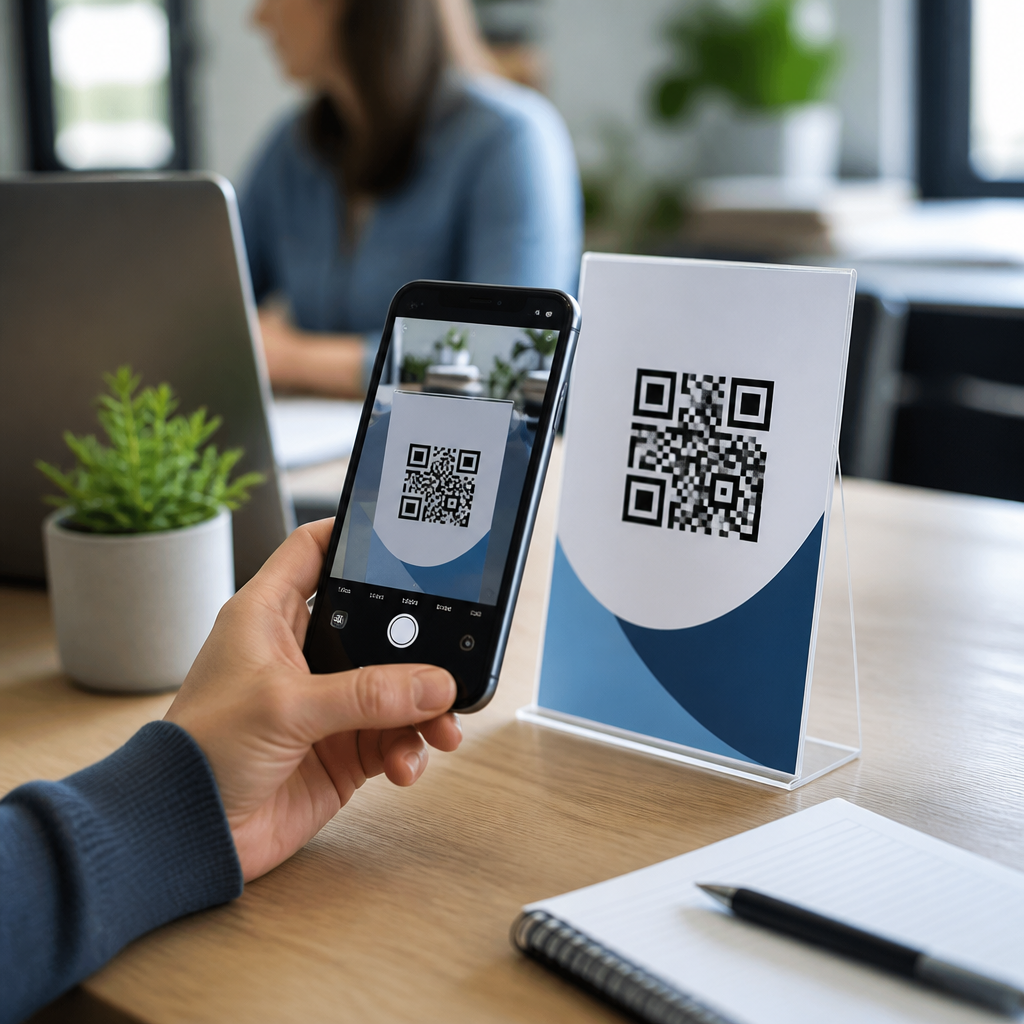
Email signatures are small pieces of digital real estate, but they often reach more people than banners, brochures, or social posts. When you add a QR code to an email signature, every message becomes a clickable bridge between inbox communication and mobile action. In practice, that means a prospect can scan from a laptop screen and instantly open a landing page, save contact details, book a meeting, download an app, or claim an offer on a phone. For brands investing in mobile QR codes for marketing, this tactic turns routine one-to-one communication into a measurable acquisition and conversion channel.
QR codes, short for Quick Response codes, are two-dimensional barcodes that store data such as URLs, vCard contact files, payment links, Wi-Fi credentials, event details, or SMS prompts. Modern smartphone cameras read them natively, so adoption friction is low. An email signature is the standardized block at the end of an email containing a sender’s name, title, contact information, company branding, and often a legal disclaimer. Combining the two creates a persistent call to action that travels with outbound email. I have implemented signature QR campaigns for sales teams, recruiters, field service organizations, and event marketers, and the pattern is consistent: when the destination is mobile-friendly and the offer is clear, scan rates are meaningfully higher than many teams expect.
This matters because email remains a core business channel, while customer journeys increasingly finish on mobile devices. A well-designed signature QR code reduces typing, shortens the path to action, and supports attribution when paired with campaign parameters and dynamic QR management. It also helps unify QR codes in email marketing across transactional emails, newsletters, sales outreach, and support communications. Used carelessly, however, signature QR codes can look gimmicky, break dark-mode layouts, or send users to pages that are hard to use on a phone. The goal is not decoration; the goal is relevance, scannability, and measurable business value.
What a QR code in an email signature should do
The best email signature QR codes solve one clear user problem. They should answer the question, “What happens if I scan this?” Common high-performing destinations include a mobile landing page, a digital business card, a meeting scheduler, a payment page, an app install page, a product demo request form, a review page, or event registration. In B2B settings, I usually recommend either a vCard QR code for contact saving or a campaign URL that leads to a narrow, mobile-optimized conversion path. In recruiting, a signature QR can open current job listings filtered by location. In hospitality, it can lead directly to reservation pages or loyalty enrollment.
Avoid sending everyone to the homepage unless the homepage is the actual intended next step. Homepages force users to navigate, which lowers conversion. A stronger approach is destination matching: sales representatives use a QR code tied to a booking page, customer success managers use one linked to a knowledge base or renewal contact page, and executives use one that opens a profile page or press kit. Dynamic QR codes are especially useful because the visible code stays the same while the destination can be updated later. That matters when campaigns change, events end, or you need to correct a URL without editing every employee signature.
Best practices for design, size, and placement
A signature QR code must be easy to scan from both desktop and mobile email clients. In most environments, a rendered size between 96 and 144 pixels square works well. Smaller than about 80 pixels, reliability drops, especially on lower-resolution displays or when recipients view email at reduced zoom levels. Use high contrast, ideally dark modules on a light background, and preserve quiet space around the code. That blank margin is not optional; it helps camera software distinguish the code from adjacent text and logos.
Placement should support, not interrupt, the signature. I usually place the QR code beneath the main contact block or to the side of the signature in a two-column layout, with a short label such as “Scan to book a meeting” or “Scan to save my contact.” The label matters because recipients need intent. Branded QR styling is acceptable if done conservatively. Adding a logo in the center can work, but aggressive styling, inverted colors, or artistic module shapes often reduce readability. Test in Outlook, Gmail, Apple Mail, and mobile clients before rollout. Also export the code as a crisp PNG or SVG where supported, and host images on reliable infrastructure to avoid broken signature assets.
Choosing the right QR code type for email marketing
Different goals require different QR code types, and choosing correctly improves both user experience and reporting. Static QR codes encode a fixed destination directly into the image. They are simple and often fine for a permanent vCard or a stable company URL. Dynamic QR codes point to a redirect managed by a platform such as Bitly, Beaconstac, Uniqode, QR Code Generator Pro, or Scanova. Because the redirect can be changed, dynamic codes are better for active campaigns, team-wide deployments, and A/B testing.
| Goal | Recommended QR type | Why it works |
|---|---|---|
| Save contact details | vCard QR | Opens a structured contact card users can store without typing |
| Book a call | Dynamic URL QR | Links to Calendly or HubSpot Meetings and can be updated later |
| Track campaign responses | Dynamic URL QR with UTM parameters | Captures scans and downstream analytics in web reporting tools |
| Promote an app | App deep link QR | Routes users to the correct app store or in-app destination |
| Drive event signups | Event landing page QR | Gives recipients a fast mobile registration path |
For most signature use cases, a dynamic URL QR is the default recommendation because it balances flexibility and measurement. If privacy or compliance limits redirects, a static code may still be appropriate, but you lose the ability to change destinations and gather platform-level scan data. In regulated sectors, have legal and security teams review both the destination and any tracking methods.
How to track performance and prove ROI
To measure QR codes in email marketing, start with a campaign taxonomy. Use UTM parameters on the destination URL to identify source, medium, campaign, and even individual sender or department. For example, a sales team link might include source=email, medium=signature, campaign=q3_demo, and content=rep_name. In Google Analytics 4, Adobe Analytics, or a CRM such as HubSpot, you can then attribute sessions, form submissions, bookings, and revenue to signature scans. Dynamic QR platforms add another layer by reporting scan counts, timestamps, device types, and approximate locations.
The key is to separate vanity metrics from business outcomes. A high scan count is useful, but bookings, leads, purchases, and saved contacts matter more. I recommend creating a simple measurement stack: dynamic QR platform for scan data, web analytics for on-site behavior, and CRM reporting for pipeline or revenue impact. Then compare the signature QR variant against a control signature with only a text link. In one outreach program I managed, replacing a plain “Book time with me” link with a labeled QR code increased mobile-origin meeting bookings because recipients reading on desktop could transfer to their phones instantly. The lift was not universal across all teams, but where the audience routinely switched devices, the improvement was clear.
Implementation steps for teams and individual senders
Start by defining the single action you want recipients to take. Then create a mobile-first destination page that loads quickly, explains the value in the first screen, and contains one primary call to action. Generate the QR code using a reputable platform, test scan reliability on iPhone and Android, and add tracking parameters. Next, build the signature in your email system or signature management tool. Tools such as Exclaimer, CodeTwo, Opensense, and WiseStamp can standardize signatures across an organization, which is important for brand consistency and controlled deployment.
Before full launch, send test emails to Gmail, Outlook desktop, Outlook web, Apple Mail, and common mobile apps. Check image rendering, dark mode behavior, alt text, and whether security gateways rewrite links in ways that affect tracking. Keep file size reasonable so messages load quickly. Train employees on what the code does, because recipients often ask. Finally, review performance monthly and update destinations when campaigns change. Signature QR programs work best when treated as an operational channel, not a one-time design task.
Common mistakes, compliance issues, and accessibility
The most common mistake is adding a QR code without a compelling reason to scan. “Scan me” is weak; “Scan to save my contact” is specific. Another frequent error is linking to a page that is not mobile optimized. If users pinch, zoom, or hunt for buttons, the signature has failed. Visual clutter is also a problem. Many signatures already include a headshot, logo, social icons, pronouns, certifications, and disclaimers. Add a QR code only if it advances a business objective more effectively than a normal link.
Accessibility and compliance deserve equal attention. Include adjacent text that describes the action for people who cannot scan or who use screen readers. Do not rely on the QR code alone to convey essential information. For privacy, disclose tracking where required and avoid collecting unnecessary personal data. In healthcare, finance, education, and public sector settings, verify that landing pages, analytics tools, and redirect services meet applicable policies. Also remember that some recipients print emails; a printed signature QR code can still work, but only if the destination remains relevant outside the inbox.
QR codes in email signatures work when they make mobile action faster, clearer, and easier to measure. The tactic is simple, but strong execution requires the right destination, an appropriate QR code type, disciplined design, and reliable analytics. As the hub for QR codes in email marketing, the core lesson is that signatures should support the recipient’s next step, whether that is saving a contact, booking a meeting, registering for an event, paying an invoice, or accessing a tailored landing page.
For most organizations, the winning formula is a dynamic QR code linked to a mobile-first page, paired with a direct label and campaign tracking. Keep the code large enough to scan, preserve contrast and quiet space, and test across major email clients. Measure outcomes beyond scans, especially leads, appointments, and revenue. If your team sends meaningful email volume, a signature QR strategy can turn everyday correspondence into a scalable mobile marketing asset. Choose one use case, launch a controlled test, and build from the data.
Frequently Asked Questions
Why should I add a QR code to my email signature?
Adding a QR code to your email signature turns every email into a simple mobile conversion point. Instead of asking recipients to remember a web address, search for your business later, or manually type in contact information, you give them an immediate way to act. A quick scan can open a landing page, save your vCard, launch a booking form, download an app, redeem an offer, or connect a user to a campaign built specifically for mobile. This is especially valuable because many people read email on desktops or laptops while holding a phone nearby, making the jump from inbox to mobile experience almost frictionless.
It also makes your signature work harder as a branding and marketing asset. Email signatures appear in one-to-one outreach, support conversations, sales follow-ups, proposals, and ongoing client communication. That repeated exposure often reaches highly engaged audiences, which can make a QR code more effective than static promotional placements. When used strategically, the code becomes more than a design element—it becomes a measurable bridge between communication and action, helping you increase traffic, lead generation, appointment bookings, and overall campaign visibility without needing additional ad space.
What should my email signature QR code link to?
The best destination depends on the goal of your emails and the audience receiving them. If your priority is lead generation, send users to a focused landing page with one clear next step. If you want to make networking easier, a digital business card or vCard QR code is an excellent choice because recipients can save your contact details instantly. Sales teams often benefit from linking to a meeting scheduler, while product or app-based businesses may prefer an app download page, free trial page, product demo, or customer success resource. Retail and local businesses may see strong results from linking to a coupon, loyalty sign-up, store locator, or limited-time mobile offer.
What matters most is relevance and simplicity. The page should match the context of your communication and be optimized for mobile devices, since scanning usually leads to a phone-based experience. Avoid sending users to a cluttered homepage unless it clearly supports the action you want them to take. A dedicated page with concise messaging, fast load speed, and one primary call to action will usually perform much better. If possible, use dynamic QR codes so you can update the destination later, test different offers, and track performance without needing to redesign every employee’s signature.
How do I design a QR code for an email signature so it actually gets scanned?
A good email signature QR code should be easy to notice, easy to scan, and visually aligned with your brand. Start with a high-contrast design, typically a dark code on a light background, because readability matters more than decoration. Keep the code large enough to scan comfortably but not so large that it overwhelms the signature. In most cases, a compact but clear size works best, especially since email signatures need to render well across desktop and mobile email clients. Leave enough white space around the code so scanners can detect it properly, and avoid placing it in a crowded section surrounded by too many icons, lines, or competing calls to action.
It is also smart to include a short text prompt near the code, such as “Scan to book a meeting,” “Scan to save my contact,” or “Scan for our latest offer.” That small instruction increases clarity and gives recipients a reason to engage. Branding can help, but it should never interfere with functionality. If you add a logo in the center or customize the colors, test thoroughly across multiple devices before rollout. Save the image in a web-friendly format, host it securely if needed, and make sure the full signature displays consistently in major email platforms like Gmail, Outlook, Apple Mail, and mobile mail apps. Function should always lead design.
Can I track the performance of a QR code in an email signature?
Yes, and tracking is one of the biggest reasons businesses use QR codes in email signatures strategically rather than decoratively. By using a dynamic QR code platform or a destination URL with analytics parameters, you can measure scans, time of engagement, device type, approximate location, and in some cases downstream actions such as form submissions, bookings, purchases, or app installs. This allows you to treat your email signature like a real marketing channel instead of a static sign-off. You can identify which teams generate the most engagement, which campaigns get the highest scan rates, and which calls to action perform best over time.
To get the best insights, connect your QR code destination to tools like Google Analytics, CRM reporting, marketing automation software, or campaign dashboards. Use UTM parameters and dedicated landing pages so signature traffic is separated from other sources. That way, you can compare results more accurately and optimize based on actual behavior. For example, if a “book a demo” QR code underperforms, you might test a “scan to see pricing” page instead. If certain departments send high volumes of email, you can even assign unique codes by team or role. The data helps you refine messaging, improve conversion paths, and demonstrate ROI from a space many companies overlook.
What are the most common mistakes to avoid when using QR codes in email signatures?
The most common mistake is adding a QR code without a clear purpose. If the code leads to a generic homepage or an irrelevant page, recipients have little reason to scan it. Another frequent issue is poor mobile experience. Since most scans happen on phones, the destination page must load quickly, display properly on small screens, and guide users to one obvious action. Businesses also run into problems when the QR code is too small, too stylized, low contrast, or placed in a cluttered signature layout that makes scanning difficult. Even a visually attractive code can fail if it is not tested across real devices and real inbox environments.
Another mistake is trying to make the QR code do too much. Your signature should not contain multiple competing promotions, several QR codes, or too many links fighting for attention. Keep the signature focused and align the QR code with a single high-value action. It is also important to maintain brand trust by using secure links and professional landing pages. Finally, do not skip measurement. Without tracking, you will not know whether the QR code is helping your marketing, sales, or customer engagement goals. A successful email signature QR code is intentional, useful, scannable, mobile-friendly, and backed by data.