
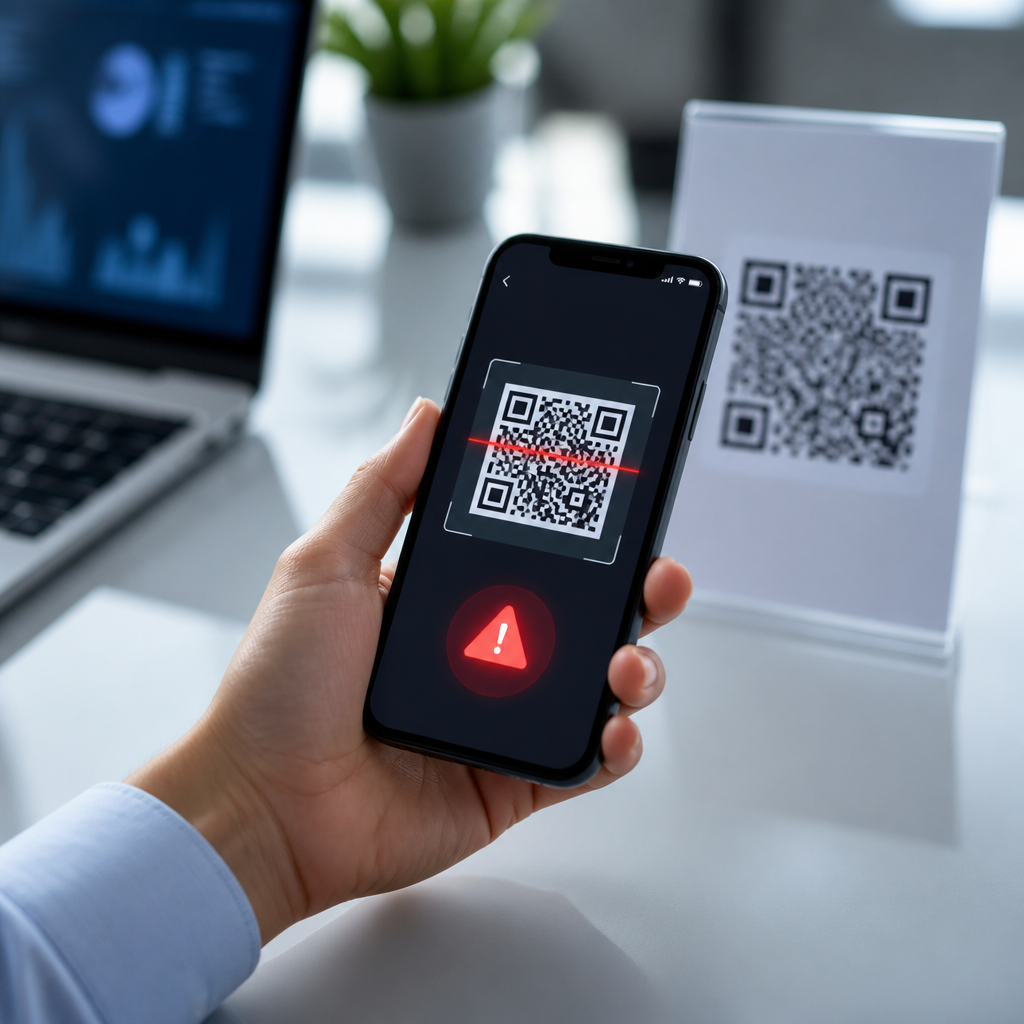
QR code scanner apps have become a standard utility on modern phones, but the safest apps now do far more than decode a square pattern. A QR code scanner app uses the camera to read encoded data, usually a website URL, contact card, Wi-Fi credential, payment address, app download link, or authentication token. Security alerts are the extra layer that warns users before they open a risky destination, submit information, or trigger an unwanted action. That distinction matters because QR codes are convenient precisely because they hide the underlying content until after a scan, and that hidden step creates opportunity for fraud.
I have tested scanner apps in retail stores, offices, warehouses, and event venues, and the pattern is consistent: people trust the code in front of them more than the link behind it. Attackers exploit that trust with QR phishing, often called quishing, by replacing legitimate codes on menus, parking meters, posters, invoices, and package inserts. The Federal Trade Commission and major mobile security vendors have all warned that malicious QR codes can direct users to credential theft pages, fake payment portals, and malware downloads. As mobile payments, digital tickets, and contactless check-ins spread, choosing QR code scanner apps with security alerts is no longer a niche concern; it is basic mobile hygiene.
This hub explains what QR code scanner apps should do, which security alerts actually reduce risk, how leading app categories compare, and how to evaluate tools for personal or business use. It also clarifies the tradeoffs between speed, privacy, and protection, because the best scanner is not simply the fastest one. A good scanner reveals the destination before opening it, checks the link against threat intelligence, blocks dangerous schemes, and gives users enough context to decide safely. If you scan codes at work, in transit, while shopping, or while managing customer-facing signage, these details directly affect security outcomes.
What QR Code Scanner Apps Should Detect Before Opening a Code
The core job of QR code scanner apps is straightforward: decode the content and classify the action. In practice, that means identifying whether a code contains an HTTPS URL, plain text, a telephone number, an SMS command, an email draft, a geo location, a vCard, a calendar event, or a wireless network configuration. Security-focused apps then add pre-open inspection. They display the full destination, expand shortened links when possible, flag lookalike domains, and warn when a code attempts to initiate a payment, install an app, or open a nonstandard URI scheme.
The most valuable security alert is a destination preview that appears before the browser launches. That preview should show the exact domain, not just the page title, because phishing campaigns often copy branding convincingly while hiding behind a deceptive URL. For example, a fake parking payment code might send a driver to pay-citymeter-support.com instead of the city’s official domain. A strong scanner app also checks whether the site uses HTTPS, whether the certificate appears valid in the browser handoff, and whether the domain has a poor reputation in Google Safe Browsing, Microsoft Defender SmartScreen, Norton Safe Web, or similar threat feeds.
Good apps also warn about risky actions beyond web browsing. A QR code can preload an SMS to a premium number, create a contact entry containing a malicious link, connect a device to a rogue Wi-Fi network, or begin a payment flow using a cryptocurrency address that the user never manually verified. In enterprise environments, I look for policy controls that can block certain content types entirely. A hospital, for instance, may want staff devices to open only approved domains from scanned codes, while a warehouse may prioritize safe handling of inventory and internal asset tags over public web navigation.
Key Security Alerts That Separate Safe Scanners from Basic Readers
Not all alerts are equally useful. Some apps flash generic warnings so often that users ignore them. The best QR code scanner apps with security alerts focus on high-signal checks that map to known attack patterns. The first is malicious URL screening against live reputation databases. The second is domain clarity: highlighting the registered domain in large text so users can spot impersonation. The third is action confirmation, requiring an extra tap before calling a number, joining a network, or opening a payment page. The fourth is content sanitation, such as stripping trackers from known redirect patterns or preventing silent app store launches.
Privacy protections matter too. Many free scanner apps monetize through advertising SDKs and broad analytics collection, which is a poor fit for security-sensitive use. A scanner can be safe against phishing yet still over-collect device identifiers, scan history, and location data. On Android and iPhone alike, the best practice is to grant camera access only, avoid unnecessary contact or location permissions, and review whether scan history is stored locally or synced to a cloud account. If a business deploys scanner apps to staff, mobile device management policies should define retention, clipboard behavior, and link-opening rules.
| Feature | Why It Matters | Best Use Case |
|---|---|---|
| Destination preview | Shows the exact URL before opening | Everyday consumer scanning |
| Threat intelligence check | Flags known phishing, malware, or scam domains | Payment, login, and public poster scans |
| Action confirmation | Prevents accidental calls, texts, payments, or joins | High-risk workflows and older users |
| Permission minimization | Reduces data collection and privacy exposure | Business deployment and privacy-focused users |
| Managed allowlists/blocklists | Limits scans to approved domains or content types | Enterprise, education, and healthcare |
When I evaluate these alerts, I also test failure modes. What happens if the phone is offline? Does the app still show the raw link, or does it open immediately? Can it expand common shorteners such as bit.ly or t.co before launch? Does it retain enough scan context for incident response if an employee taps a malicious code? These practical questions reveal whether an app was designed for real-world security or just for quick decoding.
Built-In Camera Scanners vs Dedicated QR Code Scanner Apps
Many users ask whether the built-in camera is enough. On current iPhones and many Android phones, the native camera app can detect QR codes quickly and hand off the result to the browser or relevant app. For low-risk uses, that convenience is hard to beat. However, native scanners often provide limited security context. Some show a simple banner with the link, but many do not perform robust reputation checks, maintain detailed scan logs, or provide administrative controls. That is why dedicated QR code scanner apps remain relevant, especially when codes are scanned in uncontrolled public spaces.
Dedicated apps generally fall into three categories. First are utility scanners that emphasize speed, batch history, flashlight support, and format compatibility. Second are privacy-focused scanners that keep all processing on-device and avoid analytics-heavy monetization. Third are security-oriented scanners that add URL inspection, phishing detection, and policy enforcement. For a family phone, a utility app with clear previews may be enough. For a field sales team scanning event badges and promotional materials, a security-oriented app integrated with mobile threat defense is a better fit.
There are tradeoffs. Extra security checks can add a second or two before a page opens, and heavy ad-supported apps sometimes undermine user trust even if their scanner is technically accurate. Some of the most reliable experiences come from platforms already tied to broader device security ecosystems, such as mobile security suites from established vendors. These products can correlate a scanned URL with web protection, anti-phishing, and device risk signals already present on the phone. The result is not just code reading but safer code execution.
How Businesses and Consumers Should Choose the Right App
Consumers should start with five criteria: accurate decoding, visible destination preview, malware and phishing checks, low permissions, and reasonable privacy terms. Read the app listing carefully. If a scanner requests contacts, microphone, call logs, or persistent location without a clear reason, move on. Review recent update history, support responsiveness, and whether the developer explains how malicious links are detected. On iPhone, confirm compatibility with current iOS privacy controls. On Android, verify support for modern background restrictions and secure browser handoff, especially on Samsung, Google Pixel, and other widely used devices.
Businesses need a stricter framework. First, map the scanning scenarios: customer service desks, package receiving, facility access, inventory management, and marketing verification all carry different risks. Second, decide whether users should scan public codes at all, or only internal codes. Third, integrate the app with mobile device management or enterprise mobility management tools such as Microsoft Intune, VMware Workspace ONE, or Ivanti, so policies can be enforced centrally. Fourth, document incident handling. If an employee scans a malicious code, the security team should know whether the app can export logs, block repeat access, and preserve evidence.
Training is just as important as software. I advise teams to teach one simple habit: inspect before you tap. Users should expect the app to show a destination and should treat urgency as a warning sign. A QR code posted over another sticker, offered through an unsolicited email, or attached to a payment request deserves extra scrutiny. Restaurants, transit agencies, and property managers can reduce user risk by publishing their official domains alongside any QR code, giving people a second way to verify authenticity.
Best Practices for Safe Scanning and Long-Term Maintenance
The safest approach to QR code scanner apps combines app choice, device settings, and user behavior. Keep the operating system updated, because browser and WebView patches close many of the exploits a malicious landing page might try to use after a scan. Enable safe browsing features in the default browser. Prefer apps from established developers with clear privacy disclosures and a record of regular updates. If a scanner app has not been updated in a year, that is a maintenance warning, especially as phishing tactics evolve quickly.
For organizations, review printed and digital QR code inventories regularly. Replace outdated codes, monitor destinations for unauthorized changes, and use dynamic QR platforms only when access controls are strong. A compromised dynamic code service can redirect every scan instantly. Track where codes are physically placed, because tampering often happens at kiosks, parking stations, and storefront windows. If you own the sign, inspect it. If you do not, verify before paying or logging in.
QR code scanner apps with security alerts deliver the biggest benefit when they slow users down just enough to make hidden actions visible. That is the real value: not fear, but informed consent at the moment of scan. Choose a scanner that previews destinations, checks reputation, limits permissions, and supports your real workflow. Then pair it with clear scanning habits and routine updates. If you are building a safer mobile toolkit under the broader mobile QR code scanning and technology topic, start here: audit the scanner app on every device you use and replace any tool that opens codes without meaningful warnings.
Frequently Asked Questions
What does a QR code scanner app with security alerts actually do?
A QR code scanner app with security alerts does more than simply decode the information inside a QR code. A basic scanner reads the embedded data and sends you directly to a website, payment page, app store listing, Wi-Fi login, contact card, or other action. A more secure scanner adds an inspection step before anything opens. It analyzes the content of the code, identifies what kind of action it will trigger, and warns you if the destination appears suspicious, misleading, or unexpectedly risky.
In practice, that means the app may show you the full URL before opening it, flag shortened or disguised links, warn about non-secure pages, detect known phishing domains, and alert you when a code tries to launch an app, initiate a payment, or join a network. Some advanced apps also compare links against threat databases, evaluate domain reputation, and look for signs such as misspellings, unusual redirects, or requests for sensitive information. This extra visibility is important because QR codes themselves are not inherently trustworthy; they are simply containers for encoded instructions. A security-focused scanner helps users understand those instructions before they act on them.
Why are security alerts important when scanning QR codes?
Security alerts matter because QR codes hide their destination until they are scanned. Unlike a normal web link printed in full text, a QR code gives no immediate visual clue about where it will send you. That makes it easy for attackers to replace legitimate codes with malicious ones on posters, parking meters, restaurant tables, product packaging, invoices, or emails. A person may believe they are scanning a safe business link, but the code may actually lead to a phishing page, a fake payment portal, a malware download, or a fraudulent login screen.
Security alerts reduce that risk by creating a pause between the scan and the action. Instead of opening a destination automatically, the app can preview the link, identify suspicious behavior, and let the user decide whether to continue. This is especially valuable for actions involving money, credentials, downloads, or device settings. Even careful users can be caught off guard when they are moving quickly or scanning in public. Alerts provide a practical safeguard against QR-based social engineering, which relies on urgency, trust in the physical environment, and the fact that most users expect scanning to be convenient and automatic.
What security features should I look for in a safe QR code scanner app?
The best QR code scanner apps combine usability with multiple layers of protection. One of the most important features is a clear destination preview that shows the full URL or action before it launches. That helps you spot obvious warning signs such as strange domains, random characters, misspellings of well-known brands, or misleading subdomains. Another essential feature is threat detection, where the app checks links against databases of phishing sites, malware hosts, scam pages, or otherwise unsafe destinations.
You should also look for alerts about shortened links, forced redirects, non-HTTPS pages, suspicious app download prompts, and unusual requests such as immediate payment actions or credential entry. Good apps separate different QR content types clearly, so you can tell whether a code is opening a website, adding a contact, joining Wi-Fi, sending a text, starting a phone call, or launching another app. Privacy also matters. A trustworthy scanner should explain what data it collects, avoid unnecessary permissions, and not upload every scan unless that feature is clearly disclosed and optional. Regular updates, a reputable developer, and strong user reviews focused on security rather than just convenience are also positive signs.
Can a QR code itself infect my phone, or is the danger in what happens after I scan it?
In most cases, the danger is not the visual QR code image itself but the action it triggers after the scan. A QR code typically contains data such as a URL, payment address, file link, or command to open another app or connect to a service. Simply reading that data usually does not infect a device. The real risk begins when the scanner automatically opens a harmful website, starts a download, sends information, or launches a deceptive login page designed to steal credentials or payment details.
That said, the risk can increase if a scanner app is poorly designed and performs actions automatically without user confirmation. For example, if it instantly opens a browser, installs a prompt, joins a network, or passes the link to another vulnerable app, the user loses the chance to review what is happening. This is exactly why security alerts are so useful. They put a review step in place and help prevent accidental taps on malicious destinations. While modern phones include some built-in protections, users should not assume every QR code is harmless. The safest approach is to use a scanner that previews actions, blocks risky destinations, and gives you control before anything executes.
How can I tell whether a QR code scanner app is trustworthy before I install it?
Start by evaluating the developer and the app’s privacy practices. A trustworthy QR code scanner app should come from a known company or a developer with a credible track record, clear support information, and a transparent privacy policy. Read the app description carefully to see whether it specifically mentions security features such as malicious link detection, URL previews, phishing warnings, or scan history controls. If the listing is vague, overloaded with marketing claims, or focused only on speed while ignoring safety, that is a reason to be cautious.
User reviews can also be helpful, especially when they mention real-world behavior rather than generic praise. Look for comments about intrusive ads, unexpected redirects, excessive permissions, battery drain, or privacy concerns. Check what permissions the app requests. A scanner normally needs camera access, but it should not need unrelated permissions unless there is a clear feature-based reason. It is also wise to see how often the app is updated, since active maintenance is important for keeping threat detection current. In general, the most trustworthy apps are transparent about what they scan, what they store, how alerts are generated, and when they share data. If an app makes security claims but does not explain how it protects users, that is a sign to keep looking.





