
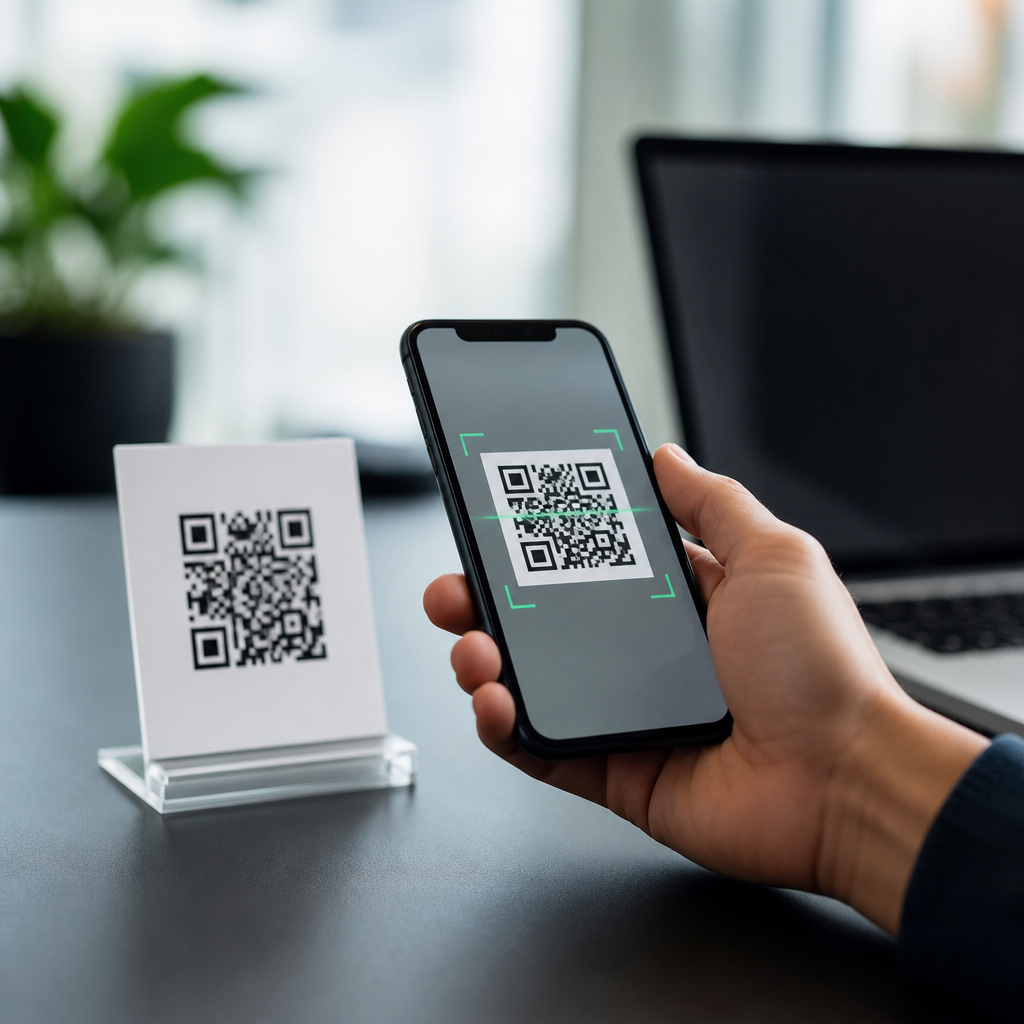
QR codes store information by converting text, numbers, or commands into a structured grid of black and white modules that a camera can capture and software can decode in milliseconds. In the context of mobile use, that simple idea powers everything from restaurant menus and payment links to app sign-ins, transit tickets, and product authentication. A QR code, short for Quick Response code, is a two-dimensional barcode standardized under ISO/IEC 18004. Unlike a traditional one-dimensional barcode that holds data only along a single axis, a QR code stores data both horizontally and vertically, which dramatically increases capacity and improves scanning speed. Understanding how mobile QR codes work matters because businesses rely on them for frictionless user journeys, while consumers increasingly trust them for everyday actions that involve security, privacy, and convenience.
When I explain QR technology to clients, I start with three core concepts: encoding, structure, and decoding. Encoding is the process of turning information such as a URL, Wi-Fi password, contact card, or plain text into binary data. Structure refers to how that data is arranged inside the square symbol, including finder patterns, timing patterns, alignment markers, format information, and error correction blocks. Decoding is what happens when a smartphone camera or scanning app detects the symbol, corrects for angle and distortion, reconstructs damaged portions if needed, and outputs the intended action. This matters for mobile QR code basics because the user never sees the complexity. They simply point a phone, tap a prompt, and expect an instant result.
The reason QR codes perform so reliably on mobile devices is that the format was built for fast machine reading under imperfect conditions. Phones scan codes from glossy packaging, dim shop counters, moving train platforms, and cracked posters. A well-made QR code still works because its design includes redundancy, orientation markers, and predefined encoding rules. That combination allows modern camera systems to interpret codes even when part of the image is blurred, skewed, or partially blocked. For a hub page on how mobile QR codes work, the most useful approach is to break down what data goes in, how the symbol is built, how a phone reads it, and what determines whether scanning succeeds in the real world.
What information a QR code can store
A QR code can store several kinds of payloads, but the most common on mobile are URLs. When a business wants a customer to open a landing page, menu, payment portal, or app deep link, the QR code usually contains a web address or a short redirect URL. Beyond URLs, QR codes can hold numeric data, alphanumeric strings, binary data, and Japanese Kanji or Kana characters through defined encoding modes. They can also represent formatted actions such as MATMSG for email, MECARD or vCard for contact details, and Wi-Fi network credentials using the standard SSID, encryption type, and password string syntax that smartphones recognize.
Capacity depends on the version and error correction level. A Version 1 QR code is a 21 by 21 module grid, while each higher version adds four modules per side, up to Version 40 at 177 by 177. Maximum theoretical capacity reaches 7,089 numeric characters, 4,296 alphanumeric characters, 2,953 bytes of binary data, or 1,817 Kanji characters. In practice, mobile marketers and product teams should use far less. The more data stored directly in the symbol, the denser the pattern becomes, and dense codes are harder to scan at small print sizes or from lower quality displays. That is why dynamic QR systems often use short URLs rather than embedding long destination links.
Static and dynamic QR codes are often confused, but the storage model is simple. A static QR code contains the final data itself and cannot be changed after printing. A dynamic QR code usually contains a short redirect link managed by a platform such as Bitly, QR Code Generator, Scanova, or Beaconstac. The destination can then be updated without replacing the printed code. On mobile campaigns, dynamic codes are usually better because they support analytics, A/B testing, geotargeting, and error correction at the campaign level, but they depend on a live internet connection and the reliability of the redirect service.
How the QR code symbol is structured
The visible square is not random. Every QR code includes functional patterns that help a phone locate and interpret the symbol before reading the payload. The three large squares in the corners are finder patterns. They tell the scanner where the code begins and establish orientation, allowing a phone to read the symbol regardless of rotation. Smaller alignment patterns, used in larger versions, correct perspective distortion. Timing patterns, which appear as alternating modules, define the grid spacing. There is also a quiet zone, a blank margin around the code, which is essential because scanners need visual separation from surrounding graphics or text.
Format information stores the error correction level and mask pattern. Version information appears on larger codes and tells the decoder the symbol size. The remaining modules are divided into data codewords and error correction codewords. Error correction relies on Reed-Solomon coding, a proven mathematical method also used in storage media and communications systems. In practical terms, Reed-Solomon lets a QR code remain readable even if part of it is scratched, covered, or dirty. That resilience is one reason QR codes outperformed many earlier matrix code formats in mainstream consumer use.
| QR component | Function | Why it matters on mobile |
|---|---|---|
| Finder patterns | Locate the code and determine orientation | Lets phones scan quickly from any angle |
| Alignment patterns | Correct distortion in larger symbols | Improves scans on curved packaging or tilted posters |
| Timing patterns | Define row and column spacing | Helps software map modules accurately |
| Quiet zone | Creates empty space around the symbol | Prevents nearby design elements from confusing the scanner |
| Data codewords | Carry the encoded payload | Deliver the URL, text, or command the user needs |
| Error correction codewords | Rebuild missing or damaged data | Keeps scans working in imperfect real-world conditions |
Masking is another important structural feature. During generation, the encoder applies one of eight mask patterns to prevent problematic visual artifacts such as large empty blocks or long repeating runs that make scanning less reliable. The software scores each mask and selects the one that best balances the pattern according to the standard. Many people assume custom branding breaks QR codes because logos cover data, but with adequate error correction and enough untouched structure, the code can still decode. The limit is practical rather than decorative: if design changes interfere with finder patterns, contrast, quiet zone, or too much data area, mobile performance drops fast.
How a smartphone reads and decodes a QR code
On modern phones, decoding begins with computer vision. The camera preview is analyzed frame by frame to detect square patterns with the expected contrast relationships. Native camera apps on iPhone and Android often include QR recognition directly, while apps and web scanners may rely on libraries such as ZXing, ML Kit, or Apple Vision. Once the software identifies probable finder patterns, it estimates orientation, perspective, and symbol boundaries. The image is then sampled into a module grid so each square can be interpreted as black or white even if the original picture was taken at an angle or under uneven lighting.
After sampling, the decoder reads format and version information, unmasks the data region, extracts codewords, and applies Reed-Solomon error correction. The result is a bitstream that is parsed according to the active encoding mode. If the payload is a URL, the phone usually displays a banner or notification asking the user to open the link in a browser. If it is Wi-Fi data, the operating system may offer to join the network. If it is a payment code, a wallet app may claim the action. The important point is that the QR code itself does not execute anything. It simply stores data that trusted mobile software interprets according to system rules.
Speed depends on several variables: camera resolution, autofocus quality, lighting, code size, screen glare, contrast ratio, and processing efficiency. In field testing, I have seen premium phones decode codes at arm’s length almost instantly, while older budget devices struggle with dense symbols on reflective surfaces. That gap is why print sizing guidelines still matter. A common rule is a minimum scanning distance to code size ratio of about 10:1. For example, a code meant to be scanned from 50 centimeters away should be roughly 5 centimeters wide. For outdoor signage or storefront windows, much larger sizes are necessary.
What determines whether a mobile QR code works well
The biggest factor is data density. Shorter payloads produce simpler patterns that scan more easily across devices. Contrast is next: black on white remains the safest choice, while low-contrast brand palettes, gradients, or transparent backgrounds often reduce recognition rates. Quiet zone failures are also common. Designers place a code too close to text, borders, or product imagery, and the camera struggles to isolate the symbol. Print quality, pixelation, and screen rendering matter too. A code exported as a low-resolution raster image can blur module edges, especially when resized in design software or displayed on low-end digital signage.
Error correction levels come with a tradeoff. The four standard levels are L, M, Q, and H, which can recover approximately 7 percent, 15 percent, 25 percent, and 30 percent of damaged codewords. Higher levels improve resilience and make logo overlays more feasible, but they also increase density. For many mobile landing page campaigns, Level M or Q is a balanced choice. Level H is useful for packaging likely to be scratched or partially obscured, but it should be tested across real devices before rollout. Testing is the discipline that separates codes that look good in a design mockup from codes that perform in stores, events, warehouses, and public spaces.
Security is the final performance factor because user trust affects scan behavior. QR codes can direct users to phishing sites, so mobile operating systems now surface previews and warnings more clearly. Businesses should use recognizable domains, HTTPS, and consistent branding around the code. If a code initiates payment or login, explain what happens after scanning. The best-performing mobile QR experiences are transparent, fast, and contextually relevant. They tell the user exactly why the code is there and what benefit they will receive by scanning it.
Why understanding QR storage improves mobile strategy
Knowing how QR codes store information helps marketers, product managers, retailers, and developers make better decisions. You can choose dynamic redirects when flexibility matters, limit payload length to improve scan reliability, set print dimensions based on expected distance, and preserve required structural elements during branding. You can also evaluate tools more intelligently by checking whether they support proper error correction, analytics, bulk generation, and standards-compliant output. Most importantly, you stop treating QR codes as simple graphics and start treating them as machine-readable interfaces between the physical world and mobile actions.
For anyone building under the Mobile QR Code Basics topic, this hub principle is straightforward: a successful QR code is not just scannable, but intentionally encoded, well-structured, and tested in real use conditions. The black and white squares store information through standardized data encoding, layout rules, and error correction, while the smartphone contributes computer vision, decoding logic, and user permission layers. When those pieces align, mobile QR codes work with remarkable speed and reliability. Use that knowledge to audit your current codes, simplify your payloads, test across devices, and improve every scan experience you publish.
Frequently Asked Questions
How does a QR code actually store information?
A QR code stores information by translating data such as text, numbers, URLs, or device instructions into a two-dimensional pattern of black and white squares called modules. Instead of arranging data in a single horizontal line like a traditional barcode, a QR code uses both height and width, which allows it to hold far more information in a compact space. The encoded data is organized according to a standardized structure defined under ISO/IEC 18004, so scanners and smartphone cameras can interpret it consistently across devices and applications.
When a QR code is created, the input data is converted into binary form and placed into specific areas of the symbol. Some parts of the code are reserved for function patterns, including position markers in the corners, alignment patterns, timing patterns, and format information. These elements help scanning software detect the code’s orientation, size, and layout before reading the actual payload. Once the camera captures the image, decoding software analyzes the grid, identifies which modules are dark or light, reconstructs the bit sequence, applies error correction if needed, and then outputs the original information in milliseconds. That speed and reliability are exactly why QR codes are used so widely in mobile experiences.
What kinds of information can a QR code hold?
QR codes are flexible enough to store many different kinds of data, which is one reason they have become so useful in everyday mobile interactions. They can contain plain text, website links, phone numbers, email addresses, Wi-Fi credentials, calendar events, geographic coordinates, payment instructions, app deep links, authentication tokens, and more. In practical terms, that means one small code can open a restaurant menu, launch a transit ticket, connect a phone to a wireless network, start a secure login flow, or send a user directly to a product verification page.
It is important to understand that a QR code does not “know” the meaning of the information it holds. It simply stores data in a machine-readable format. The action that follows depends on the device and software reading it. For example, if the encoded content is a URL, the phone may offer to open a browser. If it contains payment information, a wallet or banking app may process it. If it contains a command for app sign-in, the relevant app interprets that payload. This separation between stored data and software behavior is what makes QR codes so adaptable across industries.
Why can QR codes hold more data than traditional barcodes?
The main reason is dimensionality. A traditional one-dimensional barcode stores information only along a single horizontal axis, which limits how much data can fit in a practical amount of space. A QR code, by contrast, stores data across both horizontal and vertical axes, creating a dense grid that can represent much more information in the same or even smaller physical area. This two-dimensional design dramatically increases capacity and makes QR codes better suited for modern mobile use cases where more than a simple product number is often required.
Beyond the grid layout itself, QR codes also support multiple encoding modes that help optimize storage depending on the type of content. Numeric data can be compressed efficiently, alphanumeric content uses a different scheme, and more complex character sets can be encoded when needed. The standard also allows for multiple versions of QR codes, with larger versions containing more modules and therefore more storage capacity. In real-world use, the amount of data a QR code can hold depends on factors such as the character set, error correction level, and physical size of the printed or displayed code. Even so, compared with older barcodes, QR codes offer substantially greater capacity and versatility.
How do phones scan and decode QR codes so quickly?
Modern smartphones are especially good at scanning QR codes because they combine high-resolution cameras with fast image-processing software. When a user points a camera at a code, the software first looks for the QR code’s distinctive finder patterns, typically the three large squares located in the corners. These patterns make it easier to detect the symbol quickly, even if it is tilted, partially rotated, or viewed from a slight angle. Once the code is located, the software maps the grid, determines the size and version, and begins reading the module pattern in the correct order.
Speed also comes from the QR code’s built-in structure. Timing patterns and alignment markers help the scanner understand spacing and correct for distortion, while error correction allows the software to recover data even if part of the code is smudged, scratched, or obscured. Because the code follows a global standard, the decoding process is highly predictable and efficient. This is why a phone can often recognize and decode a QR code almost instantly, whether it appears on a printed poster, a phone screen, a transit gate, or a product package.
Can a QR code still work if part of it is damaged or covered?
Yes, and that is one of the most important technical advantages of QR codes. They include error correction, which means some of the original data can be restored even when the code is partially damaged, dirty, folded, or visually obstructed. This capability is made possible through error-correcting algorithms built into the QR code standard. During generation, extra redundant data is added alongside the main payload. During scanning, if some modules cannot be read correctly, the decoder can often reconstruct the missing information from the remaining readable portions.
There are different error correction levels, and higher levels allow the code to survive more damage, though they also reduce the amount of space available for actual content. In practical use, this balance matters a great deal. A payment QR code printed on paper may need enough resilience to handle wear and tear, while a product authentication code on packaging may need to remain readable after shipping and handling. This fault-tolerant design is one reason QR codes perform so well in real-world environments and why they remain dependable across applications ranging from menus and tickets to secure mobile sign-ins and inventory tracking.





