
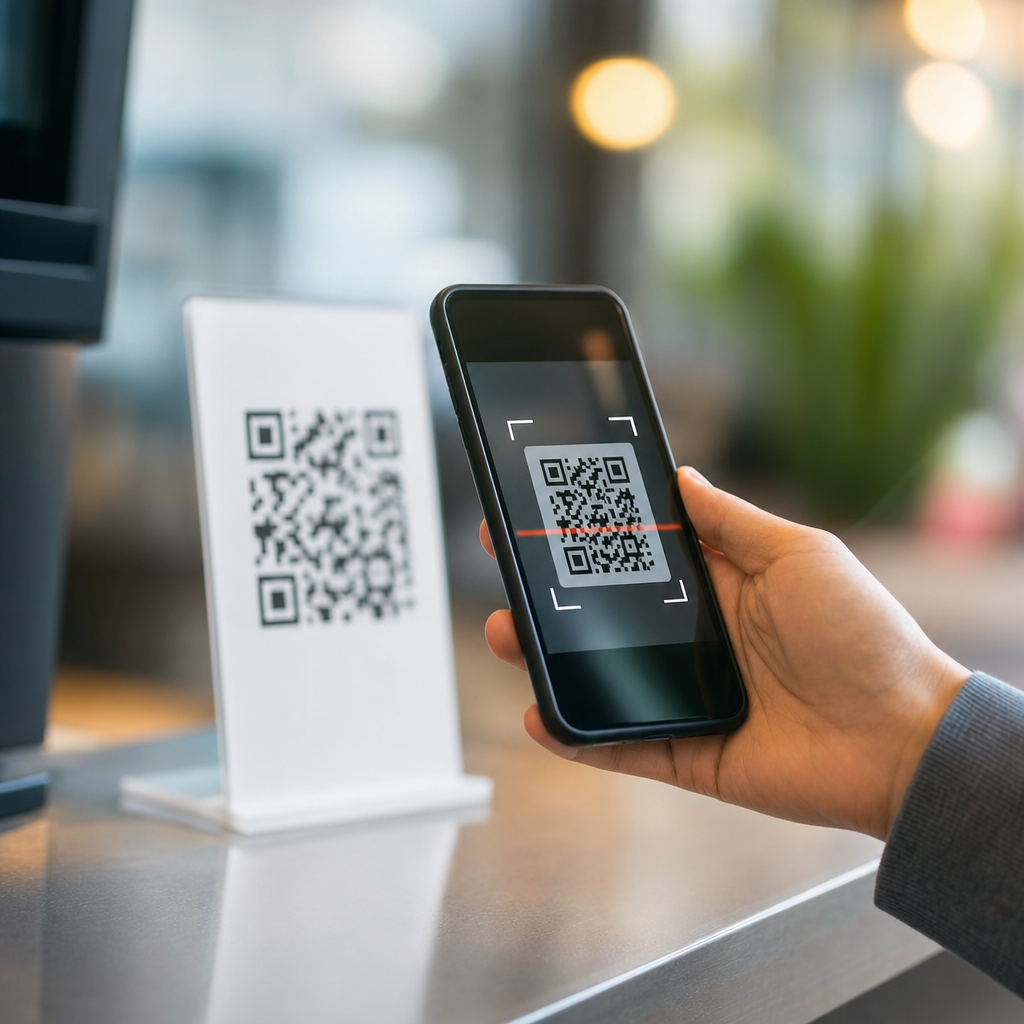
QR code scanning speed depends on a chain of technical and practical factors, from camera hardware and lighting to code design, data density, and the software pipeline that turns a patterned square into a usable link. In the context of mobile QR code basics, scanning speed means the time between pointing a phone at a code and getting a readable result, whether that result is a URL, contact card, payment request, or app action. I have tested QR deployments on retail counters, packaging lines, restaurant tables, and event signage, and the same lesson appears every time: people blame the phone when the real cause is usually a preventable design or environment issue. Understanding how mobile QR codes work is essential because speed directly affects completion rate. A code that scans in half a second feels effortless; one that needs repositioning, glare reduction, or repeated attempts loses users. Modern smartphones rely on image sensors, autofocus, exposure control, decoding libraries, and operating system prompts working together. If any part of that process is slowed, the user experience suffers. For businesses, that means fewer menu opens, fewer check-ins, fewer payments, and weaker campaign attribution. For users, it means friction. This article explains the mechanics behind mobile QR code scanning and the specific variables that make scanning fast or slow.
How Mobile QR Codes Work From Camera to Action
A mobile QR scan starts as a live camera preview. The phone captures frames, searches each frame for finder patterns, corrects perspective distortion, converts the image into high-contrast modules, reads encoded data, checks error correction, and then hands the result to the operating system or app for action. The three large corner squares are not decorative; they help the decoder detect orientation and scale. Alignment patterns, timing patterns, quiet zone, and Reed-Solomon error correction all contribute to reliable decoding. When people ask how mobile QR codes work, the short answer is that the phone is performing computer vision and data recovery in real time.
Scanning speed is therefore limited by both optics and computation. A newer phone with a larger sensor, faster image signal processor, and mature decoding library usually acquires the code more quickly than an older device. Apple’s Camera app and Google’s camera stack both optimize for common QR use cases, but third-party apps can vary widely. In my field tests, the same printed code that scanned instantly in the default camera sometimes took two to three seconds in a branded app with a weaker SDK. That gap matters in high-volume environments such as transit gates or self-checkout kiosks.
Camera Quality, Focus, and Distance
The camera is the first bottleneck. For a QR code to scan quickly, the modules, the small black and white squares, must be large enough in the captured image for the decoder to distinguish them cleanly. If the user stands too far away, each module occupies too few pixels and decoding slows or fails. If the user moves too close, the camera may hunt for focus. Most mobile cameras focus fastest at moderate distances, often around 10 to 30 centimeters for small printed codes and farther for posters or screens.
Lens quality also matters. Budget phones often struggle in low contrast or low light, producing noise and motion blur. Autofocus performance is another major variable. Phase-detection autofocus on recent devices is significantly faster than the contrast-detection systems common in older hardware. Optical image stabilization can help maintain sharpness during hand movement, but stabilization does not fix poor focus lock. In practice, a sharply printed 2-centimeter code on packaging can scan quickly if held near the camera, while the same code on a glossy curved bottle may fail because the lens cannot hold the entire pattern in crisp focus.
Lighting, Contrast, and Surface Conditions
Good lighting reduces scan time because the camera can use lower ISO, faster shutter speeds, and cleaner edges. QR decoders are built to tolerate imperfect conditions, but glare, shadow, and low contrast still impose real penalties. A black code on a white matte background remains the fastest format to decode. Reverse codes, such as white modules on black, can work, but they often scan more slowly on lower-end phones. Colored codes may be brand-friendly, yet they create problems when luminance contrast drops. The decoder cares more about brightness separation than hue.
Surface conditions are equally important. Laminated menus under spotlights, storefront windows in direct sun, and metallic labels create reflections that wash out module boundaries. Curved surfaces distort geometry, forcing the decoder to compensate more aggressively. Smudges, scratches, and creases increase uncertainty. I have seen a technically valid code underperform simply because a countertop acrylic stand produced a bright streak over one finder pattern. Reprinting on matte stock fixed the issue immediately. Fast scanning usually comes from basic production discipline, not visual creativity.
QR Code Size, Data Density, and Error Correction
Not all QR codes are equally easy to scan. The more data a code stores, the more modules it needs, and the denser the pattern becomes. Dense codes require better focus, higher image resolution, and steadier hands. A short URL generally scans faster than a long string of text, a Wi-Fi configuration block, or a vCard with many fields. This is why dynamic QR codes often outperform static ones in real use: they typically encode a short redirect URL rather than the full destination payload, reducing symbol complexity.
Error correction level is another tradeoff. Higher levels allow the code to remain readable when partially damaged or branded with a logo, but they also increase symbol density. The ISO/IEC 18004 standard defines the QR structure and error correction behavior used by production tools. In normal business cases, medium levels balance resilience and speed well. Overspecifying error correction for a clean indoor poster can make a code unnecessarily dense. Likewise, placing a large logo in the center may preserve branding while slowing scan acquisition on older devices.
| Factor | Effect on Speed | Practical Guidance |
|---|---|---|
| Small physical size | Slower due to fewer pixels per module | Increase print size or reduce scan distance |
| High data density | Slower because decoding needs cleaner detail | Use short URLs or dynamic redirects |
| Low contrast | Slower from weaker edge detection | Keep dark modules on a light background |
| Glare or reflections | Slower due to washed-out finder patterns | Use matte materials and adjust placement |
| High error correction with logo | Can slow scans despite added resilience | Test across older and newer phones |
Printing, Screen Display, and Quiet Zone Rules
Whether the QR code appears on paper, packaging, signage, or another phone screen, output quality changes scan speed. Print resolution should preserve square edges; fuzzy toner, ink spread, or cheap thermal labels round corners and bleed modules together. On screens, refresh rate, brightness, moiré effects, and cracked glass can interfere. OLED displays usually show strong contrast, but low brightness in daylight reduces readability. Screens also introduce pulse-width modulation and reflections that cameras must work through.
The quiet zone is one of the most overlooked requirements. A QR code needs an empty margin around all four sides so the decoder can separate the symbol from surrounding graphics. The standard recommendation is four modules wide. When designers crowd a code with borders, text, or decorative frames, scanning speed drops because detection becomes harder before decoding even begins. I regularly advise teams to stop treating the quiet zone as optional whitespace. It is functional space. A well-sized code with a proper margin often scans faster than a larger code buried in visual clutter.
Software, Decoding Libraries, and Network Delays
People often assume the scan itself is slow when the real delay happens after decoding. There are two distinct stages: local recognition of the QR symbol and delivery of the resulting action. A phone can decode a URL immediately, but if the landing page is heavy, the user experiences the whole interaction as slow. That means scanning speed should be analyzed alongside page performance, redirect chains, and app deep-link behavior. A fast code leading to a slow mobile page still feels broken.
At the software layer, decoding libraries differ in speed and tolerance. ZXing helped popularize mobile QR decoding, while commercial SDKs such as Scandit, Dynamsoft, and Zebra’s enterprise tools often perform better in difficult conditions or high-volume workflows. Native camera apps also benefit from tight integration with autofocus and exposure systems. For businesses building custom scanners, the lesson is simple: benchmark on low-end Android phones, not just flagship devices. Also reduce redirect hops, use fast hosting, and validate deep links so the time saved in camera recognition is not lost in network latency.
Placement, User Behavior, and Testing in the Real World
Physical placement affects scanning more than most style guides admit. A code positioned too high on a poster forces awkward camera angles. A code at a checkout lane may compete with reflections from overhead lights. A code on moving transit signage faces motion blur. Users also behave predictably: they do not read instructions, they scan while walking, and they give up quickly. In restaurant testing, table tents facing ceiling lights performed worse than wall-mounted matte prints, even with identical artwork. In retail, codes near shelf edges were partly shadowed and scanned more slowly than codes centered on flat shelf talkers.
The only reliable way to improve scanning speed is structured testing. Check minimum size by distance, verify contrast with actual print samples, and test on multiple iPhone and Android models under morning, afternoon, and indoor lighting. Measure both time to recognition and time to completed action. If you are creating a hub within mobile QR code basics, this is the principle that connects every subtopic: QR performance is a system, not a single graphic. Design, hardware, software, environment, and destination all contribute. When each element is handled carefully, mobile QR codes feel instant, and that speed is what drives adoption. Audit your current codes, simplify the payload, improve contrast, and test them where people actually scan.
Frequently Asked Questions
What are the biggest factors that affect QR code scanning speed?
QR code scanning speed is influenced by a combination of hardware, environmental conditions, code quality, and software performance. On the hardware side, the phone camera matters a lot. A device with fast autofocus, good low-light performance, and a sharp sensor can detect and decode a code much faster than an older camera that struggles to lock focus. Lighting is just as important. Bright, even light helps the camera separate the dark and light modules in the QR code, while glare, shadows, dim conditions, or reflections on glossy surfaces can slow recognition significantly.
The QR code itself also plays a major role. A clean, high-contrast code with enough white space around it is usually recognized quickly. A code that is too small, blurred, distorted, printed on curved packaging, or crowded by busy background graphics takes longer to process. Data density matters too. The more information packed into the code, the smaller and tighter the internal pattern becomes, which can make decoding slower, especially from a distance or on lower-end devices. Finally, the scanning app or built-in camera software affects the result. Some apps detect and decode QR codes almost instantly, while others are slower because of weaker image processing, slower detection logic, or extra steps before launching the final action.
Does a more complex QR code scan more slowly than a simple one?
Yes, in many cases it does. A QR code that contains a short URL is generally easier and faster to scan than one carrying a large block of text, contact data, Wi-Fi credentials, or other dense content. That is because the symbol has to encode more data into the same square shape, which increases its version and adds more modules. As the pattern becomes more intricate, the camera needs a clearer image to distinguish each square accurately, and the decoding software has more work to do to reconstruct the payload.
That said, the difference is not always dramatic in ideal conditions. A modern smartphone in good lighting can still scan a moderately dense QR code very quickly. The slowdown becomes more noticeable when other factors are already working against the scan, such as poor lighting, motion, a small print size, or a lower-quality camera. This is why many practical deployments use short redirect URLs instead of embedding long destination strings directly. Reducing data density keeps the code visually simpler, improves first-try scan success, and usually makes the scan feel faster to users in real-world conditions.
How do lighting, distance, and camera angle change QR code scanning performance?
These three factors are among the most important in day-to-day scanning. Lighting affects how clearly the camera can distinguish the code’s dark modules from its light background. In bright, balanced light, the camera can capture a crisp image quickly, often leading to near-instant detection. In low light, the phone may raise exposure, introduce noise, or slow shutter speed, all of which can blur the image and delay decoding. Harsh overhead lighting and glossy materials create a different problem: reflections can wash out part of the code and make some modules unreadable until the user changes position.
Distance matters because the QR code must occupy enough of the camera frame for its details to be resolved. If the user is too far away, the code appears too small and the software may not find enough detail to decode it. If the user is too close, the camera may struggle to focus or crop off the quiet zone around the code. Angle also matters because a steep viewing angle can distort the square shape into a skewed trapezoid, forcing the software to correct perspective before decoding. Good scanners handle some distortion well, but extreme angles still slow things down. In practice, the fastest scans usually happen when the code is well lit, flat to the camera, large enough in frame, and viewed from a moderate, straight-on distance.
Can QR code design and print quality make a noticeable difference in scan speed?
Absolutely. Design and print quality often determine whether a QR code scans instantly or makes users hover and retry. The best-performing codes usually have strong contrast, typically dark modules on a light background, along with a generous quiet zone around all sides. If a code is printed too small, stretched out of shape, softened by low-resolution output, or placed over a patterned background, the scanner may take longer to identify its alignment markers and decode the content. Decorative customization can also reduce speed if it interferes with the basic geometry of the symbol.
Print surface and placement matter as well. A code on matte paper often scans faster than the same code on glossy packaging because there is less glare. Codes printed across folds, seams, curved bottles, or textured materials can distort the pattern and slow scanning. In retail counters, labels, menus, and product packaging, even small production issues such as ink spread, poor contrast, or trimming too close to the edges can affect performance. For the fastest results, it is usually best to keep the code simple, preserve the quiet zone, avoid excessive styling, and test the final printed version under the actual lighting and usage conditions where people will scan it.
Is scanning speed only about reading the QR code, or does what happens after detection matter too?
It is not only about detecting the code. From a user’s perspective, scanning speed includes the entire experience from aiming the phone to receiving a usable result. The first part is image capture and decoding, where the camera and software identify the code and extract the data. But after that, there may be additional steps that affect perceived speed. If the QR code opens a web link, the phone still has to launch the browser, connect to the network, resolve the domain, and load the page. If the code starts a payment flow, opens an app, or retrieves a digital menu, the speed of that destination system matters just as much as the initial decode.
This is why a QR code can be technically scanned quickly but still feel slow to the user. A fast camera may decode the symbol in a fraction of a second, but if the landing page is heavy, the mobile signal is weak, or the redirect chain is long, the total experience drags. In real deployments, improving scan speed often means optimizing both ends: make the QR code easy to detect, and make the destination fast to open. That includes using short URLs, minimizing redirects, improving mobile page performance, and testing across different phones and network conditions. The best QR experience is one where recognition feels instant and the action that follows feels just as smooth.





