
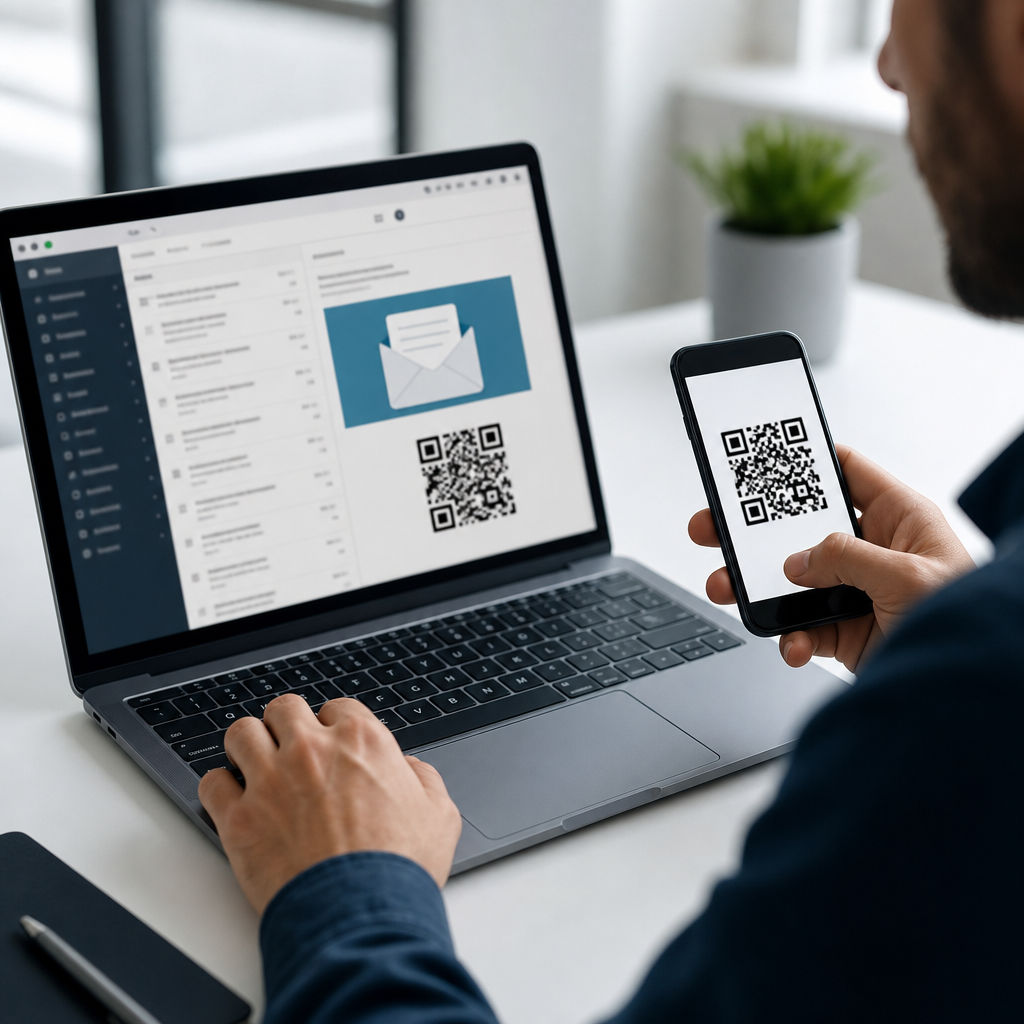
Using QR codes with email marketing platforms turns a static campaign into a measurable bridge between inbox engagement and real-world action. A QR code is a scannable matrix barcode that sends a user to a landing page, form, app download, coupon, event check-in, or tracked experience. In email marketing, the code can appear inside the message itself, in the email signature, in follow-up print materials, or in lifecycle campaigns tied to customer data. The practical value is simple: QR codes shorten the path from interest to action, especially on desktop email, where a reader may want to continue on a phone. I have used them in product launches, retail loyalty campaigns, webinar follow-up, and field sales outreach, and the results are strongest when the code is connected to CRM records, segmentation logic, and campaign reporting rather than treated as a novelty graphic.
This topic matters because email remains one of the highest-return digital channels, while customer journeys now span devices, stores, events, and support touchpoints. A QR code can connect those environments if it is implemented with the right data model. That means choosing dynamic codes over static ones when updates are likely, adding UTM parameters for analytics, mapping scans to contacts in a CRM, and aligning destination content with the email’s intent. Platforms such as HubSpot, Mailchimp, Klaviyo, Salesforce Marketing Cloud, ActiveCampaign, and Marketo can all support this workflow, though the setup differs. As a hub topic under advanced QR code strategies, this guide explains the core integration patterns, the operational decisions behind them, and the metrics that determine whether QR codes improve campaign performance or just add visual clutter.
How QR codes fit into email marketing workflows
The best way to use QR codes with email marketing platforms is to treat them as a response mechanism, not decoration. In practice, that means starting with a clear use case. Common examples include sending catalog readers to a personalized product page, moving webinar registrants from an email reminder to a mobile check-in screen, linking a post-purchase email to a setup video, or driving loyalty members to a wallet pass. Each use case defines the landing experience, the tracking parameters, and the CRM fields that need to update after a scan.
There are two technical models. Static QR codes contain a fixed destination URL and are suitable for evergreen assets with no expected changes. Dynamic QR codes point to a short redirect URL managed by a QR platform, allowing you to change the destination, pause a campaign, add scan analytics, or route users by device, language, or geography. For most email marketing programs, dynamic codes are the better choice because campaigns evolve and attribution matters. If a code in a nurture email needs to point to a new offer after inventory changes, dynamic management prevents broken journeys.
Email clients also affect implementation. Many subscribers open on mobile, where scanning a code inside the email they are already viewing is awkward unless they forward it, save it, or open on another device. That is why QR codes often perform best in desktop-heavy audiences, B2B newsletters, conference communications, transactional emails with printable elements, and omnichannel journeys that extend beyond the inbox. A strong fallback is essential: always place a clickable text link or button near the code so the action remains accessible in every device context.
Connecting QR codes to CRM data and customer profiles
CRM integration is what elevates a QR code from a traffic source to a customer signal. At minimum, you want scan data attached to a contact record or account so sales, marketing, and service teams can act on it. In HubSpot, for example, a QR code can lead to a landing page with hidden fields and tracking parameters that associate the visit with a known contact once the user submits a form or clicks from an identified session. In Salesforce ecosystems, the destination can pass campaign identifiers into Marketing Cloud or Pardot forms, then sync resulting engagement back to lead and contact objects. Klaviyo and ActiveCampaign can use tagged links, form captures, and event tracking to place scanners into specific automations.
The key design question is identity resolution. A scan alone does not always reveal who scanned. If the email recipient is already authenticated in an app, visits a personalized URL, or lands on a page with known cookies, matching is straightforward. If not, you need a conversion event such as a form fill, coupon redemption, appointment booking, or account login to tie the scan to a person. I usually recommend mapping scans at three levels: campaign level for broad performance, segment level for audience insights, and contact level when consent and identification are available.
Field structure matters too. Create consistent properties for source, medium, campaign name, asset ID, QR placement, and scan timestamp. This avoids the common reporting mess where every campaign names parameters differently. Standardized naming also helps with lead scoring. If a contact scans a QR code from a pricing email and then books a demo, that sequence should raise sales priority more than a scan from a general newsletter.
Platform setup, tracking, and measurement standards
Reliable tracking starts with disciplined URL construction. Every QR destination used in email should include campaign parameters that match your analytics conventions. Google Analytics 4 still relies on UTM tags for campaign attribution, and most CRM reporting benefits from the same consistency. Use a short, readable redirect when possible, but preserve structured parameters behind it. Also confirm that your QR generator supports HTTPS, redirect editing, scan logging, and exportable analytics. Bitly, QR Code Generator Pro, Beaconstac, and Flowcode are commonly used because they pair manageable redirects with measurement features.
Beyond simple scans, define success metrics by campaign type. For ecommerce, measure scan-to-session rate, conversion rate, average order value, and revenue per recipient. For events, track registration completion, check-in speed, and no-show reduction. For service or onboarding campaigns, focus on support deflection, setup completion, or repeat usage. Email platform metrics like open rate and click-through rate still matter, but the QR code introduces an additional step that should be evaluated independently. A campaign can have moderate click rates and still succeed if scans drive higher downstream conversion.
| Integration area | What to configure | Primary metric | Common pitfall |
|---|---|---|---|
| Email platform | Image placement, alt text, fallback link, segmentation | Click-to-scan assisted conversions | Using a code with no nearby CTA |
| QR management tool | Dynamic redirect, destination rules, scan analytics | Unique scans | Choosing static codes for changing campaigns |
| Analytics platform | UTM taxonomy, events, conversion mapping | Scan-to-conversion rate | Inconsistent campaign naming |
| CRM | Contact association, properties, workflows, lead scoring | Attributed pipeline or revenue | Failing to resolve scanner identity |
Testing is nonnegotiable. Before launch, scan from iOS and Android devices, from multiple email clients, and from both light and dark mode where image contrast can change. Confirm that the landing page loads fast, that forms render correctly on mobile, and that analytics events fire. I also test printouts of the email when campaigns may be shared offline, because low-quality print can reduce scan reliability.
Practical use cases across lifecycle, sales, and support
In lifecycle marketing, QR codes work well when they remove friction. A welcome email can send new users directly to app installation or account verification on a phone. A post-purchase email can link to assembly instructions, warranty registration, or product education videos. For subscription brands, a replenishment reminder can open a prefilled reorder page. These are high-intent moments, and the code functions as a shortcut rather than an extra decision point.
B2B teams can use QR codes in account-based programs and event follow-up. After a trade show, an email to booth visitors can include a code leading to a custom microsite with the exact solution discussed. Sales reps can place personalized QR codes in one-to-one outreach, linking prospects to meeting booking pages or short demo clips. When the destination is individualized and the CRM logs engagement, sales can prioritize follow-up with much better context.
Support and customer success teams also benefit. I have seen onboarding emails with QR codes reduce setup confusion by routing customers to device-specific guides. Hospitality brands use them in confirmation emails to open check-in pages, digital room guides, or loyalty enrollment. Healthcare providers use them carefully for appointment preparation, forms, and navigation, with strict attention to privacy and secure destinations. In each case, the code should answer the user’s next question immediately, not dump them on a generic homepage.
Design, deliverability, and compliance best practices
Design choices influence scan rates more than many teams expect. Keep enough white space around the code, maintain high contrast, and avoid placing it over busy backgrounds. A minimum rendered size around 120 by 120 pixels is often workable in email, but larger is safer when the audience may scan from a laptop screen at arm’s length. Include a short instruction line such as “Scan to book your demo” because explicit guidance consistently improves response. The destination should mirror the promise in the email so users are not surprised after scanning.
Deliverability and accessibility need equal attention. A QR code is usually an image, so blocked images can hide your CTA unless there is descriptive alt text and a visible fallback link. Overloading an email with large graphics may also hurt load time and engagement. Keep the code compressed, use responsive layouts, and ensure dark mode does not invert surrounding elements in a way that obscures the image. For accessibility, never make the code the only path to the offer.
Compliance depends on the market and data involved. If scans lead to pages collecting personal information, your consent language, privacy notice, and tracking practices must align with regulations such as GDPR and CAN-SPAM, and with any sector-specific rules. Be careful with healthcare, finance, and children’s data. Use secure domains, avoid exposing personal identifiers directly in URLs, and set retention rules for scan logs. Trust is not a design extra; it is part of performance because users abandon suspicious links quickly.
Used thoughtfully, QR codes strengthen email marketing by connecting inbox messages to mobile actions, offline touchpoints, and CRM intelligence. The winning formula is consistent across platforms: choose a clear use case, deploy dynamic codes when flexibility is needed, attach structured tracking parameters, resolve identity through forms or authenticated experiences, and feed engagement back into customer records. When that foundation is in place, QR codes support better segmentation, smarter automation, and more accurate attribution across campaigns.
As the hub page for integrating QR codes with CRM and tools, the main takeaway is that technology alone does not create results; workflow design does. A code should lead to a destination tailored to the campaign, measured against a defined conversion, and connected to the systems your team already uses to market, sell, and support. Start with one high-intent journey such as onboarding, event follow-up, or post-purchase education, document the tracking model, and expand from there. If you build QR campaigns this way, they become a durable operational asset instead of a one-off experiment. Review your current email platform, map where scan data should live, and launch a tightly measured pilot this quarter.
Frequently Asked Questions
How do QR codes improve email marketing campaigns?
QR codes improve email marketing by creating a direct, measurable path from digital engagement to a specific action. Instead of asking subscribers to click a link, remember a URL, or search for an offer later, a QR code gives them an immediate way to access a landing page, product page, RSVP form, coupon, app download, or support resource. This is especially useful when an email is opened on one device but acted on in another context, such as when someone saves the email and scans the code later from a laptop screen, printed handout, or forwarded message. In practical terms, QR codes make campaigns more flexible because they can support online and offline follow-up at the same time.
They also add another layer of tracking and attribution. When connected to a tracked destination URL, a QR code can help marketers understand which campaigns, audience segments, or customer journeys drive scans and conversions. That makes it easier to connect inbox performance with real-world behavior, such as store visits, event check-ins, redemptions, and form submissions. For brands running omnichannel campaigns, this is valuable because it closes the gap between email opens and downstream action. Used well, QR codes turn email from a static communication into an interactive bridge between subscriber intent and a measurable next step.
Where should a QR code be placed when using it with an email marketing platform?
The best placement depends on the campaign goal, but the most effective approach is usually to place the QR code close to a clear call to action. If the email is promoting an event, the code can appear near the RSVP or check-in section. If the goal is coupon redemption, it should sit next to the offer details and expiration date. If the campaign supports app adoption or product education, the code can be placed in a dedicated content block with a short explanation of what happens after scanning. Good placement reduces confusion and increases the chance that subscribers understand the value immediately.
Beyond the email body, QR codes can also work in signatures, automated follow-up sequences, printed inserts, packaging, receipts, and direct mail tied to the same email campaign. That makes them useful across lifecycle marketing, not just newsletters or promotions. However, placement should always support usability. The code needs enough white space around it, must be large enough to scan on different screen sizes, and should be paired with a fallback link for anyone who cannot or does not want to scan. In many cases, a short line of instructional text such as “Scan to claim your offer” or “Scan to book your demo” significantly improves performance because it removes guesswork and sets clear expectations.
What can subscribers do after scanning a QR code from an email?
A subscriber can be sent to almost any digital or tracked experience after scanning a QR code, which is what makes the format so useful in email marketing. Common destinations include landing pages, gated content forms, webinar registrations, loyalty sign-ups, app download pages, product demos, appointment booking tools, coupon redemption pages, event check-in portals, and customer support resources. The destination should match the subscriber’s stage in the journey and the promise made in the email. If the email is meant for acquisition, the code might open a lead form or special offer page. If it is part of retention or loyalty marketing, it might unlock account benefits, reordering, or personalized recommendations.
The most effective experiences are simple, mobile-friendly, and tightly aligned with campaign intent. If someone scans a code expecting a discount and lands on a generic homepage, conversion rates usually suffer. On the other hand, if the scan leads directly to a prefilled form, a personalized offer, or a frictionless event check-in flow, the path feels seamless. Marketers can also use dynamic QR codes to update the destination over time without changing the image itself, which is useful for campaigns that evolve after the email is sent. This flexibility allows teams to optimize destinations, extend promotions, and maintain continuity across different marketing touchpoints.
How do you track the performance of QR codes in email marketing?
Tracking starts with the destination URL. To measure performance accurately, marketers typically use campaign parameters, shortened tracked links, or analytics integrations that identify the source, medium, campaign name, audience segment, and creative variation associated with each QR code. When the code is scanned, the user is routed through that tracked URL to the intended landing page or experience. This allows teams to measure scans, sessions, conversions, revenue, sign-ups, redemptions, and other downstream actions. Within an email marketing platform, this data can often be compared with standard metrics like opens, clicks, and unsubscribes to build a clearer picture of how subscribers engage across channels.
For more advanced reporting, businesses often assign unique QR codes to different email segments, automation flows, offers, or partner campaigns. That helps isolate which audience or message is driving action. Dynamic QR code tools can also report scan counts, timestamps, device data, and in some cases approximate location trends, giving marketers another layer of insight. The key is to define success before launch. If the campaign objective is in-store redemption, then scan volume alone is not enough; you should also track actual redemptions. If the goal is lead generation, form completions and qualified pipeline matter more than scans by themselves. Strong QR measurement ties the code to meaningful business outcomes, not just top-level engagement.
What are the best practices for using QR codes successfully in email campaigns?
The most important best practice is clarity. A QR code should never appear without context. Subscribers need to know what the code does, why they should scan it, and what value they will receive. A short call to action and a concise benefit statement can make a major difference. The destination must also be mobile-optimized, fast-loading, and relevant to the email message. If the scan experience is slow, confusing, or disconnected from the original promise, trust drops quickly. It is also wise to include a standard clickable link beneath or near the code so that users have an alternative way to reach the destination.
Design and technical quality matter as well. Use a high-resolution code, maintain strong contrast, and leave enough spacing around it so scanners can read it easily. Test the code across multiple devices, email clients, and screen sizes before sending at scale. Avoid shrinking it too much, and do not place it in a visually crowded area where it competes with too many other elements. From a strategy standpoint, align each QR code with a single, focused objective rather than trying to make one code serve too many purposes. Finally, use personalization and segmentation when possible. A QR code tied to subscriber data, lifecycle stage, location, or purchase history is often far more effective than a generic destination because it delivers a more relevant experience and makes the campaign feel intentional rather than experimental.





