
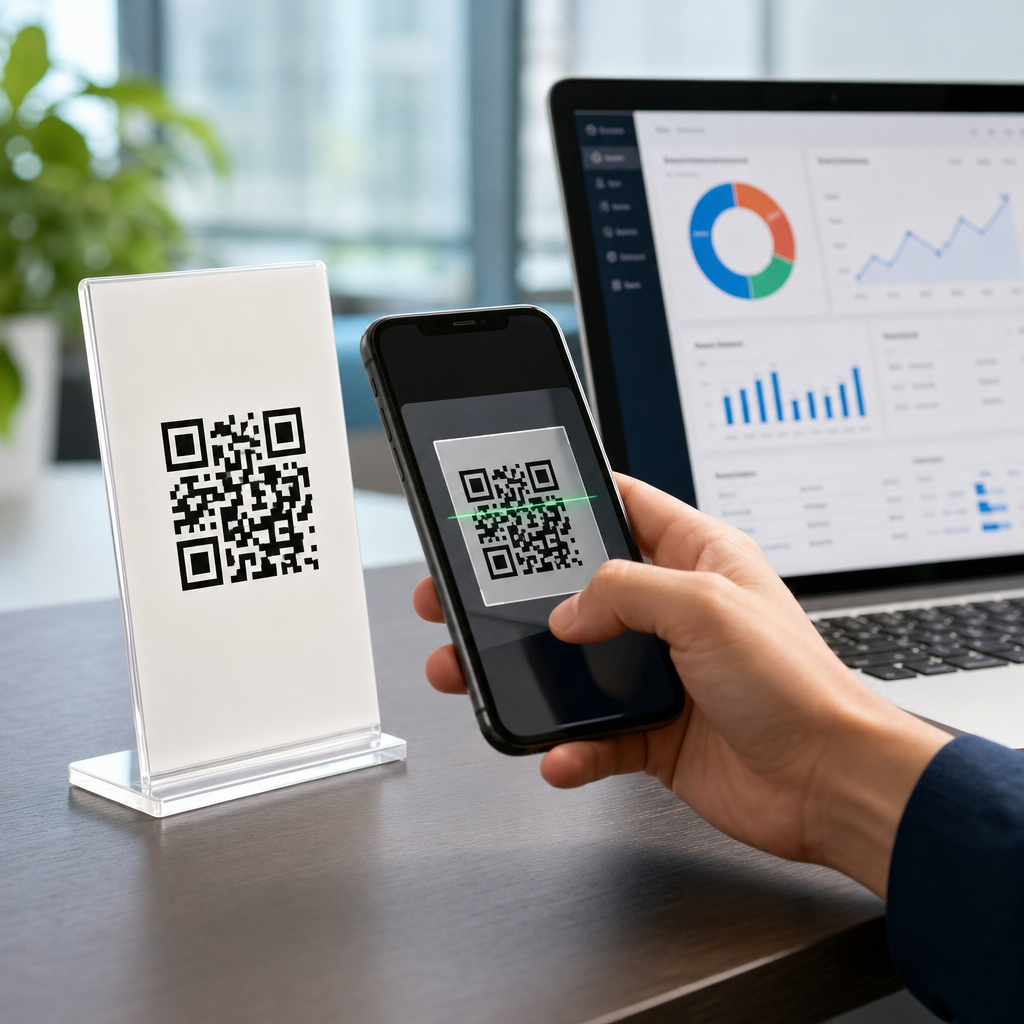
QR codes for CRM lead tracking and automation turn an offline scan into a measurable digital event, then route that event into sales, marketing, and service workflows without manual data entry. In practice, that means a code printed on packaging, signage, direct mail, badges, or product inserts can capture intent, identify source, and trigger follow-up inside platforms such as Salesforce, HubSpot, Zoho CRM, Microsoft Dynamics 365, or Pipedrive. I have implemented these programs for trade shows, retail packaging, field sales leave-behinds, and franchise campaigns, and the pattern is consistent: when QR tracking is designed correctly, teams stop guessing which offline touchpoints produce pipeline and start optimizing them like paid media.
To use the concept precisely, a QR code is the scannable carrier, the destination URL is the tracking mechanism, and the CRM is the system of record where leads, contacts, opportunities, and lifecycle stages are managed. Automation refers to rules that execute after the scan or form submission, such as lead creation, territory assignment, email nurture, task generation, webhook calls, or audience syncing. Lead tracking means attributing the scan and downstream conversion to a campaign, source, asset, location, rep, or account. The distinction matters because a QR code alone does not track a lead. It becomes trackable only when paired with parameters, redirects, forms, cookies, or authenticated user data that can be tied back to a person or account.
This matters because offline engagement still drives high-intent responses, yet many organizations treat it as unmeasurable. A booth banner may attract hundreds of scans, a product box may prompt repeat orders, and a printed proposal may accelerate sales follow-up, but without structured CRM integration those actions remain anonymous traffic. The result is weak attribution, delayed response times, poor lead routing, and inaccurate ROI reporting. By connecting QR codes with CRM and adjacent tools, companies can answer practical questions fast: Which brochure version created qualified pipeline? Which event signage drove demos? Which store location generated the most service sign-ups? Which sales rep card produced the highest close rate? That visibility supports better budgeting, cleaner handoffs, and more relevant automation across the customer journey.
How QR codes connect to CRM systems and why architecture matters
The basic flow is straightforward: a user scans a code, lands on a mobile-friendly destination, submits information or takes an action, and that event is passed into the CRM. The architecture underneath determines whether the data is reliable. In strong implementations, every QR code points to a short tracking URL controlled by your team, not directly to a final page. That redirect layer stores parameters such as campaign ID, asset ID, channel, location, salesperson, or product SKU before sending the visitor to the destination. If the destination includes a form, hidden fields capture those values and write them into the CRM record. If the visitor is already known, first-party cookies, marketing automation records, or authenticated sessions can enrich the scan with existing contact data.
Salesforce users often manage this through Campaigns, custom fields, and Marketing Cloud Account Engagement or web-to-lead forms. HubSpot teams typically use campaign tagging, custom contact properties, workflows, and forms with hidden UTM-style fields. Zoho CRM and Dynamics 365 support similar approaches through forms, APIs, and workflow automation. The principle is the same across stacks: standardize source data before it enters the CRM. If one code writes “trade-show,” another writes “tradeshow,” and a third writes “event booth,” reporting fragments immediately. I recommend a controlled taxonomy with fixed values for source, medium, asset type, market, owner, and offer. That simple governance step prevents months of cleanup later.
Dynamic QR codes are usually the better choice for CRM integration because they allow destination updates, scan analytics, and redirect rules without reprinting the code. Static codes can work for permanent destinations, but they are far less flexible when campaigns change. Error correction level also matters in physical environments. Codes printed on curved packaging, outdoor signage, or badges need testing for scan distance, contrast ratio, quiet zone spacing, and lighting conditions. If scan rates are weak, attribution quality collapses before the CRM ever sees a lead.
Lead capture methods, attribution models, and data hygiene
There are three common lead capture models. The first sends scanners to a dedicated landing page with a form. This is best for offers like demo requests, quote requests, gated guides, service registration, or event follow-up. The second sends users to a known-user environment such as a customer portal, event app, or authenticated account page, where identity is already established. The third sends users to content first and relies on later conversion, using analytics and CRM matching to connect the visit to downstream behavior. The right model depends on friction tolerance and purchase stage. For top-of-funnel packaging scans, forcing a long form can reduce performance. For high-value B2B event traffic, a short qualification form is often justified.
Attribution should be planned before launch. Last-touch attribution gives full credit to the final scan before conversion, which is easy to report but often incomplete. Multi-touch attribution recognizes that a direct mail QR scan, a follow-up email click, and a retargeting ad may all influence the sale. In CRM terms, that means preserving both original source and latest source, while also associating the lead or contact with campaign membership records. I have seen teams lose strategic insight because a sales rep manually updated lead source after a call, overwriting the original QR campaign value. Protecting first-touch data while allowing additional touchpoints is essential.
| Integration element | What it does | Best practice |
|---|---|---|
| Dynamic redirect URL | Captures scan context before forwarding | Use one standardized parameter schema across all campaigns |
| Landing page form | Converts anonymous visitors into known leads | Map hidden fields to CRM source and asset properties |
| CRM workflow | Routes and qualifies incoming leads automatically | Assign owners by territory, product, or event list |
| Analytics layer | Measures scans, sessions, and conversions | Reconcile platform analytics with CRM campaign reporting weekly |
| Consent management | Stores permission and compliance status | Track opt-in language, timestamp, and jurisdiction |
Data hygiene determines whether automation remains trustworthy. Duplicate creation is the most common failure point. A single person may scan a mailer, a booth sign, and a product insert within weeks. Without deduplication rules using email, phone, company domain, or CRM record IDs, each scan can create a new lead and break follow-up. Validation rules also matter. Standardize country, state, phone formatting, job role, and account naming. For B2B programs, enrich form data with Clearbit, ZoomInfo, Apollo, or native enrichment tools cautiously; enrichment improves routing, but it can also introduce stale firmographic data if not monitored.
Automation workflows that turn scans into pipeline
The strongest QR code programs are not just tracked; they are automated. A useful workflow begins the moment a scan or submission occurs. A new lead can be created in the CRM, assigned to the right owner based on geography or named account logic, and enrolled in a nurture path matched to the asset scanned. For example, a manufacturing company can place different QR codes on booth graphics for “request a plant tour,” “download compliance specs,” and “book an engineering consult.” Each code writes a distinct interest value into the CRM. The engineering consult path can create a same-day sales task, while the compliance path can send technical documentation and alert a solutions engineer only if the visitor matches target account criteria.
Speed matters. Across inbound programs, response times measured in minutes outperform responses measured in hours. QR-driven leads are often high intent because the user is acting in a physical context: at a shelf, in front of a sales display, during a meeting, or while using a product. Automation should reflect that immediacy. Use transactional email for instant confirmations, SMS only with clear consent, and CRM task creation for human follow-up where deal value justifies it. Lead scoring can also incorporate QR behavior. A repeat scanner who viewed pricing, product fit, and implementation pages deserves a higher score than a single scan to a general brochure.
Beyond the CRM itself, integrations with tools expand utility. Zapier and Make can connect QR events to spreadsheets, Slack alerts, webinar platforms, support systems, and ad audiences. Segment and RudderStack can standardize event data before forwarding it to analytics and CRM destinations. If a field team uses badge scanners or mobile forms, those tools should write into the same campaign structure as QR scans so reporting stays unified. The hub strategy here is simple: one taxonomy, one source-of-truth CRM model, and many entry points feeding it.
Use cases, compliance considerations, and how to measure success
Real-world use cases span the funnel. At events, QR codes on booth panels can route to meeting schedulers, product selectors, or post-demo recap pages, then associate each scan with the event campaign in the CRM. In retail, shelf talkers and packaging inserts can drive warranty registration, loyalty enrollment, refill orders, or support onboarding. In B2B field sales, printed proposals and leave-behinds can use rep-specific QR codes so scans are attributed to both campaign and seller. In healthcare, education, finance, and regulated industries, QR journeys can still work well, but consent language, record retention, and data minimization need legal review before launch.
Privacy and compliance are not optional. If personal data is collected, make notice clear at the point of capture, record consent where required, and avoid embedding sensitive information directly in the QR code itself. Use secure HTTPS destinations, restrict unnecessary fields, and define retention periods. For regions covered by GDPR, UK GDPR, CCPA, or industry-specific rules, coordinate with legal and security teams on lawful basis, data processing disclosures, and vendor agreements. Public QR codes should never expose internal identifiers that could be manipulated through the URL.
Measure success at three levels: scan performance, conversion performance, and revenue performance. Scan performance includes total scans, unique scanners, scan-to-session rate, device mix, and location-level comparisons. Conversion performance includes form completion rate, qualified lead rate, meeting-booked rate, and speed-to-first-response. Revenue performance includes opportunity creation, pipeline influenced, closed-won revenue, and customer retention where the QR code supports onboarding or service adoption. If you are building this hub into a broader advanced QR strategy, start by auditing current codes, standardizing tracking fields, and connecting one high-intent workflow end to end. Then expand systematically. When QR codes, CRM records, and automation rules are aligned, offline marketing becomes measurable, sales follow-up becomes faster, and operational reporting becomes dramatically more credible. Review your existing campaigns, fix the tracking architecture, and launch your next QR experience with attribution built in from the first scan.
Frequently Asked Questions
How do QR codes improve CRM lead tracking compared with traditional offline lead capture methods?
QR codes improve CRM lead tracking by turning an offline interaction into a timestamped, measurable digital event that can be passed directly into your CRM and marketing automation stack. Traditional offline lead capture often depends on manual steps such as collecting business cards, typing handwritten forms into a spreadsheet, importing badge scans after an event, or asking a sales rep to remember where a lead came from. Those methods are slow, error-prone, and usually weak on attribution. A QR code changes that by creating a direct bridge between a physical touchpoint and a digital record.
When someone scans a code on packaging, signage, direct mail, booth graphics, badges, product inserts, or sales collateral, the scan can send the visitor to a landing page, form, meeting scheduler, coupon page, demo request flow, support article, or personalized offer. Along the way, the system can capture useful metadata such as campaign source, asset location, event name, product line, rep ownership, scan time, device type, and geographic indicators. That data can then be written into platforms like Salesforce, HubSpot, Zoho CRM, Microsoft Dynamics 365, or Pipedrive without rekeying information by hand.
The practical advantage is better speed, better data quality, and better follow-up. Sales teams can see which physical asset generated the lead. Marketing can compare response rates across mailers, booth signage, retail displays, and packaging inserts. Service teams can distinguish between support-related scans and new sales intent. Most importantly, automation can start immediately. Instead of waiting for someone to upload a list after an event, the CRM can create or update a contact, assign the lead owner, send a confirmation email, trigger a nurture sequence, alert a rep, and score the lead based on the action taken. That is what makes QR-based CRM lead tracking so valuable: it turns offline engagement into a structured, actionable signal.
What information can a CRM capture from a QR code scan, and how is that data used for automation?
A CRM can capture far more than the fact that a scan happened. At the most basic level, the system can record the campaign source and destination URL, but a well-designed setup usually captures a much richer set of attributes. These often include the QR code ID, campaign name, channel, asset type, event or location, product category, sales territory, scan timestamp, landing page visited, form completion status, and any first-party information the visitor submits such as name, email, company, phone number, job title, or product interest. Depending on the workflow and consent model, the system may also collect meeting requests, file downloads, coupon redemptions, product registrations, support topics, and demo selections.
That information becomes useful when it is mapped to CRM fields and workflow triggers. For example, if a code appears on a trade show booth panel, the scan can automatically tag the record with the event name and booth location. If the visitor completes a form requesting pricing, the CRM can assign a higher lead score than it would for a simple brochure download. If the scan came from product packaging, the workflow may send onboarding content or customer success materials rather than a new-lead sales sequence. If the code was tied to a regional campaign, the lead can be routed to the correct territory manager immediately.
Automation becomes especially powerful when multiple systems are connected. In Salesforce, a scan can create a lead, append campaign membership, and trigger a task for the account executive. In HubSpot, it can enroll the contact in a nurturing workflow and notify a rep if a high-intent page is reached. In Zoho CRM or Microsoft Dynamics 365, it can update lifecycle stage, create follow-up activities, or trigger customer journey steps. In Pipedrive, it can create a deal or activity when the lead meets qualification rules. In other words, the data captured from a QR scan is not just for reporting. It is the fuel for segmentation, scoring, routing, and timely follow-up across the customer lifecycle.
How should businesses set up QR codes for trade shows, direct mail, packaging, and other offline campaigns?
The best setup starts with strategy rather than design. Before generating any QR code, define the business objective for each offline placement. A trade show badge handout might aim to book meetings. A direct mail piece might aim to drive quote requests. Packaging may be intended to register products, capture cross-sell interest, or route users to onboarding content. Signage in a retail or event environment may be better suited for coupon redemption, product comparison, or local inventory lookup. Once the objective is clear, create a dedicated destination and a unique tracking structure for each use case instead of reusing one generic link everywhere.
In practice, that means using dynamic QR codes tied to campaign-specific URLs and tracking parameters. Each code should have a unique identifier so the CRM can distinguish scans from a booth banner versus a product insert, or from one regional mail drop versus another. The landing page should match the context of the scan and reduce friction. Someone scanning from a trade show should not be dumped onto a generic homepage. They should land on a mobile-friendly page with a clear next step, such as schedule a demo, request pricing, download a one-sheet, or claim an event-specific offer. The same principle applies to packaging and direct mail: maintain message continuity from print to mobile experience.
Operationally, the system should include CRM field mapping, lead source rules, duplicate handling, and workflow logic before launch. Decide whether a scan alone creates a lead, whether a form submission is required for contact creation, how existing contacts are updated, and which team owns each type of response. Also test code placement, scanability, contrast, size, and destination speed in real-world conditions. A code on glossy packaging behaves differently from one on a booth wall under poor lighting. Finally, build reporting before the campaign starts. You want dashboards that show scans by asset, conversion rate by source, leads created, meetings booked, opportunity influence, and downstream revenue. That is how QR codes move from a novelty to a repeatable CRM acquisition channel.
Which CRM platforms work best with QR code lead tracking and what should businesses look for in an integration?
Most major CRM platforms can support QR code lead tracking effectively, provided the implementation is structured correctly. Salesforce, HubSpot, Zoho CRM, Microsoft Dynamics 365, and Pipedrive are all common choices because they support custom fields, workflow automation, lead routing, campaign attribution, and integrations with forms, landing pages, and middleware tools. The best platform is usually not determined by QR code capability alone, but by how well it fits your broader sales and marketing process.
What matters most is the integration architecture. First, you need the ability to store scan metadata in a usable way. That means custom fields or campaign objects for source, asset ID, event, product line, or physical location. Second, the platform should support real-time or near-real-time workflow automation so follow-up happens while intent is fresh. Third, it should handle duplicate resolution properly. A good system should recognize whether the person already exists as a lead, contact, or account-related record and then update intelligently instead of creating messy duplicate records every time the same person scans another code.
Businesses should also look for flexible routing and attribution. Can the system assign leads by geography, product interest, event owner, or account status? Can it distinguish between a new prospect scanning a booth sign and an existing customer scanning packaging for support content? Can it pass QR-origin data into marketing automation and revenue reporting? Middleware tools and native integrations can help here, especially when connecting QR platforms, form builders, webinar systems, scheduling tools, and CRMs together.
Another key consideration is reporting depth. A strong integration should let you answer practical questions: Which printed assets generated the most qualified leads? Which event signs produced meetings instead of just scans? Did the direct mail QR campaign influence pipeline? How many packaging scans converted into upsell opportunities? If your integration only records a click and loses the offline context, you miss much of the value. The best CRM setup preserves that context all the way through the lead, opportunity, and customer journey.
What are the most important best practices for QR code CRM automation, including lead quality, privacy, and follow-up timing?
The most important best practice is to design around intent, not just access. A QR scan by itself is useful, but not all scans are equal. Someone scanning a code to view product specifications is different from someone requesting a demo or pricing. Your CRM automation should reflect that difference through lead scoring, segmentation, and routing rules. High-intent actions should trigger immediate sales follow-up. Lower-intent actions may be better suited for nurturing, retargeting, or educational content. This helps protect sales teams from being flooded with low-quality leads while ensuring strong opportunities are acted on quickly.
Privacy and consent are equally important. If a scan leads to a form, be clear about what information is being collected and how it will be used. If you are associating scan behavior with identifiable records, make sure your process aligns with relevant privacy requirements and your own stated consent practices. In many programs, the safest and most effective model is to treat the scan event separately from personal identification until the user voluntarily submits details or authenticates through an existing relationship. This keeps your data model cleaner and your compliance posture stronger.
Timing





