
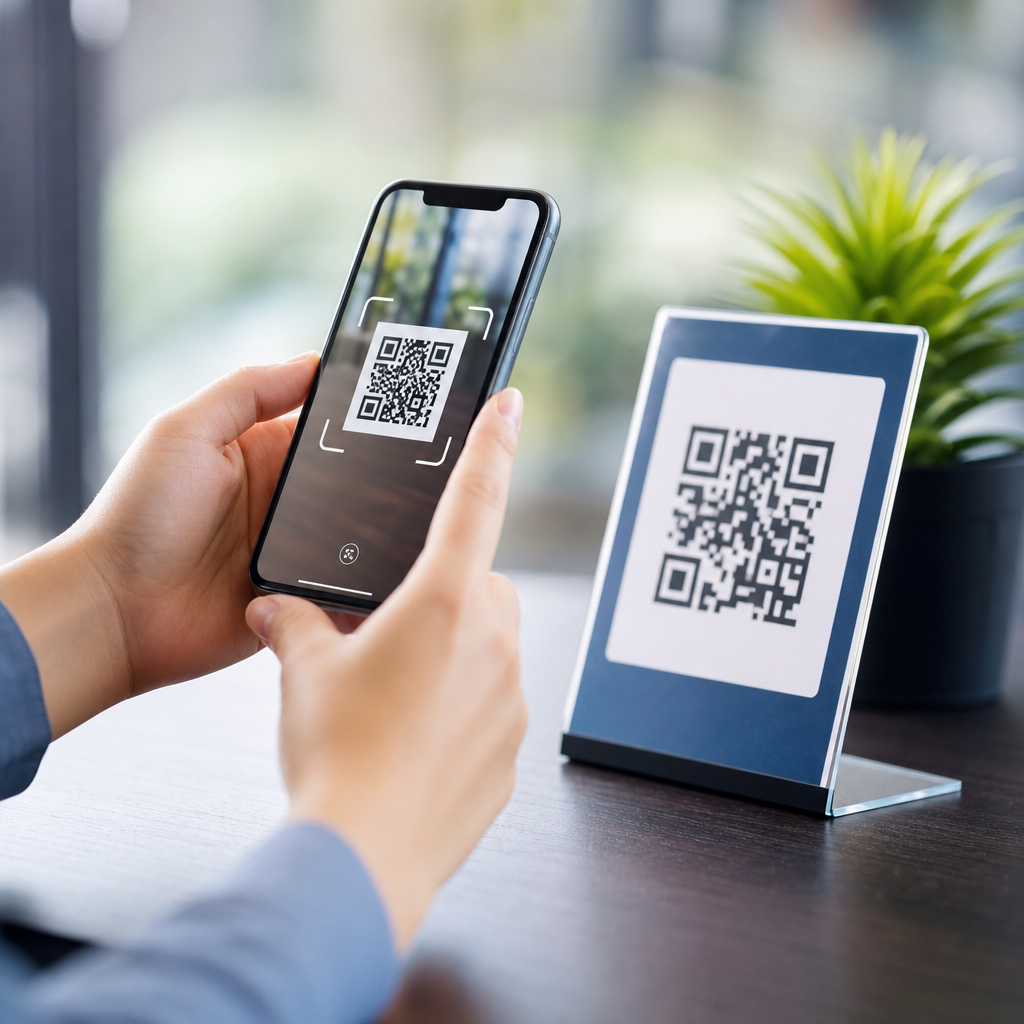
QR code personalization turns a generic scan into a tailored experience by changing what users see, where they go, and what happens next based on context, audience, or behavior. In practical terms, it means a single code can deliver different landing pages, app screens, coupons, videos, forms, or support flows for different people. I have used personalized QR campaigns in retail, events, and service operations, and the difference is measurable: higher scan-to-action rates, better attribution, and fewer dead-end experiences. For brands building advanced QR code strategies, personalization matters because scans happen at decisive moments: on packaging, in-store displays, direct mail, tickets, product manuals, and receipts. If the destination matches user intent, the scan feels useful rather than gimmicky. Key terms matter here. A static QR code points to a fixed destination and cannot be meaningfully adapted after printing. A dynamic QR code uses a short redirect URL, making it editable, trackable, and suitable for segmentation. Personalization can be explicit, such as linking a loyalty member to their account area, or implicit, such as adapting content by location, device type, language, or time of day. The goal is relevance without friction, using data responsibly and designing experiences that answer the user’s next question immediately.
What QR code personalization includes
QR code personalization starts with segmentation, because not every user scanning the same code wants the same thing. The most common segmentation layers are audience, context, and intent. Audience includes known groups such as new customers, returning buyers, loyalty members, event attendees, or field technicians. Context includes scan location, time, device operating system, and campaign source. Intent is inferred from placement. A QR code on premium packaging usually signals product education or registration; a code on a restaurant table signals menu access or ordering; a code on a utility bill signals payment or account support. In campaigns I have managed, the strongest personalized experiences combined all three layers. For example, one printed insert used a dynamic QR code to route first-time buyers to setup instructions, repeat buyers to accessory recommendations, and wholesale accounts to a reordering portal based on the unique URL token embedded behind the scan.
Personalization also includes the destination format, not just the link target. A mobile web landing page is the default because it is universal, fast to update, and easy to track. But personalized QR code experiences can also deep link into a mobile app, open a prefilled form, launch a calendar event, trigger a WhatsApp conversation, or reveal a digital loyalty card. The right format depends on what the user needs to do next. If the next step is education, a fast-loading page with FAQs and a short video usually performs best. If the goal is conversion, reduce steps with prefilled data, one-tap actions, and location-aware offers. If support is the goal, route users directly to the right service path. Personalization should remove choices, not create more of them.
Data signals that make personalization useful
The best QR code personalization uses a small number of high-value signals rather than excessive data collection. Start with scan metadata available from most dynamic QR platforms: timestamp, approximate location by IP, device type, operating system, and referral campaign. Add first-party signals only where they improve the experience, such as customer status, previous purchases, language preference, or service tier. A retailer can use location to show the nearest store page with inventory information. A software company can detect iOS versus Android and send scanners to the correct app store or to a browser fallback if the app is not installed. An event organizer can route VIP ticket holders to expedited check-in instructions while general attendees see venue maps and session schedules.
UTM parameters remain essential because they make personalized scans measurable inside analytics tools such as Google Analytics 4, Adobe Analytics, and Mixpanel. I recommend preserving campaign, source, medium, placement, and audience labels all the way through the redirect chain. For identity-based personalization, use secure tokens rather than exposing personal data in the URL. A token can map to a CRM record in Salesforce, HubSpot, or Klaviyo, allowing a page to greet a known user, show relevant content, or prefill a support case. However, privacy and compliance come first. Do not encode sensitive data directly in the QR image, and do not use personal identifiers in visible URLs. Personalized QR code experiences should respect consent, minimize stored data, and offer a useful default experience for anonymous users.
How to build a personalized QR code journey
A reliable QR personalization workflow follows five steps: define the scan moment, identify the likely user question, choose the routing logic, design the mobile destination, and measure post-scan behavior. The scan moment determines urgency. A code on machinery in a warehouse needs immediate troubleshooting content, while a code on premium packaging can support storytelling and registration. The likely user question should be written plainly. Examples include: How do I set this up? Is this product authentic? Where is my nearest location? Can I get a discount today? What do I do if this fails? Once the question is clear, routing logic becomes easier to define. You can route by geography, by device, by known customer segment, by campaign creative, or by unique code identifier.
The destination should be mobile-first and brutally concise. In repeated testing, pages with one primary action outperform pages that ask users to choose among many paths. Keep page weight low, headline clarity high, and trust signals visible. Include store hours, pricing, stock status, setup steps, or contact options immediately if those are likely needs. Dynamic QR management platforms such as Bitly, QR Code Generator PRO, Beaconstac, Flowcode, and Uniqode make redirects and analytics straightforward, but the platform does not substitute for journey design. Before launch, test the experience across iPhone and Android devices, different camera apps, low-signal environments, and common accessibility settings. Many failed QR campaigns are not failures of the code itself; they are failures of the landing experience after the scan.
| Personalization method | How it works | Best use case | Main caution |
|---|---|---|---|
| Location-based routing | Redirects users by city, country, or nearest site | Retail, restaurants, events, local services | IP location is approximate, not exact |
| Device-based routing | Sends users to iOS, Android, app deep link, or web fallback | App installs, product support, mobile services | Always provide a fallback destination |
| Unique code identifiers | Each printed code maps to a user, product, or channel | Direct mail, packaging, loyalty, authentication | Requires careful code management at scale |
| Time-based personalization | Changes the offer or content by hour, day, or event phase | Limited promotions, event schedules, menus | Expired logic creates poor user experiences |
Personalization examples by industry
In retail, personalized QR code experiences often outperform generic product pages because they connect the scan to immediate purchase intent. A code on a shelf talker can detect the store region and show local pricing, stock availability, and a coupon valid that day. A code inside packaging can recognize a first-time registration token, then shift future scans to how-to content, refill reminders, or accessory bundles. In restaurants, table QR codes can personalize menus by location, language, time, and repeat-guest behavior. Breakfast scanners should not land on a dinner menu, and loyalty members should see their available rewards without searching. In hospitality, a room QR code can route guests to property-specific services, checkout options, multilingual support, and spa availability based on the stay dates.
In healthcare and regulated sectors, personalization requires extra care, but it is still powerful when done correctly. A clinic can place QR codes on appointment reminders that route patients to the correct pre-visit instructions based on department, provider, and appointment type without exposing protected information in the code itself. Manufacturers use serialized QR codes on equipment to route technicians to model-specific manuals, parts lists, safety notices, and service histories. Education teams use campus-specific QR codes on posters to show relevant program pages, event registration, or language-specific admissions content. Across these examples, the pattern is consistent: the scan succeeds when the user reaches the next useful step in seconds. That is why personalized QR code strategies work best when paired with clean information architecture and tightly scoped landing pages.
Measurement, optimization, and governance
To improve personalized QR code campaigns, measure more than scans. Track scan rate by placement, click-through to the destination, bounce rate, completion rate, assisted conversions, and return scans over time. In GA4, define events for key actions such as menu views, registrations, app installs, coupon redemptions, support completions, or purchases. Compare segments by code placement, audience, and destination type. I have seen campaigns with fewer total scans produce more revenue because the personalized destination matched intent better. A code on direct mail may have lower volume than a storefront poster, yet generate stronger conversion because the recipient already has buying context. Optimization should focus on the full chain: code visibility, scanability, redirect speed, page relevance, and next-step clarity.
Governance is what keeps personalization scalable. Create naming conventions for campaigns and redirects, maintain a destination inventory, and document ownership for every code in circulation. Set review dates for seasonal offers and temporary landing pages so stale destinations do not remain live after a promotion ends. Use HTTPS everywhere, monitor redirect health, and define fallbacks for app deep links and deleted pages. Accessibility matters as well. QR codes should be placed with enough contrast and surrounding whitespace, and nearby text should explain what users will get when they scan. Finally, treat trust as a design requirement. Users scan faster when the context is obvious, the brand is recognizable, and the value is immediate. If you want better performance from advanced QR code strategies, start personalizing the post-scan experience, audit every destination, and give each audience the shortest path to what they actually need.
Frequently Asked Questions
What does it actually mean to personalize a QR code experience for users?
Personalizing a QR code experience means the scan does not lead every user to the exact same destination or interaction. Instead, the experience adapts based on who the user is, where they are, when they scanned, what device they are using, or what they have done before. In practice, that could mean one QR code sending a first-time customer to a welcome offer, a returning buyer to a loyalty reward, an event attendee to a session schedule, or a support customer directly into the right troubleshooting flow. The QR code itself may look identical, but the content behind it is dynamic and designed to feel more relevant to the individual scanner.
This matters because relevance improves performance. A generic QR campaign often creates friction by asking every person to take the same path, even when their needs are different. A personalized experience reduces that friction by matching the destination to user intent and context. That can increase scan-to-action rates, improve conversions, create cleaner attribution, and make campaigns easier to optimize over time. Instead of treating the scan as a simple click, personalization treats it as a decision point where you can deliver a better next step.
How can one QR code show different content to different users?
A single QR code can deliver different experiences by pointing to a dynamic URL rather than a fixed destination. Once the scan reaches that URL, rules can determine what the user sees next. Those rules may be based on factors such as device type, geolocation, language, time of day, campaign source, referral parameters, prior behavior, account status, or whether the user is new or returning. For example, a restaurant can use one code on all tables but route lunch visitors to a midday menu, evening visitors to dinner specials, and loyalty members to a reward screen. The printed code stays the same while the experience changes behind the scenes.
This is typically managed through a QR platform, campaign routing logic, or a connected landing page system. Some businesses also use URL parameters, cookies, CRM integrations, marketing automation tools, or app deep linking to fine-tune the result. The important point is that the personalization happens after the scan, not by changing the visual code for every user. That approach makes campaigns more scalable, easier to update, and more measurable, because teams can refine the destination logic without reprinting assets every time the offer, audience, or goal changes.
What are the most effective ways to personalize QR code campaigns?
The most effective personalization strategies usually start with clear audience segments and a specific action you want the user to take. In retail, that might mean showing localized product recommendations, personalized coupons, back-in-stock alerts, or loyalty rewards. At events, it could mean directing attendees to agendas based on ticket type, speaker schedules by track, or post-session surveys tied to the room they scanned in. In service operations, personalization often works best when it reduces effort, such as routing people to the right support article, prefilled service form, language-specific help page, or account-aware troubleshooting flow. The strongest campaigns do not personalize for the sake of novelty; they personalize to remove steps and increase relevance.
Behavioral and contextual personalization are especially powerful. A first-time scanner can get an introductory offer, while a repeat scanner sees a stronger conversion-focused message. Someone scanning from product packaging may need setup instructions, while someone scanning from an in-store sign may be better served by pricing, inventory, or reviews. You can also personalize by location, scan frequency, time sensitivity, and device environment. If the user is on mobile web, send them to a responsive page; if the app is installed, deep link them into the correct screen. The best-performing QR experiences are usually the ones that feel immediate, useful, and obviously aligned with why the person scanned in the first place.
How do you measure whether personalized QR code experiences are working?
Success should be measured beyond total scan volume. Scans are useful, but they are only the starting point. To evaluate personalization, look at scan-to-action rate, landing page engagement, conversion rate, time to completion, coupon redemption, form completion, app opens, support deflection, revenue per scan, and return scan behavior. Compare these metrics across different audience segments, locations, placements, and personalized paths. If one segment consistently converts better after receiving a tailored offer or support flow, that is strong evidence that the personalization is adding value.
Attribution also becomes much stronger when QR campaigns are structured correctly. Use dynamic URLs with campaign parameters, connect them to analytics platforms, and define events that reflect meaningful outcomes. This makes it easier to see not just where the scan came from, but what happened next. A personalized QR code on packaging may drive setup completion, while one on a shelf display may drive product page views or add-to-cart actions. Over time, those differences help teams optimize routing rules, creative placement, and content design. The real advantage of personalized QR campaigns is that they turn physical-world interactions into measurable digital journeys, which makes testing and improvement far more practical.
What are the biggest mistakes to avoid when personalizing QR code experiences?
The most common mistake is overcomplicating the experience. Personalization should make the user journey simpler, not harder to understand. If the scan leads to a confusing page, asks for too much information, or presents an offer that does not match the context of the scan, users will drop off quickly. Another frequent issue is weak mobile optimization. Because QR interactions almost always begin on a phone, slow load times, cluttered pages, broken deep links, or poorly formatted forms can erase the benefits of personalization. Even a highly targeted destination will underperform if the user experience is not fast and frictionless.
It is also important to avoid vague segmentation, poor privacy practices, and lack of testing. If every audience receives nearly the same message, the campaign is not truly personalized. If data is being used, be transparent and respect consent requirements. On the operational side, test every scan path, device type, and redirect condition before launching. Make sure the fallback experience is strong in case the ideal logic cannot be applied. Finally, do not treat personalization as a one-time setup. The best results come from continuous optimization: reviewing scan behavior, comparing segment performance, updating content, and refining what each user sees next. That is what turns a QR code from a static shortcut into a high-performing engagement tool.





