
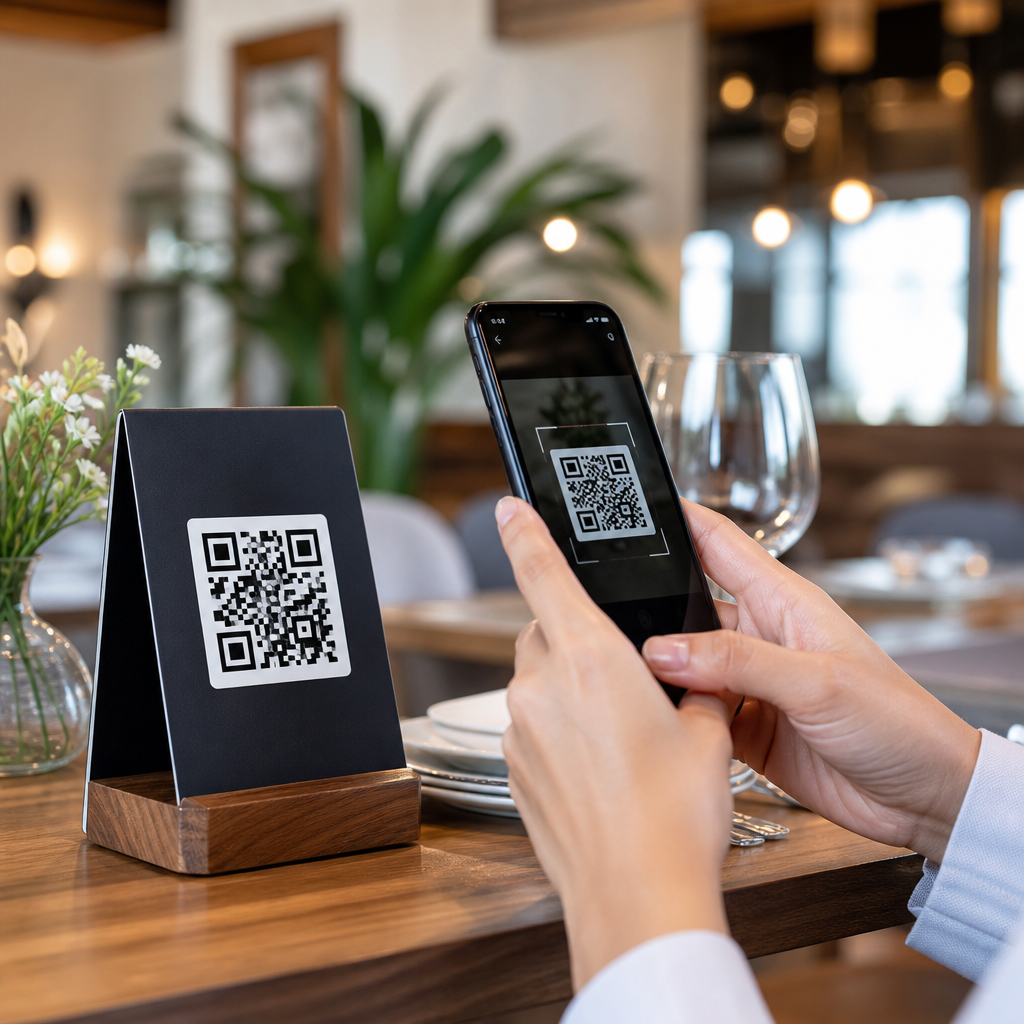
A QR code menu lets guests open your restaurant menu on their phones by scanning a code with the camera app, replacing or supplementing printed menus with a digital version that is faster to update, easier to track, and often cheaper to maintain. For restaurants and hospitality businesses, that simple change affects more than convenience. It influences table turns, average check size, menu accuracy, sanitation workflows, staffing pressure, and the guest experience across dine-in, takeaway, room service, bars, cafés, food halls, and hotel restaurants. I have helped operators roll out QR code menu systems in independent cafés and multi-location groups, and the results are consistent: when setup is done well, updates become easier, specials move faster, and service teams spend less time explaining unavailable items or correcting pricing mistakes.
Before building one, it helps to define the key terms. A QR code is a scannable two-dimensional barcode that opens a link, file, or app action. A digital menu is the mobile-friendly page guests see after scanning. A dynamic QR code points to a short redirect URL that can be changed later without reprinting the code, while a static QR code sends users to one fixed destination forever. In restaurant operations, dynamic codes are usually the better choice because menus change frequently due to seasonal dishes, pricing, stock levels, and promotions. The goal is not merely to put a PDF online. The goal is to create a menu experience that is readable, quick to load, easy to update, and aligned with service flow.
This matters because restaurant margins are thin and menu communication is operationally critical. If a guest cannot find allergens, modifiers, wine notes, or happy hour timing quickly, the service burden shifts back to staff. If a code is broken, poorly placed, or hard to scan in dim lighting, the digital menu becomes friction instead of help. A strong QR code menu supports hospitality rather than replacing it. It gives guests control, gives managers flexibility, and gives owners cleaner menu governance across locations. As the hub for restaurants and hospitality, this guide explains how to create a QR code menu, choose the right format, design for usability, deploy it in service, and measure whether it is actually improving performance.
Choose the right QR code menu format for restaurant service
The first decision is what kind of menu experience you want guests to reach. Most restaurants have three options: a PDF menu, a dedicated menu landing page, or a full ordering interface integrated with POS and online ordering. A PDF is the quickest launch path, especially for small operators that already have a print-ready menu file. It preserves your branding and section layout, but it often performs poorly on mobile because users need to zoom, scroll sideways, and hunt for details. A mobile landing page is usually the best balance for dine-in use. It can show categories, item descriptions, allergens, upsells, and location-specific pricing in a format designed for phones. A POS-linked ordering interface is best when you want guests to order and pay from the table, but it requires more operational planning.
In practice, I advise restaurants to avoid leading with a static PDF unless speed is the only concern. A digital menu page built for mobile improves readability and conversion. Guests can move from starters to mains to drinks without pinching and zooming. You can also feature high-margin items, pairings, limited-time offers, and visual cues such as spicy, vegan, or gluten-free markers. For hospitality environments like hotels and resorts, separate menu pages by outlet make management easier. The lobby bar, pool menu, breakfast room, and in-room dining program often need different operating hours, prices, and availability. A centralized system with outlet-level pages reduces confusion and protects brand consistency.
Another important choice is dynamic versus static QR codes. Dynamic codes are strongly recommended for restaurants because they let you update the destination URL after codes have already been printed on table tents, window decals, takeaway inserts, or guest room materials. If brunch hours change or a wine list moves, you edit the destination inside the platform instead of replacing physical assets. Static codes are acceptable only for truly permanent links, such as a homepage or contact page, but a restaurant menu is rarely permanent. For multi-unit groups, dynamic codes also allow location targeting, campaign tagging, and scan analytics that are useful when comparing traffic by table area, daypart, or property.
Build a mobile-first digital menu guests can use in seconds
A restaurant QR code menu succeeds when the page loads fast and answers the guest’s first questions immediately: What can I eat, how much does it cost, and is it right for my dietary needs? Start with a clean category structure such as starters, salads, mains, sides, desserts, cocktails, beer, wine, and nonalcoholic drinks. Keep names descriptive and avoid overly clever labels that hide what the dish actually is. Every item should include price, a concise description, and dietary or allergen indicators where relevant. If modifiers matter, show them clearly. “Add chicken,” “choose spice level,” or “served with fries or salad” should not be buried in fine print.
Photos can increase interest, but they should be used selectively. In my experience, a few high-quality images for signature dishes outperform cluttered galleries that slow load times. Restaurants should compress images, test page speed on cellular networks, and use legible typography with strong contrast. Many scans happen in low light at dinner service, on older phones, and with one hand. Small fonts and pale colors are a common failure point. Menus should also be accessible. Alt text for images, readable heading hierarchy, and clear allergen labeling improve usability for all guests. If your operation serves international visitors, language toggles can meaningfully reduce ordering friction in tourist-heavy locations.
Menu governance is just as important as design. Assign one person or team responsibility for updates, approve a naming convention for categories, and establish a same-day process for marking items unavailable. Nothing damages trust faster than a digital menu showing dishes the kitchen has already eighty-sixed. For groups with multiple locations, maintain a master structure with local overrides for pricing, taxes, and inventory. This keeps brand standards intact while allowing each venue to reflect reality. The strongest restaurant QR code menus behave like living operational tools, not like marketing brochures.
Generate, place, and test your QR codes for real dining conditions
Once the menu page is ready, create the QR code using a reputable platform that supports dynamic links, analytics, and high-resolution exports. Common tools include QR Code Generator, Bitly, Uniqode, and Canva for simple branded assets, though enterprise groups may prefer menu or ordering platforms with built-in code management. Export vector files such as SVG or EPS for print so the code stays sharp at any size. Use sufficient contrast, ideally dark code on a light background, and protect the quiet zone, the empty margin around the code that scanners need to read it. Overdesigned codes with low contrast or logo overlays that crowd the pattern often scan poorly in restaurants.
Placement affects scan rates as much as design. Table tents work well for full-service dining. Counter cards fit cafés and quick-service counters. Window decals help passersby access takeaway menus before entering. In hotels, codes can appear on room key sleeves, in-room compendiums, minibar cards, conference tables, and pool loungers. Always include a short instruction such as “Scan to view menu” and, if possible, a fallback short URL beneath the code. That protects access for guests using older devices or corporate phones with camera restrictions. The code should be large enough to scan comfortably from the typical viewing distance and positioned where condiments, candlelight, or water glasses will not block it.
| Placement | Best for | Main advantage | Common risk |
|---|---|---|---|
| Table tent | Full-service dining rooms | Easy guest discovery at the point of order | Wear, spills, and visual clutter |
| Counter card | Cafés and quick service | Speeds line decisions | Missed by guests focused on the register |
| Window decal | Takeaway and walk-ins | Access before entry | Glare and weather exposure |
| Guest room card | Hotels and resorts | Supports room service and outlet discovery | Outdated links across multiple outlets |
Testing should happen in real operating conditions, not just at a desk. Scan the code on iPhone and Android, in daylight and low light, over Wi-Fi and cellular data. Check how fast the menu loads from the host stand, patio, dining room corners, and guest rooms. Print one prototype before a full run, because glossy stock, reflections, and small sizing can undermine readability. Staff should test the menu too. If servers can open the menu instantly and find modifiers, allergen notes, and specials without hesitation, guests are more likely to succeed as well.
Connect the menu to operations, ordering, and performance tracking
A QR code menu should fit your service model. In some restaurants, it simply supports discovery and the server still takes the order traditionally. In others, it connects to online ordering, contactless payment, loyalty enrollment, or feedback capture. The right setup depends on guest expectations and brand style. Fine dining may use QR codes mainly for wine lists, tasting notes, or reserve selections while preserving printed menus and table-side service. Casual dining and hotel outlets often benefit from broader digital menus that surface upsells like add-ons, dessert, premium pours, or breakfast bundles. Quick-service brands may tie the code directly to order-ahead and payment flows to reduce queue times.
Tracking matters because a QR code menu should prove its value. Use analytics to measure scans by location, time, and device. Review bounce rate, time on page, and click paths between categories. If drink pages get heavy traffic but low conversion in ordering flows, pricing or presentation may need work. If patio table codes receive fewer scans than indoor codes, glare or placement may be the issue. Add campaign parameters when promoting seasonal menus, event packages, or happy hour. Then compare scans against POS sales, attachment rates, and stock movement. The best operators treat the menu as a conversion surface, not just a digital replacement for paper.
There are tradeoffs to acknowledge. Not every guest wants to scan a code, and hospitality should allow alternatives. Keep a small number of printed menus available, train staff to assist without judgment, and ensure the digital version does not exclude guests with low vision, weak mobile signals, or limited technical comfort. Data privacy is another consideration if the menu collects email addresses, payment data, or feedback. Use trusted vendors, secure connections, and clear consent language. When those basics are in place, a restaurant QR code menu becomes a practical asset that supports service, accuracy, and revenue.
Creating a QR code menu for your restaurant starts with a straightforward principle: make it easier for guests to browse, decide, and order without sacrificing hospitality. Choose a dynamic QR code, send it to a mobile-first menu page rather than a hard-to-read PDF whenever possible, and organize content around real guest questions such as price, ingredients, allergens, and modifiers. Then place the code where guests naturally look, test it in real service conditions, and maintain the menu with the same discipline you apply to inventory and pricing. When the digital menu reflects live operations, it reduces friction for both staff and diners.
For restaurants and hospitality businesses, the main benefit is flexibility. You can update a sold-out item, launch a seasonal cocktail list, adjust prices across outlets, or highlight a hotel breakfast package without reprinting stacks of menus. You also gain visibility into what guests are actually viewing, which helps you refine design, merchandising, and promotions. That makes this approach relevant across the entire Restaurants and Hospitality category, from cafés and bars to resorts, food halls, and room service programs. A QR code menu is not a trend piece. It is an operational communication tool that, when built correctly, improves clarity and supports better service.
If you are building your first system, start small: create one mobile-friendly menu page, generate one dynamic code, test it on the floor, and train staff on how to guide guests. Then expand to ordering, payments, multilingual pages, and outlet-specific experiences as needed. A well-executed QR code menu saves time, protects accuracy, and helps your restaurant serve guests more smoothly every day.
Frequently Asked Questions
What is a QR code menu, and how does it work in a restaurant?
A QR code menu is a digital version of your restaurant menu that guests open by scanning a code with their smartphone camera. Instead of handing out a printed menu to every table, you place a QR code on table tents, window signs, receipts, takeout inserts, or even on the front door. When a guest scans the code, it takes them to a mobile-friendly menu page where they can browse food and drink items, pricing, descriptions, photos, modifiers, specials, and sometimes even place an order or pay directly from their phone.
In practical terms, the process is simple. First, you create a digital menu, usually as a webpage rather than a PDF, because webpages are easier to read on phones and much easier to update. Then you generate a QR code that links to that menu. Once the code is printed and displayed, guests scan it and instantly access the latest version. If you need to change an item, mark something sold out, update a price, add a seasonal cocktail, or highlight a promotion, you can do it without reprinting physical menus.
For restaurants, this improves more than convenience. A QR code menu can reduce printing costs, speed up menu updates, improve menu accuracy, and support cleaner front-of-house workflows. It can also help staff spend less time distributing and collecting menus and more time on service. If paired with analytics or online ordering tools, it can also give you insight into what guests are viewing and buying, which can help improve average check size and menu performance.
How do I create a QR code menu for my restaurant step by step?
Creating a QR code menu for your restaurant is usually a straightforward process, especially if you focus on usability first. Start by building your menu in a digital format that works well on mobile devices. A dedicated menu page on your website is usually the best option because it loads cleanly, is searchable, and can be updated quickly. While some restaurants use PDF menus, PDFs are often harder to read on smaller screens, slower to load, and less flexible when you need to make fast edits during service.
Next, organize your menu so it is easy to scan and understand. Group items into clear sections such as starters, mains, desserts, beer, wine, cocktails, and nonalcoholic drinks. Make sure item names, prices, ingredients, and allergy-related information are accurate and current. If you want to increase conversions, include appetizing descriptions, suggested add-ons, and high-quality photos for selected items. Keep the design uncluttered so guests can quickly find what they want without excessive scrolling.
Once your menu page is ready, copy its URL and use a QR code generator to create the code. Many generators let you choose between a static QR code and a dynamic QR code. A static code links permanently to one URL, while a dynamic code lets you change the destination later without reprinting the code. For most restaurants, dynamic QR codes are the more practical choice because they allow flexibility if you redesign your site, create a seasonal menu, or switch platforms.
After generating the code, test it on multiple devices before printing anything. Scan it using both iPhone and Android phones. Check loading speed, readability, image quality, and whether the page looks good on different screen sizes. Then place the QR code where guests can easily see and scan it, such as on each table, bar top, host stand, guest rooms if you are in hospitality, and takeout packaging. Finally, train your staff to guide guests who are unfamiliar with the process and to offer a printed menu when needed. The best QR code menu setup is not just digital; it is operationally smooth for both guests and staff.
What should a good digital menu include to improve guest experience and sales?
A strong digital menu should do more than display your food list. It should make decision-making faster, reduce confusion, and gently encourage higher-value orders. At a minimum, every menu item should include a clear name, current price, concise but appealing description, and any relevant dietary or allergen notes. Guests should be able to understand what they are ordering without needing to call over a server for basic clarification. If your concept relies on customization, include options for add-ons, sides, spice levels, or extras in a way that feels simple rather than overwhelming.
For the best guest experience, mobile usability matters a great deal. Your menu should load quickly, use readable font sizes, and avoid forcing guests to zoom in and out. Categories should be easy to navigate, and the most important items should be easy to find. Restaurants often benefit from highlighting signature dishes, popular items, limited-time offers, pairing suggestions, and profitable upgrades such as premium sides, wine pairings, or dessert prompts. Done well, this can raise average check size without feeling pushy.
Photos can also help, especially for signature items, desserts, cocktails, and unfamiliar dishes, but they should be used selectively. Too many images can slow the page and make the menu feel cluttered. A good digital menu also reflects real-time accuracy. If an item is unavailable, remove it or mark it clearly. If brunch ends at a certain time, make that obvious. Accuracy matters because it reduces guest disappointment and prevents staff from repeatedly explaining what is sold out.
Finally, think about accessibility and trust. Include readable contrast, clear headings, and if possible, support for multiple languages if your guest base needs it. Make sure the page looks professional and branded, and that it opens to a secure, legitimate-looking destination. Guests are much more likely to use a QR code menu confidently when the experience feels polished, safe, and easy.
Are QR code menus better than printed menus for restaurants?
QR code menus are often better than printed menus in several important ways, but the most effective approach for many restaurants is to use them alongside printed menus rather than as a total replacement. The biggest advantage is flexibility. If you need to update pricing, 86 an item, launch a seasonal feature, or add a new wine, a digital menu can be changed almost immediately. That kind of speed is especially valuable in restaurants dealing with fluctuating ingredient costs, changing inventory, or frequent specials.
There are also cost and workflow benefits. Printing menus repeatedly can become expensive, particularly for large menus, multi-location operations, or venues that update offerings often. QR code menus reduce that reprint burden and can simplify sanitation and front-of-house processes because staff are handling fewer physical menus. In busy service environments, even small efficiencies can help reduce pressure on the team and improve table flow.
That said, printed menus still have advantages. Some guests prefer a physical menu, especially older diners, guests with limited phone battery life, or anyone who does not want to navigate a menu on a screen. In dim lighting, on poor internet connections, or in higher-end dining environments where tactile presentation matters, a printed menu can still deliver a better experience. Accessibility is also a real consideration, and not every guest will find a phone-based menu easier to use.
That is why many restaurants choose a hybrid model. They use QR code menus as the default for speed and convenience while keeping printed menus available on request. This approach supports guest preference, broadens accessibility, and gives your operation flexibility. In most cases, the question is not whether QR code menus completely replace printed menus, but how to use both in a way that supports service quality, operational efficiency, and the overall brand experience.
What are the most common mistakes to avoid when setting up a QR code menu?
One of the most common mistakes is linking the QR code to a menu format that is difficult to use on a phone, especially a large PDF that loads slowly and requires constant zooming. Guests want fast access and easy reading. If the experience feels clunky, many will get frustrated before they even start browsing. A mobile-optimized webpage is almost always the better option because it is cleaner, faster, and easier to update.
Another major mistake is failing to keep the menu current. A QR code menu only adds value if it reflects real availability and pricing. If guests scan the code and see items that are sold out, outdated promotions, or incorrect prices, trust drops quickly. That creates friction for servers and can slow service instead of improving it. Assigning someone on your team to own menu updates, especially before each shift, helps prevent this issue.
Poor placement is another problem. If the QR code is too small, damaged, poorly lit, or placed where guests do not naturally look, usage will suffer. Codes should be easy to spot and easy to scan without awkward positioning. It also helps to include a short call to action such as “Scan to view menu” so guests immediately understand what the code is for. Staff should be trained to point it out naturally as part of the greeting.
Restaurants also sometimes overlook guest comfort and accessibility. Not everyone wants to use a phone to browse a menu, and not everyone can do so easily. If you remove printed menus entirely without a backup option, you may create friction for a meaningful portion of your guests. It is also important to avoid overcomplicating the digital menu with too many pop-ups, slow-loading images, or excessive clicks. The goal is to make ordering easier, not more technical. The best QR code menu setup feels almost invisible: quick to access





